


 Apple Podcasts
 Spotify
 Youtube Music
 Spreaker
 Podchaser
 Amazon Music
 Azure Sphere - Simply Explained
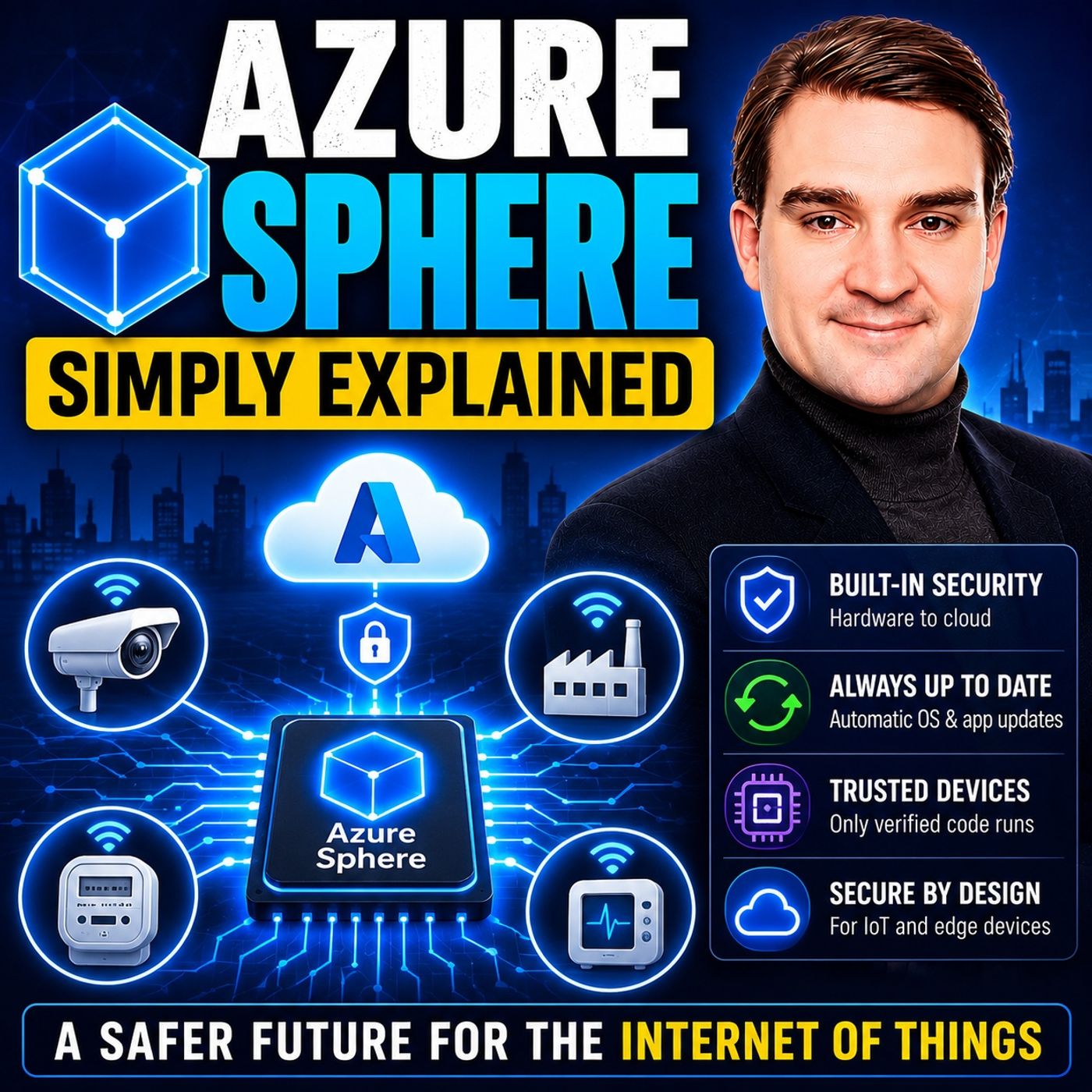
Azure Sphere is Microsoft's end-to-end security platform for Internet of Things (IoT) devices. Instead of focusing only on software security, Azure Sphere protects connected devices from the silicon chip all the way to the cloud. It combines three core components: certified secure hardware, a custom Linux-based operating system, and a cloud security service that continuously authenticates devices and delivers automatic security updates throughout their lifetime.
Think of Azure Sphere as a security guard that never leaves your smart device. Whether it's a factory sensor, a connected coffee machine, medical equipment, or industrial machinery, Azure Sphere constantly verifies that the device is running trusted software, communicates securely, and stays protected against newly discovered threats. Unlike traditional embedded systems that may never receive updates after deployment, Azure Sphere devices are continuously patched without requiring manual intervention.
Imagine a manufacturer building thousands of smart vending machines deployed around the world. Without proper security, a single vulnerability could allow attackers to compromise every machine. Azure Sphere helps prevent this by using hardware-based trust, secure boot, certificate-based authentication, encrypted communications, and automatic over-the-air updates. If Microsoft discovers a new security issue, patches are delivered automatically, keeping devices protected without sending technicians into the field.
Quick answer: Azure Sphere IoT security is the focus of this M365 FM episode, which explains what it does, where it fits in the Microsoft ecosystem, and the architecture, security, governance, or operational choices that matter before teams adopt or manage it.
In today's world, the Internet of Things (IoT) connects billions of devices, making security a crucial concern. Azure Sphere serves as a comprehensive solution designed to protect these devices from potential threats. With the IoT Application Development Services market projected to grow from USD 21,925 million in 2024 to USD 66,141.6 million by 2032, the need for robust security measures becomes even more apparent. Alarmingly, around 70% of IoT devices are vulnerable to medium or high-severity attacks. Azure Sphere addresses these challenges, ensuring that security is a foundational element of every connected device.
Key Takeaways
- Azure Sphere is a security platform that protects Internet of Things (IoT) devices from threats.
- It includes three main parts: secured microcontrollers, a custom operating system, and a cloud-based security service.
- Automatic updates keep devices secure without needing manual intervention, reducing maintenance costs.
- Azure Sphere uses strong security features like hardware-based root of trust and secure boot to prevent unauthorized access.
- Industries like healthcare and manufacturing benefit from Azure Sphere by improving data security and operational efficiency.
- Developers can easily integrate Azure Sphere into their IoT projects by following a clear set of implementation steps.
- Continuous monitoring through the cloud service helps detect threats and maintain device security.
- Azure Sphere is suitable for businesses of all sizes, making it easier for small companies to secure their IoT devices.
What Is Microsoft Azure Sphere?
Overview of Azure Sphere
Microsoft Azure Sphere is a revolutionary platform designed to enhance the security of IoT devices. It aims to create highly secure internet-connected microcontroller devices. Azure Sphere consists of three main components that work together to bolster IoT security:
| Component | Description |
|---|---|
| Azure Sphere Certified MCUs | These microcontrollers integrate Microsoft security technology and connectivity capabilities. |
| Azure Sphere Operating System | A secure and agile OS that incorporates layers of security from Windows, Linux, and monitoring software. |
| Azure Sphere Security Service | Protects devices and enables secure communication between devices and the cloud. |
This comprehensive architecture ensures that security is not an afterthought but a foundational element of every connected device. By integrating hardware, software, and cloud services, Microsoft Azure Sphere addresses the unique challenges of IoT security.
Benefits of Azure Sphere
The benefits of Microsoft Azure Sphere are significant for organizations looking to secure their IoT devices. Here are some key advantages:
| Component | Description |
|---|---|
| Azure Sphere-certified microcontrollers | These microcontrollers integrate application and real-time processors with advanced security technology, leveraging Microsoft's extensive experience in security, particularly from the Xbox. |
| Azure Sphere OS | This operating system combines multiple security levels, incorporating innovations from Windows, a security monitor, and a custom Linux kernel to provide robust defense against threats. |
| Azure Sphere Security Service | A cloud service that ensures secure communication between devices and the cloud, featuring automatic updates, threat detection, and online reporting to maintain device integrity and security. |
With Azure Sphere, you benefit from automatic, over-the-air updates that keep your devices secure without manual intervention. This proactive approach drastically reduces maintenance costs and ensures that your devices remain protected against emerging threats.
Moreover, Azure Sphere improves security compared to traditional IoT solutions. For instance, it eliminates weak authentication through certificate-based, password-less methods. It also addresses outdated firmware with automatic updates, ensuring your devices always run the latest security patches. Additionally, the hardware root of trust prevents a breach in one component from compromising the entire system.
Components of Azure Sphere Device

Secured Microcontroller Units (MCUs)
Functionality of MCUs
The secured microcontroller units (MCUs) in Azure Sphere play a vital role in ensuring device security. These MCUs incorporate advanced security features, such as the Pluton security subsystem and silicon-based attestation. Unlike standard MCUs, Azure Sphere MCUs utilize a multi-core architecture. One core is dedicated to the Pluton runtime, enhancing security through isolation. This design includes 'firewalls' between cores, ensuring that resources remain accessible only to designated cores. Such measures significantly reduce the risk of unauthorized access.
Types of MCUs
Azure Sphere certified MCUs come in various types, each designed to meet specific application needs. These MCUs integrate Microsoft security technology and connectivity capabilities, making them suitable for a wide range of IoT applications.
Custom Linux-Based Operating System
Features of the OS
The Azure Sphere operating system (OS) is a custom Linux-based platform that provides robust security features. It implements several key security mechanisms, including:
| Security Mechanism | Description |
|---|---|
| Hardware-based root of trust | Ensures device identity is secure and prevents forgery, using an unforgeable cryptographic key generated by the Pluton security subsystem. |
| Defense in depth | Implements multiple security layers to mitigate threats, ensuring each software layer verifies the security of the layer above it. |
| Small trusted computing base | Limits the software within the trusted computing base to reduce attack surface, with only essential components running in this secure environment. |
| Dynamic compartments | Contains hardware firewalls and silicon counter-measures to prevent security breaches from spreading, using a sandboxed runtime to protect secured code and data. |
Security Protocols
The Azure Sphere OS employs various security protocols to safeguard devices. Password-less authentication utilizes signed certificates for stronger security, ensuring secure device-to-cloud communications. Additionally, the OS supports renewable security, automatically updating device software to fix known vulnerabilities without user intervention.
Cloud-Based Security Service
Role of the Security Service
The Azure Sphere security service plays a crucial role in maintaining device integrity. It continuously monitors devices for potential threats, ensuring ongoing protection. This cloud-based security service utilizes digital certificates to authenticate devices, enhancing secure communication with cloud services.
Automated Updates
Automated updates are a key feature of the Azure Sphere security service. Updates are automatically downloaded from the cloud to Azure Sphere devices connected to the internet. This process ensures that devices always run the latest security patches, significantly reducing the risk of vulnerabilities. For example, recent updates have addressed multiple CVEs, ensuring that your devices remain secure against emerging threats.
Azure Sphere and IoT Security
Security Features
IoT devices face numerous security challenges. These challenges can lead to significant vulnerabilities if not addressed properly. Here are some common vulnerabilities that you should be aware of:
| Vulnerability Type | Description |
|---|---|
| Default Passwords | Generic admin passwords that are not changed, making devices easily accessible to attackers. |
| Firmware Flaws | Slow or nonexistent patching of embedded systems creates long-term risks. |
| Unpatched Software | Known vulnerabilities remain open even after advisories are published. |
| Insecure Communications | Exposes sensitive data in transit, including telemetry and control commands. |
| Weak Authentication | Easier for attackers to impersonate legitimate users or devices. |
| Insecure APIs and Cloud Integrations | Can expose device data or remote control functions to unauthorized access. |
| Difficulty in Patching and Updating | Critical updates may be disruptive or poorly documented, leading to unaddressed vulnerabilities. |
Azure Sphere effectively mitigates these risks through its robust security features. For instance, it employs a hardware-based root of trust, ensuring that devices boot securely and run genuine firmware. This feature prevents unauthorized access and firmware tampering, which are common threats in the IoT landscape.
Additionally, Azure Sphere provides automatic updates. This feature ensures that your devices receive secure updates to the operating system and applications, protecting them against emerging threats. The platform also includes secure boot, which protects the integrity of the device startup, and mutual authentication, verifying both ends of communication to prevent unauthorized access.
Continuous Monitoring
Continuous monitoring is essential for maintaining the security of IoT devices. Azure Sphere excels in this area by utilizing its cloud-based security service. This service continuously monitors devices for potential threats, ensuring ongoing protection. It employs digital certificates to authenticate devices, enhancing secure communication with cloud services.
The automated updates feature plays a crucial role in this monitoring process. By automatically downloading updates from the cloud, Azure Sphere devices always run the latest security patches. This significantly reduces the risk of vulnerabilities. For example, recent updates have addressed multiple Common Vulnerabilities and Exposures (CVEs), ensuring that your devices remain secure against emerging threats.
Who Benefits from Microsoft Azure Sphere?
Industries and Applications
Microsoft Azure Sphere benefits various industries by enhancing the security of IoT devices. Here are some key sectors that leverage Azure Sphere for improved security and operational efficiency:
| Industry | Reported Outcomes |
|---|---|
| Starbucks | Improved operational efficiency, proactive maintenance, reduced costs, and enhanced innovation. |
| Microsoft | Better predictive maintenance, improved customer outcomes, and increased efficiency in datacenter operations. |
Azure Sphere finds applications in critical sectors such as healthcare, manufacturing, and smart cities. In healthcare, it safeguards patient data and medical devices, ensuring data integrity and privacy. In manufacturing, Azure Sphere enhances operational efficiency through secure IoT solutions. Smart cities benefit from secure infrastructure, allowing for better resource management and improved public safety.
Developers and Manufacturers
Developers and manufacturers also gain significant advantages from integrating Azure Sphere into their IoT products. Here’s how:
| Benefit | Description |
|---|---|
| Enhanced Security | Built-in security features in silicon chips and cloud services protect products and customers. |
| Scalability | Facilitates transition from small IoT deployments to large-scale business applications. |
| Operational Efficiency | Simplifies deployment, management, and security of predictive maintenance systems, improving services. |
| Digital Transformation | Empowers manufacturers to focus on IoT-based products and services across operations. |
| Addressing Security Challenges | Incorporates Microsoft’s security layers to tackle IoT deployment concerns effectively. |
To implement Azure Sphere in new IoT projects, developers should follow these steps:
- Obtain an Azure Sphere development board that supports the Sample Appliance hardware requirements.
- Use Azure Sphere SDK version 24.03 or higher.
- Set up an Azure subscription.
- Configure your Azure Sphere device and development environment as described in Azure Sphere documentation.
- Clone the Azure Sphere samples repository and locate the AzureIoT sample.
- Connect your Azure Sphere device to your computer via USB.
- Enable a network interface on your Azure Sphere device and verify the internet connection.
- Enable application development on your device using the command
az sphere device enable-development. - Configure networking on your device.
By following these steps, you can effectively integrate Azure Sphere into your IoT projects, ensuring robust security and operational efficiency.
Practical Integration of Azure Sphere
Use Cases in Various Industries
Azure Sphere has proven its value across various industries by enhancing security and operational efficiency. Here are some notable use cases:
| Industry/Application | Use Case Description |
|---|---|
| General Industry | Azure Sphere is trusted by customers to connect and secure equipment, driving improvements and reducing costs. |
| Home Appliances | Used to securely connect devices like espresso machines, ensuring safe operation and user data protection. |
| Industrial Manufacturing Equipment | Provides security for various manufacturing equipment, safeguarding sensitive data and operational integrity. |
| Smart Energy Solutions | Enhances security in smart energy applications, protecting critical infrastructure from cyber threats. |
| Data Centers | Secures connections in data center environments, ensuring reliable and safe data management. |
These examples illustrate how Azure Sphere addresses security challenges in diverse applications, making it a preferred choice for organizations looking to protect their IoT devices.
Implementation Steps
Integrating Azure Sphere into your existing IoT infrastructure involves several key steps. Follow this ordered list to ensure a smooth implementation:
- Identify specific business needs and potential applications for IoT technology.
- Define objectives for what you want to achieve with IoT technology.
- Assess existing IT infrastructure and determine necessary upgrades.
- Identify potential risks and challenges associated with IoT implementation.
- Develop a phased implementation roadmap outlining the project’s timeline, budget, and resource allocation.
By following these steps, you can effectively integrate Azure Sphere into your IoT projects. This approach ensures that you address security concerns while maximizing the benefits of connected devices.
Tip: Consider the unique requirements of your industry when planning your integration. Tailoring your approach can lead to better outcomes and enhanced security.
Azure Sphere's architecture, which includes a secured silicon chip, a custom operating system, and a dedicated security service, provides a solid foundation for secure IoT applications. This comprehensive solution enables you to maintain secure connections and protect sensitive data throughout the device lifecycle.
In summary, Azure Sphere stands out as a vital solution for enhancing IoT security. Its unique combination of secured microcontrollers, a custom operating system, and a cloud-based security service creates a robust defense against potential threats. As Adolfo noted, Azure Sphere allows teams to focus on adding business value rather than merely maintaining security. This shift enables innovation and efficiency across industries.
You should consider exploring Azure Sphere further. Its applications can significantly improve the security of your IoT projects. With resources available, such as the Azure Portal and Azure Monitor, you can easily integrate Azure Sphere into your operations.
FAQ
What is Azure Sphere?
Azure Sphere is a security platform from Microsoft designed to protect IoT devices. It combines secured microcontrollers, a custom Linux-based operating system, and a cloud-based security service to enhance device security.
How does Azure Sphere ensure device security?
Azure Sphere employs multiple security features, including a hardware root of trust, secure boot, and threat detection. These features work together to protect devices from unauthorized access and vulnerabilities.
Can I develop applications for Azure Sphere?
Yes, you can use the Azure Sphere software development kit to create applications for Azure Sphere devices. This SDK provides tools and libraries to help you build secure IoT applications.
What industries benefit from Azure Sphere?
Industries such as healthcare, manufacturing, and smart cities benefit from Azure Sphere. It enhances security and operational efficiency in these sectors by protecting sensitive data and ensuring device integrity.
How does Azure Sphere handle updates?
Azure Sphere automatically downloads and installs updates from the cloud. This feature ensures that your devices always run the latest security patches without requiring manual intervention.
Is Azure Sphere suitable for small businesses?
Absolutely! Azure Sphere is designed for businesses of all sizes. Its robust security features help small businesses protect their IoT devices without needing extensive IT resources.
How does Azure Sphere support continuous monitoring?
Azure Sphere's cloud-based security service continuously monitors devices for potential threats. This proactive approach helps maintain device security and ensures timely responses to emerging vulnerabilities.
What makes Azure Sphere different from traditional IoT solutions?
Unlike traditional IoT solutions, Azure Sphere integrates hardware, software, and cloud services into a single platform. This comprehensive approach ensures that security is a foundational element of every connected device.
🎧 Listen to this episode
Want a practical explanation of Azure Sphere? This episode breaks down the topic in clear language and shows why it matters for Microsoft 365, Azure, Power Platform, security, AI, and modern work.
Listen to this episode if you want to:
- Understand the key concepts behind Azure Sphere
- See how it fits into the wider Microsoft technology ecosystem
- Learn where it can create practical value for your organization
Discover more practical Microsoft conversations on M365 FM.
Last reviewed: July 2026.
Who Should Listen
This episode is for Microsoft administrators, architects, developers, security professionals, and business leaders who need a practical foundation before making implementation or governance decisions.
🎧 You Should Also Listen To
- Azure Policy — A closely related next step that adds useful context and practical depth.
- Azure Monitor — A closely related next step that adds useful context and practical depth.
- Azure Resource Manager — A closely related next step that adds useful context and practical depth.
🚀 Want to be part of m365.fm?
Then stop just listening… and start showing up.
👉 Connect with me on LinkedIn and let’s make something happen:
- 🎙️ Be a podcast guest and share your story
- 🎧 Host your own episode (yes, seriously)
- 💡 Pitch topics the community actually wants to hear
- 🌍 Build your personal brand in the Microsoft 365 space
This isn’t just a podcast — it’s a platform for people who take action.
🔥 Most people wait. The best ones don’t.
👉 Connect with me on LinkedIn and send me a message:
"I want in"
Let’s build something awesome 👊
1
00:00:00,000 --> 00:00:03,920
picture this, you buy a smart thermostat for your home, you install it, connect it to
2
00:00:03,920 --> 00:00:05,880
Wi-Fi, and it works great.
3
00:00:05,880 --> 00:00:10,480
You can adjust the temperature from your phone, it learns your schedule, everything is fine.
4
00:00:10,480 --> 00:00:14,760
Until one day, that thermostat becomes part of a botnet that attacks a hospital's network
5
00:00:14,760 --> 00:00:16,280
halfway across the world.
6
00:00:16,280 --> 00:00:17,280
Sound dramatic?
7
00:00:17,280 --> 00:00:18,600
It's not, this has happened.
8
00:00:18,600 --> 00:00:22,760
The MIRI botnet in 2016 took down major parts of the internet using nothing but hacked
9
00:00:22,760 --> 00:00:26,720
cameras and routers, and the reason those devices were vulnerable is simple, they were never
10
00:00:26,720 --> 00:00:28,600
built to be secure in the first place.
11
00:00:28,600 --> 00:00:33,000
Here's the thing about most IoT devices, they have tiny computers inside, small microcontrollers
12
00:00:33,000 --> 00:00:37,400
that handle one or two tasks, but historically, these chips were designed for things like
13
00:00:37,400 --> 00:00:41,920
microwave ovens and washing machines, things that don't connect to the internet, so manufacturers
14
00:00:41,920 --> 00:00:46,880
optimized for cost and power consumption, not security, then the internet of things happened.
15
00:00:46,880 --> 00:00:50,960
Suddenly all those cheap, simple chips needed to connect to the internet, and manufacturers
16
00:00:50,960 --> 00:00:55,840
did what manufacturers do, they added a Wi-Fi module and called it a day, no secure boot,
17
00:00:55,840 --> 00:00:57,560
no hardware root of trust.
18
00:00:57,560 --> 00:01:01,800
No update mechanism, once a device shipped, that was it, if a vulnerability was found six months
19
00:01:01,800 --> 00:01:05,560
later, there was no way to patch it, the device was stuck with whatever bugs it shipped
20
00:01:05,560 --> 00:01:08,440
with, and these devices stay in the field for years.
21
00:01:08,440 --> 00:01:11,800
A factory sensor might run for a decade, a smart meter might sit on the side of a building
22
00:01:11,800 --> 00:01:16,960
for 15 years, that's a long time for a vulnerable device to be connected to the internet, the consequences
23
00:01:16,960 --> 00:01:21,880
are real, botnets that launch massive attacks, data breaches that expose personal information,
24
00:01:21,880 --> 00:01:25,720
compromise networks that give attackers a foothold inside companies, all because nobody
25
00:01:25,720 --> 00:01:29,200
thought about security when the chip was designed, so Microsoft looked at this problem and
26
00:01:29,200 --> 00:01:33,200
decided to build something from the ground up, not a software patch, not a security service
27
00:01:33,200 --> 00:01:36,760
you bolt on later, something that starts with the silicon itself.
28
00:01:36,760 --> 00:01:42,480
What Azure Sphere actually is, the big picture, Azure Sphere is Microsoft's end-to-end IOT
29
00:01:42,480 --> 00:01:46,320
security platform, that sounds like marketing speak, so let me translate it into plain
30
00:01:46,320 --> 00:01:50,840
English, it's three things working together, a certified microcontroller chip, a secured
31
00:01:50,840 --> 00:01:55,000
operating system, and a cloud security service, you need all three, take anyone away and
32
00:01:55,000 --> 00:01:58,720
the whole thing falls apart, the key phrase you'll hear a lot is security from silicon to
33
00:01:58,720 --> 00:02:03,320
cloud, that's not just a tagline, it means the security starts at the physical chip level
34
00:02:03,320 --> 00:02:08,000
and extends all the way up to the cloud service that manages the devices, every layer is designed
35
00:02:08,000 --> 00:02:09,440
to work together.
36
00:02:09,440 --> 00:02:13,400
Now contrast that with the old approach, most IOT security is bolt on, you take a regular
37
00:02:13,400 --> 00:02:17,600
chip, run a regular operating system, and then try to add security features later, maybe
38
00:02:17,600 --> 00:02:21,440
you encrypt some data, maybe you add a password, it's like building a house with paper walls
39
00:02:21,440 --> 00:02:25,800
and then installing a fancy deadbolt, the deadbolt works but someone can still walk through
40
00:02:25,800 --> 00:02:26,800
the wall.
41
00:02:26,800 --> 00:02:31,280
Azure Sphere takes a different approach, security is built in from the start, not added later,
42
00:02:31,280 --> 00:02:36,000
the chip itself has security features baked into the silicon, the operating system is designed
43
00:02:36,000 --> 00:02:40,320
specifically to run securely, the cloud service manages the whole fleet, here's an analogy
44
00:02:40,320 --> 00:02:44,480
that helps, think of it like a secured building, the chip is the reinforced door, it's strong
45
00:02:44,480 --> 00:02:45,480
at the entry point.
46
00:02:45,480 --> 00:02:49,520
The operating system is the security guard inside, it makes sure people only go where they're
47
00:02:49,520 --> 00:02:54,320
out, and the cloud security service is the central monitoring station, it watches everything,
48
00:02:54,320 --> 00:02:56,760
sends updates and responds to problems.
49
00:02:56,760 --> 00:03:00,400
Now a common question is Azure Sphere just another IOT platform?
50
00:03:00,400 --> 00:03:06,680
Not really, most IOT platforms like AWS IOT Core or Azure IOT Hub are about connecting devices
51
00:03:06,680 --> 00:03:08,560
to the cloud and managing data.
52
00:03:08,560 --> 00:03:12,600
Azure Sphere is specifically about device level security, it's the foundation that secure
53
00:03:12,600 --> 00:03:17,240
IOT devices can be built on, think of it this way, AWS IOT is like a postal service, it
54
00:03:17,240 --> 00:03:22,120
moves your data from point A to point B securely, Azure Sphere is like building a vault for
55
00:03:22,120 --> 00:03:26,440
your data before you even hand it to the postal service, they solve different problems and
56
00:03:26,440 --> 00:03:29,960
you could actually use both together, so what makes the chip so special?
57
00:03:29,960 --> 00:03:34,160
Let's break down each layer starting with the silicon itself.
58
00:03:34,160 --> 00:03:39,320
Layer one, the silicon, the Azure Sphere MCU, let's start with the chip itself because
59
00:03:39,320 --> 00:03:43,680
that's where everything begins, the hardware foundation of Azure Sphere is a custom designed
60
00:03:43,680 --> 00:03:44,920
microcontroller.
61
00:03:44,920 --> 00:03:48,800
Right now the main chip you'll find in production is the MediaTek MT362.
62
00:03:48,800 --> 00:03:53,440
Now on the surface it looks like any other microcontroller, it's small, it's relatively low power
63
00:03:53,440 --> 00:03:55,840
and it handles basic processing tasks.
64
00:03:55,840 --> 00:03:59,480
But what makes it different is what's built into the silicon, inside this chip, there's
65
00:03:59,480 --> 00:04:04,480
something called the Pluton Security subsystem, Pluton is not software, it's a separate dedicated
66
00:04:04,480 --> 00:04:07,120
security processor built directly into the hardware.
67
00:04:07,120 --> 00:04:11,720
Think of it as a tiny, tamper-proof computer inside the main computer, its only job is to
68
00:04:11,720 --> 00:04:13,200
handle security operations.
69
00:04:13,200 --> 00:04:14,200
Why does that matter?
70
00:04:14,200 --> 00:04:16,600
Because it creates something called a hardware root of trust.
71
00:04:16,600 --> 00:04:20,600
Here's what that means in plain English, when the device powers on, the Pluton subsystem
72
00:04:20,600 --> 00:04:22,360
is the first thing that starts running.
73
00:04:22,360 --> 00:04:26,640
It checks its own identity at the lowest possible level, the silicon itself.
74
00:04:26,640 --> 00:04:30,320
Before any software loads, before the operating system boots, before anything else happens,
75
00:04:30,320 --> 00:04:32,600
the chip can verify that it is who it says it is.
76
00:04:32,600 --> 00:04:36,920
This is fundamentally different from software-based security, with software you're always trusting
77
00:04:36,920 --> 00:04:39,800
that nothing has been tampered with before the security software loaded.
78
00:04:39,800 --> 00:04:43,240
But if someone modified the boot loader or the firmware, your security software might be
79
00:04:43,240 --> 00:04:46,520
checking the wrong thing, hardware-based trust doesn't have that problem.
80
00:04:46,520 --> 00:04:50,560
You can't modify Pluton without physically accessing the chip, and even then, it's designed
81
00:04:50,560 --> 00:04:51,840
to resist tampering.
82
00:04:51,840 --> 00:04:55,420
From there, the chip enforces secure boot, the device will only run software that's been
83
00:04:55,420 --> 00:04:57,280
cryptographically signed and approved.
84
00:04:57,280 --> 00:05:01,280
If someone tries to load an authorized firmware, the chip simply refuses, it won't boot,
85
00:05:01,280 --> 00:05:03,440
it won't run, the device stays locked.
86
00:05:03,440 --> 00:05:07,680
The MT362 also has a crossover design, it combines real-time processing, the kind you
87
00:05:07,680 --> 00:05:11,980
need for controlling motors or reading sensors, with application processing for more complex
88
00:05:11,980 --> 00:05:12,980
tasks.
89
00:05:12,980 --> 00:05:17,360
That means a single chip can handle both the low-level control and the higher-level connectivity
90
00:05:17,360 --> 00:05:19,600
and security, no need for two separate processes.
91
00:05:19,600 --> 00:05:22,000
Now, why does hardware security matter so much?
92
00:05:22,000 --> 00:05:24,160
Because software security can be bypassed.
93
00:05:24,160 --> 00:05:29,200
A clever attacker can find bugs in the operating system, exploit vulnerabilities in applications,
94
00:05:29,200 --> 00:05:31,880
or trick the software into doing things it shouldn't.
95
00:05:31,880 --> 00:05:34,040
But hardware security is much harder to crack.
96
00:05:34,040 --> 00:05:38,160
You need physical access to the chip, specialized equipment, and a lot of time and skill.
97
00:05:38,160 --> 00:05:39,800
Here's the analogy that sticks.
98
00:05:39,800 --> 00:05:44,440
The Pluton Security subsystem is like a tamper-proof safe embedded in the foundation of a building.
99
00:05:44,440 --> 00:05:45,440
You can't move it.
100
00:05:45,440 --> 00:05:49,120
You can't open it without the right tools, and even if someone breaks in through a window,
101
00:05:49,120 --> 00:05:50,120
the safe is still secure.
102
00:05:50,120 --> 00:05:52,440
That's the level of protection we're talking about.
103
00:05:52,440 --> 00:05:53,840
But hardware alone isn't enough.
104
00:05:53,840 --> 00:05:56,840
The operating system running on top is just as important.
105
00:05:56,840 --> 00:05:59,880
Layer 2, the OS, are locked down Linux.
106
00:05:59,880 --> 00:06:01,640
So you've got the secure chip.
107
00:06:01,640 --> 00:06:02,640
What runs on it?
108
00:06:02,640 --> 00:06:06,720
A custom, locked down Linux-based operating system built specifically for AzureSphere.
109
00:06:06,720 --> 00:06:10,040
Now, when I say Linux, you might think of Ubuntu or Debian.
110
00:06:10,040 --> 00:06:13,800
A general purpose operating system you can install on a laptop or a server.
111
00:06:13,800 --> 00:06:15,480
AzureSphere's OS is nothing like that.
112
00:06:15,480 --> 00:06:17,280
It's been stripped down to the bare minimum.
113
00:06:17,280 --> 00:06:19,680
Every feature that isn't absolutely necessary has been removed.
114
00:06:19,680 --> 00:06:24,360
No web server, no desktop environment, no unnecessary drivers, just the core components
115
00:06:24,360 --> 00:06:28,000
needed to run, secured applications, and communicate with the cloud.
116
00:06:28,000 --> 00:06:29,000
Why does that matter?
117
00:06:29,000 --> 00:06:31,080
Because every line of code is a potential vulnerability.
118
00:06:31,080 --> 00:06:33,640
The more code you have, the more bugs you can have.
119
00:06:33,640 --> 00:06:37,800
By keeping the operating system small, Microsoft reduces what security researchers call the
120
00:06:37,800 --> 00:06:39,440
trusted computing base.
121
00:06:39,440 --> 00:06:43,280
The amount of code that must be trusted for the system to be secure.
122
00:06:43,280 --> 00:06:46,480
Fewer lines of code means fewer places for attackers to hide.
123
00:06:46,480 --> 00:06:48,360
But it's not just about removing features.
124
00:06:48,360 --> 00:06:52,440
The OS also enforces something called dynamic compartmentalization.
125
00:06:52,440 --> 00:06:54,880
That's a fancy term for a simple idea.
126
00:06:54,880 --> 00:06:56,520
Applications are isolated from each other.
127
00:06:56,520 --> 00:07:00,960
If one app gets compromised, it can't affect other apps running on the same device.
128
00:07:00,960 --> 00:07:05,640
Each application runs in its own sandbox, with its own memory space and its own permissions.
129
00:07:05,640 --> 00:07:09,080
The OS also controls hardware access through opt-in peripheral use.
130
00:07:09,080 --> 00:07:11,360
An application can only use hardware components.
131
00:07:11,360 --> 00:07:13,280
It's been explicitly allowed to access.
132
00:07:13,280 --> 00:07:17,400
If an app tries to read from a sensor, it doesn't have permission for, the OS blocks it.
133
00:07:17,400 --> 00:07:18,400
Period.
134
00:07:18,400 --> 00:07:19,400
No exceptions.
135
00:07:19,400 --> 00:07:23,000
This prevents a compromised app from accessing things it shouldn't.
136
00:07:23,000 --> 00:07:26,240
Now here's the part that's different from most IoT operating systems.
137
00:07:26,240 --> 00:07:29,840
Microsoft manages and updates the OS, not the device manufacturer.
138
00:07:29,840 --> 00:07:33,240
When Microsoft finds a security vulnerability, they release a patch.
139
00:07:33,240 --> 00:07:37,440
That patch gets pushed directly to devices through the Azure Sphere Security Service.
140
00:07:37,440 --> 00:07:39,200
The manufacturer doesn't have to do anything.
141
00:07:39,200 --> 00:07:41,960
They don't have to test it, they don't have to approve it.
142
00:07:41,960 --> 00:07:43,800
Microsoft handles the entire update pipeline.
143
00:07:43,800 --> 00:07:45,000
This is a huge deal.
144
00:07:45,000 --> 00:07:49,320
In the traditional IoT world, when a vulnerability is found, the manufacturer has to develop
145
00:07:49,320 --> 00:07:53,960
a fix, test it, get it approved, and then somehow get it onto devices that might be scattered
146
00:07:53,960 --> 00:07:55,240
across the globe.
147
00:07:55,240 --> 00:07:56,920
That process can take months.
148
00:07:56,920 --> 00:08:00,720
If it happens at all, with Azure Sphere, the update happens automatically, often within
149
00:08:00,720 --> 00:08:02,800
days of a vulnerability being discovered.
150
00:08:02,800 --> 00:08:04,720
Why does the OS approach matter so much?
151
00:08:04,720 --> 00:08:08,080
Because most IoT breaches happen at the software layer, attackers don't usually try to crack
152
00:08:08,080 --> 00:08:09,080
the hardware.
153
00:08:09,080 --> 00:08:10,400
That's too difficult.
154
00:08:10,400 --> 00:08:11,800
They look for software bugs.
155
00:08:11,800 --> 00:08:13,560
They find unpatched vulnerabilities.
156
00:08:13,560 --> 00:08:15,240
They exploit weak access controls.
157
00:08:15,240 --> 00:08:19,720
By locking down the OS, reducing the attack surface and automating updates, Azure Sphere
158
00:08:19,720 --> 00:08:21,560
removes the most common attack parts.
159
00:08:21,560 --> 00:08:24,320
So you've got secure hardware running a lockdown OS.
160
00:08:24,320 --> 00:08:27,400
And how do you manage thousands of these devices in the real world?
161
00:08:27,400 --> 00:08:29,400
That's where the cloud service comes in.
162
00:08:29,400 --> 00:08:33,360
Layer three, the cloud, the Azure Sphere Security Service.
163
00:08:33,360 --> 00:08:36,240
So you've got the secure chip with a hardware root of trust.
164
00:08:36,240 --> 00:08:39,640
You've got a lockdown operating system that isolates applications and controls hardware
165
00:08:39,640 --> 00:08:40,640
access.
166
00:08:40,640 --> 00:08:44,560
But here's the thing, a device that's secure on day one isn't necessarily secure on day
167
00:08:44,560 --> 00:08:45,560
one thousand.
168
00:08:45,560 --> 00:08:46,800
Security isn't a one time setup.
169
00:08:46,800 --> 00:08:48,040
It's an ongoing process.
170
00:08:48,040 --> 00:08:49,720
That's where the cloud service comes in.
171
00:08:49,720 --> 00:08:53,720
The Azure Sphere Security Service is the command center for the entire fleet of devices.
172
00:08:53,720 --> 00:08:57,680
The Azure Sphere device connects to this service throughout its life and this connection
173
00:08:57,680 --> 00:08:58,680
isn't optional.
174
00:08:58,680 --> 00:08:59,680
It's mandatory.
175
00:08:59,680 --> 00:09:02,680
A device that can't reach the security service won't work properly.
176
00:09:02,680 --> 00:09:04,760
That sounds harsh, but it's intentional.
177
00:09:04,760 --> 00:09:09,440
It ensures every device is always managed, always monitored and always up to date.
178
00:09:09,440 --> 00:09:11,960
Let me walk you through what the service actually does.
179
00:09:11,960 --> 00:09:14,400
First, certificate based authentication.
180
00:09:14,400 --> 00:09:18,960
Every Azure Sphere device ships with a unique, verifiable identity baked into the hardware.
181
00:09:18,960 --> 00:09:22,600
When the device boots up and connects to the cloud, it presents this identity.
182
00:09:22,600 --> 00:09:26,560
The security service checks that the identity is valid, that the device belongs to the right
183
00:09:26,560 --> 00:09:28,800
tenant and that it hasn't been tampered with.
184
00:09:28,800 --> 00:09:31,680
If anything looks wrong, the service can block the device from connecting.
185
00:09:31,680 --> 00:09:35,320
This is fundamentally different from the old model where devices use simple passwords or
186
00:09:35,320 --> 00:09:36,320
shared keys.
187
00:09:36,320 --> 00:09:39,200
If a password gets stolen, you have to change it on every device.
188
00:09:39,200 --> 00:09:43,680
With certificate based authentication, each device has its own unique credential.
189
00:09:43,680 --> 00:09:46,600
Compromising one device doesn't compromise the rest of the fleet.
190
00:09:46,600 --> 00:09:48,720
Second, automatic over the air updates.
191
00:09:48,720 --> 00:09:50,200
This is the killer feature.
192
00:09:50,200 --> 00:09:54,560
When Microsoft finds a security vulnerability in the Azure Sphere OS, they develop a patch
193
00:09:54,560 --> 00:09:57,960
and push it directly to every device through the security service.
194
00:09:57,960 --> 00:10:01,840
The device downloads the update, verifies it signed by Microsoft using the hardware root
195
00:10:01,840 --> 00:10:03,560
of trust and installs it.
196
00:10:03,560 --> 00:10:05,720
No waiting for the manufacturer to develop a fix.
197
00:10:05,720 --> 00:10:08,800
No waiting for IT teams to schedule maintenance windows.
198
00:10:08,800 --> 00:10:11,800
No devices that never get updated because nobody remembers to check.
199
00:10:11,800 --> 00:10:15,760
The update happens automatically, often within days of a vulnerability being discovered.
200
00:10:15,760 --> 00:10:17,200
Now here's something important.
201
00:10:17,200 --> 00:10:19,040
The device can't refuse an update.
202
00:10:19,040 --> 00:10:22,720
If the security service says an update is available, the device has to install it.
203
00:10:22,720 --> 00:10:24,200
Again, this sounds controlling.
204
00:10:24,200 --> 00:10:26,560
But in the world of IoT security, it's necessary.
205
00:10:26,560 --> 00:10:30,160
The mid-ripe button had happened because devices were shipped with no invulnerabilities and
206
00:10:30,160 --> 00:10:31,760
nobody ever patched them.
207
00:10:31,760 --> 00:10:33,520
Mandatory updates prevent that scenario.
208
00:10:33,520 --> 00:10:35,440
Third, failure reporting.
209
00:10:35,440 --> 00:10:39,720
When something goes wrong on an Azure Sphere device, a crash, a security event, a hardware
210
00:10:39,720 --> 00:10:42,960
fault, the device reports it back to the security service.
211
00:10:42,960 --> 00:10:46,520
This gives manufacturers and operators real-time visibility into the health of their entire
212
00:10:46,520 --> 00:10:47,520
fleet.
213
00:10:47,520 --> 00:10:51,120
When one device starts behaving strangely, you know about it immediately.
214
00:10:51,120 --> 00:10:55,440
If a pattern emerges across multiple devices, you can investigate and respond.
215
00:10:55,440 --> 00:10:57,800
Fourth, remote monitoring and attestation.
216
00:10:57,800 --> 00:11:02,080
The security service can check that every device in your fleet is still running trusted software.
217
00:11:02,080 --> 00:11:06,120
It can verify that the boot process was clean, that the OS hasn't been modified, and that
218
00:11:06,120 --> 00:11:08,080
the applications are the ones you approved.
219
00:11:08,080 --> 00:11:11,760
If a device fails this check, the service can flag it for investigation or block it from
220
00:11:11,760 --> 00:11:13,400
accessing your resources.
221
00:11:13,400 --> 00:11:15,600
And finally, the 10-year support commitment.
222
00:11:15,600 --> 00:11:19,120
Microsoft has committed to supporting Azure Sphere devices for a decade.
223
00:11:19,120 --> 00:11:23,600
That means security updates, OS patches, and cloud service availability for at least 10
224
00:11:23,600 --> 00:11:25,640
years from when a device is deployed.
225
00:11:25,640 --> 00:11:28,920
For industrial equipment and infrastructure that stays in the field for years, that's a
226
00:11:28,920 --> 00:11:29,920
huge deal.
227
00:11:29,920 --> 00:11:30,920
Here's the analogy.
228
00:11:30,920 --> 00:11:35,320
The security service is like a central monitoring station that watches every door in a building
229
00:11:35,320 --> 00:11:36,320
in real time.
230
00:11:36,320 --> 00:11:39,200
It knows who came in when they came in and whether they're supposed to be there.
231
00:11:39,200 --> 00:11:42,520
If a door gets damaged, the station sends someone to fix it immediately.
232
00:11:42,520 --> 00:11:46,960
In every few months, it upgrades the locks on every door without anyone having to ask.
233
00:11:46,960 --> 00:11:51,640
Now let's put all three layers together and see how they actually work as one system.
234
00:11:51,640 --> 00:11:54,040
How it all works together, the real power.
235
00:11:54,040 --> 00:11:56,120
Let me walk you through a realistic scenario.
236
00:11:56,120 --> 00:11:59,720
Imagine a company builds a new industrial sensor, something that monitors temperature and
237
00:11:59,720 --> 00:12:01,760
vibration on a factory production line.
238
00:12:01,760 --> 00:12:03,680
This sensor uses Azure Sphere.
239
00:12:03,680 --> 00:12:06,800
Let's follow what happens from the moment it's powered on for the first time.
240
00:12:06,800 --> 00:12:08,480
Step one, the chip boots.
241
00:12:08,480 --> 00:12:10,480
Remember the Pluton Security subsystem?
242
00:12:10,480 --> 00:12:11,960
It's the first thing that starts running.
243
00:12:11,960 --> 00:12:14,520
It checks its own identity at the hardware level.
244
00:12:14,520 --> 00:12:17,840
Then it verifies that the boot loader is signed and approved by Microsoft.
245
00:12:17,840 --> 00:12:19,840
Only then does it allow the boot loader to run.
246
00:12:19,840 --> 00:12:23,360
If someone had tried to flash unauthorized firmware onto the chip, the good process would
247
00:12:23,360 --> 00:12:25,160
stop right here.
248
00:12:25,160 --> 00:12:28,840
Step two, the boot loader loads the operating system, but it doesn't just load whatever is
249
00:12:28,840 --> 00:12:30,120
stored in memory.
250
00:12:30,120 --> 00:12:33,200
It verifies the OS image against a cryptographic signature.
251
00:12:33,200 --> 00:12:37,600
The OS must be in a known good state signed by Microsoft and not tampered with.
252
00:12:37,600 --> 00:12:40,240
If the OS has been modified, the chip refuses to load it.
253
00:12:40,240 --> 00:12:41,640
The device stays locked.
254
00:12:41,640 --> 00:12:47,120
Step three, the OS boots up and the device reaches out to the Azure Sphere Security service.
255
00:12:47,120 --> 00:12:49,760
It presents its unique certificate-based identity.
256
00:12:49,760 --> 00:12:53,680
The service checks that this device belongs to the right tenant and that its identity is
257
00:12:53,680 --> 00:12:54,680
valid.
258
00:12:54,680 --> 00:12:57,200
If everything checks out, the device is authenticated.
259
00:12:57,200 --> 00:13:00,760
Step four, the security service checks the device's software version.
260
00:13:00,760 --> 00:13:02,560
Is it running the latest OS?
261
00:13:02,560 --> 00:13:04,680
Are there any security patches that need to be applied?
262
00:13:04,680 --> 00:13:07,760
If updates are available, the service pushes them immediately.
263
00:13:07,760 --> 00:13:11,360
The device downloads the updates, verifies their signed and installs them.
264
00:13:11,360 --> 00:13:15,000
Only after the device is fully up to date does it proceed to the next step.
265
00:13:15,000 --> 00:13:16,840
Step five, the device starts working.
266
00:13:16,840 --> 00:13:21,720
It begins sending telemetry data, temperature readings, vibration levels, operational status,
267
00:13:21,720 --> 00:13:22,800
back to the cloud.
268
00:13:22,800 --> 00:13:26,520
All of this communication happens over authenticated and encrypted channels.
269
00:13:26,520 --> 00:13:29,240
The device also starts receiving commands if needed.
270
00:13:29,240 --> 00:13:32,520
Maybe a configuration change or a request to run a diagnostic.
271
00:13:32,520 --> 00:13:34,640
Every command is verified and authorized.
272
00:13:34,640 --> 00:13:37,280
Now here's what happens throughout the device's life.
273
00:13:37,280 --> 00:13:40,000
Every few weeks or months, Microsoft releases security updates.
274
00:13:40,000 --> 00:13:43,920
The Azure Sphere Security Service pushes these updates to the device automatically.
275
00:13:43,920 --> 00:13:46,360
The device installs them often without any downtime.
276
00:13:46,360 --> 00:13:48,160
The factory operator doesn't have to do anything.
277
00:13:48,160 --> 00:13:52,280
The sensor just keeps working, but it's always running the latest, most secure software.
278
00:13:52,280 --> 00:13:57,000
If something goes wrong, say the device crashes or detects an anomaly, it reports the failure
279
00:13:57,000 --> 00:13:58,680
back to the security service.
280
00:13:58,680 --> 00:13:59,920
The operator gets an alert.
281
00:13:59,920 --> 00:14:01,520
They can investigate remotely.
282
00:14:01,520 --> 00:14:05,600
If needed, they can push a fix or reconfigure the device, all without sending a technician
283
00:14:05,600 --> 00:14:06,880
to the factory floor.
284
00:14:06,880 --> 00:14:09,560
The key inside here is something that's worth repeating.
285
00:14:09,560 --> 00:14:11,480
The key isn't a feature you add to a device.
286
00:14:11,480 --> 00:14:15,560
It's the foundation everything runs on Azure Sphere doesn't bolt security on after the fact.
287
00:14:15,560 --> 00:14:19,600
It builds the entire device, hardware, OS and cloud management, around security from the
288
00:14:19,600 --> 00:14:20,600
start.
289
00:14:20,600 --> 00:14:23,720
That's the real power of the platform, not any single feature, but how all three layers
290
00:14:23,720 --> 00:14:24,720
work together.
291
00:14:24,720 --> 00:14:26,960
The chip provides the hardware root of trust.
292
00:14:26,960 --> 00:14:29,160
The OS provides the locked down environment.
293
00:14:29,160 --> 00:14:32,520
The cloud service provides the ongoing management and updates.
294
00:14:32,520 --> 00:14:35,320
Together they create something that's greater than the sum of its parts.
295
00:14:35,320 --> 00:14:37,720
But a security platform is only as good as its track record.
296
00:14:37,720 --> 00:14:41,120
So let's talk honestly about the vulnerabilities that have been found.
297
00:14:41,120 --> 00:14:43,960
The honest picture, vulnerabilities in reality.
298
00:14:43,960 --> 00:14:48,320
Let's be honest, a platform that promises bulletproof security is going to attract scrutiny.
299
00:14:48,320 --> 00:14:50,280
An Azure Sphere has had its share of it.
300
00:14:50,280 --> 00:14:54,160
In 202, Microsoft launched the Azure Sphere Security Research Challenge.
301
00:14:54,160 --> 00:14:58,240
They invited security researchers to poke at the platform, find weaknesses and report
302
00:14:58,240 --> 00:14:59,240
them.
303
00:14:59,240 --> 00:15:00,400
Cisco Tullers took them up on it.
304
00:15:00,400 --> 00:15:04,080
Over time, they found 31 vulnerabilities across the stack.
305
00:15:04,080 --> 00:15:08,360
That kind of bugs, kernel issues that could let an attacker crash the system.
306
00:15:08,360 --> 00:15:12,600
Privilege escalation parts that would let a malicious app gain higher level access.
307
00:15:12,600 --> 00:15:13,920
Unsigned code execution.
308
00:15:13,920 --> 00:15:17,680
The kind of bug that undermines the only science software runs promise.
309
00:15:17,680 --> 00:15:19,920
Some of these were serious, a few were rated critical.
310
00:15:19,920 --> 00:15:21,440
Now here's the important context.
311
00:15:21,440 --> 00:15:22,960
Microsoft invited this research.
312
00:15:22,960 --> 00:15:26,640
They set up a formal program, paid researchers and fixed every single vulnerability that
313
00:15:26,640 --> 00:15:27,640
was reported.
314
00:15:27,640 --> 00:15:30,960
Every one of those 31 bugs was patched through the automatic update system we talked about
315
00:15:30,960 --> 00:15:31,960
earlier.
316
00:15:31,960 --> 00:15:35,360
In weeks of discovery, the fixes were pushed to devices in the field and here's the other
317
00:15:35,360 --> 00:15:36,360
thing.
318
00:15:36,360 --> 00:15:40,560
There are no documented cases of these vulnerabilities being exploited in the real world.
319
00:15:40,560 --> 00:15:44,040
No large-scale attacks, no botnets built from Azure Sphere devices.
320
00:15:44,040 --> 00:15:46,720
The research was thorough, but it was also contained.
321
00:15:46,720 --> 00:15:48,680
That doesn't mean Azure Sphere is perfect.
322
00:15:48,680 --> 00:15:49,840
No platform is.
323
00:15:49,840 --> 00:15:52,320
What matters is how quickly issues are found and fixed.
324
00:15:52,320 --> 00:15:54,920
And on that front, Azure Sphere has a strong track record.
325
00:15:54,920 --> 00:15:58,480
The mandatory update pipeline means that when a vulnerability is discovered, every device
326
00:15:58,480 --> 00:15:59,640
gets patched.
327
00:15:59,640 --> 00:16:04,240
Some devices, not devices whose manufacturer bothered to release an update every single
328
00:16:04,240 --> 00:16:07,200
device, compared that to the rest of the IoT world.
329
00:16:07,200 --> 00:16:11,160
Other platforms have vulnerabilities too, but many of them lack a mandatory update mechanism.
330
00:16:11,160 --> 00:16:16,080
A vulnerability gets discovered, the manufacturer releases a patch and then nothing.
331
00:16:16,080 --> 00:16:18,880
Devices sit unpatched for years because nobody pushes the update.
332
00:16:18,880 --> 00:16:20,520
Azure Sphere removes that problem.
333
00:16:20,520 --> 00:16:24,800
The trade-off is real though, a tightly integrated platform means strong security guarantees,
334
00:16:24,800 --> 00:16:26,800
but it also means dependency on Microsoft.
335
00:16:26,800 --> 00:16:28,040
You can't swap out the OS.
336
00:16:28,040 --> 00:16:29,400
You can't use a different chip.
337
00:16:29,400 --> 00:16:31,560
You're all in on the Azure Sphere ecosystem.
338
00:16:31,560 --> 00:16:33,840
For some organizations, that's a deal breaker.
339
00:16:33,840 --> 00:16:37,080
For others, it's a fair price for not having to manage security yourself.
340
00:16:37,080 --> 00:16:40,360
The honest takeaway is this, Azure Sphere isn't invulnerable.
341
00:16:40,360 --> 00:16:44,120
It's head bugs, it will have more bugs, but the platform is designed to handle that reality.
342
00:16:44,120 --> 00:16:48,360
The update pipeline, the hardware root of trust, the lockdown OS, all of it exists because
343
00:16:48,360 --> 00:16:51,000
Microsoft knew that vulnerabilities would be found.
344
00:16:51,000 --> 00:16:53,240
The goal isn't to be perfect, it's to be resilient.
345
00:16:53,240 --> 00:16:54,760
So who is this actually for?
346
00:16:54,760 --> 00:16:56,400
And when should you care about it?
347
00:16:56,400 --> 00:16:57,800
Who is this for?
348
00:16:57,800 --> 00:16:59,160
Real world use cases?
349
00:16:59,160 --> 00:17:01,280
Azure Sphere isn't for every device.
350
00:17:01,280 --> 00:17:05,640
It's for devices where security breach would cost more than the device itself.
351
00:17:05,640 --> 00:17:09,160
Think about industrial sensors that monitor factory equipment, a compromised sensor could
352
00:17:09,160 --> 00:17:12,520
send false readings, causing operators to make bad decisions.
353
00:17:12,520 --> 00:17:16,560
Or worse, an attacker could use that sensor as a foothold to move deeper into the factory
354
00:17:16,560 --> 00:17:17,560
network.
355
00:17:17,560 --> 00:17:20,640
The cost of that breach could be millions in lost production.
356
00:17:20,640 --> 00:17:25,640
Think about commercial appliances, vending machines, HVAC systems, building automation controllers.
357
00:17:25,640 --> 00:17:30,520
These devices sit in public spaces, connected to networks often for years, nobody updates them.
358
00:17:30,520 --> 00:17:31,520
Nobody thinks about them.
359
00:17:31,520 --> 00:17:34,160
They're perfect targets for attackers looking for an entry point.
360
00:17:34,160 --> 00:17:38,560
Think about smart city infrastructure, traffic lights, environmental sensors, water system controllers.
361
00:17:38,560 --> 00:17:42,600
If these get compromised, it's not just data at risk, it's physical safety.
362
00:17:42,600 --> 00:17:46,920
And think about healthcare devices, equipment that needs long term security compliance, devices
363
00:17:46,920 --> 00:17:49,520
that can't be easily reached for manual updates.
364
00:17:49,520 --> 00:17:53,440
The kind of equipment where a security breach could literally be a matter of life and death.
365
00:17:53,440 --> 00:17:54,920
What do all these have in common?
366
00:17:54,920 --> 00:17:57,200
What do all these devices need to be in the field for years?
367
00:17:57,200 --> 00:17:59,360
Devices that can't be manually updated.
368
00:17:59,360 --> 00:18:01,840
Devices where a compromise would cause real damage.
369
00:18:01,840 --> 00:18:04,760
What Azure Sphere is not for is hobby projects or simple home gadgets.
370
00:18:04,760 --> 00:18:09,040
If you're building a smart light bulb that costs $20, Azure Sphere is overkill.
371
00:18:09,040 --> 00:18:11,320
The chip alone costs more than the entire product.
372
00:18:11,320 --> 00:18:15,760
And if that light bulb gets hacked, the worst that happens is someone turns your lights on and off.
373
00:18:15,760 --> 00:18:18,360
The deciding question for any device maker is simple.
374
00:18:18,360 --> 00:18:22,520
Is this device something where a security breach would cost more than the device itself?
375
00:18:22,520 --> 00:18:25,360
The answer is yes, Azure Sphere is worth looking at.
376
00:18:25,360 --> 00:18:26,520
So that's Azure Sphere.
377
00:18:26,520 --> 00:18:30,920
Microsoft's most ambitious attempt to fix IoT security by starting at the chip level and
378
00:18:30,920 --> 00:18:33,600
owning the entire chain from Silicon to cloud.
379
00:18:33,600 --> 00:18:37,800
If your building connected products or just want to understand where IoT security is headed,
380
00:18:37,800 --> 00:18:39,040
this is the platform to watch.
381
00:18:39,040 --> 00:18:43,040
Subscribe on your favorite podcast platform and share this with someone building connected products.

Founder of m365.fm, m365.show and m365con.net
Mirko Peters is a Microsoft 365 expert, content creator, and founder of m365.fm, a platform dedicated to sharing practical insights on modern workplace technologies. His work focuses on Microsoft 365 governance, security, collaboration, and real-world implementation strategies.
Through his podcast and written content, Mirko provides hands-on guidance for IT professionals, architects, and business leaders navigating the complexities of Microsoft 365. He is known for translating complex topics into clear, actionable advice, often highlighting common mistakes and overlooked risks in real-world environments.
With a strong emphasis on community contribution and knowledge sharing, Mirko is actively building a platform that connects experts, shares experiences, and helps organizations get the most out of their Microsoft 365 investments.




