


 Apple Podcasts
 Spotify
 Youtube Music
 Spreaker
 Podchaser
 Amazon Music
 Azure Open Datasets - Simply Explained
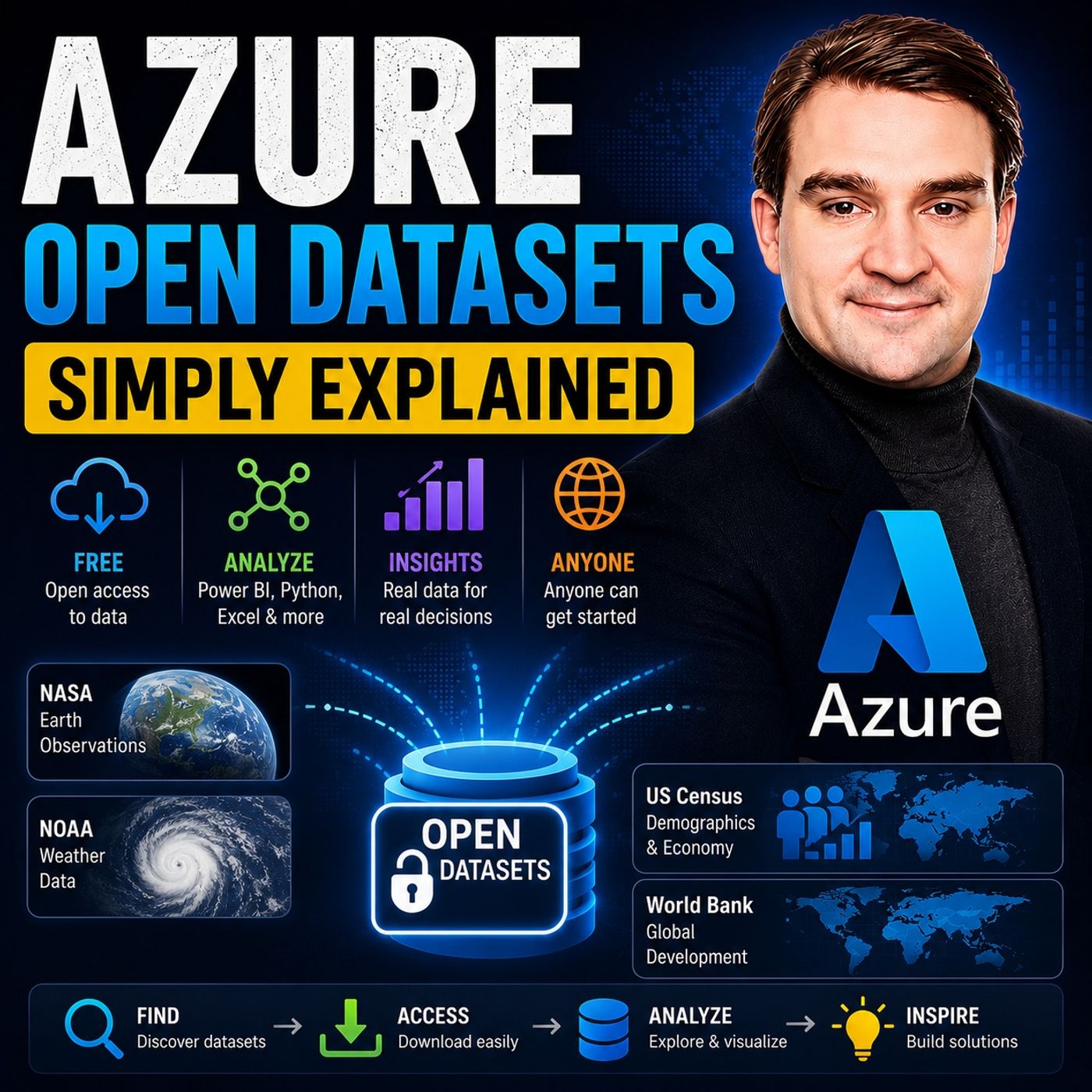
Azure Open Datasets gives you instant access to curated public datasets hosted by Microsoft in Azure, so you can spend less time searching for and cleaning data and more time building AI, analytics, and machine learning solutions. Instead of downloading files from dozens of websites, Azure Open Datasets provides trusted, regularly updated data that is ready to use with Azure Machine Learning, Azure Databricks, Power BI, Azure Data Factory, and other Azure services.
Think of Azure Open Datasets as a public library where all the books are already organized, indexed, and sitting next to your workspace. You don't waste hours finding information or converting file formats—you simply choose the data you need and start working. Microsoft keeps many of these datasets synchronized with their original sources, helping ensure you always have current information without maintaining your own copies.
The platform includes datasets covering weather, transportation, public holidays, demographics, census information, economics, public safety, satellite imagery, and geographic information. These datasets can enrich your own business data, allowing you to build more accurate forecasting models, optimize logistics, predict customer behavior, or analyze trends with greater confidence.
For example, imagine you're predicting retail sales. Your historical sales data alone might not explain sudden changes in demand. By combining it with public weather data, holiday calendars, or local population statistics from Azure Open Datasets, your machine learning model gains valuable context and often produces far better predictions.
Quick answer: Azure Open Datasets is the focus of this M365 FM episode, which explains what it does, where it fits in the Microsoft ecosystem, and the architecture, security, governance, or operational choices that matter before teams adopt or manage it.
Data plays a crucial role in modern data science. You rely on accurate and diverse datasets to drive insights and make informed decisions. Azure Open Datasets offers a valuable resource to streamline your workflows. These curated datasets save you time and enhance model accuracy. By using varied data sources, you can address class imbalances and reduce bias in your models. This leads to fairer outcomes and better predictive power. With Azure Open Datasets, you can focus on generating insights rather than spending hours on data preparation.
Key Takeaways
- Azure Open Datasets provide free, high-quality data for data science projects.
- These datasets save time by reducing the need for extensive data cleaning and preparation.
- You can access Azure Open Datasets easily through tools like Python, Power BI, and Azure Machine Learning.
- Using diverse datasets helps improve model accuracy and reduces bias in predictions.
- Curated datasets enhance the reliability and reproducibility of your data science experiments.
- Integrating Azure Open Datasets into your workflows can lead to faster project completion.
- You can combine Azure Open Datasets with your own data for deeper insights.
- Explore the Azure Open Datasets catalog to find datasets that fit your project needs.
Azure Open Datasets Overview

Azure Open Datasets are curated public datasets available on Microsoft Azure. They aim to enhance machine learning solutions by providing scenario-specific features for more accurate models. This service simplifies the process of accessing high-quality data, allowing you to focus on analysis rather than data preparation.
Key Features
Accessibility
One of the standout features of Azure Open Datasets is their accessibility. You can easily access these datasets through various platforms, including Python, Power BI, and Azure Machine Learning. This flexibility allows you to integrate data into your projects with minimal effort. You can quickly retrieve datasets without worrying about complex data pipelines or extensive cleaning processes.
Tip: To get started, explore the Azure Open Datasets catalog. It provides a user-friendly interface to browse and select datasets that fit your project needs.
Variety of Datasets
Azure Open Datasets offer a diverse array of datasets covering real-world topics. You can find data related to weather, public holidays, demographics, transportation, healthcare, and more. This variety allows you to enrich your own data with valuable external context. For instance, you can access NOAA weather observations or US Census data to enhance your analysis.
The significance of curated datasets in data science cannot be overstated. They contribute to the reliability and reproducibility of your experiments. Here’s how:
| Aspect | Explanation |
|---|---|
| Reliability | Curated datasets provide high-quality data that can be consistently referenced across experiments. |
| Reproducibility | They help maintain data lineage, ensuring that results can be traced back to their sources. |
| Compliance | Curated datasets ensure adherence to regulations, which is crucial in fields like healthcare. |
| Ambiguity Reduction | Standardized data reduces ambiguity in data interpretation, leading to clearer results. |
By using curated public datasets, you can document sources and establish stable access patterns. This enhances the reproducibility of your results. For example, a data science team might snapshot a month of open data into internal storage with checksums to ensure data integrity.
Types of Datasets
Azure Open Datasets offers a wide range of datasets that you can utilize for various data science projects. These datasets fall into two main categories: public datasets and domain-specific datasets.
Public Datasets
Public datasets are freely available and cover a variety of topics. They serve as excellent resources for analysis and model training. Here are some notable examples:
| Dataset Name | Description | Typical Use Case |
|---|---|---|
| San Francisco Safety Data | Fire department calls for service and 311 cases in San Francisco. | Analyzing public safety trends in urban areas. |
| Seattle Safety Data | Seattle Fire Department 911 dispatches. | Emergency response analysis and resource allocation. |
| Diabetes | A dataset with 442 samples and 10 features for machine learning. | Training machine learning models for health predictions. |
| OJ Sales Simulated Data | Simulated data for training models on Azure Machine Learning. | Model training and testing in retail analytics. |
| MNIST database of handwritten digits | A dataset for digit recognition with 60,000 training examples. | Image recognition and machine learning education. |
These public datasets allow you to explore real-world scenarios and enhance your analytical capabilities. You can leverage them to gain insights into various fields, from public safety to healthcare.
Domain-Specific Datasets
Domain-specific datasets cater to particular industries, providing focused data for specialized analysis. Two prominent domains include healthcare and transportation.
Healthcare
In the healthcare sector, datasets can help you analyze trends, improve patient outcomes, and support research. For example, the Diabetes dataset mentioned earlier is valuable for training models that predict health-related outcomes. You can also find datasets related to public health statistics, which can inform policy decisions and healthcare strategies.
Transportation
Transportation datasets provide insights into mobility patterns and urban planning. The NYC Taxi & Limousine Commission datasets, including yellow and green taxi trip records, offer detailed information about taxi usage in New York City. These datasets include trip details such as dates, locations, distances, fares, and passenger counts. You can use this data to analyze transportation trends and improve city infrastructure.
| Category | Example Datasets |
|---|---|
| Transportation | NYC Taxi & Limousine Commission - yellow taxi trip records, NYC Taxi & Limousine Commission - green taxi trip records |
| Labor and economics | US Labor Force Statistics |
By utilizing these domain-specific datasets, you can tailor your analysis to meet the needs of specific industries, enhancing the relevance and impact of your findings.
Integrating Azure into Data Science Workflows
Integrating Azure Open Datasets into your data science workflows can significantly enhance your projects. You can access datasets easily and utilize them effectively in your analyses. Here’s how you can do it.
Data Ingestion Techniques
To start using Azure Open Datasets, you need to understand data ingestion techniques. These techniques allow you to import data into your environment for analysis. Here are some common methods:
- Direct Access: You can directly access datasets from Azure using APIs. This method allows you to pull data into your applications seamlessly.
- Azure Storage: You can store datasets in Azure Blob Storage. This option provides a scalable solution for managing large datasets.
- Data Factory: Azure Data Factory enables you to create data pipelines. You can automate the movement and transformation of data from various sources to your Azure environment.
These techniques ensure that you have smooth access to datasets, making your workflow more efficient.
Tools for Integration
Several tools facilitate the integration of Azure Open Datasets into your data science projects. Two of the most powerful tools are Azure Machine Learning and Power BI.
Azure Machine Learning
Azure Machine Learning is a comprehensive platform for building, training, and deploying machine learning models. You can easily integrate Azure Open Datasets into your machine learning workflows. Here’s how:
- Dataset Registration: Register your datasets in Azure Machine Learning. This step allows you to manage and version your datasets effectively.
- Experimentation: Use the datasets to run experiments. You can train your models using high-quality data, improving accuracy and performance.
- Deployment: Once your model is ready, deploy it as a web service. This deployment allows you to make predictions in real-time using Azure Open Datasets.
By leveraging Azure Machine Learning, you can streamline your machine learning processes and enhance your model's capabilities.
Power BI
Power BI is another powerful tool for integrating Azure Open Datasets. It allows you to visualize and analyze data effectively. Here’s how you can use Power BI with Azure Open Datasets:
- Data Import: Import datasets directly from Azure into Power BI. This feature enables you to create interactive reports and dashboards quickly.
- Data Transformation: Use Power Query to transform your datasets. You can clean and shape your data to meet your analysis needs.
- Visualization: Create stunning visualizations to present your findings. Power BI’s capabilities help you communicate insights effectively to stakeholders.
Using Power BI with Azure Open Datasets enhances your ability to analyze data and share insights across your organization.
Practical Applications

Azure Open Datasets provide numerous practical applications across various industries. Organizations leverage these datasets to solve specific business and research problems. Here are some notable case studies that illustrate their impact:
Case Studies
- Government Efficiency: Governments utilize open data to enhance AI representation. This improvement leads to better responsiveness and efficiency in public services. By analyzing datasets, they can identify trends and allocate resources more effectively.
- Healthcare Insights: A healthcare organization used the Diabetes dataset to develop a predictive model for patient outcomes. This model helped doctors make informed decisions about treatment plans, ultimately improving patient care.
- Urban Planning: City planners analyzed transportation datasets to understand traffic patterns. This analysis allowed them to optimize public transport routes and reduce congestion in urban areas.
These examples show how Azure Open Datasets can drive innovation and improve decision-making in various sectors.
Enhancing Machine Learning
Azure Open Datasets significantly enhance machine learning solutions. You can use these datasets for both training and testing your models, as well as for feature engineering.
Training and Testing
When you train your models, high-quality data is crucial. Azure Open Datasets provide clean and curated datasets that allow you to build robust machine learning models. For instance, you can use the MNIST database of handwritten digits to train a model for image recognition tasks. This dataset contains thousands of labeled examples, making it ideal for supervised learning.
Testing your models with diverse datasets also improves their performance. By evaluating your models on different datasets, you can ensure they generalize well to new data. This process helps you identify potential weaknesses and refine your models accordingly.
Feature Engineering
Feature engineering is a critical step in the machine learning process. It involves selecting and transforming variables to improve model performance. Azure Open Datasets offer a wealth of information that can enrich your features. For example, you can combine weather data with sales data to analyze how weather conditions affect retail performance. This combination allows you to create more informative features, leading to better predictions.
Tip: Always explore the relationships between different datasets. You may uncover valuable insights that enhance your analysis and model accuracy.
By integrating Azure Open Datasets into your machine learning workflows, you can streamline your processes and achieve better results. The combination of high-quality data and powerful tools like Azure Machine Learning empowers you to create effective data-driven solutions.
Benefits of Azure Open Datasets
Cost-Effectiveness
Using Azure Open Datasets can significantly reduce your data-related costs. These datasets are free to access, which means you can save money on purchasing data from third-party sources. You only incur charges when you use Azure compute resources for processing. This model allows you to leverage high-quality data without the burden of maintaining your own data pipelines.
Additionally, the curated nature of these datasets means you spend less time cleaning and preparing data. You can focus your resources on analysis and model development instead of data acquisition. This shift leads to a more efficient use of your budget and time.
Time-Saving
Time is a precious resource in data science. Azure Open Datasets help you save time in several ways:
- Curated datasets reduce ambiguity and speed up baselining.
- Documented datasets facilitate faster evaluation and minimize misinterpretations.
- Direct access to Azure-hosted storage enhances processing efficiency.
- Integration with Azure analytics and ML services streamlines ingestion and processing workflows.
By using these datasets, you can quickly access reliable data, allowing you to focus on generating insights rather than spending hours on data preparation. This efficiency can lead to faster project completion and quicker decision-making.
Improved Data Quality
Data quality is crucial for successful data science projects. Azure Open Datasets provide high-quality, curated data that you can trust. These datasets undergo rigorous validation processes, ensuring that they meet high standards. When you use Azure Open Datasets, you benefit from:
- Reliability: You can consistently reference high-quality data across your experiments.
- Reproducibility: Documented datasets help maintain data lineage, allowing you to trace results back to their sources.
- Compliance: Curated datasets ensure adherence to regulations, which is vital in sensitive fields like healthcare.
- Ambiguity Reduction: Standardized data minimizes confusion in interpretation, leading to clearer results.
By relying on Azure Open Datasets, you enhance the overall quality of your analyses and models. This improvement can lead to more accurate predictions and better decision-making.
Azure Open Datasets offer significant advantages for your data science projects. You gain access to high-quality, curated datasets that save you time and enhance your analysis. These datasets align with current trends in open data and data democratization by emphasizing accessibility and fostering collaborations. By leveraging Azure Open Datasets, you can enrich your work and improve decision-making. Explore these datasets today and consider how they can elevate your projects to new heights.
Tip: Start integrating Azure Open Datasets into your workflows to unlock the full potential of your data science initiatives!
FAQ
What are Azure Open Datasets?
Azure Open Datasets are curated public datasets hosted on Microsoft Azure. They provide high-quality data for machine learning, analytics, and research, allowing you to focus on insights rather than data preparation.
How do I access Azure Open Datasets?
You can access Azure Open Datasets through various platforms, including Python, Power BI, and Azure Machine Learning. Simply browse the Azure Open Datasets catalog to find datasets that suit your needs.
Are Azure Open Datasets free to use?
Yes, Azure Open Datasets are free to access. You only incur charges when using Azure compute resources for processing the data. This model allows you to leverage high-quality data without additional costs.
Can I use Azure Open Datasets for commercial purposes?
Yes, you can use Azure Open Datasets for commercial purposes. However, always check the specific licensing terms for each dataset to ensure compliance with usage guidelines.
What types of datasets are available?
Azure Open Datasets cover a wide range of topics, including weather, healthcare, transportation, and demographics. This variety allows you to enrich your analyses with diverse data sources.
How do Azure Open Datasets improve data quality?
Azure Open Datasets undergo rigorous validation processes, ensuring high-quality, reliable data. This curation enhances the accuracy of your analyses and models, leading to better decision-making.
Can I combine Azure Open Datasets with my own data?
Absolutely! You can combine Azure Open Datasets with your own data to enrich your analyses. This integration allows you to gain deeper insights and improve the accuracy of your models.
What tools can I use with Azure Open Datasets?
You can use various tools with Azure Open Datasets, including Azure Machine Learning for model training and Power BI for data visualization. These tools help you maximize the potential of the datasets.
🎧 Listen to this episode
Want a practical explanation of Azure Open Datasets? This episode breaks down the topic in clear language and shows why it matters for Microsoft 365, Azure, Power Platform, security, AI, and modern work.
Listen to this episode if you want to:
- Understand the key concepts behind Azure Open Datasets
- See how it fits into the wider Microsoft technology ecosystem
- Learn where it can create practical value for your organization
Discover more practical Microsoft conversations on M365 FM.
Last reviewed: July 2026.
Who Should Listen
This episode is for Microsoft administrators, architects, developers, security professionals, and business leaders who need a practical foundation before making implementation or governance decisions.
🎧 You Should Also Listen To
- Microsoft Fabric — A closely related next step that adds useful context and practical depth.
- Microsoft Fabric OneLake — A closely related next step that adds useful context and practical depth.
- Power BI Copilot — A closely related next step that adds useful context and practical depth.
🚀 Want to be part of m365.fm?
Then stop just listening… and start showing up.
👉 Connect with me on LinkedIn and let’s make something happen:
- 🎙️ Be a podcast guest and share your story
- 🎧 Host your own episode (yes, seriously)
- 💡 Pitch topics the community actually wants to hear
- 🌍 Build your personal brand in the Microsoft 365 space
This isn’t just a podcast — it’s a platform for people who take action.
🔥 Most people wait. The best ones don’t.
👉 Connect with me on LinkedIn and send me a message:
"I want in"
Let’s build something awesome 👊
1
00:00:00,000 --> 00:00:02,560
Welcome to another episode of Microsoft Knowledge Nuggets.
2
00:00:02,560 --> 00:00:03,480
I'm Mirko Peters.
3
00:00:03,480 --> 00:00:05,800
Today's topic is one that almost everyone learning data
4
00:00:05,800 --> 00:00:07,520
science or machine learning runs into.
5
00:00:07,520 --> 00:00:10,120
You've watched a few tutorials, you've got the basics down,
6
00:00:10,120 --> 00:00:12,240
but there's one thing that keeps stopping you cold.
7
00:00:12,240 --> 00:00:14,880
You don't have any interesting data to practice with.
8
00:00:14,880 --> 00:00:16,640
You start searching for public data sets
9
00:00:16,640 --> 00:00:18,240
and that's when the trouble begins.
10
00:00:18,240 --> 00:00:20,600
You find a government website with weather data,
11
00:00:20,600 --> 00:00:22,720
which is great, but the files are in some weird format
12
00:00:22,720 --> 00:00:23,800
you've never seen.
13
00:00:23,800 --> 00:00:25,160
The column names don't make sense
14
00:00:25,160 --> 00:00:26,880
and half the values are missing.
15
00:00:26,880 --> 00:00:28,880
You spend hours just trying to open the thing
16
00:00:28,880 --> 00:00:31,200
and by the time you've cleaned it up enough to actually use,
17
00:00:31,200 --> 00:00:32,120
the excitement is gone.
18
00:00:32,120 --> 00:00:33,800
I've been there and it's frustrating.
19
00:00:33,800 --> 00:00:36,240
Today's episode removes that barrier completely.
20
00:00:36,240 --> 00:00:37,280
By the end of this episode,
21
00:00:37,280 --> 00:00:39,520
you'll know what Azure Open Data Sets is
22
00:00:39,520 --> 00:00:42,840
and how to grab free, ready to use data in minutes
23
00:00:42,840 --> 00:00:45,040
without any scraping, cleaning or headaches.
24
00:00:45,040 --> 00:00:46,000
Let's dive in.
25
00:00:46,000 --> 00:00:48,800
What Azure Open Data Sets actually is.
26
00:00:48,800 --> 00:00:51,160
So what exactly is Azure Open Data Sets?
27
00:00:51,160 --> 00:00:52,320
Here's the simplest definition.
28
00:00:52,320 --> 00:00:53,960
It's a free library of public data sets
29
00:00:53,960 --> 00:00:56,560
that Microsoft has already cleaned and hosted on Azure.
30
00:00:56,560 --> 00:00:57,640
Think of it like a library
31
00:00:57,640 --> 00:00:59,600
where someone else has already checked every book
32
00:00:59,600 --> 00:01:02,280
for torn pages, fixed the spelling errors,
33
00:01:02,280 --> 00:01:03,920
and put everything in alphabetical order
34
00:01:03,920 --> 00:01:06,240
so you just walk in and grab what you need.
35
00:01:06,240 --> 00:01:07,480
Now this is important.
36
00:01:07,480 --> 00:01:09,680
It's not a separate paid service you have to sign up for
37
00:01:09,680 --> 00:01:10,920
or some premium add-on.
38
00:01:10,920 --> 00:01:13,720
It's just data sitting in Azure storage that you can access.
39
00:01:13,720 --> 00:01:14,560
That's it.
40
00:01:14,560 --> 00:01:16,320
Microsoft has taken public data sets
41
00:01:16,320 --> 00:01:19,720
from places like NOAA, the US Census Bureau and City Governments
42
00:01:19,720 --> 00:01:21,320
and they've done all the hard work
43
00:01:21,320 --> 00:01:24,320
of normalizing the schemers, fixing inconsistencies
44
00:01:24,320 --> 00:01:25,960
and setting up refreshed schedules
45
00:01:25,960 --> 00:01:27,640
so the data stays current.
46
00:01:27,640 --> 00:01:30,160
Contrast that with the old way of doing things.
47
00:01:30,160 --> 00:01:32,640
You'd find a data set on some government site,
48
00:01:32,640 --> 00:01:34,760
download a zip file full of CSV files
49
00:01:34,760 --> 00:01:36,200
each with a different format,
50
00:01:36,200 --> 00:01:37,880
open them up and find missing values,
51
00:01:37,880 --> 00:01:39,560
weird date formats and columns
52
00:01:39,560 --> 00:01:41,320
that don't match between files.
53
00:01:41,320 --> 00:01:43,520
Then you'd spend hours, sometimes days,
54
00:01:43,520 --> 00:01:45,240
writing code to clean it all up.
55
00:01:45,240 --> 00:01:46,520
And by the time you were done,
56
00:01:46,520 --> 00:01:48,280
you weren't even sure you'd done it right.
57
00:01:48,280 --> 00:01:49,960
Microsoft handles all of that.
58
00:01:49,960 --> 00:01:52,160
They normalize the data into consistent schemers,
59
00:01:52,160 --> 00:01:54,560
fix the gaps and store it in Park A format,
60
00:01:54,560 --> 00:01:57,880
a columnar storage format that makes queries lightning fast.
61
00:01:57,880 --> 00:02:00,280
If you've ever tried to query a giant CSV file
62
00:02:00,280 --> 00:02:01,800
and waited forever for it to load,
63
00:02:01,800 --> 00:02:03,360
you'll appreciate what Park A does.
64
00:02:03,360 --> 00:02:04,720
It's optimized for analytics,
65
00:02:04,720 --> 00:02:06,440
so your queries run much faster than they would
66
00:02:06,440 --> 00:02:07,600
on plain text files.
67
00:02:07,600 --> 00:02:09,840
Here's the key point, the data itself is free
68
00:02:09,840 --> 00:02:12,000
and Microsoft pays for the storage always.
69
00:02:12,000 --> 00:02:13,720
You only pay for compute if you process it
70
00:02:13,720 --> 00:02:15,160
and we'll talk about that later.
71
00:02:15,160 --> 00:02:17,640
But the data sitting in Azure Storage costs you nothing.
72
00:02:17,640 --> 00:02:19,800
Let me give you an analogy to make this concrete.
73
00:02:19,800 --> 00:02:22,040
Imagine you're moving into a new office building.
74
00:02:22,040 --> 00:02:23,440
In the old way of doing things,
75
00:02:23,440 --> 00:02:27,440
you'd get a pile of lumber, dry wool, wiring and plumbing fixtures
76
00:02:27,440 --> 00:02:30,240
and you'd have to build each room yourself from scratch.
77
00:02:30,240 --> 00:02:32,800
That's what working with raw public data feels like.
78
00:02:32,800 --> 00:02:34,960
Azure Open Data Sets is the opposite.
79
00:02:34,960 --> 00:02:37,640
These are pre-built rooms of data you can walk into.
80
00:02:37,640 --> 00:02:39,240
The weather room is already furnished,
81
00:02:39,240 --> 00:02:41,720
the census room has everything labeled and organized.
82
00:02:41,720 --> 00:02:43,200
You don't have to assemble anything,
83
00:02:43,200 --> 00:02:45,640
you just walk in and start working.
84
00:02:45,640 --> 00:02:47,440
The problem Open Data Sets solves,
85
00:02:47,440 --> 00:02:48,920
so why did Microsoft build this,
86
00:02:48,920 --> 00:02:50,600
what problem were they trying to solve?
87
00:02:50,600 --> 00:02:51,360
Let's break it down.
88
00:02:51,360 --> 00:02:52,880
Discovery is the first problem.
89
00:02:52,880 --> 00:02:55,640
You need reliable public data, but finding it takes time.
90
00:02:55,640 --> 00:02:57,280
There are hundreds of government websites,
91
00:02:57,280 --> 00:02:59,480
academic repositories and data portals out there.
92
00:02:59,480 --> 00:03:01,680
Some are well maintained, some are abandoned
93
00:03:01,680 --> 00:03:04,160
and some make you fill out forms or agree to licenses
94
00:03:04,160 --> 00:03:05,800
before you can download anything.
95
00:03:05,800 --> 00:03:09,600
Just finding a clean, usable dataset might chew up days of searching.
96
00:03:09,600 --> 00:03:11,000
Then there's the preparation problem.
97
00:03:11,000 --> 00:03:15,000
Raw data from government sources is messy, inconsistent and full of gaps.
98
00:03:15,000 --> 00:03:16,480
Take the NOA weather data.
99
00:03:16,480 --> 00:03:19,160
It comes from thousands of weather stations around the world,
100
00:03:19,160 --> 00:03:21,480
each reporting in slightly different formats.
101
00:03:21,480 --> 00:03:24,600
Some stations report temperature in Celsius, others in Fahrenheit,
102
00:03:24,600 --> 00:03:26,760
some record precipitation, others don't.
103
00:03:26,760 --> 00:03:28,480
And some have years of clean data,
104
00:03:28,480 --> 00:03:31,160
while others have huge gaps where the sensor was broken.
105
00:03:31,160 --> 00:03:33,200
Cleaning that up by hand is miserable work,
106
00:03:33,200 --> 00:03:34,480
scale is another problem.
107
00:03:34,480 --> 00:03:36,160
Some of these datasets are huge.
108
00:03:36,160 --> 00:03:37,800
The weather data covers decades.
109
00:03:37,800 --> 00:03:40,320
The NYC Taxi Data has hundreds of millions of trips,
110
00:03:40,320 --> 00:03:42,440
the satellite imagery sits in petabytes.
111
00:03:42,440 --> 00:03:46,000
Moving that much data to your compute environment is slow and costly.
112
00:03:46,000 --> 00:03:48,520
If you're running a machine learning model on a cloud VM,
113
00:03:48,520 --> 00:03:50,320
you don't want to spend hours downloading data
114
00:03:50,320 --> 00:03:52,000
before you can even start training.
115
00:03:52,000 --> 00:03:54,160
And finally, reproducibility matters.
116
00:03:54,160 --> 00:03:57,600
When you're running experiments, you need your data to be consistent.
117
00:03:57,600 --> 00:04:00,920
If you download a dataset today and your colleague downloads it next week,
118
00:04:00,920 --> 00:04:02,080
you need the same thing.
119
00:04:02,080 --> 00:04:05,120
Curated, documented datasets make experiments repeatable.
120
00:04:05,120 --> 00:04:07,760
You can publish your results and someone else can verify them
121
00:04:07,760 --> 00:04:09,440
using the exact same data.
122
00:04:09,440 --> 00:04:10,880
Now, let's clear up a myth.
123
00:04:10,880 --> 00:04:13,520
Most people think machine learning is just about the algorithm.
124
00:04:13,520 --> 00:04:16,480
But the real insight from Microsoft is that most machine learning problems
125
00:04:16,480 --> 00:04:18,320
are impacted by real world factors.
126
00:04:18,320 --> 00:04:21,120
Weather, holidays, demographics, economic conditions.
127
00:04:21,120 --> 00:04:23,600
If you're trying to predict sales, knowing whether it's a holiday
128
00:04:23,600 --> 00:04:25,920
or a rainy Tuesday makes a huge difference.
129
00:04:25,920 --> 00:04:29,160
But if you're predicting energy consumption, temperature, and time of day matter.
130
00:04:29,160 --> 00:04:32,520
If you're modeling insurance risk, neighborhood demographics are critical.
131
00:04:32,520 --> 00:04:35,240
Without these external signals, your model is missing context.
132
00:04:35,240 --> 00:04:37,160
It's like trying to predict traffic patterns
133
00:04:37,160 --> 00:04:38,880
without knowing what time of day it is.
134
00:04:38,880 --> 00:04:41,720
You might get some patterns right, but you'll miss the big picture.
135
00:04:41,720 --> 00:04:43,840
And that's the core of the time to data problem.
136
00:04:43,840 --> 00:04:46,800
It can take weeks of work just to get usable data.
137
00:04:46,800 --> 00:04:49,360
Weeks of searching, downloading, cleaning, and validating.
138
00:04:49,360 --> 00:04:52,520
By the time the data is ready, the business question might have changed.
139
00:04:52,520 --> 00:04:56,360
Azure Open Data Set collapses that timeline from weeks to minutes.
140
00:04:56,360 --> 00:04:57,480
What's in the catalog?
141
00:04:57,480 --> 00:04:58,680
Weather and holidays.
142
00:04:58,680 --> 00:05:00,720
Let's dive into what's actually in this catalog.
143
00:05:00,720 --> 00:05:03,960
The first data set almost everyone finds useful is weather data.
144
00:05:03,960 --> 00:05:06,200
Microsoft hosts the NOAA Weather Data Set.
145
00:05:06,200 --> 00:05:08,680
It gives you historical and near real-time readings
146
00:05:08,680 --> 00:05:10,160
from weather stations all over the world.
147
00:05:10,160 --> 00:05:12,800
We're talking temperature, precipitation, wind speed,
148
00:05:12,800 --> 00:05:15,760
barometric pressure, the kind of data that affects everything
149
00:05:15,760 --> 00:05:17,840
from what people buy to how much energy they use.
150
00:05:17,840 --> 00:05:20,680
And it covers decades of data updated regularly.
151
00:05:20,680 --> 00:05:23,640
So if you want to look at weather patterns from the 1990s
152
00:05:23,640 --> 00:05:26,120
or pull last week's readings, it's all in there.
153
00:05:26,120 --> 00:05:27,680
Now, weather data is great.
154
00:05:27,680 --> 00:05:29,480
But here's the thing, there's another data set
155
00:05:29,480 --> 00:05:30,720
that pairs with it perfectly.
156
00:05:30,720 --> 00:05:32,960
Public holidays, Microsoft has a holiday's data set
157
00:05:32,960 --> 00:05:36,520
covering 38 countries from 1970 all the way to 2019.
158
00:05:36,520 --> 00:05:38,640
So you can look backward for historical analysis
159
00:05:38,640 --> 00:05:39,920
or forward for planning.
160
00:05:39,920 --> 00:05:42,480
It gives you country-specific holiday flags for any day
161
00:05:42,480 --> 00:05:46,120
to change.
162
00:05:46,120 --> 00:05:46,960
It's in there.
163
00:05:46,960 --> 00:05:49,200
Want to check if that Monday and August is a bank holiday
164
00:05:49,200 --> 00:05:51,600
in the UK, one query, and you've got it.
165
00:05:51,600 --> 00:05:53,960
Why are these two data sets so powerful together?
166
00:05:53,960 --> 00:05:55,720
Weather and holidays dramatically improve
167
00:05:55,720 --> 00:05:57,200
time series predictions.
168
00:05:57,200 --> 00:05:59,080
Think about retail sales forecasting.
169
00:05:59,080 --> 00:06:01,240
If you're trying to predict how many units of a product
170
00:06:01,240 --> 00:06:03,480
you'll sell next week, knowing that it's a holiday
171
00:06:03,480 --> 00:06:05,600
and that it's going to rain can cut your prediction
172
00:06:05,600 --> 00:06:06,880
error by double digits.
173
00:06:06,880 --> 00:06:08,160
That's not a small improvement.
174
00:06:08,160 --> 00:06:09,440
That's the difference between having
175
00:06:09,440 --> 00:06:12,240
too much inventory, sitting in a warehouse, and running out
176
00:06:12,240 --> 00:06:14,040
of stock on your best selling item.
177
00:06:14,040 --> 00:06:15,760
And here's the thing, most companies
178
00:06:15,760 --> 00:06:17,800
don't have this data internally.
179
00:06:17,800 --> 00:06:19,520
They have their sales data, sure,
180
00:06:19,520 --> 00:06:21,560
but they don't have a clean, reliable source
181
00:06:21,560 --> 00:06:23,600
of weather history or holiday calendars.
182
00:06:23,600 --> 00:06:25,760
So they either build it themselves, which takes time
183
00:06:25,760 --> 00:06:28,120
or they go without, which hurts their predictions.
184
00:06:28,120 --> 00:06:31,160
Azure Open Data Set gives them that missing piece instantly,
185
00:06:31,160 --> 00:06:34,280
but weather and holidays are just the beginning.
186
00:06:34,280 --> 00:06:35,160
What's in the catalog?
187
00:06:35,160 --> 00:06:38,080
Census, demographics, and socioeconomic data.
188
00:06:38,080 --> 00:06:40,160
The next category matters if you're building models
189
00:06:40,160 --> 00:06:41,960
that predict something about people.
190
00:06:41,960 --> 00:06:43,440
It's census and demographic data.
191
00:06:43,440 --> 00:06:47,120
Microsoft hosts US Census data covering population,
192
00:06:47,120 --> 00:06:49,960
income, education levels, and age distribution.
193
00:06:49,960 --> 00:06:51,920
And it's available at different geographic levels,
194
00:06:51,920 --> 00:06:54,280
no state, county, even census tract.
195
00:06:54,280 --> 00:06:56,360
So you can grab the median household income
196
00:06:56,360 --> 00:06:59,080
for a specific neighborhood or the population breakdown
197
00:06:59,080 --> 00:07:01,120
by age group for an entire state.
198
00:07:01,120 --> 00:07:04,040
And there's also the US labor force statistics data set
199
00:07:04,040 --> 00:07:06,600
that gives you employment rates, labor participation numbers,
200
00:07:06,600 --> 00:07:07,600
and industry breakdowns.
201
00:07:07,600 --> 00:07:10,040
You can see how many people work in manufacturing
202
00:07:10,040 --> 00:07:11,880
versus services in a given region
203
00:07:11,880 --> 00:07:13,920
or how unemployment has changed over time.
204
00:07:13,920 --> 00:07:15,880
Why does this matter for beginners?
205
00:07:15,880 --> 00:07:17,240
Because if you want to build a model
206
00:07:17,240 --> 00:07:19,080
that predicts something about people,
207
00:07:19,080 --> 00:07:20,480
this is the perfect place to start.
208
00:07:20,480 --> 00:07:21,840
And here's a real example.
209
00:07:21,840 --> 00:07:24,320
Imagine you're building a model for an insurance company.
210
00:07:24,320 --> 00:07:26,480
You have claims data, ages, amounts,
211
00:07:26,480 --> 00:07:27,640
but your model isn't accurate
212
00:07:27,640 --> 00:07:30,600
because you're missing context about where these people live.
213
00:07:30,600 --> 00:07:32,760
So you enrich that data with census income
214
00:07:32,760 --> 00:07:34,320
and education statistics.
215
00:07:34,320 --> 00:07:37,000
Suddenly, the model sees patterns it missed before.
216
00:07:37,000 --> 00:07:39,720
People in lower income areas file different claims
217
00:07:39,720 --> 00:07:42,320
and higher education levels change risk profiles.
218
00:07:42,320 --> 00:07:44,400
The model gets better because it has more information
219
00:07:44,400 --> 00:07:45,600
about the real world.
220
00:07:45,600 --> 00:07:48,400
That's what makes Azure Open Data Sets valuable for beginners.
221
00:07:48,400 --> 00:07:49,680
You don't need to be a data engineer
222
00:07:49,680 --> 00:07:51,520
to pull census data into your project.
223
00:07:51,520 --> 00:07:52,920
It's already cleaned and ready.
224
00:07:52,920 --> 00:07:54,280
Join it with your own data
225
00:07:54,280 --> 00:07:57,000
and your analysis gain steps it didn't have before.
226
00:07:57,000 --> 00:07:58,240
What's in the catalog?
227
00:07:58,240 --> 00:08:00,840
Mobility, public safety, and health care.
228
00:08:00,840 --> 00:08:04,400
The classic beginner favorite is the NYC TaxiTrips Data Set.
229
00:08:04,400 --> 00:08:06,960
It's one of the most well-known public data sets out there
230
00:08:06,960 --> 00:08:08,400
millions of trip records would pick up
231
00:08:08,400 --> 00:08:10,400
and drop off times locations and fares.
232
00:08:10,400 --> 00:08:13,200
Every yellow taxi trip in New York generates a record
233
00:08:13,200 --> 00:08:14,920
where they got in, where they got out,
234
00:08:14,920 --> 00:08:16,600
how much it cost, how long it took.
235
00:08:16,600 --> 00:08:18,800
It's a great data set for learning data analysis.
236
00:08:18,800 --> 00:08:19,920
Why do beginners love it?
237
00:08:19,920 --> 00:08:21,440
Because it's interesting and visual,
238
00:08:21,440 --> 00:08:23,680
load it into Power BI and start making maps
239
00:08:23,680 --> 00:08:25,160
of where people travel most.
240
00:08:25,160 --> 00:08:28,120
See how fares change throughout the day, spot patterns,
241
00:08:28,120 --> 00:08:30,040
which neighborhoods get busy at rush hour,
242
00:08:30,040 --> 00:08:32,160
which airports generate the most trips,
243
00:08:32,160 --> 00:08:33,840
however affects ride volume.
244
00:08:33,840 --> 00:08:34,800
It tells the story,
245
00:08:34,800 --> 00:08:37,720
so learning feels like solving a puzzle, not doing homework.
246
00:08:37,720 --> 00:08:39,120
Public safety data is next.
247
00:08:39,120 --> 00:08:41,520
Microsoft hosts the San Francisco Safety Data,
248
00:08:41,520 --> 00:08:43,880
which records crime incidents with type, location,
249
00:08:43,880 --> 00:08:44,760
and timestamp.
250
00:08:44,760 --> 00:08:47,080
Again, perfect for beginners because the data is immediately
251
00:08:47,080 --> 00:08:47,800
meaningful.
252
00:08:47,800 --> 00:08:50,760
Build hotspot maps, analyze crime patterns by time of day,
253
00:08:50,760 --> 00:08:53,840
it shows how open data supports real civic projects.
254
00:08:53,840 --> 00:08:55,880
City planners and police use this to decide
255
00:08:55,880 --> 00:08:57,400
where to deploy resources.
256
00:08:57,400 --> 00:08:59,520
Then there's the COVID-19 data lake.
257
00:08:59,520 --> 00:09:00,680
It's not just one data set.
258
00:09:00,680 --> 00:09:03,880
It combines multiple sources, patient outcomes, testing,
259
00:09:03,880 --> 00:09:06,280
hospital capacity, policy, mobility.
260
00:09:06,280 --> 00:09:09,000
During the pandemic, researchers used it to track the virus,
261
00:09:09,000 --> 00:09:11,360
model it, spread, and evaluate interventions.
262
00:09:11,360 --> 00:09:14,000
That shows how open data sets can have real world impact
263
00:09:14,000 --> 00:09:14,960
when they're accessible.
264
00:09:14,960 --> 00:09:17,480
These three data sets, taxi trips, public safety,
265
00:09:17,480 --> 00:09:19,920
and COVID-19 share something important.
266
00:09:19,920 --> 00:09:20,720
They're not abstract.
267
00:09:20,720 --> 00:09:22,560
You don't need to be an expert to understand them.
268
00:09:22,560 --> 00:09:25,280
The data is about real people, places, and events.
269
00:09:25,280 --> 00:09:26,880
That makes learning easier.
270
00:09:26,880 --> 00:09:28,320
There are also benchmark data sets
271
00:09:28,320 --> 00:09:30,560
for people learning ML specifically.
272
00:09:30,560 --> 00:09:31,440
What's in the catalog?
273
00:09:31,440 --> 00:09:33,120
Benchmark ML data sets.
274
00:09:33,120 --> 00:09:36,080
So you've got all this real world data from the previous section.
275
00:09:36,080 --> 00:09:37,720
But what if you're following a tutorial
276
00:09:37,720 --> 00:09:39,600
and you just need a clean, simple data set
277
00:09:39,600 --> 00:09:41,280
to practice a specific technique?
278
00:09:41,280 --> 00:09:43,480
Azure Open Data Set has you covered there, too.
279
00:09:43,480 --> 00:09:44,520
Think of it like a toolbox.
280
00:09:44,520 --> 00:09:46,160
You have your power tools for big jobs,
281
00:09:46,160 --> 00:09:48,520
but sometimes you just need a simple hammer to learn the basics.
282
00:09:48,520 --> 00:09:50,880
That's what these benchmark data sets are for.
283
00:09:50,880 --> 00:09:54,840
Take the diabetes data set with 442 samples and 10 features.
284
00:09:54,840 --> 00:09:56,320
It's a classic regression problem
285
00:09:56,320 --> 00:09:59,080
you'll see in textbooks and tutorials all the time.
286
00:09:59,080 --> 00:10:01,520
And it's available right in Azure Open Data sets,
287
00:10:01,520 --> 00:10:03,440
ready to load into Azure ML.
288
00:10:03,440 --> 00:10:05,080
If you're learning automated ML,
289
00:10:05,080 --> 00:10:07,160
this is a great data set to start with.
290
00:10:07,160 --> 00:10:08,760
Small enough to iterate quickly,
291
00:10:08,760 --> 00:10:11,360
but real enough to teach you the workflow.
292
00:10:11,360 --> 00:10:13,320
Then there's the Microsoft News Data Set,
293
00:10:13,320 --> 00:10:14,680
called Mind for Short,
294
00:10:14,680 --> 00:10:17,360
which is for people interested in recommendation systems.
295
00:10:17,360 --> 00:10:18,760
It's a large-scale benchmark
296
00:10:18,760 --> 00:10:22,240
with user interactions, news content, and metadata.
297
00:10:22,240 --> 00:10:24,680
If you want to build a news recommendation engine,
298
00:10:24,680 --> 00:10:26,440
the kind of thing that powers the recommended
299
00:10:26,440 --> 00:10:28,400
for use section on news websites.
300
00:10:28,400 --> 00:10:30,120
This is the data set to practice on.
301
00:10:30,120 --> 00:10:33,280
It's the same kind of data that real recommendation systems use.
302
00:10:33,280 --> 00:10:35,640
And there's even a simulated OJ sales data set,
303
00:10:35,640 --> 00:10:38,120
built specifically to show how Azure ML scales.
304
00:10:38,120 --> 00:10:41,000
You can train thousands of models simultaneously on this data,
305
00:10:41,000 --> 00:10:43,440
which is a great way to understand parallel processing
306
00:10:43,440 --> 00:10:45,120
and hyper parameter tuning.
307
00:10:45,120 --> 00:10:45,960
Here's the thing.
308
00:10:45,960 --> 00:10:49,320
If you're following an Azure ML tutorial and you need data,
309
00:10:49,320 --> 00:10:50,960
it's probably already in this catalog.
310
00:10:50,960 --> 00:10:54,320
Microsoft has made sure that the data sets used in their documentation
311
00:10:54,320 --> 00:10:57,480
and learning paths are available through Open Data sets.
312
00:10:57,480 --> 00:11:00,320
So you don't have to go searching for the exact file,
313
00:11:00,320 --> 00:11:01,480
the tutorial uses.
314
00:11:01,480 --> 00:11:02,360
It's already there.
315
00:11:02,360 --> 00:11:05,120
But having a great catalog is useless
316
00:11:05,120 --> 00:11:07,240
if you can't actually get the data.
317
00:11:07,240 --> 00:11:11,480
How to access Open Data sets, Python, Power BI, and Azure ML.
318
00:11:11,480 --> 00:11:13,040
So you've seen what's in the catalog,
319
00:11:13,040 --> 00:11:14,280
but now the real question is,
320
00:11:14,280 --> 00:11:16,880
how do you actually get this data into your hands?
321
00:11:16,880 --> 00:11:18,720
The answer depends on which tool you're using,
322
00:11:18,720 --> 00:11:20,480
but there are multiple paths,
323
00:11:20,480 --> 00:11:23,000
and some of them don't even require an Azure account.
324
00:11:23,000 --> 00:11:23,840
Let's break it down.
325
00:11:23,840 --> 00:11:25,400
The simplest option is Python.
326
00:11:25,400 --> 00:11:27,920
From any Python environment, no Azure account needed,
327
00:11:27,920 --> 00:11:31,440
Microsoft publishes a Python package called Azure ML Open Data sets.
328
00:11:31,440 --> 00:11:32,640
You install it with PIP,
329
00:11:32,640 --> 00:11:34,440
then import any data set directly,
330
00:11:34,440 --> 00:11:36,440
for example, from Azure ML.
331
00:11:36,440 --> 00:11:40,200
Open Data sets, import NOAD weather.
332
00:11:40,200 --> 00:11:42,360
You specify a start date and an end date,
333
00:11:42,360 --> 00:11:44,200
and the package handles the rest.
334
00:11:44,200 --> 00:11:46,680
It downloads the relevant files from Azure Storage,
335
00:11:46,680 --> 00:11:49,840
processes them, and hands you back a pandas data frame.
336
00:11:49,840 --> 00:11:50,680
That's it.
337
00:11:50,680 --> 00:11:53,000
Three lines of code, and you've got decades of weather data
338
00:11:53,000 --> 00:11:54,040
ready to analyze.
339
00:11:54,040 --> 00:11:56,240
This works from Jupyter Notebook, VS Code,
340
00:11:56,240 --> 00:11:58,480
any Python environment you're comfortable with.
341
00:11:58,480 --> 00:12:01,400
Inside Azure Machine Learning, the process is even smoother.
342
00:12:01,400 --> 00:12:04,600
You open your workspace, go to the data section, click Create,
343
00:12:04,600 --> 00:12:07,000
and then choose from Azure Open Data sets.
344
00:12:07,000 --> 00:12:10,440
A catalog pops up showing you everything available.
345
00:12:10,440 --> 00:12:12,720
You browse through, pick the data set you want,
346
00:12:12,720 --> 00:12:14,640
filter it by date range or geographic area,
347
00:12:14,640 --> 00:12:16,280
and register it to your workspace.
348
00:12:16,280 --> 00:12:20,160
Once it's registered, as your ML generates a code snippet automatically,
349
00:12:20,160 --> 00:12:22,120
that you can use in any pipeline or experiment,
350
00:12:22,120 --> 00:12:24,880
so you don't have to remember the storage parts or the import syntax.
351
00:12:24,880 --> 00:12:26,000
It's all handled for you.
352
00:12:26,000 --> 00:12:27,120
What about Power BI?
353
00:12:27,120 --> 00:12:30,000
This is where things get interesting for analysts who don't write code.
354
00:12:30,000 --> 00:12:32,720
You can use the Azure Blob Storage connector in Power BI
355
00:12:32,720 --> 00:12:34,400
and point it to the public storage URL
356
00:12:34,400 --> 00:12:36,520
that Microsoft documents for each data set.
357
00:12:36,520 --> 00:12:39,440
So if you want to pull NYC Taxi Data into a dashboard,
358
00:12:39,440 --> 00:12:42,520
you find the storage URL on the data sets overview page,
359
00:12:42,520 --> 00:12:45,400
plug it into Power BI and start building visualizations.
360
00:12:45,400 --> 00:12:48,920
Weather data, taxi trips, public safety incidents,
361
00:12:48,920 --> 00:12:50,760
all of it available directly in your reports
362
00:12:50,760 --> 00:12:52,920
without any intermediate data engineering.
363
00:12:52,920 --> 00:12:55,240
For the SEAL crowd, there's Azure Synapse.
364
00:12:55,240 --> 00:12:58,000
You can query open data sets using the open-roadset function
365
00:12:58,000 --> 00:12:59,480
against the public block paths.
366
00:12:59,480 --> 00:13:03,640
This is serverless SQL, meaning you don't need to provision any storage upfront,
367
00:13:03,640 --> 00:13:07,720
you just write a query and Synapse goes and reads the data directly from where it lives.
368
00:13:07,720 --> 00:13:11,320
Want to ask how many taxi trips happened on Christmas Day in 2019?
369
00:13:11,320 --> 00:13:14,360
You write one SQL query and you've got your answer in seconds.
370
00:13:14,360 --> 00:13:15,880
And if you're using Azure Databricks,
371
00:13:15,880 --> 00:13:19,120
the same Python SDK works in Databricks notebooks,
372
00:13:19,120 --> 00:13:21,520
but you can use Spark DataFrames instead of Pandas,
373
00:13:21,520 --> 00:13:24,840
which matters when you're working with larger data sets.
374
00:13:24,840 --> 00:13:27,320
The NYC Taxi Data has millions of records.
375
00:13:27,320 --> 00:13:30,000
Pandas can handle that, but Spark handles it better.
376
00:13:30,000 --> 00:13:33,240
Same import, same syntax, just with Spark under the hood.
377
00:13:33,240 --> 00:13:35,800
Here's the common thread across all of these methods.
378
00:13:35,800 --> 00:13:39,080
Microsoft publishes the storage account URLs for every data set,
379
00:13:39,080 --> 00:13:40,440
and those URLs are public.
380
00:13:40,440 --> 00:13:42,160
Anyone can access them from any tool.
381
00:13:42,160 --> 00:13:45,360
The Azure Open Data Set SDK is just a convenience layer on top.
382
00:13:45,360 --> 00:13:47,040
If you wanted to, you could write your own code
383
00:13:47,040 --> 00:13:50,080
to read the raw-parkay files directly from those storage URLs.
384
00:13:50,080 --> 00:13:54,480
The SDK just makes it easier by handling the date filtering and conversion for you.
385
00:13:54,480 --> 00:13:57,080
The cost question, is it really free?
386
00:13:57,080 --> 00:13:58,640
This is the question everyone asks.
387
00:13:58,640 --> 00:13:59,800
Is it really free?
388
00:13:59,800 --> 00:14:01,800
The short answer is yes, and also no.
389
00:14:01,800 --> 00:14:03,040
Here's why it goes both ways.
390
00:14:03,040 --> 00:14:05,280
Actually, the data itself is completely free.
391
00:14:05,280 --> 00:14:07,120
Microsoft pays for the storage always.
392
00:14:07,120 --> 00:14:09,080
It's not a promotion or a limited time offer.
393
00:14:09,080 --> 00:14:10,760
It's built into the design of the service.
394
00:14:10,760 --> 00:14:12,440
They host it, they pay the bills,
395
00:14:12,440 --> 00:14:15,440
and you access it without spending a cent on the data itself.
396
00:14:15,440 --> 00:14:16,720
But here's where the costs come in.
397
00:14:16,720 --> 00:14:17,720
You pay for compute.
398
00:14:17,720 --> 00:14:20,560
That means if you spin up a virtual machine to process the data,
399
00:14:20,560 --> 00:14:21,920
you pay for that VM.
400
00:14:21,920 --> 00:14:24,320
A Databricks cluster analyzing millions of taxi trips,
401
00:14:24,320 --> 00:14:25,440
you pay for that cluster.
402
00:14:25,440 --> 00:14:27,760
If you use Synapse Serverless SQL,
403
00:14:27,760 --> 00:14:29,440
you pay for the queries you run.
404
00:14:29,440 --> 00:14:31,000
These are standard Azure costs.
405
00:14:31,000 --> 00:14:32,720
They aren't specific to Open Data Sets,
406
00:14:32,720 --> 00:14:33,680
then there's Egress.
407
00:14:33,680 --> 00:14:35,280
This one can catch you off-guard.
408
00:14:35,280 --> 00:14:37,440
If you move data across Azure regions
409
00:14:37,440 --> 00:14:39,440
or move it out of Azure entirely,
410
00:14:39,440 --> 00:14:40,880
you pay Egress charges.
411
00:14:40,880 --> 00:14:43,880
Typical pricing is around 8 to 9 cents per gigabyte.
412
00:14:43,880 --> 00:14:47,000
That doesn't sound like much until you're moving terabytes.
413
00:14:47,000 --> 00:14:48,960
And some of these data sets are huge.
414
00:14:48,960 --> 00:14:52,120
The weather data alone covers decades and multiple weather stations,
415
00:14:52,120 --> 00:14:54,680
reading it all from a different region adds up quickly.
416
00:14:54,680 --> 00:14:56,400
There's also the cost of your own storage.
417
00:14:56,400 --> 00:14:58,440
Maybe you copy data into your own storage accounts
418
00:14:58,440 --> 00:15:00,440
because you want to keep a snapshot or transform it.
419
00:15:00,440 --> 00:15:03,320
You pay for that storage at standard Azure rates.
420
00:15:03,320 --> 00:15:04,920
Microsoft is transparent about this.
421
00:15:04,920 --> 00:15:06,560
If a data set has Egress charges,
422
00:15:06,560 --> 00:15:09,920
you'll find it documented on the overview page, no surprise bills.
423
00:15:09,920 --> 00:15:13,240
But you need to check before pulling large amounts of data across regions.
424
00:15:13,240 --> 00:15:15,000
Here's the key tip for beginners.
425
00:15:15,000 --> 00:15:17,160
Keep your compute in the same region as the data set.
426
00:15:17,160 --> 00:15:19,560
Every data set has a specified region where it's hosted.
427
00:15:19,560 --> 00:15:22,200
If your VM or Databricks cluster is in that same region,
428
00:15:22,200 --> 00:15:23,920
you avoid Egress charges entirely.
429
00:15:23,920 --> 00:15:27,080
The data stays local, the queries are faster and your bill stays low.
430
00:15:27,080 --> 00:15:29,640
Let's look at two real scenarios to make this concrete.
431
00:15:29,640 --> 00:15:32,840
Scenario one, you're a beginner pulling a small sample of weather data
432
00:15:32,840 --> 00:15:35,200
into a Power BI dashboard, a few thousand rows,
433
00:15:35,200 --> 00:15:36,320
maybe a few megabytes.
434
00:15:36,320 --> 00:15:39,280
Your compute cost is zero because Power BI handles it.
435
00:15:39,280 --> 00:15:41,280
Your Egress is zero because you're not moving much.
436
00:15:41,280 --> 00:15:44,520
This costs you nothing beyond your Power BI subscription.
437
00:15:44,520 --> 00:15:49,400
Scenario two, you decide to process all NYC taxi data for the last 10 years.
438
00:15:49,400 --> 00:15:51,400
We're talking hundreds of millions of trips.
439
00:15:51,400 --> 00:15:54,400
You spin up a large data bricks cluster to run the analysis.
440
00:15:54,400 --> 00:15:56,240
You're paying for that cluster by the hour.
441
00:15:56,240 --> 00:15:57,520
If you're in the wrong region,
442
00:15:57,520 --> 00:15:59,840
you're also paying Egress on terabytes of data.
443
00:15:59,840 --> 00:16:02,240
This can cost hundreds of dollars in compute alone.
444
00:16:02,240 --> 00:16:03,600
Here's the simple takeaway.
445
00:16:03,600 --> 00:16:07,320
Don't let the word free fool you into building wasteful pipelines.
446
00:16:07,320 --> 00:16:08,920
Sample first, then scale,
447
00:16:08,920 --> 00:16:11,080
pull a small subset of the data to explore.
448
00:16:11,080 --> 00:16:12,400
Validate your approach.
449
00:16:12,400 --> 00:16:13,600
Once you know what you're doing,
450
00:16:13,600 --> 00:16:15,440
then scale up to the full data set.
451
00:16:15,440 --> 00:16:17,560
That way you're not paying for expensive compute time
452
00:16:17,560 --> 00:16:19,520
while you're still figuring out your code.
453
00:16:19,520 --> 00:16:21,320
So that's Azure Open Data Sets.
454
00:16:21,320 --> 00:16:23,360
It removes the biggest barrier for beginners.
455
00:16:23,360 --> 00:16:25,280
Finding and cleaning data.
456
00:16:25,280 --> 00:16:27,640
You get free, ready to use data sets in minutes.
457
00:16:27,640 --> 00:16:29,400
You don't have to scrape anything.
458
00:16:29,400 --> 00:16:30,720
You don't have to clean anything.
459
00:16:30,720 --> 00:16:32,520
You just start using the data.
460
00:16:32,520 --> 00:16:33,760
If this knowledge nugget helped,
461
00:16:33,760 --> 00:16:36,520
subscribe to the show on your favorite podcast platform.
462
00:16:36,520 --> 00:16:38,920
Share it with someone who's always wanted to learn data science,
463
00:16:38,920 --> 00:16:40,360
but didn't know where to start.
464
00:16:40,360 --> 00:16:43,760
Next time we'll pull weather data into a Python notebook, step by step.

Founder of m365.fm, m365.show and m365con.net
Mirko Peters is a Microsoft 365 expert, content creator, and founder of m365.fm, a platform dedicated to sharing practical insights on modern workplace technologies. His work focuses on Microsoft 365 governance, security, collaboration, and real-world implementation strategies.
Through his podcast and written content, Mirko provides hands-on guidance for IT professionals, architects, and business leaders navigating the complexities of Microsoft 365. He is known for translating complex topics into clear, actionable advice, often highlighting common mistakes and overlooked risks in real-world environments.
With a strong emphasis on community contribution and knowledge sharing, Mirko is actively building a platform that connects experts, shares experiences, and helps organizations get the most out of their Microsoft 365 investments.




