


 Apple Podcasts
 Spotify
 Youtube Music
 Spreaker
 Podchaser
 Amazon Music
 Microsoft Cloud Adoption Framework - Simply Explained
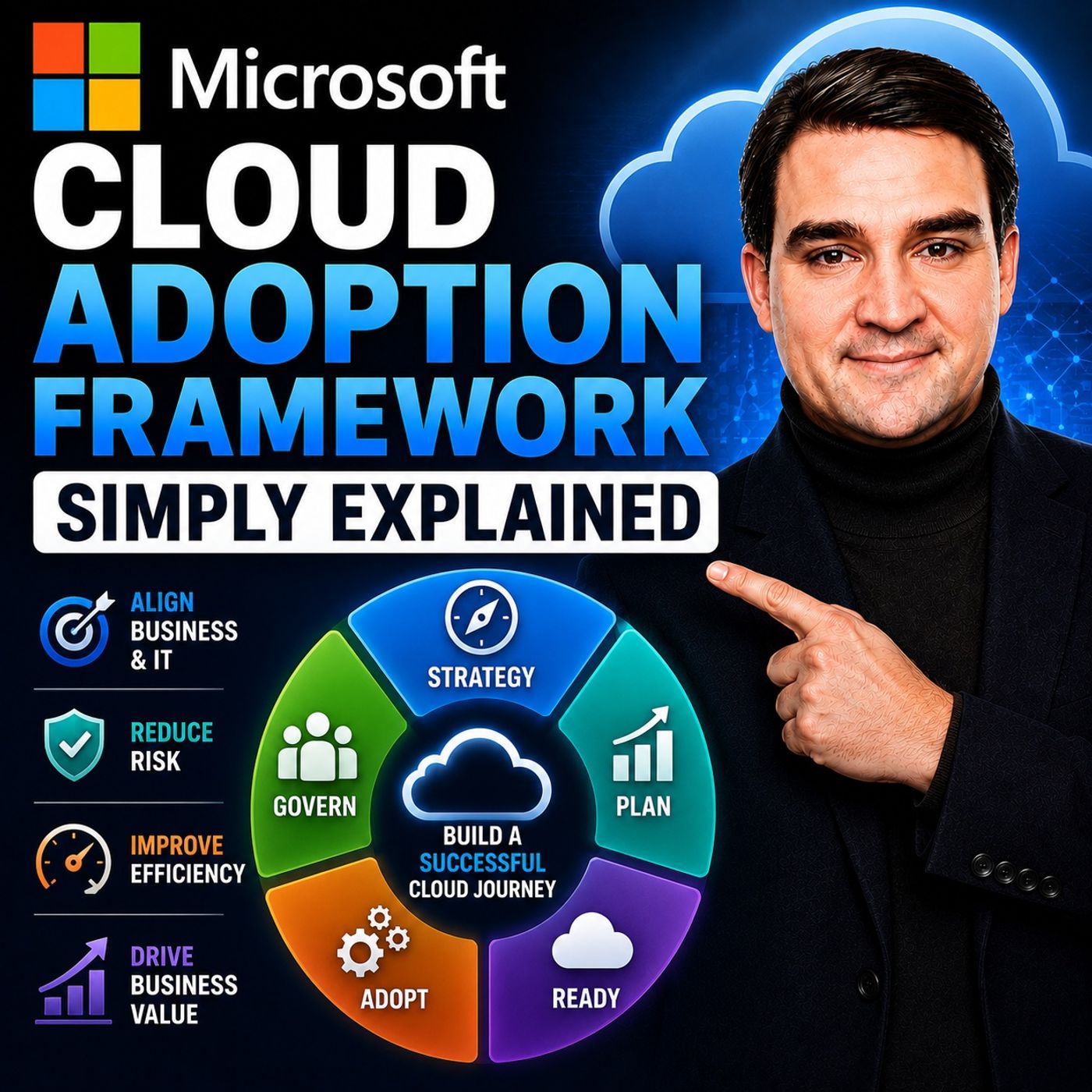
Microsoft Cloud Adoption Framework, commonly called CAF, helps organizations avoid one of the most common cloud mistakes: moving into Azure before deciding how the environment should actually work. Creating an Azure subscription and deploying a virtual machine is easy. Building an environment where applications, security, networking, costs, governance, and operational responsibilities remain manageable as the organization grows is much harder. CAF provides Microsoft's structured guidance for that journey. It helps organizations decide why they're adopting Azure, plan what should move, prepare the Azure foundation, migrate or modernize workloads, establish governance, and operate the environment over time.
ㅤ
WHY THE CLOUD NEEDS A PLAN
Azure gives organizations enormous flexibility. Teams can create virtual machines, databases, storage, networks, applications, and many other services within minutes. But flexibility doesn't automatically produce good architecture. Without shared decisions, one team might expose services publicly because it's convenient. Another might create expensive resources without clear cost ownership. Another could deploy an application before the required network connectivity exists. Eventually nobody knows exactly who owns what, why resources exist, or who is responsible when something fails. CAF provides a framework for making those decisions before this becomes normal.
ㅤ
WHAT IS THE CLOUD ADOPTION FRAMEWORK?
The Microsoft Cloud Adoption Framework isn't an Azure product you install. It isn't a certification. And it isn't a button that automatically creates the perfect Azure environment. Instead, CAF provides guidance for organizing the decisions, responsibilities, architecture, governance, and operational processes required for cloud adoption. Its core journey can be understood through Strategy, Plan, Ready, Adopt, Govern, Secure, and Manage activities.
ㅤ
STRATEGY: WHY ARE YOU MOVING TO AZURE?
Cloud adoption shouldn't begin with the question, "Which Azure service should we buy?" Start with the business problem. An organization might need to leave an aging data center. Product teams may need to release software faster. Applications might need to serve users in multiple regions. The organization could require better disaster recovery or more transparent cloud spending. These objectives lead to different technical decisions. The strategy should therefore describe measurable outcomes rather than simply stating that the organization wants to "move to the cloud."
ㅤ
TURN BUSINESS GOALS INTO MEASURABLE OUTCOMES
Useful cloud goals are specific. "Move these ten servers before hardware support ends" gives teams a deadline and measurable result. "Reduce application release time from weeks to days" connects cloud adoption to development productivity. "Give every department a cloud budget with an identified owner" creates financial accountability. These objectives help technical, business, security, and finance teams understand what success actually means.
ㅤ
PLAN: UNDERSTAND WHAT YOU ACTUALLY HAVE
Once the objective is clear, planning turns strategy into practical work. Organizations need an inventory of applications, data, dependencies, owners, skills, risks, and timelines. Dependencies are particularly important. An apparently simple application might depend on a database, shared file location, authentication service, scheduled task, and another business application. Moving only the visible server without understanding those relationships can result in a migration that technically completed but left the application unable to operate.
ㅤ
CHOOSE THE RIGHT MIGRATION PATH
Not every workload should move to Azure in the same way. Some applications can be rehosted, commonly called lift and shift. The existing application moves to Azure with relatively few changes. Others can be replatformed by moving individual components to managed Azure services. Some applications benefit from refactoring or rebuilding. Others might be replaced with a SaaS product or remain outside Azure entirely. Cloud adoption doesn't mean everything must move. The correct approach depends on the workload, business objective, risk, cost, and available time.
ㅤ
DON'T START WITH YOUR WORST APPLICATION
Organizations sometimes choose their oldest and most problematic application as their first Azure migration because it feels urgent. That can create a difficult first experience. The application may be poorly documented, dependent on forgotten systems, and understood by very few people. A better first workload is important enough to provide meaningful lessons but simple enough that its architecture, ownership, data, and success criteria are understood. The first migration should help the organization learn how its cloud model works.
ㅤ
READY: PREPARE AZURE BEFORE WORKLOADS ARRIVE
The Ready phase prepares the Azure environment. One of the central concepts is the Azure landing zone. A landing zone is a prepared Azure environment where applications and data can operate within established identity, networking, security, governance, monitoring, and organizational boundaries. Instead of allowing every application team to independently invent these foundations, the organization creates an environment workloads can safely enter.
ㅤ
WHAT IS AN AZURE LANDING ZONE?
Think of an Azure landing zone like preparing an office before employees arrive. The building needs electricity, doors, network connectivity, security, shared facilities, and rules. You wouldn't move hundreds of employees into an empty building and tell every department to design its own electrical system and security model. Azure landing zones apply the same principle to cloud infrastructure. Common foundational decisions are prepared before workloads arrive.
ㅤ
IDENTITY WITH MICROSOFT ENTRA ID
Identity is one of those foundational components. Microsoft Entra ID controls digital identities and helps determine who or what can access Azure resources. Users should receive only the permissions required to perform their work. Applications and services should follow the same principle. Giving everyone broad permissions might initially appear easier, but it increases the impact of mistakes and compromised identities.
ㅤ
ORGANIZING AZURE RESOURCES
Azure provides several organizational layers. Management groups can apply shared governance across multiple subscriptions. Subscriptions provide boundaries for areas such as billing, access, and workloads. Resource groups organize related Azure resources inside subscriptions. Naming conventions and tags provide additional context such as workload owner, department, environment, or cost center. The objective is to make the Azure environment understandable rather than creating a complicated naming system that nobody can remember.
ㅤ
NETWORKING IS PART OF THE FOUNDATION
Azure networking determines how workloads communicate with each other, with the internet, and with systems that remain outside Azure. Some applications require private connectivity to databases. Others need public connectivity for customers. Certain systems should never communicate directly with one another. A landing zone establishes these connectivity patterns before every workload team independently creates its own approach.
ㅤ
PLATFORM AND APPLICATION LANDING ZONES
Organizations can separate shared platform capabilities from individual workload environments. A platform landing zone can provide shared services such as identity, networking, monitoring, backup, and security. Application landing zones provide spaces for individual workloads or teams. A customer website and an internal finance application might therefore operate in different application landing zones while still using the organization's shared identity, networking, monitoring, and governance approach.
ㅤ
AZURE POLICY
Azure Policy can enforce or evaluate organizational rules. Organizations might require specific tags so every resource has an owner. They might restrict deployments to approved Azure regions. Storage configurations allowing inappropriate public access could be blocked. The objective isn't to make Azure difficult to use. Policy should prevent predictable mistakes while still giving teams a clear path for deploying legitimate workloads.
ㅤ
DON'T BUILD EVERYTHING ON DAY ONE
Microsoft architecture diagrams can make cloud adoption appear enormous. A small organization doesn't need every possible enterprise component before deploying its first workload. The environment should match the organization's actual requirements. Start with the foundations you need, deploy representative workloads, learn from them, and improve the landing zone as real requirements emerge. A landing zone that looks perfect on a diagram can still encounter unexpected application requirements when real workloads arrive.
ㅤ
ADOPT: MOVE AND MODERNIZE WORKLOADS
The Adopt phase is where workloads begin moving into the prepared Azure environment. This can include migrating existing applications as well as modernizing them to take greater advantage of cloud services. A workload might be a website, database, business application, or collection of connected services. The important point is that deployment isn't complete simply because an application starts successfully.
Become a supporter of this podcast: https://www.spreaker.com/podcast/m365-fm-modern-work-security-and-productivity-with-microsoft-365--6704921/support.
🚀 Want to be part of m365.fm?
Then stop just listening… and start showing up.
👉 Connect with me on LinkedIn and let’s make something happen:
- 🎙️ Be a podcast guest and share your story
- 🎧 Host your own episode (yes, seriously)
- 💡 Pitch topics the community actually wants to hear
- 🌍 Build your personal brand in the Microsoft 365 space
This isn’t just a podcast — it’s a platform for people who take action.
🔥 Most people wait. The best ones don’t.
👉 Connect with me on LinkedIn and send me a message:
"I want in"
Let’s build something awesome 👊
00:00:00,000 --> 00:00:03,240
Most teams begin their Azure journey by opening a subscription,
2
00:00:03,240 --> 00:00:07,200
creating a virtual machine, and picking services as they go.
3
00:00:07,200 --> 00:00:09,160
The better starting point is much less exciting,
4
00:00:09,160 --> 00:00:10,880
but it saves a lot of pain later.
5
00:00:10,880 --> 00:00:13,000
Decide why you're moving, what you're moving,
6
00:00:13,000 --> 00:00:15,160
and what rules people need before they begin.
7
00:00:15,160 --> 00:00:16,600
Think about opening an office.
8
00:00:16,600 --> 00:00:18,840
You could rent random rooms in different buildings,
9
00:00:18,840 --> 00:00:20,640
hand out keys without a list,
10
00:00:20,640 --> 00:00:23,560
and hope each department figures out its own internet,
11
00:00:23,560 --> 00:00:25,280
filing, and security.
12
00:00:25,280 --> 00:00:26,960
People could still work for a while,
13
00:00:26,960 --> 00:00:29,120
but it wouldn't feel like one office.
14
00:00:29,120 --> 00:00:30,880
Or you could prepare one safe building
15
00:00:30,880 --> 00:00:32,200
where people know where to go,
16
00:00:32,200 --> 00:00:35,040
who can enter what each space costs and who fixes problems.
17
00:00:35,040 --> 00:00:37,000
That's what the Microsoft Cloud adoption framework
18
00:00:37,000 --> 00:00:38,840
often called CAF helps you do.
19
00:00:38,840 --> 00:00:41,000
It's Microsoft guidance for moving work into Azure,
20
00:00:41,000 --> 00:00:42,760
and then running that work over time.
21
00:00:42,760 --> 00:00:45,040
We're going to look at its six building blocks,
22
00:00:45,040 --> 00:00:47,000
what an Azure landing zone really means,
23
00:00:47,000 --> 00:00:49,240
and why governance can't wait until the end.
24
00:00:49,240 --> 00:00:51,360
One part is skipped by many teams,
25
00:00:51,360 --> 00:00:53,400
and it often forces a rebuild later.
26
00:00:53,400 --> 00:00:56,880
Why CAF exists, the office building problem?
27
00:00:56,880 --> 00:00:58,640
Before cloud services became common,
28
00:00:58,640 --> 00:01:00,920
many companies built their IT bit by bit.
29
00:01:00,920 --> 00:01:03,680
Email ran on one server, file storage ran somewhere else,
30
00:01:03,680 --> 00:01:05,240
an application had its own server,
31
00:01:05,240 --> 00:01:06,400
its own backup plan,
32
00:01:06,400 --> 00:01:09,000
and sometimes its own person who knew how it worked.
33
00:01:09,000 --> 00:01:11,600
Security decisions could differ from one system to the next.
34
00:01:11,600 --> 00:01:14,200
One team managed networks, another managed servers,
35
00:01:14,200 --> 00:01:15,440
finance received bills,
36
00:01:15,440 --> 00:01:18,200
but often couldn't see which department caused the spending.
37
00:01:18,200 --> 00:01:20,400
The setup grew over years, usually because
38
00:01:20,400 --> 00:01:22,200
each new problem needed a quick fix.
39
00:01:22,200 --> 00:01:24,400
Azure gives you more options, faster.
40
00:01:24,400 --> 00:01:26,880
That doesn't mean Azure automatically fixes cost security
41
00:01:26,880 --> 00:01:28,040
or slow delivery.
42
00:01:28,040 --> 00:01:30,680
If you create cloud resources without shared decisions,
43
00:01:30,680 --> 00:01:32,360
you can recreate the same old mess,
44
00:01:32,360 --> 00:01:34,040
only with more buttons and a monthly bill
45
00:01:34,040 --> 00:01:35,400
that changes every day.
46
00:01:35,400 --> 00:01:37,480
CAF is Microsoft's map for avoiding that.
47
00:01:37,480 --> 00:01:38,800
It isn't a product you install,
48
00:01:38,800 --> 00:01:40,760
it isn't an Azure certification,
49
00:01:40,760 --> 00:01:42,240
and it isn't a one click setup
50
00:01:42,240 --> 00:01:44,000
that turns an empty Azure subscription
51
00:01:44,000 --> 00:01:45,480
into a finished cloud environment.
52
00:01:45,480 --> 00:01:47,920
Instead, it gives you a way to think through the work.
53
00:01:47,920 --> 00:01:50,080
You decide why the organization needs Azure.
54
00:01:50,080 --> 00:01:51,240
You plan what should move,
55
00:01:51,240 --> 00:01:53,160
you prepare a place for workloads to live,
56
00:01:53,160 --> 00:01:55,440
then you move, protect, govern, and run them.
57
00:01:55,440 --> 00:01:56,440
Back to our office building,
58
00:01:56,440 --> 00:01:59,160
the business owner decides what the building needs to support.
59
00:01:59,160 --> 00:02:01,640
The reception desk checks who is allowed inside,
60
00:02:01,640 --> 00:02:03,400
each department works in its own room,
61
00:02:03,400 --> 00:02:06,360
building rules, control access, safety, and spending.
62
00:02:06,360 --> 00:02:09,040
Meanwhile, the facilities team keeps the lights on,
63
00:02:09,040 --> 00:02:10,640
responds when something breaks,
64
00:02:10,640 --> 00:02:12,880
and checks that the building remains safe.
65
00:02:12,880 --> 00:02:14,080
Azure works in a similar way,
66
00:02:14,080 --> 00:02:15,560
although the parts have different names.
67
00:02:15,560 --> 00:02:17,160
Imagine a company that wants more space
68
00:02:17,160 --> 00:02:18,600
for new products and remote staff,
69
00:02:18,600 --> 00:02:20,240
it wants teams to build faster,
70
00:02:20,240 --> 00:02:21,760
but it starts by letting every team
71
00:02:21,760 --> 00:02:23,560
create Azure resources, however they like.
72
00:02:23,560 --> 00:02:26,200
One team uses public access because it's quick.
73
00:02:26,200 --> 00:02:29,160
Another creates expensive services without a budget owner.
74
00:02:29,160 --> 00:02:31,080
A third can't connect its application
75
00:02:31,080 --> 00:02:32,800
because nobody planned the network.
76
00:02:32,800 --> 00:02:34,680
Soon, nobody knows who owns what.
77
00:02:34,680 --> 00:02:36,120
Bill's arrived with little context,
78
00:02:36,120 --> 00:02:37,600
access becomes too broad.
79
00:02:37,600 --> 00:02:39,320
Fixing the setup means changing systems
80
00:02:39,320 --> 00:02:40,840
that people already depend on.
81
00:02:40,840 --> 00:02:42,240
That's the cost of treating cloud adoption
82
00:02:42,240 --> 00:02:44,360
like a shopping trip instead of an office move.
83
00:02:44,360 --> 00:02:46,160
SAF helps teams make those decisions
84
00:02:46,160 --> 00:02:47,960
before the confusion becomes normal.
85
00:02:47,960 --> 00:02:51,840
The first question comes before blueprints, subscriptions,
86
00:02:51,840 --> 00:02:53,240
or virtual machines.
87
00:02:53,240 --> 00:02:55,840
Why does this office need to exist at all?
88
00:02:55,840 --> 00:02:57,320
Strategy and plan.
89
00:02:57,320 --> 00:02:59,000
Decide why you are building.
90
00:02:59,000 --> 00:03:01,160
Strategy starts with a simple question.
91
00:03:01,160 --> 00:03:04,680
What problem should Azure solve for your organization?
92
00:03:04,680 --> 00:03:07,360
Not which Azure service should we buy?
93
00:03:07,360 --> 00:03:09,080
A company might need to leave a data center
94
00:03:09,080 --> 00:03:11,080
because old hardware needs replacing.
95
00:03:11,080 --> 00:03:13,440
Another might want to release new features faster.
96
00:03:13,440 --> 00:03:15,160
A business with teams in different countries
97
00:03:15,160 --> 00:03:17,680
may need its applications closer to those users.
98
00:03:17,680 --> 00:03:20,280
Someone else may care most about recovering from an outage
99
00:03:20,280 --> 00:03:22,640
without waiting for damaged hardware to be repaired.
100
00:03:22,640 --> 00:03:23,760
Those are different reasons.
101
00:03:23,760 --> 00:03:25,240
They lead to different decisions.
102
00:03:25,240 --> 00:03:26,600
Think about an office move.
103
00:03:26,600 --> 00:03:28,800
Are you moving because the current office is too small?
104
00:03:28,800 --> 00:03:30,240
Do you need a second location?
105
00:03:30,240 --> 00:03:31,960
Are remote staff coming in more often?
106
00:03:31,960 --> 00:03:34,720
Or does the old building simply need too much work to keep running?
107
00:03:34,720 --> 00:03:36,800
You wouldn't choose the same building for every situation
108
00:03:36,800 --> 00:03:37,920
as your works the same way.
109
00:03:37,920 --> 00:03:40,040
Your strategy should name the outcome you expect.
110
00:03:40,040 --> 00:03:43,000
Maybe you want to reduce how much you depend on your own data center.
111
00:03:43,000 --> 00:03:45,480
Maybe product teams need to release updates more often.
112
00:03:45,480 --> 00:03:48,320
Maybe remote staff needs safer access to business systems.
113
00:03:48,320 --> 00:03:50,320
Or maybe finance needs clear spending limits
114
00:03:50,320 --> 00:03:51,920
before cloud costs start to grow.
115
00:03:51,920 --> 00:03:53,480
Use plain measures where you can.
116
00:03:53,480 --> 00:03:56,680
For example, move these 10 servers before their support ends.
117
00:03:56,680 --> 00:04:00,360
Or cut the time needed to release a new version from weeks to days.
118
00:04:00,360 --> 00:04:03,880
Or give each department a monthly cloud budget that has an owner
119
00:04:03,880 --> 00:04:06,200
that gives people something real to work toward.
120
00:04:06,200 --> 00:04:07,800
Without this cloud projects drift,
121
00:04:07,800 --> 00:04:09,560
the technical team builds resources,
122
00:04:09,560 --> 00:04:11,880
the business waits for results, finances a bill,
123
00:04:11,880 --> 00:04:14,000
security finds risks late in the work,
124
00:04:14,000 --> 00:04:17,280
then everyone asks the same question, why are we doing this?
125
00:04:17,280 --> 00:04:18,480
Once the reason is clear,
126
00:04:18,480 --> 00:04:20,520
planning turns that reason into a work list.
127
00:04:20,520 --> 00:04:22,080
You need to know what applications you have,
128
00:04:22,080 --> 00:04:23,640
what data they use, who owns them,
129
00:04:23,640 --> 00:04:25,600
and which people understand how they work.
130
00:04:25,600 --> 00:04:30,120
You also need to know timing, risks, skills, and dependencies.
131
00:04:30,120 --> 00:04:33,560
A dependency is simply something an application needs before it can work.
132
00:04:33,560 --> 00:04:36,720
For example, an old payroll application may need a database,
133
00:04:36,720 --> 00:04:40,000
a shared file location, and a connection to another business system.
134
00:04:40,000 --> 00:04:42,840
If you move only the application and miss one of those links,
135
00:04:42,840 --> 00:04:45,840
the move may look complete, but payroll stops working.
136
00:04:45,840 --> 00:04:47,600
This is where many teams find surprises.
137
00:04:47,600 --> 00:04:50,720
An application that looks small may connect to five other systems.
138
00:04:50,720 --> 00:04:52,720
A server may run a task nobody documented,
139
00:04:52,720 --> 00:04:55,120
the only person who understands it may have left years ago,
140
00:04:55,120 --> 00:04:58,040
planning finds those problems while you still have time to deal with them,
141
00:04:58,040 --> 00:05:00,080
then you choose a path for each application.
142
00:05:00,080 --> 00:05:01,760
Some applications can move as they are.
143
00:05:01,760 --> 00:05:04,440
This is often called re-hosting or lift and shift.
144
00:05:04,440 --> 00:05:07,880
You take the existing server and run it in Azure with few changes.
145
00:05:07,880 --> 00:05:10,760
Others need some adjustment to work better with Azure.
146
00:05:10,760 --> 00:05:14,040
You might move a database to a managed Azure database service,
147
00:05:14,040 --> 00:05:17,200
for example, while keeping most of the application the same.
148
00:05:17,200 --> 00:05:19,160
Some applications need a larger rebuild.
149
00:05:19,160 --> 00:05:22,880
Their code may be old, hard to support, or too tied to the old environment.
150
00:05:22,880 --> 00:05:26,760
In other cases, it makes more sense to replace the application with an online service,
151
00:05:26,760 --> 00:05:28,520
or keep it outside Azure for now.
152
00:05:28,520 --> 00:05:31,160
Keeping something where it is can be the right choice.
153
00:05:31,160 --> 00:05:33,800
Cloud adoption doesn't mean moving every single thing.
154
00:05:33,800 --> 00:05:36,000
But here's where teams often make a bad first choice.
155
00:05:36,000 --> 00:05:39,640
They start with the oldest, least understood application because it feels urgent.
156
00:05:39,640 --> 00:05:41,880
That application may be fragile, poorly documented,
157
00:05:41,880 --> 00:05:44,080
and connected to more systems than anyone realises.
158
00:05:44,080 --> 00:05:47,360
It can turn the first move into a long rescue job.
159
00:05:47,360 --> 00:05:50,080
A better first workload is important enough to teach you something,
160
00:05:50,080 --> 00:05:54,880
but simple enough that people understand its owner, its data, and how success looks.
161
00:05:54,880 --> 00:05:57,040
That first move gives the team a chance to learn,
162
00:05:57,040 --> 00:05:58,920
without putting the whole business at risk.
163
00:05:58,920 --> 00:06:01,720
Imagine a company who server hardware support ends in three months.
164
00:06:01,720 --> 00:06:04,320
Its first goal isn't to redesign every old application.
165
00:06:04,320 --> 00:06:05,360
There isn't time.
166
00:06:05,360 --> 00:06:07,760
Moving a few servers to Azure with limited changes,
167
00:06:07,760 --> 00:06:11,440
maybe the sensible move, because it removes the immediate hardware risk.
168
00:06:11,440 --> 00:06:15,520
Then the company can create a longer plan to improve or replace those applications later.
169
00:06:15,520 --> 00:06:16,840
That isn't settling for less.
170
00:06:16,840 --> 00:06:19,360
It's choosing the right job for the time available.
171
00:06:19,360 --> 00:06:21,400
Planning also needs the right people in the room.
172
00:06:21,400 --> 00:06:23,280
Business leaders explain what matters.
173
00:06:23,280 --> 00:06:25,560
Application owners explain how the software works.
174
00:06:25,560 --> 00:06:27,440
Security teams define safe access.
175
00:06:27,440 --> 00:06:28,960
Network teams plan connections.
176
00:06:28,960 --> 00:06:30,320
Finance track spending.
177
00:06:30,320 --> 00:06:32,960
The Cloud team builds and supports the Azure side.
178
00:06:32,960 --> 00:06:35,040
No one team can answer every question alone.
179
00:06:35,040 --> 00:06:37,560
So strategy tells you why the office needs to change
180
00:06:37,560 --> 00:06:40,760
and planning tells you who is moving what they need and when it can happen.
181
00:06:40,760 --> 00:06:43,480
The next calf phase prepares the building around those needs
182
00:06:43,480 --> 00:06:45,720
before the first department arrives.
183
00:06:45,720 --> 00:06:46,920
Ready?
184
00:06:46,920 --> 00:06:49,200
Build the landing zone before tenants arrive.
185
00:06:49,200 --> 00:06:51,720
With the plan in place, you can prepare Azure itself.
186
00:06:51,720 --> 00:06:53,600
Staff calls this phase ready.
187
00:06:53,600 --> 00:06:56,120
The central idea is the Azure landing zone.
188
00:06:56,120 --> 00:06:58,920
That name can sound technical, but the meaning is simple.
189
00:06:58,920 --> 00:07:01,680
A landing zone is a prepared part of Azure,
190
00:07:01,680 --> 00:07:04,040
where applications and data can live safely.
191
00:07:04,040 --> 00:07:07,400
Think of it as preparing the office building before the first department moves in.
192
00:07:07,400 --> 00:07:08,680
You need the building shell.
193
00:07:08,680 --> 00:07:11,960
You need electricity, network cables, doors, locks, fire exits,
194
00:07:11,960 --> 00:07:13,120
and a place to store records.
195
00:07:13,120 --> 00:07:15,240
You wouldn't invite people into an empty concrete floor
196
00:07:15,240 --> 00:07:17,040
and tell them to sort out the wiring themselves.
197
00:07:17,040 --> 00:07:19,760
A landing zone gives your workloads that prepare foundation.
198
00:07:19,760 --> 00:07:22,360
It doesn't mean every Azure environment looks the same.
199
00:07:22,360 --> 00:07:25,360
A small company may need a simple setup with a few clear rules.
200
00:07:25,360 --> 00:07:29,880
A large company may need many separate areas for teams, regions, and sensitive systems.
201
00:07:29,880 --> 00:07:33,080
The point is to build the parts you need before applications arrive.
202
00:07:33,080 --> 00:07:34,480
Start at the reception desk.
203
00:07:34,480 --> 00:07:37,960
In Microsoft Cloud Services, Microsoft Entra ID works like that desk.
204
00:07:37,960 --> 00:07:41,960
It manages digital identities, which means it knows who is trying to sign in
205
00:07:41,960 --> 00:07:44,320
and can help decide what they're allowed to access.
206
00:07:44,320 --> 00:07:47,240
A person might need access to one application but not another.
207
00:07:47,240 --> 00:07:49,440
A service may need permission to read from a database
208
00:07:49,440 --> 00:07:51,400
but should never be allowed to delete it.
209
00:07:51,400 --> 00:07:53,400
Entra ID helps manage those decisions.
210
00:07:53,400 --> 00:07:54,880
The general rule is simple.
211
00:07:54,880 --> 00:07:57,680
Give people only the access they need to do their job.
212
00:07:57,680 --> 00:08:01,120
That keeps mistakes smaller and makes unwanted access harder.
213
00:08:01,120 --> 00:08:02,640
Next comes the layout of the building.
214
00:08:02,640 --> 00:08:04,960
Azure has a few layers for organizing work.
215
00:08:04,960 --> 00:08:06,360
Management groups sit near the top.
216
00:08:06,360 --> 00:08:08,840
You can think of them as the wider property structure,
217
00:08:08,840 --> 00:08:11,480
where shared rules can apply to more than one area.
218
00:08:11,480 --> 00:08:12,840
Subscriptions sit below that.
219
00:08:12,840 --> 00:08:16,240
A subscription is often a separate space for billing, access, and workloads.
220
00:08:16,240 --> 00:08:18,320
One might support a production application.
221
00:08:18,320 --> 00:08:19,760
Another might support testing.
222
00:08:19,760 --> 00:08:22,680
A shared subscription might run services used by many teams.
223
00:08:22,680 --> 00:08:27,080
Inside subscriptions, resource groups help you collect related as your items together.
224
00:08:27,080 --> 00:08:30,680
An applications web service, database, and storage might sit in one resource group
225
00:08:30,680 --> 00:08:32,360
because they belong to the same workload.
226
00:08:32,360 --> 00:08:35,680
Naming rules and tags help people find things later.
227
00:08:35,680 --> 00:08:37,400
A name tells you what something is.
228
00:08:37,400 --> 00:08:39,720
A tag is more like a label you attach to it,
229
00:08:39,720 --> 00:08:42,840
such as the department owner, the environment, or a cost code.
230
00:08:42,840 --> 00:08:45,240
If finance needs to ask which team cause the charge,
231
00:08:45,240 --> 00:08:47,680
labels make that question much easier to answer.
232
00:08:47,680 --> 00:08:50,640
But don't turn names and labels into a giant puzzle.
233
00:08:50,640 --> 00:08:53,960
People need rules they can follow without opening a 20-page document,
234
00:08:53,960 --> 00:08:55,680
clear and consistent beats clever.
235
00:08:55,680 --> 00:08:58,000
The building also needs roads, doors, and walls.
236
00:08:58,000 --> 00:08:59,680
In Azure, this is networking.
237
00:08:59,680 --> 00:09:03,200
It controls how systems connect to each other, to the internet,
238
00:09:03,200 --> 00:09:07,120
and sometimes back to systems that still run in your own building or data center.
239
00:09:07,120 --> 00:09:10,120
Some applications need a private path to accompany database.
240
00:09:10,120 --> 00:09:12,760
Others need to accept traffic from customers on the internet.
241
00:09:12,760 --> 00:09:15,440
Some systems should never talk to each other at all.
242
00:09:15,440 --> 00:09:16,960
That separation matters.
243
00:09:16,960 --> 00:09:20,720
You wouldn't leave every office door open just because people work in the same building.
244
00:09:20,720 --> 00:09:24,720
In the same way, a good network design allows the connections or workload needs
245
00:09:24,720 --> 00:09:26,160
and blocks the ones it doesn't.
246
00:09:26,160 --> 00:09:28,440
Then there are services that many departments share.
247
00:09:28,440 --> 00:09:29,440
Identity is one.
248
00:09:29,440 --> 00:09:30,880
Network connections are another.
249
00:09:30,880 --> 00:09:34,800
Monitoring, backup, and security tools can also sit in this shared platform area.
250
00:09:34,800 --> 00:09:38,480
Rather than every application team building its own version of those basics,
251
00:09:38,480 --> 00:09:41,840
the organization can provide them once and let workloads use them.
252
00:09:41,840 --> 00:09:43,760
This is often called a platform landing zone.
253
00:09:43,760 --> 00:09:45,680
An application landing zone is different.
254
00:09:45,680 --> 00:09:49,000
That is the individual office space where one application or team works.
255
00:09:49,000 --> 00:09:50,680
It follows the wider building rules,
256
00:09:50,680 --> 00:09:52,920
but it has room for the needs of that workload.
257
00:09:52,920 --> 00:09:56,800
For example, a customer website may need different services from an internal finance system.
258
00:09:56,800 --> 00:09:58,680
They can have separate application landing zones
259
00:09:58,680 --> 00:10:03,520
while still using the same sign-in rules, network, approach, monitoring, and security controls.
260
00:10:03,520 --> 00:10:07,200
This gives teams room to work without turning Azure into a free for all.
261
00:10:07,200 --> 00:10:08,680
Azure policy helps with that.
262
00:10:08,680 --> 00:10:11,240
Policy acts like building rules that prevent unsafe choices.
263
00:10:11,240 --> 00:10:14,320
You might require certain labels, so costs have an owner.
264
00:10:14,320 --> 00:10:18,600
You might block storage that allows public access when the data should stay private.
265
00:10:18,600 --> 00:10:20,920
You might limit deployments to approved regions.
266
00:10:20,920 --> 00:10:22,720
The goal isn't to stop people from working.
267
00:10:22,720 --> 00:10:26,040
The goal is to stop common mistakes before they become expensive or risky,
268
00:10:26,040 --> 00:10:28,000
but this is where many beginners get stuck.
269
00:10:28,000 --> 00:10:32,840
They see a huge Microsoft diagram full of boxes and decide they need every box from day one.
270
00:10:32,840 --> 00:10:35,200
You don't.
271
00:10:35,200 --> 00:10:38,960
A small team doesn't need to build an enterprise tower just because the blueprint exists.
272
00:10:38,960 --> 00:10:41,080
Build the foundation your organization needs now,
273
00:10:41,080 --> 00:10:43,680
then add to it when a real workload gives you a reason,
274
00:10:43,680 --> 00:10:46,440
and that first workload tells you something a diagram never can.
275
00:10:46,440 --> 00:10:50,480
A landing zone can look complete on paper with policies, networks, access rules,
276
00:10:50,480 --> 00:10:52,160
and monitoring all neatly drawn.
277
00:10:52,160 --> 00:10:54,840
Then an application arrives and needs a connection, nobody planned,
278
00:10:54,840 --> 00:10:57,800
a permission, nobody expected, or a backup setting that doesn't fit,
279
00:10:57,800 --> 00:10:59,720
that isn't proof the landing zone failed.
280
00:10:59,720 --> 00:11:02,040
It's how the building becomes better.
281
00:11:02,040 --> 00:11:05,440
Adopt, move workloads in, learn, then improve.
282
00:11:05,440 --> 00:11:07,680
Now people can start using the space.
283
00:11:07,680 --> 00:11:11,400
Calf calls this adopt, and it covers two related jobs.
284
00:11:11,400 --> 00:11:15,480
Moving existing workloads into Azure and changing workloads so they work better there.
285
00:11:15,480 --> 00:11:18,280
A workload is simply a piece of work that runs on technology.
286
00:11:18,280 --> 00:11:20,880
It could be a website, a business app, a database,
287
00:11:20,880 --> 00:11:23,160
or a group of services that work together.
288
00:11:23,160 --> 00:11:25,320
Picture a department arriving on moving day.
289
00:11:25,320 --> 00:11:29,240
The room is ready, but the move still needs care, staff tests their entry cards.
290
00:11:29,240 --> 00:11:31,080
They check whether their phones work.
291
00:11:31,080 --> 00:11:33,000
They make sure they can reach the files they need.
292
00:11:33,000 --> 00:11:35,880
They find the emergency exits before a real emergency happens.
293
00:11:35,880 --> 00:11:39,000
Moving an application to Azure follows the same basic idea.
294
00:11:39,000 --> 00:11:42,840
You check that the application works, that it can reach the systems it depends on,
295
00:11:42,840 --> 00:11:44,680
and that the right people can support it.
296
00:11:44,680 --> 00:11:46,840
Start with a workload that gives you a fair test.
297
00:11:46,840 --> 00:11:50,400
It should matter to the business, but it shouldn't be a mystery held together by old code
298
00:11:50,400 --> 00:11:51,360
and one missing manual.
299
00:11:51,360 --> 00:11:54,160
Move it, test it, learn where the setup needs work,
300
00:11:54,160 --> 00:11:56,280
then use those lessons on the next workload.
301
00:11:56,280 --> 00:11:59,520
That is how Calf avoids the same mistake repeating 50 times.
302
00:11:59,520 --> 00:12:01,440
There are a few parts an application can take.
303
00:12:01,440 --> 00:12:03,120
The fastest path is re-hosted.
304
00:12:03,120 --> 00:12:05,480
You may also hear people call this lift and shift.
305
00:12:05,480 --> 00:12:08,680
The application stays mostly the same, but it runs on a virtual machine in Azure
306
00:12:08,680 --> 00:12:09,880
instead of a server you own.
307
00:12:09,880 --> 00:12:12,720
This can make sense when you need to leave old hardware quickly.
308
00:12:12,720 --> 00:12:14,600
The next path is replatform.
309
00:12:14,600 --> 00:12:16,280
The application still does the same job,
310
00:12:16,280 --> 00:12:18,720
but you move part of it to a managed Azure service.
311
00:12:18,720 --> 00:12:21,200
For example, instead of running your own database server,
312
00:12:21,200 --> 00:12:24,520
you may use an Azure database service that Microsoft runs and maintains.
313
00:12:24,520 --> 00:12:26,200
Then there is refactoring or rebuilding.
314
00:12:26,200 --> 00:12:30,560
Re-factoring means changing parts of the application so it can use cloud services better.
315
00:12:30,560 --> 00:12:34,520
Rebuilding means creating a new version because the old one no longer fits the business need,
316
00:12:34,520 --> 00:12:38,000
costs too much to maintain or cannot safely move as it is.
317
00:12:38,000 --> 00:12:39,800
Not every workload needs to come to Azure.
318
00:12:39,800 --> 00:12:42,440
An application may stay where it is for a good reason.
319
00:12:42,440 --> 00:12:45,720
Or the organization may replace it with an online software service,
320
00:12:45,720 --> 00:12:47,720
instead of running the application itself.
321
00:12:47,720 --> 00:12:49,920
The right answer depends on what the workload does,
322
00:12:49,920 --> 00:12:52,680
how much change it needs, and what risk the business can accept.
323
00:12:52,680 --> 00:12:56,760
Before anything becomes a production workload, test more than the sign-in screen.
324
00:12:56,760 --> 00:12:58,680
Does the application do its normal job?
325
00:12:58,680 --> 00:13:01,400
Can it talk to the database and other connected systems?
326
00:13:01,400 --> 00:13:03,440
Does it perform well when real people use it?
327
00:13:03,440 --> 00:13:05,480
Can you restore the data if something goes wrong?
328
00:13:05,480 --> 00:13:08,440
Do the right people have access while everyone else stays out?
329
00:13:08,440 --> 00:13:10,960
And do you understand what it costs when it runs normally?
330
00:13:10,960 --> 00:13:14,120
A successful deployment is not just an application that opens once.
331
00:13:14,120 --> 00:13:17,480
It is an application that can run, recover, and be supported.
332
00:13:17,480 --> 00:13:19,560
This also needs two groups to stay involved.
333
00:13:19,560 --> 00:13:23,240
The application team knows what the application needs and how users rely on it.
334
00:13:23,240 --> 00:13:27,280
The platform team knows how Azure is set up and which shared rules apply.
335
00:13:27,280 --> 00:13:32,120
Neither team can solve every issue alone, but many organizations fall into a familiar trap.
336
00:13:32,120 --> 00:13:35,600
The platform team finishes the landing zone, gives the application team access,
337
00:13:35,600 --> 00:13:37,040
and moves to the next task.
338
00:13:37,040 --> 00:13:41,240
Then the application team hits a policy, network rule, or permission issue,
339
00:13:41,240 --> 00:13:43,320
and starts looking for ways around the platform.
340
00:13:43,320 --> 00:13:45,520
That creates frustration on both sides.
341
00:13:45,520 --> 00:13:49,000
A better approach is to treat the first few moves as shared work.
342
00:13:49,000 --> 00:13:52,440
When an application needs a reasonable change, the team decide whether that change
343
00:13:52,440 --> 00:13:55,400
belongs in the application setup or the shared Azure Foundation.
344
00:13:55,400 --> 00:13:58,200
They document the answer, then make the next move easier.
345
00:13:58,200 --> 00:13:59,720
Each workload teaches you something.
346
00:13:59,720 --> 00:14:01,920
Perhaps the backup process needs a clearer owner.
347
00:14:01,920 --> 00:14:05,200
Maybe an application needs a network path that other workloads will also need.
348
00:14:05,200 --> 00:14:08,280
Maybe a policy blocks a safe deployment and needs adjusting.
349
00:14:08,280 --> 00:14:11,400
You don't wait for perfect design before learning these things.
350
00:14:11,400 --> 00:14:16,320
You learn by moving carefully, improving the setup, and using those improvements again.
351
00:14:16,320 --> 00:14:20,400
Once departments are working inside the building though, someone must keep watch over the rules,
352
00:14:20,400 --> 00:14:22,320
safety, and daily upkeep.
353
00:14:22,320 --> 00:14:23,880
GovN secure and manage.
354
00:14:23,880 --> 00:14:25,560
Keep the office safe and running.
355
00:14:25,560 --> 00:14:29,680
GovN secure and manage are not jobs you leave until the migration project ends.
356
00:14:29,680 --> 00:14:32,760
They run through the whole cloud journey because decisions about access,
357
00:14:32,760 --> 00:14:35,960
spending, safety, and support affect every workload from the start.
358
00:14:35,960 --> 00:14:38,640
GovNs sets the rules for how Azure is used.
359
00:14:38,640 --> 00:14:41,000
That can include which Azure services teams may use,
360
00:14:41,000 --> 00:14:43,560
which regions they can deploy into, how resources are named,
361
00:14:43,560 --> 00:14:47,440
that labels the need, who owns each workload, and how spending is tracked.
362
00:14:47,440 --> 00:14:51,280
Think of GovNs as the rules everyone agrees to follow while using the office.
363
00:14:51,280 --> 00:14:53,600
A department may need to state who owns a room.
364
00:14:53,600 --> 00:14:56,280
It may need approval before installing costly equipment.
365
00:14:56,280 --> 00:14:59,480
It may need to follow rules about where sensitive records can be stored.
366
00:14:59,480 --> 00:15:03,520
Those rules are there so the office remains understandable as more people move in.
367
00:15:03,520 --> 00:15:05,800
In Azure, GovNs also helps with compliance.
368
00:15:05,800 --> 00:15:10,560
If your organization must follow rules for customer data, financial records, or health information,
369
00:15:10,560 --> 00:15:16,000
you need to know where that data lives, who can access it, and whether the required controls are in place.
370
00:15:16,000 --> 00:15:20,880
Security focuses on protecting the people, systems, and data inside that environment.
371
00:15:20,880 --> 00:15:23,400
EntraID helps control sign-ins and permissions.
372
00:15:23,400 --> 00:15:26,520
Conditional access can check the situation around a sign-in,
373
00:15:26,520 --> 00:15:30,920
such as whether the person is using an approved device or needs an extra sign-in check.
374
00:15:30,920 --> 00:15:35,360
Microsoft Defender tools can help spot threats in suspicious activity across the platform.
375
00:15:35,360 --> 00:15:37,800
The idea behind all of this is least privilege.
376
00:15:37,800 --> 00:15:42,280
People receive the access they need for their work, not broad access just because it feels easier.
377
00:15:42,280 --> 00:15:45,560
An application receives only the permissions it needs to.
378
00:15:45,560 --> 00:15:47,160
That may sound slower at first.
379
00:15:47,160 --> 00:15:50,400
But broad access creates a much larger problem when an account is compromised,
380
00:15:50,400 --> 00:15:54,360
a person makes a mistake, or a contractor no longer works with the company.
381
00:15:54,360 --> 00:15:57,240
Management is the daily work that keeps Azure running.
382
00:15:57,240 --> 00:15:59,080
Someone needs to watch the monitoring alerts.
383
00:15:59,080 --> 00:16:02,160
Someone needs to check backups and prove that data can be restored.
384
00:16:02,160 --> 00:16:05,880
Someone needs to install updates, respond to incidents, review costs,
385
00:16:05,880 --> 00:16:09,160
and decide what happens when a service stops working at 2 in the morning.
386
00:16:09,160 --> 00:16:13,240
These jobs happen behind the scenes, but users notice quickly when nobody owns them.
387
00:16:13,240 --> 00:16:16,120
There is also a shared responsibility model in cloud services.
388
00:16:16,120 --> 00:16:19,040
Microsoft runs and protects the underlying Azure cloud.
389
00:16:19,040 --> 00:16:22,760
Microsoft looks after the physical data centers and the core cloud services.
390
00:16:22,760 --> 00:16:26,480
Your organization still owns the responsibility for what it puts into Azure,
391
00:16:26,480 --> 00:16:30,120
how it configures services, who can enter, how data is protected,
392
00:16:30,120 --> 00:16:31,800
and how workloads are operated.
393
00:16:31,800 --> 00:16:34,360
Moving to Azure does not remove those responsibilities.
394
00:16:34,360 --> 00:16:37,720
It changes how you handle them, so write down ownership in plain terms.
395
00:16:37,720 --> 00:16:39,680
Who receives an alert when a database fails?
396
00:16:39,680 --> 00:16:41,040
Who can restore a backup?
397
00:16:41,040 --> 00:16:42,960
Who approves access for a new employee?
398
00:16:42,960 --> 00:16:44,760
Who responds when defender reports are threat?
399
00:16:44,760 --> 00:16:47,560
Who checks whether a workload is spending more than expected?
400
00:16:47,560 --> 00:16:50,760
If the answer is someone in IT, it is not an answer yet.
401
00:16:50,760 --> 00:16:52,680
A common failure looks harmless at first.
402
00:16:52,680 --> 00:16:57,040
A team turns on monitoring, dashboards appear, and alerts begin to arrive.
403
00:16:57,040 --> 00:16:59,960
Everyone feels safer because the warning system exists.
404
00:16:59,960 --> 00:17:01,440
Then an alert fires at night.
405
00:17:01,440 --> 00:17:05,200
Nobody receives it, or several people receive it and assume somebody else will act.
406
00:17:05,200 --> 00:17:06,840
The alert becomes background noise.
407
00:17:06,840 --> 00:17:11,440
A small issue grows because the system reported the problem, but no person owned the response.
408
00:17:11,440 --> 00:17:13,520
Monitoring without ownership is just noise.
409
00:17:13,520 --> 00:17:14,760
Rules need balance as well.
410
00:17:14,760 --> 00:17:19,000
Two few rules can leave private data exposed, spending uncontrolled, and resources impossible
411
00:17:19,000 --> 00:17:20,000
to track.
412
00:17:20,000 --> 00:17:23,240
Too many rules can push teams to find ways around the official path because they cannot get
413
00:17:23,240 --> 00:17:24,240
their work done.
414
00:17:24,240 --> 00:17:27,120
Good governance gives people a clear, safe path forward.
415
00:17:27,120 --> 00:17:30,000
It does not turn every request into a long argument.
416
00:17:30,000 --> 00:17:33,320
Calf helps you revisit these choices as the organization changes.
417
00:17:33,320 --> 00:17:38,080
A new application, another region, a new compliance need, or a different way of working may require
418
00:17:38,080 --> 00:17:40,240
updates to the rules and the support model.
419
00:17:40,240 --> 00:17:43,200
The framework does not end when the last workload moves.
420
00:17:43,200 --> 00:17:46,720
It stays useful because the office keeps changing while people work inside it.
421
00:17:46,720 --> 00:17:47,720
Conclusion.
422
00:17:47,720 --> 00:17:50,200
Use Calf as your map, not a checklist.
423
00:17:50,200 --> 00:17:54,200
Microsoft Cloud adoption framework turns Azure from a pile of separate services into a
424
00:17:54,200 --> 00:17:59,920
planned place where people, applications, data, security, and costs have clear ownership.
425
00:17:59,920 --> 00:18:04,080
And six connected parts are strategy, plan, ready, adopt, govern, and manage.
426
00:18:04,080 --> 00:18:06,000
They are not boxes to take once and forget.
427
00:18:06,000 --> 00:18:09,760
They help you ask better questions before a quick decision becomes an expensive rebuild.
428
00:18:09,760 --> 00:18:12,000
Try this with one workload you already know.
429
00:18:12,000 --> 00:18:16,760
Write down why the business needs it in Azure, who owns it, what could go wrong, and whether
430
00:18:16,760 --> 00:18:21,480
the right path is to move it as it is, change it, replace it, or leave it where it is.
431
00:18:21,480 --> 00:18:22,800
Then check its destination.
432
00:18:22,800 --> 00:18:25,080
Does it have clear identity and access rules?
433
00:18:25,080 --> 00:18:27,080
Does it have the network connections it needs?
434
00:18:27,080 --> 00:18:30,080
A monitoring, backup, and cost ownership already decided?
435
00:18:30,080 --> 00:18:31,720
Keep the scale sensible.
436
00:18:31,720 --> 00:18:35,760
A small team needs a smaller office, not a giant enterprise tower full of empty rooms and
437
00:18:35,760 --> 00:18:37,320
rules nobody understands.
438
00:18:37,320 --> 00:18:39,360
Next, look at Azure landing zones.
439
00:18:39,360 --> 00:18:43,240
That is where this prepared foundation becomes visible in Azure through the structure, shared
440
00:18:43,240 --> 00:18:46,480
services, and rules that workloads inherit when they move in.




