Demystifying Azure Landing Zones: The Office Building Analogy
Welcome back to the blog! If you have ever spun up a resource in Azure, you know just how fast the cloud moves. With just a few clicks or a quick script, you can deploy virtual machines, spin up databases, and build out complex environments in minutes. But that incredible speed and flexibility can quickly become a double-edged sword. When teams start rushing into the cloud without a solid plan, chaos isn't far behind. Today, we are breaking down one of the most critical concepts in cloud architecture: the Azure landing zone. And to make it simple, we are going to look at it through the lens of a very familiar real-world scenario—moving into a brand-new office building.
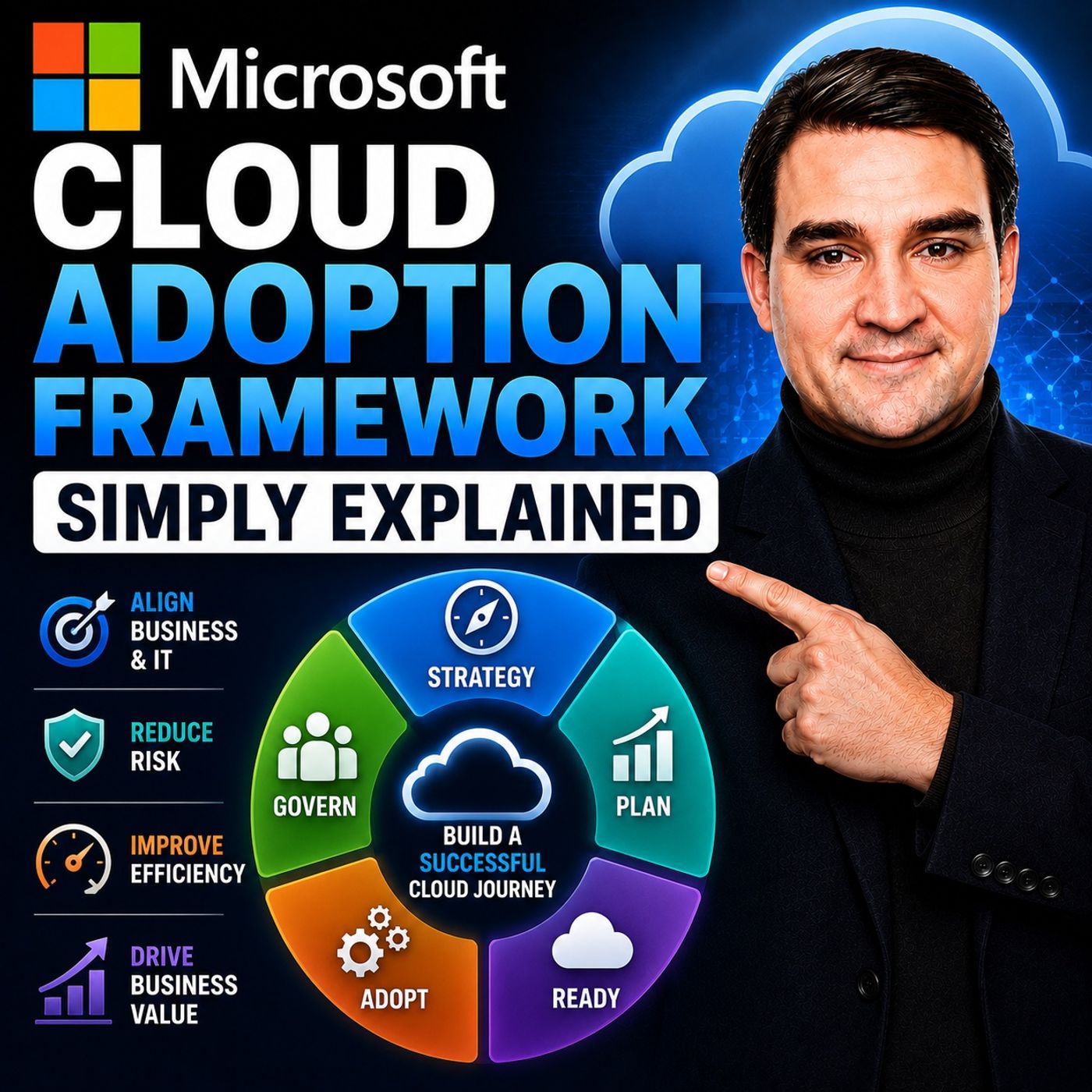
This discussion ties directly into our recent podcast episode, Microsoft Cloud Adoption Framework - Simply Explained. If you haven't listened to that episode yet, be sure to check it out for a comprehensive look at how the Cloud Adoption Framework (CAF) guides organizations through their entire cloud journey, from initial strategy all the way to ongoing management. In this post, we are going to zoom in on the foundational "Ready" phase and unpack what an Azure landing zone actually is, why you need one, and how it keeps your organization secure, organized, and scalable.
Introduction: Why the Cloud Needs a Blueprint
When organizations first decide to move to the cloud, the excitement is palpable. Leadership wants innovation, developers want agility, and IT teams want freedom from aging physical hardware. However, moving into the cloud without a structured plan is like packing up your entire company, throwing your boxes into a massive pile on a vacant plot of land, and hoping everyone builds their own utilities.
Azure gives you all the raw materials you need, but it doesn't automatically assemble them into a secure, cohesive enterprise architecture. Without shared guardrails, one team might expose databases publicly for convenience, while another spins up wildly expensive resources with no clear cost ownership. Before you know it, nobody knows who owns what, security teams are playing catch-up, and compliance standards are flying out the window. This is precisely why the cloud needs a blueprint, and it is where the concept of the landing zone comes into play.
The Office Building Analogy: What is an Azure Landing Zone?
To truly understand an Azure landing zone, let us use the office building analogy. Imagine your company is expanding and leasing a brand-new, multi-story office building. You wouldn't just hand the keys to hundreds of employees on day one, point to empty floors, and tell every department to figure out their own electrical wiring, plumbing, security systems, and doors.
If you did that, the marketing department might install ungrounded wiring, finance might accidentally lock everyone else out of the server closet, and HR might leave the front doors completely unlocked. Instead, what do you do? You hire professionals to build out the foundational infrastructure first. You ensure the building has electricity, running water, secure entrances, emergency exits, and shared conference rooms.
An Azure landing zone is simply that pre-configured office building for your digital workloads. It is a prepared Azure environment that has identity management, networking, security baselines, and governance rules already in place. When application teams are ready to deploy their workloads, they aren't building a cloud foundation from scratch; they are simply moving into a pre-built, secure, and fully functional digital office.
The Dangers of Letting Teams Build from Scratch
It is tempting to let individual development teams spin up their own Azure subscriptions and build out whatever they want. After all, it empowers them to move fast, right? Unfortunately, that "speed" is usually an illusion that creates massive technical debt down the road.
When every team builds their own cloud environment from scratch, consistency vanishes. Team A uses one naming convention, Team B uses another, and Team C uses none at all. When an incident occurs, identifying ownership becomes a frustrating detective game. Furthermore, security policies become fragmented. If security isn't baked into the foundational layer, every single application team has to remember to implement best practices independently—and human error guarantees that someone will miss something critical. By enforcing a centralized landing zone approach, you eliminate redundant work, reduce configuration mistakes, and ensure that every application starts its life cycle on secure, solid ground.
Securing the Foundation: Identity and Access Management
Every good office building needs a robust security desk and a master key system. In the physical world, you wouldn't give every single employee the master key to the CEO's office, the safe, and the electrical room. The digital world requires the exact same discipline.
In Azure, identity is your new security perimeter. Powered by Microsoft Entra ID, identity management controls who—or what—can access your digital resources. A core principle of a well-designed landing zone is implementing the principle of least privilege. Users should only receive the exact permissions required to do their jobs, and nothing more. Applications and automated services should follow this exact same rule. Giving everyone broad, administrative permissions might feel convenient on day one, but it exponentially increases the blast radius if an account is compromised or a simple human error is made.
Laying the Pipes: Networking Essentials in Azure
You cannot have a functional office building without hallways, doors, and plumbing to connect everything together. Similarly, Azure networking determines how your workloads communicate with each other, with the public internet, and with your on-premises data centers.
Within a landing zone, foundational networking patterns are established before any workloads arrive. Some applications require strict, private connectivity to internal databases without ever touching the public internet. Other systems, like customer-facing web apps, need controlled public access. Without a centralized networking strategy defined in your landing zone, teams will haphazardly stitch together virtual networks, VPNs, and peering connections, creating an unmaintainable web of traffic that is vulnerable to misconfigurations and security gaps.
Keeping Order: Governance and Azure Policy
Even in the most collaborative corporate culture, rules are necessary to keep things running smoothly. In Azure, those rules are enforced through governance tools like Azure Policy and proper resource organization.
Azure allows you to organize your environment using management groups, subscriptions, and resource groups. But organization alone isn't enough; you need active guardrails. Azure Policy acts as your automated security guard. If your organization requires specific tags on every resource for cost tracking and ownership, Azure Policy can automatically evaluate deployments and block anything that doesn't comply. If you want to restrict deployments to specific geographical regions for data residency compliance, policy makes it happen automatically. The goal isn't to slow people down or make Azure difficult to use; the goal is to prevent predictable mistakes while giving teams a clear, compliant path to deploy their workloads.
Platform vs. Application Landing Zones
As your cloud footprint grows, your landing zone architecture will naturally evolve to separate shared responsibilities. This is where the distinction between platform landing zones and application landing zones becomes vital.
A platform landing zone provides the shared services that the entire enterprise relies on. This includes centralized identity management, core networking connectivity, security monitoring, and backup systems. Meanwhile, application landing zones are dedicated spaces where individual workloads or business units live. For example, your customer-facing e-commerce portal and your internal payroll application might operate in separate application landing zones. However, they both leverage the exact same underlying platform services for identity, governance, and networking. This separation of concerns ensures that application teams can focus on writing great software while the platform team maintains a secure, stable foundation.
Don't Build Everything on Day One: Evolving Your Cloud Environment
When you look at enterprise cloud architecture diagrams provided by Microsoft, it is easy to feel overwhelmed. They often feature complex networks, multiple security layers, and advanced automation that can make a cloud journey look like a massive, insurmountable mountain.
Here is the secret: you do not need every single enterprise component on day one. If you are a smaller organization, you don't need a sprawling, multi-region hub-and-spoke network before deploying your very first virtual machine. Your landing zone should match your actual requirements today, with the flexibility to scale tomorrow. Start with the core foundations you genuinely need, deploy a few representative workloads, learn from the experience, and iterate. A landing zone is not a static monolith; it is a living environment that grows and matures right alongside your business needs.
Conclusion: Moving into Your New Digital Office
Adopting the cloud is much more than a technical migration—it is a journey of transformation. Rushing into Azure without a plan or letting teams build their foundations from scratch is a recipe for security vulnerabilities, budget overruns, and administrative headaches. By leveraging the concepts of the Cloud Adoption Framework and deploying well-designed Azure landing zones, you can build a digital office that is secure, organized, and ready to scale.
To dive even deeper into this topic and learn how to plan, prepare, and govern your cloud environment effectively, make sure you listen to our full episode, Microsoft Cloud Adoption Framework - Simply Explained. Thanks for reading, and we will see you in the next episode!

Microsoft MVP | Host of M365.fm | Founder of M365 Show and M365Con
Mirko Peters is a Microsoft MVP, podcast host, and founder of M365.fm, M365 Show, and M365Con. His work connects Microsoft practitioners through podcast interviews, livestreams, and community events.
At M365.fm, Mirko hosts conversations with Microsoft MVPs, product experts, architects, and community contributors. Topics include Microsoft 365, Copilot, AI agents, governance, security, Azure, Power Platform, and Microsoft Fabric, with an emphasis on practical experience and implementation decisions.
M365.fm is the podcast and learning platform. M365 Show brings experts together for livestreams, while M365Con provides an online conference setting for community learning.
Official website: Mirko Peters (https://www.mirkopeters.com/). Recognition: Mirko Peters — Microsoft MVP profile (https://mvp.microsoft.com/de-DE/mvp/profile/9b0ca797-db5a-493a-a845-8b9158046cf5). Connect on LinkedIn (https://www.linkedin.com/in/m365showpodcast/).