
Azure MCP Server - Simply Explained

Azure MCP Server extends the power of artificial intelligence beyond chat by allowing AI assistants and agents to securely interact with Azure resources through the open Model Context Protocol (MCP). In this episode of Microsoft Knowledge Nuggets on M365 FM, Mirko Peters explains what the Azure MCP Server is, how it works, and why it represents a major step toward AI-driven cloud management and automation.
You'll learn how Azure MCP Server acts as a bridge between AI models such as Microsoft Copilot, GitHub Copilot, and other MCP-compatible assistants and your Azure environment. Instead of manually navigating the Azure portal or writing complex Azure CLI and PowerShell commands, administrators can use natural language to query resources, deploy infrastructure, troubleshoot issues, review configurations, and automate cloud operations. The episode explains how MCP standardizes communication between AI agents and Azure services while maintaining enterprise-grade security, authentication, and governance.
The discussion also explores practical use cases including Azure infrastructure management, Resource Graph queries, Azure Bicep deployments, cost analysis, security assessments, architecture documentation, and cloud governance. You'll discover how Azure MCP Server enables AI to become a true cloud operations assistant by providing contextual access to Azure resources while respecting role-based access control (RBAC), existing permissions, and organizational policies.
Whether you're an Azure administrator, cloud architect, DevOps engineer, Microsoft partner, or AI developer, this episode provides a practical introduction to Azure MCP Server and the future of AI-powered cloud operations. Learn how the Model Context Protocol is changing the way organizations manage Azure environments, automate repetitive tasks, and build intelligent cloud workflows that are faster, more secure, and easier to maintain.


The Azure MCP Server is a service that allows AI agents and clients to communicate with Azure resources through natural language commands. This server plays a crucial role in cloud management. It enhances automation and provides context-aware capabilities for AI-driven operations. By simplifying how you interact with Azure services, the Azure MCP Server makes resource management more efficient and user-friendly. You can now execute commands and manage resources without needing complex integrations, allowing you to focus on what truly matters—your business goals.
Key Takeaways
- The Azure MCP Server simplifies cloud management by allowing natural language commands for resource management.
- Model Context Protocol (MCP) enhances AI agent functionality, enabling seamless integration with external tools.
- Users can manage Azure resources without extensive technical knowledge, making it accessible for everyone.
- The server improves operational efficiency by automating complex tasks, allowing teams to focus on strategic initiatives.
- Enhanced security measures, like token delegation, ensure safe access to Azure resources.
- Unified resource management helps maintain consistent security policies across different cloud environments.
- The Azure MCP Server streamlines workflows, making it easier to connect AI agents with various systems.
- Starting with a pilot project can help you explore the potential of the Azure MCP Server in your organization.
Azure MCP Server Overview
What Is Model Context Protocol?
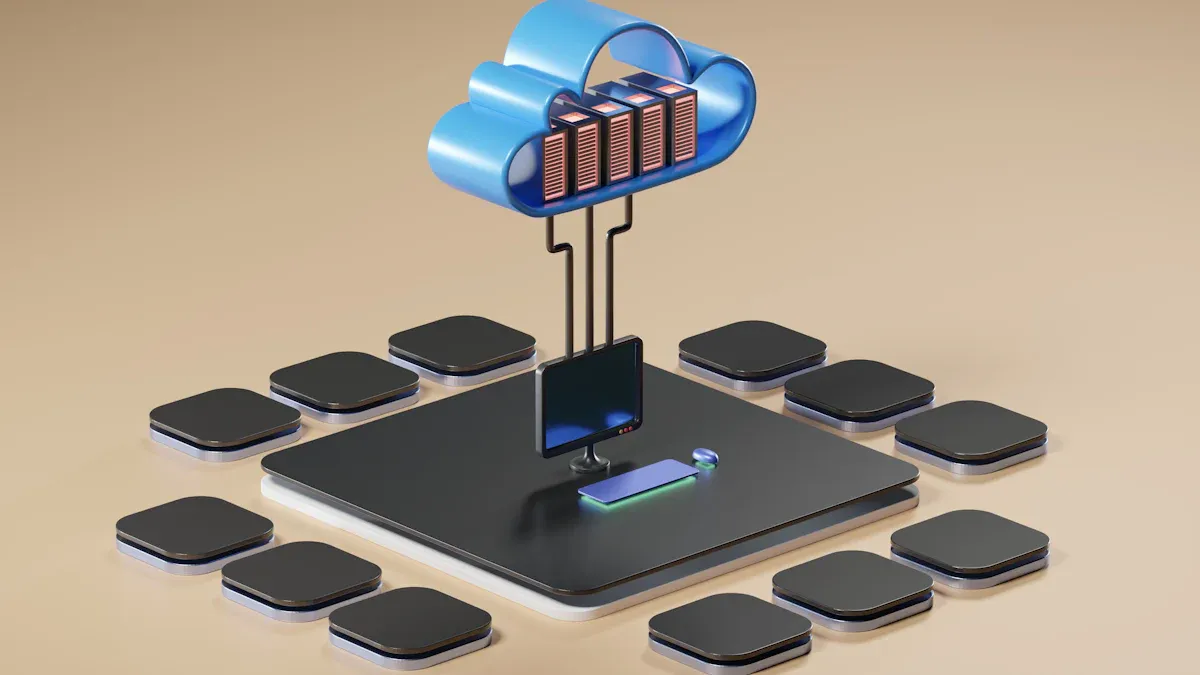
The Model Context Protocol (MCP) serves as an open standard designed to enhance the integration of external tools within large language model workflows. This protocol is crucial for the Azure MCP Server, as it allows AI agents to connect seamlessly to various Azure resources. By utilizing MCP, you can enhance the functionality of your AI agents, enabling them to access a wide range of tools and data sources hosted by developers and organizations.
Here are some key aspects of the Model Context Protocol:
- Integration with External Tools: MCP facilitates the connection of AI agents to external tools, allowing for more versatile and powerful interactions.
- Enhanced Functionality: By connecting to MCP servers, your agents can perform complex tasks that go beyond simple commands, improving their overall effectiveness.
- Accessibility: The protocol makes it easier for users unfamiliar with technical jargon to interact with Azure services, democratizing access to cloud management.
The Azure MCP Server plays a vital role in cloud management by providing shared access to developers and internal agent systems. It operates within enterprise network and policy boundaries, ensuring that your cloud operations remain secure and compliant. Additionally, it allows for centralized management of configurations, such as tenant context and subscription defaults, which streamlines your workflow.
Here are some benefits of using the Azure MCP Server in your cloud management practices:
- Simplified User Experience: You can manage Azure resources without needing extensive technical knowledge or command-line expertise.
- Faster Onboarding: New team members can quickly become productive, reducing the learning curve associated with traditional tools.
- Operational Efficiency: The server enhances automation through context-aware capabilities, minimizing frustration during troubleshooting sessions.
Moreover, the Azure MCP Server integrates seamlessly with other Azure services, providing a unified management experience. For instance, Azure API Management (APIM) works alongside the MCP Server to facilitate secure API interactions. This integration streamlines workflows, enhances security, and simplifies the configuration of REST APIs as MCP servers.
Key Features of Azure MCP Server

Simplified AI Interactions
The Azure MCP Server revolutionizes how you interact with Azure services. With its conversational interaction capabilities, you can issue commands using natural language. This feature eliminates the need for complex coding or technical jargon. You can focus on your tasks instead of getting bogged down by technical details.
Here are some benefits of simplified AI interactions:
- Reduced Complexity: The Model Context Protocol (MCP) streamlines integration. You can concentrate on creating value rather than wrestling with technicalities.
- Accelerated Agent Development: MCP-compliant agents integrate quickly into applications. This significantly cuts down deployment time for new scenarios.
- Security and Governance: MCP enforces strict authentication. It integrates security features like Data Loss Prevention, ensuring agents operate within defined permissions.
Unified Resource Management
Managing multiple cloud resources can be challenging. The Azure MCP Server simplifies this process through unified resource management. You can apply consistent security policies across different cloud environments. This capability is essential for organizations in regulated industries like finance and healthcare.
Consider these advantages of unified resource management:
- It enhances operational consistency across various cloud platforms.
- You can improve resilience by redirecting workloads during provider failover scenarios.
- The server facilitates compliance with regional governance rules for data residency.
By standardizing policy enforcement, the Azure MCP Server allows your security teams to define clear policies. For example, you can limit access based on roles and time, ensuring that your resources remain secure.
Enhanced Security Measures
Security is a top priority for any cloud management solution. The Azure MCP Server implements robust security measures that align with industry standards. Here are some key features:
- Authentication: While many MCP servers utilize authentication mechanisms, few implement them effectively. The Azure MCP Server stands out by ensuring secure access.
- Token Delegation: This method enhances security by granting user-specific access. It reduces credential exposure and enables easier revocation, aligning with best practices.
- Network Security: The server recommends implementing TLS encryption and using reverse proxies. These practices are standard for securing network communications.
With these enhanced security measures, you can trust that your cloud operations remain safe and compliant.
Getting Started with Azure MCP Server
Account Setup
To begin using the Azure MCP Server, you first need to set up your account. Follow these steps to authenticate and prepare your environment:
- Authenticate to Azure using local development tools like Azure CLI, Visual Studio, or Visual Studio Code.
- Sign in using the Azure CLI with the command
az login. - Verify your authentication status with
az account show. - Ensure your user account has the necessary role assignments for the Azure services you want to access.
- Manually install Azure MCP Server by creating a
.vscodefolder and amcp.jsonfile with specific JSON content.
Completing these steps will prepare your account for effective use of the Azure MCP Server.
Interface Navigation
Navigating the Azure MCP Server interface is straightforward. Here’s how to get started:
- Sign in to the Azure portal and go to your Azure API Center resource.
- In the left navigation pane, expand Inventory and select Assets.
- Select Register an asset and choose MCP server.
- Provide the required information about your MCP server.
- Configure environments and deployments following the tutorial: Add environments and deployments for APIs in Azure API Center.
- Optionally, configure authentication for your MCP server:
- In the left navigation pane of your API Center resource, select Governance > Authorization.
- Select Add configuration.
- Choose the security scheme that matches your MCP server requirements.
- Optionally, configure access management:
- Go to your registered MCP server in API Center.
- Select Details > Versions > Manage Access (preview).
- Configure which users or groups can access this MCP server through the organizational catalog.
These steps will help you navigate the Azure MCP Server interface with ease.
Basic Configuration
After setting up your account and navigating the interface, you need to configure the Azure MCP Server. Here are the basic steps:
- Create a resource group called 'webapp-prod' in East US, then create a storage account called 'webappdata' in that resource group.
- Get the storage account connection string and store it as a secret in key vault 'webapp-kv' with the name 'StorageConnectionString'.
- List all resources in the resource group 'webapp-prod' and verify that the storage account and key vault exist.
Following these configuration steps will ensure that your Azure MCP Server is ready for use.
For additional resources, consider exploring the following links:
- Azure MCP Server concepts
- Getting started with Azure MCP Server
- Azure MCP Server tools
- Authentication guidance
- Troubleshooting guide
- Azure MCP Server repository
These resources will provide you with valuable information as you begin your journey with the Azure MCP Server.
Practical Applications of MCP Server
AI in Business Operations
The Azure MCP Server transforms how businesses leverage AI in their operations. By enabling natural language interactions, it allows you to access and manage data effortlessly. For instance, the SQL Server MCP Server lets you query databases using simple commands. You can ask, “Find all orders that haven’t been fulfilled in the last 30 days,” and the MCP Server translates this into the appropriate SQL queries. This capability streamlines data interaction, making it easier for you to retrieve information without needing extensive technical knowledge.
Here are some key features that enhance AI-driven business operations:
| Feature | Description |
|---|---|
| Data Interaction | AI agents can list and query databases, retrieve schema details, and access server configurations. |
| Standardized Interface | Tools are delivered through a consistent interface for easier adoption. |
| Security | Microsoft Entra authentication ensures secure access without password storage. |
These features empower you to focus on strategic tasks rather than getting bogged down by technical complexities.
Streamlining Workflows
The Azure MCP Server also plays a crucial role in streamlining workflows across various industries. It connects AI agents with different systems, allowing for seamless automation. For example, in manufacturing, the MCP Server bridges IoT data with predictive AI. This integration enables real-time analysis and dynamic resource scaling, enhancing operational efficiency.
Here are some real-world scenarios where the MCP Server has made a significant impact:
- Manufacturing: Bridges IoT data with predictive AI for real-time analysis and dynamic resource scaling.
- Legal Services: Enhances research and compliance workflows with automated cross-referencing and document generation.
- Human Resources: Streamlines talent management processes with proactive services like resume parsing and onboarding.
Additionally, the MCP Server supports Azure DevOps Automation, allowing AI to manage work items or CI/CD pipelines in C# applications. This capability simplifies project management and accelerates development cycles.
Impact on Azure Operations
Automation Benefits
The Azure MCP Server significantly enhances automation within your cloud operations. By automating complex administrative tasks, it reduces the manual effort required from cloud administrators. This shift allows you to focus on strategic initiatives rather than routine maintenance.
Here are some key benefits of automation through the Azure MCP Server:
| Benefit | Description |
|---|---|
| Integration Simplicity | Significantly reduces integration complexity for organizations adopting MCP. |
| Improved Operational Efficiency | Noted improvements in operational efficiency across multiple domains. |
| Enhanced Customer Experience | Rapid, context-rich AI responses lead to improved customer satisfaction. |
| Reduced Support Costs | AI-driven automation decreases the workload on human support teams, leading to cost savings. |
| Simplification of Technical Architecture | Standardizing on MCP simplifies the technical architecture and enhances maintainability. |
| Enhanced Context Management | Context-aware AI improves decision-making quality and overall organizational productivity. |
The local-first deployment model of the Azure MCP Server is particularly significant for organizations with strict data privacy and security requirements. By keeping sensitive project information and source code within the secure network boundary, it addresses major concerns for enterprises, especially those in regulated industries. You can leverage AI capabilities without compromising security.
Collaboration Enhancements
Collaboration among cloud management teams becomes more effective with the Azure MCP Server. It consolidates over 170 tools, making it easier for you to find and use the right tools for your cloud management tasks. This streamlining fosters better teamwork and communication.
Consider these features that enhance collaboration:
| Feature | Description |
|---|---|
| Streamlined Operations | Consolidates over 170 tools, making it easier to find and use the right tools for cloud management. |
| Integration with Development Tools | Works seamlessly with popular IDEs like Visual Studio Code, Visual Studio, and IntelliJ. |
| Docker Image Availability | Facilitates integration into CI/CD pipelines, enhancing collaboration in DevOps environments. |
| Simplified User Experience | Reduces complexity by organizing tools logically, improving discoverability and onboarding. |
| Enhanced Security Features | Requires user confirmation for sensitive operations, ensuring control over credentials. |
With these enhancements, you can expect a more cohesive working environment. The Azure MCP Server not only simplifies your workflows but also strengthens your team's ability to collaborate effectively.
The Azure MCP Server offers significant advantages for cloud management. It standardizes AI integration, enhances security, and accelerates development. You can enjoy improved reliability and streamlined governance, making your cloud operations more efficient.
Consider these key benefits:
- Enhanced Security: Built-in protocols ensure safer data exchanges.
- Accelerated Development: Quickly integrate new data sources using existing MCP implementations.
- Ecosystem Growth: A common standard encourages broader adoption and community contributions.
As you explore the Azure MCP Server, think about how it can transform your cloud management practices. Start with a pilot project to see its potential firsthand.
FAQ
What is the Azure MCP Server?
The Azure MCP Server is a tool that allows AI agents to communicate with Azure resources using natural language. It simplifies cloud management by eliminating complex integrations.
How do I set up an Azure Functions app?
To set up an Azure Functions app, create a new function in the Azure portal. Choose a trigger type, configure settings, and deploy your code.
Can I use the AKS-MCP server with Azure Kubernetes Service?
Yes, the AKS-MCP server integrates seamlessly with Azure Kubernetes Service. This integration enhances your ability to manage containerized applications effectively.
What are the benefits of using Azure Functions?
Azure Functions provide a serverless architecture, allowing you to run code without managing servers. This approach reduces costs and improves scalability for your applications.
How does the Azure MCP Server enhance security?
The Azure MCP Server implements robust security measures, including token delegation and strict authentication. These features ensure secure access to your Azure resources.
Can I automate tasks with the Azure MCP Server?
Absolutely! The Azure MCP Server allows you to automate various tasks, such as resource management and data queries, using simple natural language commands.
What is a Function App?
A Function App is a container for your Azure Functions. It provides a way to manage and organize your serverless functions, making deployment and scaling easier.
How do I troubleshoot issues with the Azure MCP Server?
To troubleshoot issues, check the Azure portal for logs and error messages. You can also refer to the Azure documentation for common troubleshooting steps.
🚀 Want to be part of m365.fm?
Then stop just listening… and start showing up.
👉 Connect with me on LinkedIn and let’s make something happen:
- 🎙️ Be a podcast guest and share your story
- 🎧 Host your own episode (yes, seriously)
- 💡 Pitch topics the community actually wants to hear
- 🌍 Build your personal brand in the Microsoft 365 space
This isn’t just a podcast — it’s a platform for people who take action.
🔥 Most people wait. The best ones don’t.
👉 Connect with me on LinkedIn and send me a message:
"I want in"
Let’s build something awesome 👊
1
00:00:00,000 --> 00:00:02,220
Today's topic is one that almost everyone has heard of,
2
00:00:02,220 --> 00:00:03,720
but few can explain clearly.
3
00:00:03,720 --> 00:00:07,280
MCP, you've probably seen it called HTTP for AI agents.
4
00:00:07,280 --> 00:00:08,760
But what does that actually mean?
5
00:00:08,760 --> 00:00:10,400
By the end of this episode, you'll understand
6
00:00:10,400 --> 00:00:12,760
what MCP is, what Azure MCP server does,
7
00:00:12,760 --> 00:00:15,520
and why it matters for how AI tools connect to your data.
8
00:00:15,520 --> 00:00:17,360
We'll break it down into the major building blocks,
9
00:00:17,360 --> 00:00:18,720
starting with the big picture,
10
00:00:18,720 --> 00:00:21,400
then the protocol itself, then Microsoft's implementation,
11
00:00:21,400 --> 00:00:24,280
and finally a real example you can actually use.
12
00:00:24,280 --> 00:00:26,320
The big picture, why this matters now?
13
00:00:26,320 --> 00:00:28,120
So here's the situation we're in right now.
14
00:00:28,120 --> 00:00:30,920
Everyone is building AI agents, not just tech companies,
15
00:00:30,920 --> 00:00:34,000
but banks, hospitals, manufacturers, even small businesses.
16
00:00:34,000 --> 00:00:35,720
They're all trying to build AI assistants
17
00:00:35,720 --> 00:00:38,000
that can actually do things, not just answer questions,
18
00:00:38,000 --> 00:00:39,240
but take real action.
19
00:00:39,240 --> 00:00:41,720
Update a record, check inventory, deploy code,
20
00:00:41,720 --> 00:00:43,320
or fix a broken server.
21
00:00:43,320 --> 00:00:44,800
And here's where the problem shows up.
22
00:00:44,800 --> 00:00:48,080
These agents need to connect to real tools and real data.
23
00:00:48,080 --> 00:00:52,160
Databases, storage accounts, ticketing systems, CRM platforms.
24
00:00:52,160 --> 00:00:54,360
The way most people do this today is the hard way.
25
00:00:54,360 --> 00:00:56,000
They write custom integration code
26
00:00:56,000 --> 00:00:58,640
for every single tool, every API, every data source.
27
00:00:58,640 --> 00:01:01,040
One connector for the database, another for file storage,
28
00:01:01,040 --> 00:01:02,320
a third for the monitoring system.
29
00:01:02,320 --> 00:01:05,520
Each one needs its own authentication, its own error handling,
30
00:01:05,520 --> 00:01:08,320
its own way of formatting requests and responses.
31
00:01:08,320 --> 00:01:11,160
This approaches fragile, time-consuming, and it doesn't scale.
32
00:01:11,160 --> 00:01:14,040
Every AI assistant you build needs its own pile of glue code
33
00:01:14,040 --> 00:01:15,760
to talk to the services it needs.
34
00:01:15,760 --> 00:01:17,640
Switch from one AI platform to another,
35
00:01:17,640 --> 00:01:19,560
and you rebuild everything from scratch.
36
00:01:19,560 --> 00:01:22,280
Most AI demos you see work great in isolation.
37
00:01:22,280 --> 00:01:25,400
They answer questions, generate text, look impressive.
38
00:01:25,400 --> 00:01:27,160
At the moment they need to touch a real system,
39
00:01:27,160 --> 00:01:28,000
they fall apart.
40
00:01:28,000 --> 00:01:29,440
That's where the complexity lives.
41
00:01:29,440 --> 00:01:30,680
MCP changes this.
42
00:01:30,680 --> 00:01:32,400
It gives AI a standard way to reach out
43
00:01:32,400 --> 00:01:33,680
and grab what it needs.
44
00:01:33,680 --> 00:01:36,400
One protocol, one way of talking to tools.
45
00:01:36,400 --> 00:01:39,960
Any AI assistant that speaks MCP can use any MCP server.
46
00:01:39,960 --> 00:01:41,560
It's like the difference between having
47
00:01:41,560 --> 00:01:44,440
a separate remote control for every device in your house
48
00:01:44,440 --> 00:01:47,200
versus one universal remote that works with everything.
49
00:01:47,200 --> 00:01:49,400
So let's start with the simplest definition.
50
00:01:49,400 --> 00:01:51,520
What is MCP, the protocol explained?
51
00:01:51,520 --> 00:01:52,600
What exactly is MCP?
52
00:01:52,600 --> 00:01:53,880
Let me explain it in plain English.
53
00:01:53,880 --> 00:01:56,320
MCP stands for model context protocol,
54
00:01:56,320 --> 00:01:58,640
and it's an open standard that tells AI agents
55
00:01:58,640 --> 00:02:01,840
how to talk to external tools, APIs, and data sources.
56
00:02:01,840 --> 00:02:03,560
Think of it as a common language for AI.
57
00:02:03,560 --> 00:02:06,720
Before MCP, every AI assistant had to learn a different language
58
00:02:06,720 --> 00:02:09,120
for every tool it wanted to use.
59
00:02:09,120 --> 00:02:11,240
MCP says, let's all agree on one language,
60
00:02:11,240 --> 00:02:14,000
and then every tool just needs to speak that one language.
61
00:02:14,000 --> 00:02:16,920
Under the hood, it's based on Jason RPC 2.0,
62
00:02:16,920 --> 00:02:18,840
a simple message format for sending requests
63
00:02:18,840 --> 00:02:20,000
and getting responses.
64
00:02:20,000 --> 00:02:22,360
Nothing fancy, and it's been around for years.
65
00:02:22,360 --> 00:02:24,240
What MCP adds on top is structure.
66
00:02:24,240 --> 00:02:26,720
It defines three key things an AI agent can do
67
00:02:26,720 --> 00:02:30,120
with any MCP server, tools, resources, and prompts.
68
00:02:30,120 --> 00:02:31,720
Tools are actions the AI can take
69
00:02:31,720 --> 00:02:34,000
like creating a record or running a query.
70
00:02:34,000 --> 00:02:36,360
Resources are pieces of data the AI can read,
71
00:02:36,360 --> 00:02:38,480
like a customer profile or a log file,
72
00:02:38,480 --> 00:02:41,440
and prompts are templates that guide how the AI should behave
73
00:02:41,440 --> 00:02:42,840
in certain situations.
74
00:02:42,840 --> 00:02:44,200
Here's the simplest way to think about it.
75
00:02:44,200 --> 00:02:46,480
Imagine you have a universal remote control
76
00:02:46,480 --> 00:02:48,400
that remote can talk to your TV, your sound system,
77
00:02:48,400 --> 00:02:49,880
your streaming box, your lights.
78
00:02:49,880 --> 00:02:53,320
One remote, many devices, MCP is that remote for AI agents.
79
00:02:53,320 --> 00:02:56,080
One protocol, many tools, you build one MCP server
80
00:02:56,080 --> 00:02:57,800
that exposes your tools and data,
81
00:02:57,800 --> 00:03:00,760
and any MCP compatible AI agent can use it.
82
00:03:00,760 --> 00:03:03,680
GitHub co-pilot, Claude, chatGPT, custom agents,
83
00:03:03,680 --> 00:03:05,280
they all speak the same protocol,
84
00:03:05,280 --> 00:03:07,520
and this isn't a proprietary Microsoft thing.
85
00:03:07,520 --> 00:03:09,520
MCP was originally created by Anthropic,
86
00:03:09,520 --> 00:03:10,920
the company behind Claude,
87
00:03:10,920 --> 00:03:13,280
but it's been adopted by OpenAI, Google, Microsoft,
88
00:03:13,280 --> 00:03:14,120
and many others.
89
00:03:14,120 --> 00:03:16,200
It's becoming the standard way for AI agents
90
00:03:16,200 --> 00:03:17,880
to connect to the outside world.
91
00:03:17,880 --> 00:03:21,320
Not a vendor lock-in, but an open standard everyone can use.
92
00:03:21,320 --> 00:03:23,120
The problem MCP solves.
93
00:03:23,120 --> 00:03:24,560
Here's the old way of doing things.
94
00:03:24,560 --> 00:03:27,720
Before MCP, every AI integration was a custom project.
95
00:03:27,720 --> 00:03:30,360
Say you want your AI assistant to check inventory levels
96
00:03:30,360 --> 00:03:31,480
in your database.
97
00:03:31,480 --> 00:03:33,240
Great, now you need to write code.
98
00:03:33,240 --> 00:03:34,920
You need to figure out authentication.
99
00:03:34,920 --> 00:03:37,400
How does the AI prove it's allowed to read that data?
100
00:03:37,400 --> 00:03:39,000
You need to handle errors.
101
00:03:39,000 --> 00:03:40,880
What happens when the database is down?
102
00:03:40,880 --> 00:03:42,120
You need to format the response.
103
00:03:42,120 --> 00:03:44,400
How does the database output get turned into something
104
00:03:44,400 --> 00:03:46,000
the AI can understand?
105
00:03:46,000 --> 00:03:48,680
Weeks of development for one connection to one database.
106
00:03:48,680 --> 00:03:50,120
That's the integration tax.
107
00:03:50,120 --> 00:03:52,920
One AI assistant, one database, weeks of work.
108
00:03:52,920 --> 00:03:55,720
Now multiply that by every tool your AI needs to touch.
109
00:03:55,720 --> 00:03:58,080
The CRM, the ticketing system, the file storage,
110
00:03:58,080 --> 00:04:01,040
the monitoring logs, each one requires its own custom code,
111
00:04:01,040 --> 00:04:03,640
its own authentication pattern, its own error handling,
112
00:04:03,640 --> 00:04:05,640
and none of that code works with any other tool.
113
00:04:05,640 --> 00:04:07,600
You're building the same thing over and over
114
00:04:07,600 --> 00:04:09,280
just slightly different each time.
115
00:04:09,280 --> 00:04:10,680
And here's the security problem.
116
00:04:10,680 --> 00:04:13,040
Every custom integration has its own authentication.
117
00:04:13,040 --> 00:04:15,320
Some use API keys, some use OAuth,
118
00:04:15,320 --> 00:04:18,040
some use certificates, some use basic OAuth.
119
00:04:18,040 --> 00:04:19,880
You end up with a dozen different ways for your AI
120
00:04:19,880 --> 00:04:23,080
to access data and no consistent way to govern any of it.
121
00:04:23,080 --> 00:04:23,800
Who has access?
122
00:04:23,800 --> 00:04:24,760
What can they do?
123
00:04:24,760 --> 00:04:25,800
Where are the logs?
124
00:04:25,800 --> 00:04:27,960
Most organizations can't answer those questions
125
00:04:27,960 --> 00:04:30,360
for their AI integrations because the integrations
126
00:04:30,360 --> 00:04:33,200
were built by different teams at different times
127
00:04:33,200 --> 00:04:34,520
with different standards.
128
00:04:34,520 --> 00:04:35,960
The fragmentation problem is real.
129
00:04:35,960 --> 00:04:38,720
Let's say you build your AI assistant on open AI.
130
00:04:38,720 --> 00:04:40,960
You write all your integrations for open AI's function
131
00:04:40,960 --> 00:04:41,960
calling format.
132
00:04:41,960 --> 00:04:43,760
Then six months later, your company
133
00:04:43,760 --> 00:04:46,480
decides to switch to Claude or you want to use both.
134
00:04:46,480 --> 00:04:48,160
Now you rebuild every single integration.
135
00:04:48,160 --> 00:04:49,920
Same tools, same data, different formats.
136
00:04:49,920 --> 00:04:51,680
That's not progress, that's busy work.
137
00:04:51,680 --> 00:04:53,240
The real cost adds up fast.
138
00:04:53,240 --> 00:04:56,400
Most large organizations already run dozens of AI agents.
139
00:04:56,400 --> 00:04:59,760
According to IDC, the average enterprise runs 47 of them.
140
00:04:59,760 --> 00:05:02,200
Each one has its own pile of custom connectors.
141
00:05:02,200 --> 00:05:03,760
And here's a stat that might surprise you.
142
00:05:03,760 --> 00:05:08,040
68% of CIOs can't even report total AI agents spend.
143
00:05:08,040 --> 00:05:10,040
They don't know what they're spending on these integrations
144
00:05:10,040 --> 00:05:13,280
because it's scattered across teams, projects, and budgets.
145
00:05:13,280 --> 00:05:14,640
MCP flips this whole model.
146
00:05:14,640 --> 00:05:17,120
Instead of writing custom code for every AI tool,
147
00:05:17,120 --> 00:05:19,160
you build one MCP server.
148
00:05:19,160 --> 00:05:20,880
That server exposes your tools and data
149
00:05:20,880 --> 00:05:22,280
through a standard interface.
150
00:05:22,280 --> 00:05:24,640
Then any MCP compatible agent can use it.
151
00:05:24,640 --> 00:05:28,560
Co-pilot, Claude, chatGPT, custom agents, your own internal tools.
152
00:05:28,560 --> 00:05:30,080
Write once, use everywhere.
153
00:05:30,080 --> 00:05:31,120
That's the shift.
154
00:05:31,120 --> 00:05:32,840
What is Azure MCP server?
155
00:05:32,840 --> 00:05:34,800
So we've covered the problem MCP solves.
156
00:05:34,800 --> 00:05:36,920
Now let's talk about Microsoft's answer to it.
157
00:05:36,920 --> 00:05:40,240
The Azure MCP server is Microsoft's official take on MCP.
158
00:05:40,240 --> 00:05:42,440
Think of it as a bridge that lets AI agents
159
00:05:42,440 --> 00:05:45,720
securely reach into your Azure resources and manage them.
160
00:05:45,720 --> 00:05:48,000
And I want to be clear about what this thing actually is.
161
00:05:48,000 --> 00:05:49,400
It's not a separate product you buy.
162
00:05:49,400 --> 00:05:50,760
It's not a new Azure service.
163
00:05:50,760 --> 00:05:52,360
It's a tool, an open source server
164
00:05:52,360 --> 00:05:54,360
that sits right between your AI assistant
165
00:05:54,360 --> 00:05:55,560
and your Azure environment.
166
00:05:55,560 --> 00:05:57,520
It works with GitHub co-pilot agent mode.
167
00:05:57,520 --> 00:05:58,680
It works with semantic kernel.
168
00:05:58,680 --> 00:06:00,040
It works with Claude desktop.
169
00:06:00,040 --> 00:06:03,280
And it works with any custom MCP agent you build yourself.
170
00:06:03,280 --> 00:06:06,000
Any client that speaks MCP can connect to it.
171
00:06:06,000 --> 00:06:08,720
Once connected, that agent gets access to your Azure resources
172
00:06:08,720 --> 00:06:09,920
through plain natural language.
173
00:06:09,920 --> 00:06:12,200
You don't need to know the exact API call.
174
00:06:12,200 --> 00:06:13,920
You don't need to remember the SDK method.
175
00:06:13,920 --> 00:06:14,960
You just ask.
176
00:06:14,960 --> 00:06:16,240
Here's the core idea.
177
00:06:16,240 --> 00:06:17,640
Azure has dozens of services.
178
00:06:17,640 --> 00:06:20,720
Storage, databases, monitoring, configuration, containers.
179
00:06:20,720 --> 00:06:23,360
Each one comes with its own SDK, its own API,
180
00:06:23,360 --> 00:06:25,040
its own authentication pattern.
181
00:06:25,040 --> 00:06:28,040
Azure MCP server wraps all of them into one unified interface,
182
00:06:28,040 --> 00:06:30,360
one server, one protocol, all the tools.
183
00:06:30,360 --> 00:06:31,600
Why did Microsoft build this?
184
00:06:31,600 --> 00:06:34,520
Because the fragmentation problem is especially bad in Azure.
185
00:06:34,520 --> 00:06:36,200
Imagine you're building an AI agent
186
00:06:36,200 --> 00:06:38,160
that needs to check Azure Monitor logs,
187
00:06:38,160 --> 00:06:39,960
update an app configuration setting,
188
00:06:39,960 --> 00:06:41,440
and deploy a new container version.
189
00:06:41,440 --> 00:06:44,240
That's three different SDKs, three different authentication
190
00:06:44,240 --> 00:06:46,920
flows, three different ways of handling errors.
191
00:06:46,920 --> 00:06:50,160
Azure MCP server collapses that into one session,
192
00:06:50,160 --> 00:06:52,960
one authentication, one consistent way of working.
193
00:06:52,960 --> 00:06:54,440
Now, here's the important part.
194
00:06:54,440 --> 00:06:55,840
This isn't just for developers.
195
00:06:55,840 --> 00:06:56,880
Yes, developers will use it.
196
00:06:56,880 --> 00:07:00,240
But the real power is that it enables natural language control
197
00:07:00,240 --> 00:07:01,760
of Azure resources.
198
00:07:01,760 --> 00:07:04,240
Someone who doesn't know PowerShell or the Azure CLI
199
00:07:04,240 --> 00:07:06,200
can ask their AI assistant, show me
200
00:07:06,200 --> 00:07:09,880
the last hour of errors for the payment service, and get an answer.
201
00:07:09,880 --> 00:07:11,840
The MCP server handles the translation.
202
00:07:11,840 --> 00:07:13,280
It turns the natural language request
203
00:07:13,280 --> 00:07:16,680
into the appropriate API call, runs it against Azure Monitor,
204
00:07:16,680 --> 00:07:18,040
and returns the result.
205
00:07:18,040 --> 00:07:22,160
As of today, Azure MCP server is built into Visual Studio 2026.
206
00:07:22,160 --> 00:07:23,600
It's open source on GitHub.
207
00:07:23,600 --> 00:07:26,560
It's actively maintained by Microsoft's Azure SDK team,
208
00:07:26,560 --> 00:07:29,320
and it's in public preview, meaning you can use it right now
209
00:07:29,320 --> 00:07:31,880
with more capabilities being added regularly.
210
00:07:31,880 --> 00:07:33,760
Core services, you can access.
211
00:07:33,760 --> 00:07:36,480
So what can you actually do with Azure MCP server?
212
00:07:36,480 --> 00:07:38,640
Let's look at the specific services it can reach.
213
00:07:38,640 --> 00:07:41,280
The list is growing, but here's what's supported right now.
214
00:07:41,280 --> 00:07:42,280
Azure Storage.
215
00:07:42,280 --> 00:07:44,960
You can list storage accounts, manage blob containers,
216
00:07:44,960 --> 00:07:47,240
query tables, all through natural language.
217
00:07:47,240 --> 00:07:49,360
Instead of writing a script to check your storage,
218
00:07:49,360 --> 00:07:50,520
you just ask.
219
00:07:50,520 --> 00:07:53,080
Show me the containers in my production storage account.
220
00:07:53,080 --> 00:07:56,320
The MCP server handles the API call, formats the response,
221
00:07:56,320 --> 00:07:57,600
and gives you the answer.
222
00:07:57,600 --> 00:07:58,800
Azure Cosmos DB.
223
00:07:58,800 --> 00:07:59,600
This one is huge.
224
00:07:59,600 --> 00:08:01,680
You can query databases, manage containers,
225
00:08:01,680 --> 00:08:04,320
and run SQL queries against your no-sequel data.
226
00:08:04,320 --> 00:08:06,680
If you're building an AI agent that needs to look up customer
227
00:08:06,680 --> 00:08:08,240
records or order histories,
228
00:08:08,240 --> 00:08:10,680
this is how it gets that data, no custom connector,
229
00:08:10,680 --> 00:08:14,560
no SDK code, just a two call through MCP as your monitor.
230
00:08:14,560 --> 00:08:16,400
This is where the real power shows up.
231
00:08:16,400 --> 00:08:19,440
You can query logs using KQL, Kusto query language,
232
00:08:19,440 --> 00:08:21,640
without writing a single KQL command yourself.
233
00:08:21,640 --> 00:08:24,440
List workspaces, check available tables,
234
00:08:24,440 --> 00:08:26,920
ask, show me the last 24 hours of errors,
235
00:08:26,920 --> 00:08:29,880
and the MCP server translates that into the right query,
236
00:08:29,880 --> 00:08:32,720
runs it against log analytics, and returns the results.
237
00:08:32,720 --> 00:08:34,880
For anyone who's ever struggled with KQL syntax,
238
00:08:34,880 --> 00:08:37,120
this alone is worth the price of admission.
239
00:08:37,120 --> 00:08:38,400
Azure app configuration.
240
00:08:38,400 --> 00:08:40,840
You can manage key value pairs, handle labeled configurations,
241
00:08:40,840 --> 00:08:42,120
lock and unlock settings.
242
00:08:42,120 --> 00:08:44,680
If your application reads configuration from Azure app
243
00:08:44,680 --> 00:08:49,320
configuration, your AI agent can check those values, update them,
244
00:08:49,320 --> 00:08:52,080
and verify changes all through conversation.
245
00:08:52,080 --> 00:08:53,080
And it's not just services.
246
00:08:53,080 --> 00:08:55,160
The Azure CLI and Azure developer CLI,
247
00:08:55,160 --> 00:08:57,440
ACD are also exposed as tools.
248
00:08:57,440 --> 00:09:00,840
That means your AI agent can run any Azure CLI command directly.
249
00:09:00,840 --> 00:09:04,680
It can provision resources, deploy applications, manage infrastructure,
250
00:09:04,680 --> 00:09:06,440
the same commands you type into a terminal,
251
00:09:06,440 --> 00:09:09,200
but triggered by natural language through an AI assistant.
252
00:09:09,200 --> 00:09:11,680
What this means in practice is that one MCP server
253
00:09:11,680 --> 00:09:14,880
can replace dozens of SDKs and API calls.
254
00:09:14,880 --> 00:09:17,120
You don't need to install the Azure storage SDK,
255
00:09:17,120 --> 00:09:19,400
the Cosmos DB SDK, the monitor SDK,
256
00:09:19,400 --> 00:09:21,400
and learn three different authentication patterns.
257
00:09:21,400 --> 00:09:23,960
You install one MCP server, authenticate ones,
258
00:09:23,960 --> 00:09:25,600
and all those capabilities are available
259
00:09:25,600 --> 00:09:26,840
through a single interface.
260
00:09:26,840 --> 00:09:29,240
Think about a typical troubleshooting scenario.
261
00:09:29,240 --> 00:09:31,000
Your application is throwing errors.
262
00:09:31,000 --> 00:09:33,200
You need to check the logs, look at the configuration,
263
00:09:33,200 --> 00:09:35,120
verify the storage account is accessible,
264
00:09:35,120 --> 00:09:36,720
and check the database connection.
265
00:09:36,720 --> 00:09:38,640
Before MCP, that's four different tools,
266
00:09:38,640 --> 00:09:41,520
four different logins, four different ways of getting information.
267
00:09:41,520 --> 00:09:44,400
With Azure MCP server, it's one conversation.
268
00:09:44,400 --> 00:09:47,160
Show me the errors, check my config, verify my storage,
269
00:09:47,160 --> 00:09:48,840
and test my database connection.
270
00:09:48,840 --> 00:09:50,560
The server handles all of it.
271
00:09:50,560 --> 00:09:51,880
How it actually works?
272
00:09:51,880 --> 00:09:53,080
Let's look under the hood.
273
00:09:53,080 --> 00:09:55,120
How does this actually work behind the scenes?
274
00:09:55,120 --> 00:09:57,040
Authentication uses EntraID,
275
00:09:57,040 --> 00:09:58,760
that's your Azure Active Directory,
276
00:09:58,760 --> 00:10:00,560
through the Azure Identity Library.
277
00:10:00,560 --> 00:10:02,360
When your AI agent makes a request,
278
00:10:02,360 --> 00:10:04,840
it authenticates using your Azure Identity.
279
00:10:04,840 --> 00:10:07,360
The same credentials you use to log into the Azure Portal,
280
00:10:07,360 --> 00:10:09,520
no separate API keys, no shared service accounts,
281
00:10:09,520 --> 00:10:10,720
just your identity.
282
00:10:10,720 --> 00:10:12,320
Think of it like a reception desk.
283
00:10:12,320 --> 00:10:14,600
The server checks your ID before letting you in.
284
00:10:14,600 --> 00:10:17,000
Now, authorization respects Azure R-Back,
285
00:10:17,000 --> 00:10:18,800
role-based access control.
286
00:10:18,800 --> 00:10:21,560
The MCP server doesn't grant any new permissions.
287
00:10:21,560 --> 00:10:24,400
It only allows what your account already has permission to do.
288
00:10:24,400 --> 00:10:26,880
If you can read storage accounts in the Portal,
289
00:10:26,880 --> 00:10:28,520
the MCP server can read them.
290
00:10:28,520 --> 00:10:29,960
If you can't delete databases,
291
00:10:29,960 --> 00:10:31,400
the MCP server can't either.
292
00:10:31,400 --> 00:10:33,560
It inherits Azure's existing security model.
293
00:10:33,560 --> 00:10:34,920
It doesn't add new attack service.
294
00:10:34,920 --> 00:10:37,600
So if you already trust Azure to run your applications,
295
00:10:37,600 --> 00:10:39,560
you already trust the security model here.
296
00:10:39,560 --> 00:10:41,320
For transport, there are two options.
297
00:10:41,320 --> 00:10:43,920
Streamable HTTP for remote connections.
298
00:10:43,920 --> 00:10:45,880
When your AI assistant is running in the cloud
299
00:10:45,880 --> 00:10:47,280
or on a different machine,
300
00:10:47,280 --> 00:10:49,040
an STDO for local development,
301
00:10:49,040 --> 00:10:50,960
when you're running everything on your own machine,
302
00:10:50,960 --> 00:10:53,880
the Streamable HTTP option is the one Microsoft recommends
303
00:10:53,880 --> 00:10:55,920
for production because it works well
304
00:10:55,920 --> 00:10:57,720
with load balancers and proxies.
305
00:10:57,720 --> 00:10:59,480
Think of it like a phone call for remote
306
00:10:59,480 --> 00:11:01,360
and a direct conversation for local.
307
00:11:01,360 --> 00:11:02,680
Sessions are important here.
308
00:11:02,680 --> 00:11:05,560
The MCP server maintains state during a conversation.
309
00:11:05,560 --> 00:11:08,160
So when your agent asks a question, gets an answer,
310
00:11:08,160 --> 00:11:09,680
and then asks a follow-up question,
311
00:11:09,680 --> 00:11:11,640
the server remembers what happened before.
312
00:11:11,640 --> 00:11:13,480
Tools can build on previous steps.
313
00:11:13,480 --> 00:11:15,960
You can query logs, identify a problem,
314
00:11:15,960 --> 00:11:19,160
create a fix, and deploy it all within one session
315
00:11:19,160 --> 00:11:20,520
without losing context.
316
00:11:20,520 --> 00:11:22,240
It's like having a coffee chat where you pick up
317
00:11:22,240 --> 00:11:23,440
right where you left off.
318
00:11:23,440 --> 00:11:25,560
The server uses Azure SDKs under the hood,
319
00:11:25,560 --> 00:11:27,960
which means it inherits all the built in retry logic
320
00:11:27,960 --> 00:11:30,040
and error handling those SDKs provide.
321
00:11:30,040 --> 00:11:32,480
If a request fails because of a transient network issue,
322
00:11:32,480 --> 00:11:34,120
it retries automatically.
323
00:11:34,120 --> 00:11:37,320
If a service is unavailable, it handles the error gracefully.
324
00:11:37,320 --> 00:11:39,120
You don't have to write any of that yourself.
325
00:11:39,120 --> 00:11:40,040
It's already baked in.
326
00:11:40,040 --> 00:11:41,720
Now the security model uses something called
327
00:11:41,720 --> 00:11:44,160
on behalf of authentication or OBO.
328
00:11:44,160 --> 00:11:45,200
This is important.
329
00:11:45,200 --> 00:11:47,120
When your AI agent calls a tool,
330
00:11:47,120 --> 00:11:49,160
the MCP server passes your identity
331
00:11:49,160 --> 00:11:50,880
through to the downstream service.
332
00:11:50,880 --> 00:11:52,760
The storage account sees your identity,
333
00:11:52,760 --> 00:11:54,160
not the server's identity.
334
00:11:54,160 --> 00:11:55,960
The database sees your identity,
335
00:11:55,960 --> 00:11:57,880
not some shared service account.
336
00:11:57,880 --> 00:12:00,160
This means every action is attributable to you.
337
00:12:00,160 --> 00:12:01,840
Every audit log shows who did what.
338
00:12:01,840 --> 00:12:04,400
No anonymous service accounts doing things nobody can trace.
339
00:12:04,400 --> 00:12:06,280
The server says, I'm here on behalf of Mirko
340
00:12:06,280 --> 00:12:08,840
and the service sees you, not the server.
341
00:12:08,840 --> 00:12:10,960
For enterprises that need even more control,
342
00:12:10,960 --> 00:12:14,040
you can front MCP servers with Azure API management.
343
00:12:14,040 --> 00:12:15,600
This gives you governance policies,
344
00:12:15,600 --> 00:12:18,240
rate limiting audit trails and content safety checks
345
00:12:18,240 --> 00:12:19,480
at the protocol layer.
346
00:12:19,480 --> 00:12:21,400
You can control which tools are available,
347
00:12:21,400 --> 00:12:22,960
who can use them and how often.
348
00:12:22,960 --> 00:12:24,960
It's the same API management you already use
349
00:12:24,960 --> 00:12:27,920
for your REST APIs now applied to MCP tools.
350
00:12:27,920 --> 00:12:29,280
Here's the key takeaway.
351
00:12:29,280 --> 00:12:32,400
As your MCP server doesn't invent new security mechanisms,
352
00:12:32,400 --> 00:12:34,080
it uses the ones Azure already has.
353
00:12:34,080 --> 00:12:35,800
Entra ID for authentication,
354
00:12:35,800 --> 00:12:38,520
R-Back for authorization, SDKs for reliability,
355
00:12:38,520 --> 00:12:40,320
API management for governance.
356
00:12:40,320 --> 00:12:42,680
If you already trust Azure to run your applications,
357
00:12:42,680 --> 00:12:44,160
you already trust the security model
358
00:12:44,160 --> 00:12:46,000
that MCP server uses.
359
00:12:46,000 --> 00:12:47,560
Real-world example in action.
360
00:12:47,560 --> 00:12:49,920
Let's make this real with an example you'd actually encounter.
361
00:12:49,920 --> 00:12:52,360
Imagine you're running a container app on Azure.
362
00:12:52,360 --> 00:12:54,880
You go to the URL and you get a 404 error.
363
00:12:54,880 --> 00:12:55,880
The app won't start.
364
00:12:55,880 --> 00:12:57,640
The Azure portal shows an activation error,
365
00:12:57,640 --> 00:12:58,720
but no logs.
366
00:12:58,720 --> 00:13:00,800
Nothing helpful, you're stuck.
367
00:13:00,800 --> 00:13:02,560
The old way of handling this is painful.
368
00:13:02,560 --> 00:13:05,440
You open the portal, you dig through the container app settings,
369
00:13:05,440 --> 00:13:06,880
you check the deployment logs,
370
00:13:06,880 --> 00:13:09,880
you write CLI commands to pull diagnostic information,
371
00:13:09,880 --> 00:13:12,600
you compare configuration files between environments,
372
00:13:12,600 --> 00:13:14,680
you manually trace through the startup sequence
373
00:13:14,680 --> 00:13:17,680
trying to figure out what's broken, this takes hours,
374
00:13:17,680 --> 00:13:19,640
and it assumes you already know what to look for.
375
00:13:19,640 --> 00:13:22,840
With Azure MCP server, the experience is completely different.
376
00:13:22,840 --> 00:13:25,040
You copy the error message, paste it into co-pilot,
377
00:13:25,040 --> 00:13:26,800
enable the Azure MCP tools
378
00:13:26,800 --> 00:13:28,400
and let the agent do the diagnosis.
379
00:13:28,400 --> 00:13:29,240
That's it.
380
00:13:29,240 --> 00:13:31,760
The agent reads your project files, it looks at your app settings.
381
00:13:31,760 --> 00:13:33,680
It checks the container app configuration.
382
00:13:33,680 --> 00:13:35,200
And it identifies the issue.
383
00:13:35,200 --> 00:13:37,320
Your Azure app configuration connection string
384
00:13:37,320 --> 00:13:38,760
is a placeholder value.
385
00:13:38,760 --> 00:13:40,160
It was never configured for production.
386
00:13:40,160 --> 00:13:41,760
When the container app tries to start,
387
00:13:41,760 --> 00:13:44,400
it can't connect to app config, throws an exception,
388
00:13:44,400 --> 00:13:45,720
and fails to start.
389
00:13:45,720 --> 00:13:47,200
The agent doesn't just find the problem.
390
00:13:47,200 --> 00:13:48,640
It proposes a fix.
391
00:13:48,640 --> 00:13:50,320
Create a real app configuration store.
392
00:13:50,320 --> 00:13:52,600
Set the environment variables in the container app.
393
00:13:52,600 --> 00:13:54,880
Update the code to read from environment variables
394
00:13:54,880 --> 00:13:57,160
instead of hard-coded placeholders redeploy.
395
00:13:57,160 --> 00:13:58,640
And it walks you through each step,
396
00:13:58,640 --> 00:14:00,840
asking for permission before making changes.
397
00:14:00,840 --> 00:14:02,320
Here's where it gets impressive.
398
00:14:02,320 --> 00:14:05,680
The agent orchestrates multiple Azure operations and sequence.
399
00:14:05,680 --> 00:14:07,400
It queries Azure resource graph
400
00:14:07,400 --> 00:14:09,800
to find the container apps related to your project.
401
00:14:09,800 --> 00:14:11,480
It identifies the resource group.
402
00:14:11,480 --> 00:14:14,480
It creates the app configuration store in that same group.
403
00:14:14,480 --> 00:14:17,920
It updates the container app with the new environment variable.
404
00:14:17,920 --> 00:14:19,640
It makes the code changes in your project.
405
00:14:19,640 --> 00:14:21,040
It kicks off the deployment.
406
00:14:21,040 --> 00:14:22,920
And then it verifies the endpoint is working.
407
00:14:22,920 --> 00:14:24,320
The whole thing takes minutes.
408
00:14:24,320 --> 00:14:26,480
The agent handled every Azure operation.
409
00:14:26,480 --> 00:14:29,400
Reading resources, creating new ones, updating configurations,
410
00:14:29,400 --> 00:14:31,600
triggering deployments, verifying results.
411
00:14:31,600 --> 00:14:33,360
You didn't write a single CLI command.
412
00:14:33,360 --> 00:14:34,680
You didn't navigate the portal.
413
00:14:34,680 --> 00:14:37,080
You just described the problem and approved the steps.
414
00:14:37,080 --> 00:14:39,600
What this means for you is that complex troubleshooting
415
00:14:39,600 --> 00:14:42,240
becomes a conversation instead of a manual process.
416
00:14:42,240 --> 00:14:44,320
You don't need to be an Azure expert to diagnose
417
00:14:44,320 --> 00:14:45,280
and fix issues.
418
00:14:45,280 --> 00:14:46,800
The agent brings the expertise.
419
00:14:46,800 --> 00:14:48,640
You bring the context and the approval.
420
00:14:48,640 --> 00:14:50,560
And you can try this yourself with a test app.
421
00:14:50,560 --> 00:14:51,840
You don't need special permissions.
422
00:14:51,840 --> 00:14:53,200
You don't need to be a developer.
423
00:14:53,200 --> 00:14:54,720
You just need an Azure subscription
424
00:14:54,720 --> 00:14:57,560
and an MCP compatible AI assistant.
425
00:14:57,560 --> 00:14:59,720
How it all connects, the big picture.
426
00:14:59,720 --> 00:15:01,280
So now you understand the parts.
427
00:15:01,280 --> 00:15:02,880
MCP is the standard protocol.
428
00:15:02,880 --> 00:15:05,800
Azure MCP server is Microsoft's implementation.
429
00:15:05,800 --> 00:15:08,120
And Azure services are the tools it connects to.
430
00:15:08,120 --> 00:15:10,080
But the real value isn't any single piece.
431
00:15:10,080 --> 00:15:12,360
It's that they all work together through one protocol.
432
00:15:12,360 --> 00:15:13,640
What does that look like in practice?
433
00:15:13,640 --> 00:15:16,560
Imagine a single agent that can query Azure Monitor logs,
434
00:15:16,560 --> 00:15:19,000
check app configuration settings, create new resources
435
00:15:19,000 --> 00:15:21,600
and deploy updated code all in one session.
436
00:15:21,600 --> 00:15:23,280
That's not four separate integrations.
437
00:15:23,280 --> 00:15:26,280
That's one MCP server doing four things in sequence
438
00:15:26,280 --> 00:15:28,360
with context carried through each step.
439
00:15:28,360 --> 00:15:31,040
The output of one tool becomes the input for the next.
440
00:15:31,040 --> 00:15:33,280
The session state keeps everything connected.
441
00:15:33,280 --> 00:15:34,960
This creates interaction effects.
442
00:15:34,960 --> 00:15:36,720
You don't get with isolated tools.
443
00:15:36,720 --> 00:15:39,480
The agent reads logs, spots a configuration problem,
444
00:15:39,480 --> 00:15:41,000
builds a fix and deploys it.
445
00:15:41,000 --> 00:15:43,000
Without you having to manually copy information
446
00:15:43,000 --> 00:15:43,920
between steps.
447
00:15:43,920 --> 00:15:45,480
The network effect kicks into.
448
00:15:45,480 --> 00:15:47,240
As more MCP servers are built,
449
00:15:47,240 --> 00:15:50,280
every AI assistant gets access to more capabilities.
450
00:15:50,280 --> 00:15:52,080
Microsoft already has MCP servers
451
00:15:52,080 --> 00:15:54,640
for Azure DevOps, playwright and document processing.
452
00:15:54,640 --> 00:15:56,040
Third parties are building them as well.
453
00:15:56,040 --> 00:15:59,080
Each new server adds tools that any MCP compatible agent
454
00:15:59,080 --> 00:15:59,880
can use.
455
00:15:59,880 --> 00:16:02,880
The ecosystem grows more valuable with every server added.
456
00:16:02,880 --> 00:16:04,560
Now let's look at where this is headed.
457
00:16:04,560 --> 00:16:08,480
As your MCP server is already built into Visual Studio 2026.
458
00:16:08,480 --> 00:16:11,520
The Azure DevOps MCP server is generally available.
459
00:16:11,520 --> 00:16:13,880
Azure API management now supports MCP.
460
00:16:13,880 --> 00:16:16,560
So enterprises can govern and secure their MCP tools
461
00:16:16,560 --> 00:16:18,280
the same way they govern their APIs.
462
00:16:18,280 --> 00:16:20,640
And Microsoft announced agent orchestrator
463
00:16:20,640 --> 00:16:22,240
at Build 2026.
464
00:16:22,240 --> 00:16:24,360
A managed service that handles load balancing,
465
00:16:24,360 --> 00:16:26,080
health monitoring and cost attribution
466
00:16:26,080 --> 00:16:27,720
across thousands of agents.
467
00:16:27,720 --> 00:16:30,320
Early adopters saw a 30 to 45% reduction
468
00:16:30,320 --> 00:16:33,280
in per agent compute costs through intelligent model routing.
469
00:16:33,280 --> 00:16:34,680
The big picture is clear.
470
00:16:34,680 --> 00:16:37,920
MCP is becoming the universal integration layer for AI.
471
00:16:37,920 --> 00:16:41,040
And Azure MCP server is the on ramp for Azure users.
472
00:16:41,040 --> 00:16:44,360
Organizations that adopt MCP now will be able to plug into
473
00:16:44,360 --> 00:16:47,240
any AI platform without rebuilding their integrations.
474
00:16:47,240 --> 00:16:49,440
Your tools, your data, your security model,
475
00:16:49,440 --> 00:16:52,480
all accessible through one protocol from any AI assistant
476
00:16:52,480 --> 00:16:53,640
that speaks it.
477
00:16:53,640 --> 00:16:55,440
That's the knowledge nugget for today.
478
00:16:55,440 --> 00:16:58,720
MCP gives AI agents a standard way to talk to tools.
479
00:16:58,720 --> 00:17:00,640
And Azure MCP server gives them access
480
00:17:00,640 --> 00:17:02,520
to your entire Azure environment.
481
00:17:02,520 --> 00:17:04,000
If you're building with AI on Azure,
482
00:17:04,000 --> 00:17:05,520
start exploring MCP today.
483
00:17:05,520 --> 00:17:07,520
Subscribe on your favorite podcast platform
484
00:17:07,520 --> 00:17:09,520
and share this with someone starting their journey.
485
00:17:09,520 --> 00:17:11,120
Drop a comment if something clicked.
486
00:17:11,120 --> 00:17:12,320
I read everyone.
487
00:17:12,320 --> 00:17:13,840
I'm Moco Peters and this has been
488
00:17:13,840 --> 00:17:15,800
another episode of Microsoft Knowledge Nuggets.

Founder of m365.fm, m365.show and m365con.net
Mirko Peters is a Microsoft 365 expert, content creator, and founder of m365.fm, a platform dedicated to sharing practical insights on modern workplace technologies. His work focuses on Microsoft 365 governance, security, collaboration, and real-world implementation strategies.
Through his podcast and written content, Mirko provides hands-on guidance for IT professionals, architects, and business leaders navigating the complexities of Microsoft 365. He is known for translating complex topics into clear, actionable advice, often highlighting common mistakes and overlooked risks in real-world environments.
With a strong emphasis on community contribution and knowledge sharing, Mirko is actively building a platform that connects experts, shares experiences, and helps organizations get the most out of their Microsoft 365 investments.

