
B2B Collaboration in Microsoft 365: Best Practices for Secure External Access
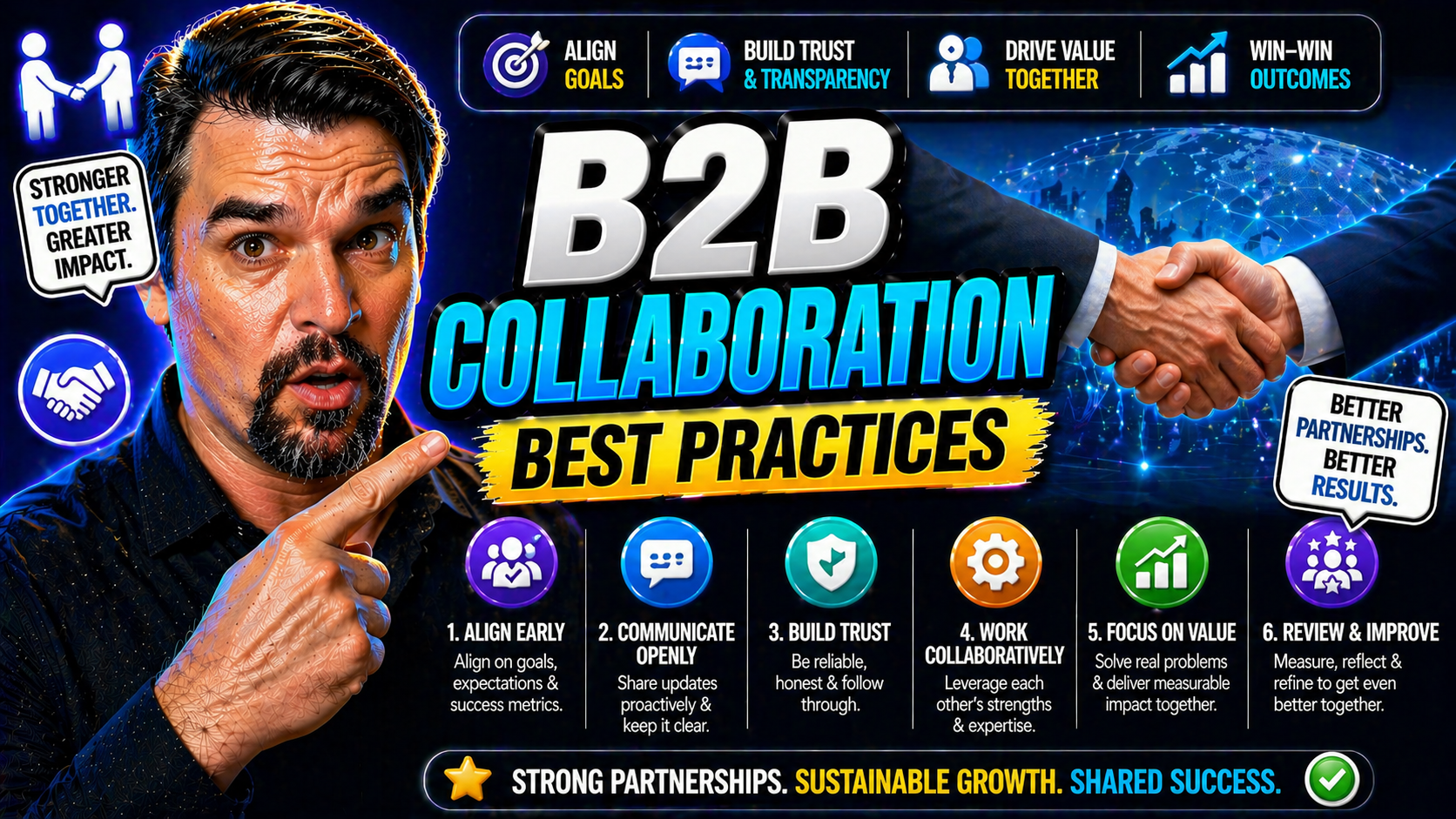
B2B collaboration best practices requires a clear, practical decision based on the user scenario, security requirements, and the Microsoft 365 environment. Start with the intended outcome, validate the current Microsoft guidance, test with representative users, and document ownership before applying the approach broadly.
Practical B2B collaboration best practices checklist
- Define the business scenario and responsible owner.
- Validate the design with a representative pilot.
- Review security, access, and support implications.
Refer to Microsoft Learn for current product guidance.
Last reviewed: July 2026.
This comprehensive guide breaks down the best practices for B2B collaboration in Microsoft 365, Entra ID, and Azure. We’ll walk you through the strategic principles, essential technical steps, and critical governance measures that make cross-tenant collaborations possible and secure.
You’ll get actionable advice on everything from setting up your system, to onboarding partners, protecting your data, and measuring your results. All content is tailored to universal business needs—especially if you’re already invested in Microsoft tools. By the end, you’ll know how to confidently manage external partnerships that drive innovation, save costs, and keep your organization secure in today’s fast-moving landscape.
Understanding Why B2B Collaboration Matters
B2B collaboration isn’t just another business buzzword—it’s a game-changer for organizations that want to compete and adapt. When businesses partner up, they pool expertise, cut costs, and open new channels for revenue. In today’s environment, where digital transformation is the norm, the ability to work seamlessly with external organizations isn’t optional, it’s essential.
Done right, B2B collaboration helps companies expand their market reach and share the burden of innovation and risk. You gain access to new technologies, specialized skills, and other perspectives that can accelerate growth and spark creative solutions. This approach is especially valuable for organizations already investing in Microsoft platforms, since tools like Microsoft 365 and Entra ID are built for secure, large-scale external partnerships.
Benefits stack up quickly: there’s improved agility, smarter resource allocation, faster time to market, and stronger customer value propositions. And let’s not forget the competitive edge that comes from having trustworthy, scalable ways to combine strengths and cover weaknesses. As the Microsoft ecosystem continues to evolve, companies that master B2B collaboration position themselves to respond to both opportunities and disruptions with confidence.
For any organization looking to lead rather than follow, B2B collaboration isn’t just worthwhile—it’s mission critical.
Strategic Marketing and Cross-Functional Alignment
Effective B2B collaboration isn’t only about technology—it starts with breaking down silos inside your organization. Marketing, IT, and security all play vital roles in how smoothly you collaborate with partners. If these teams aren’t in sync, external collaboration will run into headaches—a strong internal alliance is the first step to a seamless customer experience outside your walls.
Strategic marketing partnerships make it easier to deliver unified messages and streamlined services to customers, regardless of where they interact in your ecosystem. This means regular communication between marketing and IT, joint planning sessions, and shared KPIs. When people on the business side and the technology side are on the same page, you build trust both internally and with your partners, making it possible to spot opportunities faster.
For organizations leveraging Microsoft and Entra ID, aligning processes and policies across departments ensures deployments actually support your business goals. You avoid redundant work, close security gaps, and make onboarding external collaborators a breeze instead of a migraine. The bottom line: cross-functional alignment isn’t optional if you want to stand out—it’s your foundation for every successful B2B partnership built on Microsoft environments.
Implementing External B2B Collaboration in Microsoft Entra and M365
Moving to external B2B collaboration in Microsoft environments means taking concrete steps to link your organization with trusted partners, without opening yourself up to risk. Microsoft Entra ID (formerly Azure AD) and Microsoft 365 offer a powerful set of tools for secure partner collaboration, but you’ll need to understand the big picture before diving into the technical "how."
This stage is where strategic plans meet real-world configuration. At a high level, you’ll need to prepare your environment for cross-tenant access, ensure the right licenses and policies are in place, and coordinate the administrative setup between IT, security, and business units. User management, especially around guest access, becomes a core function of day-to-day operations. Automation, bulk processes, or API integrations may be appropriate depending on the scale and complexity of your external collaborations.
The sections ahead break down this journey step by step, from prepping your Microsoft tenant, to inviting guests, to choosing the smartest invitation workflow for your team. Each choice you make here sets the tone for a secure, productive, and future-ready B2B environment within the Microsoft ecosystem.
Prerequisites and Configuration Setup for Cross-Tenant Access
- Assess Licensing and Service Availability: Before you can enable B2B collaboration, confirm that your organization has the appropriate licenses for Microsoft Entra ID and Microsoft 365 features. Some functionalities—like guest access, conditional access, and advanced governance—require specific SKUs. Review your current subscriptions to avoid surprises down the road.
- Define Your Security and Governance Baseline: Establish your security posture and document your policies for guest access, review cycles, and administrative boundaries. Making use of tools like Azure Policy and RBAC with PIM (Privileged Identity Management) creates clear, enforceable boundaries. For more insight into keeping your policies and governance tight, consider reviewing resources such as Azure enterprise governance strategy.
- Enable External Collaboration in Admin Center: Within the Microsoft Entra admin center, navigate to external identities and ensure that B2B collaboration is enabled. Adjust the default settings for guest user permissions, invitation policies, and conditional access to limit exposure while still supporting collaboration. This is your main switchboard for cross-tenant setup.
- Configure Cross-Tenant Access Settings: Specify which partner tenants you’ll allow. Configure inbound and outbound access settings, trust configurations, and the assignment of default user roles. Cross-tenant controls let you enforce policies for external users without compromising the integrity of your primary environment. Regularly audit these trust relationships for ongoing security.
- Document and Automate the Baseline: Document all controls, automate enforcement where possible, and create a cyclical review process to avoid “policy drift”—a major source of governance failure, as covered in Azure enterprise governance strategy. Consistent oversight ensures your baseline stays secure and scalable as new partners come online.
Managing Guest Access and User Lifecycle in Microsoft Entra ID
- Establish a Structured Guest Invitation Process: Decide who in your organization can invite external users. Implement an approval or justification workflow for each invite. This step adds oversight and curbs the risks of rogue access.
- Set Guest Access Permissions and Restrictions: In the Entra admin center, configure what external users can see and do. Limit access to only the necessary applications or resources. Use conditional access and policy settings to enforce multi-factor authentication and restrict access by device or location.
- Monitor Guest Activity and Enforce Lifecycle Reviews: Keep tabs on guest account activity with regular audits and automated access reviews. Leverage Entra ID’s built-in reporting features to flag stale or unused accounts. Resources like this guide on guest account risks are crucial for understanding why active monitoring matters.
- Automate Guest Expiration and Offboarding: Set time limits for guest access and enable automatic account expiration where possible. When a project ends, ensure guest users are promptly offboarded and all access is revoked. Automation and lifecycle security dramatically reduce your attack surface and compliance headaches.
- Maintain Documentation and Compliance Audit Trails: Keep solid records for every guest, capturing invite decisions, assigned permissions, access reviews, and offboarding steps. These logs prove compliance during audits and help your team spot recurring problems in your guest lifecycle management.
Comparing Invitation Methods: Portal, PowerShell, and API
- Portal-Based Invitations: The Microsoft Entra admin portal lets you invite external users one at a time, using a simple web interface. This is best for ad-hoc, low-volume cases where you need a quick, guided process. It’s straightforward but less efficient when bringing in dozens or hundreds of collaborators.
- PowerShell Bulk Invitations: For onboarding large numbers of guests, PowerShell scripts shine. You can ingest CSV lists with user details and automate bulk invitations. This approach is ideal for IT admins managing recurring partner collaborations or onboarding whole teams in one go. It’s powerful but requires scripting know-how.
- Programmatic Invitation via API: Microsoft Graph API enables integrations with HR systems, partner portals, or third-party workflows to automate user invitations and provisioning dynamically. APIs offer the highest flexibility and full workflow automation, supporting custom scenarios like onboarding based on role or triggering invites after compliance checks. This is suited for organizations scaling B2B access or integrating with complex partner ecosystems.
- Choosing the Right Approach: Base your method on team size, technical expertise, and the frequency of onboarding needs. For occasional, small-scale invites, use the portal. For planned, regular large-scale invites, PowerShell works best. For automated, highly integrated scenarios, APIs are the top choice—just budget for the additional setup.
Securing External Collaboration: Key Practices for Access and Governance
Security is the backbone of any successful B2B collaboration, especially as you open your digital doors to outside partners. Without strong access controls, robust data security, and clear governance, all the benefits of collaboration can quickly unravel into security risks and compliance nightmares.
Microsoft Teams, SharePoint, and Entra ID provide a broad arsenal of tools to manage these risks, but effectiveness comes from how you configure and enforce your security practices. Conditional access, sensitivity labels, data loss prevention (DLP), and structured governance are all part of a comprehensive security stack for external collaboration.
Up next, we’ll outline how to set meaningful access controls, classify and protect sensitive data, and put practical long-term governance in place for shared workspaces. Get your security dialed in, and you’ll enable trusted, productive partnerships without ever losing sleep over who has their hands in your cookie jar.
Implementing Conditional Access and Guest Access Restrictions
- Define Clear Conditional Access Policies: Start by setting policies that govern how and when guests can access company resources. In Entra ID and Microsoft 365, you should tailor rules to factor in user risk, device compliance, location, and session control. For detailed guidance, check out this identity control podcast episode on managing risks from policy sprawl and identity debt.
- Enforce Multi-Factor Authentication (MFA): Require MFA for all guest users. This one measure dramatically reduces the risk of compromised credentials and accidental access. Combine MFA with strong password policies, and regularly prompt for re-authentication to keep the bar high.
- Apply Device Compliance Checks: Don’t just stop at user identity—control access based on the health and compliance status of the device being used. Conditional access policies can block guests from using non-compliant or unprotected devices, keeping data from leaking into risky hands.
- Limit Resources and Permissions for Guests: Minimize risk by only granting external users access to the minimum resources needed for their work. Use groups, role-based access control (RBAC), and permission boundaries so guests never see more than you want them to. Avoid overbroad exclusions, as highlighted in this guide to trust issues in policy design.
- Monitor, Review, and Adjust Policies Regularly: Implement a review loop—and make ownership clear—to ensure that exceptions don’t pile up and security boundaries don’t drift. Automate reviews and reporting wherever possible, using built-in Entra dashboards and custom KPIs. The key is to keep your guard up as your collaboration ecosystem evolves.
Configuring Sensitivity Labels and DLP for Data Security
- Implement Sensitivity Labels: Create clear sensitivity labels in Microsoft Purview (formerly Information Protection) to classify confidential, internal, and public data. Apply labeling policies across SharePoint, OneDrive, and Teams, so users can’t skip protection where it matters most.
- Deploy Data Loss Prevention (DLP) Rules: Set up DLP policies targeting key workloads to detect and block sharing of sensitive data. For a practical breakdown, reference this guide on setting up DLP in Microsoft 365.
- Map Sensitive Data Flows and Connector Usage: Understand where sensitive data lives and how it moves between users, teams, and external partners. Pay close attention to sharing features in Power Platform, SharePoint, and Teams channels. Learn how to avoid DLP blind spots by auditing connector configurations, as explained in this DLP podcast episode.
- Educate Users on Labeling and DLP: Roll out regular training to ensure everyone knows how to label documents, recognize DLP policy violations, and escalate exceptions. Include practical, real-world scenarios they’re likely to encounter with external partners.
- Monitor, Review, and Adjust Security Policies: Continuously monitor for policy hits, data leaks, and unauthorized sharing. Adjust policies as new risks emerge or collaboration patterns shift. Build a regular review cadence into your IT and compliance operations to future-proof your security perimeter.
Securing Shared Channels and Ensuring Long-Term Governance
- Set Up and Secure Shared Channels in Teams: Use Microsoft Teams’ shared channels to collaborate with external partners without requiring guest account proliferation. Carefully configure channel access, invite controls, and avoid oversharing. Make sure administrators understand that upstream identity and compliance services—not just the Teams Admin Center—govern real access, as explained in this resource on Teams governance.
- Automate Governance and Lifecycle Management: Use automation tools (Power Automate, Microsoft Graph, Azure Functions) to manage requests, channel provisioning, approvals, and recertifications. A lifecycle management playbook—request, provision, renew, archive—keeps things clean and compliant, as detailed in this Teams governance playbook.
- Perform Periodic Audits and Compliance Checks: Schedule regular audits of shared channels and external memberships. Review for lingering, unused, or inappropriate access. Ensure logs and audit trails are captured for every collaboration space with external users.
- Define Accountability and Ownership: Assign clear owners for every shared channel and workspace. Make owners responsible for guest review, policy adherence, and archiving old workspaces to prevent shadow IT or data sprawl.
- Balance Productivity with Security: Provide frictionless processes and support humane, practical governance that encourages collaboration, not workarounds. Use templates, self-service options, and clear guidance to make compliance easy for everyone involved.
Choosing the Right Collaboration Tools and Technology Stack
Your collaboration tools are the heart of cross-company partnerships. Choosing the right set—one that integrates security, compliance, and productivity—makes the difference between smooth teamwork and constant tech headaches. Microsoft 365 offers a robust ecosystem of trusted tools, all designed to play nicely with B2B needs.
This section highlights the value of a unified technology stack for managing everything from daily communications to secure document sharing and flexible workflow automation. A modern B2B environment needs technologies that scale, adapt, and never compromise on security. Integration, not just features, is what supports longevity and trust in B2B relationships.
As you explore tools like Teams, SharePoint, OneDrive, and the Power Platform, keep in mind how each fits into your operational strategies and overall partnership vision. Up next, we’ll review which platforms excel where, and how to build workflows around them for resilience, efficiency, and growth.
Top Tools and Technologies That Facilitate Collaboration
- Microsoft Teams: The front line for real-time communication and collaboration. Shared channels and integrated calling let you work across company boundaries while keeping everything in one secure place. Teams is essential for B2B chat, meetings, and document co-authoring.
- SharePoint: Your go-to for document management and intranets. SharePoint allows fine-grained control over sites, permissions, and sharing, making it ideal for secure file collaboration with partners. External sharing controls are built in for peace of mind.
- OneDrive for Business: Fast, user-friendly file storage and sharing with powerful syncing and cross-device access. OneDrive is best for quick file swaps and collaborating on docs, even outside your company domain, without losing track of who’s accessing what.
- Microsoft Power Platform: Automate workflows, analyze data, and build custom apps to streamline partner engagement. Power Automate, Power BI, and Power Apps turn complex B2B requirements into repeatable, easy-to-use solutions—while respecting DLP and connector policies.
- Microsoft Entra ID: The backbone of identity management and access control, Entra ID (previously Azure AD) lets you orchestrate secure, scalable guest access and enforce robust security policies for every tool and partner connection in your stack.
Operational Strategies for Effective B2B Collaboration
- Define Clear Roles and Responsibilities: Use RACI matrices and clear documentation to spell out who does what. This helps prevent confusion and stops balls from getting dropped when multiple organizations are in the mix.
- Standardize Communication Protocols: Agree on preferred channels (Teams, email, etc.), response time expectations, and escalation paths for issues. Consistency in how you communicate cuts down misunderstandings and keeps workflows moving.
- Build Trust Through Transparency: Foster a culture of openness around progress, setbacks, and changes. Share updates, acknowledge mistakes, and set realistic expectations. Trust is the silent gear that keeps every B2B engine running smoothly.
- Establish Issue Escalation Processes: No collaboration is free of hiccups. Set up formal mechanisms for raising, triaging, and resolving disputes, whether technical or operational. Document these processes and designate who’s responsible for moving things forward.
- Iterate and Improve Regularly: Make feedback and retrospectives part of your routine. After every project or milestone, ask all parties what worked, what didn’t, and what to change. Continuous improvement is how operational strategies evolve to meet higher standards with every new partnership.
Structuring Onboarding and Enablement of External Partners
Great B2B partnerships begin long before the first Teams call or shared document. Setting partners up for success means looking beyond just technical provisioning—you need to plan for training, ongoing support, and clear policy communications from the very start.
Onboarding external users in a structured, thoughtful way helps them hit the ground running. It also reduces friction, confusion, and unnecessary security incidents. Whether partners are power users or totally new to your ecosystem, ensuring readiness is a win for everyone involved.
In the next sections, we’ll cover how to design a comprehensive onboarding program (including training materials and handy checklists) and how to automate onboarding, so even when your partner roster grows, you never fall behind in keeping everyone aligned and supported.
Designing a Structured Program for Partner Onboarding
- Provide Centralized Training Resources: Prepare a portal, wiki, or knowledge base packed with step-by-step guides, video tutorials, and FAQs. Make sure new external users know where to go for answers—cutting down confusion from the start.
- Distribute Clear Documentation on Security and Policies: Package up your acceptable use policies, access protocols, and support contacts so external collaborators know how to play by your rules. Include practical examples and escalation contacts for when things go sideways.
- Create an Onboarding Checklist: Build a template that captures every onboarding step: receiving an invite, setting passwords, reviewing policies, passing compliance checks, and activating MFA. This checklist makes it easy to see where people are in the process.
- Establish Dedicated Support Channels: Give external users a designated help desk, Teams support chat, or point person inside your org. Support should be responsive and familiar with the specific needs of partners—not just internal users.
- Follow Up and Collect Feedback: Don’t just onboard and forget. Schedule check-ins or short surveys to find out what’s missing or confusing. Use this real-world input to improve future onboarding cycles and close any lingering gaps.
Automating and Scaling Onboarding Workflows
- API-Powered Invitations: Automate guest user creation and resource provisioning using Microsoft Graph API, ensuring rapid, repeatable onboarding for large partner groups.
- Self-Service Onboarding Portals: Set up portals where partners can access training, policy docs, and support in one place, reducing manual requests and delays.
- Compliance Acknowledgment Tracking: Use workflow tools to prompt external users to acknowledge policies, pass required training, and log completions for audit trails automatically.
- Automated Access Review Reminders: Configure periodic review notifications and workflows so partner access stays current and risky accounts don’t linger unnoticed.
Cultural and Organizational Alignment in B2B Partnerships
Even the slickest technical integration means little if your collaboration is tripped up by clashing cultures or mismatched organizational expectations. B2B success requires as much focus on people and process alignment as it does on platforms and permissions.
Understanding your partner’s working style, communication habits, and decision-making rhythm can prevent delays, breakdowns, and frustration. Bridging these differences leads to higher trust, smoother collaboration, and stronger accountability on both sides. Along with cultural fluency, clear joint governance ensures projects don’t get bogged down or lost in the shuffle.
The following sections examine how to assess and bridge cultural gaps, plus how to put shared governance models in place—critical if you want a sustained, thriving B2B relationship rather than a series of one-off projects.
Managing Cultural Differences Between Partner Organizations
- Conduct a Cultural Assessment Upfront: Before collaboration starts, compare decision-making styles, pace of work, and attitudes toward hierarchy. Knowing where you differ helps set realistic expectations from the beginning.
- Establish Shared Language and Norms: Agree on key terms, response times, and meeting etiquette. Even basic differences (like direct vs. indirect feedback) can be managed with mutual understanding and a few ground rules.
- Foster Regular, Open Communication: Set up recurring syncs or informal forums where teams discuss not just work, but process and expectations. Transparency breeds trust and surfaces issues before they blow up.
- Bridge Decision-Making Gaps: Map out who has authority for what, and how disagreements get resolved. Decide early how to escalate and who gets the final say to avoid power struggles midstream.
- Celebrate Small Wins Together: Recognize milestones, share positive feedback, and reinforce shared values. Small gestures build goodwill and remind teams they’re working toward the same goal, despite cultural differences.
Establishing Joint Governance for Long-Term Collaboration
Joint governance is a shared framework for managing B2B partnerships over time. It defines roles and responsibilities (often with RACI matrices), sets up co-ownership of decisions, and builds in formal processes for escalation and accountability.
Effective joint governance ensures both parties have buy-in, issues get resolved rapidly, and neither partner feels sidelined. This structure makes it possible to scale collaborations, adapt to changes, and maintain trust as the partnership matures.
Measuring Collaboration Outcomes and Learning from Real-World Examples
The only way to improve your B2B collaboration is to measure it—otherwise, you’re just guessing. Tracking outcomes lets you spot strengths, uncover roadblocks, and justify continued investment in tools, training, and process improvements.
Quantitative KPIs give you the hard data: how quickly new partners are onboarded, how active external users are, and whether your security posture is holding up under pressure. Qualitative lessons and peer examples are equally valuable, illustrating where others have succeeded (or stumbled) in the real world.
The next two sections dive into the top B2B collaboration metrics you should track and share insights from industry leaders who’ve built best-in-class Microsoft-based B2B programs. If you’re serious about getting better, this is where you learn what works.
Measuring Collaboration Success: Key KPIs and Metrics
- Partner Engagement Rate: Track how many invited partners become active collaborators—logins, document shares, meetings attended—over specific periods.
- Speed-to-Collaboration: Measure the average time it takes new partners to complete onboarding and begin productive interaction.
- Security and Compliance Incidents: Monitor counts of failed logins, flagged DLP events, or policy violations among external users—early signs of process gaps or risk.
- Business Outcomes: Correlate collaboration initiatives to tangible business metrics, such as project delivery speed, new revenue, or customer satisfaction scores.
Real-World Examples and Lessons Learned from Industry Leaders
- Unicorn Marketing: Marketing teams that paired cross-functional workflows with automated onboarding saw partner activation rates jump by 35%. Their lesson? Seamless user journeys keep projects afloat and foster innovation, while clunky setups slow business to a crawl.
- Jen Merkel’s Best Practices: In a security-focused B2B rollout, Jen Merkel prioritized periodic access reviews and strict DLP settings for guest users. Her team’s success came from continuous improvement—regularly surveying external partners and adapting onboarding workflows to their real-world feedback.
- Nawaz Dhandala’s Scaling Strategies: Nawaz’s cross-tenant deployment made heavy use of Power Platform automations for access provisioning. Their secret? Standardizing roles and governance procedures, so everyone knew how to get access, who to contact for issues, and when their permissions would expire.
- Industry Benchmark Pitfalls: Teams that skipped joint governance or failed to monitor lingering guest accounts were more likely to face compliance fines and security breaches. Investing in checklists, feedback loops, and regular audits proved to be more than bureaucracy—it was critical risk management.
Advanced Collaboration Models and Future Trends
Collaboration doesn’t stand still—and neither should your approach. As organizations face global expansion, regulatory complexity, and advances in artificial intelligence, new models are reshaping what secure, seamless B2B means in Microsoft environments.
Cross-tenant architectures bring partners closer without unnecessary risk, while sovereignty-aware frameworks respect legal and jurisdictional boundaries as data travels worldwide. Artificial intelligence promises to automate routine tasks, surface insights, and speed up collaboration, but only for organizations that know how to govern these new tools properly.
This section will walk you through the next wave—cross-tenant and sovereignty considerations, plus an early look at how AI is changing the B2B playbook. If you want to future-proof your strategy, start here. For in-depth governance guidance of AI in Microsoft environments, see this Copilot security playbook.
B2B Collaboration Across Tenants and Data Sovereignty Considerations
B2B collaboration across tenants involves securely connecting two or more Microsoft Entra ID environments. This lets companies share apps, data, and workflows without merging directories or exposing sensitive core systems. Cross-tenant collaboration is particularly useful for M&A, joint ventures, or supply chain relationships.
Data sovereignty is all about knowing where your data lives, how it travels, and what laws apply at every step. Regulations like GDPR require that you keep close tabs on data residency and access logs—especially when collaborating across borders. Sovereignty-aware designs control which users can see certain data, apply region-based access policies, and often require contractual guarantees from partners regarding data handling practices.
For global organizations, tools like Microsoft’s Multi-Geo capabilities, data residency monitoring, and trusted cross-tenant policies enable compliance without sacrificing the agility that makes B2B partnerships meaningful. The bottom line? Respecting sovereignty and legal boundaries isn’t a “nice to have”—it’s a necessity in modern B2B, whether you’re mapping data flows across Canada or managing distributed vendor teams from Palantir’s jurisdiction maps.
Glimpse Into the Future: AI and Intelligent Collaboration
Artificial intelligence is fast becoming the backbone of B2B collaboration. Tools like Microsoft Copilot and AI agents in Teams and SharePoint promise to automate routine tasks, flag risks, and surface insights without constant human intervention.
The impact? Faster project cycles, more predictive workflow management, and smarter compliance monitoring. But real value comes only if you enforce governance—least-privilege permissions, robust DLP, and continuous monitoring, as outlined in this AI governance resource and in advanced Copilot governance strategy. The future is bright for those who combine innovation with accountability.
Optimizing Blog Content Structure and User Experience
No matter how strong your B2B playbook is, readers won’t benefit unless your content is easy to find and engage with. Organizing your blog with thoughtful navigation and user experience best practices keeps visitors coming back—and ensures critical insights aren’t buried in an archive nobody touches.
Effective content organization starts with clear tables of contents, logical categories, and searchable archives. Beyond navigation, user engagement strategies like related topic recommendations and easy feedback systems help readers discover more value and improve your content over time.
In the next sections, we’ll share simple tactics for structuring your blog and boosting user engagement, so your expertise not only draws readers in, but keeps them exploring and learning with every visit.
Blog Navigation: Tables of Contents, Categories, and Archives
- Tables of Contents: Add clear tables of contents at the top of lengthy posts so readers can jump straight to the information they need.
- Organized Categories: Group related articles into focused categories (like “Entra ID Security” or “Onboarding Best Practices”) for fast browsing.
- Tagged Topics: Use consistent topic tags (“B2B Collaboration,” “Conditional Access”) to make cross-referencing simple across your site.
- Searchable Archives: Offer keyword-searchable archives and filters to help readers find historic or long-tail content with ease.
Driving User Engagement and Content Recommendations
- Surface Related Content: Suggest similar posts or deeper dives at the end of each article to encourage further reading and keep readers engaged.
- “Recommended By” Lists: Showcase popular reads or expert-curated articles (“Recommended by LinkedIn”) for readers seeking trusted insights.
- User Feedback Tools: Add comment boxes, reaction buttons, or brief surveys (“How can we improve this post?”) to capture real-time feedback.
- Email and RSS Subscriptions: Offer subscriptions so your audience gets notified when high-value, relevant content is published.
You Should Also Listen To
If you are researching B2B collaboration in Microsoft 365, these episodes add practical context on identity security, governance, access control, and Microsoft 365 operations:
- Privileged Identity Management – Simply Explained — Understand just-in-time privilege, approvals, and access reviews.
- Conditional Access – Simply Explained — Learn how context-aware policies protect users and devices.
- Microsoft Defender XDR – Simply Explained — Connect identity signals with detection, investigation, and response.
- Microsoft Teams Governance – The Illusion of Control — See how governance creates ownership and repeatable controls.
🎧 You Should Also Listen To
- Identity Governance in Microsoft Entra
Learn practical ownership and access controls for Microsoft 365.
- Microsoft 365 Governance Operating Model
Explore the decisions that make technology adoption sustainable.
- AI Agents – Simply Explained
Understand the governance context for AI-assisted work.
B2B Collaboration Governance Checklist
Secure B2B collaboration depends on identity, resource design, lifecycle ownership, and continuous review. Microsoft Entra B2B, Teams, SharePoint, and cross-tenant access settings should work together instead of being managed as isolated switches.
Implementation Checklist
- Inventory guests, external domains, shared links, teams, and sites.
- Define sponsors, owners, approval, expiration, and access-review rules.
- Apply least privilege, MFA, sensitivity, and DLP controls.
- Separate project workspaces from general internal content.
- Automate offboarding and investigate anomalous guest activity.
Common Mistakes
- Permanent guest access without a business owner.
- Anonymous links used for identified collaboration.
- Broad external sharing policies with no domain or sensitivity controls.
- No process for dormant guests or completed projects.
Frequently Asked Questions
What is B2B collaboration in Microsoft 365?
B2B collaboration allows people outside an organisation to access selected resources as guest users under controlled identity and governance policies.
What is Microsoft Entra B2B?
Microsoft Entra B2B is the identity model for inviting and governing external users who collaborate with an organisation.
What is a guest user?
A guest user is an external identity represented in the tenant so the person can access explicitly shared resources.
How should guest access be governed?
Define ownership, approval, expiration, access reviews, sensitivity requirements, and removal processes before enabling broad collaboration.
What is cross-tenant access?
Cross-tenant access settings control how organisations trust and collaborate with external Microsoft Entra tenants.
Should external sharing be enabled for everyone?
No. Use scoped policies, approved domains, group ownership, sensitivity controls, and business justification.
How long should guest access remain active?
Access should last only as long as the collaboration need. Use expiration and periodic access reviews rather than permanent guest membership.
How do access reviews help B2B collaboration?
Access reviews prompt owners or reviewers to confirm whether external users still need access.
What is the difference between guest access and anonymous sharing?
Guest access identifies a person, while anonymous links can be used by anyone who obtains the link and provide weaker accountability.
How should guest invitations be protected?
Restrict who can invite guests, limit allowed domains, require approval where appropriate, and monitor invitation activity.
Can guests access Microsoft Teams?
Yes, when Teams guest access, identity policies, team settings, and resource permissions allow it.
Can guests access SharePoint sites?
Yes. SharePoint external sharing settings and site-level permissions determine what the guest can access.
How should external collaboration be structured?
Use dedicated teams, sites, groups, or project workspaces with named owners and clear data boundaries.
What is the principle of least privilege for guests?
Give external users only the minimum resource access needed for their collaboration task.
How can organisations prevent oversharing?
Use sensitivity labels, sharing restrictions, access reviews, data loss prevention, training, and regular permission audits.
Should external domains be allowlisted?
Allowlisting trusted domains can reduce risk, but it must be maintained and combined with identity and resource controls.
How should guest identities be reviewed?
Review sign-in activity, group and site membership, resource usage, sponsor, business purpose, and expiration status.
What is a guest sponsor?
A sponsor is an accountable internal person responsible for the external user's business relationship and continued access need.
How should dormant guests be handled?
Identify inactivity, confirm business need, remove unnecessary access, and delete or block accounts according to policy.
Can guests use multifactor authentication?
Yes. Authentication strength and cross-tenant trust settings can require or accept multifactor authentication from the user's home tenant.
How does conditional access apply to guests?
Conditional Access can evaluate guest sign-ins and require MFA, compliant devices, locations, or other controls depending on the scenario.
What information should guests see?
Guests should see only the project information and collaboration resources required for their role.
How should guest access to sensitive data be managed?
Use sensitivity labels, restricted sites, explicit permissions, encryption where appropriate, and stronger review requirements.
What are common B2B collaboration mistakes?
Common mistakes include permanent access, unmanaged anonymous links, unclear ownership, broad group membership, and missing offboarding.
How should guest offboarding work?
Remove group, team, site, application, and shared-resource access, then disable or delete the guest identity according to retention policy.
How can B2B collaboration be audited?
Use Entra sign-in and directory audit logs, Microsoft 365 audit events, access reviews, and resource-specific activity.
Can external users access Power Platform resources?
Possibly, but environments, connectors, Dataverse roles, sharing settings, and tenant policies must explicitly support the scenario.
What is a secure external collaboration baseline?
The baseline includes named ownership, least privilege, MFA, expiration, access reviews, logging, sensitivity controls, and an offboarding process.
How should business users be trained?
Train them to validate external identities, use approved workspaces, avoid uncontrolled links, and report unexpected sharing.
What is the first step in a B2B governance programme?
Inventory current guests and external shares, identify high-risk exposure, assign owners, and establish a repeatable lifecycle process.
Explore related M365.fm resources: M365.fm Learning Hub, Microsoft 365 governance checklist, and Microsoft Copilot security model.

Microsoft MVP | Host of M365.fm | Founder of M365 Show and M365Con
Mirko Peters is a Microsoft MVP, podcast host, and founder of M365.fm, M365 Show, and M365Con. His work connects Microsoft practitioners through podcast interviews, livestreams, and community events.
At M365.fm, Mirko hosts conversations with Microsoft MVPs, product experts, architects, and community contributors. Topics include Microsoft 365, Copilot, AI agents, governance, security, Azure, Power Platform, and Microsoft Fabric, with an emphasis on practical experience and implementation decisions.
M365.fm is the podcast and learning platform. M365 Show brings experts together for livestreams, while M365Con provides an online conference setting for community learning.
Official website: Mirko Peters (https://www.mirkopeters.com/). Recognition: Mirko Peters — Microsoft MVP profile (https://mvp.microsoft.com/de-DE/mvp/profile/9b0ca797-db5a-493a-a845-8b9158046cf5). Connect on LinkedIn (https://www.linkedin.com/in/m365showpodcast/).





