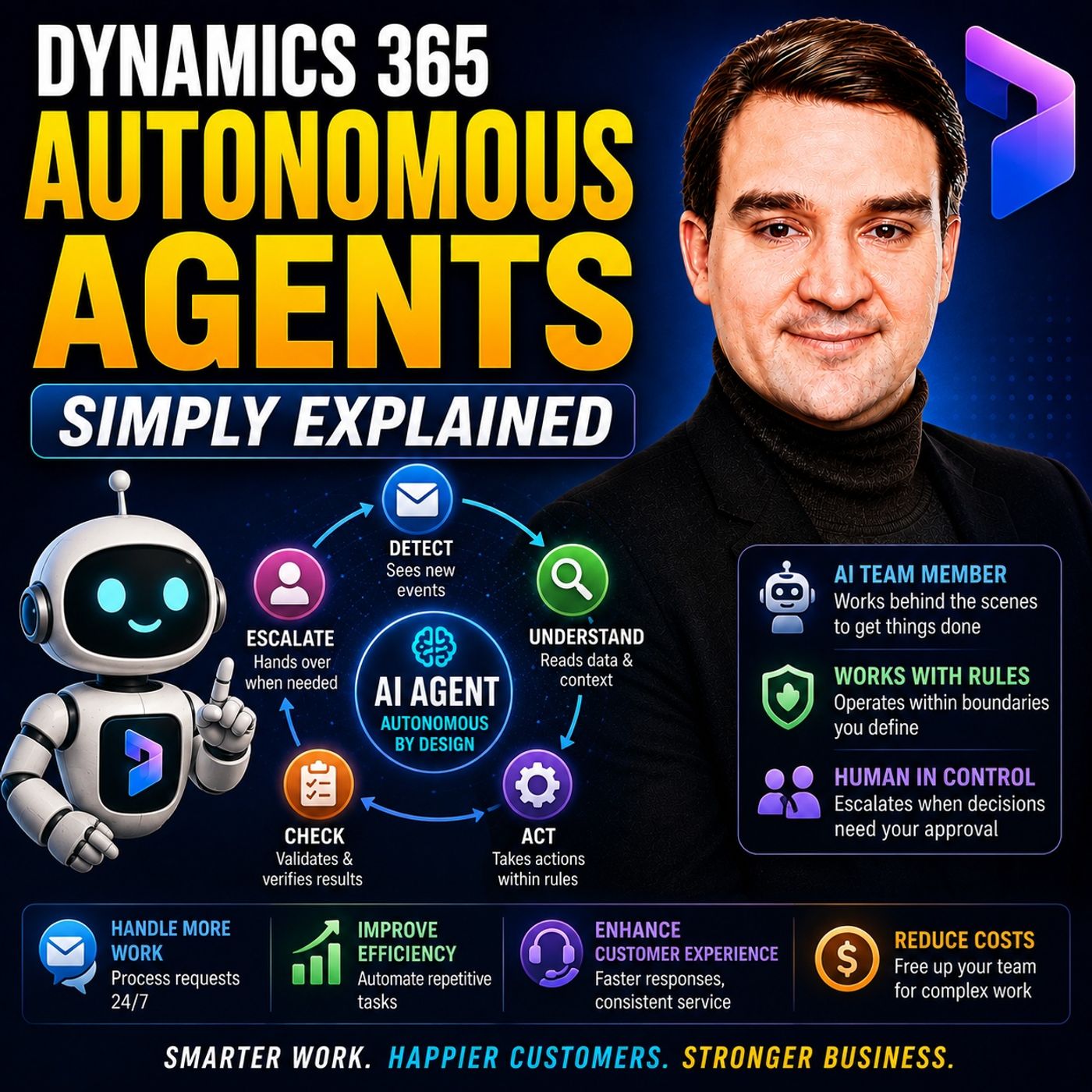
Beyond the Prompt: Copilot vs. Dynamics 365 Autonomous Agents
Welcome back to the blog! If you have been keeping up with our recent podcast episodes, you know we spend a lot of time exploring how artificial intelligence is reshaping the modern workplace. In this post, we are expanding heavily on a massive topic we recently unpacked on the show: the shift from reactive AI assistants to proactive, event-driven technology. To hear the full conversation and dive deeper into this shift, make sure you listen to our companion episode, Dynamics 365 Autonomous Agents - Simply Explained.
For the past couple of years, the workplace conversation around artificial intelligence has been dominated by chat-based assistants. You open a sidebar, type a prompt, ask for a summary, or have the system draft an email. But the technology is evolving rapidly. We are moving beyond simple prompting into a new era defined by Dynamics 365 Autonomous Agents. These are systems designed not just to answer questions when spoken to, but to watch for triggers, evaluate contextual data, and autonomously execute defined business processes. In this post, we will break down what these agents are, how they differ from Copilot and traditional automation, and where businesses are applying them right now.
What Are Dynamics 365 Autonomous Agents?
At its core, an autonomous agent is a specialized AI tool engineered to perform a very narrow, specific business job. Unlike general-purpose AI that can talk about everything from ancient history to quantum physics, an autonomous agent is built for operational execution. It can review business information, choose from a set of allowed next steps, and carry out work toward a clearly defined goal.
The most important word in that description is defined. An autonomous agent is never given unrestricted, wild-west control over a business process. Instead, organizations determine its exact job description, the specific databases and files it can access, the actions it is legally permitted to perform, and the exact thresholds where it must pause and involve a human being. Think of it less like an all-knowing artificial brain and more like a dedicated digital team member who has a very specific role, a clear set of standard operating procedures, and a supervisor keeping an eye on their output.
Copilot vs. Autonomous Agents: The Front Desk vs. Behind the Scenes
To truly grasp how autonomous agents change our daily routines, it helps to understand how they differ from the tools we are already using, like Microsoft Copilot. Copilot typically operates reactively. It waits patiently for a human being to request assistance. A user opens an application, asks a question, requests a document draft, or asks for a thread to be summarized.
An autonomous agent works fundamentally differently. Instead of waiting for a prompt, it is event-driven. It can react instantly when something happens in the ecosystem: a new customer service ticket arrives, a customer sends a follow-up message, a new sales lead enters the CRM, or a purchase order requires confirmation.
A great way to visualize this is through an office building analogy. Copilot works at the reception desk. When people walk up to the front desk and ask for help, Copilot is right there to assist them, answer questions, and point them in the right direction. Autonomous agents, on the other hand, are the staff working behind the scenes in the back offices, processing paperwork, managing logistics, and keeping the operational machinery running smoothly without requiring someone to constantly hand them tasks.
Autonomous Agents vs. Traditional Automation
Many organizations have relied on traditional automation—such as standard Power Automate workflows—for years. Traditional automation is fantastic when processes follow rigid, predictable rules: if X happens, perform Y. But traditional automation struggles when nuance, language understanding, and unstructured data enter the picture.
Autonomous agents introduce another layer by bringing generative AI's ability to interpret context. An agent can read a messy, poorly worded customer message, examine connected records, parse approved knowledge bases, and select between various actions permitted by its configuration. Generative AI provides the language and reasoning understanding, while autonomous behavior connects that understanding directly to business actions. The agent can identify an issue, find a relevant knowledge article, update a database record, prepare a draft response, or intelligently escalate the situation to a human specialist.
Why Dynamics 365 Data Matters
You might wonder why these agents need to be tied specifically to a platform like Dynamics 365 instead of running on generic, standalone AI tools. The answer comes down to business context.
A generic AI model can easily understand a sentence like "my delivery still hasn't arrived." However, standing alone, it has no idea which customer made the statement, which order it refers to, which shipment provider is handling it, or what previous conversations have already taken place. Dynamics 365 provides the underlying business context. Customer records, support cases, open orders, sales pipelines, financial ledger data, and historical chats allow an agent to understand a statement within the organization's actual operational reality. This context is what transforms general AI capabilities into practical, trustworthy business assistance.
Real-World Applications Across Customer Service and Sales
To see the true value of these systems, we have to look at how they are being deployed across specific departments. Customer service provides some of the clearest examples of autonomous agents at work.
The Customer Intent Agent analyzes ongoing customer conversations and support cases to identify underlying patterns in why customers are reaching out. Customer pain points constantly shift as companies launch products, modify services, or change billing cycles. Instead of forcing managers to manually review hundreds of support transcripts, the agent surfaces emerging topics automatically, helping organizations improve self-service portals, update knowledge bases, and refine support processes.
Moving deeper into support, the Case Management Agent assists with routine activities across the entire customer service lifecycle. It can help create new cases, update information, progress work toward resolution, follow up with customers, and close cases according to configured organizational rules. The goal here is never to replace human customer service representatives. Rather, it is to strip away the repetitive administrative burden so service professionals can spend more time focusing on complex customer situations and high-empathy interactions.
Knowledge management is another major bottleneck. Valuable support solutions frequently become trapped inside closed cases, internal notes, and chat histories. The Customer Knowledge Management Agent examines completed case logs to identify potentially reusable knowledge and spot gaps in existing support documentation. Because a workaround found in an old case might be outdated or customer-specific, the agent surfaces the material while keeping humans in the loop to determine what actually becomes trusted organizational guidance.
In the sales department, the Sales Qualification Agent for Dynamics 365 Sales handles the massive influx of inbound leads that often overwhelm sales teams. It researches prospects, prioritizes leads based on potential, and even drafts personalized outreach emails. Salespeople still retain full control over deciding which opportunities deserve attention, reviewing communications, and building the human relationships required to close deals.
Operational Efficiency: Finance, Supply Chain, and Scheduling
Autonomous agents are not limited to customer-facing roles; they are also transforming back-office operations.
In Business Central, the Sales Order Agent supports the order intake process from initial receipt through confirmation, dramatically reducing manual data entry while allowing staff to focus on unusual requests and exceptions. In the finance department, tasks like period-end closing involve massive amounts of preparation and reconciliation. The Financial Reconciliation Agent helps clean datasets, while the Account Reconciliation Agent in Dynamics 365 Finance helps match and clear transactions between subledgers and the general ledger, leaving accountants to investigate discrepancies and ensure financial accuracy.
Procurement teams spend countless hours contacting suppliers to confirm purchase orders and delivery dates. The Supplier Communications Agent for Dynamics 365 Supply Chain Management handles routine follow-ups and helps flag potential supply chain delays much earlier. Meanwhile, in field service management, schedules are constantly disrupted by traffic, cancellations, and urgent jobs. The Scheduling Operations Agent for Dynamics 365 Field Service helps dispatchers dynamically adjust technician schedules, while human dispatchers retain control over critical customer priorities and high-stakes commitments.
Permissions, Guardrails, and Why Human Oversight Still Matters
With all of this capability comes a vital question: how do we keep these systems secure and reliable? Organizations must carefully configure exactly which actions an autonomous agent is permitted to take. Can it read a customer record? Can it update it? Can it draft an email, or can it send that email without human approval? Clear permissions and guardrails are what separate a chaotic experiment from a controlled business process.
Autonomous definitely does not mean unsupervised. Agents can occasionally misunderstand requests, operate on incomplete data, or generate outputs that miss the mark. Any process involving consequential business decisions, financial transactions, privacy concerns, or direct customer promises requires robust human oversight. Organizations must regularly review agent activity, analyze feedback, inspect modified records, and refine instructions.
How to Start Small with Autonomous Agents
If you are looking to introduce autonomous agents into your organization, the best approach is to start small. Choose a narrow, highly repetitive process where mistakes are easy to spot and quick to correct. You might begin by having an agent draft internal follow-up messages for review, sort incoming support requests, or pre-qualify inbound sales leads.
By starting small, your team can measure results, refine system instructions, dial in permissions, and build confidence before connecting agents to more critical operational workflows. To hear more about how this technology is evolving and get a deeper dive into the architecture and strategy behind it, make sure you listen to the companion episode Dynamics 365 Autonomous Agents - Simply Explained. Thanks for reading, and we will see you in the next episode!

Microsoft MVP | Host of M365.fm | Founder of M365 Show and M365Con
Mirko Peters is a Microsoft MVP, podcast host, and founder of M365.fm, M365 Show, and M365Con. His work connects Microsoft practitioners through podcast interviews, livestreams, and community events.
At M365.fm, Mirko hosts conversations with Microsoft MVPs, product experts, architects, and community contributors. Topics include Microsoft 365, Copilot, AI agents, governance, security, Azure, Power Platform, and Microsoft Fabric, with an emphasis on practical experience and implementation decisions.
M365.fm is the podcast and learning platform. M365 Show brings experts together for livestreams, while M365Con provides an online conference setting for community learning.
Official website: Mirko Peters (https://www.mirkopeters.com/). Recognition: Mirko Peters — Microsoft MVP profile (https://mvp.microsoft.com/de-DE/mvp/profile/9b0ca797-db5a-493a-a845-8b9158046cf5). Connect on LinkedIn (https://www.linkedin.com/in/m365showpodcast/).