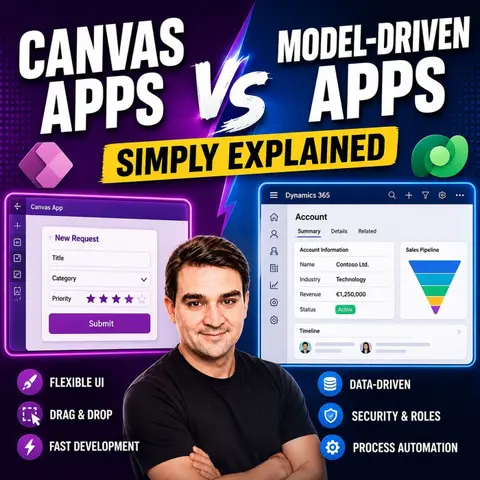
Choosing Your First Power App: Canvas vs. Model-Driven
Navigating the Microsoft Power Apps ecosystem can be overwhelming for beginners. Whether you are an accidental developer looking to automate a team task or an IT professional planning a comprehensive enterprise solution, the first and most critical decision you will face is choosing your architectural path. Do you lean into the pixel-perfect design flexibility of Canvas Apps, or do you choose the structured, data-first approach of Model-Driven Apps based on your specific business goals? Making the right choice early saves countless hours of refactoring, licensing headaches, and user adoption friction.
In this comprehensive guide, we will break down the fundamental differences between these two powerful tools, evaluate their core features, examine their ideal use cases, and weigh their unique advantages and limitations. To get a foundational understanding of this topic before we dive in, make sure to listen to our dedicated podcast episode, Canvas Apps vs Model-Driven Apps - Simply Explained, where we break down these concepts in clear, practical language.
Canvas Apps Overview

Key Features
Canvas Apps offer a range of features that make them a popular choice for businesses looking to create custom applications. Here are some of the standout features you can expect:
- Drag-and-Drop Interface: You can easily add and arrange components on the canvas, making the design process intuitive.
- Customizable Design: Tailor the app's appearance to fit your branding and specific needs.
- Integration with Data Sources: Connect to various data sources like SharePoint, SQL Server, and more, allowing for versatile data management.
- Responsive Layouts: Your apps will adapt to different screen sizes, ensuring a consistent user experience across devices.
- Complex Logic and Formulas: Implement intricate business logic using Power Apps’ formula language to meet your unique requirements.
- Offline Capabilities: Access app data without an internet connection, with changes syncing later when you're back online.
- User-Friendly Functionality: Features like forms, image uploads, and GPS tracking enhance usability and engagement.
Use Cases
Canvas Apps shine in various business scenarios. Here are some common use cases where you might find them particularly effective:
- Timesheet App: Centralizes time capture, approvals, and reporting for better workforce management.
- Site Inspection Forms App: Reduces paperwork and improves data collection for field inspections.
- Expense Management App: Streamlines expense tracking and approvals, making financial processes more efficient.
- Leave Request System: Simplifies the management of employee leave requests, enhancing HR operations.
- IT Help Desk and Asset Tracker App: Enhances IT support efficiency and asset management, ensuring smooth operations.
- Customer Feedback and NPS Collection App: Improves consistency in collecting customer feedback, helping you make informed decisions.
- Field Service Management App: Addresses scheduling inefficiencies and communication issues, optimizing service delivery.
Canvas Apps are widely used across various industries, including manufacturing, financial services, healthcare, and more, showcasing their versatility and adaptability.
Advantages
Using Canvas Apps comes with several advantages that set them apart from traditional app development platforms:
- Empowerment for Non-Technical Users: You don’t need professional coding skills to create applications. This accessibility allows more team members to contribute to app development.
- Rapid Application Creation: Quickly address challenges and deploy solutions, enhancing your organization's agility.
- Visual Development Environment: The drag-and-drop functionality simplifies the app-building process, making it user-friendly.
- Full Control Over Design: Customize your app to meet specific business needs, ensuring it aligns perfectly with your objectives.
- Cross-Platform Accessibility: Access your apps via web browsers and mobile devices, providing a seamless user experience.
With these features and advantages, Canvas Apps empower you to create tailored solutions that enhance productivity and streamline processes.
Limitations
While Canvas Apps offer great flexibility and customization, they do come with some limitations that you should consider. Understanding these drawbacks can help you make informed decisions when developing your applications.
-
Accessibility Issues: Some users have reported problems with accessibility features in Canvas Apps. For instance, interactive controls may lack proper labels, making it difficult for visually impaired users to navigate. Here’s a quick look at some common accessibility issues:
Issue Title Severity Issue Description How to fix Why fix Missing accessible label Error Interactive controls lack text in the accessible-label property. Edit the accessible-label property to describe the item. Essential for visually impaired users to understand controls. Focus isn't showing Error Focus border is not visible due to thickness set to 0. Change the FocusedBorderThickness property to a value greater than 0. Important for users who navigate without a mouse. Missing captions Warning Audio or Video controls lack captions. Set the ClosedCaptionsURL property to the URL for captions. Captions are crucial for users with hearing impairments. -
Scalability Challenges: As your user base grows, you might face scalability issues. Although recent updates have improved performance, there are still some considerations:
- Performance optimizations introduced in 2025 address scalability challenges, allowing Canvas Apps to support thousands of concurrent users.
- The concurrent statement functionality enables simultaneous data operations, reducing response times and improving user experience.
- Intelligent caching strategies minimize redundant data transfers, enhancing performance during peak hours.
- Enhanced resource allocation algorithms dynamically adjust resources based on demand, ensuring responsiveness during usage spikes.
- Improved connector capabilities facilitate integration with legacy systems, addressing significant challenges in enterprise environments.
-
Complexity in Data Management: If your application requires complex data relationships, Canvas Apps may not be the best fit. They excel in simple to medium-complexity scenarios but can struggle with intricate data models.
-
Limited Built-in Features: Unlike Model-Driven Apps, Canvas Apps may lack some built-in features that streamline development. You might find yourself building custom solutions for functionalities that are readily available in Model-Driven Apps.
Model-Driven Apps Overview

Key Features
Model-Driven Apps are designed with a focus on data and business processes. Here are some key features that set them apart:
- Data-Centric Development: You start with the underlying data structure, which drives the app's functionality. This approach ensures that your application is built around the data that matters most to your business.
- Pre-Built Layout: The app automatically generates user interfaces based on your data model. This means you don’t have to spend time designing the UI manually.
- Integrated Business Logic: You can embed complex business rules and workflows directly into the app. This feature helps streamline processes and ensures that your app behaves as expected.
- Cross-Device Compatibility: The responsive design adjusts to different screen sizes, providing a consistent user experience whether on a desktop, tablet, or mobile device.
- Security & Permissions: You can define user roles and control data access, ensuring that sensitive information remains protected.
Model-Driven Apps are built on Microsoft Dataverse, emphasizing a data model-driven design. This structure supports complex business logic and automated processes, making it a robust choice for enterprise applications.
Use Cases
Model-Driven Apps excel in various enterprise scenarios. Here are some typical use cases where they shine:
| Use Case | Description |
|---|---|
| Case Management | Manage cases through a structured workflow, tracking progress and outcomes. |
| Asset Tracking | Monitor and manage physical or digital assets throughout their lifecycle. |
| Contract Management | Oversee contracts, including creation, updates, and compliance tracking. |
| Regulatory Submission Tracking | Ensure that submissions meet regulatory requirements and deadlines. |
| Incident Response Workflows | Coordinate responses to incidents with defined processes and accountability. |
| Customer Relationship Management | Manage interactions and relationships with customers to enhance satisfaction and loyalty. |
Advantages
Model-Driven Apps offer several advantages that make them a compelling choice for organizations:
| Advantage | Description |
|---|---|
| Data-driven design | The app structure is shaped by the data model, ensuring consistency and optimization in the user interface. |
| Streamlined development | You can reduce the need for extensive coding, allowing for quicker application creation with built-in components. |
| Accessibility | Minimal coding is required, making it easier for users without extensive programming experience to customize solutions. |
| Security features | Role-based access control and auditing help maintain data integrity and compliance. |
| Automation | Integration with Power Automate allows you to automate tasks and workflows, enhancing efficiency. |
Limitations
While Model-Driven Apps offer many benefits, they also come with some limitations that you should consider before diving in. Here’s a closer look at what you might encounter:
| Limitation | Description |
|---|---|
| Rigid Design and Layout Constraints | Model-Driven Apps have a predetermined layout that restricts customization. This can frustrate developers who want to create unique designs tailored to their business needs. |
| Fragmented Administration and Setup | Administrative settings are scattered across multiple interfaces. This fragmentation complicates configuration and management, making it harder for you to keep everything organized. |
| Cumbersome Business Logic Development | Implementing business logic can become complex and burdensome. You might find that it requires advanced coding skills, which can be a hurdle for some users. |
| Performance Bottlenecks and Data Modeling Challenges | Large datasets and complex relationships can slow down app performance. You may need to invest time in optimization efforts to keep your app running smoothly. |
| Dependency on Plugins and Workflows | As your requirements grow, you might find yourself relying on plugins. This can add complexity and create maintenance challenges down the line. |
| Limited Testing and Versioning Tools | The lack of robust testing frameworks can complicate change tracking and rollback processes. You may struggle to manage updates effectively. |
| Licensing and Cost Implications | Some advanced features may incur unexpected costs, leading to budget issues. It's essential to keep an eye on your expenses as you develop your app. |
| Inconsistent Documentation and Changing Interfaces | Rapid changes in the platform can leave documentation outdated. This inconsistency can cause confusion, especially for developers trying to stay up-to-date. |
| Challenges for Citizen Developers | Non-technical users may find the platform overwhelming. You might need professional developer assistance to navigate the complexities. |
| Governance and Security Overhead | Admins face challenges in setting up and enforcing governance policies across environments. This can add an extra layer of complexity to your app management. |
Comparing Canvas Apps and Model-Driven Apps
Design Flexibility
When it comes to design flexibility, Canvas Apps truly shine. You have complete control over the user interface, allowing you to create custom layouts and designs that fit your vision. This flexibility is perfect for mobile apps and dashboards where unique branding is essential. In contrast, Model-Driven Apps follow a more structured approach. They automatically generate user interfaces based on the underlying data model. This means you get standardized layouts that prioritize strong business logic and security, making them ideal for enterprise applications.
- Canvas Apps: UI-driven and flexible, perfect for custom designs.
- Model-Driven Apps: Data-driven and process-oriented, suitable for applications requiring strong data management.
Data Handling
Data handling is another area where these two app types differ significantly. Canvas Apps allow you to connect to a wide variety of data sources, including SharePoint, SQL Server, and Excel. This flexibility lets you integrate multiple systems seamlessly. On the other hand, Model-Driven Apps are built on Microsoft Dataverse, which means they primarily connect to this platform. While this ensures robust management of complex data relationships, it limits your options for external data sources.
| Feature | Canvas Apps | Model-Driven Apps |
|---|---|---|
| Development Approach | User interface first, highly customizable | Data-first, structure dictated by data model |
| Data Management | Flexible integration with various data sources | Robust management of complex data relationships |
| User Interface | Fully customizable layouts and designs | Automatically generated based on data structure |
| Integration | Connects with multiple data sources | Seamless integration with Microsoft services |
| Scalability | Requires effort to maintain performance as it grows | Inherently scalable, designed for large data volumes |
| Security | Basic security features | Advanced security controls for data access |
User Experience
User experience is crucial for any application, and both Canvas Apps and Model-Driven Apps offer different strengths. Canvas Apps provide an engaging and intuitive user experience due to their high level of customization. You can design interfaces that are not only functional but also visually appealing, enhancing usability. In contrast, Model-Driven Apps focus on consistency. Their data-driven approach limits customization, which can lead to a less engaging user experience. However, this structure ensures that users have a reliable interface across the board.
| Feature | Canvas Apps | Model-Driven Apps |
|---|---|---|
| Design flexibility | Full control over layout and design | Auto-generated UI based on data models |
| User experience | Highly customizable and engaging | Consistent but less flexible UI |
Development Complexity
When it comes to development complexity, Canvas Apps and Model-Driven Apps take different paths. You’ll find that each type has its own set of requirements and challenges.
-
Canvas Apps are designed for ease of use. You can quickly create applications without needing extensive technical skills. This makes them accessible for citizen developers—those who may not have a formal background in programming. You can focus on the user interface and design, allowing for rapid prototyping and iteration. This flexibility means you can quickly adapt your app to meet changing business needs.
-
Model-Driven Apps, on the other hand, require a deeper understanding of data structures. They follow a data-first approach, which means you need to grasp how data models work within Microsoft Dataverse. This complexity can be a hurdle for those without a technical background. You’ll need to navigate through structured data models and workflows, which can take more time to set up compared to Canvas Apps.
| App Type | Required Technical Expertise |
|---|---|
| Canvas Apps | Minimal technical skills; user-friendly design tools |
| Model-Driven Apps | More technical knowledge needed; understanding of data structures |
Ideal Use Cases
Choosing the right app type often depends on your specific use cases. Here’s a breakdown of ideal scenarios for both Canvas Apps and Model-Driven Apps:
| App Type | Ideal Use Cases | Limitations |
|---|---|---|
| Canvas Apps | - Field workers using tablets or phones - Niche task automation (e.g., leave requests, time logging) - Rapid prototyping or MVPs - Creating branded, mobile-friendly apps with full UX control | - Complex logic can become difficult to manage - Harder to debug or scale in large organizations - Limited Application Lifecycle Management (ALM) and versioning support - Governance can be challenging in enterprise environments |
| Model-Driven Apps | - Business-critical internal systems (e.g., case management, service requests) - Apps with multiple user roles, permissions, and workflows - Scenarios requiring data integrity, audit trails, and scalability | - Less visual customization; layout and UX are mostly fixed - Requires Dataverse licensing - Steeper learning curve for non-technical users |
Choosing between Canvas Apps and Model-Driven Apps can feel overwhelming, but focusing on your specific needs makes it easier. Here are some key factors to consider:
- Cost: Canvas Apps often have higher development costs, while Model-Driven Apps can be more cost-effective for complex applications.
- Deployment Speed: Model-Driven Apps usually deploy faster, especially for complicated projects.
- Design Flexibility: Canvas Apps allow for greater design freedom, but they may struggle with scalability in complex scenarios.
Both app types have their strengths and weaknesses. To help you decide, consider the following long-term benefits and challenges:
| Canvas Apps | Model-Driven Apps |
|---|---|
| Offer a visual creation canvas with drag-and-drop functionality | Utilize a data-first approach |
| Require low coding skills | Demand a certain level of technical know-how |
| Provide full control over aspects like size and formatting | Offer less control over layout and functionality, as input determines output |
| Have no data source restrictions with around 200 connectors available | Are based on a data model in Dynamics 365 or Common Data Service (CDS) |
| Are simple and goal-oriented | Are more complex and suited for comprehensive business applications |
Ultimately, the right choice depends on your goals and the specific requirements of your project. Embrace the power of Microsoft Power Apps to enhance your business processes!
FAQ
What are Canvas Apps?
Canvas Apps let you design custom applications from a blank canvas. You can arrange components freely, making them ideal for unique user interfaces and specific business needs.
What are Model-Driven Apps?
Model-Driven Apps focus on data structure. They automatically generate user interfaces based on your data model, making them suitable for complex business applications that require strong data management.
Can I use both app types together?
Yes! You can combine Canvas Apps and Model-Driven Apps to create a comprehensive solution. This hybrid approach allows you to leverage the strengths of both types for different business needs.
Which app type is better for mobile use?
Canvas Apps excel in mobile scenarios. Their customizable design and responsive layouts make them perfect for mobile devices, ensuring a great user experience on the go.
Do I need coding skills to create these apps?
Not necessarily! Canvas Apps are user-friendly and designed for non-technical users. Model-Driven Apps require some understanding of data structures, but both can be created with minimal coding.
How do I choose between the two?
Consider your specific needs. If you want design flexibility and a unique user interface, go for Canvas Apps. If you need a structured approach with strong data management, choose Model-Driven Apps.
Are there any costs associated with using Power Apps?
Yes, using Power Apps may involve licensing fees, especially for advanced features. It's essential to review the pricing structure to understand potential costs based on your app requirements.
Can I integrate external data sources?
Canvas Apps allow integration with various external data sources like SharePoint and SQL Server. Model-Driven Apps primarily connect to Microsoft Dataverse, which may limit external options.
🎧 Listen to this episode
Want a practical explanation of Canvas Apps vs Model-Driven Apps? This episode breaks down the topic in clear language and shows why it matters for Microsoft 365, Azure, Power Platform, security, AI, and modern work.
Listen to this episode if you want to:
- Understand the key concepts behind Canvas Apps vs Model-Driven Apps
- See how it fits into the wider Microsoft technology ecosystem
- Learn where it can create practical value for your organization
You may also enjoy these related M365 FM episodes:
- SharePoint Lists vs Model-Driven Apps: Avoid Overbuilding
- Build Model-Driven Power Apps with Dataverse
- Logic Apps and Copilot Studio for Intent-Driven Automation
- Move Canvas Apps from SharePoint to Dataverse
- Microsoft Defender for Cloud Apps - Simply Explained
Discover more practical Microsoft conversations on M365 FM.
Last reviewed: July 2026.
Who Should Listen
This episode is for Microsoft practitioners, architects, business leaders, and partners who need a practical foundation before making implementation, governance, or growth decisions.
🎧 You Should Also Listen To
- Power Apps — A practical next step for extending this topic.
- Dataverse Security — A practical next step for extending this topic.
- Power Platform — A practical next step for extending this topic.

Microsoft MVP | Host of M365.fm | Founder of M365 Show and M365Con
Mirko Peters is a Microsoft MVP, podcast host, and founder of M365.fm, M365 Show, and M365Con. His work connects Microsoft practitioners through podcast interviews, livestreams, and community events.
At M365.fm, Mirko hosts conversations with Microsoft MVPs, product experts, architects, and community contributors. Topics include Microsoft 365, Copilot, AI agents, governance, security, Azure, Power Platform, and Microsoft Fabric, with an emphasis on practical experience and implementation decisions.
M365.fm is the podcast and learning platform. M365 Show brings experts together for livestreams, while M365Con provides an online conference setting for community learning.
Official website: Mirko Peters (https://www.mirkopeters.com/). Recognition: Mirko Peters — Microsoft MVP profile (https://mvp.microsoft.com/de-DE/mvp/profile/9b0ca797-db5a-493a-a845-8b9158046cf5). Connect on LinkedIn (https://www.linkedin.com/in/m365showpodcast/).

Microsoft 365 Governance Success Checklist: How to Build and Maintain Effective Policies