Copilot vs Autonomous Agents in Dynamics 365: What Is the Difference?
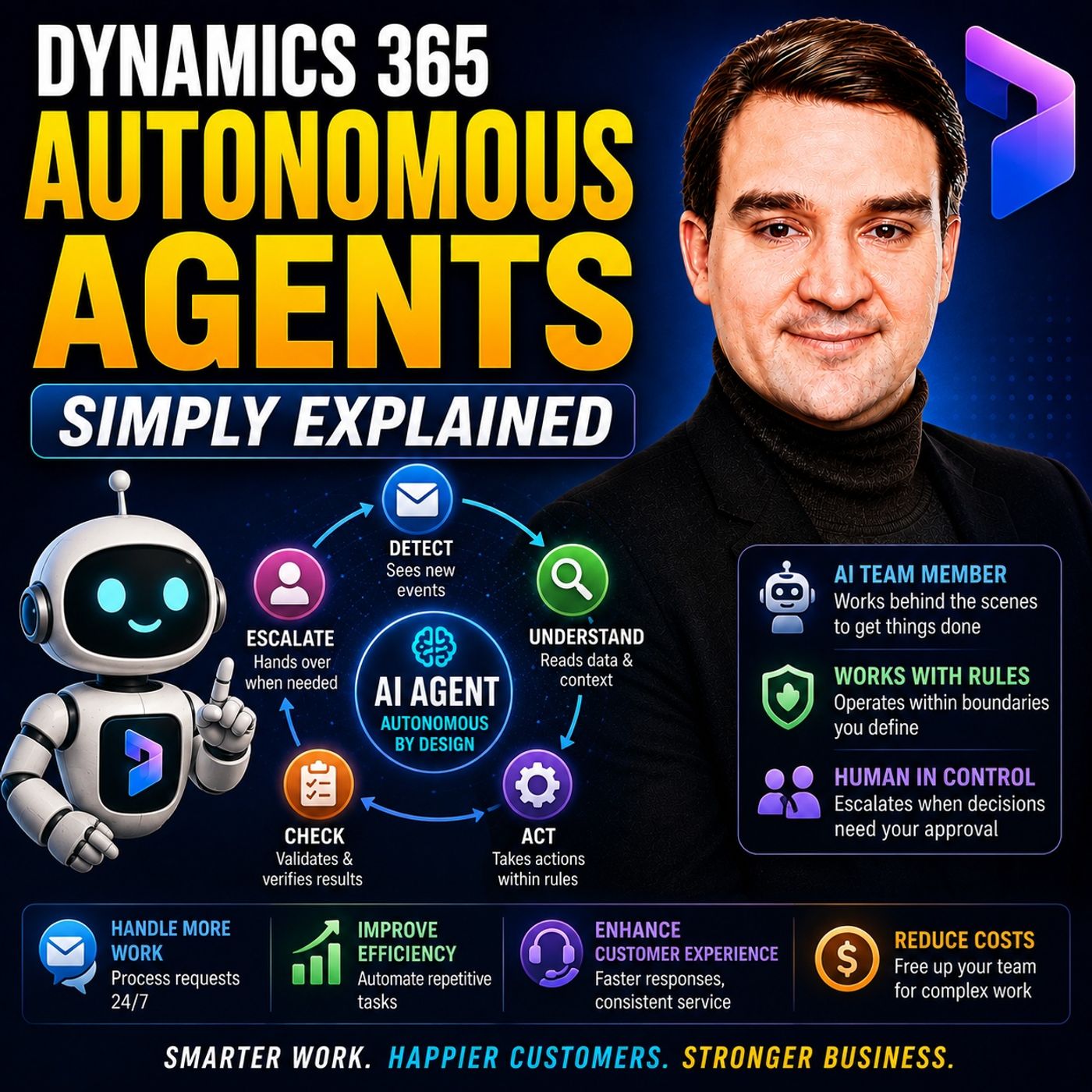
Understanding the distinction between interactive AI assistants and autonomous workflows is critical for modern IT leaders. While Copilot responds reactively to individual user prompts, Dynamics 365 autonomous agents proactively monitor business events, evaluate organizational context, and independently execute defined tasks within strict administrative boundaries.
Key Takeaways
- Copilot acts as an interactive assistant that waits for direct human prompts at the front desk.
- Autonomous agents work behind the scenes to execute entire multi-step business processes independently.
- Traditional automation follows rigid, fixed-path logic, whereas agents incorporate rich generative AI context.
- Dynamics 365 data provides the foundational context agents need to make relevant business decisions.
- Strict human guardrails and organizational permissions ensure agents remain safe and compliant.
The Office Building Analogy: Front Desk vs. Back Rooms
To truly understand how artificial intelligence is evolving across the Microsoft ecosystem, it helps to visualize a busy corporate office building. In this environment, different types of AI serve entirely different operational roles.
Microsoft Copilot operates very much like a receptionist sitting at the front desk. When a user approaches, asks a question, or requests assistance drafting an email or summarizing a document, Copilot responds immediately. It serves as a general-purpose, conversational assistant that helps human employees accomplish ad-hoc tasks.
In contrast, autonomous agents work behind the scenes in the private offices and departments. They do not wait for someone to walk up and ask a question. Instead, they watch the internal machinery of the business, waiting for specific triggers—such as an incoming customer message, a newly arrived sales lead, or a delayed purchase order—and execute targeted operational jobs without constant manual prompting.
Reactive Assistants vs. Proactive Digital Workers
The operational gap between Copilot and autonomous agents comes down to initiative and lifecycle management. Copilot is fundamentally reactive. You initiate a session, ask for a summary of a customer chat, or request assistance drafting a response. Once the task is completed, Copilot pauses until your next prompt.
Autonomous agents, however, are proactive digital team members designed for specific operational roles. If a new support case arrives in Dynamics 365 Customer Service, an agent can automatically analyze the customer intent, cross-reference previous interactions, suggest an approved knowledge base article, or update case fields. They bridge the gap between language understanding and concrete business execution.
Furthermore, these agents are configured with strict operational boundaries. They do not have free rein over the organization; rather, they operate like a new employee who has been granted keys to specific rooms, access to particular files, and authorization to complete predefined sub-tasks.
Beyond Traditional Automation and Chatbots
Many organizations have relied on traditional automation tools for years. These systems operate on strict, rigid rules: if a specific field contains a certain value, trigger a predefined email. While these deterministic workflows are valuable for predictable processes, they break down when faced with nuance or unstructured human communication.
Autonomous agents elevate traditional automation by layering generative AI context on top of deterministic business systems. When a customer sends a message stating that their delivery has not arrived, an agent doesn't just look for a rigid keyword match. It interprets the semantic meaning of the message, connects it to the appropriate customer profile, checks the associated order in Dynamics 365, and determines the next permitted action based on company policy.
Similarly, while chatbots are conversational interfaces that start and end with text generation, autonomous agents tie conversation directly to transactional workflows. They can update database records, adjust scheduling parameters, cleanse financial datasets, and route items for managerial approval.
Guardrails, Permissions, and Human Oversight
Granting AI systems the ability to take action raises important questions about security, compliance, and control. Autonomous agents do not operate in an unsupervised vacuum. Administrators maintain absolute control over what an agent can read, modify, or transmit.
Organizations must configure clear guardrails that dictate when an agent can act autonomously and when it must pause for human intervention. For example, an agent might be permitted to draft a customer follow-up email or suggest a case resolution, but require explicit human sign-off before sending communications or closing high-value accounts. This ensures that human judgment remains firmly in charge of consequential business decisions, sensitive financial transactions, and delicate customer relationships.
Conclusion
Both Microsoft Copilot and Dynamics 365 autonomous agents play vital roles in modern digital transformation, but they serve entirely different purposes within the enterprise. Copilot empowers individual workers through real-time conversational assistance, while autonomous agents shoulder the burden of repetitive backend workflows and operational data management.
To dive deeper into how these concepts apply across sales, finance, and customer service, Listen to the full episode and explore our comprehensive discussion on configuring secure, effective AI agents in the Microsoft cloud.
Frequently Asked Questions
Can an autonomous agent replace my human customer service team?
No. Autonomous agents are designed to handle repetitive administrative overhead, data updates, and routine case tracking so human service professionals can focus on complex exceptions, empathy, and high-value customer interactions.
How do autonomous agents know what business data they are allowed to access?
Organizations establish precise data access permissions, operational rules, and approval checkpoints during configuration, ensuring agents only view and interact with authorized records and tools.
What is the primary difference between a chatbot and a Dynamics 365 autonomous agent?
While a traditional chatbot simply waits for a user to type a question and replies with text, an autonomous agent reacts proactively to business events, evaluates context, and executes authorized actions across workflows.