Copilot vs Power Automate

Copilot and Power Automate solve different problems. Use Copilot for assisted drafting, summarisation, reasoning, and human-led work; use Power Automate for repeatable, rules-based workflows that need predictable triggers and audit trails. In practice, many organisations combine them: AI helps interpret or create content, while automation moves data and completes defined steps.
AI is changing business automation, and Microsoft is right in the middle of it. While Power Automate has been powering workflow automation for years, Microsoft Copilot Studio brings a new twist—letting organizations build intelligent, conversational agents with generative AI. But with two powerful tools sitting side by side, it’s easy to get lost in the buzzwords and tech jargon.
If your job is to keep business running smooth—whether you’re in IT, management, or operations—you can’t afford to bet on the wrong tool. Choosing between classic rule-based flows and AI-powered agents isn’t just a technical question anymore—it’s about how you’ll deliver value, keep data safe, and meet new workflow demands.
This comparison takes you below the surface. We’ll break down what sets Power Automate and Copilot Studio apart, where they overlap, and how to know which is right for your business goals. Let’s get practical—because the future of workflows is already here.
Understanding Power Automate and Copilot Studio: Core Concepts Explained
Before you pick the tool for your next automation project, it helps to get clear on what Power Automate and Copilot Studio actually are—because they take very different approaches to solving workflow challenges. They both live in the Power Platform world, but the experience, design, and even the logic under the hood are built to handle different problems.
Power Automate is all about automating the repeatable stuff—setting up flows that connect apps and follow rules you define. It thrives in environments where you want reliability, structure, and a way to offload busywork. Think of it as your invisible workhorse: you give it steps to follow, and it does exactly that, every time—no questions, no backtalk.
Copilot Studio, on the other hand, is built for the AI era. It lets you create conversational agents that interact with users through natural language. Instead of just carrying out commands, these agents can understand intent, offer dynamic responses, and even guide users through complex tasks. It’s a game-changer for scenarios where a chatbot or AI assistant can do what no flow ever could.
In the sections that follow, you’ll see the nuts and bolts of each tool, their guiding philosophies, and their place in Microsoft’s broader automation ecosystem. By the end, you’ll know not just what they can do—but why they matter for today’s business automation strategies.
What Is Power Automate? Flows, Logic Structure, and Automation
Power Automate is Microsoft’s core workflow automation tool. It enables you to set up “flows”—step-by-step instructions that connect different apps, transfer data, and execute tasks without manual intervention. At its heart, Power Automate is logic-driven: you define triggers, set rules, and map out each action as a predictable chain of events.
Flows come in different flavors. Cloud flows handle automations between online services like Outlook, SharePoint, or Dynamics 365. Desktop flows can automate routine on-premises tasks, giving you both cloud and local muscle. With a library of prebuilt connectors, it stitches together systems—Microsoft and third-party—so your data and tasks stay in sync, no matter where they live.
What keeps Power Automate trustworthy is its structure. Logic is explicit: “if this happens, do that.” This clarity is why it remains essential for approvals, document routing, notifications, and data movement between business systems. In big organizations, reliable flows reduce errors, save time, and offer reassurance that the same process will run every time, the same way.
Reliability and security go hand in hand. Power Automate integrates with enterprise data loss prevention policies, letting organizations enforce what data can move where. If you want more detail on keeping automations aligned to compliance standards, see this guide to DLP for Power Platform developers and security and governance best practices. Set up right, Power Automate gives you dependable, auditable automation at scale.
What Is Copilot Studio? Conversational AI and Dynamic Agent Models
Copilot Studio is Microsoft’s launchpad for building conversational AI agents—virtual assistants that can understand natural language, interpret user intent, and complete tasks in real time. While it shares the Power Platform DNA, its foundation is generative AI rather than rules and triggers.
In Copilot Studio, you create “agents.” These aren’t just chatbots—they’re context-aware and can adapt their responses as conversations shift. By tapping into large language models, Copilot Studio agents carry on dynamic, helpful conversations, answering questions, resolving user issues, and guiding people step by step through business processes.
What really sets Copilot Studio apart is its ability to blend natural language understanding with backend automation. An agent might answer a question, ask for clarification, or trigger a workflow—all as part of a fluid conversation. If you’ve ever wanted helpdesk support that actually feels smart and human, this is the tool for building it.
Of course, any system with this much power demands strong governance. For safe, compliant deployments of Copilot agents, see strategies for securing AI agents and effective Copilot governance. When built right, Copilot Studio can transform user experience while staying in line with enterprise requirements.
Power Automate vs Copilot Studio at a Glance: Key Capabilities, Integration, and Intelligence
Now that you know the basics, let’s zoom out for a side-by-side look at how Power Automate and Copilot Studio stack up. While both are part of the Power Platform, they shine in very different areas—whether you’re automating steps behind the scenes or interacting with users in real time.
This section sets up a direct comparison, highlighting where each tool excels—be that deterministic flows, conversational smarts, integration breadth, or AI-powered adaptability. Understanding these contrasts quickly points you to the right fit for your business goals, technical limits, and user experience needs.
The following breakdown delves into their approaches to intelligence and automation, helping you sort out when classic, rules-based logic wins the day and when an AI agent truly outperforms manual workflows. Dive in to see not just what these tools do, but what level of “smart” you really need for your operations.
AI and Intelligence: Rules-Based Flows vs. Agents With Context Decision-Making
Power Automate operates on clear, deterministic rules: every flow follows the exact sequence you set. Triggers initiate actions; conditions control branching; the outcome is predictable. This makes it perfect for tasks that never change—think invoice approvals, notifications, or moving files between SharePoint and Teams.
But when you need automation that can adapt—handling requests that aren’t always the same, or understanding context—Copilot Studio steps up. Here, “intelligence” means AI agents using large language models to grasp intent, keep track of conversation history, and make informed decisions as they go. These agents don’t just run scripts—they listen, learn, and adapt in real time.
While Power Automate delivers unmatched reliability for repeatable jobs, Copilot Studio shines when user dialogue, dynamic guidance, or open-ended troubleshooting is needed. At the same time, this level of autonomy brings new demands for oversight. For securing and governing Copilot agents—especially regarding sensitive data—see proven practices for advanced agent governance with Microsoft Purview and keeping Copilot secure and compliant.
In the end, you’re weighing precision against adaptability: Power Automate for the rigid paths, Copilot Studio for the winding roads.
Use Cases: Choosing Power Automate or Copilot Studio for Business Needs
With their different strengths, Power Automate and Copilot Studio each earn their keep in specific scenarios. Some situations call for the structure of classic flows; others need the flexibility and natural conversation of an AI agent. Understanding which fits your business context is half the battle.
In this section, you’ll get a practical map for matching tool to task. Whether you’re automating approvals, onboarding new hires, or supporting customers with 24/7 AI-driven help, the choice you make shapes not just efficiency, but the whole user experience.
The next sections break out standard use cases for both platforms, helping you quickly determine whether the answer to your workflow challenge is rules, intelligence, or both. Grab the right tool—don’t hammer a screw or try to hug a robot.
Typical Use Cases for Power Automate Flows
- Automating Data Entry: Streamline repetitive tasks like entering sales orders or updating records in CRM systems, reducing human error and workload.
- Approval Processes: Route documents for signatures, manage vacation or expense approvals, and send real-time notifications to speed up decision-making.
- Data Synchronization: Keep information consistent across apps—updating customer details between Dynamics, SharePoint, and Teams without manual intervention.
- Cross-App Workflows: Connect actions between business tools, such as triggering emails after file uploads or assigning tasks when deals close.
To support reliability and compliance, explore best practices for DLP policies on Power Platform and governance strategies. These foundations keep automations both powerful and safe.
When Copilot Studio Is the Better Choice: Power, Models, and Agent Flows
- Conversational Customer Support: Copilot Studio excels at building agents that answer user questions, help troubleshoot common issues, or guide customers through processes with natural language—not just clicking buttons, but understanding intent.
- AI-Driven Onboarding and Training: Instead of static documents, Copilot agents can walk new hires or clients through tailored onboarding, checking comprehension, and offering help on demand—making learning interactive.
- Complex Troubleshooting: When issues don’t follow neat paths, Copilot agents can ask clarifying questions and adapt their approach based on user input, dramatically reducing frustration and support escalations.
- Dynamic Internal Helpdesks: Internal-facing agents support HR, IT, or facility requests by collecting information in conversations, handing off to the right process, and automating backend steps that used to take human triage.
- Adaptive Workflows with Context: For processes that need ongoing dialogue or blend human and automated decisions, Copilot Studio is unmatched—handling exceptions, understanding nuance, and improving over time.
To deploy Copilot agents responsibly, review real-time governance strategies for AI agents and learn how a governed Copilot Learning Center can boost training and ROI.
Using Power Automate and Copilot Studio Together
Why pick one when you can have both? The real magic happens when Copilot Studio agents and Power Automate flows work in sync. Agents can engage users in conversation, gather all the necessary info, and then trigger backend automations via flows—all seamlessly, without users ever having to leave the chat or open another app.
This hybrid design gives you the best of both worlds: AI-powered user interaction paired with the well-oiled accuracy of logic-based workflows. It’s unbeatable for scenarios needing both adaptability and reliability. But as always, layered systems have their own risks—so make sure you put governance first. For a deeper dive on how to control agentic automation, see agent governance challenges and best practices in the Microsoft ecosystem.
Decision Framework for Enterprises: Do You Need an Agent or a Flow?
Deciding between Copilot Studio and Power Automate isn’t just about tech capabilities—it’s a business decision with implications for governance, costs, security, and user experience. As organizations automate at scale, using the right framework means fewer surprises and smoother rollouts.
This section sets out a high-level map for choosing: Are you dealing with repeatable, rules-driven processes, or do your workflows demand contextual AI agents? What are the trade-offs in licensing, complexity, and ongoing management?
Next, we’ll drill into practical checklists to help leaders make these calls with confidence. However you choose, never overlook the essentials: agent governance and secure automation practices are mandatory if you want scalable, compliant results.
Do You Need Autonomous Agents or Logic-Based Flows?
- Choose Copilot Studio (Agents) if: You need dynamic conversations, AI-powered troubleshooting, or ongoing human-like support that adapts to users.
- Choose Power Automate (Flows) if: Your process is highly repeatable, requires strict rules, and needs bulletproof accuracy—like approvals or scheduled data transfers.
- Blend Both when: Your scenario blends structured backend workflows with conversational, adaptive user engagement—think onboarding with both forms and live chat support.
Where Both Tools Fall Short: Challenges, Data Protection, and Limitations
- AI Reliability: Copilot Studio’s agents are powerful, but generative AI can sometimes misinterpret intent, offer incorrect responses, or “hallucinate” unsupported actions. Organizations need ongoing monitoring and human fallback plans.
- Data Governance: Both platforms require strict data policies. Without proper governance controls, AI agents may access or share sensitive data beyond what’s allowed. Always enforce least-privilege and robust auditing.
- Multi-Cloud Protection: Power Automate and Copilot Studio mostly thrive inside the Microsoft ecosystem. Extending protection across clouds or integrating with non-Microsoft data sources adds complexity—and requires extra diligence in architecture and policy.
- User Trust and Change Management: AI-driven agents often face skepticism from end-users. Missteps in deployment or unclear guidance can erode trust quickly, making adoption an uphill climb.
- Complexity in Scaling: As automations grow, so does technical debt—especially without clear boundaries. Use tools like Purview and scoped policies to prevent sprawl and ensure ongoing compliance at scale.
Your Next Step Is Clear: Automation Implementation and Empowering Operational Success
- Start with Pilots: Run targeted pilot projects with measurable goals. This minimizes risk and builds champion users in your team.
- Engage Stakeholders Early: Involve IT, business, legal, and compliance voices from the start to ensure alignment on requirements and risk tolerance.
- Invest in Training: Upskill users with targeted programs or leverage resources like the Governed Copilot Learning Center to drive confidence and reduce escalating support requests.
- Monitor and Optimize: Put controls in place to track automation outcomes, usage, and anomalies—keeping your solutions effective and safe as they scale.
Further Reading: Resources, Documentation, and Expert Insights
- Agentic Advantage: Governance in AI — A deep dive into scaling Copilot and AI agents safely across the enterprise, this episode covers identity management, operational risks, and practical controls.
- Governed Copilot Learning Center — Guidance on structured Copilot training, adoption, and governance to boost user confidence and operational ROI.
- Official Microsoft Documentation: For platform details, see Microsoft Learn’s guides for Power Automate and Copilot Studio.
- Expert Community: Explore blog posts, forums, and podcasts from Power Platform experts to stay up-to-date on new features, case studies, and governance strategies.
You Should Also Listen To
If you are exploring Copilot vs Power Automate, these episodes add practical context for Microsoft 365 governance, secure AI adoption, and operational decision-making.
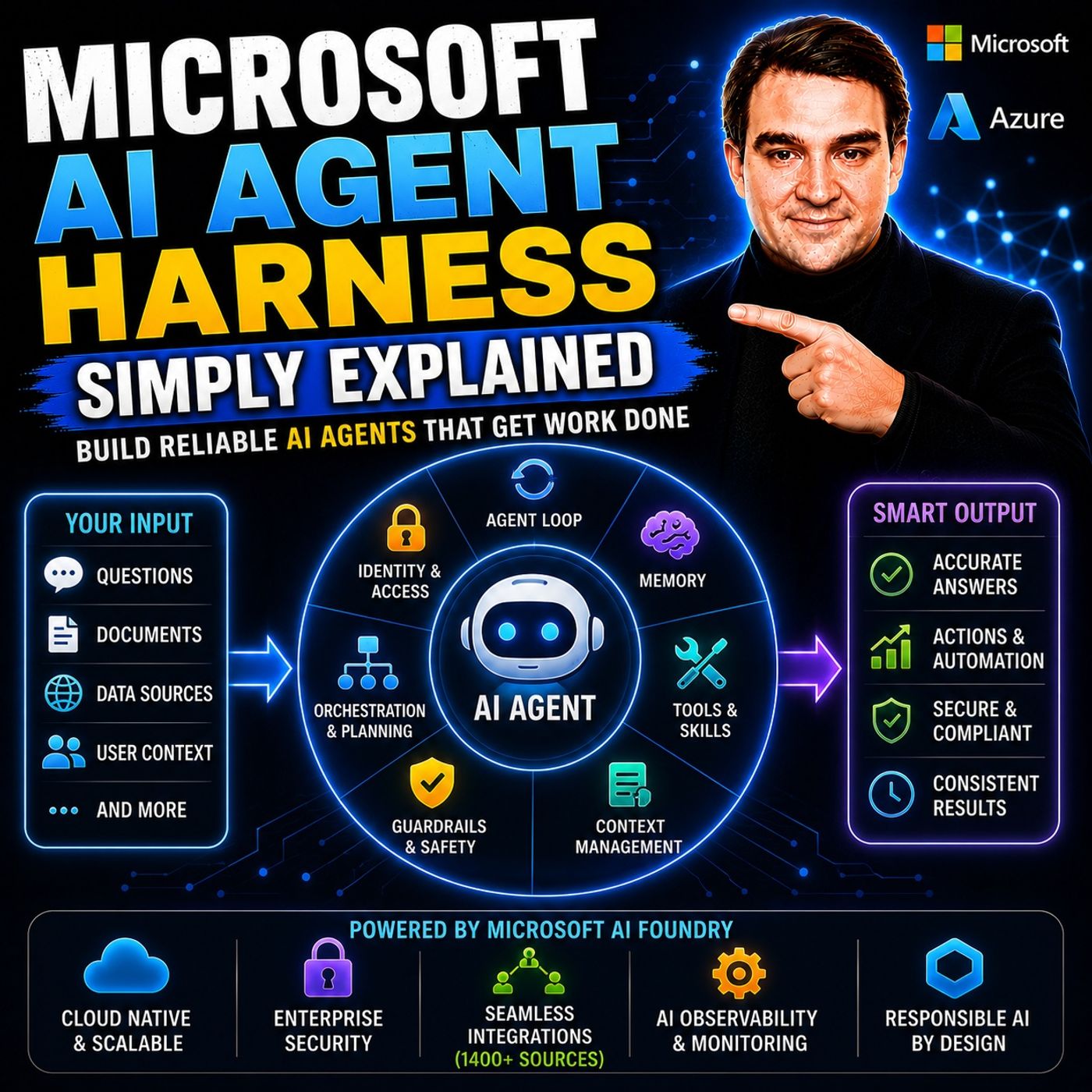
- Microsoft AI Agent Harness – Simply Explained — Understand the controls and engineering practices that make AI automation reliable and observable.
- Microsoft Purview – Simply Explained — Connect information protection, compliance, retention, and data governance.
- Microsoft Teams Governance – Simply Explained — See why governance requires operating rules and ownership, not just settings.
- Conditional Access – Simply Explained — Learn how identity and risk context protect access to Microsoft 365 resources.
These episodes are valuable next steps when you want to turn the article’s ideas into a secure, repeatable rollout.
Copilot vs Power Automate: a practical choice
| Need | Best starting point | Example |
|---|---|---|
| Consistent event-driven action | Power Automate | Route an approved request, create a record, and notify the next owner. |
| Human review of unstructured information | Copilot | Summarise a long brief or draft a response for an employee to review. |
| AI-assisted business process | Use both | Extract a first draft with AI, then route the checked output through an approved workflow. |
Validate design choices against Microsoft Learn for Power Automate and your organisation’s data, security, and ownership requirements.
Keep automation trustworthy
- Keep a human approval step for decisions with legal, financial, security, or customer impact.
- Document the system of record and failure path before a workflow is widely used.
- Do not treat an AI-generated suggestion as a completed business action without the appropriate validation.
Last reviewed: July 2026.
🎧 You Should Also Listen To
- AI Agents – Simply Explained
Learn where AI assistance fits in the Copilot vs Power Automate decision—and why human accountability remains essential.
- Microsoft 365 Governance Operating Model
This episode provides the ownership model needed to scale both AI and workflow automation responsibly.
- Copilot for Microsoft Fabric – Simply Explained
Explore a concrete Microsoft example of Copilot supporting analytics work within a governed platform.
Copilot vs Power Automate checklist, facts, benefits, and trade-offs
- Define the use case, owner, approved data, dependencies, and success criteria.
- Test security, permissions, integrations, quality, support, and user experience.
- Document the decision and verify results before scaling.
Definition: Copilot vs Power Automate is the controlled use and governance of the capability for a measurable business outcome.
Pros: productivity, consistency, and measurable value. Cons: setup effort, governance overhead, and dependency on accurate configuration.
Surprising facts about Copilot vs Power Automate
The best outcome depends as much on information architecture, ownership, and user behavior as on the technology itself.
Common mistakes people make about Copilot vs Power Automate
Organizations often skip a pilot, assume defaults are safe, and fail to define long-term support and escalation.
Key benefits of Copilot vs Power Automate
A disciplined approach improves adoption, user confidence, supportability, and audit evidence.
Related M365.fm resources
Copilot agents vs workflows · Microsoft Copilot security model
Frequently asked questions
What is the difference between Copilot and Power Automate?
Copilot helps users interact with information and AI capabilities through natural language, while Power Automate executes defined, repeatable workflows with triggers, actions, conditions, and auditability.
Which option is best for business use?
Choose based on the actual scenario, user group, data, administration, integration, governance, support, and lifecycle requirements.
What are the key benefits?
Benefits include better productivity, clearer operations, repeatable execution, accessibility, and measurable outcomes.
What are the main limitations?
Licensing, limits, data quality, availability, integrations, user behavior, and operating effort can constrain results.
How does security affect the choice?
Review identity, least privilege, data boundaries, DLP, labels, logging, incident response, and human oversight.
How does governance matter?
Define owners, policies, review cadence, exceptions, support, escalation, and evidence before scaling.
What are common mistakes?
Common mistakes include broad access before testing, choosing by feature list, unclear ownership, and measuring activity only.
How should a pilot be designed?
Use representative users and scenarios, baseline metrics, feedback, success criteria, and a scheduled expansion decision.
How should permissions be reviewed?
Use group-based access where appropriate, regular access reviews, least privilege, and explicit protection for sensitive content.
How do integrations affect the result?
Validate identity, scope, connector or API behavior, availability, logging, failure handling, and ownership.
How should users be trained?
Teach purpose, safe boundaries, output review, support routes, escalation, and examples from daily work.
What is a surprising fact?
The result often reflects the quality of the underlying information architecture and process design.
How should adoption be measured?
Measure adoption with quality, business outcomes, support demand, security findings, and user feedback.
How should exceptions be handled?
Require an owner, business reason, compensating control, expiry date, and approval for each exception.
What should administrators monitor?
Monitor usage, quality, failures, permissions, policy changes, service health, and unusual activity.
How does licensing affect the decision?
Compare entitlement, operating effort, migration cost, support, and measurable value over time.
How should privacy be considered?
Confirm tenant, region, contractual, regulatory, and product-specific privacy requirements.
What should happen when a test fails?
Isolate scope, preserve evidence, correct the cause, retest, and document the decision.
How can the approach scale?
Standardize patterns, automate safe checks, define recovery, and retain accountable ownership.
How should audit evidence be retained?
Retain evidence of access reviews, tests, policy changes, incidents, approvals, and remediation.
How often should controls be reviewed?
Review after major product, organizational, regulatory, data, or model changes.
How should quality be checked?
Check source context, accuracy, privacy, audience, latency, and business relevance before important outcomes are used.
What is the safest rollout pattern?
Start narrow, verify controls and outcomes, expand in waves, and pause if risk or support demand rises.
What should be avoided in production?
Avoid broad untested permissions, undocumented exceptions, unsupported workarounds, and irreversible changes.
How should support ownership work?
Define an accountable owner, support queue, escalation path, service-health process, and handover criteria.
How should requirements change be managed?
Use change control, impact assessment, communication, and staged validation when requirements shift.
How can user trust be built?
Show useful examples, explain limitations honestly, and close the feedback loop with users.
How should inaccurate output be handled?
Record the condition, verify sources, correct or reject the output, and escalate where impact is material.
What is the practical recommendation?
Choose the smallest supported design that meets the outcome and can be operated responsibly.
Where can current Microsoft guidance be checked?
Use current Microsoft Learn and product documentation for service-specific features, licensing, security, and limits.

Microsoft MVP | Host of M365.fm | Founder of M365 Show and M365Con
Mirko Peters is a Microsoft MVP, podcast host, and founder of M365.fm, M365 Show, and M365Con. His work connects Microsoft practitioners through podcast interviews, livestreams, and community events.
At M365.fm, Mirko hosts conversations with Microsoft MVPs, product experts, architects, and community contributors. Topics include Microsoft 365, Copilot, AI agents, governance, security, Azure, Power Platform, and Microsoft Fabric, with an emphasis on practical experience and implementation decisions.
M365.fm is the podcast and learning platform. M365 Show brings experts together for livestreams, while M365Con provides an online conference setting for community learning.
Official website: Mirko Peters (https://www.mirkopeters.com/). Recognition: Mirko Peters — Microsoft MVP profile (https://mvp.microsoft.com/de-DE/mvp/profile/9b0ca797-db5a-493a-a845-8b9158046cf5). Connect on LinkedIn (https://www.linkedin.com/in/m365showpodcast/).