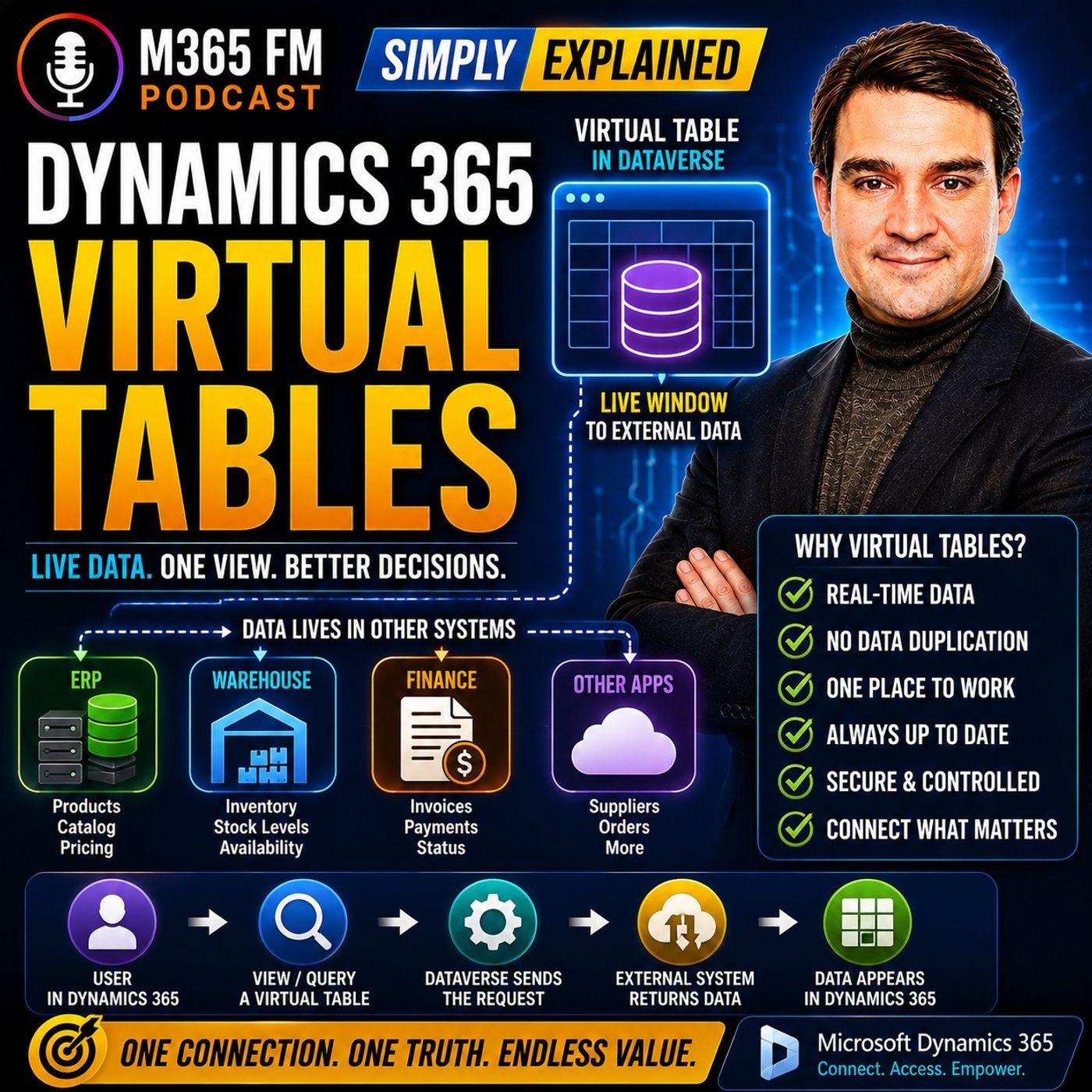
Dataverse Standard Tables vs Virtual Tables: When to Stop Copying Data
Deciding between a Dataverse standard table and a virtual table determines how efficiently your business handles external data. While standard tables store records directly within Dataverse, virtual tables establish live windows into external ERP, warehouse, or finance systems, eliminating risky overnight synchronization jobs and outdated information.
Key Takeaways
- Standard Dataverse tables permanently store records locally, whereas virtual tables display live records retrieved on demand from external sources.
- Using virtual tables eliminates the need for overnight synchronization jobs that leave sales teams vulnerable to outdated inventory counts.
- Architectural choices should prioritize where the core business process and lifecycle management of the record truly belong.
- Performance, security permissions, and filtering capabilities operate differently on virtual tables due to external data dependencies.
- Organizations can reduce storage overhead and data duplication by connecting users to authoritative external applications directly through Dynamics 365.
The Architectural Dilemma: Storage vs. Access
When implementing Microsoft Dynamics 365 or custom Power Apps, architects constantly face a fundamental design question: Should we copy external data into Dataverse, or should we leave it in its native system and build a bridge? For years, the default answer was replication. Organizations scheduled nightly integration routines to dump product catalogs, inventory balances, and invoice histories straight into Dataverse so users could access everything under one roof.
However, this replication strategy creates severe architectural baggage. Storage limits mount up, database bloat accelerates, and most importantly, data staleness introduces operational risk. If a warehouse worker ships ten units of a critical item at lunchtime, a replicated table in Dataverse will continue displaying those ten units until the next scheduled batch sync runs. Sales representatives subsequently quote unavailable stock to frustrated customers, leading to order cancellations and eroded trust. Standard tables demand absolute ownership of the data they house, making them poor choices for fast-moving operational metrics owned by specialized enterprise systems.
Comparing Standard Tables and Virtual Tables
Understanding the operational differences between standard Dataverse tables and virtual tables clarifies when to deploy each architecture. The distinction goes far beyond technical semantics; it dictates system ownership, user workflows, and maintenance overhead.
Standard Dataverse Tables
Standard tables—such as Accounts, Contacts, and Opportunities—are native citizens of the Dataverse ecosystem. Dataverse creates the database tables, manages physical storage, enforces table-level security models, and runs business logic, plugins, and workflows natively against the records. When a user creates or updates a record, Dataverse is the ultimate authority. The application layer and the storage layer are entirely unified.
Virtual Tables
Virtual tables act more like a library catalog or a secure video feed. Dataverse holds the schema, column definitions, and metadata required to present a familiar user interface within model-driven apps, but it refuses to store the actual records. When a user opens a view or applies a filter, Dataverse translates the request, queries the external system via a data provider, and displays the live response on the fly. The external application remains the undisputed master of the record's lifecycle.
Evaluating Operational Tradeoffs and Limitations
While virtual tables solve the synchronization nightmare, they introduce unique constraints that developers and administrators must carefully evaluate. Because the underlying data does not reside in Dataverse, certain platform capabilities do not behave the same way they would with standard tables.
Advanced Find, complex server-side plugins, roll-up fields, and background asynchronous workflows can behave unpredictably or fail entirely if they assume local data persistence. Furthermore, performance is directly tied to the health and responsiveness of the external API or data source. If the external ERP or warehouse application suffers latency or goes offline, the corresponding virtual tables in Dynamics 365 will stall or throw connection errors.
Security modeling also requires careful planning. Dataverse security roles can control who views or edits the virtual table definition, but row-level security must often be enforced at the external API level or through custom data providers to ensure users only access authorized records.
Conclusion
Choosing between standard Dataverse tables and virtual tables ultimately depends on who owns the data lifecycle and whether your users need persistent local storage or simple contextual visibility. By carefully mapping external data sources instead of replicating them, organizations can maintain a single, clean workspace in Dynamics 365 without turning Dataverse into a messy dumping ground for duplicate database tables. To explore the foundational building blocks of this integration approach, be sure to Listen to the full episode and subscribe to the podcast for more practical cloud insights.
Frequently Asked Questions
Do virtual tables consume Dataverse storage capacity?
No. Because virtual tables only store table definitions, metadata, and schemas within Dataverse while keeping actual records in the external system, they do not consume your organization's Dataverse database storage capacity.
Can users edit records displayed through a virtual table?
Yes, provided that the underlying data provider and the external system support write operations. Built-in OData v4 providers and Finance and Operations integrations can support create, update, and delete actions, though the external system still enforces its own validation rules.
What happens if the external data source goes offline?
If the external application or its API becomes unavailable, users viewing the virtual table inside Dynamics 365 will experience loading errors or see empty grids, as real-time queries cannot retrieve the external records.
Are virtual tables the same thing as virtual entities?
Yes. Virtual entities is the legacy term used in older Microsoft documentation and configurations, while virtual tables is the current official terminology. The underlying architecture and concepts remain identical.