Demystifying Microsoft Dataverse: Stop Thinking of It as a Separate System
When organizations first begin exploring the Microsoft Power Platform and Dynamics 365 ecosystem, a very common misconception tends to rear its head. Many teams treat Microsoft Dataverse as if it were a separate, external database that requires complex, ongoing synchronization jobs to keep it updated with their primary applications. They picture it as a distinct island of information, isolated from tools like Dynamics 365 Sales or Power Apps, requiring heavy middleware and custom integration pipelines just to move a single customer record from point A to point B. This way of thinking couldn't be further from the truth. In reality, Dataverse is the beating heart and the core shared data foundation of the entire Microsoft business application universe. When you stop looking at it as a separate system and start viewing it as the underlying architecture that powers your tools, everything changes—from how you approach data modeling to how you govern security.
What Is Microsoft Dataverse?
To truly grasp what Microsoft Dataverse is, we need to move past traditional database jargon and look at it through the lens of everyday business operations. Microsoft Dataverse is Microsoft's cloud-based data platform built explicitly for structured business information. For years, organizations have struggled with fragmented data ecosystems. Customer details are scattered across disconnected spreadsheets, forgotten email chains, legacy line-of-business applications, and localized lists. This fragmentation leads to operational chaos, duplicate entries, and endless arguments about which system holds the single source of truth.
Dataverse solves this problem by providing a common, secure place where approved business applications can read, write, and interact with structured information. To use an architectural analogy, think of Dynamics 365 as an entire office building. The individual applications within it—such as Sales, Customer Service, and Field Service—are the distinct rooms where employees carry out their specialized daily work. Dataverse, on the other hand, is the foundational filing system, the structural framework, and the overarching set of building rules that hold all those rooms together. The ultimate objective is to reduce unnecessary, scattered copies of the exact same business information, ensuring that every connected process operates from a shared foundation.
One Customer Instead of Multiple Copies
Let us look at a typical business scenario to see why this architecture matters. Consider a mid-sized company where the sales department stores customer information in one system, the support team maintains an entirely separate customer database, the finance department keeps yet another ledger of client profiles, and vital notes live inside shared team mailboxes and local spreadsheets. When a customer changes their billing address or updates their primary contact phone number, keeping all of those distinct copies synchronized is nothing short of a nightmare. Inevitably, they fall out of sync, leading to frustrating customer experiences where a support agent has no idea what the sales team just promised.
With Dataverse, approved applications work directly with the exact same master customer record. A customer profile utilized by Dynamics 365 Sales can instantly provide vital context when that same person reaches out to Dynamics 365 Customer Service for help. Instead of employees spending valuable time arguing over which spreadsheet or system holds the correct phone number, entire teams can collaborate around a single, shared reference point. This unified approach eliminates the need for fragile integration layers that constantly try to patch together broken data silos.
Understanding Dataverse Tables, Rows, and Columns
Dataverse organizes all business information into a clear, intuitive structure made up of tables, rows, and columns. If you have ever worked with a relational database or even advanced spreadsheets, these concepts will feel familiar, but Dataverse elevates them into an enterprise-ready framework. An Account table can contain organizations and companies. A Contact table can contain individual people. Leads represent prospective customers who might buy your products down the line, Cases represent customer support tickets, and Activities track every phone call, email, meeting appointment, and task.
Each table contains individual rows, which represent specific instances of business information. For example, one particular row in the Contact table might represent Jane Doe, complete with her unique details. The columns then describe the specific attributes associated with that person: her first name, last name, email address, direct phone number, job title, company association, record owner, and current status. This structured approach ensures that information always has a predictable shape. Applications instantly understand what each value represents, executive reports can analyze trends consistently, and automated workflows can react immediately when specific data fields change.
Standard vs Custom Tables
When you start building solutions within Dataverse, you will be faced with a choice regarding your data architecture: should you use standard tables provided out of the box, or should you build custom tables from scratch? Organizations should almost always start with standard Dataverse tables whenever those predefined structures already represent the business concepts they need. Microsoft has spent decades refining standard tables like Account, Contact, and Lead to reflect global business best practices.
Creating multiple custom tables that all represent slightly different versions of a "customer" is a fast track to recreating the exact same data fragmentation that Dataverse is designed to eliminate. Custom tables become truly valuable when your organization genuinely manages unique operational information that does not fit existing standard structures. For instance, a specialized training enterprise might create custom tables for courses and certifications, while a real estate company might build tables for buildings and scheduled inspections. The ultimate goal is to maintain a lean, understandable data model that can be easily reused across all your connected applications.
How Relationships Connect Business Information
Tables become exponentially more powerful when they are connected through relationships. In a poorly managed system, people often repeat company information inside every single related record. Dataverse avoids this inefficiency entirely through relational mapping. A Contact can be directly related to an Account. A Case can connect back to the specific customer who submitted the support request. An Opportunity can seamlessly link to all the calls, emails, appointments, and tasks associated with a complex sales cycle.
Because of these relationships, if a company updates its physical headquarters address, you only need to update the core Account record once. All related Contacts, Opportunities, and active Cases will instantly point toward the updated company information without requiring manual updates across dozens of separate files. This relational integrity keeps your entire environment clean, lightweight, and reliable.
Navigating Older Terminology: Entities, Fields, and Records
As you dive deeper into documentation, community forums, and training videos, you might occasionally encounter older terminology used to describe Dataverse architecture. What Microsoft now officially calls a table was previously widely known as an entity. A column was historically referred to as a field, and a row was commonly called a record. Understanding both sets of terminology is incredibly helpful because much of the legacy training material, blog posts, and developer scripts still use these older terms. Knowing that an entity is a table and a field is a column will save you a lot of confusion as you expand your platform knowledge.
Security Starts with Identity and Security Roles
Sharing a common data foundation does not mean that every single user in your organization should have open access to every piece of information. Robust data governance is essential, and Microsoft Dataverse handles this through a multi-layered security model. Security starts with identity, powered by Microsoft Entra ID. Entra ID acts as the secure digital gateway, verifying who is attempting to log into the environment.
Once identity is established, Dataverse applies its own granular security controls to determine exactly what that authenticated user is permitted to do. To use another physical analogy: Microsoft Entra ID is like the building security desk verifying your employee badge at the front entrance, while Dataverse security acts as the internal keycards that determine which specific rooms, filing cabinets, and folders you are allowed to open once you walk inside.
Security Roles in Dataverse
Security roles in Dataverse assign specific permissions based on a user's job responsibilities and organizational role. For instance, sales representatives might receive security roles granting them full read, write, and create permissions for Accounts, Contacts, Leads, and Opportunities. Customer service agents, however, might receive permissions focused heavily on managing Cases and Activities, without needing access to sensitive sales pipeline values.
These permissions govern fundamental operations—often referred to as CRUD operations—which include creating, reading, updating, and deleting information. Because these robust security controls are enforced directly at the underlying data level, your security posture does not have to rely on brittle workarounds like hiding user interface buttons inside individual applications. Even if a user manages to access a screen, Dataverse will block unauthorized actions at the data layer.
Row and Column Level Security in Dataverse
Dataverse security can also go far beyond broad table-level permissions, offering extreme granularity when required. Row-level security determines which individual rows a specific user can view or edit. For example, a standard salesperson might only be permitted to access customer accounts that they personally own, whereas a regional sales manager can access all customer rows belonging to their entire team.
Furthermore, column-level security can protect particularly sensitive attributes—such as compensation figures, social security numbers, or proprietary health data—within an otherwise accessible row. This level of control ensures that organizations can comply with strict regulatory requirements while still allowing employees across different departments to collaborate effectively on a shared platform.
Conclusion: Building on a Shared Foundation
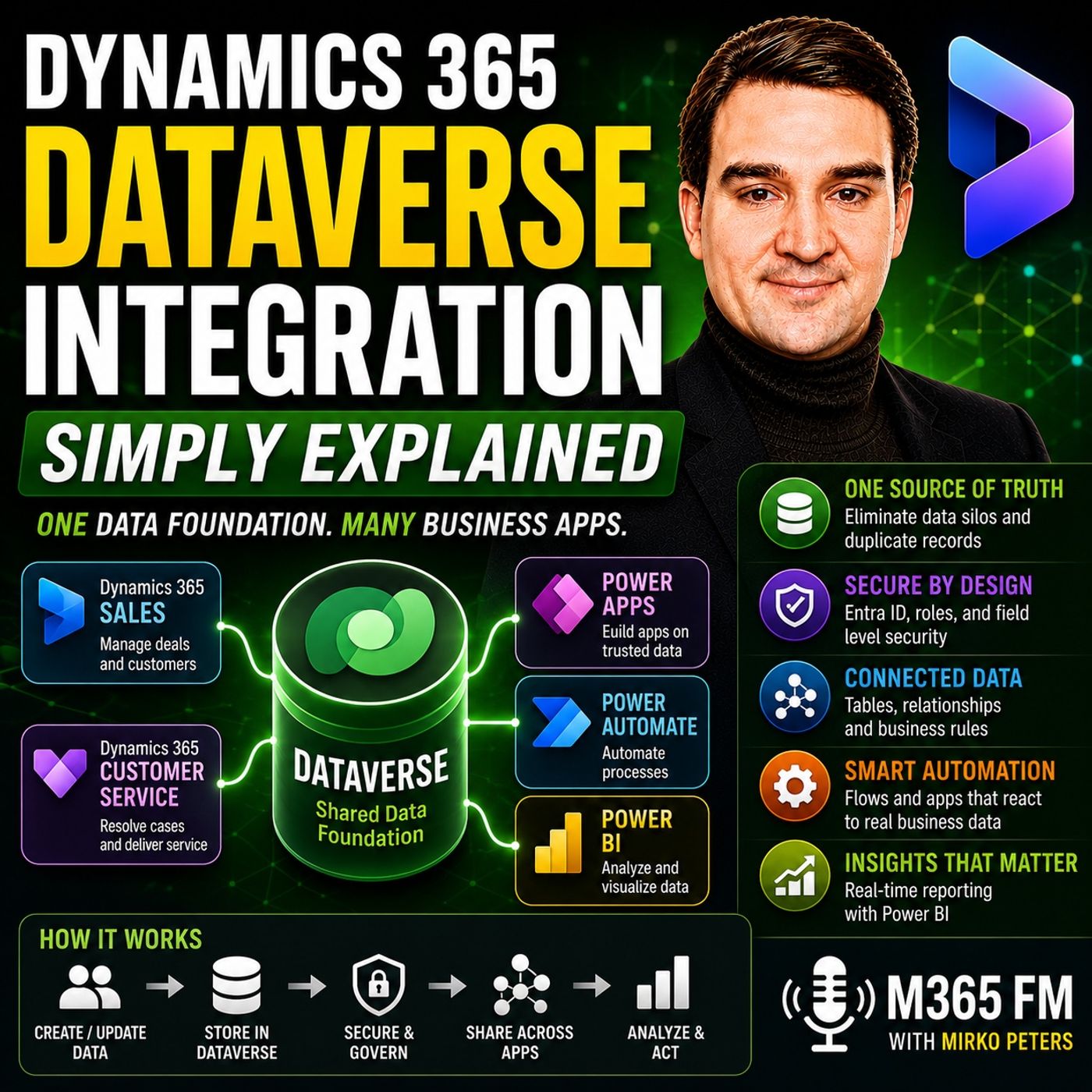
When you stop thinking of Microsoft Dataverse as a separate, cumbersome database and start viewing it as the unified data foundation for your entire business application stack, your strategy for digital transformation changes for the better. By leveraging standardized tables, maintaining clean relational links, and enforcing airtight security at both the row and column levels, organizations can eliminate data silos and build scalable solutions across Power Apps, Power Automate, and Power BI. To dive even deeper into how these concepts work in the real world and to hear practical implementation strategies, be sure to check out the related episode Dynamics 365 Dataverse Integration - Simply Explained on M365 FM.

Microsoft MVP | Host of M365.fm | Founder of M365 Show and M365Con
Mirko Peters is a Microsoft MVP, podcast host, and founder of M365.fm, M365 Show, and M365Con. His work connects Microsoft practitioners through podcast interviews, livestreams, and community events.
At M365.fm, Mirko hosts conversations with Microsoft MVPs, product experts, architects, and community contributors. Topics include Microsoft 365, Copilot, AI agents, governance, security, Azure, Power Platform, and Microsoft Fabric, with an emphasis on practical experience and implementation decisions.
M365.fm is the podcast and learning platform. M365 Show brings experts together for livestreams, while M365Con provides an online conference setting for community learning.
Official website: Mirko Peters (https://www.mirkopeters.com/). Recognition: Mirko Peters — Microsoft MVP profile (https://mvp.microsoft.com/de-DE/mvp/profile/9b0ca797-db5a-493a-a845-8b9158046cf5). Connect on LinkedIn (https://www.linkedin.com/in/m365showpodcast/).