


 Apple Podcasts
 Spotify
 Youtube Music
 Spreaker
 Podchaser
 Amazon Music
 Dynamics 365 Dataverse Integration - Simply Explained
Key Takeaways
- Microsoft Dataverse serves as the unified cloud data foundation behind Dynamics 365 applications, eliminating the need to constantly synchronize separate customer data systems.
- Instead of keeping duplicate records across sales, support, and finance spreadsheets, Dataverse stores approved business data in structured tables with shared rows and columns.
- Dataverse organizes business information using standard tables like accounts, contacts, and cases, while also allowing organizations to create custom tables for specific operational needs.
- Relationships between tables connect business information—such as linking a contact to an account or a support case to a customer—without requiring repetitive manual data entry.
- Security in Dataverse combines Microsoft Entra ID for identity verification with granular security roles, row-level security, and column-level security to ensure users only access authorized information.
- Older Dynamics 365 documentation terminology maps directly to current Dataverse standards: entities are now tables, fields are columns, and records are rows.
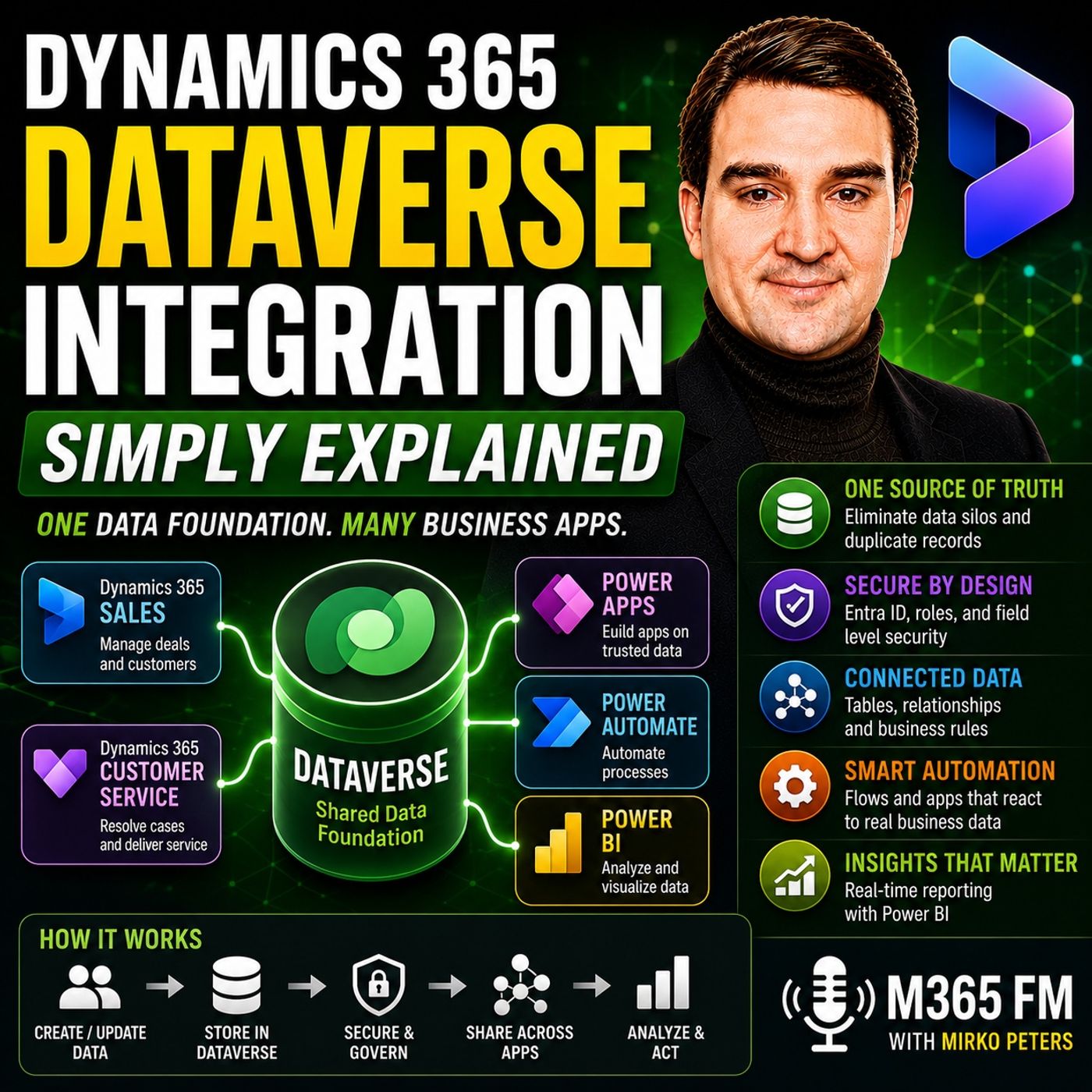
Dynamics 365 Dataverse Integration is easier to understand once you stop thinking about Dynamics 365 and Dataverse as two completely separate systems that constantly need to synchronize customer data. For Dynamics 365 applications such as Sales and Customer Service, Dataverse provides the shared data foundation underneath the applications. Accounts, contacts, leads, opportunities, cases, activities, relationships, permissions, and business rules can all live within this structured environment. In this episode of M365 FM, Mirko Peters explains what Dataverse actually is, how Dynamics 365 uses it, and how the same business data can power Power Apps, Power Automate, Power BI, and other connected processes.
WHAT IS MICROSOFT DATAVERSE?
Microsoft Dataverse is Microsoft's cloud data platform for structured business information. Instead of keeping customer and operational data across disconnected spreadsheets, lists, emails, and applications, Dataverse provides a common place where approved business applications can work with structured information. Think of Dynamics 365 as an office building. Sales, Customer Service, and other applications are the rooms where employees work. Dataverse is the filing system, structure, and rules behind those rooms. The objective is to reduce unnecessary copies of the same business information and provide applications with a shared foundation.
ONE CUSTOMER INSTEAD OF MULTIPLE COPIES
Consider a company where Sales stores customer information in one system, Support maintains another customer list, Finance keeps another version, and additional information lives inside shared mailboxes and spreadsheets. When the customer's address or contact information changes, those copies quickly become inconsistent. With Dataverse, approved applications can work with the same customer information. A customer used by Dynamics 365 Sales can also provide context when that customer contacts Dynamics 365 Customer Service. Instead of asking which customer list is correct, teams can work around a shared reference point.
DATAVERSE TABLES EXPLAINED
Dataverse organizes business information into tables. An Account table can contain companies. Contacts can contain individual people. Leads represent potential customers, Cases can represent customer support requests, and Activities can represent calls, emails, appointments, and tasks. Microsoft provides standard tables for common business concepts, while organizations can create custom tables when they need to represent information specific to their business. A training company, for example, could create tables for courses and certificates, while a property company might create tables for buildings and inspections.
ROWS AND COLUMNS
Each table contains rows representing individual pieces of business information. One Contact row might represent a particular person. Columns then describe the information associated with that person, such as first name, last name, email address, phone number, job title, company, owner, and status. This structured approach gives information a predictable shape. Applications know what each value represents, reports can analyze it consistently, and automation can react when specific information changes.
STANDARD VS CUSTOM TABLES
Organizations should generally start with standard Dataverse tables when those structures already represent the business concept they need. Creating several custom tables that all represent slightly different versions of "customer" can recreate the same data fragmentation Dataverse is intended to reduce. Custom tables become valuable when the organization genuinely has business information that doesn't fit existing standard structures. The objective is a data model people can understand and reuse across applications.
RELATIONSHIPS CONNECT BUSINESS INFORMATION
Tables become significantly more useful when they are connected through relationships. A Contact can belong to an Account. A Case can connect to the customer who created the support request. An Opportunity can connect to calls, emails, appointments, and tasks associated with the sales process. Instead of repeatedly copying company information into every related record, relationships maintain connections between the information. If a company's address changes, the Account can be updated while related Contacts continue pointing toward the same company.
TABLES, COLUMNS AND ROWS VS OLDER TERMINOLOGY
Older Dynamics 365 and Dataverse documentation may use different terminology. What Microsoft now calls a table was previously commonly called an entity. A column was called a field, and a row was commonly called a record. Understanding both sets of terminology can make older documentation and training material easier to follow. ㅤ
SECURITY STARTS WITH IDENTITY
Shared information doesn't mean everybody should have access to everything. Microsoft Entra ID provides the identity used to determine who is working with Dataverse. Dataverse can then apply additional security controls governing what that person is permitted to do with business information. Think of Entra ID as the reception desk verifying who entered the building, while Dataverse security determines which rooms, filing cabinets, and information that person can access after entering. ㅤ
SECURITY ROLES
Security roles provide permissions associated with different jobs and responsibilities. Sales representatives might receive permissions for Accounts, Contacts, Leads, and Opportunities. Customer service agents might work with Cases without receiving the same permissions over sales opportunities. Permissions can govern operations such as reading, creating, updating, and deleting information. Because these controls exist around the underlying data, security doesn't need to depend exclusively on hiding buttons inside individual applications. ㅤ
ROW AND COLUMN LEVEL SECURITY
Access can become more granular than simply allowing or denying access to an entire table. Row-level security can determine which individual rows a person can access. A salesperson might only work with customers they own, while a sales manager can access customers belonging to the wider team. Column-level security can protect particularly sensitive information within an otherwise accessible row. This provides organizations with more control over who can access particular business information. ㅤ
Become a supporter of this podcast: https://www.spreaker.com/podcast/m365-fm-modern-work-security-and-productivity-with-microsoft-365--6704921/support.
🚀 Want to be part of m365.fm?
Then stop just listening… and start showing up.
👉 Connect with me on LinkedIn and let’s make something happen:
- 🎙️ Be a podcast guest and share your story
- 🎧 Host your own episode (yes, seriously)
- 💡 Pitch topics the community actually wants to hear
- 🌍 Build your personal brand in the Microsoft 365 space
This isn’t just a podcast — it’s a platform for people who take action.
🔥 Most people wait. The best ones don’t.
👉 Connect with me on LinkedIn and send me a message:
"I want in"
Let’s build something awesome 👊
Frequently Asked Questions
What is Microsoft Dataverse?
Microsoft Dataverse is Microsoft's cloud data platform for structured business information, providing a shared foundation where approved applications like Dynamics 365, Power Apps, and Power BI can work with the same data.
How do Dynamics 365 and Dataverse integrate?
Many Dynamics 365 applications do not require a separate connector or sync mechanism to work with Dataverse because Dataverse is already the underlying shared data platform powering those experiences.
What is the difference between standard and custom tables in Dataverse?
Standard tables are built-in Microsoft structures for common business concepts like accounts and contacts, whereas custom tables are created by organizations to represent unique business information like properties or courses.
How does Dataverse handle security and access control?
Dataverse uses Microsoft Entra ID to verify user identity and applies security roles, row-level permissions, and column-level security to dictate exactly which data a user is permitted to view, create, or update.
00:00:00,000 --> 00:00:02,880
Welcome to Microsoft Knowledge Nuggets, I'm Mirko Peters.
2
00:00:02,880 --> 00:00:06,080
Today's topic is one that often confuses people.
3
00:00:06,080 --> 00:00:07,760
What exactly is Dataverse?
4
00:00:07,760 --> 00:00:11,360
Is it a database, an app, or some hidden Dynamics 365 service
5
00:00:11,360 --> 00:00:13,320
that only IT people need to understand?
6
00:00:13,320 --> 00:00:14,840
Here's the simplest definition.
7
00:00:14,840 --> 00:00:16,800
Dataverse is the shared data foundation
8
00:00:16,800 --> 00:00:19,240
behind many Dynamics 365 experiences.
9
00:00:19,240 --> 00:00:21,520
Think of Dynamics 365 as an office building,
10
00:00:21,520 --> 00:00:24,160
sales, customer service, and other apps,
11
00:00:24,160 --> 00:00:27,120
other rooms where people work, while Dataverse is the filing
12
00:00:27,120 --> 00:00:29,360
system and the rules behind the walls.
13
00:00:29,360 --> 00:00:31,920
By the end of this episode, you'll know where Dynamics Data lives
14
00:00:31,920 --> 00:00:35,280
and how one customer update can appear in sales work, automation,
15
00:00:35,280 --> 00:00:36,280
and reporting.
16
00:00:36,280 --> 00:00:38,000
But before we jump into product names,
17
00:00:38,000 --> 00:00:41,160
let's start with the business mess this solves.
18
00:00:41,160 --> 00:00:42,920
One shared place.
19
00:00:42,920 --> 00:00:45,360
Instead of separate copies, imagine a company
20
00:00:45,360 --> 00:00:48,320
with a sales team, a support team, and a finance team.
21
00:00:48,320 --> 00:00:50,600
Sales keeps customer details in a spreadsheet,
22
00:00:50,600 --> 00:00:52,560
support works in a separate case tool.
23
00:00:52,560 --> 00:00:55,000
Finance has customer names in its own system.
24
00:00:55,000 --> 00:00:57,600
Someone else saves email threads in a shared mailbox,
25
00:00:57,600 --> 00:01:00,880
while another person keeps notes in a folder nobody else can find.
26
00:01:00,880 --> 00:01:02,920
The same customer now exists in five places.
27
00:01:02,920 --> 00:01:04,560
That set up feels normal at first,
28
00:01:04,560 --> 00:01:07,360
because each team only sees the part of the work in front of them.
29
00:01:07,360 --> 00:01:08,240
But here's the thing.
30
00:01:08,240 --> 00:01:10,240
As soon as a customer changes their phone number,
31
00:01:10,240 --> 00:01:12,880
address, company name, or main contact, the problem start.
32
00:01:12,880 --> 00:01:15,520
Sales updates the spreadsheet, support doesn't see it.
33
00:01:15,520 --> 00:01:17,760
Finance still sends documents to the old address.
34
00:01:17,760 --> 00:01:20,360
Then somebody exports a list, cleans it up by hand,
35
00:01:20,360 --> 00:01:22,520
emails it around, and suddenly three people,
36
00:01:22,520 --> 00:01:24,560
each believe their copy is the right one.
37
00:01:24,560 --> 00:01:26,160
Which list should you trust?
38
00:01:26,160 --> 00:01:28,280
That question waste more time than you might think.
39
00:01:28,280 --> 00:01:29,760
Staff stop to compare records.
40
00:01:29,760 --> 00:01:32,880
Managers ask why a report doesn't match the sales system.
41
00:01:32,880 --> 00:01:35,320
A support agent opens a case for a customer whose details
42
00:01:35,320 --> 00:01:38,040
are already sitting somewhere else, just slightly different.
43
00:01:38,040 --> 00:01:39,400
Nobody's trying to create a mess.
44
00:01:39,400 --> 00:01:40,480
The mess comes from copies.
45
00:01:40,480 --> 00:01:42,920
20 years ago, separate systems meant separate servers,
46
00:01:42,920 --> 00:01:44,680
separate databases, and separate teams
47
00:01:44,680 --> 00:01:46,160
keeping their own information.
48
00:01:46,160 --> 00:01:48,640
Connecting them took custom work, scheduled imports,
49
00:01:48,640 --> 00:01:50,080
and a lot of manual checking.
50
00:01:50,080 --> 00:01:52,640
A change in one place might reach another system tomorrow,
51
00:01:52,640 --> 00:01:54,160
next week, or never.
52
00:01:54,160 --> 00:01:56,200
Dataverse gives business apps a shared place
53
00:01:56,200 --> 00:01:57,560
for this type of information.
54
00:01:57,560 --> 00:02:00,520
In plain English, dataverse is Microsoft's cloud data
55
00:02:00,520 --> 00:02:02,520
platform for business information.
56
00:02:02,520 --> 00:02:05,160
It stores that information, in structured tables.
57
00:02:05,160 --> 00:02:07,480
So the data has a clear shape, instead of living
58
00:02:07,480 --> 00:02:10,760
as random notes, loose files, and disconnected spreadsheet tabs.
59
00:02:10,760 --> 00:02:12,880
You can think of it as the company filing cabinet,
60
00:02:12,880 --> 00:02:14,960
but one that several approved tools can use it
61
00:02:14,960 --> 00:02:15,640
at the same time.
62
00:02:15,640 --> 00:02:17,360
A customer appears once in Dataverse.
63
00:02:17,360 --> 00:02:20,280
That customer can show up in Dynamics 365 sales
64
00:02:20,280 --> 00:02:21,880
when a salesperson works on a deal.
65
00:02:21,880 --> 00:02:24,680
The same customer details can appear in Dynamics 365
66
00:02:24,680 --> 00:02:27,880
customer service when an agent handles a support request.
67
00:02:27,880 --> 00:02:29,920
A power app can use the same customer information
68
00:02:29,920 --> 00:02:31,720
for a field worker or account manager
69
00:02:31,720 --> 00:02:34,560
without someone copying the data into a new app first.
70
00:02:34,560 --> 00:02:36,960
One customer row, one shared reference point.
71
00:02:36,960 --> 00:02:39,400
This doesn't mean every team suddenly sees everything.
72
00:02:39,400 --> 00:02:42,120
Access still needs rules, and we'll get to that shortly.
73
00:02:42,120 --> 00:02:44,520
It means approved apps can work from the same business
74
00:02:44,520 --> 00:02:47,440
information, instead of building their own competing version
75
00:02:47,440 --> 00:02:47,960
of it.
76
00:02:47,960 --> 00:02:49,960
This is why Dynamics 365 and Dataverse
77
00:02:49,960 --> 00:02:51,360
fit together so naturally.
78
00:02:51,360 --> 00:02:53,920
Dynamics 365 apps such as sales and customer service
79
00:02:53,920 --> 00:02:56,600
use Dataverse to store and secure the data they work with.
80
00:02:56,600 --> 00:02:57,480
But here's the thing.
81
00:02:57,480 --> 00:03:00,040
When someone talks about integrating Dynamics 365
82
00:03:00,040 --> 00:03:02,880
with Dataverse, they often imagine two separate products
83
00:03:02,880 --> 00:03:04,560
that need a connector between them.
84
00:03:04,560 --> 00:03:07,440
For many Dynamics 365 apps, that isn't the situation.
85
00:03:07,440 --> 00:03:09,160
The data already lives in Dataverse.
86
00:03:09,160 --> 00:03:12,440
You aren't pulling a customer list out of Dynamics 365,
87
00:03:12,440 --> 00:03:14,240
copying it into another database,
88
00:03:14,240 --> 00:03:16,040
and hoping both sides stay current.
89
00:03:16,040 --> 00:03:17,960
You can build on the same foundation
90
00:03:17,960 --> 00:03:19,400
using the same business information
91
00:03:19,400 --> 00:03:23,000
that Dynamics 365 already uses that changes the conversation.
92
00:03:23,000 --> 00:03:26,240
Instead of asking, how do we sync these two customer lists?
93
00:03:26,240 --> 00:03:28,320
You can ask which people and apps need to work
94
00:03:28,320 --> 00:03:30,560
with this customer record and what should each of them
95
00:03:30,560 --> 00:03:31,880
be allowed to do.
96
00:03:31,880 --> 00:03:33,760
Now Dataverse doesn't replace every system
97
00:03:33,760 --> 00:03:35,000
a company owns.
98
00:03:35,000 --> 00:03:38,280
A business may still use finance software, industry tools,
99
00:03:38,280 --> 00:03:40,960
warehouse systems, websites, or older applications
100
00:03:40,960 --> 00:03:42,480
that hold their own data.
101
00:03:42,480 --> 00:03:44,280
Dataverse isn't magic glue that removes
102
00:03:44,280 --> 00:03:46,040
every outside system overnight.
103
00:03:46,040 --> 00:03:48,520
What it gives you is a common place for the business data
104
00:03:48,520 --> 00:03:51,440
that connected apps need to share.
105
00:03:51,440 --> 00:03:55,280
Customer details, sales work, support work, tasks, and follow-ups.
106
00:03:55,280 --> 00:03:57,360
Those records can live together with one source
107
00:03:57,360 --> 00:03:59,040
that a proof tools can read and update.
108
00:03:59,040 --> 00:04:01,040
So open that filing cabinet with me.
109
00:04:01,040 --> 00:04:04,000
Once you see how Dataverse organizes the information inside,
110
00:04:04,000 --> 00:04:06,600
the whole Dynamics 365 connection becomes much easier
111
00:04:06,600 --> 00:04:08,400
to understand.
112
00:04:08,400 --> 00:04:12,280
The filing cabinet, tables, rows, columns, and relationships.
113
00:04:12,280 --> 00:04:13,960
Let's open that filing cabinet.
114
00:04:13,960 --> 00:04:15,800
Inside Dataverse information sits in tables.
115
00:04:15,800 --> 00:04:18,480
Think of it like a real cabinet with separate drawers out.
116
00:04:18,480 --> 00:04:20,880
One drawer holds companies, another holds people,
117
00:04:20,880 --> 00:04:22,800
and a third holds support requests.
118
00:04:22,800 --> 00:04:25,200
You don't throw every paper into one huge drawer
119
00:04:25,200 --> 00:04:27,120
and hope someone can sort it out later.
120
00:04:27,120 --> 00:04:28,400
Each drawer has a job.
121
00:04:28,400 --> 00:04:30,920
So in Dataverse, a table holds one type of business information
122
00:04:30,920 --> 00:04:33,440
and account table usually holds companies you work with.
123
00:04:33,440 --> 00:04:35,440
A contact table holds individual people.
124
00:04:35,440 --> 00:04:37,120
A lead table holds potential customers
125
00:04:37,120 --> 00:04:38,920
before they become real customers.
126
00:04:38,920 --> 00:04:40,960
A case table holds support requests,
127
00:04:40,960 --> 00:04:44,120
while an activity table can track work like calls, emails,
128
00:04:44,120 --> 00:04:45,840
appointments, and tasks.
129
00:04:45,840 --> 00:04:46,920
Those are standard tables.
130
00:04:46,920 --> 00:04:48,360
Microsoft includes them because
131
00:04:48,360 --> 00:04:50,360
most businesses need to keep track of customers,
132
00:04:50,360 --> 00:04:51,720
people, work, and conversations.
133
00:04:51,720 --> 00:04:53,840
You don't need to start by inventing a new table
134
00:04:53,840 --> 00:04:55,600
for something common when a standard table already
135
00:04:55,600 --> 00:04:57,920
fits the job, but every company has its own work
136
00:04:57,920 --> 00:05:00,240
to a training company might need to track courses
137
00:05:00,240 --> 00:05:01,360
and certificates.
138
00:05:01,360 --> 00:05:04,680
A property business may need buildings, units, and inspections.
139
00:05:04,680 --> 00:05:07,040
A manufacturer might track equipment checks or service
140
00:05:07,040 --> 00:05:07,680
visits.
141
00:05:07,680 --> 00:05:10,040
In those cases, you can create custom tables
142
00:05:10,040 --> 00:05:12,440
that match the work your company actually does.
143
00:05:12,440 --> 00:05:15,200
Think of a custom table as adding a new drawer to the cabinet,
144
00:05:15,200 --> 00:05:16,560
then giving it a clear label.
145
00:05:16,560 --> 00:05:18,240
Now each table contains rows.
146
00:05:18,240 --> 00:05:20,040
A row is one item in that drawer.
147
00:05:20,040 --> 00:05:22,440
For example, one row in the contact table
148
00:05:22,440 --> 00:05:25,880
could represent Maria Gomez, a person at a customer company.
149
00:05:25,880 --> 00:05:28,760
Her row holds her own details, separate from every other contact
150
00:05:28,760 --> 00:05:29,560
in the system.
151
00:05:29,560 --> 00:05:32,200
Columns describe the details you want to keep for each row.
152
00:05:32,200 --> 00:05:34,880
Maria's contact row might have columns for her first name,
153
00:05:34,880 --> 00:05:36,720
last name, email address, phone number,
154
00:05:36,720 --> 00:05:39,800
job title, company, record owner, and status.
155
00:05:39,800 --> 00:05:41,240
A column sets the type of information
156
00:05:41,240 --> 00:05:43,920
that belongs in that spot, so an email column expects an email
157
00:05:43,920 --> 00:05:45,600
address and a status column can hold
158
00:05:45,600 --> 00:05:46,960
the approved status choices.
159
00:05:46,960 --> 00:05:49,400
That's how business information gets a reliable shape.
160
00:05:49,400 --> 00:05:52,160
Without columns, one person might type a phone number
161
00:05:52,160 --> 00:05:55,160
into a notes box, another might add it to a name field,
162
00:05:55,160 --> 00:05:57,600
and someone else may not enter it at all.
163
00:05:57,600 --> 00:05:59,480
With a clear contact table, everyone
164
00:05:59,480 --> 00:06:01,680
works with the same set of details in the same places.
165
00:06:01,680 --> 00:06:04,200
That structure also helps apps understand the data.
166
00:06:04,200 --> 00:06:06,360
A form can show the right boxes, a report can
167
00:06:06,360 --> 00:06:08,680
group contacts by status, and an automation
168
00:06:08,680 --> 00:06:10,400
can react when an owner changes.
169
00:06:10,400 --> 00:06:12,080
The information isn't just stored out.
170
00:06:12,080 --> 00:06:15,600
It has labels that tell connected tools what each part means.
171
00:06:15,600 --> 00:06:18,160
Start with the standard tables whenever they match your business
172
00:06:18,160 --> 00:06:18,680
need.
173
00:06:18,680 --> 00:06:21,040
If you sell to companies, accounts and contacts
174
00:06:21,040 --> 00:06:23,560
already describe a pattern most people understand.
175
00:06:23,560 --> 00:06:25,440
If you handle customer support, cases
176
00:06:25,440 --> 00:06:26,760
give you a starting point.
177
00:06:26,760 --> 00:06:29,120
Then add custom tables only where your business
178
00:06:29,120 --> 00:06:31,880
has information that doesn't fit the built-in patterns.
179
00:06:31,880 --> 00:06:33,920
This avoids a common problem, creating
180
00:06:33,920 --> 00:06:36,520
five different tables that all mean customer.
181
00:06:36,520 --> 00:06:39,720
One team calls it client, another calls it customer master,
182
00:06:39,720 --> 00:06:41,600
a third calls it partner contact, IU,
183
00:06:41,600 --> 00:06:44,360
soon people can't tell which table they should use.
184
00:06:44,360 --> 00:06:47,000
Clear standard tables and carefully named custom tables
185
00:06:47,000 --> 00:06:50,000
keep the cabinet understandable as more people build on it.
186
00:06:50,000 --> 00:06:52,640
The next part is where those drawers begin to work together,
187
00:06:52,640 --> 00:06:54,440
a contact belongs to an account.
188
00:06:54,440 --> 00:06:55,880
Maria works for Contoso Looted.
189
00:06:55,880 --> 00:06:58,040
Instead of typing Contoso's address, main phone number,
190
00:06:58,040 --> 00:07:00,160
and company details into Maria's row again,
191
00:07:00,160 --> 00:07:01,720
data verse can create a relationship
192
00:07:01,720 --> 00:07:04,160
between the contact table and the account table.
193
00:07:04,160 --> 00:07:06,280
Maria links to Contoso, and that link matters
194
00:07:06,280 --> 00:07:08,440
because company information stays with the company.
195
00:07:08,440 --> 00:07:10,560
If Contoso changes office address someone updates
196
00:07:10,560 --> 00:07:12,400
the account row once every related contact
197
00:07:12,400 --> 00:07:14,560
can still point to the same company without carrying
198
00:07:14,560 --> 00:07:16,000
its own old copy.
199
00:07:16,000 --> 00:07:17,960
Relationships also connect a support case
200
00:07:17,960 --> 00:07:19,520
to the customer who raised it.
201
00:07:19,520 --> 00:07:21,120
They can connect a sales opportunity
202
00:07:21,120 --> 00:07:24,360
to the calls, emails, meetings, and tasks around that deal.
203
00:07:24,360 --> 00:07:26,240
When a salesperson opens an opportunity,
204
00:07:26,240 --> 00:07:28,240
they can see the activity connected to it
205
00:07:28,240 --> 00:07:31,200
rather than searching through unrelated notes and calendars.
206
00:07:31,200 --> 00:07:32,680
The information has context.
207
00:07:32,680 --> 00:07:34,760
You aren't just looking at a case number O,
208
00:07:34,760 --> 00:07:36,760
you can see which customer it belongs to.
209
00:07:36,760 --> 00:07:38,840
You aren't only viewing a contact AO,
210
00:07:38,840 --> 00:07:40,960
you can see the company connected to that person.
211
00:07:40,960 --> 00:07:42,400
Those links keep the data useful
212
00:07:42,400 --> 00:07:45,720
without repeatedly typing the same facts into several places.
213
00:07:45,720 --> 00:07:48,320
One small naming note before you read older guides
214
00:07:48,320 --> 00:07:49,760
or watch older videos.
215
00:07:49,760 --> 00:07:52,080
You may hear the words Entity, Field, and Record.
216
00:07:52,080 --> 00:07:53,880
Those are older data verse terms.
217
00:07:53,880 --> 00:07:56,200
Microsoft now uses table instead of Entity,
218
00:07:56,200 --> 00:07:58,960
column instead of Field, and Row instead of Record.
219
00:07:58,960 --> 00:08:00,600
The meaning hasn't changed.
220
00:08:00,600 --> 00:08:03,600
Oh, an older guide that tells you to create an Entity
221
00:08:03,600 --> 00:08:05,560
is talking about creating a table,
222
00:08:05,560 --> 00:08:08,560
a field is a column, and a record is a row.
223
00:08:08,560 --> 00:08:10,240
Knowing both sets of words saves you
224
00:08:10,240 --> 00:08:12,160
from thinking you found a different product.
225
00:08:12,160 --> 00:08:14,760
So tables organize the information and relationships
226
00:08:14,760 --> 00:08:17,920
connected, but a well-organized cabinet still needs controls.
227
00:08:17,920 --> 00:08:20,480
Someone must decide what people can enter, change,
228
00:08:20,480 --> 00:08:22,480
and safely access.
229
00:08:22,480 --> 00:08:24,080
The rules and reception desk.
230
00:08:24,080 --> 00:08:25,840
Behind the data share data only works
231
00:08:25,840 --> 00:08:27,880
when the right people can work with it safely.
232
00:08:27,880 --> 00:08:29,440
A sales rep needs customer details
233
00:08:29,440 --> 00:08:31,240
that support agent needs case history,
234
00:08:31,240 --> 00:08:32,880
a manager needs a wider view,
235
00:08:32,880 --> 00:08:34,800
and an external partner may only need access
236
00:08:34,800 --> 00:08:36,480
to a small part of the process.
237
00:08:36,480 --> 00:08:38,160
They shouldn't all see the same information.
238
00:08:38,160 --> 00:08:40,960
Think about a customer record with a private contact note,
239
00:08:40,960 --> 00:08:43,960
a negotiated price, and an open support case.
240
00:08:43,960 --> 00:08:46,680
Giving every user full access would create risk fast,
241
00:08:46,680 --> 00:08:49,280
restricting everyone so tightly that they can't do their job
242
00:08:49,280 --> 00:08:50,600
creates a different problem.
243
00:08:50,600 --> 00:08:52,040
Data verse gives you controls for this.
244
00:08:52,040 --> 00:08:54,000
The first control starts with Identity.
245
00:08:54,000 --> 00:08:55,800
When you sign in with your company account,
246
00:08:55,800 --> 00:08:58,320
Microsoft Entra ID identifies you.
247
00:08:58,320 --> 00:09:01,360
Think of Entra ID as the reception desk at the office entrance.
248
00:09:01,360 --> 00:09:02,600
You arrive, show your badge,
249
00:09:02,600 --> 00:09:05,400
and the receptionist checks who you are before you can enter.
250
00:09:05,400 --> 00:09:07,320
Data verse uses that identity to know
251
00:09:07,320 --> 00:09:08,880
which user is working with the data.
252
00:09:08,880 --> 00:09:11,520
It doesn't stop at asking, is this person allowed in?
253
00:09:11,520 --> 00:09:15,000
It also asks, what is this person allowed to do after they enter?
254
00:09:15,000 --> 00:09:16,680
That's where security roles come in.
255
00:09:16,680 --> 00:09:19,840
A security role is a set of permissions linked to a job
256
00:09:19,840 --> 00:09:21,080
or responsibility.
257
00:09:21,080 --> 00:09:22,920
You might create one role for sales staff,
258
00:09:22,920 --> 00:09:24,440
another for customer service agents,
259
00:09:24,440 --> 00:09:25,640
and another for managers.
260
00:09:25,640 --> 00:09:27,560
Each role can control access to a table.
261
00:09:27,560 --> 00:09:29,840
For example, a sales rep may be allowed to read,
262
00:09:29,840 --> 00:09:32,800
create, and update accounts, contacts, leads, and opportunities.
263
00:09:32,800 --> 00:09:35,640
They may not be allowed to delete important customer information.
264
00:09:35,640 --> 00:09:38,000
A support agent may create and update cases,
265
00:09:38,000 --> 00:09:39,960
but not change a sales opportunity.
266
00:09:39,960 --> 00:09:41,440
The permissions can cover reading,
267
00:09:41,440 --> 00:09:43,520
creating, changing, and deleting rows.
268
00:09:43,520 --> 00:09:45,800
That means access doesn't depend on somebody remembering
269
00:09:45,800 --> 00:09:47,640
which buttons to hide in every app.
270
00:09:47,640 --> 00:09:49,360
The permissions sit with the data itself.
271
00:09:49,360 --> 00:09:52,880
So the same guardrails apply wherever that data verse data appears,
272
00:09:52,880 --> 00:09:54,640
then you can narrow access even further.
273
00:09:54,640 --> 00:09:58,320
Role level security decides which individual rows a person can work with.
274
00:09:58,320 --> 00:10:00,680
A sales rep may only see the customers they own,
275
00:10:00,680 --> 00:10:04,600
while a sales manager can see the customer rows owned by everyone on their team.
276
00:10:04,600 --> 00:10:06,320
Both people use the same account table.
277
00:10:06,320 --> 00:10:08,240
They just don't see the same slice of it.
278
00:10:08,240 --> 00:10:10,240
That setup helps people focus on their own work
279
00:10:10,240 --> 00:10:12,200
while giving managers the view they need.
280
00:10:12,200 --> 00:10:15,200
It also reduces the chance that someone opens information about a customer
281
00:10:15,200 --> 00:10:16,800
they have no reason to access.
282
00:10:16,800 --> 00:10:19,120
Some information needs even tighter protection.
283
00:10:19,120 --> 00:10:22,520
Column level security can protect individual columns inside a table.
284
00:10:22,520 --> 00:10:24,120
Maybe a user can open a customer row
285
00:10:24,120 --> 00:10:26,760
but shouldn't see a person identify a salary figure,
286
00:10:26,760 --> 00:10:29,080
a bank detail or a private financial note.
287
00:10:29,080 --> 00:10:31,880
The customer row remains available for the work they need to do.
288
00:10:31,880 --> 00:10:33,840
The protected column stays restricted.
289
00:10:33,840 --> 00:10:36,480
For larger companies, business units can create boundaries
290
00:10:36,480 --> 00:10:38,320
between parts of the organization.
291
00:10:38,320 --> 00:10:41,240
A company may separate regions, divisions, or subsidiaries
292
00:10:41,240 --> 00:10:43,080
that work with different customer groups.
293
00:10:43,080 --> 00:10:46,320
Business units help shape how access works across those boundaries.
294
00:10:46,320 --> 00:10:49,360
This doesn't mean every business needs a complicated security map.
295
00:10:49,360 --> 00:10:51,600
A small team may only need a few clear roles.
296
00:10:51,600 --> 00:10:54,560
A larger company may need more layers because it's teams, regions,
297
00:10:54,560 --> 00:10:55,960
and responsibilities differ.
298
00:10:55,960 --> 00:10:59,280
The point is that databases can match access to how the business actually works.
299
00:10:59,280 --> 00:11:01,440
Access control protects who can reach the data,
300
00:11:01,440 --> 00:11:04,400
but rules also protect the quality of the data itself.
301
00:11:04,400 --> 00:11:08,480
A business rule can require someone to enter a phone number before they save a new contact.
302
00:11:08,480 --> 00:11:11,840
It can check a condition such as requiring a reason when a case closes.
303
00:11:11,840 --> 00:11:15,280
It can also change what users see based on the information they enter.
304
00:11:15,280 --> 00:11:18,240
The same rule applies across apps that use that table.
305
00:11:18,240 --> 00:11:21,160
This matters because you don't want one app accepting incomplete data
306
00:11:21,160 --> 00:11:22,720
while another app rejects it.
307
00:11:22,720 --> 00:11:24,560
The rule belongs with the business information,
308
00:11:24,560 --> 00:11:26,560
not with one screen that happens to show it.
309
00:11:26,560 --> 00:11:28,720
Dataverse can also run logic behind the scenes
310
00:11:28,720 --> 00:11:31,000
to help keep business processes consistent.
311
00:11:31,000 --> 00:11:33,080
The detail you need to remember is simple.
312
00:11:33,080 --> 00:11:35,960
The data comes with rules, not just storage.
313
00:11:35,960 --> 00:11:38,040
So the foundation includes the information,
314
00:11:38,040 --> 00:11:39,560
the people allowed to work with it,
315
00:11:39,560 --> 00:11:41,560
and the rules that keep it usable.
316
00:11:41,560 --> 00:11:44,680
Once Dynamics 365 works on that same foundation,
317
00:11:44,680 --> 00:11:47,880
it doesn't need a traditional bridge just to reach its own business data.
318
00:11:47,880 --> 00:11:50,440
What ODynamics 365 integration is?
319
00:11:50,440 --> 00:11:51,760
Actually means most people here,
320
00:11:51,760 --> 00:11:54,560
ODynamics 365 integration with Dataverse O,
321
00:11:54,560 --> 00:11:57,280
and they picture two separate systems joined by a connector.
322
00:11:57,280 --> 00:11:59,360
One system holds the customer data,
323
00:11:59,360 --> 00:12:01,040
another system needs a copy,
324
00:12:01,040 --> 00:12:03,440
so someone sets up a sync, waits for it to run,
325
00:12:03,440 --> 00:12:05,720
and hopes nothing fails along the way.
326
00:12:05,720 --> 00:12:08,200
That picture makes sense for a lot of business tools.
327
00:12:08,200 --> 00:12:11,840
But here OTMS is the thing for Dynamics 365 sales
328
00:12:11,840 --> 00:12:14,000
and Dynamics 365 customer service,
329
00:12:14,000 --> 00:12:15,800
the connection is much closer than that.
330
00:12:15,800 --> 00:12:18,800
These apps use Dataverse as their shared data foundation.
331
00:12:18,800 --> 00:12:22,280
They are notemt separate databases passing customer roles back and forth
332
00:12:22,280 --> 00:12:23,720
just to understand each other.
333
00:12:23,720 --> 00:12:26,400
They work from the same business information from the start.
334
00:12:26,400 --> 00:12:28,760
The TaoTems make it concrete.
335
00:12:28,760 --> 00:12:31,400
Imagine you ODM-ree, a salesperson,
336
00:12:31,400 --> 00:12:34,480
and you create a new company in Dynamics 365 sales.
337
00:12:34,480 --> 00:12:37,400
You add the main contact and you start working on a possible deal.
338
00:12:37,400 --> 00:12:40,720
Those details immediately become part of the shared data that the app uses.
339
00:12:40,720 --> 00:12:43,280
Later, that customer contact support.
340
00:12:43,280 --> 00:12:46,720
The support agent can work with the exact same company and contact details.
341
00:12:46,720 --> 00:12:49,920
No one has to export a list from sales or create the customer again
342
00:12:49,920 --> 00:12:51,520
inside a separate support tool.
343
00:12:51,520 --> 00:12:53,960
The agent simply connects the support case to that customer
344
00:12:53,960 --> 00:12:56,160
and sees the history that helps them understand what OU,
345
00:12:56,160 --> 00:12:59,320
TMS going on, sales sees the deal, supports sees the case,
346
00:12:59,320 --> 00:13:01,520
and both teams work around the same customer.
347
00:13:01,520 --> 00:13:02,960
Now that does notemtime,
348
00:13:02,960 --> 00:13:06,680
every screen looks identical or every team follows the same process.
349
00:13:06,680 --> 00:13:09,680
Sales needs leads, opportunities, calls and meetings.
350
00:13:09,680 --> 00:13:13,000
Customer service needs, cases, queues, and service history.
351
00:13:13,000 --> 00:13:16,720
Each Dynamics 365 app gives people tools built for their job.
352
00:13:16,720 --> 00:13:20,080
While the business information underneath can connect wherever it needs to,
353
00:13:20,080 --> 00:13:24,000
that shared foundation is what people often mean when they talk about Dynamics 365
354
00:13:24,000 --> 00:13:25,520
and Dataverse integration.
355
00:13:25,520 --> 00:13:29,000
It is notemtmainly about moving data from point A to point B.
356
00:13:29,000 --> 00:13:32,880
It TaoTems about apps working with the same rows, relationships, rules,
357
00:13:32,880 --> 00:13:34,840
and access controls from the start.
358
00:13:34,840 --> 00:13:37,280
Later, it says walkthrough a simple sales journey.
359
00:13:37,280 --> 00:13:39,840
A lead comes in from a website or an event.
360
00:13:39,840 --> 00:13:42,960
A salesperson works with that lead, learns more about the person,
361
00:13:42,960 --> 00:13:46,360
and turns the lead into a customer relationship and an opportunity.
362
00:13:46,360 --> 00:13:49,840
Calls, emails, appointments, and tasks can all connect to that work.
363
00:13:49,840 --> 00:13:53,760
So the team does notemtime need to hunt through separate tools to piece the story together.
364
00:13:53,760 --> 00:13:55,480
If the customer later needs help,
365
00:13:55,480 --> 00:13:58,160
a support case can connect back to that same customer.
366
00:13:58,160 --> 00:14:01,440
The support agent does notemtime that just see a name and email address.
367
00:14:01,440 --> 00:14:05,560
They can work in context with the customer relationship already identified.
368
00:14:05,560 --> 00:14:08,720
Meanwhile, the sales team can see that the customer has an open service issue
369
00:14:08,720 --> 00:14:12,400
and avoid walking into a renewal conversation without knowing their old terms of problem.
370
00:14:12,400 --> 00:14:14,960
One customer relationship can support different kinds of work
371
00:14:14,960 --> 00:14:18,920
that is much more useful than simply keeping a matching customer name in two systems.
372
00:14:18,920 --> 00:14:21,360
You might also hear the phrase common data model.
373
00:14:21,360 --> 00:14:23,120
Sometimes shortened to CDM,
374
00:14:23,120 --> 00:14:26,360
dono samt let the name make it sound more mysterious than it is.
375
00:14:26,360 --> 00:14:29,640
It simply means Microsoft provides common business table patterns
376
00:14:29,640 --> 00:14:33,960
for things many companies track, such as accounts, contacts, activities, and cases.
377
00:14:33,960 --> 00:14:38,360
These patterns give Dynamics 365 and Dataverse-based apps a shared starting language,
378
00:14:38,360 --> 00:14:41,240
an account means a company, a contact means a person.
379
00:14:41,240 --> 00:14:43,800
An activity tracks work around a business relationship.
380
00:14:43,800 --> 00:14:47,200
You can adjust the setup for your company and add your own tables when needed,
381
00:14:47,200 --> 00:14:50,240
but you don't know Tim's deal to begin with a blank sheet every time.
382
00:14:50,240 --> 00:14:54,040
When one app understands an account table and another app uses that same table,
383
00:14:54,040 --> 00:14:56,960
both apps refer to the same type of business information.
384
00:14:56,960 --> 00:14:58,800
This also changes what you can build.
385
00:14:58,800 --> 00:15:02,600
Suppose your field team needs a simple app to look up a customer, confirm a visit,
386
00:15:02,600 --> 00:15:04,280
and add a note after the appointment.
387
00:15:04,280 --> 00:15:09,160
You can build a power app that works with the same Dataverse tables already used by Dynamics 365.
388
00:15:09,160 --> 00:15:13,000
There's no need to export the customers into a new list just for that app.
389
00:15:13,000 --> 00:15:16,920
The field worker opens the app, finds the customer, and updates the visit information.
390
00:15:16,920 --> 00:15:21,960
The data stays connected to the customer relationship that sales or customer service already uses,
391
00:15:21,960 --> 00:15:24,360
subject to the security rules we covered earlier.
392
00:15:24,360 --> 00:15:27,400
For more structured business work, you can build a model-driven app.
393
00:15:27,400 --> 00:15:29,520
A model-driven app starts with the data model.
394
00:15:29,520 --> 00:15:32,360
You choose the dataverse tables, define their relationships,
395
00:15:32,360 --> 00:15:34,920
setup forms and views, and apply security roles.
396
00:15:34,920 --> 00:15:38,800
Power apps then uses that structure to create a working business app experience.
397
00:15:38,800 --> 00:15:42,680
Think of it like arranging a workbench around the tools and materials your team actually uses.
398
00:15:42,680 --> 00:15:45,840
The tables describe the work, relationships connect the pieces.
399
00:15:45,840 --> 00:15:48,680
Forms give people a place to enter and review details.
400
00:15:48,680 --> 00:15:51,240
Views help them find the rows that need attention.
401
00:15:51,240 --> 00:15:54,040
Security decides what each person can open or change.
402
00:15:54,040 --> 00:15:58,480
A model-driven app can sit alongside Dynamics 365 because both work with Dataverse.
403
00:15:58,480 --> 00:16:01,240
Maybe Dynamics 365 sales handles the full sales process,
404
00:16:01,240 --> 00:16:06,960
while a smaller model-driven app gives contract managers a focused place to track customer agreements.
405
00:16:06,960 --> 00:16:10,920
Both can work with related customer data without creating a second customer database.
406
00:16:10,920 --> 00:16:12,960
Of course, that access still needs care.
407
00:16:12,960 --> 00:16:16,440
Just because an app can work with a Dataverse table does note a team ad,
408
00:16:16,440 --> 00:16:20,160
mean every user should edit every row or see every column.
409
00:16:20,160 --> 00:16:23,240
The role, row access, and business rules still control what happens.
410
00:16:23,240 --> 00:16:27,080
A field app can give someone exactly the customer details and actions they need
411
00:16:27,080 --> 00:16:30,120
without exposing the rest of the company our TM is data.
412
00:16:30,120 --> 00:16:33,960
So Dynamics 365 integration with Dataverse is now TMFT,
413
00:16:33,960 --> 00:16:36,080
a cable connecting two distant rooms.
414
00:16:36,080 --> 00:16:41,320
Dynamics 365 apps, custom apps, and business processes can all work from the same shared foundation.
415
00:16:41,320 --> 00:16:44,080
Once you see that, the next question becomes clear.
416
00:16:44,080 --> 00:16:47,320
What else can use that same customer update across Microsoft,
417
00:16:47,320 --> 00:16:50,280
out TM, is connected platform?
418
00:16:50,280 --> 00:16:52,880
How the connected platform works in real work?
419
00:16:52,880 --> 00:16:56,640
A shared customer update becomes useful when the tools around it can respond.
420
00:16:56,640 --> 00:17:00,320
Power automate handles the follow-up work by watching for a change in a Dataverse row
421
00:17:00,320 --> 00:17:02,480
and starting an action when that change happens.
422
00:17:02,480 --> 00:17:06,000
For example, a new lead enters Dynamics 365 sales.
423
00:17:06,000 --> 00:17:09,640
A flow can notify the assigned salesperson, post a message in Teams,
424
00:17:09,640 --> 00:17:11,440
or create a follow-up task.
425
00:17:11,440 --> 00:17:13,520
Nobody needs to watch a shared inbox all day.
426
00:17:13,520 --> 00:17:16,880
The lead changes and the next step starts automatically.
427
00:17:16,880 --> 00:17:21,960
Power automate does now, TMI-T, need a separate copy of the lead just to do that work.
428
00:17:21,960 --> 00:17:25,960
It can react to the row in Dataverse using the same customer and ownership details
429
00:17:25,960 --> 00:17:29,320
the sales app uses that keeps the automation close to the business process
430
00:17:29,320 --> 00:17:33,160
instead of relying on someone to export a file and start a manual chain of emails.
431
00:17:33,160 --> 00:17:36,960
Then there is Power BI, a sales manager may want to see the current pipeline.
432
00:17:36,960 --> 00:17:40,760
A customer service manager may need to see how many cases arrive this week,
433
00:17:40,760 --> 00:17:44,960
which cases remain open or which customers contact support most often.
434
00:17:44,960 --> 00:17:47,480
Power BI can report on Dataverse business data,
435
00:17:47,480 --> 00:17:53,000
so those Teams can see the work taking place without building fresh spreadsheet exports every Friday afternoon.
436
00:17:53,000 --> 00:17:55,880
The report draws from the business data people already use.
437
00:17:55,880 --> 00:17:58,960
That means a pipeline chart can change as opportunities move forward.
438
00:17:58,960 --> 00:18:02,720
A case dashboard can show current workload as agents update cases.
439
00:18:02,720 --> 00:18:07,120
The point is now TMI-T that a dashboard replaces people checking the details.
440
00:18:07,120 --> 00:18:11,600
It gives them a clear review of the work before they decide what needs attention.
441
00:18:11,600 --> 00:18:14,240
Power Apps adds another path into the same process.
442
00:18:14,240 --> 00:18:17,240
Imagine a field worker arriving at a customer's site.
443
00:18:17,240 --> 00:18:21,040
They don't know to meet the entire Dynamics 365 sales experience.
444
00:18:21,040 --> 00:18:24,520
They may only need to find the customer, review the visit details,
445
00:18:24,520 --> 00:18:27,240
confirm what happened, and add a note or photo.
446
00:18:27,240 --> 00:18:30,520
A focused Power App can give them that smaller experience.
447
00:18:30,520 --> 00:18:33,600
An account team might need an app for reviewing customer agreements.
448
00:18:33,600 --> 00:18:36,320
A manager might need a simple app for approving a request.
449
00:18:36,320 --> 00:18:41,560
Each app can focus on one job while working with the same controlled dataverse information behind the scenes.
450
00:18:41,560 --> 00:18:43,520
The person sees the tool that fits their day,
451
00:18:43,520 --> 00:18:45,440
the business keeps the connected information.
452
00:18:45,440 --> 00:18:48,200
Sometimes that information begins outside dataverse.
453
00:18:48,200 --> 00:18:52,200
A company may have a list from an online source that needs to become part of its business data.
454
00:18:52,200 --> 00:18:55,800
Power Query can bring data in from supported online sources,
455
00:18:55,800 --> 00:18:59,800
clean it up during the import, and load it into the right dataverse table.
456
00:18:59,800 --> 00:19:02,440
This is useful when an outside source holds information,
457
00:19:02,440 --> 00:19:05,000
your Dynamics and Power Platform tools need to use.
458
00:19:05,000 --> 00:19:09,360
You still need to decide what belongs in dataverse and how it should connect to the existing tables.
459
00:19:09,360 --> 00:19:14,200
Importing data without that thought simply moves the confusion into a new location.
460
00:19:14,200 --> 00:19:16,840
Later, our teams put the pieces into one everyday flow.
461
00:19:16,840 --> 00:19:19,200
A new lead enters Dynamics 365,
462
00:19:19,200 --> 00:19:21,200
an assignment rule checks who should own that lead,
463
00:19:21,200 --> 00:19:23,120
perhaps based on region or product.
464
00:19:23,120 --> 00:19:25,840
The owner receives a team's message through a Power Automate flow,
465
00:19:25,840 --> 00:19:27,280
so they know there is work waiting.
466
00:19:27,280 --> 00:19:30,600
As the salesperson updates the lead and moves it through the sales process,
467
00:19:30,600 --> 00:19:34,840
the Power BI dashboard changes to show the team our team's current pipeline.
468
00:19:34,840 --> 00:19:37,360
One update starts useful work in several places.
469
00:19:37,360 --> 00:19:39,960
Power Automate moves work from one step to the next.
470
00:19:39,960 --> 00:19:42,040
Power BI helps people see the work.
471
00:19:42,040 --> 00:19:45,040
Power Apps give specific teams a focused way to take part.
472
00:19:45,040 --> 00:19:48,200
Dataverse keeps the business information organized and secure,
473
00:19:48,200 --> 00:19:49,960
while those tools do their jobs.
474
00:19:49,960 --> 00:19:51,040
That difference matters.
475
00:19:51,040 --> 00:19:53,280
Automation is no timetary the filing system,
476
00:19:53,280 --> 00:19:55,880
and a dashboard is no timetary the customer database.
477
00:19:55,880 --> 00:19:58,880
Each tool has a separate job, but they can all work from the same source.
478
00:19:58,880 --> 00:20:02,600
Knowing that helps you choose the right tool instead of treating every spreadsheet or simple list
479
00:20:02,600 --> 00:20:05,720
like it should run an entire business process.
480
00:20:05,720 --> 00:20:09,760
When Dataverse fits and what it doesn't replace,
481
00:20:09,760 --> 00:20:10,960
here's the thing.
482
00:20:10,960 --> 00:20:14,640
Choose Dataverse when multiple people and apps need to work with connected business data.
483
00:20:14,640 --> 00:20:17,160
You need clear access rules and repeatable processes.
484
00:20:17,160 --> 00:20:20,240
Dataverse handles that, but it doesn't replace everything else.
485
00:20:20,240 --> 00:20:23,360
Excel is still your go-to for personal analysis and quick lists.
486
00:20:23,360 --> 00:20:26,120
SharePoint lists work well for simple team tracking.
487
00:20:26,120 --> 00:20:28,440
And if you're a developer who needs deep control,
488
00:20:28,440 --> 00:20:30,320
SQL remains a strong choice.
489
00:20:30,320 --> 00:20:34,640
So when does Dataverse truly fit when your data needs to connect across Dynamics 365,
490
00:20:34,640 --> 00:20:37,800
Apps Automation and Reports without creating another copy?
491
00:20:37,800 --> 00:20:38,800
That's where it shines.
492
00:20:38,800 --> 00:20:39,600
No.
493
00:20:39,600 --> 00:20:40,400
Conclusion.
494
00:20:40,400 --> 00:20:43,200
One Foundation, many business tools.
495
00:20:43,200 --> 00:20:44,440
So here's the bottom line.
496
00:20:44,440 --> 00:20:47,680
Dynamics 365 and Dataverse work best when all your data,
497
00:20:47,680 --> 00:20:51,720
rules, security, Apps Automation and Reports share one common foundation.
498
00:20:51,720 --> 00:20:54,640
Subscribe to Microsoft Knowledge Nuggets on M365,
499
00:20:54,640 --> 00:21:00,040
FM for more plain English guides to Dynamics 365, Power Platform and Microsoft 365.
500
00:21:00,040 --> 00:21:04,640
Then watch our episode on Model Driven Apps to see how Dataverse tables turn into a working business app.




