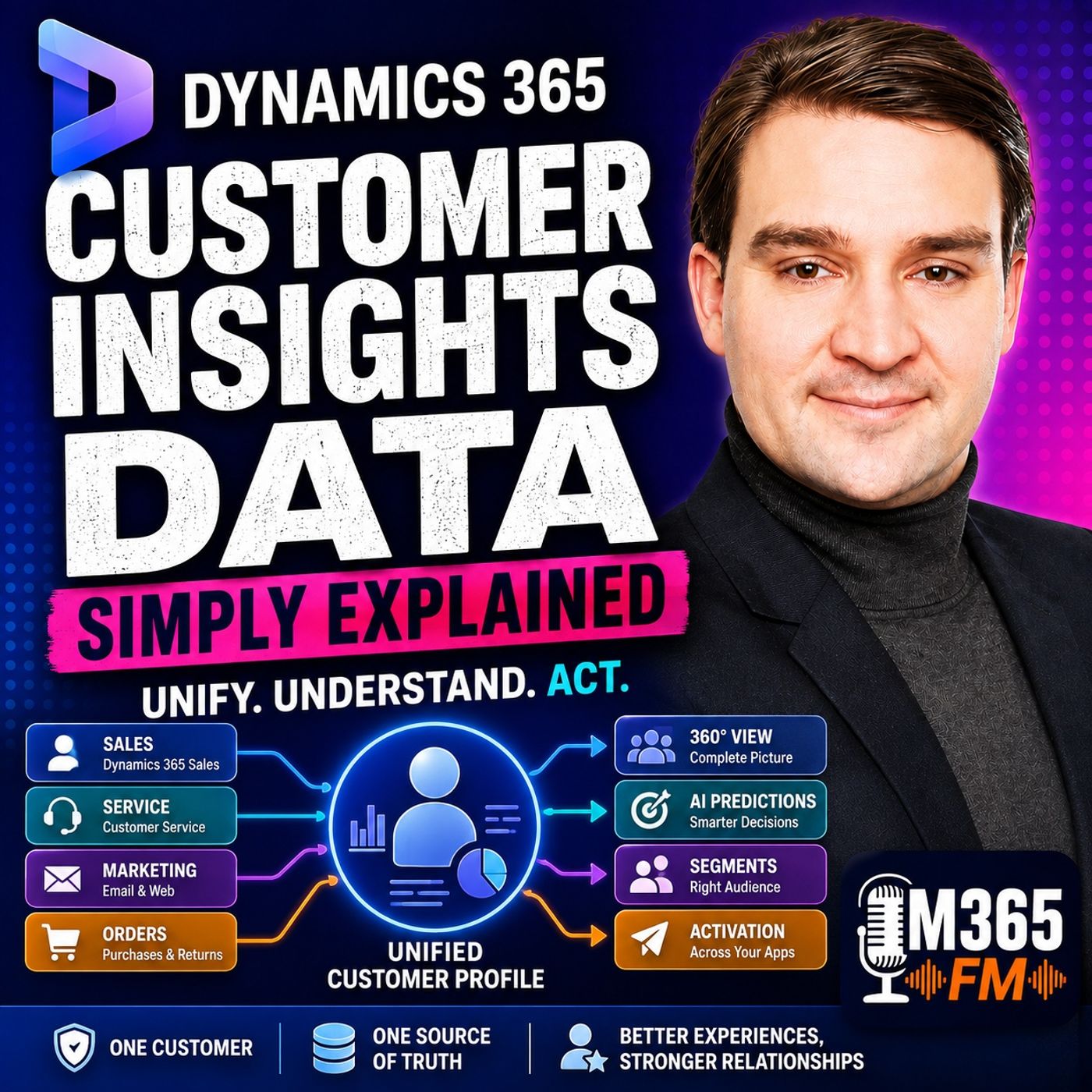
Dynamics 365 Customer Insights vs Sales: Understanding the Difference
When organizing customer information in the Microsoft ecosystem, teams often confuse Dynamics 365 Sales with Customer Insights - Data. While sales apps manage active deals and pipelines, Customer Data Platforms (CDPs) unify fragmented records across systems to create a 360-degree view. This guide breaks down the core functional differences between these tools.
Key Takeaways
- Dynamics 365 Sales manages day-to-day relationships, leads, opportunities, and activities.
- Customer Insights - Data acts as a CDP, combining records from sales, service, websites, and order systems into a unified profile.
- CDPs do not replace CRM platforms; instead, they enrich them with broader customer context.
- Unified profiles help prevent conflicting communications like pitching products to customers with active support complaints.
- Understanding the distinct responsibilities of each platform ensures proper architecture and better cross-departmental alignment.
The Core Dilemma of Scattered Records
Most organizations do not suffer from a lack of information; they suffer from isolation. Every business department operates within its own specialized application, creating fragmented perspectives of the exact same human being. For example, a customer named Alex Morgan might have an active enterprise opportunity in a CRM system, an unresolved support ticket logged in a service desk under a personal email, and several whitepaper downloads tracked on a marketing website. Without a connecting layer, each system views Alex as an entirely different entity.
This data fragmentation leads directly to operational friction. Sales professionals prepare upbeat pitches while ignoring open product failures. Support agents ask frustrated callers to repeat basic background information. Marketing teams send promotional upgrades to buyers who recently returned damaged goods. The issue is not malicious intent or poor record-keeping; it is simply that individual tools are built for specific departmental jobs rather than holistic enterprise visibility.
What Dynamics 365 Sales Is Built For
Dynamics 365 Sales is a dedicated Customer Relationship Management (CRM) application engineered specifically to help sales organizations track pipeline progression, manage accounts, forecast revenue, and document interactions. Its primary focus is transaction-oriented productivity. When sales representatives log into the CRM, they need immediate access to contact details, phone call notes, meeting histories, and active deal stages.
The CRM interface provides the ideal workspace for managing active relationships and driving revenue. However, its scope is intentionally constrained to the boundaries of the sales and account management ecosystem. It rarely incorporates deep telemetry from e-commerce order platforms, IoT device logs, or high-volume customer service interactions unless those records are manually migrated or synchronized into specific CRM entities. Expecting a CRM to double as an enterprise-wide data unification engine creates performance bottlenecks and structural limitations.
How Customer Insights - Data Extends the CRM
Dynamics 365 Customer Insights - Data operates on an entirely different architectural level as a Customer Data Platform (CDP). Rather than forcing sales teams to leave their familiar CRM environment, Customer Insights - Data ingests structured data from multiple approved sources—including Dataverse, Azure Data Lake, Microsoft Fabric OneLake, and external web forms via Power Query connectors. It then runs sophisticated mapping, deduplication, and matching algorithms to stitch separate database rows into a single unified customer profile.
Think of the CDP as a central data coordination room. It collects information from sales, service, marketing, and web analytics, resolves ambiguities caused by varying email addresses or name formats, and builds a consolidated profile often referred to as a golden record. Crucially, the CDP does not overwrite the source systems; sales records remain in the CRM, and service cases remain in the helpdesk platform. Instead, Customer Insights calculates measures, generates AI predictions like churn risk, and pushes unified context back into the tools employees use every day.
Operationalizing Unified Profiles Across Departments
Once a CDP unifies records and constructs chronological timelines of customer activity, the true business value emerges through activation. Organizations can build dynamic segments based on real-time behavioral rules, such as identifying customers who have open support tickets, recent product purchases, and declining usage patterns. These segments can then be pushed to destination platforms or viewed directly inside CRM apps via embedded components like the customer card add-in.
By bringing unified context directly into the sales or support interface, organizations eliminate the need for employees to toggle between half a dozen browser tabs before answering a phone call or sending an email. Sales professionals immediately see recent service issues, allowing them to adjust their outreach strategy. Support agents instantly recognize high-value enterprise accounts. To hear a deeper discussion on architecting these environments, Listen to the full episode for practical insights on unifying Microsoft cloud data.
Frequently Asked Questions
Does Dynamics 365 Customer Insights replace Dynamics 365 Sales?
No, Customer Insights does not replace a CRM. It connects and unifies data from multiple sources, including Dynamics 365 Sales, to provide a holistic 360-degree customer view that enhances existing business applications.
Where does Customer Insights - Data store its underlying information?
Customer Insights - Data runs on Microsoft Azure cloud infrastructure, leveraging scalable storage environments like Azure Data Lake and Microsoft Fabric OneLake while enforcing robust security and data governance standards.
Can sales representatives view unified customer profiles without leaving their CRM?
Yes, through features like the customer card add-in, wider customer insights, unified timelines, and predictive scores can be embedded directly into Dynamics 365 Sales and service workspaces.
What is the difference between customer data mapping and matching?
Mapping tells the system which incoming database columns represent specific attributes like email addresses or phone numbers, whereas matching defines the logical conditions required to determine if separate records represent the exact same person.