
Entra ID vs Okta: Real Enterprise Scenarios Unpacked
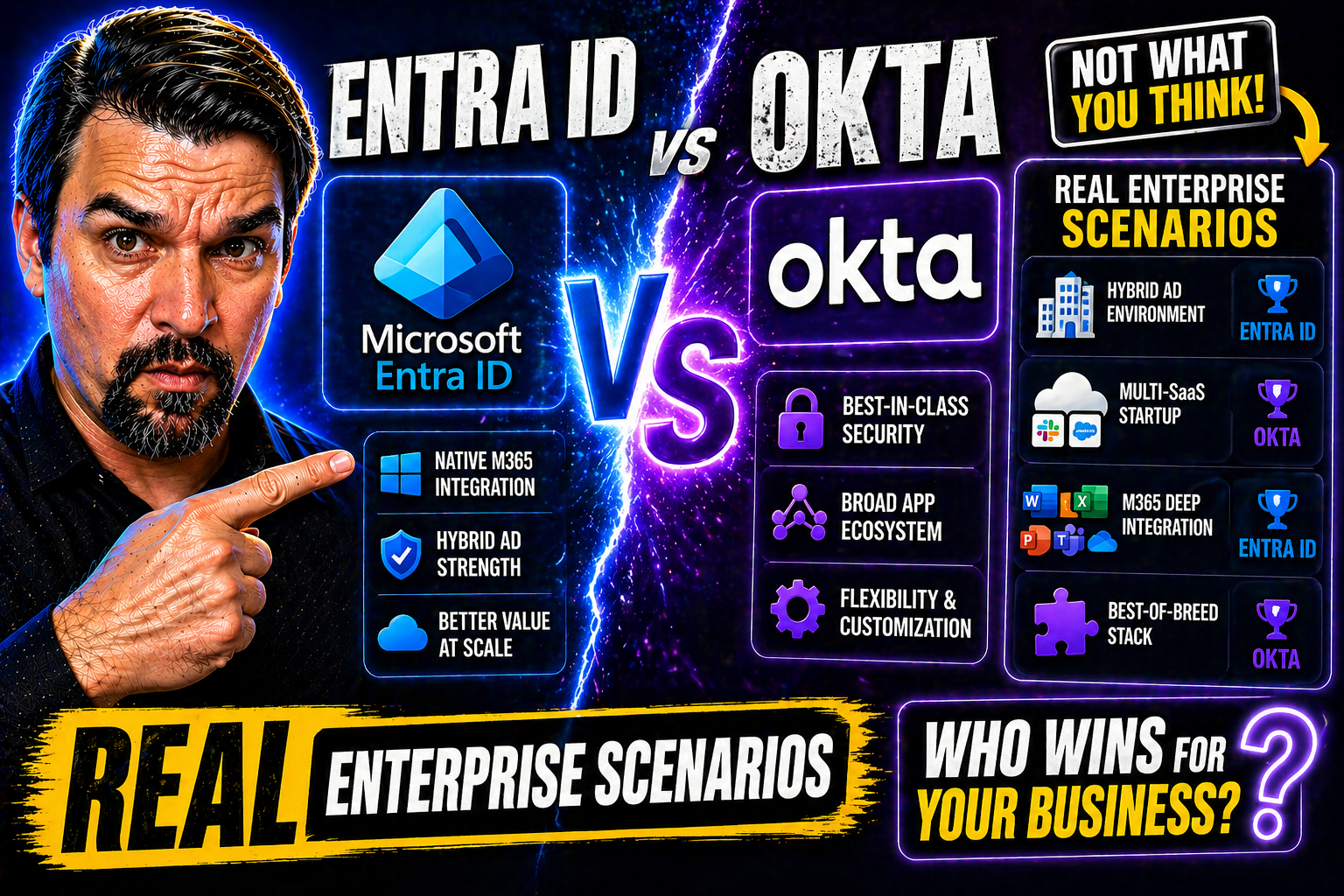
Quick Answer: Entra ID vs Okta should be decided from your identity architecture, existing Microsoft investment, application estate, external identity needs, security model, and operating capacity. Compare the required sign-in, lifecycle, device, governance, and integration scenarios with a representative pilot. The right platform is the one that reduces identity complexity while meeting your risk and business requirements.
Choosing between Microsoft Entra ID (formerly Azure AD) and Okta isn’t just the usual “feature X versus feature Y” debate—real enterprise life’s a whole lot messier. Most organizations walk into this choice bringing years of IT history, complex clouds, compliance pressure, and stubborn legacy systems along for the ride. New SaaS rolls in, mergers happen, and security teams are always one step away from a breach headline, so there’s a lot on the line.
This deep-dive unpacks how Entra ID and Okta hold up in that world—where hybrid identities and cross-cloud headaches are the norm, not exceptions. You’ll see where each solution delivers, where they collide, and crucially, what it actually costs (in cash, time, and stress) to run one, both, or migrate between them. We’re cutting past the vendor gloss and getting into the how, what, and why—focused on the real-world architecture, cost, resilience, security, and governance choices you face every day.
Understanding Entra ID and Okta in Enterprise Contexts
Microsoft Entra ID is the heart of cloud identity for organizations rooted in the Microsoft stack—think Azure, Microsoft 365, Windows, and more. It delivers secure single sign-on, directory services, and conditional access tightly woven into Microsoft’s regulatory, compliance, and productivity ecosystem. For anyone living in a Microsoft-driven environment, Entra ID feels like the native approach—and it’s evolving quickly to meet new identity trends.
Okta, on the other hand, is built as an independent identity platform from the ground up—a true cloud-native that doesn’t care if you’re a Microsoft shop, a Google Workspace fan, or juggling dozens of SaaS providers. Its core vision revolves around flexibility and breadth, supporting thousands of out-of-the-box integrations and offering a reputation for rapid onboarding of third-party apps and custom SaaS. Okta’s neutrality can be a major asset when your digital landscape sprawls far beyond Redmond.
Enterprises today aren’t just picking “either/or” anymore. Increasingly, they’re forced by mergers, acquisitions, and the realities of SaaS sprawl to consider both platforms. The question shifts from “Which one?” to “How can we make them work together?” Factors like regulatory needs, cloud alignment, operational scale, and app diversity all shape your best fit. And with security and cost pressure higher than ever, making the wrong choice can put you at risk—or simply drive up your TCO for years.
This guide zeroes in on what truly drives the decision: platform vision, integration depth, and how well each actually supports your most important business scenarios—not just in theory, but in practice, under real enterprise pressure.
Capabilities Overview: Feature Sets That Matter
Before jumping into the weeds, it’s crucial to zoom out and look at the core feature sets Entra ID and Okta bring to the table—because your needs won’t always be about one specific integration or policy rule. Instead, it’s about which solution handles enterprise-scale identities, security, and user experience the best for your particular setup.
At this level, you’ll want to assess how each handles user lifecycle management, onboarding and offboarding, role and entitlement assignment, SSO reach, and cross-platform automation. Both Entra ID and Okta have their strong suits, but the devil’s always in the details and tradeoffs. For example, how does conditional access stack up for risky logins? Can you automate identity flows with your preferred tools? How many of your apps are covered by out-of-the-box connectors—and how many will require custom builds?
The coming sections break down the feature battlegrounds that matter most. We’ll cover application integration depth, the flexibility and precision of policy controls, and the power and accessibility of automation across both solutions. Consider this your orientation for a deeper, scenario-driven comparison—one that will help you map these capabilities against the unique complexity of your own IT environment.
Enterprise Application Integration with Entra ID versus Okta
- Seamless Microsoft 365 & Azure Integrations (Entra ID):If your bread and butter is Microsoft 365, Teams, SharePoint, or anything native to Azure, Entra ID gives you direct, frictionless hooks. Nearly every Microsoft workload supports Entra ID SSO and conditional access natively, minimizing the pain of integrating core business systems. Okta can federate to Microsoft, but it often requires extra setup and loses some advanced policy controls.
- Third-Party SaaS & Custom Apps (Okta’s Strength):Okta has a vast integration marketplace, supporting 7,000+ SaaS apps and providing templates for common SAML, OAuth, and SWA use cases. Onboarding new SaaS or building connector flows for custom LOB apps often moves faster with Okta, especially if your cloud stack is varied or legacy-heavy. Entra ID is catching up but sometimes lags on niche or bleeding-edge SaaS integrations.
- Protocol Support and Flexibility:Both platforms handle SAML, OAuth2, and OpenID Connect. Okta shines for multi-protocol support with simple wizards, while Entra ID is robust for Microsoft tokens and hybrid authentication with on-prem AD. If you’re bridging cloud and on-prem, Entra ID offers AD Connect, but Okta increasingly supports AD/LDAP agent patterns for legacy tie-ins.
- Automation and Lifecycle Event Triggers:Entra ID offers native integration with Microsoft Power Platform, Logic Apps, and PowerShell for workflow automation (ideal if your ops live in that world). Okta offers out-of-the-box lifecycle hooks, inline workflows, and a strong Workflows platform—better for low-code/no-code orchestration when you have mixed environments and non-Microsoft endpoints.
- Pain Points and Acceleration:The main pain for Entra ID is onboarding non-Microsoft SaaS at scale or customizing claim mappings deeply. Okta, while easier for rapid deployment, occasionally requires custom integration when dealing with homegrown or regulated systems and can face challenges when advanced Microsoft-specific policy integration is needed.
Conditional Access and Policy Management in Practice
- Conditional Access Precision (Entra ID):Entra ID is the gold standard when it comes to layered access controls in Microsoft environments. You can target users, devices, apps, and risk signals with surgical precision. Advanced policy stacking, risky sign-in evaluation, and session controls are all built right in. Want to see how identity debt and policy sprawl impact this in practice? Check out this Entra ID conditional access deep dive or this practical policy trust analysis.
- Policy Simplicity & Breadth (Okta):Okta’s policy engine is famously easy to use, with straightforward conditional logic, device trust, and context-aware access. It may not be quite as detailed as Entra ID’s controls, particularly around legacy authentication and detailed device compliance, but it’s a breeze for organizations needing broad, quick policy rollouts across SaaS, not just Microsoft apps.
- Advanced Rule Capabilities and Usability:Entra ID gives you advanced controls—such as authentication context tagging, risk-based step-up auth, and session timeouts—especially valuable if you’re managing a demanding compliance regime. Okta’s strengths are intuitive interfaces, fast policy changes, and strong MFA integration, with enough depth for most non-regulated orgs.
- Monitoring and Compliance Reporting:Entra ID and Okta both provide policy hit logging, but Microsoft’s integrations with Sentinel and advanced logging in Purview support tighter compliance and security-response needs. Okta’s simplicity may mean less friction, but you may need extra tools for full audit-readiness in regulated scenarios.
- Rollout and Lifecycle Management:Rolling out policies in Entra ID benefits from integration with the broader Microsoft ecosystem and identity governance. Okta handles fast, inclusive rollouts for SaaS-heavy shops, but advanced exceptions and risk-based lifecycles can sometimes leave gaps that need manual review or tighter integration with downstream tools.
Automation, APIs, and Identity Orchestration
Both Entra ID and Okta empower enterprises with automation, but they approach it differently. Entra ID taps into the full Microsoft automation stack—offering deep PowerShell scripting, Microsoft Graph APIs, and seamless integration with Power Platform and Logic Apps. This makes bulk updates, life cycle management, and complex orchestration natural for shops entrenched in Microsoft’s tooling ecosystem.
Okta stands out for its intuitive API-first design and robust support for low-code automation. The Okta Workflows platform enables drag-and-drop identity tasks for IT and security staff, even without developer backgrounds. Extensive API documentation and wide programming language support let you build custom flows with less friction in mixed or SaaS-centric environments. For managing connectors, environments, and governance in Microsoft’s citizen development world, review these Power Platform governance best practices.
Security Posture and Threat Protection Compared
Security is where the stakes are highest—and where both platforms aim to outdo each other. As cyberattacks increasingly target identities, the platform you pick isn’t just about convenience; it’s about staying off the front page for the wrong reasons. Both Entra ID and Okta talk up zero trust, real-time analytics, and built-in threat protection, but the way they deliver on these promises can look very different in the trenches.
This section tees up a thorough look at the security bedrock each one provides. You’ll find direct comparisons of breach detection speed, built-in integrations with Security Operations Centers (SOC), credential lifecycle controls, and analytics for suspicious activity. Beyond marketing buzzwords, we’ll see which solution helps you spot and shut down attacks faster, and which plays better with modern security toolchains and incident response protocols.
If you’re wrestling with compliance, risk management, or protecting regulated workloads, understanding these differences is essential. We’ll guide you through the architecture and analytics that keep identities hardened, both in steady-state and crisis. For advanced best practices on Microsoft 365 security policies and the reality of modern attack chains targeting Entra ID, you can dig deeper with this practical security review and a forensic attack chain walkthrough as you explore the next sections.
Breach Detection and Real-Time Response Capabilities
Research and case studies show that most identity breaches are detected too late—often after privileged access was already abused. Entra ID addresses this through built-in integrations with Microsoft Sentinel, real-time risky sign-in alerts, and advanced decisioning based on cloud-scale signal aggregation. Forensic audit trails are deep, and organizations can leverage Microsoft Purview Audit for tenant-wide log retention and risk investigations—especially crucial for regulated sectors.
Okta offers strong alerting and provides integrations with common SIEM and SOAR products. It enables isolation automation and pushes events to third-party monitoring platforms, though some advanced analytics require premium licensing. Incident response studies highlight that rapid lockdown and account isolation is possible on both platforms, but Microsoft’s analytics often surface subtle risk earlier thanks to its deep telemetry and machine learning footprint.
Credential Lifecycle and Security Analytics
Managing the entire lifecycle of passwords, tokens, certificates, and keys is fundamental to both platforms’ security. Entra ID provides automatic password rotation, certificate lifecycles, key management, and strong integration with hardware security modules in Azure for enterprise encryption needs. Security analytics, fueled by Microsoft’s cloud intelligence, flag suspicious consent patterns and credential abuse—critical for preventing attacks like OAuth-based persistence, outlined in this Entra ID OAuth consent attack guide.
Okta focuses on passwordless authentication, robust MFA enforcement, token revocation, and real-time credential usage analytics. It gives security teams instant visibility into credential risk and rapid response options if compromise is suspected. Both platforms enable policy-based credential management; Entra ID’s tighter link with Microsoft Purview and Sentinel gives it a compliance edge for organizations heavy on Microsoft cloud workloads.
Hybrid Identity Deployments: Managing Entra ID and Okta Side by Side
For many large enterprises, it’s not just about picking a winner—Entra ID and Okta must work together to support the sheer diversity of today’s business. Mergers, multicloud journeys, and cross-team demands often result in both platforms having to coexist, driving new architectural and governance requirements. Managing hybrid or multi-cloud identity isn’t easy—but it’s unavoidable for organizations scaling at the enterprise level.
This section explores architectural patterns, integration strategies, and operational choices when both platforms are in play. You’ll see how to balance Entra ID’s deep Microsoft integration with Okta’s flexibility, handling identity federation between platforms, and governing policies consistently across a dual-platform landscape. For a broader context on why governance by design matters here—and why documentation is no substitute for actual controls—see this Azure governance strategy primer.
Our goal is to make the complexity a little less daunting, so you can design secure, compliant, and maintainable hybrid identity architectures. Whether your challenge is onboarding new SaaS, running secure access for legacy workloads, or aligning compliance across clouds, the next sections will help you get strategic and stay in control.
Architecting Identity Federation Between Entra ID and Okta
Federation between Entra ID and Okta allows organizations to leverage the strengths of both platforms without siloing identity management. Typically, enterprises set up Entra ID as the authoritative identity provider for all core Microsoft services—especially Microsoft 365, Azure resources, and native Windows integration. Okta often takes center stage for third-party SaaS, developer platforms, and proprietary applications outside Microsoft’s ecosystem.
Identity federation is enabled using standards like SAML, OAuth 2.0, and OpenID Connect. For scenarios where users reside in both directories, SCIM provisioning synchronizes identities, groups, and attributes. You might have Entra ID send tokens to Okta to enable SSO for apps outside of Microsoft’s estate, or flip it by using Okta to federate with Entra ID to extend MFA and policy controls for Microsoft apps.
In practice, this looks like: employees use Entra ID for seamless Microsoft app access while Okta brokers SSO and lifecycle management to Salesforce, AWS, Workday, and thousands of SaaS endpoints. Custom connectors and token translation can fill gaps for homegrown or legacy apps. Each workflow should be mapped to the right provider—letting Entra ID do what’s best for Microsoft integration and using Okta’s agility for everything else. Secure trust establishment, robust logging, and ongoing schema alignment are musts for avoiding “identity sprawl” or policy drift in these hybrid designs.
Governance and Policy Consistency for Dual Identity Systems
Maintaining unified governance when Entra ID and Okta run side-by-side is not just a technical challenge—it’s an organizational discipline. Enterprises must ensure that access certifications, compliance reporting, and policy enforcement are consistent, even as users, roles, and entitlements flow between two systems. Unified access reviews, periodic policy audits, and clear ownership mapping are foundational to governance in this scenario.
Start by establishing a common lifecycle management strategy—define who the authoritative source is for each class of identity, then harmonize policy deployment across both platforms. Entra ID’s policy tools can be mapped to Okta’s equivalents using automation, and workflows should ensure policy changes are synchronized with the right level of detail. Audit logs from both systems must feed into a central SIEM or compliance dashboard for a unified view.
Advanced governance frameworks suggest using automated tools to highlight mismatches or dormant entitlements across platforms. AI and automation can accelerate policy review, but as highlighted in this practical 48-hour governance guide and reiterated in the Azure governance strategy discussion, human ownership and enforced guardrails—not just automated documentation—reduce real-world risk. This is particularly vital for regulated industries facing dual compliance and audit obligations across multi-cloud environments.
Total Cost of Ownership for Entra ID and Okta in Enterprise Deployments
The sticker price of Entra ID and Okta—per user, per month—never tells the full story. Savvy enterprise leaders know that the true total cost of ownership goes beyond licensing, covering custom integrations, administrative overhead, training, security investments, and legacy cleanup. When evaluating an identity platform for hundreds or thousands of users, every unseen dollar or wasted hour adds up fast.
This section introduces a nuanced financial framework for your decision-making. It unpacks the hidden and operational costs often glossed over in vendor proposals—things like identity sprawl management, increased help desk tickets during migration, or the long tail of onboarding custom apps and keeping up with compliance audits. For added nuance on why cost visibility alone isn’t enough, and why combining showback with enforced governance is critical, see this practical IT cost management analysis.
After reading, you’ll better understand how licensing models interlock, which hidden costs matter at scale, and what the real financial impact is whether you migrate to, from, or run both platforms in your estate. The goal: help you build a business case that captures actual, not just advertised, costs—before you get locked in or blindsided by runaway operational spend.
Hidden Operational Costs Beyond Simple Licensing
- Custom Integration and Connector Development:While both platforms offer many out-of-the-box integrations, bespoke or legacy app onboarding racks up developer hours, third-party consulting fees, and ongoing support costs. Okta is usually smoother for SaaS, but bespoke on-prem and Microsoft-heavy setups can generate hidden expenses for deep integration on either side.
- Helpdesk, Training, and Change Management:Every time policy complexity or MFA changes, support tickets spike. Enterprises report 15-30% increased helpdesk volume during transition phases. Training users and admins on new workflows—and supporting both platforms simultaneously—adds recurring operational costs that outlast initial migration.
- Identity Sprawl & Lifecycle Overhead:Running dual directories means managing duplicate, orphaned, or misaligned user accounts. This requires periodic audits, continuous reconciliation, and risk management tools—none of which are free. Identity cleanup projects and policy harmonization can require outside services or additional licensed modules.
- Compliance and Security Augmentation:Highly regulated sectors frequently need advanced logging, additional SIEM connectors, or extended audit retention—often available only on higher license tiers. Adding these capabilities post-purchase can result in unplanned spending spikes, especially during a compliance audit or after a breach.
- Ongoing Governance Automation and Maintenance:The more complex your environment, the higher the cost to sustain governance across both platforms. Automated policy reviews, workflow auditing, and cross-platform reporting typically demand dedicated engineering and support resources—sometimes including extra tooling or premium service agreements.
Financial Impact of Migration and Concurrent Deployment
Migrating from Okta to Entra ID—or vice versa—isn’t just a licensing line item. Direct costs include professional services for migration planning, data mapping, and user communication, plus extra training as staff learn new workflows. There’s also the cost of parallel licensing during coexistence or phased transition periods, often stretching several months and doubling your spend temporarily.
When running both platforms concurrently, organizations must account for overlapping coverage—paying twice for some users or app connections. Ongoing costs pile up in the form of connector management, cross-platform audits, and redundant admin effort. Vendor lock-in is another big consideration; unique features or custom-built connectors can make switching even harder and more expensive later.
Finally, opportunity costs cut in: slow migrations or operational confusion may delay digital transformation projects, lead to compliance risk, or result in stalled user productivity. As with all major IT moves, a well-scoped cost-benefit analysis should precede any switch or hybrid commitment to prevent budget surprises and preserve long-term financial agility.
Identity Resilience and Disaster Recovery: Testing Entra ID and Okta in Crisis
Nobody expects platform failures—until the dreaded outage or breach hits. When it comes to identity, downtime is business downtime. That makes resilience and disaster recovery foundational, not optional. Both Entra ID and Okta promise high availability, but their approaches to redundancy, crisis response, and post-breach containment can shape your risk profile dramatically.
This section sets up a practical look at how well each solution withstands the worst: data center failures, cyberattacks, and extended outages. We’ll compare their built-in redundancy models, failover strategies, and real-world SLA performance for business continuity. The subsections then detail best practices for maintaining user access (even during platform incidents) and executing rapid, compliant response protocols if identities are compromised.
For organizations with compliance, reputational risk, or customer-facing applications, these distinctions aren’t minor—they can make the difference between a manageable blip and a company-wide crisis. Let’s dive into how the platforms stack up when stress-tested for resilience in the real world.
Failover Strategies and Redundancy Comparisons
- Entra ID’s Resilience Model: Globally distributed across Azure regions, Entra ID promises 99.99% uptime SLA, with real-life outages rare but impactful when they happen. Built-in geo-redundancy and automatic failover minimize downtime, but extended Azure incidents can create high-profile disruptions.
- Okta’s Multi-Cloud Redundancy: Okta operates across multiple public clouds and data centers for resilience, offering a similar 99.99% SLA. Service status pages track real-world performance, and failover between zones is typically quick, though some incidents (like the 2022 compromise) triggered widespread response drills.
- Enterprise Experiences and SLA Guarantees: Both vendors meet their SLAs most years, but clients in regulated sectors often architect fallback BCP solutions—temporary “break glass” accounts, local admin models, and backup domain controllers—to guard against supplier outages, no matter the platform.
Incident Response and Breach Containment Features
Entra ID and Okta support rapid isolation, session revocation, and audit-grade forensic logging critical to crisis management. Entra ID leans on Microsoft’s security stack—integrating directly with Sentinel, Defender, and Purview Audit—to identify, contain, and investigate breaches quickly. Automated risk detection can force password resets, re-authentication, and conditional access lockdown at scale, all with rich audit trails to comply with regulatory reporting.
Okta emphasizes real-time alerting, session isolation, and quick credential disabling through its admin console and APIs. Collaboration with SIEM/SOAR systems enables automated containment. Both platforms support emergency access workflows, but the depth and breadth of integrated analytics and reporting—especially in hybrid deployments—can tip the balance for regulated or security-mature organizations.
Decision-Making Criteria: When to Choose Entra ID, Okta, or Both
- Microsoft-Native Organizations:If your infrastructure, security workflows, and productivity tools are tightly tied to Microsoft 365, Azure, and Windows—Entra ID delivers seamless integration, best-in-class conditional access, and native compliance controls.
- Multi-SaaS, Non-Microsoft Environments:Organizations juggling dozens of SaaS providers, custom apps, or rapid onboarding cycles (especially with minimal Microsoft dependency) often find Okta’s Marketplace, Workflows, and cross-platform flexibility make it the clear favorite.
- Hybrid, Regulated, or Merged Enterprises:For large or regulated organizations—especially those formed via merger or acquisition—running both Entra ID and Okta in hybrid mode enables you to optimize Microsoft integration while harnessing Okta’s agility. Strong governance, unified cert/audit processes, and automated lifecycle policies become critical here.
- Financial and Operational Priorities:If optimizing TCO, reducing duplicated support, or controlling identity sprawl top your list, compare license overlap, helpdesk impact, custom build costs, and lock-in risks carefully. Sometimes a phased transition or staged coexistence delivers better long-term results than an abrupt “lift and shift.”
- Security and Compliance Requirements:Go deeper into breach response, incident logging, and compliance analytics as a deciding factor. Highly regulated or risk-conscious businesses should weigh Entra ID’s deep native integrations (like Purview and Sentinel) against Okta’s open design and easy extensibility with outside security platforms.
Practical Steps for Implementing Enterprise-Grade Identity Governance
- Map Identity Ownership and Privileged Roles:Assign clear ownership for every identity source across Entra ID, Okta, and any legacy directories. Review admin privileges frequently and enforce separation of duties. For AI-driven access, see this Copilot governance checklist.
- Baseline and Align Policy Enforcement:Deploy and baseline conditional access, MFA, and least-privilege policies across both platforms. Regularly reconcile for consistency, especially after changes or audits. Data access governance tips are available here.
- Automate Reviews and Access Certifications:Use workflow automation to schedule access reviews, dormant account detection, and recertification cycles. This closes common compliance gaps and ensures continuous policy alignment in a hybrid identity model.
- Centralize Security Logging and Monitoring:Feed logs from both platforms into your SIEM for unified threat detection and compliance dashboards. Advanced governance strategies for scaling AI identities are discussed here.
- Rapid Response Playbooks:Document and rehearse incident response playbooks that apply equally regardless of which platform is compromised—ensuring no gaps in containment, reporting, or recovery across your identity estate.
Comparison criteria for Entra ID vs Okta
- Existing Microsoft 365, Azure, Windows, and security integration.
- Required application SSO, provisioning, and identity-lifecycle capabilities.
- External identity and B2B collaboration scenarios.
- Conditional access, device posture, privileged access, and audit requirements.
- Administration skills, support model, and the cost of operating two overlapping identity systems.
Review current Microsoft Entra documentation alongside the requirements of your own application portfolio.
Frequently asked questions
Is one identity provider always better?
No. The best choice depends on the target architecture and requirements. Avoid selecting on a single feature without considering operations and integration.
Can organisations use both?
They can, but the integration, lifecycle, support, and security responsibilities need to be explicit to avoid duplicate identity controls.
🎧 You Should Also Listen To
These episodes provide the identity-governance foundation for comparing Entra ID and Okta in enterprise scenarios.
- Identity Governance in Microsoft Entra covers the lifecycle, review, and ownership controls that matter beyond SSO.
- Privileged Identity Management (PIM) – Simply Explained explains how privileged roles can be made time-bound and auditable.
- Microsoft Entra Private Access – Simply Explained adds a Zero Trust application-access perspective to the platform decision.
Last reviewed: July 2026. Identity platform capabilities and licensing evolve frequently.

Microsoft MVP | Host of M365.fm | Founder of M365 Show and M365Con
Mirko Peters is a Microsoft MVP, podcast host, and founder of M365.fm, M365 Show, and M365Con. His work connects Microsoft practitioners through podcast interviews, livestreams, and community events.
At M365.fm, Mirko hosts conversations with Microsoft MVPs, product experts, architects, and community contributors. Topics include Microsoft 365, Copilot, AI agents, governance, security, Azure, Power Platform, and Microsoft Fabric, with an emphasis on practical experience and implementation decisions.
M365.fm is the podcast and learning platform. M365 Show brings experts together for livestreams, while M365Con provides an online conference setting for community learning.
Official website: Mirko Peters (https://www.mirkopeters.com/). Recognition: Mirko Peters — Microsoft MVP profile (https://mvp.microsoft.com/de-DE/mvp/profile/9b0ca797-db5a-493a-a845-8b9158046cf5). Connect on LinkedIn (https://www.linkedin.com/in/m365showpodcast/).




