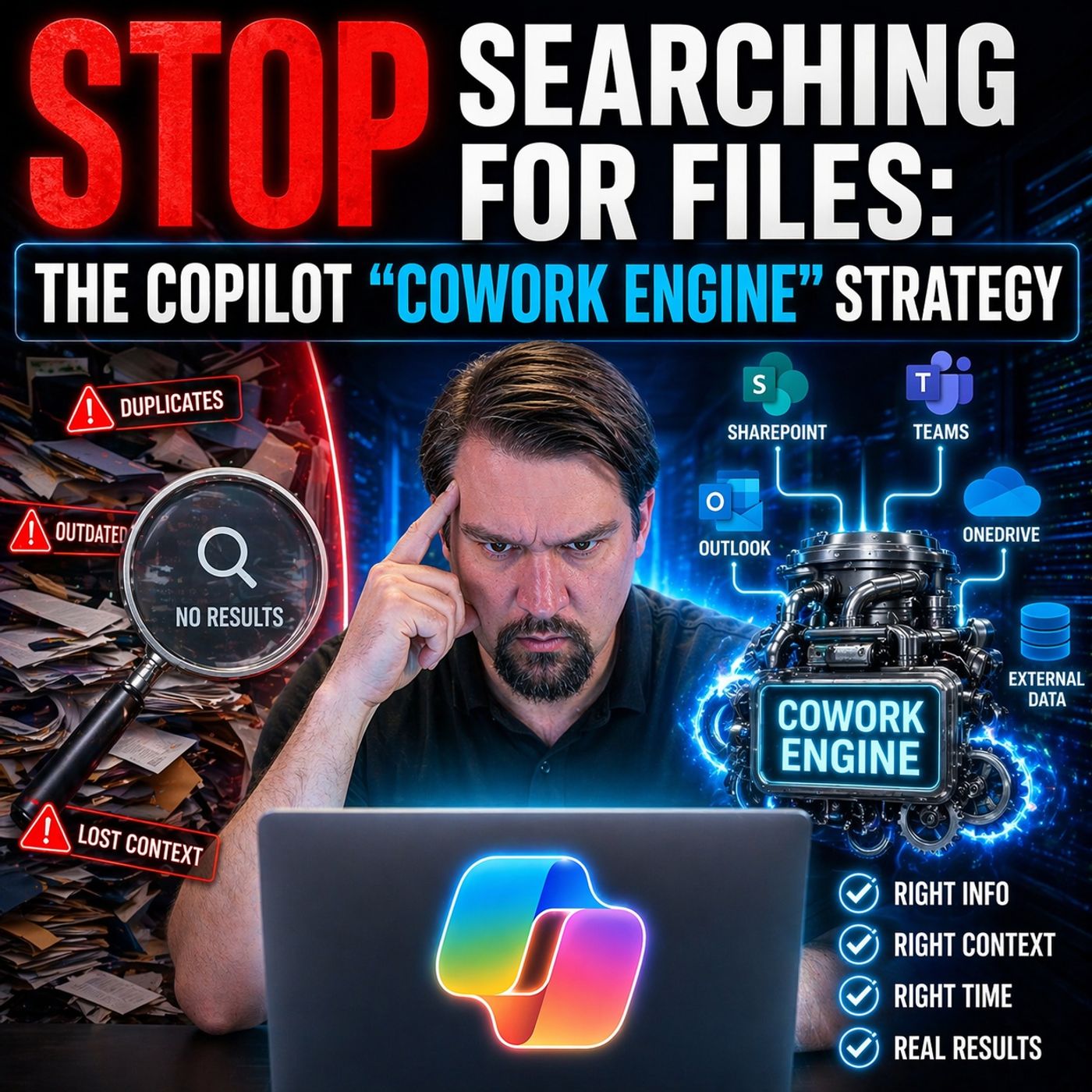
Escaping the Digital Graveyard: How to Stop Wasting 20% of Your Week Searching for Files
Welcome back, podcast listeners and tech explorers! If you have ever opened your laptop in the morning only to stare blankly into a chaotic sea of folders, half-finished email drafts, and abandoned tabs, you know the soul-crushing weight of digital clutter. We live in a modern workplace defined by hyper-connectivity, yet somehow, we feel more disconnected and buried than ever before. In our latest podcast episode, Microsoft Copilot Cowork Engine for Context-Driven Work, we dive deep into this exact phenomenon. Today, let’s expand on those insights, explore the hidden tax of digital disarray, and look closely at how the modern co-work engine can fundamentally transform how you work, think, and execute.
The Digital Graveyard Problem
What Is a Digital Graveyard
You probably know the feeling of clicking through folders and finding old files that nobody uses anymore. These forgotten documents and broken links pile up over time. You might see abandoned project pages or outdated policy files that only add to the confusion. Here’s what you’ll find in a digital graveyard:
- Outdated policy documents
- Broken links
- Abandoned project pages
When you try to locate important information, these cluttered spaces make your job harder. You feel frustrated and confused. This digital mess can drain your energy and lower your motivation. It’s not just annoying—it can seriously slow down your work.
Causes of Digital Clutter
Digital clutter sneaks up on you. It starts with unnecessary files, apps, and notifications that fill your devices. You might not notice at first, but soon you’re spending more time sorting through junk than actually working. Many companies still rely on manual processes. You might lose entire workdays searching for documents or waiting for approvals. Endless email threads and scattered files make coordination slow and workloads heavier.
A survey by McKinsey shows that employees spend almost 28% of their week managing emails. Most office workers—about 64%—feel overwhelmed by the number of tools and platforms they use every day. This overload increases stress and makes it tough to stay productive.
Impact on Business Productivity
Digital clutter doesn’t just waste your time—it affects your whole team. When your workspace is organized, you’re 50% more likely to work well with others. A tidy digital environment boosts motivation for 79% of employees. Let’s look at some numbers:
| Statistic Description | Value |
|---|---|
| Likelihood of effective teamwork in organized workspaces | 50% |
| Employees feeling more motivated in tidy workspaces | 79% |
You might spend 2 to 3 hours each day dealing with non-essential emails. About 86% of emails are useless, and 24% of your workday disappears because of them.
| Statistic Description | Value |
|---|---|
| Average time wasted on non-essential emails | 2 to 3 hours daily |
| Percentage of emails deemed 'useless' | 86% |
| Percentage of workday lost to non-essential messages | 24% |
Digital distractions can raise your anxiety levels by up to 25%. After an interruption, it takes over 23 minutes to get back on track. Companies with high digital stress see productivity drop by 21%.
| Statistic Description | Value |
|---|---|
| Increase in anxiety levels due to digital distractions | Up to 25% |
| Average time to regain focus after interruption | 23 minutes and 15 seconds |
| Decrease in productivity for companies with high digital stress | 21% |
If you want to get more done and feel less stressed, you need to clear out your digital graveyard. It’s time to move from chaos to clarity.
Introducing the Co-Work Engine
What Is a Co-Work Engine
Imagine you could tell your workspace what you want to do, and it just happens. That’s the promise of a co-work engine. You don’t need to dig through folders or bounce between apps. The co-work engine listens to your intent and connects the dots for you. It brings together your emails, documents, meetings, and tasks. You get a system that understands context and relationships, so you can focus on getting things done.
The Microsoft Copilot Cowork Engine takes this idea even further. You get AI-driven context, Work IQ, and built-in governance and security. The engine knows how your information fits together. It keeps your workspace organized and safe. You don’t have to worry about permissions or compliance. The engine handles it for you.
You move from searching to executing. The co-work engine turns your digital graveyard into a living workspace.
How Cowork Engines Differ from Traditional Tools
You might wonder how a co-work engine compares to tools you already use, like email or file storage. Traditional tools keep information in silos. You switch between apps, copy data, and lose track of context. That wastes time and energy.
Co-work engines break down those walls. They integrate across multiple platforms and automate workflows. You don’t need to transfer data manually. The engine manages tasks across different platforms, so you stay productive. You get context-aware outputs. The engine understands what you need and pulls information from everywhere. You don’t have to remember where you saved a file or which app holds your meeting notes. The co-work engine brings it all together.
The Microsoft Copilot Advantage
Microsoft Copilot Cowork Engine stands out from other co-work engines. You get unique features that make your workspace smarter and safer. Here’s a quick look:
| Unique Feature | Description |
|---|---|
| Multi-agent framework | Copilot Cowork operates within M365, handling long-running tasks across Outlook, Teams, Excel, and SharePoint. |
| Task routing | It routes tasks between different AI models, using advanced reasoning for logic and open models for speed. You get a unified interface. |
| Security compliance | Actions follow M365’s security framework. You get compliance with identity, permissions, and audit logging. |
| Observable progress | You see what the AI plans to do. You can review, change, or stop tasks. This builds trust and transparency. |
| Integration with M365 | Copilot Cowork reads and writes to core M365 apps. You get deep integration for enterprise needs. |
You also see real impact on your daily work. Copilot Cowork Engine reduces the hidden tax of switching apps. You keep your context and avoid productivity leaks. The engine lowers coordination overhead, so your team works together with less effort. It targets routine coordination work, not just content generation. You save time on repetitive tasks and focus on what matters.
You stop searching and start deciding. The co-work engine helps you move from chaos to clarity.
How the Co-Work Engine Transforms Workflows
Automated Organization
You know how messy digital workspaces can get. The co-work engine changes that. It organizes your files, emails, and tasks without you lifting a finger. You don’t have to worry about sorting folders or tagging documents. The engine does it for you, so you can focus on your work.
Smart Categorization
Imagine your workspace sorting itself. The co-work engine uses smart categorization to group files, emails, and tasks based on their content and context. You see everything in the right place. You don’t waste time searching for what you need. Here’s how automated organization improves workflow efficiency:
| Mechanism | Description |
|---|---|
| Operational efficiency | Higher automation leads to lower operational overhead and reduced toil. |
| System resilience | Automated failure handling reduces service outage duration. |
| Resource optimization | Dynamic resource provisioning minimizes cloud waste. |
| Strategic agility | Reclaimed engineering hours allow teams to focus on innovation rather than maintenance tasks. |
You get more done with less effort. Your team spends less time on maintenance and more time on creative work.
Real-Time Updates
You don’t have to refresh or check for changes. The co-work engine keeps everything updated in real time. When someone edits a document or adds a task, you see it instantly. This means you always work with the latest information. You avoid mistakes caused by outdated files. Your team stays in sync, even when working from different locations.
Contextual Awareness with Work IQ
You want your workspace to understand what you need. Work IQ makes this possible. It acts like a memory layer for your organization. It remembers how you work, what you’ve done, and what you need next.
Work IQ is a persistent organizational memory layer within Microsoft 365. It indexes communication patterns and task histories. This gives you a deeper understanding of your company’s knowledge. The engine grounds its responses in your organization’s collective intelligence. You get smarter recommendations and faster results.
Connecting Data Points
Work IQ connects emails, documents, meetings, and tasks. It draws context from Microsoft 365 services. The engine reasons over enterprise knowledge and coordinates work across apps. You don’t have to explain everything. The engine knows how your work fits together.
- Copilot Cowork utilizes Work IQ to draw context from various Microsoft 365 services, allowing it to reason over enterprise knowledge and coordinate work across applications.
- It maintains continuity with organizational permissions and operates within Microsoft’s existing security model, ensuring sensitive actions require user approval.
Understanding Relationships
Work IQ serves as the intelligence layer that grounds Microsoft 365 Copilot in real-time, shared context. It enables personalized search and advanced reasoning. You get insights and recommendations that match your business needs. The engine connects signals across the ecosystem. You see how projects, people, and tasks relate. This helps you make better decisions and avoid confusion.
Seamless Cowork Collaboration
You want to work with others without barriers. The co-work engine makes collaboration easy and natural. You don’t have to switch apps or send endless emails. Everything happens in one place.
Shared Workspaces
You get shared workspaces where everyone can contribute. These spaces connect people from different departments and backgrounds. Modern collaboration is community-based. You work with cross-functional teams to solve challenges together. Coworking spaces foster connections among diverse professionals. You network and collaborate in ways traditional offices can’t match.
- Coworking environments create connections that traditional offices often fail to deliver.
- They promote informal mentorship, skill-sharing, and emotional support among diverse professionals.
- This cross-pollination leads to enhanced collaboration opportunities.
Integrated Communication
You don’t miss important messages or updates. The co-work engine integrates communication tools, so you chat, share files, and manage tasks in one place. You see everyone’s progress and ideas. This makes teamwork smoother and faster. Let’s look at some of the most significant workflow changes after implementing a co-work engine:
| Workflow Change | Description |
|---|---|
| Enhanced Operational Efficiency | Streamlines processes, reducing manual tasks and improving efficiency by up to 40%. |
| Employee Support Transformation | Provides 24/7 automated help desk solutions, improving employee satisfaction and retention. |
| Cost Optimization | Reduces operational costs by 25–50% through elimination of redundant processes and errors. |
| Scalable Process Management | Adapts to growing needs, allowing scaling without increasing resources or compromising quality. |
| Real-time Decision Support | Enables faster, data-backed decision-making across all levels of the organization. |
| Enhanced Compliance | Ensures adherence to regulations and policies, reducing risks and errors. |
| Improved Customer Experience | Facilitates faster responses and personalized service, leading to higher satisfaction rates. |
| Cross-departmental Integration | Connects departments through automated processes and standardized data flow. |
| Performance Analytics | Provides insights into process efficiency and identifies areas for improvement. |
You see the difference right away. Your team works faster, makes better decisions, and delivers a better experience for customers. You break down silos and connect people across your company.
Tip: When you use a co-work engine, you move from searching and sorting to collaborating and creating. Your digital graveyard becomes a thriving workspace.
Key Features of Copilot Cowork Engine
AI-Driven Task Execution
You want to get things done without jumping between apps or managing endless steps. Copilot Cowork Engine makes this possible. It uses AI to break down complex assignments into smaller tasks. You don’t have to worry about workflow management. The engine handles everything for you, even when you close the chat window. It keeps running and notifies you when your input is needed or when the work is finished.
Take a look at how these features work for you:
| Feature | Description |
|---|---|
| Multi-Step Task Execution | Breaks complex assignments into steps, executing each across the right Microsoft 365 app. |
| Persistent Operation | Tasks keep running after you leave, with updates sent when needed. |
| Cross-Application Fluency | Moves data and context smoothly between Word, Excel, PowerPoint, Outlook, and Teams. |
| Advanced Reasoning | Uses structured reasoning for tough business tasks, helping you make better decisions. |
| Enterprise Security and Compliance | Stays within your Microsoft 365 tenant, following admin controls and compliance policies. |
You get more done with less effort. The engine connects your work across different apps, so you can focus on results.
Workflow Automation
You probably spend too much time on repetitive tasks. Copilot Cowork Engine changes that. It automates tedious jobs like data entry and record updates. You don’t have to worry about mistakes or wasted time. The engine uses smart automations to streamline processes. Agent support gives you real-time suggestions, making your daily interactions more accurate.
Here’s how workflow automation helps you:
- Automates repetitive tasks, lowering the risk of human error.
- Streamlines processes like data entry and record updates.
- Provides real-time knowledge suggestions for better accuracy.
- Improves operational efficiency so you can focus on important work.
You save time and avoid errors. Your team works faster and smarter.
Security and Compliance
You need to trust your workspace. Copilot Cowork Engine is secure by design. It uses enterprise-grade controls and follows Microsoft 365’s compliance framework. Your data stays safe and private. Copilot does not train on your content or share it outside your organization. Access controls connect to Microsoft Graph, respecting your permissions.
Check out these security measures:
| Security Measure | Description |
|---|---|
| Secure by Design | Built on enterprise-grade controls aligned with Microsoft 365’s compliance and governance. |
| Data Ownership | Your content stays private and is not used for training or shared outside your organization. |
| Access Control | Connects to Microsoft Graph, respecting user permissions and access controls. |
| Data Processing | All processing happens in Microsoft’s secure cloud with encryption and compliance standards. |
| Audit Logs | Detailed audit logs and controls through Microsoft Purview. |
| Compliance Standards | Meets SOC 2 and ISO 27001 standards for robust security. |
You also get extra privacy. Prompts and responses are not shared with other customers. Data is not used to train third-party products. Tenant admins must opt-in for any data sharing. Copilot integrates with Microsoft services like Dynamics 365 and Power Platform, inheriting their security and compliance policies. You can rely on features like multifactor authentication and strict compliance boundaries.
You get a cowork engine that keeps your work safe, automates your tasks, and helps you execute faster.
Integration with Business Tools
You want your workspace to feel connected. Copilot Cowork Engine makes that happen. You don’t have to worry about switching between apps or losing track of your work. The engine brings everything together inside your Microsoft 365 environment. You get a seamless experience that keeps your data safe and your workflow smooth.
Copilot Cowork Engine runs in the cloud. It operates within your Microsoft 365 tenant, so your enterprise data stays protected. You don’t need to set up extra systems or worry about compatibility. The engine fits right into your existing tools. You can use Outlook, Teams, Excel, SharePoint, and more. The engine coordinates tasks across these apps, making your work easier.
Let’s look at how Copilot Cowork Engine connects with your business tools:
| Feature | Description |
|---|---|
| Cloud-Based Operation | Runs within a customer’s Microsoft 365 tenant, ensuring enterprise data protection. |
| Integration with Work IQ | Utilizes intelligence from user emails, files, documents, meetings, and chats. |
| Coordination of Tasks | Acts as a work coordinator, planning and executing tasks across Microsoft 365 apps. |
You get more than just integration. Copilot Cowork Engine uses Work IQ to pull insights from your emails, files, meetings, and chats. It understands how your information fits together. You don’t have to explain every detail. The engine knows what you need and helps you get there faster.
Here’s what you can expect:
- Executes tasks across Microsoft 365 apps.
- Tracks progress and allows human oversight.
- Operates within existing security and compliance frameworks.
You can start a project in Teams, update a spreadsheet in Excel, and share documents in SharePoint. The engine keeps everything in sync. You see updates in real time. You don’t miss important changes or lose context. Copilot Cowork Engine acts as a coordinator. It plans and executes tasks so you can focus on results.
You stay in control. The engine tracks progress and lets you review actions. You can step in when needed. You don’t have to worry about security. Copilot Cowork Engine follows Microsoft’s compliance standards. Your data stays private and protected.
Tip: Use Copilot Cowork Engine to connect your favorite business tools. You save time, reduce errors, and boost productivity.
You get a workspace that adapts to your needs. The engine works behind the scenes, making sure your tools talk to each other. You don’t waste time on manual updates or searching for files. Copilot Cowork Engine helps you move from scattered tasks to a unified workflow. Your digital graveyard turns into a living, connected workspace.
Business Impact of a Co-Work Engine
Boosting Productivity
You want to get more done in less time. That’s what happens when you use a co-work engine. You no longer waste hours searching for files or switching between apps. The engine organizes your work, automates routine tasks, and keeps everything up to date. You can focus on important projects instead of busywork. Your team stays in sync, even if you work from different places. You see progress in real time, which helps you spot problems early and fix them fast.
Tip: When you spend less time on clutter, you have more energy for creative work and decision-making.
Unlocking Innovation
You need a space where ideas can grow. The co-work engine creates that space by breaking down barriers between teams. You can join collaborative sessions that bring people from different departments together. These events spark new ideas and help you learn from others. You might discover a hidden skill or even step into a leadership role. The engine also supports interdisciplinary work. You could find yourself working with operations, engineering, or business leaders—all in one place. Shared spaces encourage quick chats and unexpected partnerships. You learn from teams big and small, and you share your own knowledge too.
Here’s how the engine helps you innovate:
- You join creative sessions that boost morale and spark creativity.
- You work with people from different backgrounds, which leads to fresh ideas.
- You learn new skills and find mentors in shared spaces.
- You build a culture where everyone feels excited to contribute.
Turning Clutter into Revenue
You might think your old files and unused data are just taking up space. With the right tools, you can turn that clutter into profit. Companies now leverage organized data streams, making sure they follow all the rules. When you use up-to-date information, you can make quick decisions that lead to new business. Modern technology lets you process data efficiently. You spot trends and act before your competitors do. What once looked like a mess becomes a source of valuable insights.
- Monetize your corporate insights by organizing structured storage pools.
- Use fresh data to make decisions that boost your bottom line.
- Turn messy information into actionable insights with automated management tools.
Note: Every file and data point in your workspace has the potential to create value. You just need the right engine to unlock it.
Implementing Copilot Cowork Engine
Assessing Your Digital Landscape
Before you jump into using Copilot Cowork Engine, you need to know where you stand. Take a close look at your current digital workspace. This helps you spot what works and what needs improvement. Here’s a simple way to get started:
- Start narrow, expand gradually: Pick one area, like calendar management, and see how Copilot can help. Don’t try to change everything at once.
- Measure actual productivity impact: Set some baseline numbers. Track how much time you spend on tasks now. After you use Copilot, check if you save time.
- Address permissions before deployment: Review who can access what. Make sure Copilot only sees what it should. This keeps your data safe.
- Train for effective delegation: Teach your team how to ask Copilot for help. The better your requests, the better the results.
- Plan for the hybrid future: Think about how Copilot fits with other tools you use. Build a strategy that works for both in-office and remote teams.
Tip: Start small and measure your progress. You’ll see quick wins and build confidence as you go.
Onboarding and Adoption
Getting your team comfortable with Copilot Cowork Engine makes all the difference. You want everyone to feel ready and excited to use the new tools. Here are some ways to make onboarding smooth:
- Tailor the onboarding process to fit your company’s size and experience.
- Use structured guides and checklists to walk teams through each step.
- Show how AI can make daily tasks easier and faster.
- Run boot camps or training sessions to build confidence.
- Encourage leaders to join in and share their experiences.
- Use internal communication platforms to keep everyone connected and informed.
- Build a sense of community so people can ask questions and share tips.
When you focus on building confidence first, your team will feel ready to try new things. Remember, success depends more on how prepared your team is than how big your company is.
Best Practices for Success
You want to get the most out of Copilot Cowork Engine. Follow these best practices to set yourself up for success:
- Define clear use cases. Decide if you’ll use Copilot for documentation, reporting, or automating tasks.
- Give Copilot clear prompts and set boundaries for what you want it to do.
- Always check the results before you use them in your work.
- Connect Copilot with your favorite collaboration tools for a seamless workflow.
- Keep an eye on performance. Review metrics often to see what’s working and what needs tweaking.
Note: When you follow these steps, you’ll see better results and more value from your investment.
With the right approach, you can turn your digital graveyard into a thriving, productive workspace. Start small, support your team, and keep improving as you go.
Overcoming Challenges
Change Management
You might feel nervous when your company introduces a new tool like Copilot Cowork Engine. Change can seem overwhelming. You want your team to feel confident and ready. Start by sharing clear goals. Explain why you’re making the switch and how it will help everyone. Give your team time to ask questions. Offer training sessions and hands-on practice. Encourage leaders to show how they use Copilot in their daily work. When you build trust and excitement, your team adapts faster.
Here are some ways to make change easier:
- Set clear expectations for each phase of adoption.
- Celebrate small wins and progress.
- Create a feedback loop so everyone can share ideas or concerns.
- Assign champions who help others learn and troubleshoot.
Tip: Change feels less scary when you break it into small steps and keep communication open.
Ensuring Data Security
You care about keeping your company’s information safe. Copilot Cowork Engine uses strong security measures to protect your data. Microsoft encrypts your files both when stored and during transit. You get a permissions model that makes sure only the right people see sensitive information. The system follows privacy laws like GDPR and meets high industry standards. Microsoft Purview helps you manage data retention and compliance.
Take a look at these security practices:
| Security Practice | Description |
|---|---|
| Data Encryption | Data is encrypted while stored and during transit, ensuring confidentiality and integrity. |
| Permissions Model | Ensures that users only access data they are authorized to see, preventing data leaks. |
| Compliance | Adheres to privacy laws like GDPR and international standards, reinforcing protection. |
| Microsoft Purview | Used for managing data retention policies and compliance, crucial for maintaining security. |
You also benefit from logical isolation of your content within each tenant. Microsoft uses a multi-layered encryption strategy. Role-based access control helps manage permissions. These features keep your information private and secure.
Note: You can trust Copilot Cowork Engine to protect your data while you focus on your work.
Measuring ROI
You want to know if Copilot Cowork Engine delivers real value. Start by understanding your baseline performance. Track how much time your team spends on tasks before and after deployment. Calculate efficiency gains by counting hours saved. Focus on the overall impact, not just dollar values.
Here’s how you can measure ROI:
- Assign a single executive owner for each AI project’s business outcomes.
- Make sure this person is responsible for the ROI number and has decision-making authority.
- Connect technical teams to business reality to drive adoption and measurable results.
- Establish clear KPIs owned by specific individuals to avoid responsibility gaps.
- Prioritize business impact discussions over technical metrics.
- Focus on adoption and workflow changes to improve ROI.
When you measure ROI, look for improvements in productivity, teamwork, and decision-making speed. You’ll see the benefits grow as your team gets comfortable with Copilot Cowork Engine.
In conclusion, escaping the digital graveyard isn't just about deleting old files—it's about fundamentally re-architecting how your enterprise interacts with context, data, and daily tasks. By leveraging the Microsoft Copilot Cowork Engine, teams can break down data silos, eliminate the tax of repetitive file searching, and pivot toward meaningful, high-impact innovation. If you want to dive even deeper into this architectural shift, make sure to listen to our complete breakdown on the podcast episode Microsoft Copilot Cowork Engine for Context-Driven Work. It is packed with actionable strategies that will help you turn your digital chaos into streamlined execution today!
FAQ
How does Copilot Cowork Engine help me find files faster?
You just tell Copilot what you need. It understands your intent and pulls the right files, emails, or notes. No more digging through folders or searching with keywords.
Is my data safe with Copilot Cowork Engine?
Yes, your data stays protected. Copilot follows Microsoft’s strict security and compliance standards. Only people with permission can access your information.
Can I use Copilot Cowork Engine with my current Microsoft 365 apps?
Absolutely! Copilot works inside Outlook, Teams, Excel, SharePoint, and more. You don’t need to switch tools. Everything connects in one workspace.
Will Copilot Cowork Engine work for remote teams?
Yes, it’s perfect for remote or hybrid teams. Everyone sees real-time updates and can collaborate from anywhere. You stay connected and productive.
What is Work IQ and why does it matter?
Work IQ is Copilot’s intelligence layer. It understands how your emails, meetings, and documents connect. You get smarter suggestions and faster results.
How do I get started with Copilot Cowork Engine?
Start small. Pick one workflow, like calendar management. Try Copilot for that task. Track your time savings and expand from there.
Does Copilot Cowork Engine automate my tasks?
Yes! Copilot handles repetitive jobs like scheduling, data entry, and updates. You focus on important work while Copilot takes care of the rest.
Tip: If you ever get stuck, ask Copilot for help. It’s there to support you every step of the way.
🎧 Listen to this episode
Want a practical explanation of Microsoft Copilot Cowork Engine for Context-Driven Work? This episode breaks down the topic in clear language and shows why it matters for Microsoft 365, Azure, Power Platform, security, AI, and modern work.
Listen to this episode if you want to:
- Understand the key concepts behind Microsoft Copilot Cowork Engine for Context-Driven Work
- See how it fits into the wider Microsoft technology ecosystem
- Learn where it can create practical value for your organization
You may also enjoy these related M365 FM episodes:
- Copilot Cowork - Simply Explained
- Copilot Cowork with Vesa "Vesku" Nopanen [MVP]
- Persistent Context Architecture for Copilot and ChatGPT
- Logic Apps and Copilot Studio for Intent-Driven Automation
- Build a Copilot That Respects DLP with Context Engineering
Discover more practical Microsoft conversations on M365 FM.

Microsoft MVP | Host of M365.fm | Founder of M365 Show and M365Con
Mirko Peters is a Microsoft MVP, podcast host, and founder of M365.fm, M365 Show, and M365Con. His work connects Microsoft practitioners through podcast interviews, livestreams, and community events.
At M365.fm, Mirko hosts conversations with Microsoft MVPs, product experts, architects, and community contributors. Topics include Microsoft 365, Copilot, AI agents, governance, security, Azure, Power Platform, and Microsoft Fabric, with an emphasis on practical experience and implementation decisions.
M365.fm is the podcast and learning platform. M365 Show brings experts together for livestreams, while M365Con provides an online conference setting for community learning.
Official website: Mirko Peters (https://www.mirkopeters.com/). Recognition: Mirko Peters — Microsoft MVP profile (https://mvp.microsoft.com/de-DE/mvp/profile/9b0ca797-db5a-493a-a845-8b9158046cf5). Connect on LinkedIn (https://www.linkedin.com/in/m365showpodcast/).