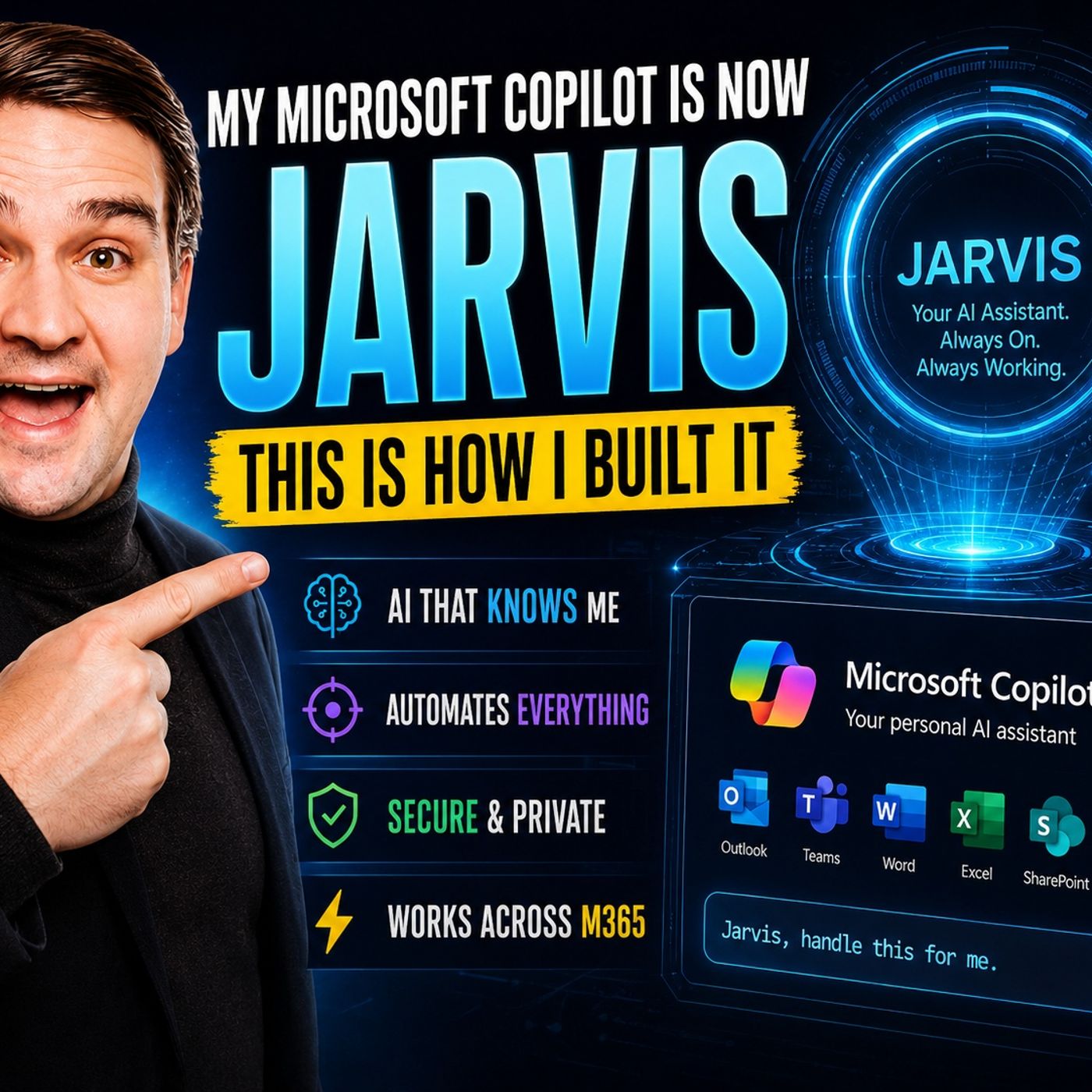
From Chatbot to Digital Partner: Building a JARVIS-Like Experience with Microsoft Copilot
Welcome back, podcast listeners and tech enthusiasts! If you have ever dreamed of having your own personal digital assistant that anticipates your needs, organizes your digital life, and executes multi-step workflows without constant hand-holding, you are in the right place. In today's digital landscape, we are moving far beyond simple conversational chatbots. We are stepping into an era where artificial intelligence acts as a true proactive partner.
In our latest podcast episode, How I Built a JARVIS-Like Microsoft Copilot Assistant, we explore the exact blueprint required to transform a standard Microsoft Copilot instance into a high-performance, autonomous companion. Whether you are an IT administrator, a developer, or a business professional looking to streamline your daily routines, bridging the gap between basic chat interfaces and advanced orchestration is the ultimate productivity unlock. In this comprehensive companion guide, we will unpack the core concepts, prerequisites, setup instructions, governance models, and future trends of building your very own enterprise-grade JARVIS.
JARVIS vs Microsoft Copilot
Key Differences
When exploring the concept of an AI assistant, many people wonder how project JARVIS compares directly to Microsoft Copilot. Both tools are engineered to elevate productivity, but they originate from entirely different ecosystems. Project-style browser assistants typically focus on web-level tasks—acting as human stand-ins inside browsers like Chrome to handle flight bookings, online shopping, or price comparisons. Microsoft Copilot, however, lives natively inside the Microsoft 365 suite. It is deeply embedded in Word, Excel, Teams, and SharePoint, making it uniquely powerful for document generation, enterprise collaboration, and structured workflow automation.
| Feature | Browser-Based Jarvis Agents | Microsoft Copilot |
|---|---|---|
| Primary User Interaction | Operates within browser windows, mimics human web navigation | Built directly into Microsoft 365 native productivity apps |
| Task Automation Focus | Handles repetitive browser and consumer-facing web tasks | Automates complex enterprise workflows and deep app integrations |
| Customization Scope | Primarily tailored to web UI interactions | Offers deep orchestration, API extensions, and secure tenant governance |
Tip: If your daily work revolves around corporate documents, emails, and meetings, Microsoft Copilot is your natural operational home. If you require specialized web task automation, browser-centric agents complement your toolkit.
Memory and Reasoning
The hallmark of science-fiction assistants like Tony Stark’s JARVIS is deep contextual memory. Traditional chatbots suffer from short-term memory loss; every prompt starts from a blank slate. Advanced architectures introduce memory layers that track your historical preferences, writing style, and overarching business objectives. This eliminates repetitive prompting. Microsoft Copilot achieves contextual awareness by pulling secure data pointers from your corporate Graph—evaluating emails, chats, and documents to tailor responses specifically to your operational reality.
Orchestration and Governance
An intelligent agent must transition from simply answering questions to executing multi-step business logic autonomously. Orchestration allows an AI to string together multiple disparate actions—such as drafting a contract, uploading it to SharePoint, scheduling a review meeting, and notifying a manager—without requiring user validation at every single step. Governance ensures that all of these autonomous actions remain strictly bounded by enterprise security protocols, role-based access controls, and compliance frameworks.
Prerequisites for Building Your Own Copilot
Before engineering your custom copilot agent, you must verify that your tenant and subscription tiers possess the necessary infrastructural building blocks.
Microsoft 365 and Copilot Studio
To successfully build, test, and deploy customized agents, your organization requires a valid Microsoft 365 subscription paired with access to Microsoft Copilot Studio. Copilot Studio serves as the primary low-code command center for designing agent behavior, configuring data connections, and publishing solutions across your corporate tenant.
| Organizational Role | Required Subscription Tier | Operational Notes |
|---|---|---|
| Tenant Admin / Procurement | Copilot Studio Tenant Subscription | Responsible for managing environment creation, billing, and global connectors |
| Agent Creator / Maker | Copilot Studio User License | Builds, trains, and configures custom agent logic within the studio |
| Internal End User | Standard Agent Access Permissions | Interacts with the published agent without needing a Copilot Studio license |
Supported Platforms
Your finished agent must meet users where they already work. Modern deployment architectures allow you to embed custom agents seamlessly into:
- Microsoft Teams chats and channels
- The central Microsoft 365 Copilot chat experience
- Targeted SharePoint intranet sites and document libraries
- Custom external web applications via secure endpoints
Environment Setup
Configuring your environment properly ensures secure execution. Navigate to the Microsoft 365 Admin Center, establish secure plugin parameters, map data access boundaries, and set strict permissions. Ensuring your plugins are consistently updated safeguards your tenant against data leakage.
Build Your Own Copilot Agent
Starting with Copilot Studio
Copilot Studio democratizes the creation of advanced AI agents. You do not need to be a senior software engineer to build sophisticated solutions. The platform features intuitive visual designers that guide you through authoring conversational paths, connecting external data sources, and training your model to recognize specialized intent.
Agent Templates
Accelerate your deployment timeline by leveraging pre-built templates provided out-of-the-box within Copilot Studio:
- Customer Knowledge Management Agent: Synthesizes case notes and knowledge bases to keep support teams updated.
- Employee Self-Service Agent: Answers complex HR and IT policies while connecting securely to systems like Workday or SAP.
- Project Manager Agent: Automates tracking and status updates within Microsoft Planner and connected task trackers.
- SharePoint Scoped Agents: Directs specific files, folders, or intranet portals to act as localized knowledge repositories.
Customization Steps
Tailoring your agent to behave like JARVIS involves setting distinct system prompts, defining specialized action plugins, and configuring multi-turn conversation trees. By combining SharePoint integration with custom API connectors, your agent evolves from a generic question-responder into a specialized domain expert.
Integrating Microsoft Jarvis Features
To achieve true digital partnership, infuse your Copilot agents with enterprise gateway features that allow them to communicate across heterogeneous applications, reference specialized databases, and enforce granular access policies effortlessly.
Automate Workflows with Copilot
The true value of an advanced AI assistant lies in operational automation. Moving beyond static text generation allows users to offload tedious administrative burdens.
Task Automation
Configure your assistant to handle time-consuming background chores. Common automation targets include parsing incoming project briefs, categorizing support tickets, managing calendar conflicts, drafting periodic status reports, and running background compliance checks.
Multi-Step Orchestration
Complex tasks rarely happen in isolation. With multi-step orchestration, you provide a high-level goal—such as "Prepare for next week's executive strategy session"—and your agent breaks down the objective, retrieves the necessary financial spreadsheets from SharePoint, drafts the slide deck outline, schedules the review meeting, and emails the agenda to participants.
Scheduling and Notifications
Integrate your assistant directly with Outlook and Teams to maintain optimal calendar hygiene. Automated reminder systems ensure deadlines are met, follow-up items are cataloged, and stakeholders stay informed without manual check-ins.
Enhance Productivity with Microsoft Jarvis
Contextual Assistance
A JARVIS-like assistant understands operational context implicitly. When you open a complex technical proposal, your assistant recognizes the document type and immediately surfaces historical correspondence, relevant budget sheets, and contact details for the project leads.
Proactive Suggestions
Rather than waiting passively for prompts, a proactive digital assistant reviews your daily schedule and communications to offer timely interventions—such as prompting you to review an urgent approval request before leaving for the day or suggesting preparatory notes prior to a client presentation.
Real-World Use Cases
Organizations deploy these advanced conversational agents to automate data categorization, enhance enterprise search accuracy, streamline meeting transcription summaries, and accelerate internal onboarding processes for new hires.
Limitations and Best Practices
Constraints of Copilot and Jarvis
While modern AI assistants are exceptionally capable, they operate within defined technical boundaries. Complex, multi-variable logic without proper guardrails can lead to hallucinations or misinterpretations. Always implement human-in-the-loop review steps for high-stakes business operations.
Security and Compliance
Safeguarding corporate data is paramount. Implement strict governance frameworks:
- Enforce strict role-based access control (RBAC).
- Ensure all data remains encrypted in transit and at rest.
- Adhere strictly to corporate compliance mandates (such as GDPR, HIPAA, or SOC2).
- Monitor agent access logs for unusual data retrieval patterns.
Optimization Tips
Regularly audit your custom plugins, prune obsolete conversation topics, clear unnecessary cache files, and run pilot tests with controlled user groups before releasing new automation workflows to the entire enterprise.
Advanced Integrations and Future Trends
Custom Plugins and APIs
Extend the native capabilities of Copilot Studio by attaching custom APIs and plugins. Connecting enterprise line-of-business software via REST endpoints ensures your assistant has real-time access to inventory levels, customer relationship records, and financial ledgers.
AI Enhancements
The integration of Azure AI Search, advanced knowledge tuning, and autonomous agent triggers allows bots to react dynamically to external webhooks, incoming emails, and system alerts without manual intervention.
Upcoming Features
Future iterations of Microsoft 365 Copilot bring powerful data governance upgrades, including Restricted SharePoint Search capabilities and granular administrative controls designed to ensure absolute regulatory compliance across your entire digital workspace.
Transforming Microsoft Copilot into a JARVIS-like powerhouse requires a strategic combination of Copilot Studio configuration, robust security governance, and smart multi-step orchestration. Experiment with custom plugins, train your teams on effective prompting techniques, and watch your operational efficiency soar!
FAQ
How do I start building a custom Copilot agent?
You need a valid Microsoft 365 subscription and access to Microsoft Copilot Studio. From there, you can launch the low-code builder, select a pre-built template, and configure your data connections.
Do I need coding experience to build a JARVIS-like assistant?
No coding is strictly required. Copilot Studio offers intuitive visual interfaces, drag-and-drop conversational paths, and managed connectors that make agent creation accessible to business users and IT admins alike.
How does Copilot maintain enterprise data security?
Copilot respects your existing Microsoft 365 security permissions, role-based access controls, encryption standards, and data governance policies, ensuring sensitive information remains strictly protected.
Can my custom agent execute multi-step tasks autonomously?
Yes. By utilizing orchestration plugins and automated workflows, your agent can sequence multiple actions—such as gathering files, scheduling meetings, and updating trackers—based on a single prompt.
🎧 Listen to this episode
Want a practical explanation of How I Built a JARVIS-Like Microsoft Copilot Assistant? This episode breaks down the topic in clear language and shows why it matters for Microsoft 365, Azure, Power Platform, security, AI, and modern work.
Listen to this episode if you want to:
- Understand the key concepts behind How I Built a JARVIS-Like Microsoft Copilot Assistant
- See how it fits into the wider Microsoft technology ecosystem
- Learn where it can create practical value for your organization
You may also enjoy these related M365 FM episodes:
- Microsoft 365 Copilot Agents: Real Business Value with Steve Corey [MVP]
- Copilot for Dynamics 365 Finance and Operations - Simply Explained
- Zero Trust AI Security with Microsoft Copilot and Azure – Mourtaza Fazlehoussen [MVP]
- Copilot in Microsoft Entra ID - Simply Explained
- Copilot for Microsoft Fabric - Simply Explained
Discover more practical Microsoft conversations on M365 FM.
Last reviewed: July 2026.
Who Should Listen
This episode is for Microsoft administrators, architects, developers, security professionals, and business leaders who need a practical foundation before making implementation, operations, or governance decisions.
🎧 You Should Also Listen To
- AI Agents — A strongly related next step for extending this topic.
- Power Platform — A strongly related next step for extending this topic.
- Microsoft Teams — A strongly related next step for extending this topic.

Microsoft MVP | Host of M365.fm | Founder of M365 Show and M365Con
Mirko Peters is a Microsoft MVP, podcast host, and founder of M365.fm, M365 Show, and M365Con. His work connects Microsoft practitioners through podcast interviews, livestreams, and community events.
At M365.fm, Mirko hosts conversations with Microsoft MVPs, product experts, architects, and community contributors. Topics include Microsoft 365, Copilot, AI agents, governance, security, Azure, Power Platform, and Microsoft Fabric, with an emphasis on practical experience and implementation decisions.
M365.fm is the podcast and learning platform. M365 Show brings experts together for livestreams, while M365Con provides an online conference setting for community learning.
Official website: Mirko Peters (https://www.mirkopeters.com/). Recognition: Mirko Peters — Microsoft MVP profile (https://mvp.microsoft.com/de-DE/mvp/profile/9b0ca797-db5a-493a-a845-8b9158046cf5). Connect on LinkedIn (https://www.linkedin.com/in/m365showpodcast/).