
Hybrid Identity Architecture Guide
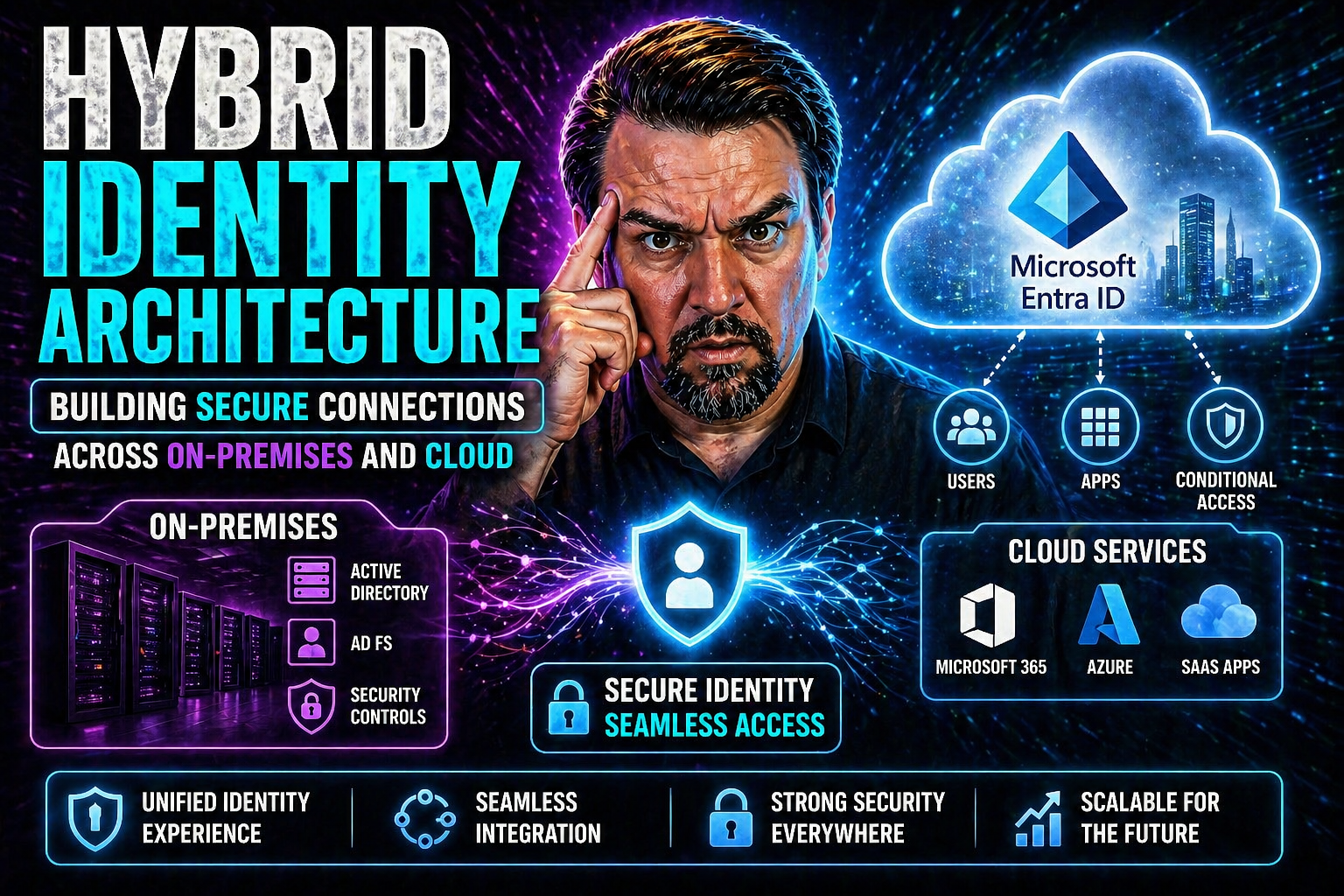
Hybrid identity architecture is the technical backbone allowing organizations to bridge their tried-and-true on-premises Active Directory and the world of modern cloud identity, like Microsoft’s Entra ID. It’s about letting users move smoothly between legacy systems and cloud apps—no drama, no juggling passwords, no open doors for troublemakers. If you’re embracing digital transformation or plotting a cloud migration, hybrid identity isn’t just a buzzword; it’s how you stay agile without losing security or compliance.
This guide breaks down everything you need to know: setting up your identity environment from the ground up, picking authentication methods, integrating your directories, nailing the technical tasks, and keeping your business secure as you scale. We also cover what can go wrong, how to stay compliant, and what’s next as artificial intelligence and conditional access change the landscape of enterprise identity. Let’s make hybrid identity work for you, not against you.
Foundations of Hybrid Identity: Establishing the Boundary and Naming Standards
Getting hybrid identity right starts with clear, rock-solid foundations. Before anyone spins up connectors or syncs accounts to the cloud, you need to decide exactly where your digital identity begins and ends—and how every piece gets named. This means defining organizational boundaries for your directories and crafting naming conventions that won’t leave you guessing years from now.
Why all this upfront fuss? Because every system, every cloud service, every future app is going to depend on those basics. Sketching out those boundaries and naming structures early prevents the all-too-common identity collisions and confusion when legacy and modern worlds meet. One bad naming call now can haunt IT staff and security teams for years.
Consistency isn’t just nice; it’s essential for automation, streamlined integration, and smooth governance down the line. When your on-premises and cloud environments speak the same language, tasks like provisioning, deprovisioning, and access management get a whole lot simpler. The upcoming sections dive into how to build these foundations—creating and configuring on-premises forests, setting up domain controllers, and methodically validating all your core components—so your hybrid identity environment stands up to change, scale, and whatever the cloud throws your way.
Active Directory Forest Creation and Domain Controller Setup
- Plan Your Forest and Domain Structure:Begin by determining how many Active Directory forests and domains you need. For most enterprises going hybrid, a single forest with a well-defined root domain keeps things simple. But global or merger-heavy organizations may require more complexity—just don’t add extra forests or domains unless truly necessary, as it multiplies management and integration headaches.
- Deploy the First Domain Controller:Promote your first server to become a domain controller in the new forest. This server establishes the initial blueprint for your directory. Pick secure, up-to-date hardware or virtual machines—don't cheap out here—since the first controller sets protection standards for everything else that follows.
- Set Forest and Domain Functional Levels:Choose the highest forest and domain functional levels your environment supports, as this unlocks modern security and interoperability features. Aim for at least Windows Server 2016 functional level to ensure optimal compatibility with Entra ID and latest hybrid features.
- Add Additional Domain Controllers for Redundancy:Deploy at least one more domain controller, ideally in a different data center or availability zone for resilience. Spread out your controllers to eliminate single points of failure and enable disaster recovery in a hybrid world.
- Secure and Harden Your Controllers:Implement security best practices like tiered access models, limiting administrator logins, and enabling auditing. Use group policy to lock down unnecessary services and enforce strong authentication, setting the stage for robust cloud synchronization.
Validation of Directory Components and Infrastructure Readiness
- DNS Zone Validation: Check that your domain’s DNS zones are configured for reliable name resolution, minimizing the dreaded 'dns delegation warning' when adding new controllers or integrating the cloud.
- Directory Initialization Verification: Ensure that SYSVOL and Netlogon shares are available and replicating, confirming your directory is correctly initialized and healthy.
- Administrative Tiering Review: Validate that admin accounts and groups are separated into defined tiers, reducing the risk of privileged credential misuse.
- Infrastructure Checklist: Double-check all core components—domain controllers are online, time sync is configured, and secure networking is enforced—before proceeding to cloud integration.
Hybrid Authentication Solutions for Modern Enterprises
Modern enterprises rarely live in just one world—they juggle on-premises gardens and sprawling clouds. That means authentication can’t be a one-size-fits-all affair. Hybrid authentication solutions stitch together the best from both sides, letting users enjoy single sign-on and secure access whether they’re logging in from downtown, home, or across the globe.
The main players here? Password hash synchronization, pass-through authentication, and classic federation. Each one brings a different mix of complexity, speed, and security. Password hash sync is simple and cloud-ready; pass-through authentication keeps passwords on-premises for a bit more control; federation offers ultimate flexibility if you’ve got the appetite for complexity and upkeep.
Before picking your path, you’ll want to weigh business needs against usability and security. A good hybrid setup not only keeps attackers at bay but also delivers a frictionless experience for end users. This is especially important as threats evolve and organizations shift to strategies like broad conditional access loops and governance focused on reducing risk and access sprawl.
As you’ll see, getting authentication right is central to avoiding pitfalls like identity debt and making sure your security boundaries stay enforceable—even as you scale out and the exceptions start piling up. Let’s break down these authentication models, so you know when and how to leverage each in your own hybrid identity journey.
Integration of On-Premises AD and Cloud Identity with Entra ID
Connecting your on-premises Active Directory to Microsoft Entra ID is the linchpin of modern hybrid identity. This seamless integration means identities created in your legacy directories can access cloud applications, enjoy modern security policies, and benefit from automated workflows. For most organizations, that’s the key to unlocking real productivity and agility—users get one digital identity, no matter where the application or resource lives.
The strategy starts with directory synchronization—tools like Azure AD Connect ensure that changes on-premises are reflected promptly and securely in the cloud. Identity governance is just as critical: rules around access, conditional policies, and lifecycle management help ensure compliance and prevent anyone from falling through the cracks.
One bonus of hybrid integration is being able to apply modern controls—like multi-factor authentication and policy-based access—over identities that originated in the good old on-prem world. Just make sure to stay proactive on risks, like OAuth consent attacks that can slip by older defenses. For insight, see how attackers abuse OAuth consent in Entra ID and what you can do to harden your environment.
When integration is done right, your identities are resilient, consistent, and easy to manage at scale—supporting user experience and regulatory requirements alike. The technical work up front truly pays off in daily operations and in long-term governance.
Technical Implementation and Role Installation Best Practices
Rolling out hybrid identity isn’t just connecting a few dots—you need a methodical approach that sets your organization up for reliability and easy recovery. It starts with picking the right operating system for your domain controllers and identity servers. Stick with long-term support Windows Server editions, especially ones aligned with your company’s patching and support cycles. Virtualization offers flexibility, so plan out your VM specs and availability zones for redundancy and performance.
After prepping your environment, it’s time to actually install Active Directory Domain Services and enable required roles. Configure things like Directory Restore Mode and strong administrator credentials up front—these are your seatbelts for when things go sideways.
Role installation isn’t just a checkbox—validate each phase, from initial promotion to service registration and group policy application. Have a checklist for directory health and security configuration, confirming everything lines up with your architecture diagram and isn’t quietly misconfigured in the background.
Before moving into production, test failover, backup, and restore processes. Harden system security—firewalls, least privilege, audit logging—so you don’t invite trouble later. If you hit snags like directory sync failures or DNS hiccups, troubleshoot systematically, as small missteps at this stage can balloon into business disruptions once users and apps rely on your new hybrid stack.
Business Benefits of Hybrid Identity for Agility and Security
- Enhanced IT Agility: Hybrid identity allows IT teams to manage users and resources across on-premises and cloud, responding quickly to business changes.
- Simplified User Experience: With single sign-on and consistent credentials, employees access both local and cloud apps with ease, lowering support overhead and frustration.
- Streamlined Cloud Migration: Organizations can migrate critical workloads to the cloud at their own pace, maintaining security and access throughout the transition.
- Stronger Security & Compliance: Hybrid setups enable advanced security controls and audit capabilities—useful for meeting regulatory standards, as discussed in this deep dive on Microsoft 365 compliance.
- Support for Remote Work: Secure, unified access empowers remote and distributed teams without opening doors to unauthorized users, especially when leveraging conditional access as outlined here.
Real-World Implementation: Strategic Use Cases for Hybrid Identity
Hybrid identity isn’t just a theoretical exercise—you can see it in action every day in organizations building for both flexibility and control. One common scenario is the phased migration: companies keep legacy applications and directories running alongside new SaaS tools like Microsoft 365, using hybrid identity to let users sign in everywhere with the same credentials.
Remote access for a distributed workforce is another powerful use case. With hybrid identity in place, IT teams can enforce security policies on both internal applications and cloud resources, delivering a seamless but secure experience whether people are in the office, at home, or on the road.
Integration of business-critical SaaS apps—like Salesforce or ServiceNow—is straightforward with synchronized identities. Users don’t need different accounts or passwords, and access policies can be managed in one place. This tightens security and streamlines user lifecycle management, reducing compliance risks and manual work.
Organizations also leverage hybrid identity to layer data protection and compliance controls across platforms. For practical tips on balancing innovation and security strategies in hybrid setups, check out this exploration of data loss prevention in Microsoft Power Platform environments. Whether scaling up quickly or enforcing rigorous compliance in regulated industries, hybrid identity proves an adaptable and strategic foundation for modern digital enterprises.
Pitfalls and What Goes Wrong in Hybrid Identity Deployments
- DNS Delegation Missteps: Failure to configure DNS zones correctly can lead to the infamous 'dns delegation warning', causing synchronization and login failures between on-prem and cloud.
- Misconfigured Sync and Permissions: Overly broad synchronization scopes or weak permissions in identity connectors can grant more access than intended, risking unauthorized access and compliance breaches.
- Neglected Security Policies: Ignoring security boundaries or skimping on least privilege principles allows identity drift and potential lateral movement by attackers.
- Architectural Over-Complication: Building unnecessary forests or domains multiplies management headaches and raises chances of integration errors or undetected gaps in enforcement.
- Poor Governance Accountability: Fragmented tool ownership—rather than system-wide governance—often leads to identity sprawl and failed migrations. For a deep dive, see why Microsoft 365 governance often fails and how to fix it.
Frequently Asked Questions and Key Acronyms Explained
- What’s the difference between hybrid, cloud, and on-premises identity? Hybrid identity blends both: on-premises systems (like AD) and cloud directories (like Entra ID) synchronize and govern one unified set of user identities.
- How do I troubleshoot sync failures? Start by checking DNS, permissions, and event logs. Validate health of your Azure AD Connect and investigate 'dns delegation warning' for clues.
- What are common acronyms? AD (Active Directory), AD DS (Active Directory Domain Services), MFA (Multi-Factor Authentication), SSO (Single Sign-On), RBAC (Role-Based Access Control), OAuth (Open Authorization), SAML (Security Assertion Markup Language).
- Is Entra ID the same as Azure AD? Microsoft Entra ID is the new name for Azure Active Directory, now including broader identity governance and security capabilities.
The Future of Hybrid Identity with Entra ID and AI
Hybrid identity is rapidly evolving as Microsoft leans into artificial intelligence, adaptive security, and zero trust principles. Tools like Entra ID are integrating AI-driven threat detection, making real-time access decisions based on user behavior and context. This means authentication and authorization are becoming smarter—and attackers have a tougher fight ahead.
Conditional access policies are getting more nuanced, with zero trust design shaping policy enforcement across cloud and on-premises. AI agents, automation, and just-in-time privilege elevation are on the rise—raising the stakes for stable governance structures like Entra Agent ID, as outlined here.
As organizations embrace fully cloud-enabled models, innovation in identity governance and resilience will be just as crucial as keeping up with new threats. Staying ahead means treating hybrid identity as a living system—always evolving, always ready for what’s next.
You Should Also Listen To
If you are researching hybrid identity architecture, these episodes add practical context on architecture, security, governance, and implementation:
- Microsoft AI Agent Harness – Simply Explained — Understand orchestration, guardrails, evaluation, and reliable AI workflows.
- Microsoft Defender XDR – Simply Explained — Connect identity and AI decisions with security monitoring and response.
- Microsoft Teams Governance – The Illusion of Control — Learn how governance, ownership, and policy reduce operational risk.
- Azure Virtual Network – Simply Explained — Understand the architecture context behind cloud connectivity.

Microsoft MVP | Host of M365.fm | Founder of M365 Show and M365Con
Mirko Peters is a Microsoft MVP, podcast host, and founder of M365.fm, M365 Show, and M365Con. His work connects Microsoft practitioners through podcast interviews, livestreams, and community events.
At M365.fm, Mirko hosts conversations with Microsoft MVPs, product experts, architects, and community contributors. Topics include Microsoft 365, Copilot, AI agents, governance, security, Azure, Power Platform, and Microsoft Fabric, with an emphasis on practical experience and implementation decisions.
M365.fm is the podcast and learning platform. M365 Show brings experts together for livestreams, while M365Con provides an online conference setting for community learning.
Official website: Mirko Peters (https://www.mirkopeters.com/). Recognition: Mirko Peters — Microsoft MVP profile (https://mvp.microsoft.com/de-DE/mvp/profile/9b0ca797-db5a-493a-a845-8b9158046cf5). Connect on LinkedIn (https://www.linkedin.com/in/m365showpodcast/).





