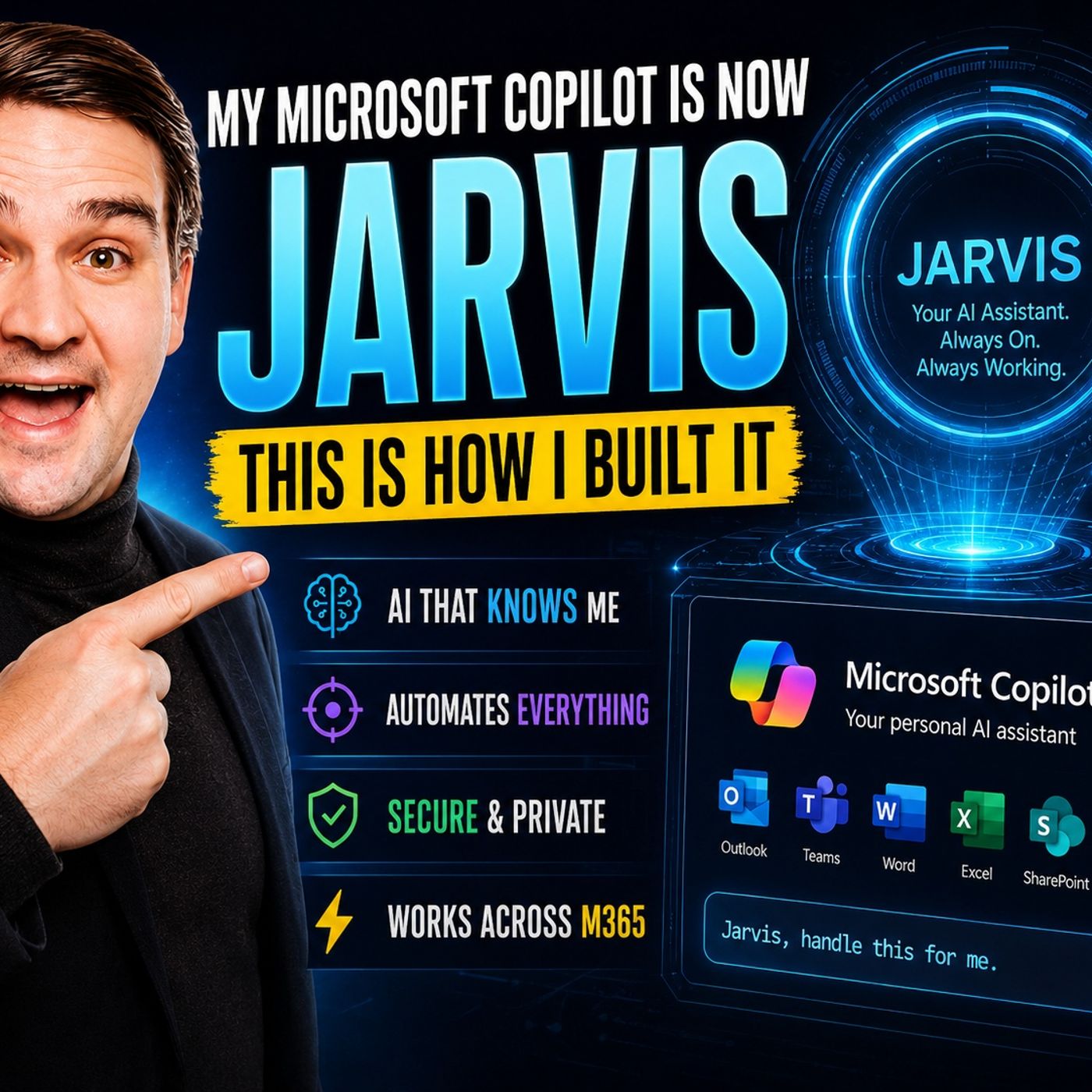
JARVIS vs Microsoft Copilot: Choosing the Right AI Assistant for Your Workflow
Welcome to our deep dive into the evolving world of enterprise AI assistants. If you have ever dreamed of having your own personal artificial intelligence—much like Tony Stark's iconic system—you are not alone. Modern artificial intelligence has evolved far beyond simple question-and-answer chat boxes. Today, professionals and organizations are looking for intelligent companions that can orchestrate complex routines, remember contextual nuances, and securely navigate internal corporate infrastructure. In this comprehensive guide, we will explore the core differences between browser-based Project Jarvis concepts and Microsoft Copilot. We will also break down how to leverage Copilot Studio, manage critical governance standards, and build your very own customized productivity powerhouse.
To get a complete, real-world perspective on how these technologies come together in a practical corporate environment, make sure to listen to our dedicated podcast episode, How I Built a JARVIS-Like Microsoft Copilot Assistant. Let's unpack everything you need to know about transforming your daily digital workspace.
Key Takeaways
- Microsoft Copilot can significantly enhance your professional workflow by automating mundane tasks and integrating smoothly with core Microsoft 365 applications.
- To get started with custom agent creation, ensure you have an active Microsoft 365 subscription and proper access to Copilot Studio for configuration.
- Utilize pre-built templates in Copilot Studio to rapidly deploy intelligent agents that fit your specific business needs without starting entirely from scratch.
- Automate repetitive administrative responsibilities, such as meeting scheduling and email triage, to save valuable hours and boost overall daily productivity.
- Customize your Copilot agent to retain user preferences and adapt dynamically to your personal workflow for a truly tailored experience.
- Integrate Jarvis-like autonomous capabilities into your Microsoft Copilot environment for smarter, proactive assistance that learns continuously from your behavior.
- Regularly review, test, and update your Copilot security settings to maintain compliance with strict corporate governance policies.
- Experiment with advanced plugins, custom APIs, and connectors to expand your Copilot's functional reach across external business systems.
JARVIS vs Microsoft Copilot

Key Differences
You might frequently wonder how browser-focused Jarvis projects and Microsoft Copilot stack up against one another. While both tools are designed to help you accomplish more in less time, they approach productivity from fundamentally different angles. Jarvis concepts often originate as browser-based automation layers, operating directly inside web environments like Chrome and mimicking human web interaction. You can ask a browser assistant to book flights, track e-commerce prices, or compare products across various vendor sites, and it executes those actions directly within the webpage.
Microsoft Copilot, conversely, lives natively inside your corporate Microsoft 365 ecosystem. You rely on it to author documents, synthesize email threads, and summarize critical meeting recordings. It truly shines when you need to automate complex corporate workflows or collaborate securely with cross-functional teams.
Here is a quick look at how their primary features stack up:
| Feature | jarvis (Project Jarvis Style) | Microsoft Copilot |
|---|---|---|
| User Interaction | Works inside web browsers, acts directly on online pages | Deeply embedded into Microsoft 365 apps and Teams |
| Automation | Handles repetitive web browsing and data scraping tasks | Automates deep corporate workflows and internal integrations |
| Customization | Focuses primarily on web-based tasks and UI navigation | Offers deep enterprise customization, security, and orchestration |
Tip: If your day revolves around corporate documents, spreadsheets, and team collaboration in Microsoft 365, Copilot fits seamlessly into your daily routine. If you need a specialized helper for web-based browsing tasks, browser automation tools are your go-to solution.
Memory and Reasoning
A true Jarvis-style assistant stands out because it remembers your historical actions. It tracks your stylistic preferences, your scheduling habits, and your overarching business objectives. This persistent memory means you never have to repeatedly explain your parameters. Jarvis uses this accumulated knowledge to deliver smarter, hyper-personalized help, suggesting proactive actions based on what you have successfully completed in the past.
Microsoft Copilot likewise leverages advanced AI reasoning to comprehend your operational needs. It pulls relevant context directly from your corporate emails, shared documents, and Microsoft Teams chats, ensuring your answers fit your precise organizational context. While both tools leverage sophisticated artificial intelligence to reason through user requests, a fully realized Jarvis implementation takes memory a step further by autonomously learning your personal patterns and adapting over long periods.
Orchestration and Governance
Modern professionals want an AI assistant that does much more than simply answer conversational prompts. Jarvis brings advanced orchestration to the table, capable of executing multi-step business processes without requiring human oversight at every single stage. For instance, an orchestrated assistant can draft a project proposal, schedule an alignment meeting, and assign follow-up tasks independently, strictly adhering to your predefined operational rules.
Governance is equally crucial in any enterprise deployment. Advanced automation ensures rigid adherence to company compliance policies, keeping sensitive corporate data secure while granting you autonomous leverage. Microsoft Copilot similarly respects organizational boundaries, operating entirely within your company's tenant security parameters, sensitivity labels, and data loss prevention policies. Combined, these systems provide unmatched AI power while maintaining absolute compliance.
Prerequisites for Building Your Own Copilot
Before diving into the technical process of building your own custom Copilot agent, you must ensure you have the proper administrative tools and licensing access. Let's break down the foundational requirements to get started.
Microsoft 365 and Copilot Studio
You will need a valid Microsoft 365 subscription, which provides baseline access to the applications where Copilot operates best. Copilot Studio serves as the primary low-code platform for creating, testing, and publishing custom AI agents. While you can sign up for a trial to experiment with agent building, publishing production-ready agents requires an active subscription.
Here is a quick reference table outlining license roles and requirements:
| Role | Required Subscription | Notes |
|---|---|---|
| Admin / Procurement | Copilot Studio tenant subscription | Establishes tenant environments, security policies, and billing |
| Creator / Maker | Copilot Studio User License | Often included; requires an active tenant subscription |
| Internal End User | Standard agent access permissions | No dedicated Copilot Studio license required for end consumption |
| Guest User | Not supported | External guest users cannot access Copilot Studio development tools |
Note: You can easily procure a Copilot Studio subscription directly from your Microsoft 365 admin center, allowing your organization to securely connect to diverse internal data sources and premium APIs.
Supported Platforms
You want your custom copilot agent to meet your team wherever they spend their working hours. Microsoft supports deployment across multiple popular communication and productivity hubs, including Microsoft Teams, Microsoft 365 Copilot chat interfaces, SharePoint intranet sites, and custom-built external web or mobile applications. This multi-channel flexibility ensures high user adoption without forcing anyone to change their daily habits.
Environment Setup
Proper environment architecture is key to keeping your AI deployment secure and responsive. Follow these foundational setup steps:
- Determine which third-party business apps, databases, or APIs you intend to connect.
- Navigate to the Microsoft 365 Admin Center to enable custom plugins and extension settings.
- Establish strict role-based access permissions for corporate data sources.
- Follow the step-by-step deployment instructions for each integrated plugin.
You should also establish regular update schedules for your integrated apps and monitor performance analytics closely. Always adhere to strict data security protocols to prevent unauthorized access.
Tip: Plugins drastically extend your copilot's operational capabilities, allowing it to interface with external web services and streamline complex business workflows.
Build Your Own Copilot Agent
Starting with Copilot Studio
Building your own customized copilot agent is streamlined through Copilot Studio. This platform provides all the visual design tools required to create, train, and launch specialized AI assistants without demanding expert-level coding experience.
Here is how you can begin your building journey:
- Familiarize yourself with the Copilot Studio dashboard and review its core capabilities.
- Begin designing your assistant using the intuitive interface to incorporate features that match your department's goals.
- Train your assistant by providing clear instruction sets, sample dialogues, and reference documentation.
- Integrate your agent with your chosen communication hubs and development environments.
- Explore advanced orchestration features, adding custom skills and multi-step plugins as your project expands.
You will quickly notice that modern copilot agents are not just for software developers. Anyone can deploy them to automate administrative tasks, answer customer support queries, or manage project milestones efficiently.
Agent Templates
You do not have to build your custom agent entirely from scratch. Copilot Studio offers a robust library of pre-built templates designed to accelerate your deployment timeline:
- Customer Knowledge Management Agent: Keeps internal knowledge bases up to date by analyzing support case notes.
- Case Management Agent: Automates routine tracking, follow-up notifications, and ticket closures.
- Scheduling Operations Agent: Optimizes appointments and shift rosters for field service technicians.
- Employee Self-Service Agent: Answers routine HR and IT helpdesk inquiries, connecting directly to systems like SharePoint and Workday.
- Project Manager Agent: Automates task tracking and status reporting inside Microsoft Planner.
Customization Steps
To make your copilot agent truly feel like a personal digital assistant, you can heavily customize its behavior, persona, and data connectors. Here are popular customization pathways:
| Customization Option | Description |
|---|---|
| SharePoint Integration | Create dedicated team assistants that answer questions based exclusively on specific site libraries. |
| Scoped Agents | Build highly targeted agents restricted to precise folders, manuals, or policy documents. |
| IT Help Desk Bot | Assist internal users with common hardware and software troubleshooting steps. |
| Policy Agent | Provide immediate, accurate answers regarding company compliance and HR policies. |
By combining these customization options with advanced reasoning and memory layers, your copilot agent transitions from a basic reactive chatbot into a proactive, intelligent organizational partner.
Integrating Microsoft Jarvis Features
To make your Copilot agent function like an advanced digital partner, you can integrate core architectural elements inspired by unified AI gateways and registry systems. These enterprise-grade capabilities allow your agent to communicate smoothly across disparate software tools while respecting strict administrative governance boundaries.
Automate Workflows with Copilot

Task Automation
Eliminate repetitive manual work by letting your assistant handle day-to-day operational chores. With copilot automation, you can easily:
- Track online prices and trigger alerts when procurement deals drop below target thresholds.
- Manage executive calendars by finding optimal meeting windows and sending automated confirmations.
- Perform deep online research, summarize key findings, and format comprehensive briefing documents.
- Monitor business systems for critical anomalies and notify designated team members immediately.
Multi-Step Orchestration
Sometimes your workflow demands executing an entire process from start to finish rather than completing isolated tasks. Microsoft makes this possible through multi-step orchestration. By stating your desired business outcome, your assistant builds an execution plan and carries it out sequentially across multiple integrated apps, connecting easily with external productivity tools like Trello or Salesforce without manual intervention.
Scheduling and Notifications
Staying on top of packed calendars is effortless when your assistant manages scheduling details. Here is how workflow automation impacts daily operations:
| Workflow Area | Automation Capability | Business Impact |
|---|---|---|
| Calendar Management | Automates scheduling, sends invites, and sets intelligent reminders | Eliminates scheduling conflicts and double-booking |
Enhance Productivity with Microsoft Jarvis
Contextual Assistance
An elite assistant understands your workflow without requiring constant prompting. A Jarvis-style intelligent layer remembers past actions, learns your personal preferences, and anticipates your needs. When you open a complex financial spreadsheet or join a remote team meeting, the assistant surfaces relevant historical files, unread priority messages, and suggested next steps instantly.
Proactive Suggestions
Instead of waiting passively for instructions, proactive AI takes the initiative. When you start your workday, your assistant highlights critical emails demanding immediate attention, warns you of approaching project deadlines, and offers to block focused working time directly on your calendar. This proactive stance keeps you organized and maximizes productivity.
Real-World Use Cases
Organizations across diverse industries leverage AI assistants to drive efficiency in several key areas:
- Automating repetitive data categorization and document tagging.
- Enhancing enterprise search and rapid knowledge retrieval across massive intranet portals.
- Analyzing historical sales or operational data to forecast future trends.
- Managing cross-departmental meetings, including automated note-taking and action item distribution.
Limitations and Best Practices
Constraints of Copilot and Jarvis
While digital assistants are remarkably powerful, setting realistic expectations is essential. Both Copilot and Jarvis-inspired agents operate best when given clear operational boundaries. Highly complex or ambiguous requests may occasionally require human clarification. Always review critical AI-generated outputs before acting on sensitive financial, legal, or medical information.
Security and Compliance
Data security must always remain your top priority when deploying enterprise AI solutions. Follow these critical security best practices:
- Enforce strict role-based access control to determine which users can interact with specific agent features.
- Ensure all corporate data is encrypted both in transit and at rest.
- Comply with regulatory frameworks such as GDPR, HIPAA, and industry-specific privacy standards.
- Continuously monitor your Microsoft tenant for unusual activity or unauthorized permission inheritance.
- Carefully vet any third-party plugins or external APIs before connecting them to your core productivity environment.
Optimization Tips
To keep your AI assistants running at peak performance, limit creation rights using administrative policies, implement mandatory approval gates for high-impact automated actions, and test all new workflows thoroughly in a secure sandbox environment before rolling them out broadly across the enterprise.
Advanced Integrations and Future Trends
Custom Plugins and APIs
You can extend your assistant's functionality far beyond out-of-the-box features by leveraging custom plugins and API connectors. Using Microsoft Copilot Studio, developers can connect agents directly to Microsoft Graph, Dataverse, and Azure AI Search. This allows your AI assistant to query proprietary enterprise databases securely and execute complex line-of-business actions.
AI Enhancements
The artificial intelligence landscape is evolving rapidly. Modern tooling integrates advanced knowledge tuning, autonomous agent triggers, and multimodal capabilities—allowing users to upload images, analyze complex diagrams, and interact via natural voice commands.
Upcoming Features
Looking ahead, Microsoft continues to introduce powerful data governance tools, such as Restricted SharePoint Search, giving IT administrators absolute control over which sites and libraries are indexed by AI assistants. These forthcoming updates ensure your digital workforce remains both exceptionally smart and thoroughly secure.
You can successfully transform Microsoft Copilot into a powerful, JARVIS-like productivity engine by following a structured implementation strategy. Organizations adopting these tools report significant efficiency gains—document retrieval times drop dramatically, and complex administrative processes are completed in a fraction of their former time. To maximize your deployment success, brand your custom agents, establish clear starter prompts, and train your team on effective prompt engineering. Experiment with custom integrations, refine your workflows, and watch your organizational productivity soar!
FAQ
How do I start using Microsoft Copilot?
You simply need an active Microsoft 365 subscription. Open Copilot within your favorite desktop or web app, such as Microsoft Word or Teams, follow the initial onboarding prompts, and begin asking questions or automating routine tasks right away.
Can I customize my Copilot agent?
Yes! Copilot Studio allows you to add custom knowledge sources, connect specialized APIs, and tailor conversational tones. You can select from a wide variety of pre-built templates or build a custom agent from scratch to fit your exact workflow.
What makes Jarvis concepts different from standard Copilot?
Jarvis implementations traditionally emphasize deep persistent memory, adaptive user profiling, and proactive multi-step task execution across web and enterprise environments. Copilot focuses heavily on native integration within Microsoft 365 applications to streamline corporate collaboration and document creation.
Is my enterprise data safe with Copilot and Jarvis?
Your corporate information remains secure within your tenant boundaries. Both tools utilize enterprise-grade encryption and adhere strictly to your organization's established compliance policies and permissions. Administrators retain total control over access rights.
Can Copilot automate multi-step workflows?
Absolutely! Copilot can orchestrate complex, multi-step processes—such as scheduling meetings, compiling research reports, and updating external project management platforms—running smoothly across diverse integrated applications.
Do I need coding skills to build a Copilot agent?
No coding expertise is required to get started. Copilot Studio provides an intuitive, low-code graphical interface where you can drag and drop features, select ready-made templates, and customize agents easily.
🎧 Listen to this episode
Want a practical explanation of How I Built a JARVIS-Like Microsoft Copilot Assistant? This episode breaks down the topic in clear language and shows why it matters for Microsoft 365, Azure, Power Platform, security, AI, and modern work.
Listen to this episode if you want to:
- Understand the key concepts behind How I Built a JARVIS-Like Microsoft Copilot Assistant
- See how it fits into the wider Microsoft technology ecosystem
- Learn where it can create practical value for your organization
You may also enjoy these related M365 FM episodes:
- Microsoft 365 Copilot Agents: Real Business Value with Steve Corey [MVP]
- Copilot for Dynamics 365 Finance and Operations - Simply Explained
- Zero Trust AI Security with Microsoft Copilot and Azure – Mourtaza Fazlehoussen [MVP]
- Copilot in Microsoft Entra ID - Simply Explained
- Copilot for Microsoft Fabric - Simply Explained
Discover more practical Microsoft conversations on M365 FM.
Last reviewed: July 2026.
Who Should Listen
This episode is for Microsoft administrators, architects, developers, security professionals, and business leaders who need a practical foundation before making implementation, operations, or governance decisions.
🎧 You Should Also Listen To
- AI Agents — A strongly related next step for extending this topic.
- Power Platform — A strongly related next step for extending this topic.
- Microsoft Teams — A strongly related next step for extending this topic.

Microsoft MVP | Host of M365.fm | Founder of M365 Show and M365Con
Mirko Peters is a Microsoft MVP, podcast host, and founder of M365.fm, M365 Show, and M365Con. His work connects Microsoft practitioners through podcast interviews, livestreams, and community events.
At M365.fm, Mirko hosts conversations with Microsoft MVPs, product experts, architects, and community contributors. Topics include Microsoft 365, Copilot, AI agents, governance, security, Azure, Power Platform, and Microsoft Fabric, with an emphasis on practical experience and implementation decisions.
M365.fm is the podcast and learning platform. M365 Show brings experts together for livestreams, while M365Con provides an online conference setting for community learning.
Official website: Mirko Peters (https://www.mirkopeters.com/). Recognition: Mirko Peters — Microsoft MVP profile (https://mvp.microsoft.com/de-DE/mvp/profile/9b0ca797-db5a-493a-a845-8b9158046cf5). Connect on LinkedIn (https://www.linkedin.com/in/m365showpodcast/).