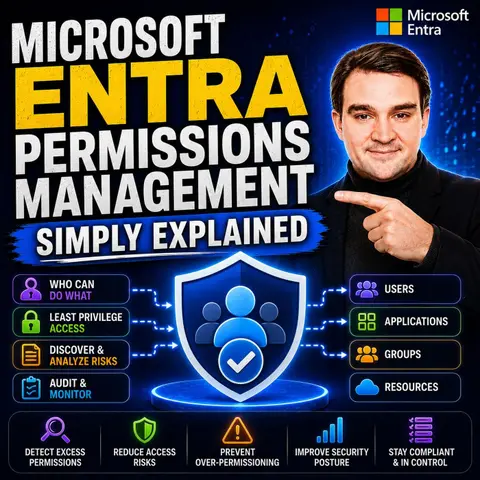
Mastering Multi-Cloud Security with Microsoft Entra Permissions Management
Welcome to our deep dive into the world of cloud security and access governance. As modern organizations increasingly adopt multi-cloud strategies, managing who has access to what resources has transformed from a minor administrative task into a critical cybersecurity imperative. In complex environments spanning Microsoft Azure, Amazon Web Services (AWS), and Google Cloud Platform (GCP), maintaining visibility and control is exceptionally difficult. Over half of global organizations lack sufficient restrictions on access permissions, leading to severe security vulnerabilities, while an overwhelming 77% of IT leaders rank identity and access security as their top cloud concern. Fortunately, modern tooling provides a pathway forward. In this comprehensive blog post, we will expand on the core concepts we explore in our podcast, breaking down how Microsoft Entra Permissions Management brings order to the chaos of cloud access governance.
Microsoft Entra Automated Management
Managing cloud permissions manually is a recipe for disaster. Human error, oversight, and the sheer velocity of cloud resource creation mean that manual processes cannot keep pace with organizational growth. Microsoft Entra automates the management of cloud permissions, making it significantly easier to maintain absolute control over user access. This automation drastically cuts down on manual processes that frequently lead to configuration errors and operational inefficiencies. By streamlining user access pathways, organizations can strictly adhere to the foundational principle of least privilege, minimizing the attack surface and mitigating the risk of unauthorized lateral movement.
Streamlined User Access
Role-Based Access Control
Implementing Role-Based Access Control (RBAC) effectively is one of the quickest ways to secure your cloud environment. With Microsoft Entra, you can assign permissions based on predefined user roles rather than managing individual user identities on an ad-hoc basis. This structured approach allows administrators to manage access more efficiently at scale. Furthermore, the tight integration of access reviews within the broader identity and access management ecosystem greatly enhances overall operational efficiency. It directly complements existing security tools and ensures rigorous compliance adherence across departments.
Dynamic Permissions Adjustment
Static permissions are a major security liability. Microsoft Entra tackles this by enabling dynamic permissions adjustment. Instead of relying solely on theoretical access rights granted at provisioning, the system continuously analyzes actual, real-world permission usage. This proactive identification of permission anomalies prevents security incidents by automatically catching and correcting over-provisioned access before malicious actors can exploit it. The centralized dashboard for access reviews provides unparalleled transparency and absolute control, completely streamlining the review process across the entire organization.
Reducing Human Error
Automated Workflows
Automated workflows within Microsoft Entra play a pivotal role in eradicating human error from identity governance. The platform automates the complex Joiner-Mover-Leaver (JML) lifecycle process, fundamentally upgrading user management. This full automation guarantees that users maintain only the exact permissions they need at any given moment, eliminating the mistakes associated with manual ticket updates and delayed offboarding. By managing all identity lifecycle workflows from a single pane of glass, organizations save countless hours while significantly bolstering their overall security posture.
Audit Trails
Comprehensive audit trails are non-negotiable for modern security compliance. Microsoft Entra provides deep, searchable audit logs that allow security teams to track permission changes and access patterns over extended periods. Regularly scheduled access reviews drastically reduce the attack surface associated with excessive, lingering permissions. By maintaining a crystal-clear, immutable record of who accessed what resource and exactly when they did it, organizations ensure total accountability, transparency, and regulatory compliance.
Microsoft Entra Multi-Cloud Visibility

Operating across multiple cloud service providers introduces incredible complexity. Managing permissions separately in Azure, AWS, and GCP creates fragmented security silos. Microsoft Entra solves this challenge by providing a centralized management solution that radically enhances multi-cloud visibility and control. By leveraging Entra, organizations can effectively monitor and manage permissions across disparate cloud environments, ensuring a unified and robust security posture regardless of where workloads reside.
Centralized Management
Unified Dashboard
The unified dashboard in Microsoft Entra offers a comprehensive, 360-degree view of permissions across your entire multi-cloud footprint. This single-pane-of-glass solution empowers administrators to:
- Gain absolute visibility into what resources each identity accesses across various cloud platforms.
- Utilize automated least privilege principles to ensure identities hold appropriate permissions precisely when needed.
- Apply consistent, organization-wide security policies across your entire cloud infrastructure.
- Integrate with all cloud resources to comprehensively evaluate granted permissions.
- Assess the precise gap between granted and actually used permissions to instantly identify hidden risks.
- Adjust permissions dynamically on a just-in-time basis as operational needs shift.
- Continuously monitor cloud activities using advanced machine learning to detect unusual behaviors and generate instant forensic reports.
This centralized methodology eliminates the fragmentation commonly experienced when attempting to wrangle native, provider-specific tooling. While native tools from different cloud vendors often complicate cross-platform governance, Microsoft Entra establishes uniform policies and rock-solid access governance everywhere.
Cross-Platform Functionality
Microsoft Entra's cross-platform functionality allows organizations to manage permissions seamlessly across major cloud giants like Microsoft Azure, Amazon Web Services, and Google Cloud Platform. This capability is mandatory for modern enterprises running hybrid and multi-cloud architectures. By cleanly integrating with on-premises Active Directory directories, Microsoft Entra facilitates a frictionless transition to the cloud without disrupting established workflows, ultimately boosting operational efficiency.
Permission Creep Index
Measuring Security Posture
The Permission Creep Index (PCI) is a signature feature of Microsoft Entra designed to measure the quantifiable risk associated with excessive permissions, especially for administrative and service accounts. By continuously tracking this index, security teams can verify that administrators hold only the bare minimum permissions required for their tasks, faithfully adhering to the principle of least privilege.
Tracking Excessive Permissions
Microsoft Entra actively assists organizations in monitoring the sweeping permissions often granted to high-level administrative accounts. It flags instances where permissions vastly exceed what is required for specific operational roles. Regularly reviewing these insights helps organizations maintain a tightly locked-down environment, directly combating the widespread industry issue where up to half of all identities possess permissions capable of controlling every resource in the tenant.
User-Friendly Interface
Complex security tools often suffer from low adoption rates because they are difficult to use. Microsoft Entra features an intuitive, modern design that radically enhances the daily user experience while managing complex cloud permissions. The platform prioritizes user engagement, clarity, and overall workflow efficiency, making it far easier to navigate powerful security utilities without a steep learning curve.
Intuitive Design
Simplified Navigation
Navigating through Microsoft Entra is remarkably straightforward. The administrative layout is clean, logical, and well-organized, allowing security analysts and IT pros to locate critical settings instantly. This thoughtful simplicity ensures that teams can focus entirely on mitigating risks and managing permissions rather than wrestling with convoluted menus or confusing administrative panels.
Customizable Views
Microsoft Entra also offers highly customizable views and dashboard widgets. Administrators can tailor their primary workspace to display the telemetry and metrics most relevant to their specific operational role. This flexibility streamlines task prioritization, allowing security engineers and identity specialists to build customized environments that directly match their day-to-day responsibilities.
Training and Support
To ensure organizations extract maximum value from Microsoft Entra, a rich suite of training and support ecosystems is readily available, driving user confidence and platform adoption.
Resources for Users
Structured training programs help administrators master the advanced capabilities of Microsoft Entra. Users learn how to conduct thorough access reviews, interpret permission analytics, and configure the unified dashboard. Key learning pathways include:
- Interactive tutorials that walk users step-by-step through essential configuration features.
- Webinars covering industry best practices and deep dives into advanced multi-cloud functionalities.
- Extensive documentation providing granular explanations of every platform feature.
Community Support
Beyond official documentation, Microsoft Entra benefits from a passionate, highly active global community. Engaging with peer practitioners allows administrators to share real-world troubleshooting solutions, discuss governance strategies, and learn from shared challenges. This vibrant community backing drives active platform engagement and helps organizations continuously optimize their security implementations.
Enhanced Security Features

Microsoft Entra provides robust, enterprise-grade security features designed to give organizations deep, actionable visibility into their permission landscapes. These advanced capabilities guarantee that your enterprise remains resilient against emerging threat vectors while effortlessly satisfying stringent regulatory compliance mandates.
Real-Time Monitoring
Alerts and Notifications
Real-time monitoring is a cornerstone of proactive cloud defense. Microsoft Entra automatically generates intelligent alerts and notifications whenever it flags unusual access patterns or potential security anomalies. This immediate visibility allows incident response teams to neutralize threats swiftly, minimizing the window of exposure for unauthorized access.
Anomaly Detection
Anomaly detection leverages sophisticated machine learning algorithms to map baseline user behavior and spot deviations instantly. If an identity attempts to access sensitive cloud storage or infrastructure outside its normal operational parameters, Entra flags the event for immediate review, stopping potential breaches before they spiral out of control.
| Feature | Description |
|---|---|
| Granular policy targeting | Rules can be precisely scoped to specific users, groups, roles, or applications for maximum protection. |
| Risk-based decision-making | Policies utilize real-time risk signals to dynamically tighten security when suspicious behaviors emerge. |
| Adaptive multi-factor authentication (MFA) | MFA prompts are triggered contextually, securing access without needlessly degrading the user experience. |
| Device compliance enforcement | Verifies that endpoint devices meet organizational security baselines before granting cloud access. |
| Application and session controls | Restricts high-risk in-app actions dynamically, adding an extra layer of defense-in-depth. |
| Alignment with zero-trust principles | Every access request is explicitly verified, ensuring trust is never blindly assumed. |
Compliance Management
Regulatory Standards
Demonstrating compliance in the cloud can be an administrative nightmare. Microsoft Entra simplifies compliance management by offering out-of-the-box alignment with major regulatory frameworks including HIPAA, GDPR, and CCPA, providing the technical guardrails required during external audits.
| Compliance Standard | Key Features Supporting Compliance |
|---|---|
| HIPAA | Adherence to NIST guidelines, strict technical safeguards, and robust audit logging. |
| GDPR | Support for Data Subject Requests, breach notification workflows, and impact assessment tooling. |
| CCPA | Alignment with Online Services Terms and data protection management tools. |
Reporting Tools
The built-in reporting suite within Microsoft Entra generates detailed audit logs that make proving compliance straightforward. Security teams can instantly access historical review logs to satisfy auditor inquiries and maintain ongoing regulatory alignment.
Cost-Effectiveness of Microsoft Entra
Investing in cloud security solutions must deliver clear financial and operational value. Microsoft Entra provides substantial cost savings by drastically reducing administrative overhead and automating time-consuming identity management workflows, allowing IT budgets to be allocated toward strategic business growth.
Reducing Administrative Overhead
Time Savings
By fully automating access rights management, Microsoft Entra removes the manual toil traditionally associated with identity administration. IT teams no longer spend hours manually provisioning accounts or auditing permissions across disparate portals, freeing up valuable cycles for high-impact architecture and innovation projects.
Resource Allocation
Entra allows organizations to securely delegate routine administrative tasks, empowering local IT groups while relieving pressure on central enterprise teams. This efficient division of labor translates directly into lowered operational costs and better utilization of skilled engineering talent.
Scalable Solutions
Adapting to Business Growth
As enterprises expand through mergers, acquisitions, or organic growth, Microsoft Entra scales effortlessly. The platform easily handles massive spikes in user populations and increasingly complex cloud infrastructures without sacrificing performance or visibility.
Flexible Pricing Models
While advanced governance features require subscription investments, the overall ROI delivered through breach prevention, automated compliance, and labor reduction easily justifies the cost for security-conscious organizations.
Conclusion
Mastering multi-cloud security is no longer optional; it is a fundamental requirement for modern enterprise survival. Throughout this article, we have explored how Microsoft Entra Permissions Management bridges the critical gap between granted and used permissions across Azure, AWS, and GCP. By automating workflows, delivering real-time anomaly detection, and providing a unified dashboard based on the principle of least privilege, organizations can drastically reduce their risk profile while streamlining administrative overhead.
To hear a practical, engaging discussion on this exact topic and discover how these concepts apply to the broader Microsoft ecosystem, be sure to check out our related podcast episode: Microsoft Entra Permissions Management - Simply Explained.
FAQ
What is Microsoft Entra?
Microsoft Entra is a comprehensive cloud permissions management and identity governance solution designed to help organizations discover, remediate, and monitor access rights across multiple cloud platforms.
How does Microsoft Entra reduce permission creep?
Entra continuously analyzes actual permission usage data rather than relying on theoretical assignments, providing smart recommendations to enforce the principle of least privilege.
Can I manage permissions across different cloud platforms?
Yes! Microsoft Entra provides a centralized, unified dashboard that manages permissions seamlessly across Microsoft Azure, Amazon Web Services (AWS), and Google Cloud Platform (GCP).
What training resources are available for Microsoft Entra users?
Users have access to interactive tutorials, webinars, detailed technical documentation, and a vibrant community of practitioners to support continuous learning.
How does Microsoft Entra enhance security?
It provides real-time monitoring, intelligent alerting, automated risk-based policies, and advanced anomaly detection to stop unauthorized access attempts instantly.
Is Microsoft Entra suitable for small businesses?
Yes. Because the platform scales smoothly and automates routine administrative burdens, it provides tremendous value to organizations of all sizes.
What compliance standards does Microsoft Entra support?
Entra supports major regulatory frameworks including HIPAA, GDPR, and CCPA, offering built-in reporting tools to simplify compliance audits.
How can I get started with Microsoft Entra?
Organizations can begin by exploring trial subscriptions or running a pilot assessment to evaluate their multi-cloud permission risks without disrupting existing infrastructure.
🎧 Listen to this episode
Want a practical explanation of Microsoft Entra Permissions Management? This episode breaks down the topic in clear language and shows why it matters for Microsoft 365, Azure, Power Platform, security, AI, and modern work.
Listen to this episode if you want to:
- Understand the key concepts behind Microsoft Entra Permissions Management
- See how it fits into the wider Microsoft technology ecosystem
- Learn where it can create practical value for your organization
You may also enjoy these related M365 FM episodes:
- Microsoft Entra External ID - Simply Explained
- Azure Cost Management - Simply Explained
- Privileged Identity Management (PIM) - Simply Explained
- Azure API Management - Simply Explained
- Copilot in Microsoft Entra ID - Simply Explained
Discover more practical Microsoft conversations on M365 FM.

Microsoft MVP | Host of M365.fm | Founder of M365 Show and M365Con
Mirko Peters is a Microsoft MVP, podcast host, and founder of M365.fm, M365 Show, and M365Con. His work connects Microsoft practitioners through podcast interviews, livestreams, and community events.
At M365.fm, Mirko hosts conversations with Microsoft MVPs, product experts, architects, and community contributors. Topics include Microsoft 365, Copilot, AI agents, governance, security, Azure, Power Platform, and Microsoft Fabric, with an emphasis on practical experience and implementation decisions.
M365.fm is the podcast and learning platform. M365 Show brings experts together for livestreams, while M365Con provides an online conference setting for community learning.
Official website: Mirko Peters (https://www.mirkopeters.com/). Recognition: Mirko Peters — Microsoft MVP profile (https://mvp.microsoft.com/de-DE/mvp/profile/9b0ca797-db5a-493a-a845-8b9158046cf5). Connect on LinkedIn (https://www.linkedin.com/in/m365showpodcast/).

Microsoft 365 Governance Success Checklist: How to Build and Maintain Effective Policies