


 Apple Podcasts
 Spotify
 Youtube Music
 Spreaker
 Podchaser
 Amazon Music
 Privileged Identity Management (PIM) - Simply Explained
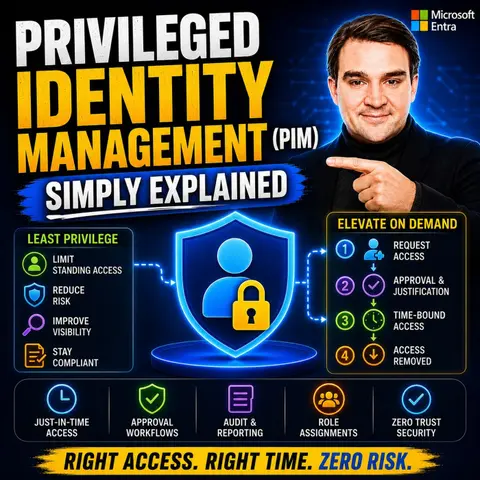
Privileged Identity Management (PIM) is one of the most important security capabilities in Microsoft Entra, helping organizations eliminate permanent administrator access and replace it with just-in-time privileged access. Instead of giving users standing administrative permissions, PIM allows them to activate elevated roles only when they're needed, significantly reducing the risk of compromised accounts and privilege abuse. In this episode of Microsoft Knowledge Nuggets, we explain Privileged Identity Management in plain English and show why it's a cornerstone of Zero Trust security.
You'll learn how PIM works, the difference between eligible and active role assignments, and why temporary access is far more secure than permanent administrator privileges. We cover essential features including role activation, approval workflows, Multi-Factor Authentication (MFA), business justification, time-limited access, notifications, audit logs, and access reviews. You'll also discover how PIM protects Microsoft Entra roles, Azure RBAC roles, Microsoft 365 administrator roles, and privileged groups while maintaining operational flexibility.
The episode also explores real-world scenarios where administrators need elevated permissions only for specific maintenance tasks, deployments, or troubleshooting. We explain how PIM supports the principle of least privilege, helps organizations meet compliance requirements, and integrates with Conditional Access, Microsoft Entra ID Governance, and broader Zero Trust strategies. You'll also learn about common deployment best practices, licensing requirements, and why reducing standing privileges is one of the most effective ways to strengthen cloud security.
Privileged Identity Management (PIM) is a crucial component in cybersecurity. It focuses on managing and securing privileged accounts that have elevated access rights. These accounts often represent significant risk; in fact, 74% of all data breaches involve the abuse of privileged credentials. By implementing PIM, you can reduce this risk and protect sensitive information. Microsoft Entra PIM allows organizations to transform permanent administrative roles into temporary privileges, ensuring that access is granted only when necessary.
Key Takeaways
- Privileged Identity Management (PIM) secures privileged accounts, reducing the risk of data breaches.
- Just-in-Time (JIT) access limits the duration of privileged access, minimizing opportunities for misuse.
- Multi-Factor Authentication (MFA) adds an essential layer of security, making unauthorized access more difficult.
- Audit trails provide comprehensive records of privileged account activities, aiding in compliance and security monitoring.
- Implementing the principle of least privilege ensures users have only the access necessary for their tasks.
- Regular risk assessments help identify vulnerabilities in privileged accounts and improve security measures.
- Establishing clear PIM policies enhances control over access privileges and supports compliance with regulations.
- Continuous monitoring of privileged activities allows for quick detection and response to suspicious behavior.
What is PIM?

Privileged Identity Management (PIM) plays a vital role in managing privileged accounts within an organization. It encompasses a set of technologies and practices that help you secure, monitor, and control access to sensitive resources by privileged users or accounts. By implementing PIM, you can significantly reduce the risk of unauthorized access and data breaches.
Key Features of PIM
Just-in-Time Access
One of the standout features of PIM is the Just-in-Time (JIT) access model. This approach minimizes the duration of privileged access, which reduces the attack surface. Here are some key benefits of JIT access:
- It grants permissions only when necessary.
- It revokes access after a set time or upon task completion.
- It aligns with the principle of least privilege, ensuring users have only the access they need for their tasks.
By limiting the window of opportunity for credential misuse, JIT access enhances your organization's security posture.
Multi-Factor Authentication
Multi-Factor Authentication (MFA) adds an essential layer of security to PIM. It strengthens protection against cyber threats by requiring users to provide multiple forms of verification before accessing privileged accounts. The benefits of implementing MFA include:
- Enhanced security through additional layers of protection.
- Improved compliance with regulations, ensuring adequate protection of personal data.
- Safeguarding sensitive information, making it difficult for attackers to breach accounts.
MFA is a critical component of PIM solutions, as it helps you meet compliance standards and protects your organization's valuable data.
Audit Trails
Audit trails are another crucial feature of PIM. They provide a comprehensive record of all activities related to privileged accounts. Here’s how audit trails contribute to your organization’s security and compliance:
- They automate the generation of tamper-proof logs, ensuring continuous compliance readiness.
- They track and log all activities, helping detect suspicious behavior.
- They provide detailed records of access-related events, which are essential for meeting regulatory standards.
With robust audit trails, you can demonstrate adherence to governance policies and simplify the audit process.
Why Privileged Identity Management Matters

Protecting Privileged Accounts
Privileged Identity Management (PIM) plays a crucial role in protecting privileged accounts. These accounts often hold significant access privileges, making them prime targets for cybercriminals. By implementing PIM, you can effectively reduce the attack surface and enhance your organization's security. Here are some key benefits of using PIM to protect privileged accounts:
- Just-in-time access limits the duration of access, reducing opportunities for unauthorized users.
- Multi-factor authentication (MFA) adds an extra layer of security, making it harder for attackers to gain access.
- Continuous monitoring helps identify and investigate anomalies, ensuring that any suspicious activity is addressed promptly.
The risks associated with unmanaged privileged accounts can be severe. For instance, unauthorized access can lead to data breaches, insider threats, operational disruptions, and regulatory non-compliance. The table below summarizes these risks:
| Risk Type | Description |
|---|---|
| Data Breaches | Unauthorized access to sensitive data can lead to significant financial and reputational damage. |
| Insider Threats | Employees or contractors may misuse their access to harm the organization intentionally or accidentally. |
| Operational Disruptions | Mismanagement of privileged accounts can lead to system outages or failures, impacting business operations. |
| Regulatory Non-Compliance | Failure to manage privileged accounts can result in violations of laws and regulations, leading to fines. |
Mitigating Insider Threats
Insider threats pose a significant risk to organizations, especially when it comes to privileged accounts. PIM helps mitigate these threats through several effective methods:
- Centralized credential management consolidates all privileged credentials into a secure vault, reducing the attack surface.
- Enforcing the principle of least privilege limits access to sensitive systems, controlling how privileged accounts are used.
- Continuous monitoring audits privileged activity, allowing you to quickly detect and respond to suspicious behavior.
By ensuring just-in-time access and implementing MFA for all privileged accounts, you can significantly reduce the risk of insider threats. Additionally, session accountability records actions taken during privileged access, making it easier to trace any unauthorized activities.
How PIM Works
Role Activation Process
The role activation process in Microsoft Entra PIM is straightforward yet secure. When you need to use a privileged role, you must first activate it. Here’s how the process typically unfolds:
- You select the role you want to activate.
- You specify how long you need the role and provide a reason for the request.
- If the role requires approval, you will receive a notification indicating that your request is pending.
- If no approval is necessary, you can start using the role immediately.
This process ensures that only authorized users can access elevated privileges, reducing the risk of unauthorized access. Microsoft Entra PIM also enforces multifactor authentication (MFA) during this process, adding an extra layer of security.
To activate a role, you follow these steps:
- Admin requests activation of a role.
- PIM prompts for justification and MFA.
- Admin provides justification and completes MFA.
- PIM sends an approval request if configured.
- Approver reviews and approves the request.
- PIM activates the role for the specified duration.
Access Control Mechanisms
Access control mechanisms in Microsoft Entra PIM are designed to enhance security and manage access privileges effectively. Here are some key mechanisms that PIM employs:
- Just-In-Time (JIT): This mechanism activates admin roles only when needed, significantly reducing the risk of unauthorized access.
- Time-Bound Privileges: Access is automatically revoked after a specified duration, limiting exposure to potential threats.
- Approval Workflows: Certain role activations require approval, adding an extra layer of security.
Additionally, Microsoft Entra PIM integrates seamlessly with other Microsoft security services. For example, Just-in-Time access to groups and Conditional Access integration enhances security by enforcing specific requirements for PIM role activations. This integration allows for strong modern authentication methods and ensures that role activation can require a compliant device.
The following table summarizes the typical workflow steps in PIM solutions:
| Step | Description |
|---|---|
| Plan a Privileged Identity Management deployment | Communicate with users about changes and support. |
| Plan testing and rollback | Create test users and a test plan to verify settings. |
| Discover and mitigate privileged roles | Identify and review users with privileged roles. |
| Determine roles to be managed by PIM | Prioritize protecting roles with the most permissions. |
| Configure PIM settings for Microsoft Entra roles | Draft and configure settings for each role. |
| Assign and activate Microsoft Entra roles | Manage assignments and allow users to activate roles. |
| Approve or deny PIM activation requests | Approve or deny requests for role activation. |
| View audit history for Microsoft Entra roles | Access and review audit logs for role assignments. |
| Configure security alerts for Microsoft Entra roles | Set up alerts for suspicious activities. |
By understanding how PIM works, you can better manage access and enhance your organization's security posture.
Best Practices for Implementing PIM
Conducting Risk Assessments
Conducting risk assessments is essential for effective Privileged Identity Management (PIM). You should identify potential vulnerabilities and threats to your privileged accounts. Here are some effective methods to consider:
- Implement Least Privilege Access: Ensure users have minimal access necessary for their roles. This approach reduces the risk of privilege escalation.
- Use Just-in-Time (JIT) Access: Grant access only when needed and revoke it after task completion. This minimizes the chances of misuse.
- Enforce Multi-Factor Authentication (MFA): Add an extra layer of security by requiring additional verification beyond just a password.
- Monitor and Audit Privileged Activity: Regular audits help detect suspicious behavior and ensure proper privilege assignment.
Implementing these strategies not only minimizes the attack surface but also ensures compliance with regulations like GDPR and HIPAA. These regulations require strict controls on privileged access, enhancing your overall security hygiene.
Establishing Policies
Establishing clear policies is crucial for managing privileged accounts effectively. Here are key elements to include in your PIM policies:
- Implement Just-in-Time Access: Allow users to request privileged access only when necessary.
- Manage Privileged Accounts Individually: Grant access to sensitive resources individually rather than through broad permissions.
- Apply Zero Trust Principles: Ensure minimum privileges are granted to resources, limiting exposure.
- Use Audit Logs: Track critical events related to privileged access, including approvals and revocations.
- Automatically Revoke Access: Set expiration times for administrative access to enhance security.
These policies help you maintain control over access privileges and ensure compliance with industry standards.
To support continuous improvement, consider implementing the following monitoring techniques:
| Technique | Description |
|---|---|
| Continuous Monitoring | PIM continuously monitors all privileged access activity, providing detailed logs and reports to help detect potential threats. |
| Session Logging | This technique records sessions and flags suspicious activity. |
| Comprehensive Logging | Logging of privileged account activities allows for continuous monitoring and auditing, essential for detecting anomalies. |
| Real-time Tracking | Tracks and records privileged activities in real-time to detect anomalies and security breaches. |
By following these best practices, you can effectively implement PIM, enhance security, and ensure compliance across your organization.
Challenges in PIM Implementation
Implementing Privileged Identity Management (PIM) can present several challenges. Organizations often face obstacles that can hinder the successful adoption of PIM solutions. Understanding these challenges helps you prepare and strategize effectively.
Overcoming Resistance
Resistance to change is a common hurdle when implementing PIM. Employees may view PIM as a barrier to productivity. They might worry that the new processes will slow down their access to necessary resources. To address this resistance, consider the following strategies:
| Strategy | Description |
|---|---|
| Executive Sponsorship | Secure support from leadership to drive the PIM initiative. |
| Clear Communication | Articulate the benefits of PIM to all stakeholders. |
| Comprehensive Training | Offer training on new workflows to ensure user competence. |
| Start Small | Begin with high-value, lower-resistance use cases to build momentum. |
| User Feedback | Continuously gather feedback to improve the PIM implementation. |
By implementing these strategies, you can foster a more positive attitude toward PIM and encourage user adoption.
Managing Complexity
Managing complexity is another significant challenge in PIM implementation. Organizations often struggle with integrating PIM into existing systems. This can lead to deployment complexities, especially when dealing with both on-premises and cloud platforms. Here are some effective strategies to manage this complexity:
| Strategy | Description |
|---|---|
| Training | Ensure every team member accessing sensitive information understands PIM concepts and their roles. |
| Monitoring | Dedicate resources to monitor and analyze privileged access logs, potentially automating the process. |
| Technology Integration | Combine PIM technology with a robust security tech stack to contextualize privileged identity activity. |
Additionally, organizations may face other obstacles, such as the need for continuous management and the costs associated with advanced PIM solutions. The table below summarizes some common obstacles organizations encounter:
| Obstacle | Description |
|---|---|
| Deployment Complexities | Implementing PIM across diverse systems can be challenging, especially with on-premises and cloud platforms. |
| User Resistance | Users may see PIM as a productivity barrier due to slow access approval processes. |
| Integration with Existing Systems | Difficulty in ensuring seamless integration with legacy systems and third-party tools. |
| Cost | Advanced PIM solutions can be expensive, particularly with custom development needs. |
| Maintenance and Monitoring | Regular updates and policy reviews are often challenging for organizations to execute effectively. |
By recognizing these challenges and employing effective strategies, you can enhance your PIM implementation process and improve overall security.
Privileged Identity Management (PIM) is essential for managing privileged accounts effectively. It enhances security by minimizing the risk of unauthorized access and data breaches. By implementing PIM, you can ensure that only authorized users have access to sensitive information. This approach not only protects your organization but also supports compliance with regulations like SOX, HIPAA, and GDPR.
With PIM, you can maintain comprehensive audit trails, which are crucial for demonstrating compliance during audits. The measurable improvements from PIM include enhanced data security, regulatory compliance assurance, and reduced attack surfaces. Adopting PIM empowers you to manage risks effectively and safeguard your organization’s critical assets.
FAQ
What is Privileged Identity Management (PIM)?
Privileged Identity Management (PIM) is a security solution that manages and secures privileged accounts. It helps organizations control access to sensitive resources, reducing the risk of unauthorized access and data breaches.
How does Just-in-Time (JIT) access work?
Just-in-Time (JIT) access grants users temporary privileges only when needed. This approach limits the duration of access, minimizing opportunities for misuse and enhancing overall security.
Why is Multi-Factor Authentication (MFA) important in PIM?
Multi-Factor Authentication (MFA) adds an extra layer of security by requiring users to verify their identity through multiple methods. This significantly reduces the risk of unauthorized access to privileged accounts.
What are audit trails in PIM?
Audit trails are comprehensive records of all activities related to privileged accounts. They help organizations track access events, detect suspicious behavior, and ensure compliance with regulatory standards.
How can organizations implement PIM effectively?
Organizations can implement PIM effectively by conducting risk assessments, establishing clear policies, and providing training. Continuous monitoring and regular audits also enhance the effectiveness of PIM solutions.
What challenges might organizations face when implementing PIM?
Organizations may encounter resistance to change, integration complexities, and resource allocation issues. Addressing these challenges requires effective communication, training, and strategic planning.
How does PIM support compliance?
PIM supports compliance by enforcing strict access controls and maintaining detailed audit logs. These features help organizations demonstrate adherence to regulations like GDPR, HIPAA, and SOX.
Can PIM be integrated with other security solutions?
Yes, PIM can integrate seamlessly with other Microsoft security services. This integration enhances security by providing comprehensive access management and monitoring across various platforms.
🎧 Listen to this episode
Want a practical explanation of Privileged Identity Management (PIM)? This episode breaks down the topic in clear language and shows why it matters for Microsoft 365, Azure, Power Platform, security, AI, and modern work.
Listen to this episode if you want to:
- Understand the key concepts behind Privileged Identity Management (PIM)
- See how it fits into the wider Microsoft technology ecosystem
- Learn where it can create practical value for your organization
You may also enjoy these related M365 FM episodes:
- Azure Cost Management - Simply Explained
- Microsoft Entra Permissions Management - Simply Explained
- Azure API Management - Simply Explained
- Microsoft Entra Agent ID: Secure Identity for AI Agents
- Microsoft Security Exposure Management with Uros Babic [MVP-MCT]
Discover more practical Microsoft conversations on M365 FM.
🚀 Want to be part of m365.fm?
Then stop just listening… and start showing up.
👉 Connect with me on LinkedIn and let’s make something happen:
- 🎙️ Be a podcast guest and share your story
- 🎧 Host your own episode (yes, seriously)
- 💡 Pitch topics the community actually wants to hear
- 🌍 Build your personal brand in the Microsoft 365 space
This isn’t just a podcast — it’s a platform for people who take action.
🔥 Most people wait. The best ones don’t.
👉 Connect with me on LinkedIn and send me a message:
"I want in"
Let’s build something awesome 👊
1
00:00:00,000 --> 00:00:02,400
What if one of your admin accounts got stolen right now?
2
00:00:02,400 --> 00:00:03,600
Not a normal user account,
3
00:00:03,600 --> 00:00:05,440
but one of the ones with the keys to everything?
4
00:00:05,440 --> 00:00:08,560
Your email system, your file storage, your user database?
5
00:00:08,560 --> 00:00:11,160
How much damage could someone do before you even noticed?
6
00:00:11,160 --> 00:00:12,600
Here's the uncomfortable answer.
7
00:00:12,600 --> 00:00:15,280
If that admin has permanent access and most do,
8
00:00:15,280 --> 00:00:17,200
the attacker doesn't need to break in again.
9
00:00:17,200 --> 00:00:18,320
They're already inside,
10
00:00:18,320 --> 00:00:20,520
and they can read every email, change every password,
11
00:00:20,520 --> 00:00:21,720
and delete every user.
12
00:00:21,720 --> 00:00:23,600
And they can do it at 3am on a Saturday
13
00:00:23,600 --> 00:00:24,800
when nobody's watching.
14
00:00:24,800 --> 00:00:27,000
Most people think the risk is weak passwords,
15
00:00:27,000 --> 00:00:28,400
and yes, that's part of it.
16
00:00:28,400 --> 00:00:30,720
But the bigger problem is something most organizations
17
00:00:30,720 --> 00:00:31,560
never think about.
18
00:00:31,560 --> 00:00:33,120
It's not that people have admin rights,
19
00:00:33,120 --> 00:00:34,480
it's that they have them all the time,
20
00:00:34,480 --> 00:00:35,840
even when they're not using them.
21
00:00:35,840 --> 00:00:37,560
That's like leaving your front door wide open
22
00:00:37,560 --> 00:00:40,160
because you might need to grab something from the car later.
23
00:00:40,160 --> 00:00:41,120
By the end of this episode,
24
00:00:41,120 --> 00:00:43,720
you'll understand what privilege identity management is,
25
00:00:43,720 --> 00:00:44,720
and why it fixes this.
26
00:00:44,720 --> 00:00:46,280
It's like giving someone a hotel key card
27
00:00:46,280 --> 00:00:47,760
that works for exactly the time they need it,
28
00:00:47,760 --> 00:00:49,520
and then self-destructs that checkout.
29
00:00:49,520 --> 00:00:52,360
No permanent access, no open doors.
30
00:00:52,360 --> 00:00:54,840
So first, let's talk about why standing privileges
31
00:00:54,840 --> 00:00:56,560
are such a problem.
32
00:00:56,560 --> 00:00:59,480
The standing privilege problem, standing privileges.
33
00:00:59,480 --> 00:01:01,120
And that's the technical term for permissions
34
00:01:01,120 --> 00:01:03,240
that are always active even when you don't need them,
35
00:01:03,240 --> 00:01:04,840
and they're everywhere.
36
00:01:04,840 --> 00:01:06,440
Think about it like an office building.
37
00:01:06,440 --> 00:01:08,040
You have a security guard at the front door
38
00:01:08,040 --> 00:01:09,600
and maybe a badge system,
39
00:01:09,600 --> 00:01:11,840
but inside every door is unlocked all night.
40
00:01:11,840 --> 00:01:13,480
The server room, the filing cabinets
41
00:01:13,480 --> 00:01:16,440
with employee records, the executive offices, all unlocked
42
00:01:16,440 --> 00:01:19,640
just because one person might need to come in after hours,
43
00:01:19,640 --> 00:01:21,560
that standing privileges in the physical world.
44
00:01:21,560 --> 00:01:23,400
It sounds ridiculous when you say it out loud,
45
00:01:23,400 --> 00:01:25,720
but that's exactly how most organizations
46
00:01:25,720 --> 00:01:27,160
handle admin access.
47
00:01:27,160 --> 00:01:29,000
The problem is the attack surface.
48
00:01:29,000 --> 00:01:30,640
If an admin account gets compromised
49
00:01:30,640 --> 00:01:33,320
through phishing, credential stuffing, or a stolen laptop,
50
00:01:33,320 --> 00:01:35,440
the attacker already has the keys to everything.
51
00:01:35,440 --> 00:01:36,920
They don't need to escalate privileges
52
00:01:36,920 --> 00:01:38,680
because the privileges are already there,
53
00:01:38,680 --> 00:01:40,520
and they don't need to find a second vulnerability
54
00:01:40,520 --> 00:01:42,360
because the first one gave them everything.
55
00:01:42,360 --> 00:01:44,600
And here's the part that surprises most people.
56
00:01:44,600 --> 00:01:48,040
A typical admin has 168 hours of access per week.
57
00:01:48,040 --> 00:01:51,280
That's 24/7, but they actually use those admin rights
58
00:01:51,280 --> 00:01:52,680
for maybe 30 minutes.
59
00:01:52,680 --> 00:01:54,600
30 minutes out of 168 hours.
60
00:01:54,600 --> 00:01:57,360
That means their elevated access sits there unused
61
00:01:57,360 --> 00:02:00,880
and unprotected for 167.5 hours every single week.
62
00:02:00,880 --> 00:02:02,640
That's a massive window for an attacker.
63
00:02:02,640 --> 00:02:04,960
Real-world scenarios make this even scarier.
64
00:02:04,960 --> 00:02:07,360
A phishing email gets through, someone clicks the link,
65
00:02:07,360 --> 00:02:09,160
and their credentials get stolen.
66
00:02:09,160 --> 00:02:11,720
The attacker logs in at 2am with full admin access
67
00:02:11,720 --> 00:02:13,880
and zero additional steps needed.
68
00:02:13,880 --> 00:02:15,760
Or a laptop gets left in a coffee shop
69
00:02:15,760 --> 00:02:18,000
and the thief now has a device that can access
70
00:02:18,000 --> 00:02:19,120
your entire tenant.
71
00:02:19,120 --> 00:02:21,240
Or someone uses the same password on multiple sites,
72
00:02:21,240 --> 00:02:23,560
one gets breached, and their admin credentials
73
00:02:23,560 --> 00:02:25,520
end up floating around on the dark web.
74
00:02:25,520 --> 00:02:26,880
The bottom line is this.
75
00:02:26,880 --> 00:02:29,280
The problem isn't that people have admin rights.
76
00:02:29,280 --> 00:02:31,440
The problem is that they have them all the time.
77
00:02:31,440 --> 00:02:33,680
Standing privileges turn every compromised account
78
00:02:33,680 --> 00:02:35,320
into a potential disaster.
79
00:02:35,320 --> 00:02:36,320
And the worst part?
80
00:02:36,320 --> 00:02:37,760
Most organizations don't even know
81
00:02:37,760 --> 00:02:39,560
how many permanent admins they have.
82
00:02:39,560 --> 00:02:41,400
So what if there was a way to give people
83
00:02:41,400 --> 00:02:43,560
the access they need only when they need it?
84
00:02:43,560 --> 00:02:44,960
What is PIM?
85
00:02:44,960 --> 00:02:47,560
That's exactly what privileged identity management does.
86
00:02:47,560 --> 00:02:50,360
PIM for short, it's a service inside Microsoft Entra
87
00:02:50,360 --> 00:02:52,040
that changes how roles get assigned,
88
00:02:52,040 --> 00:02:54,040
not what roles exist, those stay the same.
89
00:02:54,040 --> 00:02:56,400
It controls how and when someone actually gets to use them.
90
00:02:56,400 --> 00:02:57,840
Here's the simplest definition.
91
00:02:57,840 --> 00:03:00,360
Instead of giving someone an admin role permanently,
92
00:03:00,360 --> 00:03:01,800
you make them eligible to claim it.
93
00:03:01,800 --> 00:03:03,920
They don't have the power until they ask for it.
94
00:03:03,920 --> 00:03:05,920
When they ask, they have to prove they really need it,
95
00:03:05,920 --> 00:03:07,840
then they get it for a limited time.
96
00:03:07,840 --> 00:03:10,240
And when that time is up, the power disappears.
97
00:03:10,240 --> 00:03:11,960
Think of it like a hotel key card.
98
00:03:11,960 --> 00:03:13,280
When you check into a hotel,
99
00:03:13,280 --> 00:03:15,840
you get a key that works for your room during your stay,
100
00:03:15,840 --> 00:03:18,160
not permanent access to every room forever.
101
00:03:18,160 --> 00:03:19,600
If you try to use it after checkout,
102
00:03:19,600 --> 00:03:20,600
the door stays locked.
103
00:03:20,600 --> 00:03:21,840
PIM works the same way.
104
00:03:21,840 --> 00:03:24,120
You don't get permanent access to the penthouse suite,
105
00:03:24,120 --> 00:03:25,880
you get a key that works for a few hours,
106
00:03:25,880 --> 00:03:27,120
then self-destructs.
107
00:03:27,120 --> 00:03:28,600
Now let's clear up a few myths.
108
00:03:28,600 --> 00:03:30,040
PIM is not a new set of roles.
109
00:03:30,040 --> 00:03:31,840
It doesn't create new admin capabilities.
110
00:03:31,840 --> 00:03:33,840
It doesn't replace passwords or MFA.
111
00:03:33,840 --> 00:03:35,400
And it's not just for IT pros,
112
00:03:35,400 --> 00:03:37,960
any organization with Microsoft Entra can use it.
113
00:03:37,960 --> 00:03:39,680
What it does is add a layer of control
114
00:03:39,680 --> 00:03:41,600
on top of the roles you already have.
115
00:03:41,600 --> 00:03:45,080
The core concept is called just-in-time access, or GIT.
116
00:03:45,080 --> 00:03:47,880
Think of it as a time-limited ticket instead of a permanent badge.
117
00:03:47,880 --> 00:03:50,760
You show up, request the ticket, use it, and it expires.
118
00:03:50,760 --> 00:03:52,240
No lingering permissions.
119
00:03:52,240 --> 00:03:54,920
No forgotten admin accounts that someone used five years ago
120
00:03:54,920 --> 00:03:55,880
and never cleaned up.
121
00:03:55,880 --> 00:03:58,480
There are two types of assignments in PIM, eligible and active.
122
00:03:58,480 --> 00:04:01,400
Eligible means you have the right to request the role.
123
00:04:01,400 --> 00:04:02,720
Active means you already have it.
124
00:04:02,720 --> 00:04:04,480
That's the old way, standing access.
125
00:04:04,480 --> 00:04:07,880
The whole point of PIM is to move people from active to eligible.
126
00:04:07,880 --> 00:04:08,880
You can still do your job.
127
00:04:08,880 --> 00:04:10,240
You just have to ask first.
128
00:04:10,240 --> 00:04:12,640
So how do these two types of assignments play out in practice?
129
00:04:12,640 --> 00:04:14,000
Let's break it down.
130
00:04:14,000 --> 00:04:16,200
Eligible versus active assignments.
131
00:04:16,200 --> 00:04:18,160
So what's the difference between eligible and active?
132
00:04:18,160 --> 00:04:19,080
Let's make it concrete.
133
00:04:19,080 --> 00:04:22,560
Eligible means you have the right to get a role, but you don't have it yet.
134
00:04:22,560 --> 00:04:25,680
Think of it like a membership card that lets you unlock a door,
135
00:04:25,680 --> 00:04:28,520
but only when you swipe it in the system checks you're allowed.
136
00:04:28,520 --> 00:04:30,840
Without swiping, it doesn't do anything on its own.
137
00:04:30,840 --> 00:04:32,920
You have the card in your pocket, but it stays locked.
138
00:04:32,920 --> 00:04:34,840
Active means you already have the role.
139
00:04:34,840 --> 00:04:36,520
That's the old way, standing access.
140
00:04:36,520 --> 00:04:39,480
You walk through any door anytime, because your badge never expires.
141
00:04:39,480 --> 00:04:43,240
That's convenient, sure, but it's also what makes compromised accounts so dangerous.
142
00:04:43,240 --> 00:04:45,360
In plain terms, eligible means you can.
143
00:04:45,360 --> 00:04:46,200
Active means you do.
144
00:04:46,200 --> 00:04:47,720
That distinction is everything.
145
00:04:47,720 --> 00:04:49,160
Here's a real-world example.
146
00:04:49,160 --> 00:04:51,080
Imagine a help desk technician named Sarah.
147
00:04:51,080 --> 00:04:55,240
She needs global admin access occasionally to fix a directory sync issue,
148
00:04:55,240 --> 00:04:57,400
maybe once a month for about 30 minutes.
149
00:04:57,400 --> 00:05:00,040
Without PM, you'd give her global admin permanently.
150
00:05:00,040 --> 00:05:05,040
Now she has that power 24/7, even when she's sleeping, even when she's on vacation.
151
00:05:05,040 --> 00:05:08,520
If her account gets fished, the attacker has full control of your tenant.
152
00:05:08,520 --> 00:05:10,960
With PM, you make Sarah eligible for global admin.
153
00:05:10,960 --> 00:05:12,640
She doesn't have the role day to day.
154
00:05:12,640 --> 00:05:17,000
When the sync issue happens, she activates the role for 30 minutes, fixes the problem,
155
00:05:17,000 --> 00:05:18,120
and it expires.
156
00:05:18,120 --> 00:05:20,960
The attacker who steals her credentials later finds nothing.
157
00:05:20,960 --> 00:05:23,360
No standing privileges, no open doors.
158
00:05:23,360 --> 00:05:25,160
This is the key security benefit.
159
00:05:25,160 --> 00:05:27,520
Eligible doesn't give an attacker anything.
160
00:05:27,520 --> 00:05:31,440
They'd need to activate the role too, which requires MFA justification and approval.
161
00:05:31,440 --> 00:05:33,080
Each step is another hurdle.
162
00:05:33,080 --> 00:05:35,480
Most attackers will move on to an easier target.
163
00:05:35,480 --> 00:05:37,520
Now a quick note on permanent eligibility.
164
00:05:37,520 --> 00:05:40,920
You can make someone permanently eligible for a role, meaning they can activate it any
165
00:05:40,920 --> 00:05:43,720
time without an expiration on their eligibility itself.
166
00:05:43,720 --> 00:05:45,560
But best practice says avoid this.
167
00:05:45,560 --> 00:05:47,320
Time-bound eligibility instead.
168
00:05:47,320 --> 00:05:51,640
Make someone eligible for a year or six months or whatever makes sense for your organization.
169
00:05:51,640 --> 00:05:52,640
That forces a review.
170
00:05:52,640 --> 00:05:53,640
Do they still need this?
171
00:05:53,640 --> 00:05:54,640
If yes, renew it.
172
00:05:54,640 --> 00:05:55,640
If no, remove it.
173
00:05:55,640 --> 00:05:59,080
Otherwise, eligibility accumulates over time and you end up with the same problem you started
174
00:05:59,080 --> 00:06:00,080
with.
175
00:06:00,080 --> 00:06:01,760
Too many people who can claim too much power.
176
00:06:01,760 --> 00:06:04,640
So once someone is eligible, how do they actually activate the role?
177
00:06:04,640 --> 00:06:06,920
That's where the real security gates come in.
178
00:06:06,920 --> 00:06:07,920
Activation workflow.
179
00:06:07,920 --> 00:06:10,520
The activation process is where PM really earns its keep.
180
00:06:10,520 --> 00:06:12,400
Let's walk through it from the user's perspective.
181
00:06:12,400 --> 00:06:15,920
So imagine someone named Sarah needs to fix a directory sync issue.
182
00:06:15,920 --> 00:06:20,560
She opens the PM portal inside the Azure portal or the Entra Admin Center, finds the role
183
00:06:20,560 --> 00:06:24,920
she's eligible for, in this case, Global Admin, and clicks Activate.
184
00:06:24,920 --> 00:06:26,680
First she picks how long she needs the role.
185
00:06:26,680 --> 00:06:30,440
The default might be eight hours, but she knows this fix takes 30 minutes.
186
00:06:30,440 --> 00:06:31,640
So she sets it to one hour.
187
00:06:31,640 --> 00:06:33,280
Smart because short-tours is always better.
188
00:06:33,280 --> 00:06:38,160
The admin can set a maximum duration for each role from 30 minutes up to 24 hours.
189
00:06:38,160 --> 00:06:40,880
Sarah's one hour request fits within that policy.
190
00:06:40,880 --> 00:06:43,440
Next she has to provide justification.
191
00:06:43,440 --> 00:06:46,200
A real reason, not just "I need admin".
192
00:06:46,200 --> 00:06:49,640
She types fixing directory sync issue, ticket48291.
193
00:06:49,640 --> 00:06:52,360
That isn't bureaucracy, it creates an audit trail.
194
00:06:52,360 --> 00:06:56,720
Later if someone asks why Sarah had Global Admin access at 2pm on Tuesday, there's a record
195
00:06:56,720 --> 00:06:57,920
with that reason.
196
00:06:57,920 --> 00:07:01,720
If MFA is required and it should be, Sarah gets challenged even though she already signed
197
00:07:01,720 --> 00:07:02,720
into the portal.
198
00:07:02,720 --> 00:07:04,280
Pim requires fresh proof.
199
00:07:04,280 --> 00:07:07,400
She opens her Authenticator app, approves the prompt, and moves forward.
200
00:07:07,400 --> 00:07:08,400
This is critical.
201
00:07:08,400 --> 00:07:12,440
If Sarah's password was stolen, but the attacker doesn't have her phone, they can't activate
202
00:07:12,440 --> 00:07:13,440
the role.
203
00:07:13,440 --> 00:07:17,240
MFA at activation is the difference between a compromised account and a contained incident.
204
00:07:17,240 --> 00:07:21,480
If approval is required, the request goes to a designated approver.
205
00:07:21,480 --> 00:07:25,600
Maybe Sarah's manager, maybe a security team member, they get a notification, review the
206
00:07:25,600 --> 00:07:27,880
justification and approve or deny.
207
00:07:27,880 --> 00:07:31,360
Some organizations require multiple approvers for the most sensitive roles.
208
00:07:31,360 --> 00:07:32,560
The idea is simple.
209
00:07:32,560 --> 00:07:37,040
No single person should be able to grant themselves unlimited power without someone else signing
210
00:07:37,040 --> 00:07:38,040
off.
211
00:07:38,040 --> 00:07:39,600
She has approved the role activates.
212
00:07:39,600 --> 00:07:41,800
Sarah now has Global Admin access for one hour.
213
00:07:41,800 --> 00:07:46,320
She opens the Enter Admin Center, navigates to the sync settings, fixes the issue, closes
214
00:07:46,320 --> 00:07:48,840
the portal and goes back to her normal work.
215
00:07:48,840 --> 00:07:49,840
Here's the thing.
216
00:07:49,840 --> 00:07:51,800
She doesn't need to remember to turn it off.
217
00:07:51,800 --> 00:07:53,800
PIM handles expiry automatically.
218
00:07:53,800 --> 00:07:56,080
When the hour is up, the role deactivates.
219
00:07:56,080 --> 00:07:59,640
And Sarah's access drops back to whatever her normal user permissions are.
220
00:07:59,640 --> 00:08:02,480
There are no lingering privileges or forgotten admin sessions.
221
00:08:02,480 --> 00:08:06,560
She can also manually deactivate early if she finishes faster than expected.
222
00:08:06,560 --> 00:08:10,240
So Sarah had exactly the access she needed for exactly as long as she needed it with full
223
00:08:10,240 --> 00:08:11,240
auditability.
224
00:08:11,240 --> 00:08:14,320
And if someone had stolen her credentials during that hour, they'd have had a very narrow
225
00:08:14,320 --> 00:08:16,920
window to do damage and every action would be logged.
226
00:08:16,920 --> 00:08:18,800
That's the core workflow for Entra roles.
227
00:08:18,800 --> 00:08:20,120
But PIM can do more than that.
228
00:08:20,120 --> 00:08:23,840
It also works for groups and Azure resources.
229
00:08:23,840 --> 00:08:24,840
PIM for groups.
230
00:08:24,840 --> 00:08:26,960
PIM isn't just for individual admin roles.
231
00:08:26,960 --> 00:08:28,840
It also manages group membership.
232
00:08:28,840 --> 00:08:30,680
And that's where it gets really practical.
233
00:08:30,680 --> 00:08:33,200
There are two types of groups you can manage with PIM.
234
00:08:33,200 --> 00:08:36,360
Microsoft 365 groups, the kind you use for teams.
235
00:08:36,360 --> 00:08:39,640
Red mailboxes and collaboration and security groups.
236
00:08:39,640 --> 00:08:44,320
The kind you use to grant access to apps, resources or permissions.
237
00:08:44,320 --> 00:08:46,880
PIM works with assigned groups, not dynamic ones.
238
00:08:46,880 --> 00:08:49,880
Dynamic groups are based on rules, so membership changes automatically.
239
00:08:49,880 --> 00:08:52,760
But PIM needs groups where you explicitly add and remove people.
240
00:08:52,760 --> 00:08:53,560
So how does it work?
241
00:08:53,560 --> 00:08:56,200
You can make someone an eligible owner or member of a group.
242
00:08:56,200 --> 00:08:58,640
They don't have the membership until they activate it.
243
00:08:58,640 --> 00:09:01,520
When they do, they get all the permissions that come with being in that group and
244
00:09:01,520 --> 00:09:03,960
when the activation expires, they're removed.
245
00:09:03,960 --> 00:09:05,040
Here's a real example.
246
00:09:05,040 --> 00:09:08,640
Say you have a project team working on a sensitive document library that's only accessible
247
00:09:08,640 --> 00:09:10,840
to members of a specific security group.
248
00:09:10,840 --> 00:09:13,880
Normally, nobody in the company is a member of that group.
249
00:09:13,880 --> 00:09:18,120
When someone on the project needs access, they activate their membership in PIM, get access
250
00:09:18,120 --> 00:09:21,960
for a few hours, do their work and the membership expires.
251
00:09:21,960 --> 00:09:23,720
After that, the document library is locked again.
252
00:09:23,720 --> 00:09:27,320
The activation process for groups works exactly the same as it does for roles.
253
00:09:27,320 --> 00:09:31,880
MFA if required, justification, approval if needed, time limit, everything is locked.
254
00:09:31,880 --> 00:09:33,560
The same security gates apply.
255
00:09:33,560 --> 00:09:34,560
Why does this matter?
256
00:09:34,560 --> 00:09:37,240
Because groups control a lot more than you might think.
257
00:09:37,240 --> 00:09:41,120
Group membership can grant access to applications, assign licenses or grant permissions to share
258
00:09:41,120 --> 00:09:44,000
point sites, teams, channels or Azure resources.
259
00:09:44,000 --> 00:09:48,040
By making group membership eligible instead of permanent, you control all of those things
260
00:09:48,040 --> 00:09:49,760
through a single PIM policy.
261
00:09:49,760 --> 00:09:52,960
One important thing to know, you have to onboard groups to PIM first.
262
00:09:52,960 --> 00:09:54,560
They don't appear automatically.
263
00:09:54,560 --> 00:09:58,320
You go into the PIM portal, discover the groups in your tenant and select the ones you
264
00:09:58,320 --> 00:09:59,520
want to manage.
265
00:09:59,520 --> 00:10:02,000
Once a group is onboarded, you can't take it out of PIM.
266
00:10:02,000 --> 00:10:05,240
So think carefully about which groups need this level of control.
267
00:10:05,240 --> 00:10:09,760
For most organizations, the best candidates are groups that grant access to sensitive data
268
00:10:09,760 --> 00:10:11,560
or critical applications.
269
00:10:11,560 --> 00:10:13,240
Start there, you can always add more later.
270
00:10:13,240 --> 00:10:17,200
And then there's Azure resources, the actual infrastructure like virtual machines and
271
00:10:17,200 --> 00:10:18,720
databases.
272
00:10:18,720 --> 00:10:20,120
PIM for Azure resources.
273
00:10:20,120 --> 00:10:22,240
PIM also works for Azure R-Back roles.
274
00:10:22,240 --> 00:10:25,720
That's the permission system that controls who can do what inside your Azure subscriptions,
275
00:10:25,720 --> 00:10:27,320
resource groups and individual resources.
276
00:10:27,320 --> 00:10:28,480
The model is the same.
277
00:10:28,480 --> 00:10:32,580
Azure then becomes eligible for owner on a subscription, but they only activated for an hour
278
00:10:32,580 --> 00:10:34,000
when they need to make a change.
279
00:10:34,000 --> 00:10:39,120
They request the role, justify their need, pass MFA if required and get approval if needed.
280
00:10:39,120 --> 00:10:40,200
Then the role activates.
281
00:10:40,200 --> 00:10:43,600
When the time's up, it deactivates automatically, no standing access.
282
00:10:43,600 --> 00:10:45,480
Why does this matter separately from intrar roles?
283
00:10:45,480 --> 00:10:49,880
Because Azure resource roles control your actual infrastructure, the virtual machines, the databases,
284
00:10:49,880 --> 00:10:52,000
the storage accounts, the networking.
285
00:10:52,000 --> 00:10:53,920
These are the things that keep your business running.
286
00:10:53,920 --> 00:10:58,800
If someone has permanent owner access on a production subscription, they can delete everything.
287
00:10:58,800 --> 00:11:01,800
And if that account gets compromised, the attacker can too.
288
00:11:01,800 --> 00:11:03,040
Here's a typical example.
289
00:11:03,040 --> 00:11:06,960
A developer needs contributor access to deploy a fix to a production environment.
290
00:11:06,960 --> 00:11:11,280
Without PM, you'd give them permanent contributor and now they have that power every day, even
291
00:11:11,280 --> 00:11:12,520
when they're not deploying.
292
00:11:12,520 --> 00:11:14,040
With PIM, they're eligible.
293
00:11:14,040 --> 00:11:18,160
They activate when the deployment window opens, do their work, and the role expires.
294
00:11:18,160 --> 00:11:21,500
The rest of the time, they have no special access to production.
295
00:11:21,500 --> 00:11:24,620
The contrast with permanent RBAC assignments is stark.
296
00:11:24,620 --> 00:11:27,380
Most Azure environments have way too many permanent owners.
297
00:11:27,380 --> 00:11:30,420
People accumulate permissions over years and never give them back.
298
00:11:30,420 --> 00:11:31,940
PM forces a clean break.
299
00:11:31,940 --> 00:11:33,780
If you don't need it right now, you don't have it.
300
00:11:33,780 --> 00:11:36,860
All of this creates a much safer environment, but what does that actually look like in terms
301
00:11:36,860 --> 00:11:38,980
of real world benefits?
302
00:11:38,980 --> 00:11:40,300
Security benefits in audit.
303
00:11:40,300 --> 00:11:42,060
The biggest benefit is simple.
304
00:11:42,060 --> 00:11:43,220
Reducing the attack surface.
305
00:11:43,220 --> 00:11:47,220
If an account gets compromised but has no active roles, the attacker gets nothing.
306
00:11:47,220 --> 00:11:49,940
They're logged in as a standard user with no special powers.
307
00:11:49,940 --> 00:11:54,060
They can't delete resources, can't read sensitive data, can't change configurations, the
308
00:11:54,060 --> 00:11:55,580
compromises contained.
309
00:11:55,580 --> 00:11:59,340
But even if the attacker tries to activate a role, they hit multiple gates.
310
00:11:59,340 --> 00:12:03,140
MFA stops anyone who doesn't have the user's phone.
311
00:12:03,140 --> 00:12:05,060
Justification requires them to explain what they're doing.
312
00:12:05,060 --> 00:12:07,060
Approval means someone else has to sign off.
313
00:12:07,060 --> 00:12:08,820
Each gate makes it harder for them.
314
00:12:08,820 --> 00:12:11,300
Most attackers will give up and look for an easier target.
315
00:12:11,300 --> 00:12:12,540
Then there's the audit trail.
316
00:12:12,540 --> 00:12:13,700
Every activation is logged.
317
00:12:13,700 --> 00:12:15,060
Who activated which role?
318
00:12:15,060 --> 00:12:16,060
When?
319
00:12:16,060 --> 00:12:17,060
For how long?
320
00:12:17,060 --> 00:12:18,060
With what justification?
321
00:12:18,060 --> 00:12:19,060
Who approved it?
322
00:12:19,060 --> 00:12:22,540
It's a complete history of every privileged action.
323
00:12:22,540 --> 00:12:23,540
Auditors love this.
324
00:12:23,540 --> 00:12:27,100
You can prove that privileged access was temporary, justified and approved.
325
00:12:27,100 --> 00:12:29,140
No more guessing who had admin rights six months ago.
326
00:12:29,140 --> 00:12:30,780
PIM also supports access reviews.
327
00:12:30,780 --> 00:12:35,420
These are schedule checks where managers review who still needs eligibility for certain roles.
328
00:12:35,420 --> 00:12:39,860
If someone hasn't activated a role in six months, maybe they don't need it anymore.
329
00:12:39,860 --> 00:12:43,100
The review can automatically remove outdated assignments.
330
00:12:43,100 --> 00:12:45,100
This prevents privileged creep.
331
00:12:45,100 --> 00:12:48,380
The slow accumulation of permissions that happens when nobody ever cleans up.
332
00:12:48,380 --> 00:12:50,740
And there's a direct security score benefit.
333
00:12:50,740 --> 00:12:54,460
Using PIM improves your identity secure score in Microsoft Entra.
334
00:12:54,460 --> 00:12:58,620
Microsoft tracks how well you're protecting your environment and PM usage is a major factor.
335
00:12:58,620 --> 00:13:02,340
The more roles you move from permanent to eligible, the higher your score.
336
00:13:02,340 --> 00:13:03,780
But here is an honest note.
337
00:13:03,780 --> 00:13:05,380
PIM alone isn't a silver bullet.
338
00:13:05,380 --> 00:13:07,940
It needs to be part of a broader security strategy.
339
00:13:07,940 --> 00:13:09,580
You still need secure admin workstations.
340
00:13:09,580 --> 00:13:11,540
You still need conditional access policies.
341
00:13:11,540 --> 00:13:13,620
You still need good password hygiene.
342
00:13:13,620 --> 00:13:16,180
PIM handles one specific problem.
343
00:13:16,180 --> 00:13:17,380
Standing privileges.
344
00:13:17,380 --> 00:13:18,660
And it does that very well.
345
00:13:18,660 --> 00:13:20,780
But it doesn't replace every other security control.
346
00:13:20,780 --> 00:13:24,580
That said, if you do nothing else, moving your global admin accounts from permanent to eligible
347
00:13:24,580 --> 00:13:27,020
is one of the highest impact changes you can make.
348
00:13:27,020 --> 00:13:31,860
It cuts your attack surface from 168 hours a week down to whatever small window you choose.
349
00:13:31,860 --> 00:13:33,340
That's hard to beat.
350
00:13:33,340 --> 00:13:35,340
Common pitfalls and best practices.
351
00:13:35,340 --> 00:13:37,460
PIM is powerful, but it's not foolproof.
352
00:13:37,460 --> 00:13:38,460
People make mistakes.
353
00:13:38,460 --> 00:13:41,260
Let's cover the most common ones so you don't repeat them.
354
00:13:41,260 --> 00:13:44,620
First up, treating PIM like a fire and forget missile.
355
00:13:44,620 --> 00:13:46,540
You can't just set it up once and walk away.
356
00:13:46,540 --> 00:13:47,820
You have to check in regularly.
357
00:13:47,820 --> 00:13:49,540
Are the right roles covered?
358
00:13:49,540 --> 00:13:51,340
Are your activation time still reasonable?
359
00:13:51,340 --> 00:13:53,340
Are the approvals still the right people?
360
00:13:53,340 --> 00:13:54,900
PIM needs ongoing attention.
361
00:13:54,900 --> 00:13:56,900
Treat it like a plant, not a rock.
362
00:13:56,900 --> 00:13:59,620
Second, leaving too many permanent active assignments.
363
00:13:59,620 --> 00:14:00,820
This defeats the whole point.
364
00:14:00,820 --> 00:14:05,020
If you make one global admin eligible, but leave three others permanently active, you
365
00:14:05,020 --> 00:14:07,260
haven't shrunk your attack surface much.
366
00:14:07,260 --> 00:14:08,860
You want to eliminate standing privileges.
367
00:14:08,860 --> 00:14:10,620
Not just move a few accounts around.
368
00:14:10,620 --> 00:14:11,620
Be ruthless.
369
00:14:11,620 --> 00:14:14,940
If someone doesn't need permanent access, make them eligible.
370
00:14:14,940 --> 00:14:15,900
That's the whole idea.
371
00:14:15,900 --> 00:14:18,420
Third, setting activation durations way too long.
372
00:14:18,420 --> 00:14:21,460
A 24 hour activation window is basically permanent access.
373
00:14:21,460 --> 00:14:23,020
The point is time bound access.
374
00:14:23,020 --> 00:14:24,940
Keep durations as short as practical.
375
00:14:24,940 --> 00:14:26,460
One hour for most tasks.
376
00:14:26,460 --> 00:14:28,540
Four hours for bigger maintenance windows.
377
00:14:28,540 --> 00:14:30,580
Anything longer needs serious justification.
378
00:14:30,580 --> 00:14:33,220
Fourth, not requiring MFA on activation.
379
00:14:33,220 --> 00:14:35,300
This is the single most important security gate.
380
00:14:35,300 --> 00:14:39,780
If you allow role activation without MFA, a stolen password is all in attack and needs.
381
00:14:39,780 --> 00:14:42,820
MFA at activation is non-negotiable for any sensitive role.
382
00:14:42,820 --> 00:14:45,860
Think of it as the reception desk checking your ID before you enter the building.
383
00:14:45,860 --> 00:14:51,340
Fifth, over relying on eligible assignments without proper approval workflows.
384
00:14:51,340 --> 00:14:55,020
Being eligible is better than being permanently active, but it's not enough on its own.
385
00:14:55,020 --> 00:14:59,020
If anyone can activate any role any time without oversight, you've just added a click to
386
00:14:59,020 --> 00:15:01,580
the process without adding real security.
387
00:15:01,580 --> 00:15:05,500
Combine eligibility with approval for the most sensitive roles.
388
00:15:05,500 --> 00:15:08,020
Sixth, ignoring break class accounts.
389
00:15:08,020 --> 00:15:11,140
You need emergency accounts that bypass PIM entirely.
390
00:15:11,140 --> 00:15:16,020
If something goes wrong and approvers unavailable, a policy breaks, someone gets locked out,
391
00:15:16,020 --> 00:15:17,340
you need a way in.
392
00:15:17,340 --> 00:15:20,860
Create one or two break class accounts with standing global admin access.
393
00:15:20,860 --> 00:15:23,220
Lock them down with long, complex passwords.
394
00:15:23,220 --> 00:15:25,420
Store them securely, monitor them heavily.
395
00:15:25,420 --> 00:15:27,820
They should never be used in normal operations.
396
00:15:27,820 --> 00:15:30,020
Best practice overall starts small.
397
00:15:30,020 --> 00:15:31,740
Pick one high-risk role.
398
00:15:31,740 --> 00:15:35,020
Global admin is the obvious choice and make it eligible only.
399
00:15:35,020 --> 00:15:38,860
Test the workflow, train your admins, then expand to other roles gradually.
400
00:15:38,860 --> 00:15:40,100
Monitor the alerts in PIM.
401
00:15:40,100 --> 00:15:44,140
It will tell you if you have too many global admins, if roles aren't being activated, if something
402
00:15:44,140 --> 00:15:48,260
looks off, pay attention to those signals, and combine PIM with conditional access, require
403
00:15:48,260 --> 00:15:53,420
stronger authentication methods for role activation, force activation to come from compliant devices.
404
00:15:53,420 --> 00:15:57,980
Add location restrictions, the more layers you add, the harder you make it for an attacker.
405
00:15:57,980 --> 00:15:59,500
So here's where we land.
406
00:15:59,500 --> 00:16:01,340
Permanent admin access is a huge risk.
407
00:16:01,340 --> 00:16:04,100
It's the unlocked door that stays open all night.
408
00:16:04,100 --> 00:16:07,100
PIM replaces that with temporary just-in-time access.
409
00:16:07,100 --> 00:16:09,700
A key that works for a few hours then stops working.
410
00:16:09,700 --> 00:16:13,540
A single most important action you can take today, go into your Entra admin center, open
411
00:16:13,540 --> 00:16:14,540
PIM.
412
00:16:14,540 --> 00:16:17,900
Find your global admin accounts, make at least one of them eligible instead of permanently
413
00:16:17,900 --> 00:16:18,900
active.
414
00:16:18,900 --> 00:16:22,860
That one change reduces your attack surface from 168 hours a week to whatever small window
415
00:16:22,860 --> 00:16:23,860
you choose.
416
00:16:23,860 --> 00:16:26,700
Do you know how many permanent admins you have right now?
417
00:16:26,700 --> 00:16:28,580
Most people don't, and that's exactly the problem.
418
00:16:28,580 --> 00:16:33,580
If this episode helped, subscribe for more plain English explanations of Microsoft Security.
419
00:16:33,580 --> 00:16:36,100
And click the next video to learn about access reviews.
420
00:16:36,100 --> 00:16:38,420
How to audit who still needs their permissions?
421
00:16:38,420 --> 00:16:40,860
knowing who has power is the first step to controlling it.

Founder of m365.fm, m365.show and m365con.net
Mirko Peters is a Microsoft 365 expert, content creator, and founder of m365.fm, a platform dedicated to sharing practical insights on modern workplace technologies. His work focuses on Microsoft 365 governance, security, collaboration, and real-world implementation strategies.
Through his podcast and written content, Mirko provides hands-on guidance for IT professionals, architects, and business leaders navigating the complexities of Microsoft 365. He is known for translating complex topics into clear, actionable advice, often highlighting common mistakes and overlooked risks in real-world environments.
With a strong emphasis on community contribution and knowledge sharing, Mirko is actively building a platform that connects experts, shares experiences, and helps organizations get the most out of their Microsoft 365 investments.




