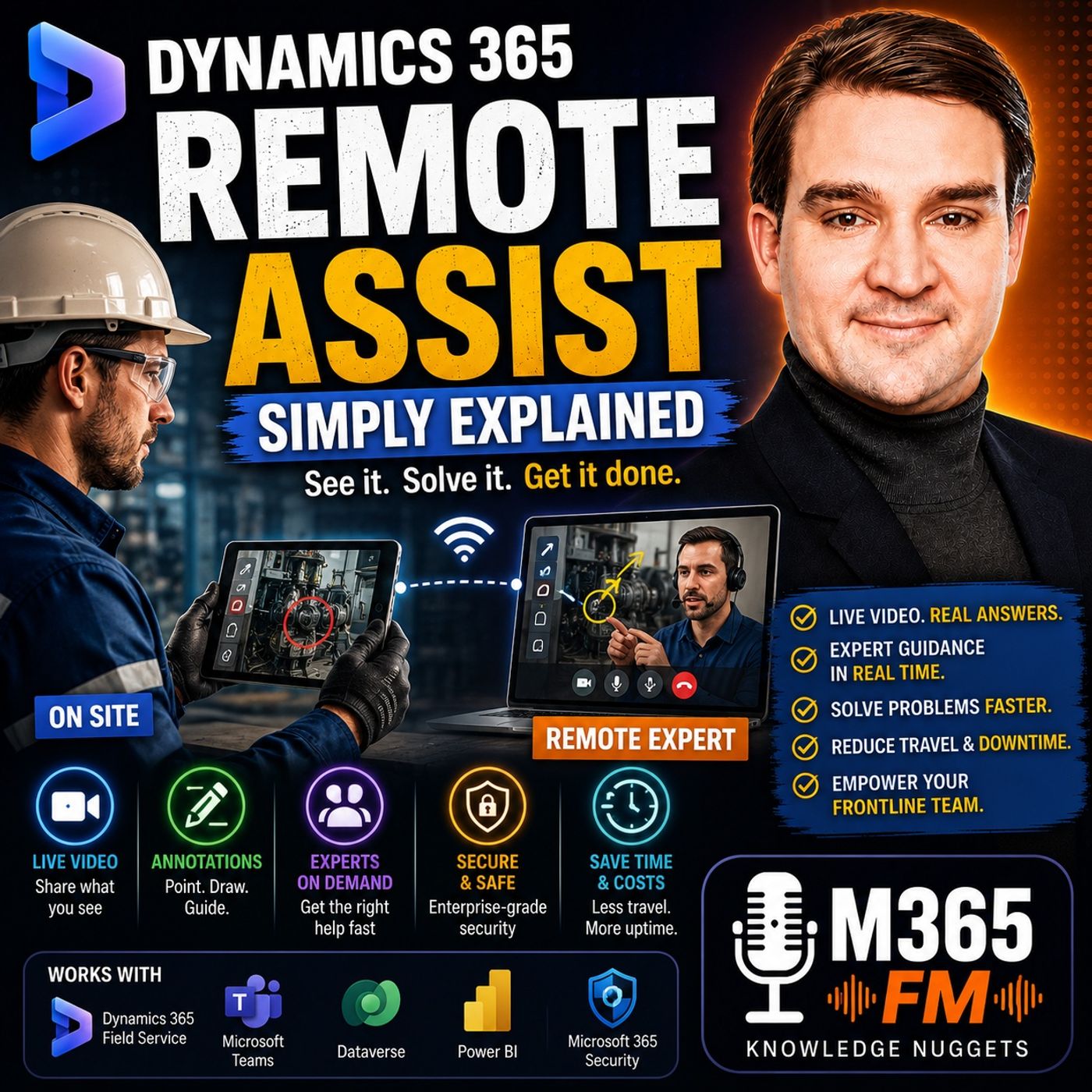
Mobile Devices vs. Mixed Reality Headsets: Choosing the Right Hardware for Dynamics 365 Remote Assist
Choosing between standard mobile devices and mixed reality headsets for Dynamics 365 Remote Assist depends on your frontline workflows, hands-free requirements, and budget. This guide explores the distinct operational advantages of smartphones, tablets, and headsets to help IT administrators and operations leaders deploy the optimal hardware for field service and manufacturing support.
Key Takeaways
- Mobile devices like smartphones and tablets offer a familiar, low-barrier option for quick inspections and occasional remote expert assistance.
- Mixed reality headsets provide true hands-free capability, allowing technicians to handle tools while receiving visual guidance overlaid directly on physical equipment.
- Device selection directly impacts technician safety, operational efficiency, and the overall cost of deploying Microsoft Dynamics 365 Remote Assist.
- Both hardware categories integrate seamlessly with Microsoft Teams and Microsoft Entra ID for secure, enterprise-grade communication.
- Understanding specific task requirements prevents over-spending on specialized hardware where a standard tablet or phone is entirely sufficient.
Understanding the Hardware Dilemma in Remote Support
When organizations decide to implement Microsoft Dynamics 365 Remote Assist, one of the first architectural decisions they face is hardware deployment. Frontline workers operate in diverse environments—from brightly lit factory floors to cramped utility closets and elevated field service sites. Placing the right screen or visor in front of a technician can mean the difference between a five-minute fix and an extended period of machine downtime.
While the underlying software experience powered by Microsoft Teams and shared visual context remains consistent, the physical interface shapes how the worker interacts with the remote expert. Evaluating your team's day-to-day physical tasks ensures you select devices that enhance productivity rather than introducing new ergonomic or technical hurdles.
Mobile Devices: Familiarity and Flexibility for Everyday Inspections
Supported smartphones and tablets represent the most accessible entry point for organizations adopting remote assistance. Because nearly every frontline worker already carries or regularly uses a mobile device, the learning curve is virtually non-existent.
When to Choose Smartphones and Tablets
Mobile devices excel in scenarios where intermittent checks, quick consultations, or customer-site verifications are standard. If a field technician needs to pull out a device, show an asset tag, verify a wiring configuration with a central engineer, and then tuck the phone back into a pocket, mobile hardware is ideal.
Furthermore, deploying smartphones or ruggedized tablets minimizes upfront hardware investments. Organizations do not need to purchase expensive, specialized gear for employees who only occasionally require remote expert support. The familiar touchscreen interface also makes it straightforward to capture photos, type quick notes, or pull up digital work orders from Dynamics 365 Field Service.
Mixed Reality Headsets: Unlocking True Hands-Free Collaboration
For complex mechanical repairs, intricate electrical work, and high-stakes manufacturing maintenance, holding a smartphone while trying to manipulate tools is a significant operational bottleneck. This is where supported mixed reality headsets transform the support paradigm.
The Hands-Free Advantage
When a technician wears a mixed reality headset, their hands remain entirely free to manage screwdrivers, wrenches, safety gear, and delicate components. They no longer need to balance a mobile device against a machine frame or pause every few minutes to wipe grease off a tablet screen.
More importantly, mixed reality allows remote experts to anchor visual annotations—such as arrows, circles, and step-by-step indicators—directly onto the physical equipment in the technician's field of view. When the technician moves their head, the guidance stays locked to the relevant part, eliminating the ambiguity common in verbal directions or static chat messages.
Matching Hardware to Operational Workflows
Selecting the right endpoint requires a careful audit of your organization's specific use cases. Asking the right operational questions prevents mismatched deployments:
- Are both hands required? If technicians constantly work inside tight spaces or rely on heavy tools, mixed reality headsets drastically reduce safety risks and physical friction.
- How frequent are the support calls? For occasional spot-checks, issuing dedicated headsets is rarely cost-effective. Smartphones and tablets provide adequate capability.
- What are the environmental conditions? Dusty factories, wet outdoor sites, or hazardous zones may require ruggedized mobile enclosures or specialized industrial-grade headsets designed for harsh conditions.
Conclusion: Building a Balanced Remote Support Strategy
Ultimately, Dynamics 365 Remote Assist is defined by the shared visual context it creates between frontline workers and remote experts, not by the specific glass or visor being used. Many successful organizations adopt a hybrid approach: deploying mobile devices for general field inspections and reserving mixed reality headsets for specialized, high-precision manufacturing environments. To explore the broader capabilities of Microsoft's knowledge-sharing tools, be sure to Listen to the full episode on the M365 FM Podcast.
Frequently Asked Questions
Can mobile devices and mixed reality headsets be used on the same Remote Assist call?
Yes. Because the platform leverages Microsoft Teams infrastructure, a frontline worker using a mobile tablet can seamlessly connect with a remote expert on a desktop computer, and multiple specialists can join the same collaborative session regardless of their endpoint hardware.
Do mixed reality headsets replace local training and safety protocols?
No. Remote Assist and mixed reality hardware are collaboration tools, not automated repair manuals or safety supervisors. Frontline workers remain entirely responsible for following local safety standards, handling tools correctly, and determining when a physical site visit is necessary.
Is specialized mobile hardware required for Remote Assist?
No. Standard, supported iOS and Android smartphones and tablets that meet basic performance and camera specifications can run Dynamics 365 Remote Assist effectively for everyday service calls and inspections.