


 Apple Podcasts
 Spotify
 Youtube Music
 Spreaker
 Podchaser
 Amazon Music
 Dynamics 365 Remote Assist - Simply Explained
Key Takeaways
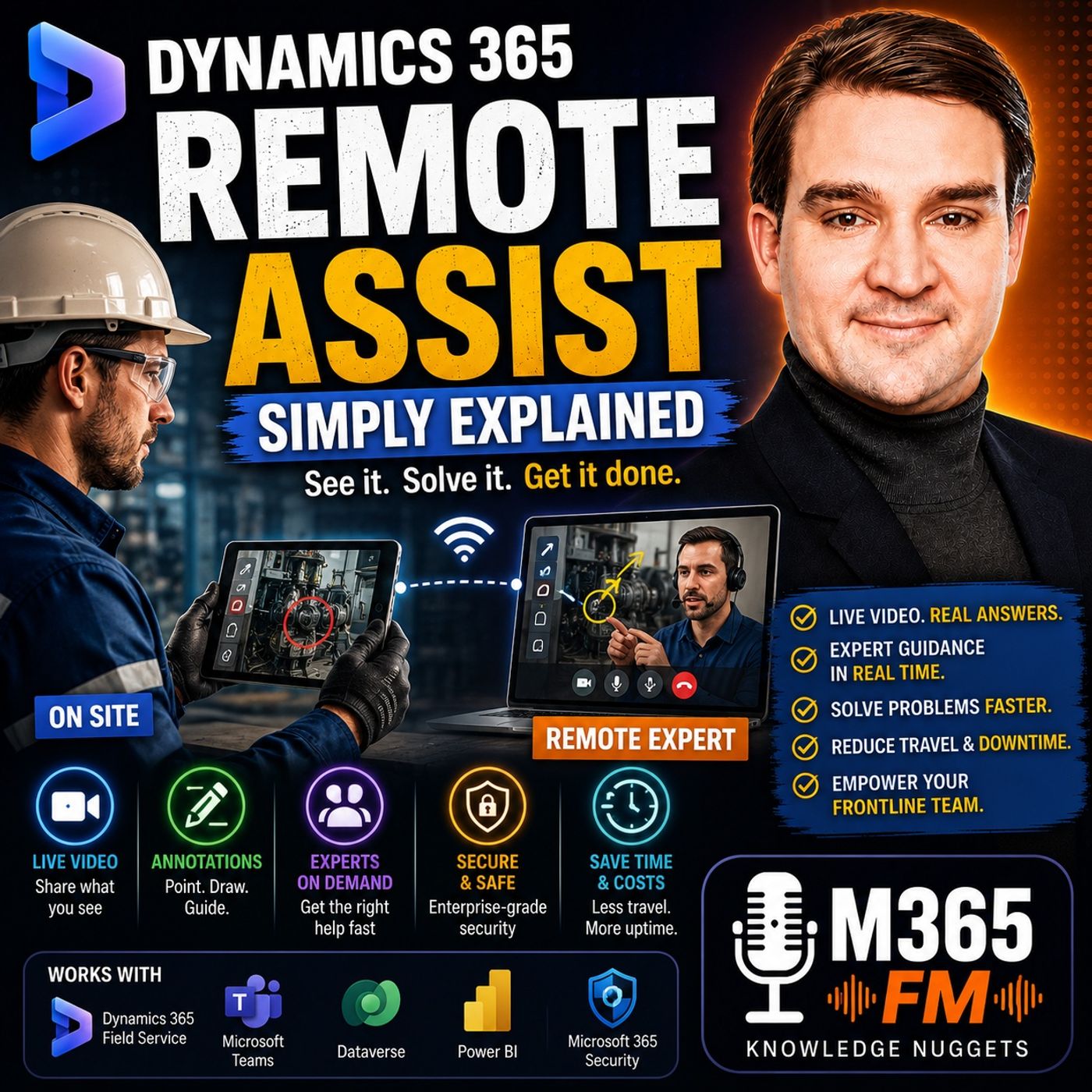
- Mirko Peters breaks down Microsoft Dynamics 365 Remote Assist on M365 FM, explaining how it connects frontline workers with remote experts through live video and shared visual context.
- Traditional support methods like phone calls, static photos, and chat messages create translation gaps when describing physical problems, which live video helps eliminate.
- Remote Assist integrates with Microsoft Teams, allowing organizations to leverage existing communication channels and contacts without building separate support networks.
- Visual annotations enable remote experts to place arrows, circles, and notes directly onto the worker's live view to pinpoint specific components in complex machinery.
- Supported mobile devices offer a practical option for everyday service situations, while mixed reality headsets allow hands-free collaboration when technicians need both hands for tools.
- Integration with Dynamics 365 Field Service and Microsoft Entra ID ensures that support calls remain tied to planned work orders while maintaining secure access controls.
A machine stops in the middle of a shift. The technician standing beside it can see the problem, but the person with the deepest knowledge of that machine may be hundreds or thousands of kilometers away. Traditionally, solving that problem could involve telephone calls, photographs, emails, unclear descriptions, repeated questions, or eventually sending a specialist to the site. The challenge is not necessarily that expertise does not exist. The challenge is getting that expertise to the place where the work is happening. In this episode of Microsoft Knowledge Nuggets on M365 FM, Mirko Peters explains Microsoft Dynamics 365 Remote Assist in plain English and explores how frontline workers can connect with remote experts through live video, visual guidance, Microsoft Teams, mobile devices, mixed reality, and connected Dynamics 365 processes. We look at how Remote Assist supports field service, manufacturing, maintenance, inspections, troubleshooting, training, remote collaboration, Microsoft Teams, Dynamics 365 Field Service, Microsoft 365 identity and security, and mixed reality scenarios. The central idea is simple: instead of trying to describe a physical problem to someone who cannot see it, let the expert see what the frontline worker sees.
THE PROBLEM WITH REMOTE TECHNICAL SUPPORT
Many frontline jobs happen far away from a desk. Maintenance employees work beside production equipment. Field technicians visit customer locations. Inspectors examine physical components. Engineers install machinery. Service teams troubleshoot equipment in warehouses, factories, offices, hospitals, or other facilities. When something unexpected happens, the employee on site can see the problem directly. They might hear an unusual sound. They might notice a loose cable. A warning light might appear. A component may not fit correctly. The difficulty begins when the employee needs help from someone who is somewhere else. The remote expert cannot initially see any of those details. The technician has to translate a physical situation into words. That translation creates opportunities for misunderstanding.
WHY PHONE SUPPORT HAS LIMITATIONS
Imagine calling an expert and saying: "There's something wrong with the connector at the back." The sentence makes perfect sense to the technician standing beside the machine. But the remote expert immediately has several questions. Which connector? Which side of the machine? What is connected to it? What does the surrounding equipment look like? Is there visible damage? Is another component positioned incorrectly? The technician describes the situation. The expert tries to reconstruct the machine mentally. Both people may eventually understand each other, but valuable time can disappear simply establishing which physical object they are discussing. Dynamics 365 Remote Assist was designed to reduce that gap by creating a shared visual context.
PHOTOS ARE USEFUL BUT STATIC
Photographs improve remote support because the expert can finally see something. But a photograph represents one moment from one angle. The expert might reply: "Can you send another picture from the side?" The technician takes another photograph. Then the expert needs a close-up. Another photograph. Then they need to understand where that component sits relative to another part. Another photograph. Meanwhile, the technician may have moved, removed another panel, or discovered a different problem. Live video changes this interaction because the expert can ask the technician to move the camera immediately. Instead of exchanging snapshots of the problem, both people can explore the physical environment together.
WHAT IS DYNAMICS 365 REMOTE ASSIST?
Dynamics 365 Remote Assist is a Microsoft application designed to connect a frontline worker with a remote expert while keeping the conversation focused on the physical work being performed. The worker can share live video of the equipment, environment, or problem. The remote expert sees the same physical scene and can provide guidance while the technician remains beside the equipment. The worker might use a supported smartphone or tablet. For appropriate hands-free scenarios, supported mixed reality headsets can provide another experience. The objective is not to make the remote expert physically present. It is to give that expert enough visual context to provide more useful assistance without immediately traveling to the location. ㅤ
LIVE VIDEO CHANGES THE SUPPORT CONVERSATION
Imagine an expert sitting in a central support office. Without Remote Assist, they might receive a service ticket containing several sentences and a photograph. They need to interpret the problem from that limited information. With Remote Assist, the worker's camera becomes a window into the work environment. The technician can show the complete machine. Then the control panel. Then the component producing the problem. The expert can ask the technician to move closer, change the viewing angle, show a label, follow a cable, or inspect another component. The conversation becomes interactive. The expert no longer needs to imagine the physical environment entirely from a written description.
USING REMOTE ASSIST ON MOBILE DEVICES Not every remote support scenario requires mixed reality hardware. Supported smartphones and tablets can provide a practical option for many everyday service situations. A field technician can take out a device, contact an expert, show the equipment, receive guidance, and continue working. This makes Remote Assist relevant to organizations that want visual remote support without deploying specialized headsets to every employee. For quick inspections, customer-site troubleshooting, equipment identification, or occasional expert assistance, familiar mobile devices can be sufficient. The important element is not the device. It is the shared visual context.
MIXED REALITY AND HANDS-FREE SUPPORT
Mixed reality becomes particularly interesting when employees need both hands available. Imagine a technician working inside a machine while holding tools. Repeatedly putting down the tools to pick up a smartphone interrupts the process. With an appropriate mixed reality headset, the worker can continue looking at the equipment while the remote expert sees the worker's perspective. The technician's hands remain available for the task. Guidance can remain connected to the physical work environment. This makes hands-free remote assistance potentially useful for complicated maintenance, manufacturing, inspection, and service processes.
MICROSOFT TEAMS AND REMOTE ASSIST
Microsoft Teams plays an important role in the Remote Assist experience. Teams provides familiar communication capabilities including calls, meetings, chat, and contacts. Remote Assist uses that communication foundation while focusing the interaction on frontline work. A technician can connect with an expert already working within the organization's Microsoft environment. Another specialist can potentially join when additional expertise becomes necessary. The organization does not necessarily need to build a completely separate communication network specifically for remote support. The people employees already collaborate with through Teams can become part of the support process.
REMOTE ASSIST VS A NORMAL TEAMS CALL
At first glance, Remote Assist may sound like a Microsoft Teams video call. There is an important difference. A traditional Teams meeting primarily connects people. Remote Assist focuses that connection on the physical work environment. The remote expert is not simply watching another person's face through a webcam. They are looking at the machine, equipment, installation, component, or physical environment the frontline worker is trying to understand. Visual guidance can then help both people focus on the same physical object. That makes the conversation considerably more useful for hands-on technical work.
VISUAL ANNOTATIONS
One of the most useful concepts behind Remote Assist is visual annotation. Imagine an electrical cabinet containing several rows of nearly identical connectors. The remote expert says: "Check the connector beside the blue cable." There may still be several possible components. Instead, the expert can visually indicate the relevant area. They might circle a connector, place an arrow near a switch, or mark another part of the scene. The technician can then see exactly which area the expert is discussing. A small visual mark can eliminate several minutes of verbal explanation. This becomes particularly valuable when machinery contains many visually similar components
Become a supporter of this podcast: https://www.spreaker.com/podcast/m365-fm-modern-work-security-and-productivity-with-microsoft-365--6704921/support.
🚀 Want to be part of m365.fm?
Then stop just listening… and start showing up.
👉 Connect with me on LinkedIn and let’s make something happen:
- 🎙️ Be a podcast guest and share your story
- 🎧 Host your own episode (yes, seriously)
- 💡 Pitch topics the community actually wants to hear
- 🌍 Build your personal brand in the Microsoft 365 space
This isn’t just a podcast — it’s a platform for people who take action.
🔥 Most people wait. The best ones don’t.
👉 Connect with me on LinkedIn and send me a message:
"I want in"
Let’s build something awesome 👊
Frequently Asked Questions
What is Dynamics 365 Remote Assist?
Dynamics 365 Remote Assist is a Microsoft application that connects frontline workers with remote experts via live video, allowing experts to see the physical work environment and provide real-time guidance.
How does Remote Assist differ from a standard Microsoft Teams video call?
While a standard Teams call focuses on connecting people face-to-face, Remote Assist focuses the interaction on the physical work environment, enabling visual annotations and shared spatial context for hands-on tasks.
Can Remote Assist be used on regular mobile devices?
Yes, supported smartphones and tablets can be used for everyday service, inspections, and troubleshooting without requiring specialized mixed reality hardware.
How does Dynamics 365 Field Service integrate with Remote Assist?
Field Service ties remote support calls directly to planned work orders, customer equipment details, and historical job data, creating a comprehensive audit trail of the service work.
00:00:00,000 --> 00:00:01,800
A machine stops in the middle of a shift.
2
00:00:01,800 --> 00:00:04,280
The person standing right next to it can see the problem,
3
00:00:04,280 --> 00:00:06,040
but the person who knows that machine best
4
00:00:06,040 --> 00:00:09,160
could be in a different city or even a different country.
5
00:00:09,160 --> 00:00:11,720
For years, the next step meant phone calls, photos,
6
00:00:11,720 --> 00:00:14,360
unclear descriptions, and sometimes a long trip for a question
7
00:00:14,360 --> 00:00:16,560
that could have taken five minutes to answer in person.
8
00:00:16,560 --> 00:00:19,120
Yautimim Mirko Peters from Microsoft Knowledge Nuggets
9
00:00:19,120 --> 00:00:21,160
on M365 FM.
10
00:00:21,160 --> 00:00:23,720
In plain English, we would TML look at what
11
00:00:23,720 --> 00:00:25,920
Dynamics 365 remote assist does,
12
00:00:25,920 --> 00:00:28,280
who it helps and how the parts fit together.
13
00:00:28,280 --> 00:00:30,720
Here's the thing, the problem starts
14
00:00:30,720 --> 00:00:33,160
before anyone even opens an app, thus says,
15
00:00:33,160 --> 00:00:38,520
"The problem, remote, help, without shared context."
16
00:00:38,520 --> 00:00:41,120
Think about the jobs people do away from a desk,
17
00:00:41,120 --> 00:00:44,120
a maintenance worker repairing equipment on a factory floor,
18
00:00:44,120 --> 00:00:46,520
a field technician visiting a customer site,
19
00:00:46,520 --> 00:00:48,760
an inspector checking apart for damage,
20
00:00:48,760 --> 00:00:51,240
or someone installing new equipment who runs into a step
21
00:00:51,240 --> 00:00:53,040
that just doesn't look right.
22
00:00:53,040 --> 00:00:54,920
These jobs involve real objects, real places,
23
00:00:54,920 --> 00:00:56,120
and often real pressure.
24
00:00:56,120 --> 00:00:58,680
Someone on site can see the problem directly, oh.
25
00:00:58,680 --> 00:01:00,600
They can hear an odd sound from the machine,
26
00:01:00,600 --> 00:01:02,680
notice a loose wire, spot a warning light,
27
00:01:02,680 --> 00:01:04,640
or see that a part doesn't fit the way it should.
28
00:01:04,640 --> 00:01:07,040
But here's the thing, the expert helping from a fast
29
00:01:07,040 --> 00:01:08,320
sees none of that at first.
30
00:01:08,320 --> 00:01:09,760
What they hear is something like,
31
00:01:09,760 --> 00:01:11,480
the panel is showing an error,
32
00:01:11,480 --> 00:01:14,560
or there's a connector near the back that looks wrong.
33
00:01:14,560 --> 00:01:16,560
That might sound clear to the person standing there,
34
00:01:16,560 --> 00:01:18,560
but it leaves a lot open to guesswork for the person
35
00:01:18,560 --> 00:01:20,720
on the other end, which panel and which connector
36
00:01:20,720 --> 00:01:22,360
how close is it to the other parts,
37
00:01:22,360 --> 00:01:23,840
and is there any damage around it?
38
00:01:23,840 --> 00:01:25,800
A phone call helps, but only up to a point.
39
00:01:25,800 --> 00:01:27,400
The worker tries to describe what they see
40
00:01:27,400 --> 00:01:29,760
while the expert tries to build a picture in their head.
41
00:01:29,760 --> 00:01:31,840
Sometimes they understand each other right away,
42
00:01:31,840 --> 00:01:33,800
but often they spend several minutes just trying
43
00:01:33,800 --> 00:01:35,120
to find the same part.
44
00:01:35,120 --> 00:01:38,520
Photos improve the situation, but they freeze one moment in time.
45
00:01:38,520 --> 00:01:40,960
The expert might ask for another photo from the side,
46
00:01:40,960 --> 00:01:43,760
then one closer in, then one that includes the label, though.
47
00:01:43,760 --> 00:01:45,200
But by the time those arrive,
48
00:01:45,200 --> 00:01:47,480
the worker may have already moved to another spot,
49
00:01:47,480 --> 00:01:50,680
put a cover back on, or found a new question.
50
00:01:50,680 --> 00:01:52,480
Chat messages create the same gap.
51
00:01:52,480 --> 00:01:54,120
You can send a part number,
52
00:01:54,120 --> 00:01:56,320
write down an arrow code or attach a photo,
53
00:01:56,320 --> 00:01:58,520
but the expert still can't look around the work area
54
00:01:58,520 --> 00:02:00,560
and respond to what changes in front of them.
55
00:02:00,560 --> 00:02:02,120
A normal video meeting gets closer
56
00:02:02,120 --> 00:02:04,440
because both people can see live video.
57
00:02:04,440 --> 00:02:06,320
But a general video call wasn't built around
58
00:02:06,320 --> 00:02:09,040
someone doing hands-on work with equipment, tools,
59
00:02:09,040 --> 00:02:10,520
safety gear, and limited time.
60
00:02:10,520 --> 00:02:12,480
The person on-site may need both hands free,
61
00:02:12,480 --> 00:02:15,000
and they may need the expert to point to a specific switch,
62
00:02:15,000 --> 00:02:16,720
screw or cable instead of saying,
63
00:02:16,720 --> 00:02:18,960
"No, the other one, a little to the left."
64
00:02:18,960 --> 00:02:20,480
And if the machine has stopped,
65
00:02:20,480 --> 00:02:22,880
every minute can affect the people waiting to use it.
66
00:02:22,880 --> 00:02:24,360
There's a cost question, too.
67
00:02:24,360 --> 00:02:26,040
Many companies have a small number of people
68
00:02:26,040 --> 00:02:28,400
who know the hardest equipment or the rarest faults,
69
00:02:28,400 --> 00:02:30,840
and sending one of those people to every site takes time,
70
00:02:30,840 --> 00:02:34,120
costs money, and pulls them away from the next urgent job.
71
00:02:34,120 --> 00:02:35,400
But sometimes the trip is needed
72
00:02:35,400 --> 00:02:38,000
because a remote expert can't physically replace a part
73
00:02:38,000 --> 00:02:39,400
or carry out a safety check.
74
00:02:39,400 --> 00:02:42,040
Still, plenty of calls begin with a smaller question.
75
00:02:42,040 --> 00:02:43,640
Can you see what I'm looking at?
76
00:02:43,640 --> 00:02:45,080
Safety adds another layer.
77
00:02:45,080 --> 00:02:47,240
When someone works around electrical panels,
78
00:02:47,240 --> 00:02:49,320
heavy machines, or customer equipment,
79
00:02:49,320 --> 00:02:50,800
guessing is a bad plan.
80
00:02:50,800 --> 00:02:53,640
The worker needs clear guidance, and the expert needs a clear view
81
00:02:53,640 --> 00:02:55,280
before they advise the next step.
82
00:02:55,280 --> 00:02:57,680
That shared view changes the conversation.
83
00:02:57,680 --> 00:02:59,680
Instead of trying to translate a physical problem
84
00:02:59,680 --> 00:03:01,040
into a string of messages,
85
00:03:01,040 --> 00:03:03,240
the worker can show the equipment, the room,
86
00:03:03,240 --> 00:03:04,880
or the task as it happens,
87
00:03:04,880 --> 00:03:08,480
and the expert can respond to the same scene in real time.
88
00:03:08,480 --> 00:03:10,320
Dynamics 365.
89
00:03:10,320 --> 00:03:13,560
Remote Assist turns that shared view into a working conversation,
90
00:03:13,560 --> 00:03:17,600
because your answer is, "What Dynamics 365 remote assist actually is so?"
91
00:03:17,600 --> 00:03:20,480
"What exactly is Dynamics 365 remote assist?"
92
00:03:20,480 --> 00:03:23,800
In plain English, it's a tool that lets a frontline worker call a remote expert
93
00:03:23,800 --> 00:03:26,240
and share live video from wherever the worker is happening.
94
00:03:26,240 --> 00:03:29,200
The expert sees the same physical scene the worker is looking at
95
00:03:29,200 --> 00:03:31,160
and can guide them on the spot.
96
00:03:31,160 --> 00:03:33,080
It puts a skilled person within reach,
97
00:03:33,080 --> 00:03:35,400
even when they can't be in the same room.
98
00:03:35,400 --> 00:03:37,360
The worker holds up a phone or tabletop
99
00:03:37,360 --> 00:03:39,360
or wears a supported mixed reality headset,
100
00:03:39,360 --> 00:03:42,000
"Oh, and the expert joins from their computer."
101
00:03:42,000 --> 00:03:44,160
The expert doesn't magically travel through the screen,
102
00:03:44,160 --> 00:03:47,120
but they can see the equipment, ask questions while they look,
103
00:03:47,120 --> 00:03:49,400
and give guidance based on the actual situation,
104
00:03:49,400 --> 00:03:51,200
and not a description typed up later.
105
00:03:51,200 --> 00:03:54,080
Now, many people hear the name and expect something more automatic.
106
00:03:54,080 --> 00:03:57,280
Remote Assist isn't a repair manual that hands you every answer.
107
00:03:57,280 --> 00:04:00,040
It's not a robot that diagnoses a machine on its own,
108
00:04:00,040 --> 00:04:02,040
and it definitely doesn't replace the trained person
109
00:04:02,040 --> 00:04:03,920
who has to do the work safely on site.
110
00:04:03,920 --> 00:04:05,440
People still do the thinking.
111
00:04:05,440 --> 00:04:07,400
The technician decides what they're seeing,
112
00:04:07,400 --> 00:04:10,320
the expert uses their knowledge to help diagnose the issue,
113
00:04:10,320 --> 00:04:13,280
and the person on site follows local safety rules,
114
00:04:13,280 --> 00:04:14,600
uses the right tools,
115
00:04:14,600 --> 00:04:19,040
and knows when to call for a physical visit or a different skill level.
116
00:04:19,040 --> 00:04:21,840
Remote Assist gives those people a better way to work together.
117
00:04:21,840 --> 00:04:24,440
Here's the thing, imagine an expert sitting in a support room
118
00:04:24,440 --> 00:04:27,520
many miles away, in the old setup that person might receive a ticket,
119
00:04:27,520 --> 00:04:29,560
read a few notes, open a photo,
120
00:04:29,560 --> 00:04:31,720
and try to picture a machine they can't see.
121
00:04:31,720 --> 00:04:35,080
With Remote Assist, the camera becomes their window into the work area.
122
00:04:35,080 --> 00:04:38,320
It's a live video call, but it lives inside the worker's real environment.
123
00:04:38,320 --> 00:04:40,880
The worker can point the camera at a control panel,
124
00:04:40,880 --> 00:04:42,920
walk around an asset, show a label,
125
00:04:42,920 --> 00:04:45,120
or zoom in on a small part that needs checking,
126
00:04:45,120 --> 00:04:47,360
that changes the kind of help the expert can give,
127
00:04:47,360 --> 00:04:50,120
instead of trying to explain where something is with long directions,
128
00:04:50,120 --> 00:04:54,160
they can look at the scene and guide the worker while the task is still right in front of them.
129
00:04:54,160 --> 00:04:56,640
The conversation stays connected to the physical object,
130
00:04:56,640 --> 00:04:59,000
not just a chat window or a written ticket.
131
00:04:59,000 --> 00:05:02,960
You can use Remote Assist on supported mobile devices for many everyday cases.
132
00:05:02,960 --> 00:05:06,200
A phone or tablet works well for a worker who needs to quickly show an issue,
133
00:05:06,200 --> 00:05:08,200
check something with an expert and move on.
134
00:05:08,200 --> 00:05:09,840
The device is already familiar,
135
00:05:09,840 --> 00:05:13,480
and it fits naturally into a visit, inspection, or repair job.
136
00:05:13,480 --> 00:05:15,280
For work where hands need to stay free,
137
00:05:15,280 --> 00:05:17,720
supported mixed reality headsets take a different role.
138
00:05:17,720 --> 00:05:21,360
The worker wears the headset and sees the work area directly.
139
00:05:21,360 --> 00:05:24,280
While the remote expert sees through the worker's view,
140
00:05:24,280 --> 00:05:26,360
guidance appears where the worker is looking,
141
00:05:26,360 --> 00:05:29,640
rather than forcing them to put down a tool and pick up a screen every few minutes,
142
00:05:29,640 --> 00:05:31,640
the device doesn't define the purpose.
143
00:05:31,640 --> 00:05:33,760
Whether someone uses a tablet or a headset,
144
00:05:33,760 --> 00:05:37,200
remote assist exists to connect a person doing hands-on work with a person
145
00:05:37,200 --> 00:05:39,000
who can help them make the next decision.
146
00:05:39,000 --> 00:05:41,280
Microsoft Teams sits close to this experience.
147
00:05:41,280 --> 00:05:43,920
Teams handles the usual ways of working with people or calls,
148
00:05:43,920 --> 00:05:45,600
chat, contacts meetings.
149
00:05:45,600 --> 00:05:49,600
That means Remote Assist can connect frontline workers with experts inside their company
150
00:05:49,600 --> 00:05:51,640
and in the right setup even with people outside it,
151
00:05:51,640 --> 00:05:54,960
you're not building a separate world of contacts just for one support call.
152
00:05:54,960 --> 00:05:58,240
The people you already work with through Teams become the people you call
153
00:05:58,240 --> 00:06:00,360
when a job needs another set of eyes.
154
00:06:00,360 --> 00:06:02,280
A worker can reach a known specialist,
155
00:06:02,280 --> 00:06:05,440
bring a colleague into the conversation and continue the discussion
156
00:06:05,440 --> 00:06:07,000
in a place that feels familiar,
157
00:06:07,000 --> 00:06:09,920
but Remote Assist adds something beyond a normal video meeting.
158
00:06:09,920 --> 00:06:12,240
A standard call lets you see a person's camera.
159
00:06:12,240 --> 00:06:15,320
Remote Assist focuses that connection on the real work scene
160
00:06:15,320 --> 00:06:17,600
so the expert can guide attention inside that scene
161
00:06:17,600 --> 00:06:20,120
instead of only describing what they mean with words.
162
00:06:20,120 --> 00:06:23,320
The expert can point out an area, draw a mark, or place a note
163
00:06:23,320 --> 00:06:24,720
where the worker needs to look.
164
00:06:24,720 --> 00:06:26,400
That sounds like a small difference on paper.
165
00:06:26,400 --> 00:06:28,720
But during a repair, it can remove a lot of confusion.
166
00:06:28,720 --> 00:06:31,320
The best way to understand it is to follow one support call
167
00:06:31,320 --> 00:06:33,520
from the moment a worker spots a problem
168
00:06:33,520 --> 00:06:35,240
to the moment they know what to do next.
169
00:06:35,240 --> 00:06:36,920
So let's break it down.
170
00:06:36,920 --> 00:06:41,520
A Remote Assist call from problem to guided fix.
171
00:06:41,520 --> 00:06:44,600
Picture a technician standing beside a machine that has stopped.
172
00:06:44,600 --> 00:06:47,040
A warning light is on, work can't continue,
173
00:06:47,040 --> 00:06:48,840
and they've already checked the obvious things.
174
00:06:48,840 --> 00:06:51,840
Instead of writing a long description and waiting for replies,
175
00:06:51,840 --> 00:06:55,680
they open Remote Assist and start a call with the right expert to
176
00:06:55,680 --> 00:06:58,440
or join a call the support team has already arranged.
177
00:06:58,440 --> 00:06:59,720
The call begins with the camera.
178
00:06:59,720 --> 00:07:01,840
The technician shows the full machine first,
179
00:07:01,840 --> 00:07:04,600
then the control panel, then the part that seems wrong.
180
00:07:04,600 --> 00:07:07,520
That wider view helps the expert understand where they are
181
00:07:07,520 --> 00:07:09,640
before focusing on one small detail.
182
00:07:09,640 --> 00:07:12,600
The expert might ask, can you move a little closer to that label?
183
00:07:12,600 --> 00:07:15,080
Then turn the camera slightly to the right.
184
00:07:15,080 --> 00:07:16,480
Or hold it there.
185
00:07:16,480 --> 00:07:19,200
I need to see the cable going into that port.
186
00:07:19,200 --> 00:07:21,920
This sounds simple, but it changes the pace of the conversation.
187
00:07:21,920 --> 00:07:23,720
A single photo shows only one angle,
188
00:07:23,720 --> 00:07:26,160
and a service ticket describes only one symptom.
189
00:07:26,160 --> 00:07:28,760
A live view lets the expert ask for the next detail of the moment
190
00:07:28,760 --> 00:07:29,520
they notice it.
191
00:07:29,520 --> 00:07:31,240
Maybe the panel has an error code.
192
00:07:31,240 --> 00:07:33,840
The code alone might point to several possible causes.
193
00:07:33,840 --> 00:07:35,920
Yet when the expert sees the panel,
194
00:07:35,920 --> 00:07:38,080
the surrounding cables, the position of a switch,
195
00:07:38,080 --> 00:07:41,480
and the condition of the cabinet door, they can narrow things down much faster.
196
00:07:41,480 --> 00:07:43,720
They're not trying to guess the room from a sentence.
197
00:07:43,720 --> 00:07:46,960
They're looking at the real work area as the technician moves through it.
198
00:07:46,960 --> 00:07:49,320
Once the expert spots the area that needs attention,
199
00:07:49,320 --> 00:07:50,960
they can draw on the shared view.
200
00:07:50,960 --> 00:07:54,000
They might circle a connector, place an arrow beside a switch,
201
00:07:54,000 --> 00:07:56,760
or mark the exact cover the technician needs to open.
202
00:07:56,760 --> 00:07:58,800
Those marks stay connected to the worker's view.
203
00:07:58,800 --> 00:08:02,360
That matters when a cabinet contains rows of similar parts.
204
00:08:02,360 --> 00:08:05,560
Instead of saying, look near the second row beside the blue cable,
205
00:08:05,560 --> 00:08:07,360
the expert can point to the exact place.
206
00:08:07,360 --> 00:08:10,760
The technician sees where to look without having to decode a long set of directions.
207
00:08:10,760 --> 00:08:15,040
Supported mixed reality headsets make this even more practical for certain jobs.
208
00:08:15,040 --> 00:08:17,560
With the headset, the technician keeps both hands on the task
209
00:08:17,560 --> 00:08:19,560
while the expert watches through their view
210
00:08:19,560 --> 00:08:22,360
and places guidance right where the technician is working.
211
00:08:22,360 --> 00:08:24,040
No need to balance a phone against the panel
212
00:08:24,040 --> 00:08:26,280
or stop every few seconds to pick up a tablet.
213
00:08:26,280 --> 00:08:28,480
Still, the person on-site remains in control.
214
00:08:28,480 --> 00:08:30,680
They follow the safe work steps for that location.
215
00:08:30,680 --> 00:08:32,480
They check before touching equipment.
216
00:08:32,480 --> 00:08:34,760
If the task needs someone physically present,
217
00:08:34,760 --> 00:08:39,440
they stop and arrange that support rather than treating a video call as permission to take risks.
218
00:08:39,440 --> 00:08:40,640
Let's use a short example.
219
00:08:40,640 --> 00:08:44,040
A technician opens an electrical cabinet because a unit keeps losing power.
220
00:08:44,040 --> 00:08:46,000
Nothing looks clearly broken at first.
221
00:08:46,000 --> 00:08:48,520
The expert asks to see the lower row of connectors,
222
00:08:48,520 --> 00:08:52,320
then asks the technician to move the camera closer to one small section near the back.
223
00:08:52,320 --> 00:08:53,040
There it is.
224
00:08:53,040 --> 00:08:56,040
One connector sits slightly loose, but it blends in with the others
225
00:08:56,040 --> 00:08:57,680
unless you know exactly where to look.
226
00:08:57,680 --> 00:09:00,400
The expert places a mark beside the right connector
227
00:09:00,400 --> 00:09:03,280
and the technician checks it using the site's approved steps.
228
00:09:03,280 --> 00:09:06,040
After securing the connection, they test the unit again.
229
00:09:06,040 --> 00:09:08,080
The warning clears and the machine starts normally.
230
00:09:08,080 --> 00:09:10,400
That doesn't mean remote assist fix the issue by itself.
231
00:09:10,400 --> 00:09:13,120
The technician found the physical problem and did the work.
232
00:09:13,120 --> 00:09:16,440
The expert helped them focus on the right place without traveling to the site.
233
00:09:16,440 --> 00:09:18,880
Sometimes the first expert needs another opinion.
234
00:09:18,880 --> 00:09:20,960
Maybe the fault touches a different system.
235
00:09:20,960 --> 00:09:24,680
Or the person on the call recognizes an issue outside their area of knowledge.
236
00:09:24,680 --> 00:09:26,480
They can bring another expert into the call,
237
00:09:26,480 --> 00:09:31,280
so the technician doesn't have to end one conversation and start from scratch with someone new.
238
00:09:31,280 --> 00:09:34,120
The second expert sees the same live scene
239
00:09:34,120 --> 00:09:37,440
and joins the discussion with the context already in front of them
240
00:09:37,440 --> 00:09:39,880
when the team needs a record they can capture a photo
241
00:09:39,880 --> 00:09:42,560
or add notes about what they found and what they did next.
242
00:09:42,560 --> 00:09:47,200
That gives everyone involved something more useful than a vague memory of a call later that day.
243
00:09:47,200 --> 00:09:49,320
A remote call solves the immediate question,
244
00:09:49,320 --> 00:09:52,680
but the work around that question doesn't disappear when the video ends.
245
00:09:52,680 --> 00:09:54,360
It becomes part of the bigger picture,
246
00:09:54,360 --> 00:09:56,680
"Oh, a better way to keep things running."
247
00:09:56,680 --> 00:09:59,240
The building blocks behind the call.
248
00:09:59,240 --> 00:10:02,000
What exactly happens when someone starts a remote assist call?
249
00:10:02,000 --> 00:10:04,040
The video call is the part you notice first,
250
00:10:04,040 --> 00:10:08,680
but their AOT man's a whole system working behind it to make that connection useful.
251
00:10:08,680 --> 00:10:11,560
Remote assist ties together several Microsoft tools
252
00:10:11,560 --> 00:10:14,160
and each one handles a different part of the job.
253
00:10:14,160 --> 00:10:17,600
That way, the person on site and the remote expert Donut Métis
254
00:10:17,600 --> 00:10:22,320
have to jump between unrelated systems or copy information from one window to another.
255
00:10:22,320 --> 00:10:24,400
Here are our team's the simplest definition.
256
00:10:24,400 --> 00:10:27,680
Remote assist sits closest to the real-world task.
257
00:10:27,680 --> 00:10:30,120
It gives frontline workers a place to ask for help
258
00:10:30,120 --> 00:10:33,840
while they are looking at equipment, a site, or a physical issue.
259
00:10:33,840 --> 00:10:36,280
The tool keeps the conversation connected to that work,
260
00:10:36,280 --> 00:10:39,880
instead of leaving the worker to describe everything later in a message or email.
261
00:10:39,880 --> 00:10:42,440
Now, teams handles the people side of that connection.
262
00:10:42,440 --> 00:10:45,440
Think of teams as the phone system inside a large office building.
263
00:10:45,440 --> 00:10:49,640
It holds the calls, chat, contacts, and meetings that help people find each other and talk.
264
00:10:49,640 --> 00:10:51,480
A technician needs an expert.
265
00:10:51,480 --> 00:10:53,200
The expert needs to reach the technician
266
00:10:53,200 --> 00:10:55,680
and teams provides that familiar line between them.
267
00:10:55,680 --> 00:10:59,000
Remote assist uses that line, but it brings the expert closer to the job
268
00:10:59,000 --> 00:11:00,920
through the worker out Tiam and camera.
269
00:11:00,920 --> 00:11:04,840
So imagine the technician is at a customer site and the specialist is at their desk.
270
00:11:04,840 --> 00:11:09,520
Teams puts them on the same call, while remote assist lets the specialist look into the work area
271
00:11:09,520 --> 00:11:12,000
and guide the conversation around the actual equipment.
272
00:11:12,000 --> 00:11:14,000
The expert hasn't travelled there, still.
273
00:11:14,000 --> 00:11:17,640
Through the camera, they can work alongside the person who has.
274
00:11:17,640 --> 00:11:19,240
Let outams add another layer.
275
00:11:19,240 --> 00:11:22,720
Some companies connect remote assist with Dynamics 365 Field Service.
276
00:11:22,720 --> 00:11:25,480
Field Service helps teams plan and manage service work.
277
00:11:25,480 --> 00:11:27,600
It can hold work orders.
278
00:11:27,600 --> 00:11:31,840
Records for jobs that need doing, like a repair, inspection, or scheduled visit.
279
00:11:31,840 --> 00:11:34,800
A work order gives the technician context before they arrive.
280
00:11:34,800 --> 00:11:37,880
It may include the customer side, the piece of equipment they need to inspect,
281
00:11:37,880 --> 00:11:40,840
details from earlier visits, and notes about the task.
282
00:11:40,840 --> 00:11:43,320
Rather than arriving with only a name and an address,
283
00:11:43,320 --> 00:11:46,480
the technician can see what work was planned and what happened before.
284
00:11:46,480 --> 00:11:49,200
But that context matters when a remote call starts.
285
00:11:49,200 --> 00:11:52,560
If a technician needs help with a specific asset at a customer location,
286
00:11:52,560 --> 00:11:56,240
the work order keeps the job details close to the support conversation.
287
00:11:56,240 --> 00:11:59,840
The people involved refer to the same job, rather than trying to piece it together
288
00:11:59,840 --> 00:12:01,960
from separate emails or an old spreadsheet.
289
00:12:01,960 --> 00:12:06,200
But here o-tams the thing, not every remote assist call needs field service.
290
00:12:06,200 --> 00:12:09,480
A factory worker might need help with equipment inside their own building
291
00:12:09,480 --> 00:12:11,800
with no customer visit or work order involved.
292
00:12:11,800 --> 00:12:14,120
Where service teams already use field service,
293
00:12:14,120 --> 00:12:17,680
the connection helps keep the support call tied to the job it belongs to,
294
00:12:17,680 --> 00:12:19,520
records matter after the call too.
295
00:12:19,520 --> 00:12:21,480
Photos can show the issue that someone found.
296
00:12:21,480 --> 00:12:24,480
Notes can record what the expert advised and what the technician checked.
297
00:12:24,480 --> 00:12:28,640
Call details can help the team see that remote support took place as part of the work.
298
00:12:28,640 --> 00:12:30,200
That creates a clearer trail.
299
00:12:30,200 --> 00:12:33,120
The next technician who visits the same site does not have to rely on.
300
00:12:33,120 --> 00:12:37,240
Oh, someone called about this last month, but I'll, Tim, I'm not sure what they found.
301
00:12:37,240 --> 00:12:41,320
Oh, they can start with the notes, photos, and job history left behind.
302
00:12:41,320 --> 00:12:44,320
There o-tams another layer that most workers never see.
303
00:12:44,320 --> 00:12:48,200
Microsoft 365 handles identity and security behind the scenes.
304
00:12:48,200 --> 00:12:51,400
Think of Entra ID as the reception desk at that office building.
305
00:12:51,400 --> 00:12:55,680
It checks who you are when you sign in and helps control which people can enter which digital rooms.
306
00:12:55,680 --> 00:13:00,480
That means the technician does no tmit simply share work information with anyone who happens to have a link.
307
00:13:00,480 --> 00:13:03,440
The organization controls access based on its own setup.
308
00:13:03,440 --> 00:13:07,800
So the right people can join the conversation and reach the information they need for their work.
309
00:13:07,800 --> 00:13:12,480
Teams, remote assist, and field service can then connect around the same signed in person.
310
00:13:12,480 --> 00:13:14,200
Each building block has a simple job.
311
00:13:14,200 --> 00:13:15,440
Teams connects people.
312
00:13:15,440 --> 00:13:17,960
Remote assist connects that conversation to physical work.
313
00:13:17,960 --> 00:13:21,280
Field service connects it to a planned service job and its history.
314
00:13:21,280 --> 00:13:25,360
And Microsoft 365 manages who can access the information behind the scenes.
315
00:13:25,360 --> 00:13:30,800
Once those pieces connect, the places where remote assist fits start to become much easier to see.
316
00:13:30,800 --> 00:13:38,920
Doll, where teams use it and what changes you can spot the best uses for remote assist anywhere people work with physical things and sometimes need a second pair of eyes.
317
00:13:38,920 --> 00:13:45,560
On a factory floor, a maintenance worker may face a machine fault they don't know Tim, see every day.
318
00:13:45,560 --> 00:13:48,920
The person who knows that machine best could support several plants.
319
00:13:48,920 --> 00:13:54,920
So instead of leaving one side and traveling to another, they join the worker through the camera and help narrow down the issue.
320
00:13:54,920 --> 00:13:56,720
The worker stays beside the machine.
321
00:13:56,720 --> 00:14:00,840
The specialist sees the actual parts, panels, and warning signs in front of the worker.
322
00:14:00,840 --> 00:14:06,320
That often leads to a faster decision than trying to interpret a short message between noisy tasks on a busy floor.
323
00:14:06,320 --> 00:14:09,280
Field service teams run into the same situation at customer sites.
324
00:14:09,280 --> 00:14:14,320
A technician might arrive to repair a heating unit, production device, or other piece of customer equipment,
325
00:14:14,320 --> 00:14:17,800
then find something different from what the original job notes described.
326
00:14:17,800 --> 00:14:23,840
Rather than pausing the job until a specialist can travel out, the technician asks that specialist to look at the equipment with them.
327
00:14:23,840 --> 00:14:25,240
That can keep a visit moving.
328
00:14:25,240 --> 00:14:32,840
The specialist does not need to travel for every question, while the technician still carries out the work at the site using their own training and the rules that apply there.
329
00:14:32,840 --> 00:14:35,320
Inspection and quality work also fits naturally.
330
00:14:35,320 --> 00:14:39,960
Imagine a worker finds a mark, crack, or part that does not look right during an inspection.
331
00:14:39,960 --> 00:14:46,000
A remote quality expert can look through the worker, O, TNB, and S camera, ask to see the item from another angle,
332
00:14:46,000 --> 00:14:48,120
and help decide whether it needs more checking.
333
00:14:48,120 --> 00:14:49,480
Photos can help later.
334
00:14:49,480 --> 00:14:56,480
But during the inspection itself, a live view lets the expert react to what they see and ask for the next view without waiting for messages to go back and forth.
335
00:14:56,480 --> 00:14:58,000
Training is another practical use.
336
00:14:58,000 --> 00:15:02,720
A new worker can learn a task while an experienced coach watches the real job from another location.
337
00:15:02,720 --> 00:15:10,400
The coach corrects a step when it happens, answers questions in context, and helps the new worker connect written instructions with the actual equipment in front of them.
338
00:15:10,400 --> 00:15:13,160
This does not mean turn training into a shortcut.
339
00:15:13,160 --> 00:15:17,160
The new worker still needs proper training, practice, and permission to carry out the task.
340
00:15:17,160 --> 00:15:23,720
Yet a remote coach can spend time helping more people across different sites instead of spending most of the day travelling between them.
341
00:15:23,720 --> 00:15:26,840
Across all these cases, the change comes from shared visual context.
342
00:15:26,840 --> 00:15:31,360
People stop spending so much time guessing which part, room, panel, or step someone means.
343
00:15:31,360 --> 00:15:36,800
They can look at the same situation, ask clearer questions, and decide what to do while the work remains in front of them.
344
00:15:36,800 --> 00:15:38,160
Some trips will still happen.
345
00:15:38,160 --> 00:15:44,400
A specialist needs to visit when the job calls for physical work, site access, testing, or skills the person on site does now tempty have.
346
00:15:44,400 --> 00:15:51,360
Remote assist does now tempty remove that need, but it can remove trips where the immediate question only needs an experienced person to see the problem.
347
00:15:51,360 --> 00:15:54,640
That helps companies spread specialist knowledge across more locations.
348
00:15:54,640 --> 00:16:01,920
One expert can support a worker at one site, then help another worker somewhere else, while the people on site keep control of the tools, equipment, and local work steps.
349
00:16:01,920 --> 00:16:03,920
The expert guides, the worker does the job.
350
00:16:03,920 --> 00:16:05,680
Safety rules still come first.
351
00:16:05,680 --> 00:16:12,960
No video call replaces lockout steps, protective equipment, approved work methods, or the judgment to stop when a situation is not safe.
352
00:16:12,960 --> 00:16:19,200
And no remote expert can enter a restricted area, lift a heavy part, or perform a required hands-on check through a screen.
353
00:16:19,200 --> 00:16:24,960
The name can still create a few wrong ideas, so let out them, clear those up.
354
00:16:24,960 --> 00:16:27,360
What remote assist is not and when it fits.
355
00:16:27,360 --> 00:16:28,960
Here's the thing most people get wrong.
356
00:16:28,960 --> 00:16:34,080
Remote assist is not just a normal team's meeting with a camera turned on, a team's meeting connects people.
357
00:16:34,080 --> 00:16:38,720
Remote assist focuses that conversation on the actual work in front of a frontline worker.
358
00:16:38,720 --> 00:16:42,880
The expert can guide attention inside the real scene instead of just talking about it.
359
00:16:42,880 --> 00:16:44,560
It also doesn't fix anything by itself.
360
00:16:44,560 --> 00:16:46,720
The people on the call still diagnose the fault.
361
00:16:46,720 --> 00:16:48,320
They choose the next safe step.
362
00:16:48,320 --> 00:16:49,680
They complete the physical work.
363
00:16:49,680 --> 00:16:53,120
Remote assist helps them see the same object together which removes confusion.
364
00:16:53,120 --> 00:16:55,600
You don't even need an expensive headset for every use.
365
00:16:55,600 --> 00:16:58,640
A supported phone or tablet works for many everyday jobs.
366
00:16:58,640 --> 00:17:02,320
Think quick visual checks during a visit, inspection, or repair.
367
00:17:02,320 --> 00:17:06,080
Headset's fit hands out free jobs, but they are not the starting point for most teams.
368
00:17:06,080 --> 00:17:08,400
The best fit involves visual, hands-on work.
369
00:17:08,400 --> 00:17:09,760
Ask a simple question.
370
00:17:09,760 --> 00:17:12,880
Would an expert make a faster decision if they could see what the worker sees?
371
00:17:12,880 --> 00:17:16,880
If that view can prevent a delay or avoid an unnecessary trip,
372
00:17:16,880 --> 00:17:18,880
remote assist may fit the job well.
373
00:17:18,880 --> 00:17:20,720
Some work won't benefit much.
374
00:17:20,720 --> 00:17:23,840
A question with a simple written answer only needs a chat message.
375
00:17:23,840 --> 00:17:27,040
A task that can't be checked on camera still needs the normal process.
376
00:17:27,040 --> 00:17:29,280
Start with one support problem that keeps happening.
377
00:17:29,280 --> 00:17:32,000
Maybe technicians wait endlessly for help identifying a part.
378
00:17:32,240 --> 00:17:35,840
Or maintenance staff call specialists about the same fault repeatedly.
379
00:17:35,840 --> 00:17:38,960
Test whether live video and visual marks remove that waiting time.
380
00:17:38,960 --> 00:17:41,200
Judge the result from the work itself.
381
00:17:41,200 --> 00:17:43,760
With that in mind, return to the simple definition.
382
00:17:43,760 --> 00:17:45,600
Conclusion.
383
00:17:45,600 --> 00:17:47,680
One expert view wherever the work happens.
384
00:17:47,680 --> 00:17:50,400
Dynamics 365.
385
00:17:50,400 --> 00:17:56,160
Remote assist connects frontline workers and remote experts through live video and guidance tied to the work they can both see.
386
00:17:56,160 --> 00:17:59,600
Subscribe to Microsoft Knowledge Nuggets on M365-FM.
387
00:17:59,600 --> 00:18:04,800
Then watch our Dynamics 365 and Teams explainers to see how the tools around remote assist
388
00:18:04,800 --> 00:18:07,840
connect to the everyday jobs people need to finish.




