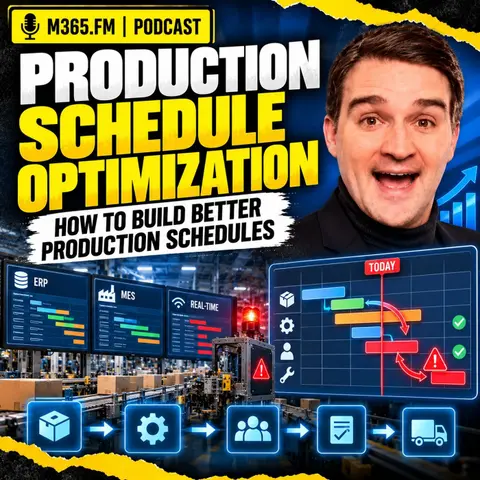
Using Power Platform and Azure to Build Finite-Capacity Manufacturing Schedules
Building a finite-capacity manufacturing schedule requires bridging ERP demand plans with real-time shop-floor execution. By leveraging Microsoft Azure, Power Platform, and Microsoft Fabric, IT and operations teams can build robust data architectures that capture true machine capabilities, manage operational constraints, and automate exception workflows without triggering constant factory chaos.
Key Takeaways
- ERP systems supply commercial demand and due dates, while MES systems track shift execution, bottlenecks, and real quantities.
- Finite-capacity scheduling must account for toolings, fixtures, operator skills, and quality holds, not just empty calendar hours.
- Microsoft Azure acts as the integration layer connecting disparate ERP, MES, and OT systems into a unified scheduling engine.
- Power Platform workflows automate human approvals for urgent order insertions, routing modifications, and quality overrides.
- Freeze zones and exception-based rescheduling prevent constant shop-floor disruptions by protecting near-term staged work.
The Gap Between ERP Plans and Shop-Floor Reality
A production schedule can look pristine on a management dashboard while the factory floor has already completely abandoned it. Traditional Enterprise Resource Planning (ERP) platforms are exceptional at managing high-level business logic, customer commitments, purchasing, and high-level inventory tracking. However, they typically operate on theoretical capacities and idealized cycle times. When a machine runs slower than expected, a changeover takes an extra hour, or raw materials are delayed at a quality checkpoint, the ERP system remains blissfully unaware.
Meanwhile, Manufacturing Execution Systems (MES) and Operational Technology (OT) edge systems live in the immediate reality of the shift. Supervisors adjust sequences manually on the floor to work around missing parts, broken tools, or absent operators. This disconnect creates a dangerous administrative lag where planners rely on outdated assumptions while execution teams improvise solutions in real-time. Bridging this gap requires an architecture that respects both commercial priorities and physical constraints.
Why Generic Machine Availability Fails
A common mistake in production planning is treating an idle machine as ready-to-use capacity. In reality, an empty time slot on a calendar does not mean the operation can actually run. Detailed scheduling requires evaluating granular capability data across multiple secondary resources. A machine might be free, but the specialized fixture required for the product revision could be in use on another line, the measuring gauge might be out of calibration, or the qualified operator might not be scheduled for the current shift.
Architecting the Scheduling Data Layer with Azure and Fabric
Implementing a modern constraint-based scheduling strategy demands a flexible cloud infrastructure capable of ingesting high-volume telemetry from the factory floor alongside structured business data from enterprise systems. This is where the Microsoft ecosystem provides immense value to IT architects and operations leaders.
Azure serves as the primary integration backbone. It securely connects legacy ERP databases, cloud MES solutions, and IoT/OT edge telemetry streams. By centralizing these diverse data pipelines, organizations can feed specialized optimization and Advanced Planning and Scheduling (APS) engines with clean, up-to-date inputs.
Leveraging Microsoft Fabric for Historical Analysis
While operational databases handle real-time transactions, Microsoft Fabric acts as the centralized analytics store for manufacturing intelligence. Fabric brings together historical scheduling records, execution logs, quality rejection rates, and maintenance histories. Operations teams use Power BI dashboards connected to Fabric to evaluate schedule adherence, identify recurring bottlenecks, compare planned versus actual operation times, and audit the root causes of schedule changes over time.
Automating Exceptions with Power Platform
Even the most sophisticated constraint-based scheduling engine cannot eliminate human judgment. Unexpected disruptions—such as a critical machine breakdown, an urgent customer order insertion, or a sudden material quality hold—require rapid intervention. However, handling these exceptions via disjointed emails or shouted instructions introduces costly delays and errors.
Power Platform bridges the gap between automated optimization and human decision-making. Power Apps can provide floor supervisors and planners with streamlined interfaces to request route changes, log quality holds, or flag machine downtime. Behind the scenes, Power Automate routes these requests through structured approval workflows, notifying the right stakeholders, updating tracking logs, and securely pushing approved changes back to the operational database.
Implementing Freeze Zones to Prevent Factory Chaos
Real-time data visibility is a powerful asset, but it can easily become a liability if misused. If an automated scheduling algorithm reacts to every minor sensor alarm or momentary slowdown by completely recalculating the entire factory schedule, the resulting operational instability will destroy worker morale and efficiency.
Production teams need stability to stage materials, install physical tools, perform machine setups, and execute work safely. To balance responsiveness with stability, schedulers must implement freeze zones. A freeze zone locks down near-term work that has already been staged or initiated on the floor, making it immune to automated rescheduling. Work further out in the schedule remains flexible, allowing optimization engines to adjust future sequences based on shifting demand without disrupting the current shift.
Conclusion
Building better production schedules is not about designing a theoretical plan that never changes. It is about constructing a resilient operational rhythm that respects the physical constraints of the factory floor, adapts intelligently to real-world disruptions, and gives teams clear visibility into what can actually happen next. By combining specialized optimization tools with Azure integration, Fabric analytics, and Power Platform workflow automation, organizations can turn scheduling from a guessing game into a competitive advantage.
To dive deeper into modern manufacturing strategies and cloud architectures, Listen to the full episode for expert insights, practical implementation tips, and a comprehensive discussion on optimizing your production environments.
Frequently Asked Questions
What is the difference between an ERP production plan and an MES schedule?
An ERP production plan establishes high-level business demand, commercial commitments, purchasing requirements, and customer due dates. An MES schedule manages immediate shop-floor execution, tracking real-time machine operations, completed quantities, current bottlenecks, and shift-level events.
Why is finite-capacity scheduling superior to infinite-capacity planning?
Infinite-capacity planning loads work against preferred dates and exposes overloads after the fact, forcing the factory to scramble. Finite-capacity scheduling checks whether orders fit real, available resources upfront—accounting for tools, skills, maintenance, and material availability before assigning work.
How does Power Platform assist in manufacturing scheduling workflows?
Power Platform supports controlled, human-in-the-loop governance. Power Apps and Power Automate enable plant managers and supervisors to manage exceptions such as urgent order insertions, routing adjustments, and quality holds through structured, auditable approval processes.
What role do freeze zones play in real-time rescheduling?
Freeze zones protect near-term work that has already been staged, prepped, or started on the factory floor from being constantly disrupted by automated schedule recalculations, ensuring operational stability during active shifts.