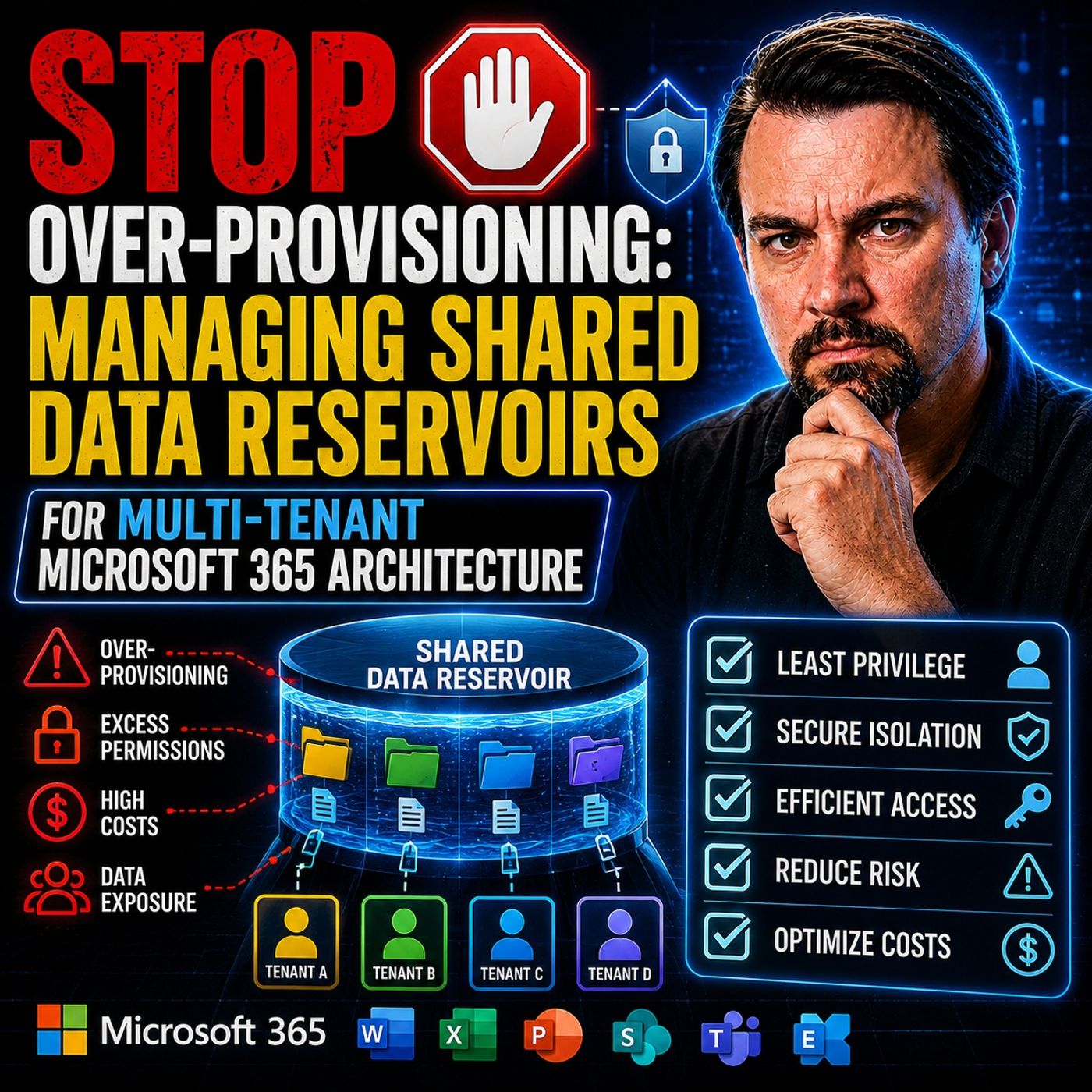
Stop Over-Provisioning: Why Your Multi-Tenant M365 Setup is Costing You
Welcome back to the blog! If you manage a multi-tenant environment, you are likely familiar with the constant balancing act of maintaining user performance, securing critical data, and keeping budgets under control. All too often, IT administrators rely on static quotas and over-provisioned storage pools as a safety net against unexpected demands. However, this safety net comes at a steep financial and operational price. In this deep-dive article, we will unpack why traditional over-provisioning is draining your resources and how transitioning to elastic shared data reservoirs can fundamentally optimize your multi-tenant Microsoft 365 architecture.
For a complete audio breakdown of these strategies and real-world implementation stories, be sure to check out the related podcast episode: Shared Data Reservoirs for Multi-Tenant Microsoft 365.
Over-Provisioning in Multi-Tenant M365
Causes and Risks
You often see over-provisioning when you use static quota models in your multi-tenant m365 environment. These models assign fixed storage or resource limits to each tenant, regardless of their actual usage. When you manage multiple tenants, you may feel tempted to add extra capacity as a safety net. This approach leads to wasted resources and higher costs.
Over-provisioning also introduces several risks. When you allocate more resources than needed, you create opportunities for misconfiguration and security gaps. The following table shows some common risks you face when you over-provision in environments with multiple tenants:
| Risk Type | Description |
|---|---|
| Common Misconfiguration Types | Overly permissive access controls, inconsistent role definitions, and improper permission inheritance can lead to privilege escalation. |
| Supply Chain Vulnerabilities | One tenant's compromised instance can affect others, as shared infrastructure increases the attack surface. |
| Update/Upgrade Risks | Platform-wide changes can introduce vulnerabilities across all tenants simultaneously, complicating security. |
| Compliance Complexity | Difficulty in isolating tenant-specific audit trails and access logs complicates compliance with regulations like GDPR and HIPAA. |
When you manage multiple tenants, you must pay close attention to these risks. Over-provisioning does not just waste money. It can also make your environment less secure and harder to control.
Financial and Operational Impact
Static quota models can drain your budget. You pay for storage and resources that tenants never use. This waste adds up quickly, especially when you support multiple tenants with different needs. You may think that extra capacity gives you peace of mind, but it actually leads to financial loss.
Operationally, over-provisioning makes your job harder. You must track unused resources, manage complex permissions, and handle compliance challenges. When you have multiple tenants, these tasks multiply. You spend more time on maintenance and less time on innovation.
The m365.fm podcast episode highlights the need for a new approach. You should move away from static quotas and adopt elastic models. These models let you scale resources up or down based on real demand. Here are some reasons why you need this shift:
- Traditional resource allocation models cannot adapt to changing demands.
- Dynamic resource allocation uses time series analysis to predict and adjust resource needs.
- AI and machine learning can help predict demand, but complex environments require even more robust solutions.
When you use elastic shared data reservoirs, you can stop over-provisioning and manage your multi-tenant m365 environment more efficiently. You save money, reduce risk, and prepare your system for future growth.
Challenges of Shared Data Reservoirs

Resource Waste
When you manage shared data reservoirs in a multi-tenant Microsoft 365 environment, you often see resource waste. Many organizations allocate more storage than needed. This happens because you want to avoid running out of space, but it leads to unused capacity. Over time, these unused resources add up and increase your costs. You may also find that dark data—files and information that no one uses—continues to grow. This makes it harder to manage your environment and can create new risks for compliance. If you do not address resource waste, you will struggle to keep your system efficient and cost-effective.
Security and Compliance
You face unique security and compliance challenges when you use shared data reservoirs. Sensitive files can become exposed if you do not manage data properly. This can lead to data leaks and put your organization at risk. You must also ensure that your data remains accurate. If you use outdated or incorrect information, AI tools may produce misleading results. This can affect your decision-making and create new compliance issues.
Note: You need to pay close attention to regulations like GDPR. Without clear visibility into how AI tools use your data, you may struggle to meet compliance requirements.
Here is a table that highlights some of the main security and compliance challenges:
| Challenge Area | Description |
|---|---|
| Information discovery risks | Sensitive files may be easily exposed due to poor data management, leading to potential data leaks. |
| Content accuracy risks | AI outputs can be misleading if based on outdated or incorrect data, which can result in poor decision-making. |
| Security and GDPR risks | Ensuring compliance with GDPR while using AI tools is challenging, especially without visibility into AI operations. |
You must create strong policies to protect your data. Regular audits help you maintain compliance and improve your security posture. If you ignore these challenges, you risk fines and damage to your reputation.
Operational Complexity
Managing shared data reservoirs brings operational complexity. You need to decide how much isolation each tenant requires. Larger tenants may need stricter controls, while smaller ones may not. You must enforce data access controls to prevent leaks between tenants. This requires careful planning and ongoing monitoring.
- You need to manage data isolation based on tenant size and security needs.
- You must enforce strict data access controls to prevent leaks.
- You should apply resource limits and monitor usage to ensure fair access and stable performance.
Compliance adds another layer of complexity. You must track who accesses data and when. This helps you meet audit requirements and maintain trust with your users. If you do not manage these tasks well, your environment can become difficult to control.
Inventory and Dependency Mapping
Before you can optimize your multi-tenant Microsoft 365 environment, you need a clear understanding of your shared data and dependencies. This process starts with a thorough inventory. When you know what data you have and how tenants depend on it, you can make smarter decisions about resource allocation and security.
Identify Shared Data
You should begin by identifying all shared data across your tenants. This step helps you avoid blind spots and ensures you do not overlook critical files or mailboxes. Start by understanding the challenges of Microsoft 365 data access and sharing. Many organizations struggle with tracking who owns what and how data moves between tenants.
To get a complete picture, follow these best practices:
- Review your current governance policies for data access and sharing.
- Use PowerShell to connect to Exchange Online and manage mailboxes across client tenants.
- Generate audit reports to identify inactive or unused mailboxes.
- Check the last logon timestamp for each shared mailbox to spot dormant accounts.
Tip: Regularly reviewing shared mailboxes and their activity helps you reduce dark data and improve security.
Map Tenant Dependencies
Mapping tenant dependencies gives you insight into how tenants interact with shared resources. You need to know which tenants rely on specific data sets or applications. This knowledge helps you prevent disruptions during migrations or policy changes.
Consider these steps to map dependencies:
- List all shared resources, such as SharePoint sites, Teams channels, and shared mailboxes.
- Document which tenants access each resource.
- Identify critical dependencies, such as shared workflows or automated processes.
- Note any cross-tenant permissions or delegated access.
A simple table can help you visualize these relationships:
| Shared Resource | Tenant A | Tenant B | Tenant C |
|---|---|---|---|
| Shared Mailbox 1 | ✅ | ✅ | |
| SharePoint Site X | ✅ | ✅ | |
| Teams Channel Z | ✅ | ✅ |
This mapping allows you to spot potential risks and plan for changes without causing downtime.
Tools for Inventory
You have several tools at your disposal to streamline inventory and dependency mapping. PowerShell remains a powerful option for managing and reporting on Microsoft 365 resources. You can use scripts to connect to Exchange Online, list all shared mailboxes, and pull activity logs.
Other tools include:
- Microsoft 365 Compliance Center for audit and activity reports.
- Azure AD for tracking user and group access.
- Third-party inventory solutions for more advanced reporting and visualization.
Note: Automating your inventory process saves time and reduces errors. Schedule regular audits to keep your data map up to date.
By building a detailed inventory and mapping dependencies, you set the foundation for efficient, secure, and cost-effective management of your shared data reservoirs.
Policy and Automation for Stop Over-Provisioning
Standardize Data Policies
You need clear and consistent data policies to stop over-provisioning in your multi-tenant m365 environment. Standardizing these policies helps you manage resources, improve security, and keep your system efficient. When you set up strong policies, you make it easier to control how tenants use shared data reservoirs. This step also supports compliance and reduces the risk of data leaks.
To create effective policies, follow these best practices:
- Gather requirements from your organization. Understand what your teams need before you choose any technology.
- Assess your technical options. Make sure your choices fit your current architecture and do not promise more than you can deliver.
- Design a user provisioning process. Focus on how users will request access or resources. This approach improves their experience and helps your team reduce manual work.
- Establish a clear provisioning policy. Pick the right technology based on your needs, technical skills, and user expectations.
When you use these steps, you build a strong foundation for management and security. You also set the stage for automation and elastic scaling.
Automate Enforcement
Automated enforcement of your data policies is key to stop over-provisioning. Automation lets you apply rules across all tenants without manual effort. This approach improves management, boosts security, and ensures compliance. You can use tools that monitor, report, and enforce your policies in real time.
Here is a table showing some of the most effective automation features for multi-tenant m365 environments:
| Feature | Description |
|---|---|
| Audit & Backup | Provides detailed audit trails and the ability to restore configurations to a desired state. |
| Baselines & Compliance | Establishes best-practice baselines and tracks configuration compliance. |
| Monitoring & Reporting | Offers holistic reports and proactive alerts for changes and issues. |
| Multi-Tenant Management | Enables application of a single set of policies across multiple tenants for standardization. |
| Automated Provisioning | Allows deployment of new environments from customizable templates with a single click. |
You can also use Microsoft Graph API to manage multiple tenants. Automation helps you pull security and compliance reports from all accounts. You can automate report generation and data collection, which helps you keep up with changes and spot issues early. Automated enforcement ensures that your policies stay active and effective, even as your environment grows.
By using automation, you reduce manual work and make management more reliable. You also improve your security posture and keep your system ready for audits.
Orchestration and Elastic Scaling
Orchestration takes automation to the next level. It coordinates different management tasks and makes sure your resources scale with demand. In a multi-tenant m365 setup, orchestration helps you stop over-provisioning by adjusting resources in real time. This process keeps your environment efficient and prevents performance problems.
Orchestration in Microsoft 365 shared data reservoirs automates resource management based on real-time metrics, enabling proactive scaling to meet demand. This prevents performance issues and ensures efficient resource distribution across tenants. For instance, when utilization reaches 80%, the orchestration engine triggers a scaling event, allowing for a buffer to manage demand effectively. Additionally, techniques like sharded orchestration and Delta queries optimize API calls, enhancing the system's responsiveness and scalability.
You can use technologies like Azure Elastic SAN to support elastic shared data reservoirs. These tools let you add or remove storage as needed, so you only pay for what you use. Orchestration engines watch your usage and trigger scaling events before you run into problems. This approach keeps your tenants happy and your costs under control.
When you combine automation and orchestration, you gain full control over your management processes. You improve security, reduce waste, and prepare your system for future growth. This strategy is essential if you want to stop over-provisioning and keep your multi-tenant m365 environment running smoothly.
Consolidate and Tenant Consolidation Strategies
Consolidate Shared Data
You need to consolidate shared data to improve efficiency in your Microsoft 365 environment. When you bring all your objects and users into one place, you make it easier for everyone to work together. You also reduce the risk of wasted resources and extra costs. Many organizations think that keeping large storage buffers is safe, but this approach leads to financial waste.
In the context of cloud services, you want to end up in a situation where all your objects and users are in the same tenant because this allows for the best end-user experience, for example with being able to easily collaborate or share documents – all much easier within the confines of a single, unified tenant.
You should consolidate shared data for several reasons:
- Mergers or acquisitions often require you to combine IT resources.
- Centralization helps you cut down on IT overhead and avoid license overprovisioning.
- Security or compliance rules may require you to keep data in one region.
When you consolidate, you create a single source of truth. This makes it easier to manage permissions, track usage, and keep your data secure.
Tenant Consolidation Approaches
Tenant consolidation is a key step in reducing over-provisioning and improving your Microsoft 365 setup. You should follow a clear process to make tenant consolidation successful. Start with a full assessment of your environment. Look at users, licenses, groups, SharePoint, Teams, OneDrive, email, and security settings. This helps you understand what you need to move and what you can leave behind.
| Approach | Description |
|---|---|
| Pre-migration assessment and planning | Conduct a thorough audit and inventory of users, licenses, groups, SharePoint, Teams, OneDrive, email, security policies, and compliance settings. |
| Analyze migration scope and approach | Determine the right migration approach by analyzing the number of users, mailboxes, and data volume, which informs the timeline and tool selection. |
| Continuous planning | Emphasize ongoing planning and analysis throughout the tenant consolidation project to ensure success. |
Tenant consolidation works best when you plan each step. You should keep reviewing your progress and adjust your plan as needed. This helps you avoid surprises and keeps your project on track.
Avoiding Data Silos
When you consolidate tenants, you also need to avoid data silos. Data silos happen when information gets trapped in separate systems or teams. This slows down communication and makes it hard to find what you need. By using tenant consolidation, you help everyone access shared resources more easily.
- Consolidating Microsoft 365 tenants enhances communication and data sharing across the organization.
- A unified tenant allows employees to access shared resources seamlessly, which helps eliminate data silos.
- Improved teamwork leads to increased productivity as information flows more freely.
In corporate integrations, keeping separate infrastructures slows synergy capture and complicates governance. A single directory and common toolset accelerates team and process integration. Consolidation enables shared calendars, unified information repositories, and a consistent security model.
You should focus on tenant consolidation to keep your organization agile and connected. When you consolidate, you break down barriers and help your teams work better together.
Migration and Lifecycle Management
Migration Planning
Migration planning is the foundation of a successful migration. You need to start migration planning early to avoid surprises during migration. Begin by defining clear objectives for your migration. Align your migration planning with compliance goals and business needs. Identify key stakeholders who will support your migration. Gather their requirements to shape your migration plan. Establish privacy guidelines to protect employee rights during migration. Develop a communication strategy to keep everyone informed about migration progress. Regularly update your monitoring policies to reflect regulatory changes that may affect migration. Train your team on security awareness and compliance best practices before migration begins.
Tip: Migration planning should include a review of all tenants and their dependencies. This ensures your migration plan covers every aspect of your environment.
Phased Migration
A phased migration reduces risk and makes the migration process manageable. You should break your migration into smaller steps. Start with a pilot migration to test your migration tooling and cutover process. Use feedback from the pilot migration to improve your migration plan. Move on to the next phase of migration only when you achieve cutover readiness. Each migration phase should include a clear cutover point. Communicate cutover dates to all users so they know when migration will affect them. Use migration tooling to automate repetitive migration tasks and monitor migration progress. Track cutover events and resolve issues quickly to keep migration on schedule.
- Test migration tooling before each cutover.
- Schedule cutover windows during low-usage periods.
- Validate data after each migration cutover.
- Document lessons learned after each migration phase.
A phased migration helps you manage migration for multiple tenants. You can adjust your migration plan as you learn from each migration cutover.
Lifecycle Management
Lifecycle management keeps your shared data reservoirs healthy after migration. You need to automate policy enforcement across all workspaces. Standardize processes to reduce shadow IT after migration. Empower users with the right tools for ongoing management. Automate critical aspects of Microsoft Teams and SharePoint to maintain efficiency. Improve user adoption and technology awareness through interactive instruction after migration. Develop successful post-migration plans and better business processes. Implement a tangible information governance plan for Microsoft 365. Receive actionable advice on change management and best practices to support lifecycle management.
- Define clear objectives for lifecycle management.
- Identify key stakeholders for ongoing management.
- Establish privacy guidelines for all users.
- Develop a communication strategy for lifecycle management.
- Regularly update monitoring policies to reflect changes.
- Train your team on security awareness and compliance.
Note: Lifecycle management is not a one-time task. You must review and update your processes regularly to keep your environment secure and efficient after migration.
Monitoring and Continuous Improvement

Real-Time Monitoring
You need real-time monitoring to keep your Microsoft 365 environment healthy. Monitoring helps you spot problems before they disrupt collaboration. When you use integrated monitoring, you can track activity across all tenants. This approach supports continuity and helps you respond quickly to issues. You see how users interact with shared data and where collaboration slows down. If you notice a drop in collaboration, you can act fast to restore continuity. Real-time monitoring also protects business continuity by alerting you to security threats or unusual activity. You keep your collaboration tools running and avoid downtime. This level of visibility ensures that continuity stays strong, even as your environment grows.
Tip: Set up alerts for key collaboration metrics. This helps you maintain collaboration continuity and respond to problems before they affect users.
Reporting and Analytics
Reporting and analytics give you the power to improve collaboration and manage shared data better. You can use dashboards to see how collaboration flows between teams and departments. Analytics show you where collaboration is strong and where it needs help. When you review reports, you find underused resources and can shift them to support better collaboration. This process boosts business continuity and keeps your environment efficient.
Here is a table that shows how reporting and analytics improve management in multi-tenant Microsoft 365 setups:
| Benefit | Description |
|---|---|
| Unified Governance | Enforces consistent security baselines across every subsidiary or department. |
| Operational Efficiency | Monitors global AVD performance metrics from one dashboard, improving response times and management. |
| Resource Optimization | Identifies underutilized AVD host pools to consolidate licenses and reduce Azure spending. |
| Reduced MTTR | Centralized visibility can decrease mean time to resolution by up to 30% in multi-tenant environments. |
You use these insights to support collaboration continuity and make smarter decisions. When you track collaboration trends, you can plan for growth and avoid bottlenecks. Analytics also help you measure the success of your collaboration strategies. You see which tools drive the most collaboration and which need improvement. This data-driven approach strengthens continuity and supports business continuity for all users.
Feedback and Optimization
You should always seek feedback to improve collaboration and maintain continuity. Ask users how well collaboration tools support their work. Use surveys, interviews, or direct feedback channels. When you listen to users, you find gaps in collaboration continuity and can fix them quickly. Optimization means you adjust your processes based on what you learn. You might change settings, add training, or update policies to boost collaboration.
Continuous improvement keeps your collaboration environment strong. You review monitoring data, analyze reports, and act on feedback. This cycle supports business continuity and ensures that collaboration never stops. You build a culture of collaboration where everyone works together to maintain continuity. Over time, you see better results, fewer disruptions, and stronger collaboration continuity.
Note: Make feedback a regular part of your collaboration strategy. This habit helps you spot trends and keep continuity at the center of your operations.
Productivity and Downtime Avoidance
Communication and Change Management
You need strong communication and effective change management to keep productivity high and avoid downtime in your Microsoft 365 environment. When you plan for change, you help your team adjust quickly. Clear communication reduces confusion and keeps everyone focused on their tasks. If you do not explain each change, you risk unexpected downtime and lost productivity.
Start by sharing your change plans early. Use simple language so everyone understands what will happen and when. Give your team time to ask questions about each change. You can use regular updates, emails, or team meetings to keep everyone informed. When you involve your team in the change process, you build trust and reduce resistance.
Elastic data management helps you avoid downtime during change. Resources scale automatically, so you do not need to worry about sudden spikes in demand. This means your team can keep working with no downtime, even when you make big changes. Here is a table that shows how elastic management supports productivity:
| Aspect | Description |
|---|---|
| Automatic Scaling | Resources adjust automatically to demand fluctuations, minimizing downtime during disruptions. |
| Disaster Recovery Support | Rapid provisioning of resources aids in quick recovery, reducing downtime without manual effort. |
| Focus on Strategic Projects | IT teams can concentrate on initiatives that enhance business growth rather than routine tasks. |
You also gain auto scale-up capabilities, which ensure that there is no downtime during resource adjustments. This lets your team stay productive, even when you make changes to your environment.
Testing and Validation
Testing and validation protect your environment from unexpected downtime during change. You need to check every update before you apply it to your live system. This step helps you catch problems early and avoid disruptions.
Follow these best practices for testing and validation:
- Pin model versions for each environment to keep results consistent.
- Set clear promotion paths for updates to reduce the risk of downtime.
- Control tool access to limit unexpected change.
- Separate environments to maintain data integrity and security.
You should also design a reproducible environment model and provide clear documentation for every change. Make sure updates do not cause downtime. Capture logs for debugging and audits. Maintain strong governance by keeping environments separate and validating updates in a staging area before moving to production.
Unified Tenant Configuration Management APIs in Microsoft Graph help you manage change more effectively. These tools let you detect configuration drift before it leads to downtime. By shifting to proactive governance, you keep your shared data management secure and reliable.
Testing and validation give you confidence that each change will not cause downtime. When you follow these steps, you protect productivity and keep your Microsoft 365 environment running smoothly.
You can transform your Microsoft 365 environment by moving from static quotas to elastic shared data management. Automation, consolidation, and continuous improvement help you boost security, cut costs, and streamline operations. When you focus on security, you protect data and support compliance. You also see measurable results:
- Time saved through automation
- Reduction in manual processes
- Improved compliance scores
- Higher user adoption rates
Review your current practices. Use this blueprint to strengthen security and drive better outcomes.
FAQ
What is over-provisioning in Microsoft 365?
Over-provisioning happens when you assign more storage or resources than your tenants actually use. This leads to wasted money and unused capacity. You can avoid this by switching to elastic, demand-based resource management.
How do elastic shared data reservoirs help my organization?
Elastic shared data reservoirs let you scale storage up or down based on real usage. You only pay for what you need. This approach saves money and keeps your environment efficient.
Why should I automate policy enforcement?
Automation ensures that your data policies apply consistently across all tenants. You reduce manual work, improve security, and keep your system compliant. Automation also helps you react quickly to changes.
What tools can I use for inventory and dependency mapping?
You can use PowerShell, Microsoft 365 Compliance Center, and Azure AD. These tools help you track shared resources, user access, and tenant dependencies. Third-party solutions can offer advanced reporting.
How does tenant consolidation improve collaboration?
Tenant consolidation brings all users and data into one environment. This makes sharing and teamwork easier. You remove barriers, reduce silos, and boost productivity.
What role does real-time monitoring play in Microsoft 365 management?
Real-time monitoring lets you spot issues before they affect users. You can track activity, detect security threats, and maintain business continuity. Monitoring helps you keep your environment healthy.
How can I avoid downtime during changes or migrations?
You should test and validate every update before going live. Use clear communication and change management plans. Elastic scaling ensures resources adjust automatically, so users stay productive.
🎧 Listen to this episode
Want a practical explanation of Shared Data Reservoirs for Multi-Tenant Microsoft 365? This episode breaks down the topic in clear language and shows why it matters for Microsoft 365, Azure, Power Platform, security, AI, and modern work.
Listen to this episode if you want to:
- Understand the key concepts behind Shared Data Reservoirs for Multi-Tenant Microsoft 365
- See how it fits into the wider Microsoft technology ecosystem
- Learn where it can create practical value for your organization
You may also enjoy these related M365 FM episodes:
- Building Multi-Tenant SaaS with Power Pages and Dataverse
- Multi-Tenant Microsoft Copilot Governance Strategy
- Fix Multi-Tenant SPFx Authentication
- From Data to Intelligent Agents: Building Trusted Enterprise AI with Microsoft AI Foundry with Shubhangi Goyal [MVP]
- Microsoft Graph Data Connect - Simply Explained
Discover more practical Microsoft conversations on M365 FM.

Microsoft MVP | Host of M365.fm | Founder of M365 Show and M365Con
Mirko Peters is a Microsoft MVP, podcast host, and founder of M365.fm, M365 Show, and M365Con. His work connects Microsoft practitioners through podcast interviews, livestreams, and community events.
At M365.fm, Mirko hosts conversations with Microsoft MVPs, product experts, architects, and community contributors. Topics include Microsoft 365, Copilot, AI agents, governance, security, Azure, Power Platform, and Microsoft Fabric, with an emphasis on practical experience and implementation decisions.
M365.fm is the podcast and learning platform. M365 Show brings experts together for livestreams, while M365Con provides an online conference setting for community learning.
Official website: Mirko Peters (https://www.mirkopeters.com/). Recognition: Mirko Peters — Microsoft MVP profile (https://mvp.microsoft.com/de-DE/mvp/profile/9b0ca797-db5a-493a-a845-8b9158046cf5). Connect on LinkedIn (https://www.linkedin.com/in/m365showpodcast/).