Unlocking Enterprise Insights: A Deep Dive into Microsoft Graph Data Connect
Welcome back to the podcast companion blog, where we expand on the critical technologies transforming how modern digital workplaces operate. In our latest episode, we explored a game-changing tool for enterprise data management. If you have ever felt restricted by traditional API limits when trying to pull massive volumes of collaboration and productivity data out of your Microsoft 365 tenant, you are not alone. Organizations everywhere are constantly searching for scalable ways to feed advanced analytics engines without bringing production environments to a crawl. That is precisely why understanding solutions like Microsoft Graph Data Connect has become a mandatory skill for IT administrators, enterprise architects, and data analysts alike.
In this comprehensive guide, we are going to expand on the core topics we covered on the air. We will break down what Microsoft Graph Data Connect is, examine its foundational architecture, review its stellar security and compliance features, walk through real-world implementation strategies, and explore the powerful use cases that can completely revolutionize how your business operates. Whether you are prepping for a migration to Microsoft Fabric or trying to build predictive internal analytics models, mastering this service will unlock entirely new dimensions of value from your existing Microsoft cloud investments.
What Is Graph Data Connect?

Overview of the Service
Microsoft Graph Data Connect is a robust enterprise-grade solution that allows you to extract large volumes of Microsoft 365 data efficiently and securely. Traditionally, pulling data out of productivity suites meant relying on standard Microsoft Graph REST APIs, which are fantastic for real-time, user-facing applications or single-item queries. However, those same APIs come with strict throttling limits and pagination hurdles when you attempt to query millions of records across an entire organization. Trying to run a bulk extraction of every email metadata record, SharePoint file activity, or Microsoft Teams interaction via standard API calls can choke your network and take days to complete.
Microsoft Graph Data Connect completely bypasses these traditional bottlenecks. Designed specifically for high-volume data ingestion, it acts as a secure pipeline that streams bulk datasets directly into Azure or Microsoft Fabric. By utilizing this service, you can streamline the process of moving information into a centralized data lake. This capability empowers data engineers and scientists to perform advanced analytics, run machine learning models, and execute robust governance tasks with absolute ease. You no longer have to worry about managing complex pagination or hitting rate limits; instead, you can focus entirely on uncovering strategic business insights.
Key Components
To fully appreciate how Microsoft Graph Data Connect operates under the hood, it helps to examine its core architectural elements. The service relies on a tightly integrated ecosystem of Microsoft 365 and Azure technologies to make bulk data movement seamless and secure.
| Component | Description |
|---|---|
| Microsoft Graph Data Connect | Enables extraction of Microsoft 365 data at scale with granular data consent and supports Azure-native services. |
| Azure Data Factory | Facilitates the construction of robust ETL and ELT processes in a user-friendly, highly scalable cloud environment. |
| Azure Data Lake | Provides secure, cost-effective storage for massive amounts of structured and unstructured data in various formats. |
| Microsoft Entra ID | Manages authentication for Microsoft Graph APIs and supports secure OAuth flows for precise application permissions. |
When combined, these components ensure that your organization can tap into its collaboration data without compromising performance or security. They provide the infrastructural backbone necessary to transform raw productivity data into intelligent, actionable corporate assets.
How Microsoft Graph Data Connect Works
Data Access Process
The operational workflow of Microsoft Graph Data Connect is engineered for maximum simplicity and automation. Rather than writing custom scripts to loop through thousands of API endpoints, administrators and data engineers configure data pipelines that handle the heavy lifting automatically.
Here is a quick overview of the steps involved in the standard data access process:
- Define Datasets: Identify the specific productivity data you need to extract from Microsoft 365 services, such as Exchange email patterns, SharePoint document libraries, or Teams chat metadata.
- Select Destination: Choose your target analytics environment, such as an Azure Data Lake Storage account or a Microsoft Fabric Lakehouse.
- Schedule Transfers: Set up automated schedules for regular data extraction, ensuring pipelines run during off-peak hours to optimize performance.
- Run Pipelines: Execute the scheduled ETL pipelines to transfer massive payloads securely without requiring manual intervention.
This automated framework eliminates the complexities of manual throttling management and data formatting, allowing your technical teams to concentrate on analytical modeling.
Security Features
Handling enterprise productivity data requires an uncompromising security posture. Microsoft Graph Data Connect incorporates several multi-layered security safeguards to protect sensitive corporate and personal information throughout the entire extraction lifecycle.
- Explicit Administrator Approval: Data cannot be extracted on a whim. Before any pipeline can run, tenant administrators must provide explicit, granular consent. This guarantees that unauthorized users or rogue applications cannot siphon sensitive information.
- Data Encryption: All data processed through the pipeline is encrypted both in transit and at rest, safeguarding your assets from interception or unauthorized access.
- Identity Obfuscation: To balance deep organizational insights with strict user privacy laws, Microsoft Graph Data Connect employs advanced identity obfuscation techniques, allowing for behavioral and collaboration analysis while shielding individual user identities.
Furthermore, the service aids organizations in meeting rigorous global compliance mandates, such as the General Data Protection Regulation (GDPR) and the Health Insurance Portability and Accountability Act (HIPAA).
| Compliance Feature | Description |
|---|---|
| Persistent Data Governance | Helps organizations manage and audit their extracted enterprise data in accordance with strict GDPR and internal policy requirements. |
| Minimized Compliance Management Overhead | Reduces the administrative burden on Microsoft 365 tenant managers by utilizing predefined, policy-backed compliance templates. |
| Support for Critical Data Protection Regulations | Ensures strict adherence to international data privacy standards, promoting organizational confidentiality and trust. |
Benefits of Using Microsoft Graph Data Connect
Enhanced Insights
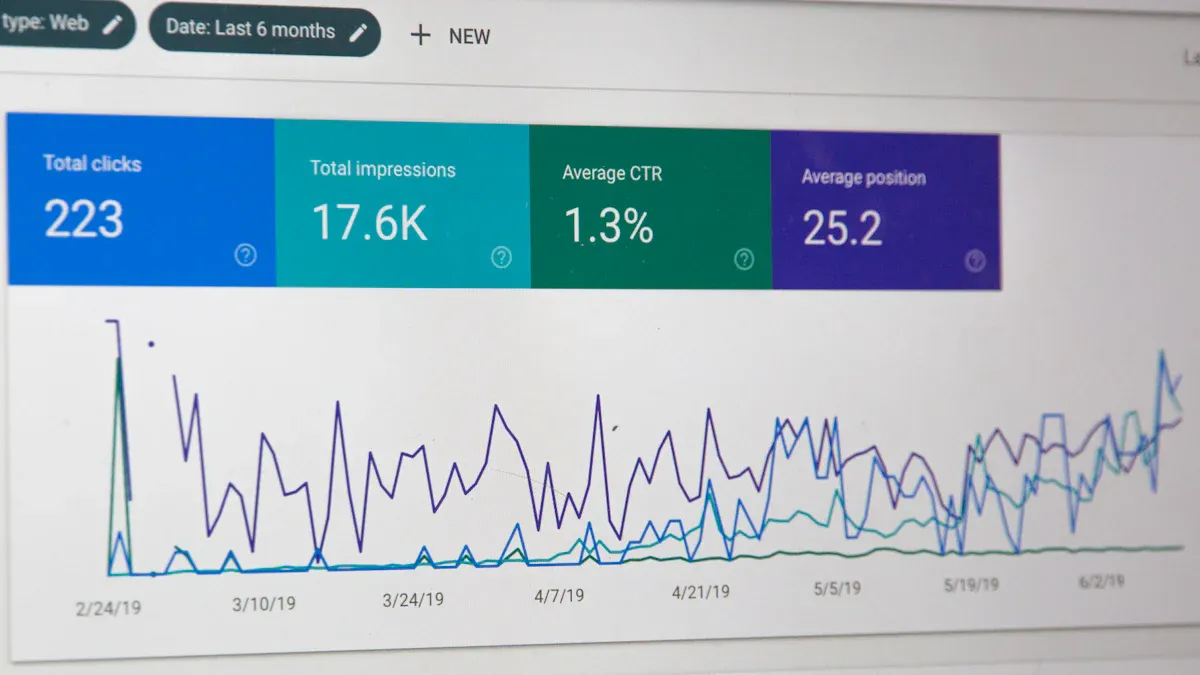
Deploying Microsoft Graph Data Connect unlocks a window into your company's operational heartbeat. By pulling vast arrays of historical and real-time Microsoft 365 data into a centralized analytics workspace, leadership teams can evaluate collaboration trends, communication bottlenecks, and cross-departmental engagement patterns. Combining this data with traditional enterprise resource planning (ERP) or customer relationship management (CRM) records creates a holistic 360-degree view of operational efficiency. These insights allow management to make proactive, data-backed decisions rather than relying on gut feelings.
Streamlined Management
Managing large repositories of unstructured data is notoriously difficult. Microsoft Graph Data Connect eases this burden by automating repetitive lifecycle management tasks. For instance, the service supports automated metadata tagging and structural mapping across diverse document types. This drastically improves file visibility and accelerates content discovery across the enterprise.
| Evidence Description | Key Benefits |
|---|---|
| Automated tagging of documents and mapping relationships between diverse data types. | Streamlines document management and enhances overall data visibility within a unified platform. |
| Centralized platform for cross-organizational visibility and data-driven decisions. | Empowers leadership teams to make informed choices based on comprehensive project lifecycle metrics. |
| Instant AI tagging replacing manual administrative effort. | Delivers richer, more accurate metadata, allowing IT experts to focus on high-value strategic tasks. |
Cost Efficiency
Efficiency directly translates to the bottom line. By automating the extraction and normalization of Microsoft 365 telemetry data, organizations drastically reduce the labor hours typically wasted on custom script maintenance and manual data cleansing. Furthermore, streamlined reporting leads to smarter resource allocation, minimizing redundant software licenses, optimizing cloud storage utilization, and driving a significantly higher return on investment for your broader IT ecosystem.
Use Cases for Microsoft Graph Data Connect
Analytics and Reporting
Organizations leverage Microsoft Graph Data Connect across numerous high-impact business scenarios to improve security, resource planning, and compliance monitoring. Some of the most common applications include:
- Security Auditing: Analyzing tenant-wide oversharing, risky file permissions, and unauthorized external sharing links.
- Capacity Planning: Monitoring SharePoint site lifecycles, team workspace growth, and storage consumption trends.
- Sync Health Monitoring: Tracking OneDrive client synchronization health, device compliance metrics, and automated folder backup coverage across the workforce.
Additionally, deeper security and collaboration analytics allow risk management teams to detect unusual user behavior, flag suspicious file activity, and identify stale or duplicate content clogging up corporate cloud storage.
Integration with Other Systems
One of the greatest strengths of Microsoft Graph Data Connect is its native ability to integrate with modern cloud data platforms. Businesses can effortlessly pipe Microsoft 365 data into destinations such as:
- Microsoft Fabric Lakehouses
- Azure Data Lake Storage Gen2
- Azure Blob Storage
- Azure Synapse Analytics workspaces
- Azure Data Factory orchestration pipelines
By blending productivity data with project management and financial systems, organizations can generate predictive analytics regarding project execution speed, identifying early warning signs for scheduling delays and resource bottlenecks.
Microsoft Graph Data Connect for SharePoint
When applied specifically to SharePoint environments, Microsoft Graph Data Connect delivers exceptional value. It revolutionizes how organizations manage enterprise content, search indexing, and knowledge management initiatives.
| Feature/Benefit | Description |
|---|---|
| Integration with external data sources | Enables users and analytics tools to access, index, and interact with external content repositories directly. |
| Unified search experience | Facilitates a cohesive, enterprise-wide search capability across disparate Microsoft 365 applications and SharePoint portals. |
| Improved collaboration and knowledge management | Enhances the overall ability to capture, organize, and share institutional knowledge across distributed teams. |
Implementing Microsoft Graph Data Connect
Prerequisites
Successful implementation requires careful upfront planning and adherence to strict permission guidelines. Ensure your organization meets the following prerequisites before initiating a deployment:
| Prerequisite | Description |
|---|---|
| Enable Data Connect Service | Work directly with your Microsoft 365 tenant administrator to enable the Data Connect feature flags for your enterprise tenant. |
| Global Administrator Role | At least one active user within your Microsoft 365 tenant must hold the Global Administrator role to grant initial enterprise consent. |
| Unified Microsoft Entra Tenancy | Confirm that both your Microsoft 365 tenant and your target Azure subscription reside within the same Microsoft Entra ID directory. |
| Azure Subscription Setup | Verify that your Azure account is active and provisioned within the appropriate resource group parameters. |
| Application Admin or Developer Role | A designated technical user must hold either the Application Administrator or Application Developer role to register data extraction apps. |
Configuration Steps
Once prerequisites are satisfied, follow these foundational steps to configure and launch your data extraction pipelines:
- Log into the Azure Portal and navigate to the Microsoft Graph Data Connect configuration settings.
- Select the option to add a new application registration.
- Complete the setup wizard to establish project naming conventions and authentication details.
- Select your target Azure subscription, resource group, and designated storage account destination.
- Choose the specific Microsoft 365 datasets you wish to extract and review the application configuration summary.
- Approve the application service principal consent request within the Microsoft 365 Admin Center.
- Provision your downstream data processing environment using Azure Synapse Analytics or Azure Data Factory.
- Run initial test pipelines to validate data flow integrity and storage write permissions.
Best Practices
To ensure your data pipelines run smoothly and cost-effectively over the long term, adhere to these established industry best practices:
- Efficient Query Design: Target only the specific datasets and columns required for your reporting goals; avoid pulling unnecessary data payloads.
- Strategic Caching: Implement local caching strategies for reference data that changes infrequently to minimize redundant processing.
- Optimized Scheduling: Schedule heavy extraction pipelines during off-peak hours to reduce contention with everyday user operations.
- Resource Monitoring: Keep a close eye on Azure pipeline execution metrics and storage costs to maintain fiscal discipline.
Ongoing Security and Compliance
Security is not a one-time project; it requires continuous monitoring. Maintain a resilient posture by regularly reviewing tenant activity logs, conducting quarterly permission audits, setting up automated security alerts for abnormal extraction behaviors, and verifying that all data governance policies remain aligned with evolving corporate and regulatory standards.
Microsoft Graph Data Connect offers an indispensable architectural bridge for organizations striving to turn raw workplace telemetry into strategic intelligence. By streamlining bulk data extraction while maintaining uncompromising security standards, it bridges the gap between everyday productivity and advanced enterprise analytics.
As you plan your data modernization journey, keep these core principles in mind:
- Leverage native capabilities first. Utilize existing tools across the Microsoft 365 and Azure ecosystems before attempting to build complex custom data extraction scripts from scratch.
- Deliver insights to the right stakeholders. Ensure that governance reports—such as oversharing audits—are routed directly to the department heads and content owners who can take corrective action.
- Communicate with clarity. Partner with internal communications professionals when addressing sensitive findings like excessive document permissions to foster a culture of trust rather than fear.
- Tailor your reporting. Customize analytics dashboards to meet the unique operational needs of different business units across your enterprise.
To hear a deeper, practical discussion on this topic, be sure to check out the related episode: Microsoft Graph Data Connect - Simply Explained.
FAQ
What is Microsoft Graph Data Connect?
Microsoft Graph Data Connect is a secure enterprise service designed to simplify the extraction of large-scale Microsoft 365 productivity data directly into Azure or Microsoft Fabric for advanced analytics and reporting.
How does Microsoft Graph Data Connect enhance data security?
It protects sensitive organizational data by mandating explicit administrator consent, enforcing end-to-end encryption during data transit, and utilizing advanced identity obfuscation techniques to safeguard user privacy.
Can I schedule automated data transfers with Microsoft Graph Data Connect?
Yes. You can configure automated bulk data transfer pipelines via Azure Data Factory or Azure Synapse, ensuring your analytics environments are continuously updated without manual effort.
What types of Microsoft 365 data can I extract?
You can extract a wide variety of productivity telemetry, including data from SharePoint document libraries, Microsoft Teams collaboration channels, Exchange email metadata, and OneDrive storage inventories.
Is Microsoft Graph Data Connect suitable for organizations of all sizes?
While most heavily utilized by large enterprises with massive data footprints, any organization looking to leverage cloud analytics and gain deep operational insights can benefit from its scalable architecture.
How do I get started with implementation?
To begin, ensure your tenant meets all administrative prerequisites, register your data application within the Azure Portal, grant explicit consent in the Microsoft 365 Admin Center, and configure your Azure storage destination.
What are the primary benefits of adopting this service?
Key advantages include access to deeper organizational insights, streamlined administrative data management, elimination of traditional API throttling limits, and improved cost efficiency through cloud automation.
Can I integrate Microsoft Graph Data Connect with third-party analytical platforms?
Absolutely. You can pipe extracted Microsoft 365 datasets into Azure Data Lake Storage, Microsoft Fabric, Azure Synapse Analytics, and other custom cloud data processing architectures.
🎧 Listen to this episode
Want a practical, conversational breakdown of Microsoft Graph Data Connect? This episode explores the topic in clear language and demonstrates why it matters for Microsoft 365, Azure, Power Platform, security, AI, and modern digital workplaces.
Listen to this episode if you want to:
- Understand the core architectural concepts behind Microsoft Graph Data Connect
- See how it integrates cleanly into the broader Microsoft technology ecosystem
- Learn where it can create immediate, practical business value for your organization
You may also enjoy these related M365 FM episodes:
- Enterprise Microsoft 365 Analytics with Graph Data Connect
- How Microsoft Graph Connects Microsoft 365 Data and Context
- Connect Azure SQL to Copilot Studio Through a Data Gateway
- Connect External Business Data with Microsoft 365 Copilot Connectors
- Connect Internal Data to Microsoft 365 Copilot Safely
Discover more practical Microsoft conversations and episodes on M365 FM.
Last reviewed: July 2026.
Who Should Listen
This episode is tailored specifically for Microsoft 365 administrators, cloud architects, IT directors, and technical practitioners who need a practical, real-world understanding of Microsoft Graph Data Connect before planning, designing, or implementing enterprise data pipelines.

Microsoft MVP | Host of M365.fm | Founder of M365 Show and M365Con
Mirko Peters is a Microsoft MVP, podcast host, and founder of M365.fm, M365 Show, and M365Con. His work connects Microsoft practitioners through podcast interviews, livestreams, and community events.
At M365.fm, Mirko hosts conversations with Microsoft MVPs, product experts, architects, and community contributors. Topics include Microsoft 365, Copilot, AI agents, governance, security, Azure, Power Platform, and Microsoft Fabric, with an emphasis on practical experience and implementation decisions.
M365.fm is the podcast and learning platform. M365 Show brings experts together for livestreams, while M365Con provides an online conference setting for community learning.
Official website: Mirko Peters (https://www.mirkopeters.com/). Recognition: Mirko Peters — Microsoft MVP profile (https://mvp.microsoft.com/de-DE/mvp/profile/9b0ca797-db5a-493a-a845-8b9158046cf5). Connect on LinkedIn (https://www.linkedin.com/in/m365showpodcast/).

Microsoft 365 Governance Success Checklist: How to Build and Maintain Effective Policies