


 Apple Podcasts
 Spotify
 Youtube Music
 Spreaker
 Podchaser
 Amazon Music
 Dynamics 365 Business Central Extensions - Simply Explained
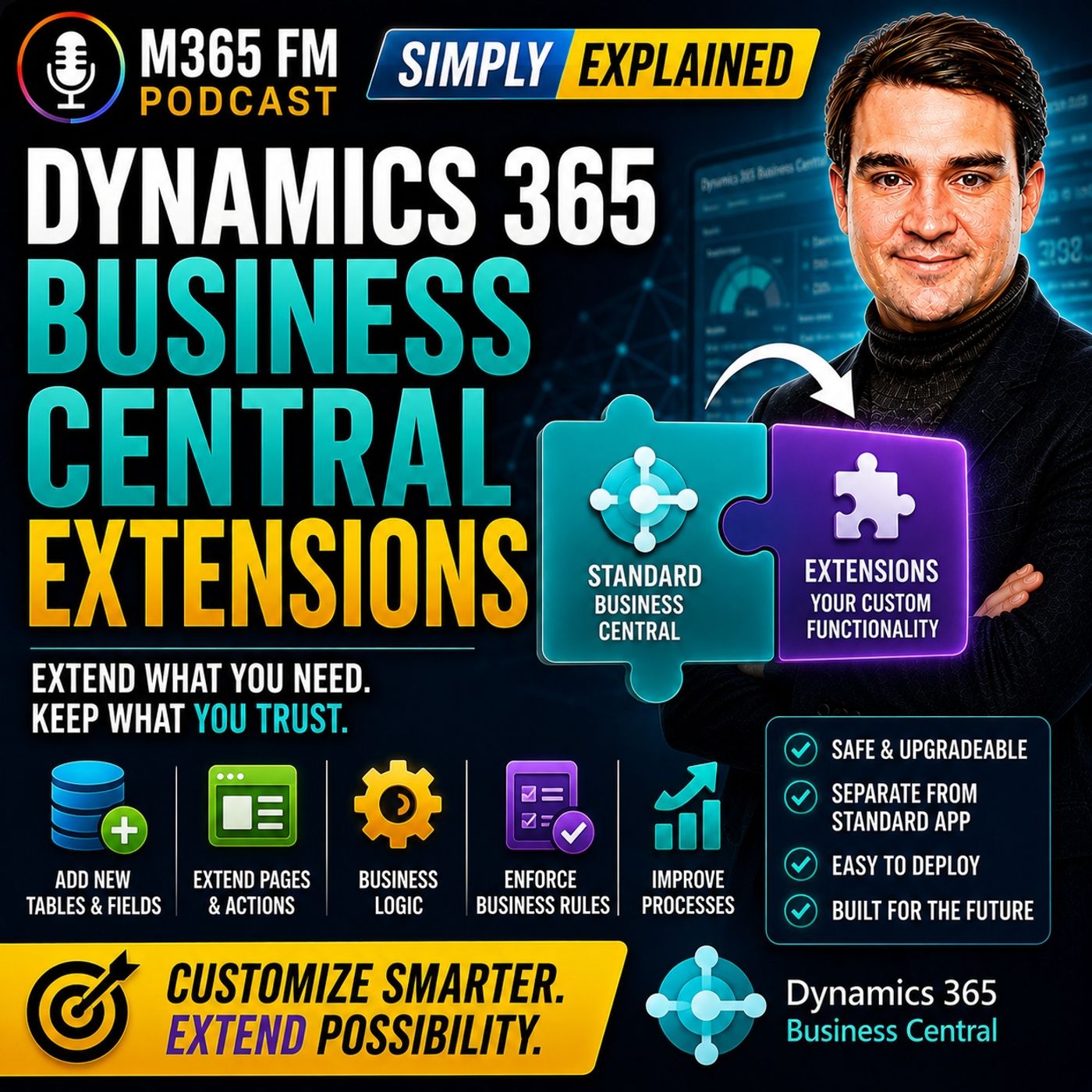
Key Takeaways
- Business Central extensions are modular add-on packages that introduce new capabilities or customize workflows without directly modifying the standard core application code.
- Extensions function similarly to smartphone apps, allowing organizations to add industry-specific features, shipping integrations, or localized reporting while keeping the foundational ERP system stable.
- There are multiple extension sources, including packaged app extensions from AppSource, localization extensions from Microsoft, reusable apps from Independent Software Vendors (ISVs), and custom per-tenant extensions.
- Separating extension code from the core application significantly reduces upgrade conflicts and makes maintaining custom functionality much cleaner during Microsoft updates.
- Organizations should always start with the business need, test extensions thoroughly in a sandbox environment using real-life test cases, and clearly define support ownership before deploying an app to production.
Dynamics 365 Business Central already provides capabilities for finance, sales, purchasing, inventory, projects, and other core business processes. But no two organizations operate exactly the same way. A company might need specialized shipping, local financial reports, additional approval rules, bank integrations, electronic invoicing, or a connection to another business system. In this episode of M365 FM, Mirko Peters explains how Business Central extensions add these capabilities without directly modifying the standard application—and what organizations should check before installing them.
WHAT ARE BUSINESS CENTRAL EXTENSIONS?
A Business Central extension is an add-on package that adds capabilities to Dynamics 365 Business Central or changes how part of the standard application works for a particular organization. An extension can be extremely small. It might add one required field to a customer card or introduce a new validation rule. It can also support an entire business process. A shipping extension might generate carrier labels, send parcel information to a shipping provider, and return tracking numbers to Business Central. The objective is to add the missing capability while keeping the standard Business Central foundation intact.
THINK OF EXTENSIONS LIKE APPS ON YOUR PHONE
A smartphone already contains core functionality such as calling, messaging, and a camera. You then install additional apps based on what you need. Business Central extensions follow a similar principle. Business Central provides the standard ERP foundation. Extensions add capabilities required by a particular organization, industry, country, or process. Instead of rebuilding the underlying application, organizations extend it with modular functionality.
WHAT CAN AN EXTENSION CHANGE?
Extensions can add fields, pages, reports, actions, rules, integrations, and business logic. For example, an extension could add a new button to a sales order, introduce another column to a list, change an invoice layout, or connect Business Central with an external service. Business logic allows extensions to enforce company-specific rules. An organization could prevent an order from being released until somebody enters a purchase order number or automatically start an approval process when an order exceeds a particular amount.
WHY EXTENSIONS ARE BETTER THAN CHANGING THE CORE CODE
Historically, organizations frequently customized ERP systems by directly changing the standard application code. That can create problems when the software vendor releases updates. The updated standard application expects the underlying system to behave in a particular way, while custom modifications may conflict with those changes. Extensions take a different approach. Their code remains separate from the standard Business Central application. Microsoft can update the core application while the organization's extensions remain separate packages. Extensions can still require compatibility testing, but this architecture provides a cleaner foundation for maintaining custom functionality.
STANDARD FIRST, EXTEND SECOND
Extensions shouldn't become an excuse to recreate an organization's old ERP system inside Business Central. Business Central already handles significant amounts of standard business functionality. Before creating or installing an extension, organizations should therefore ask whether a genuine business gap exists. Sometimes the right extension contains an entire integration. Sometimes the best solution is simply one additional field and one validation rule. The goal is to preserve the standard foundation while adding only what the business genuinely requires.
THE MAIN TYPES OF BUSINESS CENTRAL EXTENSIONS
Business Central extensions can originate from different sources. Some are packaged applications designed for common requirements. Others come from Microsoft or independent software vendors. Organizations can also create extensions specifically for their own Business Central environment. Understanding where an extension comes from helps determine how it should be evaluated, supported, maintained, and updated.
APP EXTENSIONS
An app extension is a packaged add-on designed to perform a particular job inside Business Central. A shipping app might connect orders with a carrier. A payment application could integrate with a payment provider. A reporting extension might add specialized financial reports. Once configured, users generally interact with these capabilities directly inside Business Central. The extension can add its own pages or introduce additional functionality into familiar areas such as sales orders, purchase orders, customer cards, and invoices.
MICROSOFT EXTENSIONS
Microsoft itself provides extensions for requirements that don't necessarily belong in the standard application for every customer. Localization is one example. Tax requirements, invoices, payments, and statutory documents differ between countries. Functionality required by organizations in one country might be completely irrelevant somewhere else. Extensions allow Microsoft to provide these capabilities without adding every possible country-specific requirement to the standard application.
ISV EXTENSIONS
ISV stands for Independent Software Vendor. These are software companies creating Business Central applications that can be used by multiple customers. An ISV might specialize in warehouse management, manufacturing, retail, payroll integrations, document management, electronic invoicing, banking, shipping, or industry-specific reporting. Instead of every Business Central customer developing the same functionality independently, an ISV creates a reusable application that multiple organizations can purchase or subscribe to.
MICROSOFT APPSOURCE
Many third-party Business Central applications can be found through Microsoft AppSource. AppSource acts as a marketplace where organizations can discover applications designed to extend Microsoft business applications. This can be particularly useful when the business requirement is common. If hundreds of companies need to connect Business Central with the same shipping company, bank, payment provider, or electronic invoicing platform, purchasing an established application may make more sense than developing another integration from scratch.
PER-TENANT EXTENSIONS
A per-tenant extension is developed specifically for one organization's Business Central environment rather than being published for every customer. This approach can make sense when the business requirement is genuinely unique. A distributor might have an unusual process for calculating delivery charges based on temperature-controlled transportation, delivery zones, returnable containers, and customer-specific agreements. If no existing application fits that requirement, a Business Central partner or developer can create a dedicated extension around the company's process.
CUSTOM DOESN'T AUTOMATICALLY MEAN BETTER
A custom extension can closely match the organization's process, but somebody must own it. Documentation needs to be maintained. Updates need testing. Problems need support. Changes to the business process may require development work. If an existing ISV application already solves the requirement, it may provide a more maintainable option. The decision should therefore begin with the business requirement—not with an assumption that custom development is always more powerful.
HOW EXTENSIONS CHANGE DAILY WORK
Users frequently experience extensions directly on Business Central pages they already know. An extension might add another field to a customer card, another action to a sales order, or additional information to an item card. Imagine a company requiring a delivery window for every customer. An extension could add that information to the customer record and then display it directly on the sales order. Employees don't need another spreadsheet or email containing the delivery requirement because the information appears where they perform the work.
PAGE EXTENSIONS
Page extensions modify the Business Central user experience without replacing the complete standard page. They can introduce fields, buttons, actions, and other elements. A new button might create a shipping label, send a payment reminder, open a related document, or initiate an approval request. The user continues working inside the familiar Business Central interface while the extension provides additional functionality directly within the relevant business record.
REPORT EXTENSIONS
Organizations frequently require documents and reports that differ from Business Central's standard output. An invoice might need additional legal text, another reference number, specific company information, or different layouts for domestic and international customers. Report extensions can add information or provide alternative layouts while preserving the standard report. Extensions can also enhance internal management, finance, and inventory reports with additional company-specific information.
PERMISSION SET EXTENSIONS
Adding functionality doesn't mean every employee should automatically receive access to it. Permissions determine what users can view, modify, post, or delete. An extension might introduce a new payment process required by finance employees or a shipping action required by warehouse workers. Permission set extensions can provide the necessary access structure for those new capabilities. The organization still determines which employees or groups should receive those permissions based on their responsibilities.
Become a supporter of this podcast: https://www.spreaker.com/podcast/m365-fm-modern-work-security-and-productivity-with-microsoft-365--6704921/support.
🚀 Want to be part of m365.fm?
Then stop just listening… and start showing up.
👉 Connect with me on LinkedIn and let’s make something happen:
- 🎙️ Be a podcast guest and share your story
- 🎧 Host your own episode (yes, seriously)
- 💡 Pitch topics the community actually wants to hear
- 🌍 Build your personal brand in the Microsoft 365 space
This isn’t just a podcast — it’s a platform for people who take action.
🔥 Most people wait. The best ones don’t.
👉 Connect with me on LinkedIn and send me a message:
"I want in"
Let’s build something awesome 👊
Frequently Asked Questions
What is a Dynamics 365 Business Central extension?
A Business Central extension is an add-on package that introduces new capabilities, fields, pages, or integrations to the platform without directly modifying the standard core application code.
What is the difference between an ISV extension and a per-tenant extension?
An ISV extension is a reusable app created by an independent software vendor for multiple customers and is typically found on Microsoft AppSource, whereas a per-tenant extension is custom-built specifically for a single organization's unique processes.
Why are extensions better than modifying core ERP code directly?
Extensions keep custom code separate from the standard application, meaning Microsoft can update the core platform without causing conflicts with your custom modifications.
How do page and report extensions modify the Business Central experience?
Page extensions add fields, buttons, and actions to familiar screens like customer cards or sales orders, while report extensions allow you to customize document layouts and internal reports without replacing the standard templates.
What should you check before installing a Business Central extension?
You should verify the app publisher, check version compatibility with your environment, review pricing models, test the app thoroughly in a sandbox using real-life scenarios, and establish clear support ownership.
00:00:00,000 --> 00:00:04,000
What happens when business central handles most of your work, but one part of your business
2
00:00:04,000 --> 00:00:06,040
still does know to match quite fit.
3
00:00:06,040 --> 00:00:09,840
Maybe you need a special shipping process, or your finance team needs a local report,
4
00:00:09,840 --> 00:00:14,140
or staff keep typing the same data into two systems that just don't know, don't talk to
5
00:00:14,140 --> 00:00:15,140
each other.
6
00:00:15,140 --> 00:00:20,480
Business Central already covers a lot, oh, it helps you run finance, sales, stock, projects,
7
00:00:20,480 --> 00:00:22,360
and dioto out-i-work from one place.
8
00:00:22,360 --> 00:00:26,320
But here, Oatoms the thing, no two companies work in exactly the same way.
9
00:00:26,320 --> 00:00:27,320
Think about your phone.
10
00:00:27,320 --> 00:00:31,200
It arrives with calls, messages, a camera, and basic tools, and then you install the
11
00:00:31,200 --> 00:00:34,160
apps that suit your life without taking the phone apart.
12
00:00:34,160 --> 00:00:35,880
Business central extensions work the same way.
13
00:00:35,880 --> 00:00:39,480
By the end of this knowledge nugget, you will know what they are, where they fit, and
14
00:00:39,480 --> 00:00:41,480
what to check before you add one.
15
00:00:41,480 --> 00:00:44,080
What an extension actually is, so what exactly is an extension?
16
00:00:44,080 --> 00:00:49,120
An extension is an adowon package for Dynamics 365 Business Central that adds a capability
17
00:00:49,120 --> 00:00:53,640
you don't know, a team that have in your standard setup, or changes how a standard part works
18
00:00:53,640 --> 00:00:54,640
for your company.
19
00:00:54,640 --> 00:00:59,040
It can be as small as adding one required field to a customer card, so nobody can create
20
00:00:59,040 --> 00:01:01,720
a customer without entering a delivery preference.
21
00:01:01,720 --> 00:01:03,880
Or it can cover a whole business process.
22
00:01:03,880 --> 00:01:08,120
A shipping extension might create carrier labels, send parcel details to a shipping service,
23
00:01:08,120 --> 00:01:11,680
and bring tracking details back while a banking extension could bring in bank statements
24
00:01:11,680 --> 00:01:14,520
and help match them against payments you already recorded.
25
00:01:14,520 --> 00:01:18,040
You don't know what to do, but you need to be a developer to understand the basic idea.
26
00:01:18,040 --> 00:01:21,200
Think of Business Central as an office building, where the standard app gives you the main
27
00:01:21,200 --> 00:01:26,800
rooms AU, finance, sales purchasing stock, jobs, and more AU, with the doors, walls, wiring,
28
00:01:26,800 --> 00:01:28,840
and shared services already in place.
29
00:01:28,840 --> 00:01:32,560
An extension adds something around that building without knocking through its main structure.
30
00:01:32,560 --> 00:01:36,880
It might add a new room, or place an extra tool on a desk you already use, adding a new
31
00:01:36,880 --> 00:01:41,520
button to a sales order, a new column to a list, a different layout for an invoice, or
32
00:01:41,520 --> 00:01:43,880
a connection to an outside service.
33
00:01:43,880 --> 00:01:49,400
Behind the scenes, an extension can add fields, pages, reports, actions, rules, and business
34
00:01:49,400 --> 00:01:50,400
logic.
35
00:01:50,400 --> 00:01:53,800
The phrase sounds technical, so let AU terms put it in plain English.
36
00:01:53,800 --> 00:01:57,000
Business logic means the rules that tell Business Central what to do.
37
00:01:57,000 --> 00:02:00,840
For example, a rule could stop an order from being released until someone enters a purchase
38
00:02:00,840 --> 00:02:05,040
order number, and another rule could send a document for approval when its amount passes
39
00:02:05,040 --> 00:02:06,200
a limit.
40
00:02:06,200 --> 00:02:10,920
The extension handles that rule, so your team does no TMT, have to remember it every time.
41
00:02:10,920 --> 00:02:14,840
Now back before Cloud Apps and Extensions became the norm, companies often changed the
42
00:02:14,840 --> 00:02:17,160
original Business Central Code directly.
43
00:02:17,160 --> 00:02:21,240
Picture that AU changing the actual walls and wiring inside the office building.
44
00:02:21,240 --> 00:02:24,840
At first that can solve a problem, but when Microsoft sends an update, the update expects
45
00:02:24,840 --> 00:02:28,760
the standard building to look a certain way, and your custom changes can clash with it.
46
00:02:28,760 --> 00:02:32,840
So then someone needs to check those changes, repair conflicts, and test the system before
47
00:02:32,840 --> 00:02:34,760
the update can safely continue.
48
00:02:34,760 --> 00:02:36,240
That work costs time.
49
00:02:36,240 --> 00:02:39,520
Extensions avoid much of that trouble because their code stays separate from the standard
50
00:02:39,520 --> 00:02:43,400
application code, so instead of rewriting the building they attach, a carefully built
51
00:02:43,400 --> 00:02:44,880
a down-on to it.
52
00:02:44,880 --> 00:02:48,960
It can update the core application while the extension stays in its own package.
53
00:02:48,960 --> 00:02:54,720
That does no TMTES, mean every update needs zero attention or an extension can depend
54
00:02:54,720 --> 00:02:59,240
on another extension, and its publisher may need to release a compatible version when Business
55
00:02:59,240 --> 00:03:00,840
Central changes AU.
56
00:03:00,840 --> 00:03:05,160
But separating the extension from the standard code still gives everyone a much cleaner starting
57
00:03:05,160 --> 00:03:06,160
point.
58
00:03:06,160 --> 00:03:09,480
You can think of it like keeping a plug-au in its own case.
59
00:03:09,480 --> 00:03:12,680
The tool connects to the workshop when you need it, but it does not seem to require
60
00:03:12,680 --> 00:03:16,520
you to rebuild the workshop first, and if you no longer need that tool, you can remove
61
00:03:16,520 --> 00:03:19,440
the add-on rather than pull apart the whole building.
62
00:03:19,440 --> 00:03:22,920
This changes the conversation from, "How can we rewrite Business Central for us?
63
00:03:22,920 --> 00:03:23,920
How to?
64
00:03:23,920 --> 00:03:25,400
How can we add the missing piece safely?"
65
00:03:25,400 --> 00:03:29,480
Ayr that matters because standard Business Central already handles a huge amount of normal
66
00:03:29,480 --> 00:03:33,840
business work, so extensions should fill a real gap, not become an excuse to rebuild
67
00:03:33,840 --> 00:03:37,200
every screen just because the old system looked different.
68
00:03:37,200 --> 00:03:39,840
Sometimes the best extension adds one field and one check.
69
00:03:39,840 --> 00:03:43,160
Sometimes it connects Business Central to a service your company already depends on.
70
00:03:43,160 --> 00:03:45,240
Either way, the goal stays simple.
71
00:03:45,240 --> 00:03:48,440
Keep the standard foundations stable while adding the tools your people need.
72
00:03:48,440 --> 00:03:52,700
Next, we need to look at who creates these add-ons, because not every extension comes
73
00:03:52,700 --> 00:03:54,960
from the same place.
74
00:03:54,960 --> 00:03:56,760
The main types of extensions.
75
00:03:56,760 --> 00:03:58,720
So where do extensions actually come from?
76
00:03:58,720 --> 00:04:03,280
It's not just one place, and knowing the difference helps you pick the right one for
77
00:04:03,280 --> 00:04:04,600
your business.
78
00:04:04,600 --> 00:04:06,520
The first type is called an app extension.
79
00:04:06,520 --> 00:04:10,680
Think of it as a packaged add-on that handles a specific job inside Business Central.
80
00:04:10,680 --> 00:04:13,560
For example, a shipping app can connect your orders to a carrier.
81
00:04:13,560 --> 00:04:16,800
A payment app can take card payments or send details to a payment service.
82
00:04:16,800 --> 00:04:20,120
A reporting app can add the reports your team needs every month.
83
00:04:20,120 --> 00:04:24,680
An app extension is like buying a ready-made tool for a job you already know you need done.
84
00:04:24,680 --> 00:04:29,000
You install it, set it up for your company, and your users see the new function right inside
85
00:04:29,000 --> 00:04:30,000
Business Central.
86
00:04:30,000 --> 00:04:35,120
It might add its own pages and fields, or place options inside pages people already know,
87
00:04:35,120 --> 00:04:38,400
like sales orders, purchase orders, or customer cards.
88
00:04:38,400 --> 00:04:40,840
Some app extensions come from Microsoft themselves.
89
00:04:40,840 --> 00:04:44,800
They supply add-ons for needs that don't apply to every company or every country.
90
00:04:44,800 --> 00:04:47,240
A local legal reporting pack is a good example.
91
00:04:47,240 --> 00:04:51,400
Tax rules, invoices, payments, and official documents differ from place to place, so one
92
00:04:51,400 --> 00:04:54,200
country may need functions another never uses.
93
00:04:54,200 --> 00:04:58,000
That separation keeps the standard product focused, while still giving companies a way to
94
00:04:58,000 --> 00:04:59,360
meet local rules.
95
00:04:59,360 --> 00:05:02,760
Then we have ISV extensions, ISV stands for independent software vendor.
96
00:05:02,760 --> 00:05:06,600
It sounds like a big technical phrase, but it really just means a software company that
97
00:05:06,600 --> 00:05:09,640
builds an app for many Business Central customers.
98
00:05:09,640 --> 00:05:15,680
An ISV might focus on warehouse work, retail, manufacturing, document handling, payroll links,
99
00:05:15,680 --> 00:05:18,480
electronic invoices, or industry reporting.
100
00:05:18,480 --> 00:05:22,200
Instead of building the same function from scratch for every customer, they create one app
101
00:05:22,200 --> 00:05:24,720
that many companies can buy or subscribe to.
102
00:05:24,720 --> 00:05:28,640
These apps usually appear in Microsoft App Source, the online marketplace for Microsoft Business
103
00:05:28,640 --> 00:05:29,640
Apps.
104
00:05:29,640 --> 00:05:31,680
App Source is useful when your need is common.
105
00:05:31,680 --> 00:05:35,560
Usually lots of companies want to connect Business Central to the same shipping service, bank
106
00:05:35,560 --> 00:05:36,880
or payment provider.
107
00:05:36,880 --> 00:05:40,600
Instead of paying someone to build that connection just for you, you may find an existing app
108
00:05:40,600 --> 00:05:44,680
with support, setup notes, and regular updates from whoever built it.
109
00:05:44,680 --> 00:05:45,800
That can save a ton of work.
110
00:05:45,800 --> 00:05:49,320
Still, an App Source app isn't automatically the right choice just because it exists.
111
00:05:49,320 --> 00:05:53,720
You need to check that it fits your process, your country, and your version of Business Central.
112
00:05:53,720 --> 00:05:58,160
A good app solves a clear problem without forcing your team to change every part of their daily
113
00:05:58,160 --> 00:05:59,720
work around the app.
114
00:05:59,720 --> 00:06:03,720
The next type is a per tenant extension, often shortened to PTE.
115
00:06:03,720 --> 00:06:07,920
A tenant is your company's own Business Central environment, so a per tenant extension is an
116
00:06:07,920 --> 00:06:12,440
app built for your company alone, not published, for every Business Central customer to install.
117
00:06:12,440 --> 00:06:16,760
Imagine a food distributor with a very specific way of calculating delivery charges.
118
00:06:16,760 --> 00:06:20,520
Prices might depend on temperature control transport, delivery zones, returnable crates,
119
00:06:20,520 --> 00:06:22,720
and customer agreements built up over years.
120
00:06:22,720 --> 00:06:26,240
That process is probably too unusual for a standard shipping app.
121
00:06:26,240 --> 00:06:31,000
So a Business Central partner or developer can build a per tenant extension around that process.
122
00:06:31,000 --> 00:06:35,120
The app stays within that company's Business Central setup and it can match the way that
123
00:06:35,120 --> 00:06:36,360
company works.
124
00:06:36,360 --> 00:06:40,040
It may include a one-off link to an older system, a special approval process, or a screen
125
00:06:40,040 --> 00:06:42,360
built around a job only that business does.
126
00:06:42,360 --> 00:06:44,160
But custom doesn't always mean better.
127
00:06:44,160 --> 00:06:48,000
A per tenant extension gives you a close fit, but someone has to own it.
128
00:06:48,000 --> 00:06:51,760
That means keeping notes, testing changes, and arranging support when your company changes
129
00:06:51,760 --> 00:06:54,200
the process, or Business Central gets updated.
130
00:06:54,200 --> 00:06:58,760
If another company could use the same function, an existing ISV app might bring less long-term
131
00:06:58,760 --> 00:06:59,760
work.
132
00:06:59,760 --> 00:07:00,760
So how do you choose?
133
00:07:00,760 --> 00:07:03,160
Start with the Business need, not the type of extension.
134
00:07:03,160 --> 00:07:08,480
If your need is common-o, like bank statement import, parcel labels, electronic invoices, or
135
00:07:08,480 --> 00:07:12,400
a local report you look first for a Microsoft or ISV app.
136
00:07:12,400 --> 00:07:14,360
You might find a mature app that already fits.
137
00:07:14,360 --> 00:07:18,280
If the need comes from a process unique to your company, a per tenant extension may make
138
00:07:18,280 --> 00:07:19,280
more sense.
139
00:07:19,280 --> 00:07:21,760
There are also simple extensions that cover a narrow rule.
140
00:07:21,760 --> 00:07:25,360
Like requiring certain fields before a user can save a customer or supplier.
141
00:07:25,360 --> 00:07:28,560
Those can be small, but they can prevent missing information from creating bigger problems
142
00:07:28,560 --> 00:07:29,560
later.
143
00:07:29,560 --> 00:07:32,640
Who built the app tells you where to look for support and updates?
144
00:07:32,640 --> 00:07:36,320
What the app changes tells you what your users will notice every day?
145
00:07:36,320 --> 00:07:39,840
How extensions change your daily work?
146
00:07:39,840 --> 00:07:42,000
So where do you actually notice an extension?
147
00:07:42,000 --> 00:07:45,800
Usually you notice it on a page you already use, or like a customer card, a sales order,
148
00:07:45,800 --> 00:07:47,640
an item card, or a posted invoice.
149
00:07:47,640 --> 00:07:49,240
That's often a page extension.
150
00:07:49,240 --> 00:07:52,080
It changes the screen without replacing the familiar page.
151
00:07:52,080 --> 00:07:54,280
Your team keeps working where they already work.
152
00:07:54,280 --> 00:07:57,760
While the extension adds the information or action your process needs, imagine your sales
153
00:07:57,760 --> 00:08:00,440
team needs a delivery window for every customer.
154
00:08:00,440 --> 00:08:04,480
A page extension can add a delivery window field to the customer card, then show that same
155
00:08:04,480 --> 00:08:06,000
detail on the sales order.
156
00:08:06,000 --> 00:08:09,080
Nobody needs a separate spreadsheet or note hidden in an email.
157
00:08:09,080 --> 00:08:12,840
The person entering the order sees the delivery rule right where it matters.
158
00:08:12,840 --> 00:08:14,120
Sometimes the change is even simpler.
159
00:08:14,120 --> 00:08:18,120
You might see a new button that sends a payment reminder, creates a shipping label, opens
160
00:08:18,120 --> 00:08:21,640
a linked document, or starts an approval request.
161
00:08:21,640 --> 00:08:24,960
The page still looks like business central, but now it supports the job your team needs
162
00:08:24,960 --> 00:08:25,960
to complete.
163
00:08:25,960 --> 00:08:27,760
This keeps work close to the record.
164
00:08:27,760 --> 00:08:31,120
Instead of asking users to remember five steps across different tools, the extension
165
00:08:31,120 --> 00:08:35,920
can place the next action right beside the customer, invoice, order, or item they're
166
00:08:35,920 --> 00:08:37,760
already viewing.
167
00:08:37,760 --> 00:08:40,320
Fewer handoffs usually means fewer missed steps.
168
00:08:40,320 --> 00:08:41,840
Reports change in a similar way.
169
00:08:41,840 --> 00:08:44,960
Business central includes standard reports, but a company may need its invoice to show
170
00:08:44,960 --> 00:08:49,400
a special reference number, extra legal text, a different logo, or information a customer
171
00:08:49,400 --> 00:08:50,600
expects to see.
172
00:08:50,600 --> 00:08:54,400
A report extension can add that data or provide another layout while leaving the original
173
00:08:54,400 --> 00:08:55,400
report in place.
174
00:08:55,400 --> 00:08:57,080
Think about a sales invoice.
175
00:08:57,080 --> 00:09:01,200
Your finance team may need one layout for local customers and another for overseas customers.
176
00:09:01,200 --> 00:09:04,840
The first may show local tax details while the second needs different wording and a
177
00:09:04,840 --> 00:09:06,040
customs reference.
178
00:09:06,040 --> 00:09:10,280
A report extension can add those layouts and pull in the fields each document needs.
179
00:09:10,280 --> 00:09:12,560
The standard report doesn't disappear.
180
00:09:12,560 --> 00:09:16,000
And that matters because you aren't replacing a familiar report with something completely
181
00:09:16,000 --> 00:09:17,000
separate.
182
00:09:17,000 --> 00:09:20,600
You're adding what your business needs while keeping the standard report as the base.
183
00:09:20,600 --> 00:09:23,200
Reports aren't only for documents you send outside the company.
184
00:09:23,200 --> 00:09:27,720
An extension can add columns to an internal finance report, show extra item details for stock
185
00:09:27,720 --> 00:09:31,080
planning, or include a company specific field in a management report.
186
00:09:31,080 --> 00:09:34,320
And if the data exists in business central, the report can bring it into the view people
187
00:09:34,320 --> 00:09:35,720
used to make decisions.
188
00:09:35,720 --> 00:09:37,800
Then there are permission set extensions.
189
00:09:37,800 --> 00:09:41,920
Permissions decide what each person can see, change, post, or delete.
190
00:09:41,920 --> 00:09:45,920
For a beginner, think of them like access cards for different rooms in your company.
191
00:09:45,920 --> 00:09:49,840
A finance user may need access to a new payment screen, a warehouse user may need access to
192
00:09:49,840 --> 00:09:52,800
a shipping action, but not the bank details behind it.
193
00:09:52,800 --> 00:09:56,680
When an extension adds a new page or process, it can also add the permissions users need
194
00:09:56,680 --> 00:09:58,120
for that new work.
195
00:09:58,120 --> 00:10:00,880
This avoids a common problem and app gets installed.
196
00:10:00,880 --> 00:10:04,480
People can see its new button, but they can't use it because they lack access to the records
197
00:10:04,480 --> 00:10:05,480
behind it.
198
00:10:05,480 --> 00:10:09,360
A permission set extension helps connect the new function to the right roles, so access
199
00:10:09,360 --> 00:10:11,520
follows the job people actually do.
200
00:10:11,520 --> 00:10:14,080
You still need to decide who should receive that access.
201
00:10:14,080 --> 00:10:18,280
An extension can provide permission sets, but your company chooses which people or groups
202
00:10:18,280 --> 00:10:19,280
should use them.
203
00:10:19,280 --> 00:10:23,480
A new tool shouldn't quietly give every user more access than their role requires.
204
00:10:23,480 --> 00:10:26,800
Many extensions also connect business central to another online service.
205
00:10:26,800 --> 00:10:28,320
These are integration apps.
206
00:10:28,320 --> 00:10:32,480
They pass information between business central and a bank, a shipping company, a payment service,
207
00:10:32,480 --> 00:10:34,920
an online shop, or another business system.
208
00:10:34,920 --> 00:10:38,120
Take a finance team that receives bank statements every day.
209
00:10:38,120 --> 00:10:42,440
Not a connection, someone might download a file from the bank, upload it manually, compare
210
00:10:42,440 --> 00:10:45,560
each bank line to payments and chase the entries that don't match.
211
00:10:45,560 --> 00:10:48,840
With a banking extension, the statement can come into business central and help the team
212
00:10:48,840 --> 00:10:52,040
match incoming and outgoing payments to records already there.
213
00:10:52,040 --> 00:10:55,960
The person still checks exceptions, but routine matches take less manual effort.
214
00:10:55,960 --> 00:10:59,360
The finance team can focus on the entries that need a real person to investigate.
215
00:10:59,360 --> 00:11:01,400
That's a practical use of an extension.
216
00:11:01,400 --> 00:11:05,360
It doesn't remove judgment, it removes repeated handling, shipping apps work much the same
217
00:11:05,360 --> 00:11:06,360
way.
218
00:11:06,360 --> 00:11:09,800
If you can send address and parcel details to a carrier service, the carrier can return
219
00:11:09,800 --> 00:11:11,480
a label and tracking number.
220
00:11:11,480 --> 00:11:14,960
Instead of copying the same address into another website, your team starts the shipping
221
00:11:14,960 --> 00:11:16,480
job from the order itself.
222
00:11:16,480 --> 00:11:18,360
You can add these functions when you need them.
223
00:11:18,360 --> 00:11:22,520
If a business stops using a carrier, changes a payment provider or retires a process, it may
224
00:11:22,520 --> 00:11:24,280
no longer need the related extension.
225
00:11:24,280 --> 00:11:27,960
That modular approach gives you more control than building every outside connection into
226
00:11:27,960 --> 00:11:29,280
the standard application.
227
00:11:29,280 --> 00:11:32,040
Still, every added app becomes part of your daily work.
228
00:11:32,040 --> 00:11:35,880
The next step is checking an extension carefully before it enters the processes your people
229
00:11:35,880 --> 00:11:37,400
depend on.
230
00:11:37,400 --> 00:11:39,320
Finding and installing apps.
231
00:11:39,320 --> 00:11:41,240
So you know a process needs help.
232
00:11:41,240 --> 00:11:42,240
Where do you look?
233
00:11:42,240 --> 00:11:45,840
Most people start with Microsoft AppSource or the extensions management page inside Business
234
00:11:45,840 --> 00:11:46,840
Central.
235
00:11:46,840 --> 00:11:50,000
AppSource is the marketplace where you can browse apps from Microsoft and other software
236
00:11:50,000 --> 00:11:51,000
companies.
237
00:11:51,000 --> 00:11:54,480
Extensions management is where you view and manage apps already connected to your own Business
238
00:11:54,480 --> 00:11:55,480
Central environment.
239
00:11:55,480 --> 00:11:57,560
Here's the key I'll start with the problem.
240
00:11:57,560 --> 00:11:58,560
Not an app name.
241
00:11:58,560 --> 00:12:00,760
Search for words your team already uses.
242
00:12:00,760 --> 00:12:05,840
Try shipping, bank import, approvals, electronic invoicing, warehouse scanning, payment reminders,
243
00:12:05,840 --> 00:12:06,960
or local reports.
244
00:12:06,960 --> 00:12:10,360
A plain search gives you a better chance of finding several options rather than picking
245
00:12:10,360 --> 00:12:12,200
the first app someone mentions.
246
00:12:12,200 --> 00:12:16,480
Imagine your warehouse team spends part of every afternoon copying order details into
247
00:12:16,480 --> 00:12:17,800
a carrier website.
248
00:12:17,800 --> 00:12:20,000
Don't begin by searching for a specific vendor.
249
00:12:20,000 --> 00:12:24,440
Instead, search for the carrier, parcel shipping, label printing or shipment tracking.
250
00:12:24,440 --> 00:12:28,520
Then compare the apps that appear against the actual job your team needs to complete.
251
00:12:28,520 --> 00:12:30,120
Now read the listing slowly.
252
00:12:30,120 --> 00:12:31,640
First, check the publisher.
253
00:12:31,640 --> 00:12:34,560
Who built the app and where can you find their support details?
254
00:12:34,560 --> 00:12:38,280
An app can look perfect in a short description but you need to know who will answer when a
255
00:12:38,280 --> 00:12:44,080
shipment label fails to print or an update changes the process your team uses every day.
256
00:12:44,080 --> 00:12:46,520
Next check which Business Central versions the app supports.
257
00:12:46,520 --> 00:12:50,000
Your company may use the online version of Business Central or it may run a version
258
00:12:50,000 --> 00:12:51,400
kept on its own service.
259
00:12:51,400 --> 00:12:53,280
An app needs to support your setup.
260
00:12:53,280 --> 00:12:57,040
Check the app description and the publisher automatist documentation rather than assuming
261
00:12:57,040 --> 00:12:58,640
every app works everywhere.
262
00:12:58,640 --> 00:13:00,600
Pricing needs a close look too.
263
00:13:00,600 --> 00:13:05,920
Some apps charge per user, some charge by company by transaction or through a monthly subscription.
264
00:13:05,920 --> 00:13:09,320
Others are free to install but connect to a paid outside service.
265
00:13:09,320 --> 00:13:13,320
A bank connector for example may involve charges from the app publisher, the bank or
266
00:13:13,320 --> 00:13:14,320
both.
267
00:13:14,320 --> 00:13:16,440
Free does notemet means skip the checks.
268
00:13:16,440 --> 00:13:19,000
A free app can solve a focused problem very well.
269
00:13:19,000 --> 00:13:23,240
It can also come with fewer support options, less documentation or a limited feature set.
270
00:13:23,240 --> 00:13:27,440
Read what the app includes, what it does no temit include and whether the publisher explains
271
00:13:27,440 --> 00:13:29,240
how updates and support work.
272
00:13:29,240 --> 00:13:31,120
Check for documentation before you install.
273
00:13:31,120 --> 00:13:34,600
Good documentation should explain what the app does, what you need before setup, which
274
00:13:34,600 --> 00:13:37,800
Business Central pages it changes and how users work with it.
275
00:13:37,800 --> 00:13:42,560
It does notemet need to read like a textbook, oh, but if you can, outem started find clear
276
00:13:42,560 --> 00:13:48,280
setup notes for a business process that affects orders, invoices or payments, pause there.
277
00:13:48,280 --> 00:13:50,080
Reviews can help but read them with care.
278
00:13:50,080 --> 00:13:54,200
A five-star review from a company in another country may not tell you whether the app works
279
00:13:54,200 --> 00:13:55,680
with your local reporting rules.
280
00:13:55,680 --> 00:13:59,040
A low review may describe a problem the publisher already fixed.
281
00:13:59,040 --> 00:14:02,600
Read reviews as questions to investigate, not as a final answer.
282
00:14:02,600 --> 00:14:05,480
Once you narrow the list, test the app in a sandbox.
283
00:14:05,480 --> 00:14:08,520
A sandbox is a separate Business Central environment for testing.
284
00:14:08,520 --> 00:14:12,400
It gives your team a safe place to install an app, try it setup and run normal business
285
00:14:12,400 --> 00:14:15,920
examples without changing the records people rely on for real work.
286
00:14:15,920 --> 00:14:17,560
Use real-life test cases.
287
00:14:17,560 --> 00:14:21,600
Create a sample order with the kind of customer item, tax rule and delivery method that usually
288
00:14:21,600 --> 00:14:22,600
causes trouble.
289
00:14:22,600 --> 00:14:25,160
Ask the people who perform that work to try the app.
290
00:14:25,160 --> 00:14:29,480
A manager can approve an app on paper, but the person who enters orders may spot a missing
291
00:14:29,480 --> 00:14:31,520
field or an extra step within minutes.
292
00:14:31,520 --> 00:14:33,160
Test the awkward cases too.
293
00:14:33,160 --> 00:14:34,720
What happens when an address is incomplete?
294
00:14:34,720 --> 00:14:36,080
What happens when a payment fails?
295
00:14:36,080 --> 00:14:38,720
Can a user correct a mistake without calling a developer?
296
00:14:38,720 --> 00:14:42,240
Does the app produce the right report when a customer needs a copy next month?
297
00:14:42,240 --> 00:14:45,680
Those questions tell you far more than a polished product page.
298
00:14:45,680 --> 00:14:48,800
Before the app enters daily use, decide who owns support.
299
00:14:48,800 --> 00:14:51,400
Your internal IT team may handle the first call.
300
00:14:51,400 --> 00:14:54,040
Your Business Central partner may own setup and fixes.
301
00:14:54,040 --> 00:14:56,760
The app publisher may handle issues in its own code.
302
00:14:56,760 --> 00:15:00,760
Write that down along with the support contact and the app out the app on purpose.
303
00:15:00,760 --> 00:15:03,400
An installed app becomes part of a business process.
304
00:15:03,400 --> 00:15:07,440
That means the next questions involve the information it can access, where that information
305
00:15:07,440 --> 00:15:11,800
travels and what happens when business central or the app changes.
306
00:15:11,800 --> 00:15:14,240
Security data and update questions.
307
00:15:14,240 --> 00:15:16,920
Before you approve an extension, ask a simple question.
308
00:15:16,920 --> 00:15:19,960
What information can this app see, change or send somewhere else?
309
00:15:19,960 --> 00:15:23,440
That question matters because an extension can sit inside the same work your team uses
310
00:15:23,440 --> 00:15:26,520
for customers orders, invoices, payments and stock.
311
00:15:26,520 --> 00:15:28,920
Some apps only add a field or a report.
312
00:15:28,920 --> 00:15:32,720
Others connect business central to an outside service and exchange business data as part
313
00:15:32,720 --> 00:15:33,720
of the job.
314
00:15:33,720 --> 00:15:38,520
Not every app follows the same testing, compliance or security standards as business central.
315
00:15:38,520 --> 00:15:41,360
Microsoft documents this clearly for apps from other providers.
316
00:15:41,360 --> 00:15:43,440
An app may contact other online services.
317
00:15:43,440 --> 00:15:47,960
It may process or store data outside your organization or Tim Hudson Air's chosen geographic
318
00:15:47,960 --> 00:15:50,000
region and compliance boundary.
319
00:15:50,000 --> 00:15:54,600
It may share data with another company, include AI-powered functions or display content that
320
00:15:54,600 --> 00:15:56,960
doesn't fit your company or Tim's policies.
321
00:15:56,960 --> 00:15:59,400
So don't treat an installed button like a small choice.
322
00:15:59,400 --> 00:16:02,320
Here, O, Tim is a concrete example.
323
00:16:02,320 --> 00:16:06,040
Imagine an app that sends invoice data to an outside document service.
324
00:16:06,040 --> 00:16:10,800
It may need customer names, addresses, item details, prices, tax data and document numbers
325
00:16:10,800 --> 00:16:11,800
to do its job.
326
00:16:11,800 --> 00:16:15,400
That might fit your process perfectly, but your finance, lead, IT team and privacy contact
327
00:16:15,400 --> 00:16:18,240
should know where that data goes and who handles it.
328
00:16:18,240 --> 00:16:21,160
Press the publisher to explain the data path in plain English.
329
00:16:21,160 --> 00:16:22,800
Which data leaves business central?
330
00:16:22,800 --> 00:16:23,800
Where does it go?
331
00:16:23,800 --> 00:16:25,200
Which country or region stores it?
332
00:16:25,200 --> 00:16:26,960
Does the app keep a copy and for how long?
333
00:16:26,960 --> 00:16:29,480
Can the publisher or another service provider access it?
334
00:16:29,480 --> 00:16:34,280
If the app uses AI, what information reaches the AI service and what happens to that information
335
00:16:34,280 --> 00:16:35,280
afterward?
336
00:16:35,280 --> 00:16:37,560
Read the privacy details in terms before you install.
337
00:16:37,560 --> 00:16:41,280
You don't need to become a lawyer, but you do need clear answers for the data your company
338
00:16:41,280 --> 00:16:42,280
handles.
339
00:16:42,280 --> 00:16:46,040
If a vendor can't explain what its app does with your information, don't put that
340
00:16:46,040 --> 00:16:50,520
app into a process that handles customer records or financial data.
341
00:16:50,520 --> 00:16:52,080
Permissions need the same level of care.
342
00:16:52,080 --> 00:16:55,880
An app may need permission to read sales orders, create shipments, post payments or access
343
00:16:55,880 --> 00:16:57,600
records used by a new feature.
344
00:16:57,600 --> 00:16:59,600
Give it only the access it needs for the job.
345
00:16:59,600 --> 00:17:03,120
Then check which users receive the app out there as permission sets out.
346
00:17:03,120 --> 00:17:06,320
Because a helpful new function can create a security problem if it reaches people who
347
00:17:06,320 --> 00:17:07,320
shouldn't use it.
348
00:17:07,320 --> 00:17:09,600
Keep your own approval process involved.
349
00:17:09,600 --> 00:17:12,920
A department may spot a useful app and want it running immediately.
350
00:17:12,920 --> 00:17:17,120
When the app handles sensitive work, let the people responsible for IT, finance, security
351
00:17:17,120 --> 00:17:18,680
and compliance review it first.
352
00:17:18,680 --> 00:17:22,040
That may feel slower at the start, but it beats discovering later that customer data
353
00:17:22,040 --> 00:17:24,080
traveled somewhere, nobody approved.
354
00:17:24,080 --> 00:17:25,760
Updates deserve attention too.
355
00:17:25,760 --> 00:17:29,320
Extensions keep custom code separate from the standard business central application, which
356
00:17:29,320 --> 00:17:32,640
reduces the kind of repair work direct code changes can create.
357
00:17:32,640 --> 00:17:37,080
But an extension can still depend on business central functions, another app or an outside
358
00:17:37,080 --> 00:17:38,080
service.
359
00:17:38,080 --> 00:17:40,840
If one part changes, the connection may need testing.
360
00:17:40,840 --> 00:17:43,120
A short record for every installed extension.
361
00:17:43,120 --> 00:17:48,000
Write down its name, publisher, purpose, owner, support contact, permissions, outside services
362
00:17:48,000 --> 00:17:49,800
and any other apps it depends on.
363
00:17:49,800 --> 00:17:53,280
When an update approaches, that list tells you what to test instead of leaving your team
364
00:17:53,280 --> 00:17:55,400
to guess which process might break.
365
00:17:55,400 --> 00:17:56,400
Less is often better.
366
00:17:56,400 --> 00:18:00,200
A long list of apps can create overlapping functions, unclear ownership and more things
367
00:18:00,200 --> 00:18:01,200
to test.
368
00:18:01,200 --> 00:18:03,480
Keep an extension when it solves a real business need.
369
00:18:03,480 --> 00:18:07,560
Remove or retire it when that need disappears and document what changes before you do.
370
00:18:07,560 --> 00:18:09,080
The goal isn't to avoid extensions.
371
00:18:09,080 --> 00:18:13,480
The goal is to know exactly what each extension does before it becomes part of your company
372
00:18:13,480 --> 00:18:17,040
your ATM does as daily work.
373
00:18:17,040 --> 00:18:18,040
Conclusion
374
00:18:18,040 --> 00:18:20,040
Choose the right add-on.
375
00:18:20,040 --> 00:18:21,120
Here's the simple rule.
376
00:18:21,120 --> 00:18:25,520
A business central extension needs to fix one specific problem without touching the core
377
00:18:25,520 --> 00:18:26,520
code.
378
00:18:26,520 --> 00:18:30,240
Start with the real issue your team faces, test the add-on with actual work, check who
379
00:18:30,240 --> 00:18:34,240
built it and where your data goes and make sure someone will support it after install.
380
00:18:34,240 --> 00:18:37,400
Subscribe and share this knowledge nugget with anyone who still believes you have to
381
00:18:37,400 --> 00:18:39,940
accept every default screen.




