


 Apple Podcasts
 Spotify
 Youtube Music
 Spreaker
 Podchaser
 Amazon Music
 Dynamics 365 Customer Service Workspace - Simply Explained
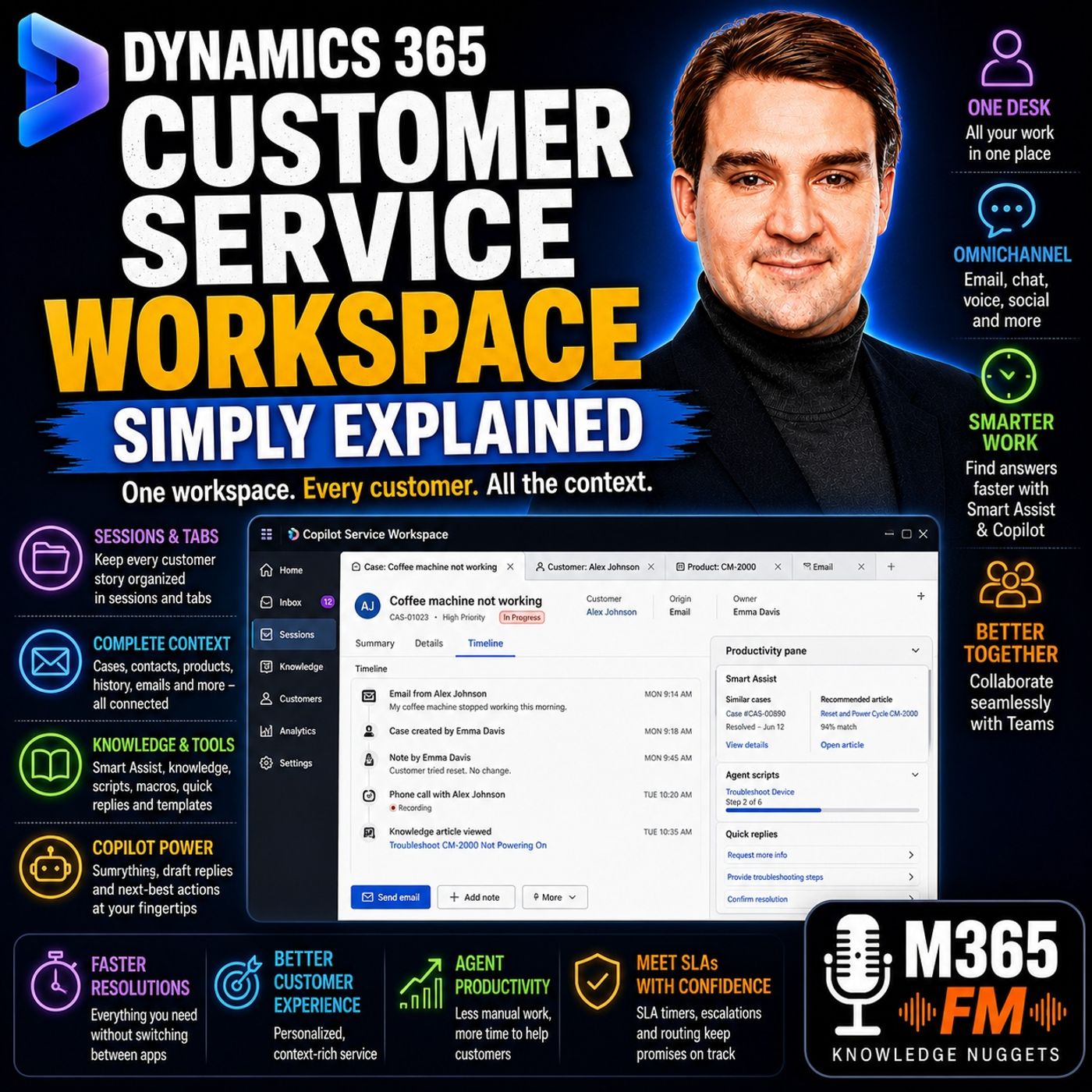
Key Takeaways
- Dynamics 365 Customer Service Workspace, now known as Copilot Service Workspace, gives customer service agents a unified browser-like interface to manage multiple issues without losing context.
- Sessions act like labeled desk drawers, separating distinct customer issues, while tabs allow agents to keep related records like cases, products, and knowledge articles grouped together.
- Omnichannel capabilities enable companies to route various contact methods—such as email, chat, voice, and Microsoft Teams—into a single agent working environment.
- Productivity features like Smart Assist, knowledge search, agent scripts, macros, and Copilot summaries streamline agent workflows and ensure consistent service delivery.
- Unified routing, queues, presence, and capacity management ensure that incoming customer requests are automatically directed to the right agents based on skill and availability.
- Mirko Peters guides listeners through these capabilities in plain English on M365 FM, explaining how to transition from fragmented browser tabs to an organized service desk.
A customer sends an email, starts a chat, calls support, or contacts a company through another service channel. When an agent picks up that request, they need the complete customer story quickly. What did the customer already tell us? Which product do they own? Has somebody else worked on this problem? Is there an existing case? What was promised previously? Is there a service deadline approaching? Without a unified workspace, answering those questions can mean jumping between browser tabs, inboxes, CRM records, notes, knowledge bases, and communication applications. In this episode of Microsoft Knowledge Nuggets on M365 FM, Mirko Peters explains Dynamics 365 Customer Service Workspace, now known as Copilot Service Workspace, in plain English. We explore sessions and tabs, cases and timelines, omnichannel customer service, the agent inbox, Smart Assist, knowledge management, agent scripts, macros, quick replies, Copilot, Microsoft Teams collaboration, Unified Routing, queues, presence, capacity, SLA management, escalation, self-service, dashboards, and customer service analytics. The central idea is straightforward: give customer service agents one organized workspace where the customer, the problem, the history, the knowledge, and the tools required to solve it remain connected.
WHAT IS DYNAMICS 365 CUSTOMER SERVICE WORKSPACE?
Dynamics 365 Customer Service Workspace was designed as a focused working environment for customer service agents. Microsoft now refers to this newer agent experience as Copilot Service Workspace, so organizations may encounter both names in documentation, videos, training materials, or existing environments. Think of it as a browser designed specifically around customer service. Instead of opening a completely separate browser window for every customer, case, knowledge article, product record, and conversation, the workspace organizes related information around the piece of customer work currently being handled. The objective is not simply to display CRM records. It is to help agents move between multiple customer issues without repeatedly losing and rebuilding context.
WHY CUSTOMER SERVICE AGENTS NEED A DIFFERENT WORKSPACE
Imagine an agent halfway through a customer call. A high-priority email arrives. Another customer replies to yesterday's chat. A different case is approaching its promised response deadline. This is normal customer service work. Agents frequently manage several customers, several communication channels, and substantial histories for each customer simultaneously. They need to understand what the customer purchased, what already happened, who previously worked on the issue, and whether somebody promised a response. When that information lives across multiple systems, the agent becomes an information detective. Customer Service Workspace attempts to remove some of that detective work.
THE PROBLEM WITH CONSTANT CONTEXT SWITCHING
Consider the traditional workflow. An agent searches an email inbox for an old customer message. They open the customer record in another browser tab. They find a case. Another application contains internal notes. A knowledge base contains troubleshooting instructions. Then another customer contacts them. The agent changes context. Ten minutes later, they return to the first customer and need to remember why several browser tabs are open. The applications may all work correctly individually. The problem is that the customer story is fragmented across them. That fragmentation becomes visible to customers when they hear: "Can you tell me that again?" or: "Let me find the previous update." Customer Service Workspace attempts to keep more of that story together.
FROM CUSTOMER SERVICE HUB TO COPILOT SERVICE WORKSPACE
Many Dynamics 365 users will be familiar with the older Customer Service Hub experience. Customer Service Hub supported core service activities such as working with cases, customer records, activities, knowledge articles, and dashboards. Customer Service Workspace introduced a different style of agent experience focused more heavily on handling several active pieces of work while preserving the context associated with each one. The supplied episode describes Microsoft subsequently naming this experience Copilot Service Workspace. The underlying concept remains an agent-focused workspace where customer service information and tools are organized around active work.
THE AGENT DESK, NOT THE ADMINISTRATION CONTROL ROOM
Copilot Service Workspace is primarily where agents perform their daily customer service work. It is not where every customer service rule is designed. Administrators configure areas such as channels, queues, routing rules, permissions, skills, capacity, and other service settings through the relevant administration experiences. The agent experiences the result of that configuration inside the workspace. Think of the distinction like this: The administration environment is the control room. Copilot Service Workspace is the service desk. Agents should be able to focus primarily on customers rather than the technical configuration behind how customer work reached them.
SESSIONS: ONE CUSTOMER ISSUE, ONE WORKING CONTEXT
One of the most important concepts inside the workspace is the session. Think of a session as a labeled desk drawer. One drawer contains everything associated with one customer's active issue. Another drawer contains another customer's conversation. Opening one drawer should not mix its contents with another. Inside Copilot Service Workspace, a session provides a boundary around a particular piece of customer work. That makes it easier for agents to manage several active issues without mixing their records, notes, and supporting information.
TABS: EVERYTHING RELATED TO THE CUSTOMER ISSUE
Inside each session are tabs. The first tab might contain the case. The agent clicks the customer and opens the customer record as another tab. They might then open the associated account. Another tab could contain the product. Another could contain a knowledge article. Another might contain an email. These are separate records, but they belong to the same customer story. Instead of scattering those records across unrelated browser windows, the workspace keeps them grouped inside the session. This gives agents the freedom to explore connected information without losing the original customer issue. ㅤ
A SIMPLE SESSION EXAMPLE
Imagine a customer contacts support because their coffee machine stopped working. The agent opens the case. That becomes the working session. The case contains the reported problem and current status. The agent clicks the customer's name. The customer record opens as another tab inside the same session. The agent reviews previous support interactions. Next, they open the product record to determine which coffee machine model the customer owns. Then they find an approved troubleshooting article. That article opens in another tab. The agent can move between the case, customer, product, and knowledge article while everything remains associated with the same customer issue.
MULTIPLE CUSTOMERS WITHOUT MIXING THEIR INFORMATION
Now imagine another customer contacts support. Their problem has nothing to do with the coffee machine case. Instead of adding more unrelated tabs to the existing workspace, the second customer receives a separate session. That session has its own tabs, records, and context. The first customer remains in one drawer. The second remains in another. This separation can reduce simple but potentially serious mistakes. When agents handle several cases simultaneously, it can be easy to type a note on the wrong record, lose track of which customer owns which information, or accidentally continue working from the wrong context. Sessions provide clearer boundaries between those customer stories.
SESSION AND TAB LIMITS
The supplied episode states that Copilot Service Workspace supports up to nine sessions at one time, with up to ten tabs within each session. The important point is not that agents should spend their day counting tabs. It is that a customer case rarely exists alone. A service issue can connect to contacts, accounts, products, activities, emails, knowledge articles, notes, and other business information. The workspace gives those connected records somewhere to remain together while the agent works.
SESSION RESTORE
A browser refresh during a complicated customer case can be disruptive. The supplied material describes a session restore feature in preview that administrators can enable. With session restore enabled, supported records and tabs can be restored following a browser refresh rather than forcing the agent to begin again from an empty home page. The episode notes that supported cases, accounts, related tabs, and the agent's previous focus can return after presence loads, while active conversations such as chats and calls can also return. This can help preserve context when a refresh occurs at exactly the wrong moment. Agents still need to save their work appropriately. A workspace can restore supported context, but it cannot protect information that was never saved.
Become a supporter of this podcast: https://www.spreaker.com/podcast/m365-fm-modern-work-security-and-productivity-with-microsoft-365--6704921/support.
🚀 Want to be part of m365.fm?
Then stop just listening… and start showing up.
👉 Connect with me on LinkedIn and let’s make something happen:
- 🎙️ Be a podcast guest and share your story
- 🎧 Host your own episode (yes, seriously)
- 💡 Pitch topics the community actually wants to hear
- 🌍 Build your personal brand in the Microsoft 365 space
This isn’t just a podcast — it’s a platform for people who take action.
🔥 Most people wait. The best ones don’t.
👉 Connect with me on LinkedIn and send me a message:
"I want in"
Let’s build something awesome 👊
Frequently Asked Questions
What is Dynamics 365 Customer Service Workspace?
Dynamics 365 Customer Service Workspace, also known as Copilot Service Workspace, is a focused working environment designed for customer service agents. It organizes customer cases, communication channels, and related records into a single app, preventing the need to juggle multiple browser tabs.
How do sessions and tabs work in Copilot Service Workspace?
Sessions act as boundaries around separate customer issues, functioning like labeled desk drawers so information doesn't mix. Within each session, tabs allow agents to open and view related records such as customer details, product information, and knowledge articles.
What is the productivity pane used for?
The productivity pane sits on the right side of the workspace and provides quick access to tools like Smart Assist, knowledge base search, agent scripts, and macros, helping agents find answers and execute tasks without leaving the active case.
How does unified routing handle incoming customer requests?
Unified routing acts like a reception desk for the service team, checking company rules to direct incoming cases, chats, and calls to the appropriate queues or agents based on presence, capacity, and required skills.
00:00:00,000 --> 00:00:02,480
So a customer sends an email, starts a chat,
2
00:00:02,480 --> 00:00:05,120
calls support, or posts a message on social media.
3
00:00:05,120 --> 00:00:07,920
When an agent picks it up, they need the full story fast out
4
00:00:07,920 --> 00:00:10,560
because nobody wants to explain the same problem twice.
5
00:00:10,560 --> 00:00:12,200
The old way men separate browser tabs,
6
00:00:12,200 --> 00:00:14,960
inboxes, notes, and apps, details ended up scattered,
7
00:00:14,960 --> 00:00:17,360
and every handoff turned into a tiny detective job.
8
00:00:17,360 --> 00:00:19,640
Dynamics 365 customer service workspace
9
00:00:19,640 --> 00:00:21,160
brings all that work to one disk.
10
00:00:21,160 --> 00:00:23,960
Think of each customer issue as its own organized folder
11
00:00:23,960 --> 00:00:26,000
with the right information close by.
12
00:00:26,000 --> 00:00:30,280
The old Edmund Mirko Peters from M365 FM in this knowledge nugget,
13
00:00:30,280 --> 00:00:33,840
Routemal cover sessions, tabs, incoming work, helper tools,
14
00:00:33,840 --> 00:00:37,080
and the routing that happens behind the scenes.
15
00:00:37,080 --> 00:00:39,600
Why the workspace exists?
16
00:00:39,600 --> 00:00:41,760
Imagine an agent halfway through a phone call
17
00:00:41,760 --> 00:00:43,840
when a high priority email arrives.
18
00:00:43,840 --> 00:00:47,400
At the same time, a customer replies to yesterday O-T-M's chat,
19
00:00:47,400 --> 00:00:50,240
and another case needs an answer before it's promised deadline.
20
00:00:50,240 --> 00:00:52,280
That opens normal customer service work.
21
00:00:52,280 --> 00:00:54,200
An agent might juggle several customers,
22
00:00:54,200 --> 00:00:57,240
several contact methods, and a long history for each person.
23
00:00:57,240 --> 00:00:58,880
They need to know what the customer bought,
24
00:00:58,880 --> 00:01:01,480
what already happened, who last worked on the issue,
25
00:01:01,480 --> 00:01:04,160
and whether somebody promised a reply by a certain time.
26
00:01:04,160 --> 00:01:05,680
Without one place for all that,
27
00:01:05,680 --> 00:01:07,320
the agent keeps switching around.
28
00:01:07,320 --> 00:01:09,520
They search an email inbox for an old message,
29
00:01:09,520 --> 00:01:12,480
then they open a customer record in another browser tab.
30
00:01:12,480 --> 00:01:15,000
They check a note in a separate tool, return to the case,
31
00:01:15,000 --> 00:01:16,960
and try to remember why they opened that first tab.
32
00:01:16,960 --> 00:01:18,680
Ito Tim's not that agents don't know,
33
00:01:18,680 --> 00:01:20,960
Timutekari, or Ito Tim's that the information
34
00:01:20,960 --> 00:01:22,400
sits in too many places.
35
00:01:22,400 --> 00:01:24,160
And the customer feels that delay.
36
00:01:24,160 --> 00:01:26,760
They might hear, "Oh, can you tell me that again?"
37
00:01:26,760 --> 00:01:28,880
"Oh, or, oh, let me find the last update."
38
00:01:28,880 --> 00:01:32,520
"Oh, those words usually mean the agent does noten."
39
00:01:32,520 --> 00:01:34,880
Yet have the full picture in front of them.
40
00:01:34,880 --> 00:01:36,800
Slow hand-offs create the same problem.
41
00:01:36,800 --> 00:01:38,360
One agent writes a short note,
42
00:01:38,360 --> 00:01:40,240
another agent later opens the case,
43
00:01:40,240 --> 00:01:42,240
and must piece together emails, call notes,
44
00:01:42,240 --> 00:01:44,360
and customer history before they can continue.
45
00:01:44,360 --> 00:01:46,480
The work still gets done, but it takes longer
46
00:01:46,480 --> 00:01:48,520
and leaves more room for missed details.
47
00:01:48,520 --> 00:01:50,280
For many Dynamics 365 users,
48
00:01:50,280 --> 00:01:53,120
the older customer service hub handled core case work.
49
00:01:53,120 --> 00:01:56,400
You could open cases, customer records, activities,
50
00:01:56,400 --> 00:01:58,160
knowledge articles, and dashboards.
51
00:01:58,160 --> 00:02:00,320
It gave teams a place to manage service work.
52
00:02:00,320 --> 00:02:02,840
But its working style focused more on one session at a time.
53
00:02:02,840 --> 00:02:04,360
Customer service workspace came along
54
00:02:04,360 --> 00:02:05,880
to give agents a different kind of desk.
55
00:02:05,880 --> 00:02:08,320
Microsoft now calls it co-pilot service workspace,
56
00:02:08,320 --> 00:02:10,480
so you may see either name in older videos,
57
00:02:10,480 --> 00:02:12,520
documents, or your own environment.
58
00:02:12,520 --> 00:02:14,960
They both point to the same newer agent experience.
59
00:02:14,960 --> 00:02:17,720
Think of it like a browser designed around customer service.
60
00:02:17,720 --> 00:02:20,320
Instead of piling up browser windows for different customers,
61
00:02:20,320 --> 00:02:23,240
the workspace keeps each piece of work contained inside the app.
62
00:02:23,240 --> 00:02:24,960
An agent can move between active issues
63
00:02:24,960 --> 00:02:27,400
while keeping the related records together.
64
00:02:27,400 --> 00:02:29,360
They do now, to make it need to rebuild their place
65
00:02:29,360 --> 00:02:31,080
every time they return to a customer.
66
00:02:31,080 --> 00:02:32,520
That changes the rhythm of the day.
67
00:02:32,520 --> 00:02:35,080
The agent spends less time hunting for the right screen
68
00:02:35,080 --> 00:02:37,880
and more time reading the customer out to mess story,
69
00:02:37,880 --> 00:02:40,520
checking the details, and working toward an answer.
70
00:02:40,520 --> 00:02:42,200
The customer sees a smoother conversation
71
00:02:42,200 --> 00:02:44,680
because the agent can pick up where things left off.
72
00:02:44,680 --> 00:02:47,640
Now, the workspace is now TMZT,
73
00:02:47,640 --> 00:02:49,520
where a company decides every service rule.
74
00:02:49,520 --> 00:02:51,720
Administrator setup channels, queues, routing rules,
75
00:02:51,720 --> 00:02:53,840
permissions, and the tools agents can see.
76
00:02:53,840 --> 00:02:55,640
That work happens behind the scenes
77
00:02:55,640 --> 00:02:57,280
in the service admin experience.
78
00:02:57,280 --> 00:02:59,720
The workspace is where agents use that setup.
79
00:02:59,720 --> 00:03:02,320
It outens their working desk, not the control room.
80
00:03:02,320 --> 00:03:05,000
And before an agent can solve any customer problem,
81
00:03:05,000 --> 00:03:07,480
that problem needs a clear home.
82
00:03:07,480 --> 00:03:10,360
Sessions and tabs, the desk draw analogy.
83
00:03:10,360 --> 00:03:13,040
So let's how TMZ talk about sessions and tabs.
84
00:03:13,040 --> 00:03:15,640
Here are Timz, the simplest way to think about it.
85
00:03:15,640 --> 00:03:18,680
A session is how the workspace keeps one customer issue together.
86
00:03:18,680 --> 00:03:20,480
Think of it like a labeled desk draw.
87
00:03:20,480 --> 00:03:22,560
One drawer might hold a customer out in his case.
88
00:03:22,560 --> 00:03:24,400
Another drawer might hold an active chat.
89
00:03:24,400 --> 00:03:25,880
When you open that drawer, everything
90
00:03:25,880 --> 00:03:28,800
related to that piece of work stays close and organized.
91
00:03:28,800 --> 00:03:30,240
Inside each session, you have tabs.
92
00:03:30,240 --> 00:03:32,000
The first tab might show the case itself,
93
00:03:32,000 --> 00:03:33,560
then you open the customer record,
94
00:03:33,560 --> 00:03:35,960
and that appears as another tab in the same session.
95
00:03:35,960 --> 00:03:39,360
You might also open the customer AU, TMZ company account,
96
00:03:39,360 --> 00:03:41,440
the product they bought, a knowledge article,
97
00:03:41,440 --> 00:03:43,440
or an email connected to the case.
98
00:03:43,440 --> 00:03:45,480
They outmiss separate pages, but they belong
99
00:03:45,480 --> 00:03:47,120
to the same customer story.
100
00:03:47,120 --> 00:03:48,480
That utems the magic of it.
101
00:03:48,480 --> 00:03:49,960
Let me give you a concrete example.
102
00:03:49,960 --> 00:03:51,680
Imagine a customer contact support
103
00:03:51,680 --> 00:03:53,840
because their coffee machine stopped working.
104
00:03:53,840 --> 00:03:56,800
The agent opens the case, which starts a session for that issue.
105
00:03:56,800 --> 00:03:58,680
The case includes the problem description,
106
00:03:58,680 --> 00:04:01,000
who reported it, and the current status.
107
00:04:01,000 --> 00:04:02,520
The agent clicks the customer name.
108
00:04:02,520 --> 00:04:05,400
That customer record opens as a tab beside the case,
109
00:04:05,400 --> 00:04:07,600
so the agent can check past support requests
110
00:04:07,600 --> 00:04:09,960
and contact details without losing the case.
111
00:04:09,960 --> 00:04:11,560
Then the agent opens the product record
112
00:04:11,560 --> 00:04:15,040
to confirm the model, warranty details, or product history.
113
00:04:15,040 --> 00:04:17,120
Maybe the agent finds an article about cleaning
114
00:04:17,120 --> 00:04:19,080
or resetting that specific machine.
115
00:04:19,080 --> 00:04:21,400
That article opens in another tab in the same session.
116
00:04:21,400 --> 00:04:22,240
Nothing has disappeared.
117
00:04:22,240 --> 00:04:24,120
The agent can move from the case to the customer,
118
00:04:24,120 --> 00:04:27,000
from the customer to the product, then back to the case.
119
00:04:27,000 --> 00:04:28,200
Each tab keeps its place.
120
00:04:28,200 --> 00:04:29,720
The agent doesn't need to search again
121
00:04:29,720 --> 00:04:31,720
or open a new browser window just to remember
122
00:04:31,720 --> 00:04:33,440
which machine the customer owns.
123
00:04:33,440 --> 00:04:36,600
Now imagine a second customer writes in with a different problem.
124
00:04:36,600 --> 00:04:38,920
That should not mix with the coffee machine case.
125
00:04:38,920 --> 00:04:40,760
So the workspace opens a separate session
126
00:04:40,760 --> 00:04:42,000
for that second customer.
127
00:04:42,000 --> 00:04:43,640
It has its own tabs, its own records,
128
00:04:43,640 --> 00:04:45,400
and its own working context.
129
00:04:45,400 --> 00:04:47,480
The coffee machine customer stays in one drawer,
130
00:04:47,480 --> 00:04:49,200
the second customer stays in another.
131
00:04:49,200 --> 00:04:50,520
That may sound like a small change,
132
00:04:50,520 --> 00:04:52,240
but it prevents an easy mistake.
133
00:04:52,240 --> 00:04:53,880
When you handle several cases at once,
134
00:04:53,880 --> 00:04:57,080
it outtimes is very easy to type a note on the wrong record,
135
00:04:57,080 --> 00:04:58,720
send a reply from the wrong case,
136
00:04:58,720 --> 00:05:01,680
or lose track of which customer owns which problem.
137
00:05:01,680 --> 00:05:04,680
Separate sessions give each issue a clear boundary.
138
00:05:04,680 --> 00:05:07,040
Here are some practical detail.
139
00:05:07,040 --> 00:05:10,000
Co-pilot service workspace supports up to nine sessions
140
00:05:10,000 --> 00:05:11,440
at one time.
141
00:05:11,440 --> 00:05:14,320
Within each session, an agent can open up to 10 tabs.
142
00:05:14,320 --> 00:05:16,320
Most agents won't count tabs all day.
143
00:05:16,320 --> 00:05:18,200
The point is that there is room to follow the links
144
00:05:18,200 --> 00:05:20,720
that matter without breaking away from the customer issue.
145
00:05:20,720 --> 00:05:21,960
A case rarely lives alone.
146
00:05:21,960 --> 00:05:24,760
It connects to people, products, emails, notes,
147
00:05:24,760 --> 00:05:26,120
activities, and guidance.
148
00:05:26,120 --> 00:05:29,000
The workspace gives those connected records a place to sit.
149
00:05:29,000 --> 00:05:30,760
You out and usually see the session list
150
00:05:30,760 --> 00:05:32,280
on the left side of the app.
151
00:05:32,280 --> 00:05:35,160
That too, temps where an agent can see the active pieces of work
152
00:05:35,160 --> 00:05:37,360
and switch from one session to another.
153
00:05:37,360 --> 00:05:40,360
Across the top, you, temps see the tabs inside the session.
154
00:05:40,360 --> 00:05:42,760
You will temporary currently working in.
155
00:05:42,760 --> 00:05:45,880
So the left side answers, "Oh, which customer issue am I working on?"
156
00:05:45,880 --> 00:05:47,840
A-O, the tabs answer.
157
00:05:47,840 --> 00:05:49,960
Or which part of that issue do I need right now?
158
00:05:49,960 --> 00:05:51,800
A-O and agent might check the product details
159
00:05:51,800 --> 00:05:53,960
for the coffee machine, switch to another customer
160
00:05:53,960 --> 00:05:56,120
for a few minutes, then return to the first session
161
00:05:56,120 --> 00:05:59,320
and find the case, customer record, and knowledge article
162
00:05:59,320 --> 00:06:00,760
still grouped together.
163
00:06:00,760 --> 00:06:02,400
There is no need to rebuild the trail.
164
00:06:02,400 --> 00:06:04,760
That, thoubet, tams the day-to-day benefit.
165
00:06:04,760 --> 00:06:06,760
Now sessions don't remove the normal care needed
166
00:06:06,760 --> 00:06:08,360
when working with customer records.
167
00:06:08,360 --> 00:06:11,160
If an agent closes a session while changes are unsaved,
168
00:06:11,160 --> 00:06:12,640
those changes can be lost.
169
00:06:12,640 --> 00:06:14,080
The workspace warns about this,
170
00:06:14,080 --> 00:06:16,920
but the agent still needs to save case notes, updates,
171
00:06:16,920 --> 00:06:18,720
and emails before closing work.
172
00:06:18,720 --> 00:06:20,400
A desk drawer can keep papers together.
173
00:06:20,400 --> 00:06:22,440
It can't save a note you never wrote down.
174
00:06:22,440 --> 00:06:24,680
Microsoft also has a session restore feature,
175
00:06:24,680 --> 00:06:27,640
currently in preview, that an administrator can turn on.
176
00:06:27,640 --> 00:06:29,720
When he touted, as enabled, a browser refresh
177
00:06:29,720 --> 00:06:31,760
can restore supported records and tabs,
178
00:06:31,760 --> 00:06:33,520
rather than leaving the agent back at the homepage
179
00:06:33,520 --> 00:06:36,360
with an empty work area, it can restore cases, accounts,
180
00:06:36,360 --> 00:06:39,840
related tabs, and the agent out TM's last focus.
181
00:06:39,840 --> 00:06:42,600
After presence loads, active conversations such as chats
182
00:06:42,600 --> 00:06:44,320
and calls can return to.
183
00:06:44,320 --> 00:06:46,520
That would tams useful when a browser refresh happens
184
00:06:46,520 --> 00:06:49,160
at exactly the wrong moment, which somehow always seems
185
00:06:49,160 --> 00:06:51,200
to happen during a difficult case.
186
00:06:51,200 --> 00:06:54,440
Organized sessions solve the problem of keeping work apart,
187
00:06:54,440 --> 00:06:56,080
but customers still need a clear way
188
00:06:56,080 --> 00:07:00,360
to bring their requests into the same workspace.
189
00:07:00,360 --> 00:07:03,560
One workspace for customer requests.
190
00:07:03,560 --> 00:07:05,240
Customers don't think in channels.
191
00:07:05,240 --> 00:07:06,880
They think, "Oh, I need help."
192
00:07:06,880 --> 00:07:08,680
"Ao, they might send an email during lunch.
193
00:07:08,680 --> 00:07:10,360
Use webchat later that afternoon,
194
00:07:10,360 --> 00:07:12,560
or call when the problem still isn't fixed."
195
00:07:12,560 --> 00:07:15,640
From their side, it should feel like one support conversation,
196
00:07:15,640 --> 00:07:17,840
even if they contact the company in different ways.
197
00:07:17,840 --> 00:07:20,040
That is what OmniChannel means in plain English.
198
00:07:20,040 --> 00:07:22,440
The company lets customers choose how to get in touch,
199
00:07:22,440 --> 00:07:24,360
while service agents work from the same place.
200
00:07:24,360 --> 00:07:26,200
Depending on what the company has set up,
201
00:07:26,200 --> 00:07:30,520
that can include email, webchat, SMS messages, voice calls,
202
00:07:30,520 --> 00:07:34,040
social messaging, and conversations linked to Microsoft Teams.
203
00:07:34,040 --> 00:07:36,440
The channel changes, the agent's working area doesn't.
204
00:07:36,440 --> 00:07:39,480
Let me walk you through an example, imagine a customer starts a webchat
205
00:07:39,480 --> 00:07:41,120
because a delivery hasn't arrived.
206
00:07:41,120 --> 00:07:42,880
The request reaches the service team
207
00:07:42,880 --> 00:07:45,480
and an available agent sees it as incoming work.
208
00:07:45,480 --> 00:07:46,720
When the agent accepts it,
209
00:07:46,720 --> 00:07:48,720
the workspace opens the related session,
210
00:07:48,720 --> 00:07:50,160
ready for that conversation.
211
00:07:50,160 --> 00:07:53,040
The agent can read the chat, view the customer details,
212
00:07:53,040 --> 00:07:55,760
and work on the case without opening a separate chat tool.
213
00:07:55,760 --> 00:07:57,720
Later, the customer might need to send a photo
214
00:07:57,720 --> 00:07:59,760
or more details through another contact method.
215
00:07:59,760 --> 00:08:01,560
The team can keep those interactions connected
216
00:08:01,560 --> 00:08:03,040
to the same customer in case,
217
00:08:03,040 --> 00:08:05,280
so the next agent doesn't begin from zero.
218
00:08:05,280 --> 00:08:07,720
Now that doesn't mean every channel magically joins together
219
00:08:07,720 --> 00:08:08,680
without setup.
220
00:08:08,680 --> 00:08:10,600
Your company needs to connect the channels,
221
00:08:10,600 --> 00:08:12,480
decide how customer records match,
222
00:08:12,480 --> 00:08:14,720
and set the rules for handling incoming work.
223
00:08:14,720 --> 00:08:16,520
But once that setup is in place,
224
00:08:16,520 --> 00:08:20,200
the workspace gives agents one consistent place to respond.
225
00:08:20,200 --> 00:08:21,800
This matters when a customer says,
226
00:08:21,800 --> 00:08:24,000
"Oh, I already told someone about this."
227
00:08:24,000 --> 00:08:26,440
"Air" instead of searching through several systems,
228
00:08:26,440 --> 00:08:29,120
the agent can look at the customer record in case history.
229
00:08:29,120 --> 00:08:30,720
They can see the earlier conversation,
230
00:08:30,720 --> 00:08:32,080
the update's already sent,
231
00:08:32,080 --> 00:08:33,960
and the notes left by another team member.
232
00:08:33,960 --> 00:08:36,200
A case is the main folder for that support issue.
233
00:08:36,200 --> 00:08:37,360
It records the status,
234
00:08:37,360 --> 00:08:40,280
so agents can see whether the case is new, active,
235
00:08:40,280 --> 00:08:41,640
waiting, or resolved.
236
00:08:41,640 --> 00:08:43,720
It records priority, which helps the team
237
00:08:43,720 --> 00:08:45,760
spot work needing faster attention.
238
00:08:45,760 --> 00:08:47,840
It can also show the source accounts such as email,
239
00:08:47,840 --> 00:08:50,080
chat, or phone, or along with the customer,
240
00:08:50,080 --> 00:08:51,560
related product, description,
241
00:08:51,560 --> 00:08:53,760
and other details the company chooses to track.
242
00:08:53,760 --> 00:08:55,200
Then there is the timeline.
243
00:08:55,200 --> 00:08:58,480
The timeline puts the events of a case into date order.
244
00:08:58,480 --> 00:09:00,640
An agent might see the first email from Monday
245
00:09:00,640 --> 00:09:02,280
and internal note from Tuesday,
246
00:09:02,280 --> 00:09:03,680
a phone call from Wednesday,
247
00:09:03,680 --> 00:09:05,080
and a reply sent this morning.
248
00:09:05,080 --> 00:09:07,840
One story, not a pile of disconnected messages.
249
00:09:07,840 --> 00:09:10,920
This also helps when work moves from one agent to another.
250
00:09:10,920 --> 00:09:12,360
The new agent can read what happened
251
00:09:12,360 --> 00:09:15,200
instead of asking the customer to repeat every detail.
252
00:09:15,200 --> 00:09:17,280
They may still need to ask a follow-up question,
253
00:09:17,280 --> 00:09:19,280
but it should be about moving the case forward,
254
00:09:19,280 --> 00:09:20,840
not recovering lost context.
255
00:09:20,840 --> 00:09:23,000
You may also see an inbox in Copilot Service Workspace,
256
00:09:23,000 --> 00:09:24,880
think of it as a focused work list,
257
00:09:24,880 --> 00:09:27,040
not your normal company email inbox.
258
00:09:27,040 --> 00:09:30,560
It can show cases, conversations, and activities assigned to you,
259
00:09:30,560 --> 00:09:32,480
helping agents handle fast moving work
260
00:09:32,480 --> 00:09:34,440
without digging through several views.
261
00:09:34,440 --> 00:09:36,520
For example, an agent may use the inbox
262
00:09:36,520 --> 00:09:38,800
to spot an assigned messaging conversation
263
00:09:38,800 --> 00:09:40,520
or a case that needs attention.
264
00:09:40,520 --> 00:09:42,640
If the issue turns into more involved work,
265
00:09:42,640 --> 00:09:44,800
the agent can promote it into a regular session
266
00:09:44,800 --> 00:09:45,800
and keep working there.
267
00:09:45,800 --> 00:09:47,320
The inbox doesn't replace outlook
268
00:09:47,320 --> 00:09:49,440
or every mailbox your company uses.
269
00:09:49,440 --> 00:09:51,320
It gives agents a focused view
270
00:09:51,320 --> 00:09:53,840
of the work dynamics has assigned to them.
271
00:09:53,840 --> 00:09:55,600
So, on my channel is not just a long word
272
00:09:55,600 --> 00:09:57,360
for over many contact methods.
273
00:09:57,360 --> 00:10:00,640
A.O. it is a way to keep customer requests connected,
274
00:10:00,640 --> 00:10:03,440
while agents use one familiar service app.
275
00:10:03,440 --> 00:10:05,080
The case holds the work together
276
00:10:05,080 --> 00:10:07,200
and the timeline lets the agent read the story
277
00:10:07,200 --> 00:10:08,960
without searching for every chapter.
278
00:10:08,960 --> 00:10:10,280
Seeing the whole story helps,
279
00:10:10,280 --> 00:10:13,520
agents also need a fast way to find the right answer.
280
00:10:13,520 --> 00:10:15,880
The productivity pane help beside the case.
281
00:10:15,880 --> 00:10:18,800
So you found the customer's story.
282
00:10:18,800 --> 00:10:20,400
Now you need a good answer to go with it.
283
00:10:20,400 --> 00:10:22,400
Here's where the productivity pane comes in.
284
00:10:22,400 --> 00:10:25,080
It sits on the right side of the Copilot Service Workspace.
285
00:10:25,080 --> 00:10:26,560
Think of it like an open reference book
286
00:10:26,560 --> 00:10:28,160
right beside the agent's desk,
287
00:10:28,160 --> 00:10:30,760
no need to dig through another system while the customer waits.
288
00:10:30,760 --> 00:10:33,760
What shows up there depends on how the company set things up.
289
00:10:33,760 --> 00:10:35,960
One tool inside that pane is Smart Assist.
290
00:10:35,960 --> 00:10:37,040
It looks at the active case
291
00:10:37,040 --> 00:10:39,200
and suggests similar cases or knowledge articles
292
00:10:39,200 --> 00:10:40,040
that might help.
293
00:10:40,040 --> 00:10:42,280
Say a customer reports a leaking coffee machine,
294
00:10:42,280 --> 00:10:44,120
Smart Assist can surface an earlier case
295
00:10:44,120 --> 00:10:45,840
with the exact same symptoms.
296
00:10:45,840 --> 00:10:47,120
Along with an approved article
297
00:10:47,120 --> 00:10:49,200
about checking a seal or the water tank,
298
00:10:49,200 --> 00:10:51,000
the suggestion isn't the final answer.
299
00:10:51,000 --> 00:10:53,320
But it gives the agent a sensible starting point,
300
00:10:53,320 --> 00:10:55,320
especially when the customer describes the problem
301
00:10:55,320 --> 00:10:56,400
in everyday words,
302
00:10:56,400 --> 00:10:59,360
instead of the technical terms, the internal article uses.
303
00:10:59,360 --> 00:11:02,000
Knowledge search gives the agent another path.
304
00:11:02,000 --> 00:11:03,080
Instead of closing the case
305
00:11:03,080 --> 00:11:04,560
and hunting through a separate knowledge base,
306
00:11:04,560 --> 00:11:06,480
they can search for approved troubleshooting steps
307
00:11:06,480 --> 00:11:07,840
right from the productivity pane.
308
00:11:07,840 --> 00:11:08,880
The case stays open.
309
00:11:08,880 --> 00:11:10,160
The guidance is right there.
310
00:11:10,160 --> 00:11:11,760
When an agent opens a knowledge article,
311
00:11:11,760 --> 00:11:13,920
it appears as another tab in the current session.
312
00:11:13,920 --> 00:11:15,760
They can read the steps, return to the case,
313
00:11:15,760 --> 00:11:17,800
use what they learn to guide the conversation.
314
00:11:17,800 --> 00:11:20,120
If the article fits the customer's situation,
315
00:11:20,120 --> 00:11:22,040
the agent can share it through email.
316
00:11:22,040 --> 00:11:22,800
But here's the thing,
317
00:11:22,800 --> 00:11:26,440
A) they still need to check it matches the customer's specific product.
318
00:11:26,440 --> 00:11:28,680
An article about one coffee machine model
319
00:11:28,680 --> 00:11:31,040
won't help much when the customer owns a different one.
320
00:11:31,040 --> 00:11:34,080
Some service conversations follow the same pattern every time.
321
00:11:34,080 --> 00:11:37,600
A lost delivery, a password reset, a return request.
322
00:11:37,600 --> 00:11:39,720
They all need the same questions in the same order.
323
00:11:39,720 --> 00:11:41,680
Agent scripts give teams a guided checklist
324
00:11:41,680 --> 00:11:43,640
for exactly those moments.
325
00:11:43,640 --> 00:11:45,880
A script can prompt the agent to confirm details,
326
00:11:45,880 --> 00:11:48,240
explain the next step, record the result,
327
00:11:48,240 --> 00:11:50,480
that helps new staff get comfortable faster.
328
00:11:50,480 --> 00:11:53,560
It also helps experience staff handle routine work consistently
329
00:11:53,560 --> 00:11:55,680
without sounding like they're reading from a script.
330
00:11:55,680 --> 00:11:57,440
The agent can still respond like a real person
331
00:11:57,440 --> 00:12:00,160
and adjust when the customer throws in something unexpected.
332
00:12:00,160 --> 00:12:02,720
Behind some script steps, you'll find macros.
333
00:12:02,720 --> 00:12:04,920
A macro is a prepared action or a set of actions.
334
00:12:04,920 --> 00:12:07,480
It might update a case field, prepare an email,
335
00:12:07,480 --> 00:12:08,840
create a follow-up activity
336
00:12:08,840 --> 00:12:11,240
after the agent confirms something with the customer.
337
00:12:11,240 --> 00:12:13,720
Less time spent clicking through the same steps.
338
00:12:13,720 --> 00:12:16,840
The case record follows the team's standard process every time.
339
00:12:16,840 --> 00:12:19,160
Quick replies and email templates work the same way.
340
00:12:19,160 --> 00:12:21,000
Instead of typing the same polite opening
341
00:12:21,000 --> 00:12:23,560
or standard delivery instruction over and over,
342
00:12:23,560 --> 00:12:25,080
the agent starts with approved text
343
00:12:25,080 --> 00:12:26,760
and adjusted for the specific case.
344
00:12:26,760 --> 00:12:28,280
Prepared text saves typing.
345
00:12:28,280 --> 00:12:29,720
It doesn't remove responsibility.
346
00:12:29,720 --> 00:12:32,520
The agent still needs to read it before sending every time.
347
00:12:32,520 --> 00:12:34,920
Co-pilot can help with the same kind of work too,
348
00:12:34,920 --> 00:12:36,040
but in a different way.
349
00:12:36,040 --> 00:12:38,240
A case summary gives a new agent a quick view
350
00:12:38,240 --> 00:12:39,800
of what happened so far.
351
00:12:39,800 --> 00:12:41,920
That's really helpful when a case contains
352
00:12:41,920 --> 00:12:44,880
a long timeline of emails, calls and notes.
353
00:12:44,880 --> 00:12:47,440
Conversation summaries help an agent wrap up a chat
354
00:12:47,440 --> 00:12:49,000
and record what was agreed.
355
00:12:49,000 --> 00:12:51,000
Co-pilot can also draft an email response
356
00:12:51,000 --> 00:12:52,160
using the case context.
357
00:12:52,160 --> 00:12:54,280
That saves time when the agent knows the answer,
358
00:12:54,280 --> 00:12:56,680
but needs help turning it into a clear message.
359
00:12:56,680 --> 00:12:59,480
Still, a draft is a starting point, not a final decision.
360
00:12:59,480 --> 00:13:02,520
The agent checks the facts, the tone, the customer details,
361
00:13:02,520 --> 00:13:04,800
any promises made, nothing leaves the company
362
00:13:04,800 --> 00:13:06,240
until the agent reviews it.
363
00:13:06,240 --> 00:13:08,080
Some cases need someone with deeper knowledge.
364
00:13:08,080 --> 00:13:10,000
The workspace can bring Microsoft teams
365
00:13:10,000 --> 00:13:11,640
right into the agent experience,
366
00:13:11,640 --> 00:13:13,560
so an agent can ask a product specialist
367
00:13:13,560 --> 00:13:16,600
for help without losing their active customer record.
368
00:13:16,600 --> 00:13:18,080
The difficult case stays in view
369
00:13:18,080 --> 00:13:19,680
while the right people discuss it.
370
00:13:19,680 --> 00:13:21,880
The agent can see the work, find the guidance,
371
00:13:21,880 --> 00:13:23,320
bring in an expert when needed,
372
00:13:23,320 --> 00:13:25,520
but the work still needs to reach the right agent
373
00:13:25,520 --> 00:13:26,520
in the first place.
374
00:13:26,520 --> 00:13:31,400
Rooting, presence and capacity, the reception desk.
375
00:13:31,400 --> 00:13:33,960
Before an agent can help anyone,
376
00:13:33,960 --> 00:13:35,560
the right work needs to reach them.
377
00:13:35,560 --> 00:13:37,880
Behind the scenes, unified rooting works
378
00:13:37,880 --> 00:13:40,360
like the reception desk for the entire service team,
379
00:13:40,360 --> 00:13:42,000
a new case or conversation comes in.
380
00:13:42,000 --> 00:13:43,920
The system checks the company's rules,
381
00:13:43,920 --> 00:13:46,480
then sends that work toward the right queue or person.
382
00:13:46,480 --> 00:13:49,680
A queue is simply a waiting area for a specific type of work.
383
00:13:49,680 --> 00:13:52,000
A company might have one queue for billing questions
384
00:13:52,000 --> 00:13:53,720
and another for technical support.
385
00:13:53,720 --> 00:13:55,320
When a customer asks about an invoice
386
00:13:55,320 --> 00:13:57,640
rooting sends that case toward the billing team.
387
00:13:57,640 --> 00:13:59,480
When someone reports a product won't start,
388
00:13:59,480 --> 00:14:00,800
it goes to technical support.
389
00:14:00,800 --> 00:14:02,880
The system checks more than just the case subject.
390
00:14:02,880 --> 00:14:06,600
It looks at business rules, agent skills, current availability,
391
00:14:06,600 --> 00:14:07,600
workload.
392
00:14:07,600 --> 00:14:10,120
So it's not just asking who works in support is.
393
00:14:10,120 --> 00:14:13,120
It's asking who has the right skill is available to take work
394
00:14:13,120 --> 00:14:14,760
and isn't already overloaded.
395
00:14:14,760 --> 00:14:18,440
That creates a much smarter path for customer requests.
396
00:14:18,440 --> 00:14:20,120
An agent's presence tells the system
397
00:14:20,120 --> 00:14:21,880
whether they can receive new work.
398
00:14:21,880 --> 00:14:25,080
Presence is the status and agent chooses in the workspace.
399
00:14:25,080 --> 00:14:27,240
Available, busy, do not disturb.
400
00:14:27,240 --> 00:14:28,440
When an agent is available,
401
00:14:28,440 --> 00:14:30,680
the rooting system can consider them for new work.
402
00:14:30,680 --> 00:14:32,480
When they're busy, it looks elsewhere.
403
00:14:32,480 --> 00:14:35,440
Presence isn't just a little colored dot on someone's profile.
404
00:14:35,440 --> 00:14:37,640
It tells the system whether that agent should receive
405
00:14:37,640 --> 00:14:41,160
another live chat, another phone call, another assigned case.
406
00:14:41,160 --> 00:14:43,200
If people forget to update their status,
407
00:14:43,200 --> 00:14:45,960
rooting might send work to someone who stepped away.
408
00:14:45,960 --> 00:14:48,760
Or leave work waiting when an agent could actually help.
409
00:14:48,760 --> 00:14:50,280
Capacity adds another layer.
410
00:14:50,280 --> 00:14:53,680
Each team decides how much active work an agent can handle at once.
411
00:14:53,680 --> 00:14:56,520
The system uses that number to avoid overloading one person
412
00:14:56,520 --> 00:14:57,560
while others have room.
413
00:14:57,560 --> 00:14:59,520
It doesn't guess how busy someone feels.
414
00:14:59,520 --> 00:15:02,280
The company defines the rules, rooting follows them.
415
00:15:02,280 --> 00:15:05,120
Different types of work use different amounts of capacity.
416
00:15:05,120 --> 00:15:07,360
A phone call might take an agent's full attention,
417
00:15:07,360 --> 00:15:10,520
so a company counts it as a large amount of capacity.
418
00:15:10,520 --> 00:15:14,000
Messaging works differently, or an agent can manage several conversations
419
00:15:14,000 --> 00:15:16,360
when customers reply with pauses between messages.
420
00:15:16,360 --> 00:15:17,320
Here's an example.
421
00:15:17,320 --> 00:15:21,440
A team could decide one phone call, fills an agent's available capacity.
422
00:15:21,440 --> 00:15:24,160
But several messaging conversations fit within the same limit.
423
00:15:24,160 --> 00:15:28,200
Those numbers are choices the service team makes based on the work they actually do.
424
00:15:28,200 --> 00:15:29,560
Then there's the question of assignment.
425
00:15:29,560 --> 00:15:32,400
With push assignment, the system automatically sends incoming work
426
00:15:32,400 --> 00:15:34,240
to a suitable available agent.
427
00:15:34,240 --> 00:15:37,520
The agent sees the request and accepts it according to the team's process.
428
00:15:37,520 --> 00:15:40,960
This works well when the team wants quick handling and even distribution.
429
00:15:40,960 --> 00:15:43,800
With pick assignment, open work appears in a list.
430
00:15:43,800 --> 00:15:45,520
Agents choose what they'll take next.
431
00:15:45,520 --> 00:15:49,520
That works well when agents need to select cases based on what they're already handling.
432
00:15:49,520 --> 00:15:52,360
Or when the team wants people to pull work from a shared queue.
433
00:15:52,360 --> 00:15:54,200
Neither approach is automatically better.
434
00:15:54,200 --> 00:15:56,520
It depends on the kind of service the company provides.
435
00:15:56,520 --> 00:15:58,200
Let me give you a concrete example.
436
00:15:58,200 --> 00:15:59,960
Two requests arrive at the same time.
437
00:15:59,960 --> 00:16:02,160
One customer needs help understanding a bill.
438
00:16:02,160 --> 00:16:04,360
Another needs help fixing a technical issue.
439
00:16:04,360 --> 00:16:08,680
If the routing rules, skills, presence and capacity are set up properly,
440
00:16:08,680 --> 00:16:11,200
the billing request reaches someone trained in billing.
441
00:16:11,200 --> 00:16:13,840
The technical request reaches someone who knows the product.
442
00:16:13,840 --> 00:16:16,840
The customer doesn't need to understand the company's internal structure.
443
00:16:16,840 --> 00:16:17,720
They just need help.
444
00:16:17,720 --> 00:16:21,640
Routing can spread work more evenly, but it only follows the setup it receives.
445
00:16:21,640 --> 00:16:23,480
If a company assigns the wrong skills,
446
00:16:23,480 --> 00:16:25,560
sets unrealistic capacity limits,
447
00:16:25,560 --> 00:16:27,640
or leaves agents in the wrong present state,
448
00:16:27,640 --> 00:16:29,520
the results won't feel fair at all.
449
00:16:29,520 --> 00:16:31,880
Once the work passes through that reception desk,
450
00:16:31,880 --> 00:16:34,600
service leaders need a clear view of what the team is facing,
451
00:16:34,600 --> 00:16:37,000
so from solving cases to improving service.
452
00:16:37,000 --> 00:16:39,000
So customer service is now,
453
00:16:39,000 --> 00:16:41,200
Tema, it just about closing today out,
454
00:16:41,200 --> 00:16:43,800
Tim's case, it outens also about keeping promises.
455
00:16:43,800 --> 00:16:45,760
Promises like how fast you will reply
456
00:16:45,760 --> 00:16:47,880
and how quickly you will resolve the issue.
457
00:16:47,880 --> 00:16:50,640
That out to mince where dynamics SLA timers come in.
458
00:16:50,640 --> 00:16:52,520
They out to a simple timer that show agents
459
00:16:52,520 --> 00:16:53,840
when a deadline is getting close.
460
00:16:53,840 --> 00:16:56,640
A timer does now TMT solve the problem,
461
00:16:56,640 --> 00:16:59,680
but it makes the time pressure visible before the deadline passes.
462
00:16:59,680 --> 00:17:04,400
That gives the agent or the team leader a chance to act while their O term is still time.
463
00:17:04,400 --> 00:17:05,840
Think of it like a countdown clock.
464
00:17:05,840 --> 00:17:07,600
Escalation rules can back that up.
465
00:17:07,600 --> 00:17:09,480
When a case is about to miss a deadline,
466
00:17:09,480 --> 00:17:10,840
the system can alert someone.
467
00:17:10,840 --> 00:17:12,360
It can change the priority,
468
00:17:12,360 --> 00:17:14,760
or it can move the case to another personal team.
469
00:17:14,760 --> 00:17:18,560
What exactly happens depends on how your company sets up its service process.
470
00:17:18,560 --> 00:17:21,320
Now, customer history is another piece of the puzzle.
471
00:17:21,320 --> 00:17:23,040
Imagine an old problem comes back.
472
00:17:23,040 --> 00:17:26,720
An agent can see earlier cases and interactions linked to that customer.
473
00:17:26,720 --> 00:17:28,440
Maybe the same device failed before.
474
00:17:28,440 --> 00:17:31,480
Maybe the customer already tried a step that normally fixes it.
475
00:17:31,480 --> 00:17:35,880
That history helps the team avoid treating a repeat problem like a brand new one.
476
00:17:35,880 --> 00:17:38,720
Some customers prefer to solve simple issues themselves.
477
00:17:38,720 --> 00:17:43,440
A self-service portal can publish the same knowledge articles that agents use inside the workspace.
478
00:17:43,440 --> 00:17:47,040
So customers can search for steps and answers before they ever open a case.
479
00:17:47,040 --> 00:17:50,800
And the company keeps one approved source of guidance for both groups.
480
00:17:50,800 --> 00:17:53,840
When a case reaches resolution, the work may not stop there.
481
00:17:53,840 --> 00:17:55,880
The system can create a follow-up task.
482
00:17:55,880 --> 00:17:57,360
Send a confirmation message.
483
00:17:57,360 --> 00:17:59,560
Or invite the customer to complete a feedback survey.
484
00:17:59,560 --> 00:18:03,400
The case may be closed, but the team can still check whether the customer understood everything.
485
00:18:03,400 --> 00:18:06,760
Managers also need to spot patterns across the service team.
486
00:18:06,760 --> 00:18:09,760
Dashboards and insights show case volume, backlog growth,
487
00:18:09,760 --> 00:18:12,600
repeat topics, agent workload, and customer feedback.
488
00:18:12,600 --> 00:18:16,360
A sudden rise in cases about one product might point to a wider problem.
489
00:18:16,360 --> 00:18:19,320
A queue with aging cases might mean the team needs more help
490
00:18:19,320 --> 00:18:21,520
or a different way to sort work.
491
00:18:21,520 --> 00:18:24,480
But here, Ooms, the thing, a dashboard provides signals.
492
00:18:24,480 --> 00:18:28,760
People still need to read those signals, ask what caused them, and decide what to change.
493
00:18:28,760 --> 00:18:30,000
A chart can show a backlog.
494
00:18:30,000 --> 00:18:33,560
It cannot meddle you whether the answer is more training, a product fix,
495
00:18:33,560 --> 00:18:35,120
or a change to routing rules.
496
00:18:35,120 --> 00:18:36,840
Put these building blocks together.
497
00:18:36,840 --> 00:18:40,400
And co-pilot service workspace becomes more than another dynamics screen.
498
00:18:40,400 --> 00:18:44,080
It becomes a place where everything connects.
499
00:18:44,080 --> 00:18:45,560
Conclusion.
500
00:18:45,560 --> 00:18:47,400
One organized service desk.
501
00:18:47,400 --> 00:18:51,120
Co-pilot service workspace brings customer requests, cases, records,
502
00:18:51,120 --> 00:18:54,520
guidance, and colleague support into one organized place.
503
00:18:54,520 --> 00:18:57,560
Agents can focus on the customer instead of hunting for information.
504
00:18:57,560 --> 00:19:01,680
Subscribe to m365.fm for more knowledge nuggets in plain English.
505
00:19:01,680 --> 00:19:05,560
And share this episode with someone who still thinks Dynamics 365 customer service
506
00:19:05,560 --> 00:19:06,720
is just a case list.




