


 Apple Podcasts
 Spotify
 Youtube Music
 Spreaker
 Podchaser
 Amazon Music
 Agent Feed - Simply Explained
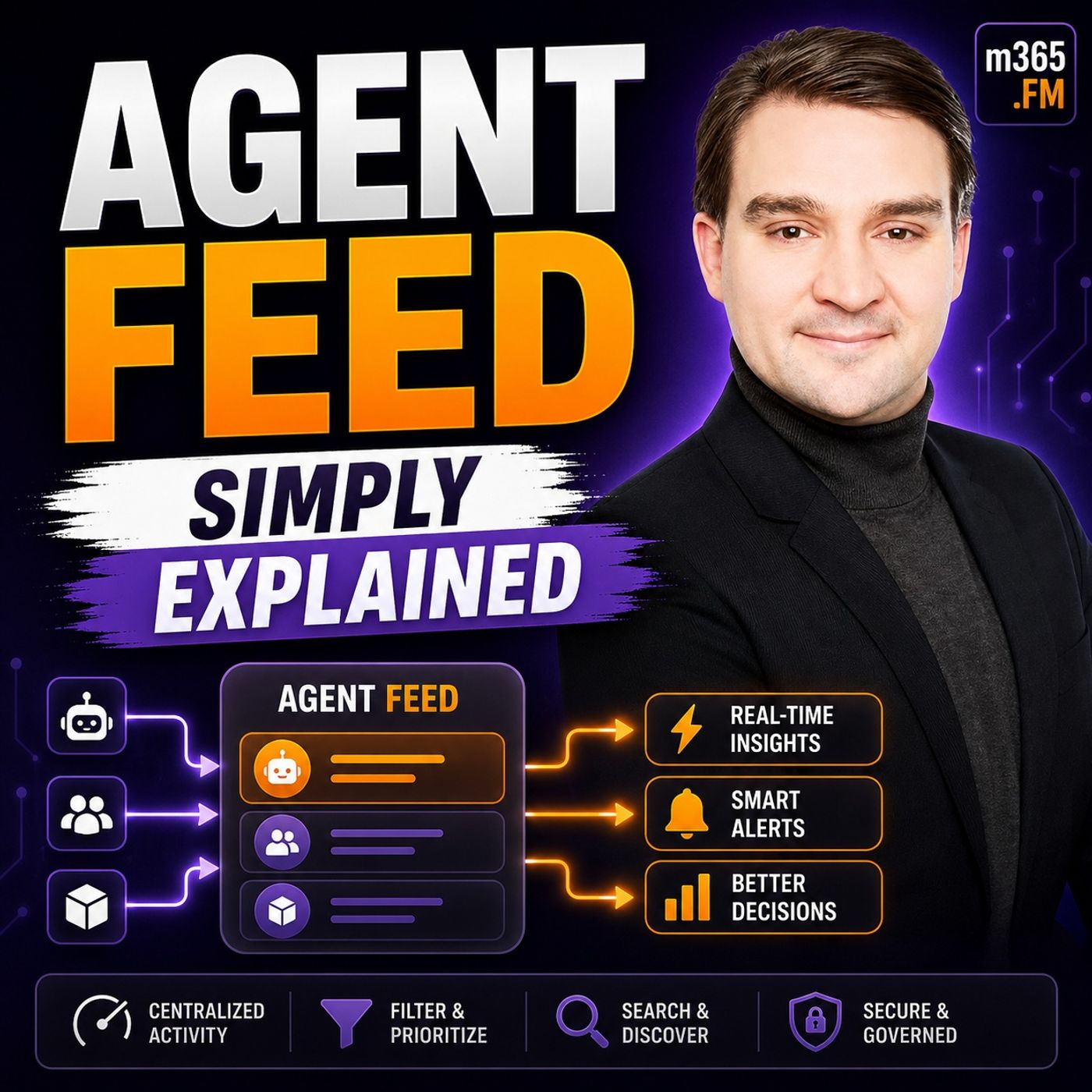
Quick Answer: Agent Feed is an important Microsoft topic for teams that need clearer technical decisions, safer implementation, and practical operational value. This episode explains what it does, where it fits in the Microsoft ecosystem, and the key considerations for administrators, architects, and business stakeholders.
Agent Feed serves as a vital tool for managing AI agents within Power Apps. It enhances your ability to oversee AI tasks, ensuring effective collaboration between human users and technology. By integrating features like real-time activity logs and assistance requests, Agent Feed empowers you to maintain control over automated processes. This innovative approach significantly improves efficiency, reducing energy consumption and costs compared to traditional methods of AI management. With Agent Feed, you can confidently navigate the evolving landscape of AI, enhancing both productivity and oversight.
Key Takeaways
- Agent Feed centralizes AI management, allowing you to oversee tasks and ensure alignment with business goals.
- Real-time activity logs provide insights into agent performance, helping you make informed decisions quickly.
- The 'Request Assistance' feature boosts task success rates by enabling collaboration between you and AI agents.
- Task categorization simplifies management, making it easy to identify tasks that need attention or are completed.
- Implementing Agent Feed can lead to a 40% faster resolution rate and a 25% increase in customer satisfaction.
- Balancing automation with human oversight is crucial for effective AI management and decision-making.
- Adopt best practices like defining success metrics and assembling cross-functional teams to enhance implementation.
- Embrace the future of AI with Agent Feed to unlock new possibilities and improve operational efficiency.
Agent Feed Overview

Key Features of Agent Feed
Agent Feed is a powerful tool designed to enhance your experience with AI in Power Apps. It serves as a centralized hub where you can manage and supervise AI agents effectively. This tool is crucial for ensuring that AI operates within the guidelines you set, allowing for better control and oversight.
The significance of Agent Feed in AI management cannot be overstated. It empowers you to maintain a balance between automation and human intervention. With Agent Feed, you can oversee AI tasks, ensuring they align with your business objectives. This oversight is essential, especially as AI agents operate independently, making it challenging to trace actions back to specific user commands.
Here are the main functionalities of Agent Feed:
| Functionality | Description |
|---|---|
| Human-Agent Collaboration | Enables you to review, validate, and complete agent-generated tasks. |
| Unified Task Feed | Allows you to supervise and interact with agent work through a task-based interface. |
| Task Categorization | Organizes tasks into sections like 'Needs Attention' and 'Completed' for better management. |
You will find that tasks include essential details such as titles, descriptions, agent names, and timestamps. The 'Needs Attention' section highlights tasks requiring your input, while the 'Completed' section displays tasks finished by you or the agents.
One of the standout features of Agent Feed is the Log for Review. This feature supports compliance and auditing requirements by providing comprehensive audit logs. These logs are crucial for organizations that need to answer critical questions about agent actions. They ensure accountability by recording who performed actions, how, and when. This level of detail is vital for meeting regulatory requirements across various industries.
Another key feature is the Request Assistance function. This functionality enhances collaboration between you and AI agents. Studies show that using AI guidance significantly improves task success rates. For instance, when participants received AI assistance, their macro success rate reached 70%, compared to only 20% for unassisted guidance. This demonstrates how AI can serve as an effective training tool, helping you perform better in subsequent tasks.
Lastly, the Invoke Data Entry feature streamlines data management processes. It allows you to supervise, trust, and collaborate with your agents in a familiar task feed format. This integration simplifies your workflow, making it easier to manage data entry tasks efficiently.
How to Supervise Autonomous Agents
Real-Time Insights in Power Apps
Monitoring AI agents through Agent Feed is straightforward. Follow these steps to set up your environment for effective supervision:
- Sign in to Power Apps and select your contact center environment.
- In the site map, select Apps, search for the Copilot Service workspace, and edit it.
- Enable Agent Feed by:
- Selecting the Agents icon in the site map.
- Choosing the agent that corresponds to Case Management Agent, such as Case Processing Agent, and selecting the ellipses (...) > Add to app.
- Saving and publishing the changes.
- Add the Agent Supervisor view by:
- Searching for and selecting Case view.
- In the Cases pane, selecting Views.
- Choosing the ellipses (...) for Agent Supervisor and then selecting Add.
- Saving and publishing the changes.
- Finally, sign in to the Copilot Service workspace with a supervisor role to verify that the agent feed appears in the site map.
Human intervention plays a crucial role in AI decision-making. While AI agents can handle repetitive tasks, they may not always make the best choices in complex situations. Your expertise ensures that decisions align with business goals. By supervising autonomous agents, you maintain control over agent activity, allowing for timely adjustments when necessary.
Agent Feed provides real-time visibility into agent activities. You can track various metrics, including:
- Latency
- Throughput
- Success/error counts
- Resource utilization
These metrics help you understand how well your agents perform. Additionally, Agent Feed captures the execution flow of each request, giving you insight into every step of the process. This level of detail allows you to identify bottlenecks and optimize performance.
The integration with the Model Context Protocol (MCP) enhances the functionality of Agent Feed. MCP standardizes communication between AI applications and Power Apps. This integration simplifies the development process, reducing time and complexity for developers. It also allows AI applications to access a wide range of data sources, making them more capable. As a result, you benefit from more efficient AI applications that can act effectively on your behalf.
Practical Applications of Agent Feed

Enhancing Productivity with AI
Businesses can leverage Agent Feed in various ways to boost productivity. Here are some common scenarios where Agent Feed shines:
| Business Scenario | Description |
|---|---|
| Customer Support | Enhances workflows for customer support flows, providing better visibility and efficiency. |
| Sales | Assists sales agents in performing lookups, validations, and payment workflows. |
| Data Source Automation | Facilitates automation involving multiple data sources or connectors with step-by-step visibility. |
Integrating Agent Feed into your daily workflows offers numerous benefits. You can streamline processes and improve efficiency. For instance, businesses report a 40% faster resolution rate and a 25% increase in customer satisfaction after implementing Agent Feed. These improvements stem from the tool's ability to create actionable tasks and provide real-time insights into agent performance.
Agent Feed allows you to focus on complex tasks by automating routine processes. Here are some ways it achieves this:
- AI agents automate complex, multi-step work that requires reasoning and dynamic decision-making.
- They reduce manual effort by eliminating repetitive cognitive tasks such as reviewing documents and synthesizing data.
- AI agents improve consistency by applying the same reasoning and decision criteria across all cases.
- They accelerate processes, completing workflows in seconds or minutes instead of hours or days.
- AI agents scale expertise by codifying decision-making logic and best practices for consistent application.
For example, scheduling agents manage meetings by checking availability and sending invites, reducing time spent on emails. Data entry agents handle repetitive tasks like transferring information and validating data quality. Research agents gather and synthesize information from various sources, generating reports efficiently.
Balancing automation and human oversight is crucial. While AI can handle many tasks, your expertise ensures that decisions align with business rules. To effectively balance these elements, follow these steps:
| Step | Description |
|---|---|
| 1. Define evaluation objectives | Align business goals with evaluation criteria, such as customer satisfaction and regulatory compliance. |
| 2. Create test datasets | Develop realistic scenarios that represent real-world usage patterns, including edge cases. |
| 3. Select evaluation methods | Combine expert evaluation with automated metrics for comprehensive assessment. |
| 4. Implement measurement framework | Use real-time monitoring for customer-facing agents or batch assessment for internal tools. |
| 5. Analyze results and iterate | Establish feedback loops to connect evaluation results to model improvements. |
By integrating Agent Feed into your operations, you can ensure seamless collaboration between AI and human agents. This approach not only enhances productivity but also maintains the necessary oversight to meet your organization's goals.
Challenges in Implementing Agent Feed
Implementing Agent Feed can present several challenges for businesses. Understanding these obstacles helps you prepare for a smoother integration process. Here are some common issues you might encounter:
- Cost Observability: Tracking costs associated with Agent Feed is not straightforward. You need to implement a governance layer to monitor expenses effectively.
- Complexity with Cross-Environment Agents: Managing agents that operate across different environments can be tricky. You must handle authentication, auditing, and error management carefully.
- Data Privacy and Security Concerns: AI agents can introduce new vulnerabilities. They may become attractive targets for cyberattacks, which can compromise data privacy and security.
| Evidence | Explanation |
|---|---|
| AI agents introduce new vulnerabilities and risks | This highlights how the deployment of AI agents can lead to increased attack surfaces, impacting data privacy and security. |
| AI agents are attractive targets for cyberattacks | The mention of AI agents being targets emphasizes the security concerns that arise from their deployment. |
| Poor management can lead to financial losses and reputational damage | This illustrates the potential consequences of not addressing data privacy and security concerns. |
To overcome these challenges, you can adopt several best practices:
- Define Success: Establish 1-2 key performance indicators (KPIs) that align with your business outcomes. This will guide your development efforts and keep you focused on what matters.
- Assemble a Cross-Functional Team: Involve diverse stakeholders in the implementation process. This ensures that the agent adds value and meets various needs across your organization.
- Launch with Support: Provide training and clear communication to empower users. Gathering feedback during this phase can help you make necessary adjustments.
- Monitor and Adjust: Use real-time data to track performance. This allows you to make continuous improvements based on actual usage and outcomes.
Additionally, effective change management strategies can significantly enhance the adoption of Agent Feed. Organizations that implement structured change management for AI initiatives are 3.4 times more likely to achieve successful adoption. Focus on the human aspects of adoption, such as behavior change and role clarity.
Start by having leaders use AI personally to model behavior. This helps assess the current state of adoption accurately. Ensure that skills extraction occurs before workflow automation. This way, you codify the right knowledge before integrating it into AI-assisted processes. Lastly, encourage social learning with immediate application. This approach is more effective than generic training, as it promotes collaboration and practical use of AI tools.
By addressing these challenges and following best practices, you can successfully implement Agent Feed and enhance your organization's AI capabilities.
Agent Feed plays a crucial role in enhancing AI management and ensuring effective human oversight. By treating AI agents like new hires, you establish clear roles and expectations, which fosters accountability. This structured governance allows you to trust AI agents as active participants in your workflows.
With real-time activity monitoring, Agent Feed improves collaboration and decision-making, making it essential for optimizing operations. As you explore the potential of Agent Feed in your organization, consider how it can transform your approach to AI integration.
| Future Trend | Description |
|---|---|
| Automation | AI agents will automate repetitive tasks in Power Apps. |
| Enhanced User Experience | Improved governance will lead to better user interactions. |
| Supervised Actions | Human review in automated processes ensures quality. |
Embrace the future of AI with Agent Feed and unlock new possibilities for your business.
FAQ
What is Agent Feed?
Agent Feed is a supervision hub in Power Apps that allows you to manage AI agents effectively. It enhances human oversight and collaboration with AI, ensuring tasks align with your business objectives.
How does Agent Feed improve AI management?
Agent Feed provides real-time insights into AI agent activities. You can monitor performance metrics, review tasks, and intervene when necessary, ensuring that AI operates within your guidelines.
Can I customize the features of Agent Feed?
Yes, you can customize Agent Feed to fit your specific needs. You can adjust task categories, set evaluation criteria, and define key performance indicators to align with your business goals.
What types of tasks can AI agents handle?
AI agents can automate repetitive tasks, such as data entry and document review. They can also assist in complex workflows, allowing you to focus on higher-level decision-making.
How does Agent Feed integrate with model-driven apps?
Agent Feed seamlessly integrates with model-driven apps in Power Apps. This integration allows you to supervise AI agents directly within the applications you use daily, enhancing productivity and oversight.
Is training required to use Agent Feed?
While no extensive training is necessary, familiarizing yourself with Agent Feed's features will help you maximize its benefits. Microsoft provides resources and support to assist you in getting started.
What is the role of generative AI in Agent Feed?
Generative AI enhances Agent Feed by enabling AI agents to learn from interactions and improve their performance over time. This capability allows for more efficient task handling and better decision-making.
How can I ensure data privacy with AI agents?
To ensure data privacy, implement robust security measures and governance protocols. Regularly audit AI agent activities and maintain compliance with industry regulations to protect sensitive information.
🎧 You Should Also Listen To
- AI Agents – Simply Explained provides the next practical learning step and adds useful context for this topic.
- Microsoft Agent Framework – Simply Explained provides the next practical learning step and adds useful context for this topic.
- Microsoft Fabric Real-Time Intelligence – Simply Explained provides the next practical learning step and adds useful context for this topic.
Last reviewed: July 2026.
🚀 Want to be part of m365.fm?
Then stop just listening… and start showing up.
👉 Connect with me on LinkedIn and let’s make something happen:
- 🎙️ Be a podcast guest and share your story
- 🎧 Host your own episode (yes, seriously)
- 💡 Pitch topics the community actually wants to hear
- 🌍 Build your personal brand in the Microsoft 365 space
This isn’t just a podcast — it’s a platform for people who take action.
🔥 Most people wait. The best ones don’t.
👉 Connect with me on LinkedIn and send me a message:
"I want in"
Let’s build something awesome 👊
1
00:00:00,000 --> 00:00:03,640
Today's topic is one that almost everyone has heard of, but almost no one can actually explain.
2
00:00:03,640 --> 00:00:05,120
I'm talking about AI agents.
3
00:00:05,120 --> 00:00:08,840
You've probably heard the term in a meeting, read it in a blog post or seen it in a headline.
4
00:00:08,840 --> 00:00:10,280
Everyone's talking about them.
5
00:00:10,280 --> 00:00:13,760
But ask someone to define one, and the answers get fuzzy real fast.
6
00:00:13,760 --> 00:00:17,280
The hype is loud, the definitions are vague, and the phrase gets thrown around so loosely,
7
00:00:17,280 --> 00:00:19,040
it's lost almost all its meaning.
8
00:00:19,040 --> 00:00:20,760
Here's the most common mistake people make.
9
00:00:20,760 --> 00:00:23,400
They think an agent is just a chatbot with a fancier name.
10
00:00:23,400 --> 00:00:26,560
You ask it something, it replies, that's not an agent, that's a chatbot.
11
00:00:26,560 --> 00:00:28,760
And there is a real difference between the two.
12
00:00:28,760 --> 00:00:29,760
So what changed?
13
00:00:29,760 --> 00:00:31,920
Why is everyone suddenly obsessed with agents?
14
00:00:31,920 --> 00:00:35,200
And more importantly, why should you care if you're not a developer?
15
00:00:35,200 --> 00:00:39,000
By the end of this episode, you'll understand what an AI agent actually is,
16
00:00:39,000 --> 00:00:44,040
why Microsoft built a whole framework around them, and why this matters for the way you work.
17
00:00:44,040 --> 00:00:47,240
What exactly is an AI agent?
18
00:00:47,240 --> 00:00:50,240
You already know how a chatbot works, you type something, it responds.
19
00:00:50,240 --> 00:00:54,960
That's a conversation, it's reactive, it waits for you to say something, then it replies.
20
00:00:54,960 --> 00:00:57,280
An agent is different, it doesn't just answer.
21
00:00:57,280 --> 00:01:00,600
It acts, think, decide, act, that's the simplest definition I can give you.
22
00:01:00,600 --> 00:01:01,440
Here's how it works.
23
00:01:01,440 --> 00:01:02,960
First, the agent thinks.
24
00:01:02,960 --> 00:01:06,160
It uses a large language model to reason about what you actually need,
25
00:01:06,160 --> 00:01:07,880
not just what you typed, but what you meant.
26
00:01:07,880 --> 00:01:10,240
If you say book a meeting with Sarah next Tuesday,
27
00:01:10,240 --> 00:01:12,280
the agent doesn't just repeat that back to you,
28
00:01:12,280 --> 00:01:15,800
it thinks about what that request really means, then it decides.
29
00:01:15,800 --> 00:01:17,720
It breaks your request into steps.
30
00:01:17,720 --> 00:01:21,360
Book a meeting, becomes a plan, check your calendar, find a free slot,
31
00:01:21,360 --> 00:01:23,360
check Sarah's availability, send an invite.
32
00:01:23,360 --> 00:01:25,880
The agent doesn't guess, it creates a sequence of actions.
33
00:01:25,880 --> 00:01:29,120
Finally, it acts, it calls tools and services to make it happen.
34
00:01:29,120 --> 00:01:31,440
It doesn't tell you how to book a meeting, it books the meeting.
35
00:01:31,440 --> 00:01:35,000
It doesn't explain how to check the weather, it checks the weather and gives you the answer.
36
00:01:35,000 --> 00:01:37,520
So think about the difference, a chatbot is reactive.
37
00:01:37,520 --> 00:01:38,720
It waits for your next question.
38
00:01:38,720 --> 00:01:42,360
An agent is proactive, you give it a goal and it goes off and works on it.
39
00:01:42,360 --> 00:01:45,080
It might come back with questions if it needs more information,
40
00:01:45,080 --> 00:01:47,640
but it doesn't need you to hold its hand through every step.
41
00:01:47,640 --> 00:01:50,000
A chatbot is like a reference desk at a library.
42
00:01:50,000 --> 00:01:52,800
You ask where a book is and they point you to the right aisle.
43
00:01:52,800 --> 00:01:56,200
An agent is like a personal assistant who has keys to the building.
44
00:01:56,200 --> 00:01:59,920
You say, "I need information about our top clients for tomorrow's meeting."
45
00:01:59,920 --> 00:02:02,960
And they go find it, organize it and hand you a briefing document.
46
00:02:02,960 --> 00:02:05,280
You didn't tell them where to look or what format to use.
47
00:02:05,280 --> 00:02:07,760
They figured it out, but the secret isn't just the LLM.
48
00:02:07,760 --> 00:02:10,800
The language model is smart, but by itself it's just a brain with no hands.
49
00:02:10,800 --> 00:02:13,760
What makes something an agent is the combination of three things.
50
00:02:13,760 --> 00:02:16,280
Reasoning, the ability to think through a problem.
51
00:02:16,280 --> 00:02:18,920
Tools, the ability to act on the world.
52
00:02:18,920 --> 00:02:22,120
And memory, the ability to remember what happened before.
53
00:02:22,120 --> 00:02:25,440
Put those three together and you have something that doesn't just answer questions,
54
00:02:25,440 --> 00:02:26,840
it gets things done.
55
00:02:26,840 --> 00:02:29,160
Before the framework, the fragmented landscape.
56
00:02:29,160 --> 00:02:32,680
So if agents are so useful, why isn't everyone already building them?
57
00:02:32,680 --> 00:02:35,960
The short answer is that until recently it was a messy process.
58
00:02:35,960 --> 00:02:38,280
And you had to stitch together multiple tools yourself,
59
00:02:38,280 --> 00:02:41,320
kind of like trying to build a car by buying parts from different manufacturers
60
00:02:41,320 --> 00:02:42,960
and hoping they fit together.
61
00:02:42,960 --> 00:02:46,120
Microsoft's first attempt at fixing this was semantic kernel,
62
00:02:46,120 --> 00:02:48,720
an SDK for integrating AI into applications.
63
00:02:48,720 --> 00:02:50,920
Powerful stuff, but it was a toolbox, not a blueprint.
64
00:02:50,920 --> 00:02:54,080
It gave you the pieces you still had to figure out how to assemble them.
65
00:02:54,080 --> 00:02:56,240
Then came Autogen from Microsoft Research.
66
00:02:56,240 --> 00:03:01,440
This framework explored multi-agent conversations where AI agents talk, debate and collaborate.
67
00:03:01,440 --> 00:03:05,480
Cutting edge, yes, but it was experimental, not built for production systems.
68
00:03:05,480 --> 00:03:09,640
So developers had a tough choice, semantic kernel was stable and enterprise ready,
69
00:03:09,640 --> 00:03:12,080
but lacked the advanced orchestration patterns.
70
00:03:12,080 --> 00:03:17,720
Autogen had the cool multi-agent capabilities, but wasn't something you'd run in a live environment.
71
00:03:17,720 --> 00:03:21,200
Each had its own learning curve, its own way of doing things, its own community.
72
00:03:21,200 --> 00:03:22,640
And it wasn't just Microsoft.
73
00:03:22,640 --> 00:03:24,040
Other frameworks popped up.
74
00:03:24,040 --> 00:03:26,160
Langchain, crew AI, doesn't others.
75
00:03:26,160 --> 00:03:27,840
The ecosystem was all over the place.
76
00:03:27,840 --> 00:03:29,480
If you wanted to build agents at work,
77
00:03:29,480 --> 00:03:32,400
you had to become an expert in a rapidly changing world.
78
00:03:32,400 --> 00:03:33,600
Which framework do you learn?
79
00:03:33,600 --> 00:03:34,800
Which one will survive?
80
00:03:34,800 --> 00:03:36,600
Which one is Microsoft actually backing?
81
00:03:36,600 --> 00:03:38,200
For a beginner, it was overwhelming.
82
00:03:38,200 --> 00:03:41,520
Imagine you're a developer at a company exploring AI agents.
83
00:03:41,520 --> 00:03:43,640
You research and find five different frameworks,
84
00:03:43,640 --> 00:03:46,720
each with its own documentation, its own patterns, its own community.
85
00:03:46,720 --> 00:03:48,080
You don't know where to start.
86
00:03:48,080 --> 00:03:49,840
You don't know which one to bet your time on.
87
00:03:49,840 --> 00:03:51,920
That fragmentation created a real barrier.
88
00:03:51,920 --> 00:03:53,360
It wasn't just about learning a tool.
89
00:03:53,360 --> 00:03:55,920
It was about betting on an entire ecosystem.
90
00:03:55,920 --> 00:03:59,800
And as agent use cases moved from experiments into real business processes,
91
00:03:59,800 --> 00:04:01,920
Microsoft realized this wasn't sustainable.
92
00:04:01,920 --> 00:04:05,720
They needed one framework, one unified approach, one answer to the question.
93
00:04:05,720 --> 00:04:07,360
How do I build an agent?
94
00:04:07,360 --> 00:04:09,640
What is Microsoft agent framework?
95
00:04:09,640 --> 00:04:11,480
So Microsoft took the two frameworks they had,
96
00:04:11,480 --> 00:04:14,480
semantic kernel and autogen, and combined them into one.
97
00:04:14,480 --> 00:04:18,960
The result is the Microsoft agent framework, a single unified SDK
98
00:04:18,960 --> 00:04:22,000
that brings together the enterprise stability of semantic kernel
99
00:04:22,000 --> 00:04:24,920
with the cutting edge multi agent patterns from autogen.
100
00:04:24,920 --> 00:04:28,240
The teams that built those two frameworks now work together on this one.
101
00:04:28,240 --> 00:04:30,960
This framework launched in preview in late 2025
102
00:04:30,960 --> 00:04:34,040
and reached version 1.0 in July, 2026.
103
00:04:34,040 --> 00:04:36,080
That timeline is important because it tells you
104
00:04:36,080 --> 00:04:38,240
this isn't a research project or an experiment.
105
00:04:38,240 --> 00:04:39,880
It's a production-ready product.
106
00:04:39,880 --> 00:04:42,520
Microsoft is saying, "Build your real systems on this."
107
00:04:42,520 --> 00:04:43,480
It's also open source.
108
00:04:43,480 --> 00:04:47,960
You can find it on GitHub with over 7,000 stars and more than 100 contributors.
109
00:04:47,960 --> 00:04:49,040
The community is active.
110
00:04:49,040 --> 00:04:52,720
There are weekly office hours where you can talk to the engineering team directly.
111
00:04:52,720 --> 00:04:54,480
That's not something you get with a closed product.
112
00:04:54,480 --> 00:04:57,880
The framework supports Python and Benet as first class languages,
113
00:04:57,880 --> 00:05:00,720
whether you're a CI developer or a Python developer,
114
00:05:00,720 --> 00:05:01,720
you get the same experience.
115
00:05:01,720 --> 00:05:04,760
That's a big deal because many AI frameworks are Python only.
116
00:05:04,760 --> 00:05:08,480
Microsoft made a deliberate choice to treat both languages equally.
117
00:05:08,480 --> 00:05:09,960
And here's something that might surprise you.
118
00:05:09,960 --> 00:05:12,640
The framework supports over seven different model providers.
119
00:05:12,640 --> 00:05:17,040
Microsoft Foundry, Azure OpenAI, OpenAI, Anthropic Cloud, Amazon Bedrock,
120
00:05:17,040 --> 00:05:19,800
Google Gemini, even local models through Alama.
121
00:05:19,800 --> 00:05:23,000
You write your agent logic once and it works across all of them.
122
00:05:23,000 --> 00:05:24,440
You're not locked into one provider,
123
00:05:24,440 --> 00:05:26,360
switch from OpenAI to Anthropic,
124
00:05:26,360 --> 00:05:29,520
and you change a configuration value, not your entire code base.
125
00:05:29,520 --> 00:05:31,400
The framework has two major components.
126
00:05:31,400 --> 00:05:32,840
Agents are the building blocks,
127
00:05:32,840 --> 00:05:35,560
individual reasoning units that can think and act.
128
00:05:35,560 --> 00:05:38,640
Workflows are the orchestration layer that ties multiple agents together.
129
00:05:38,640 --> 00:05:40,360
You can have one agent doing one job
130
00:05:40,360 --> 00:05:42,800
or a whole team working on a complex task.
131
00:05:42,800 --> 00:05:45,680
There's also something called declarative definitions.
132
00:05:45,680 --> 00:05:47,680
You define an agent's behavior in a YAML file.
133
00:05:47,680 --> 00:05:50,480
That means your agent configuration is version controllable,
134
00:05:50,480 --> 00:05:52,680
put it in Git, review it in pull requests,
135
00:05:52,680 --> 00:05:54,720
deploy it through CI/CD pipelines.
136
00:05:54,720 --> 00:05:56,920
For enterprise teams, that's a huge advantage.
137
00:05:56,920 --> 00:05:58,560
But here's what I want you to understand.
138
00:05:58,560 --> 00:06:01,720
This framework isn't just for developers building complex systems.
139
00:06:01,720 --> 00:06:03,520
It's designed for enterprise scenarios,
140
00:06:03,520 --> 00:06:06,520
security, compliance, observability, human in the loop approvals.
141
00:06:06,520 --> 00:06:08,040
These are built in, not bolted on.
142
00:06:08,040 --> 00:06:12,360
And that's what makes it different from the experimental frameworks that came before.
143
00:06:12,360 --> 00:06:15,280
The building blocks, agents, tools, memory, workflows.
144
00:06:15,280 --> 00:06:17,400
Let's break it down into the four core concepts.
145
00:06:17,400 --> 00:06:21,240
Get these right, and you understand 90% of what this framework does.
146
00:06:21,240 --> 00:06:23,120
First up agents, they're the fundamental unit.
147
00:06:23,120 --> 00:06:26,720
Each agent has a name, a set of instructions, and access to tools.
148
00:06:26,720 --> 00:06:29,000
It's a reasoning unit that can think and act.
149
00:06:29,000 --> 00:06:30,640
You tell it who it is, what it should do,
150
00:06:30,640 --> 00:06:31,960
and what resources it can use.
151
00:06:31,960 --> 00:06:33,520
Everything else flows from that.
152
00:06:33,520 --> 00:06:35,680
Next tools, these are the hands of the agent,
153
00:06:35,680 --> 00:06:38,960
functions, APIs, or external services the agent can call,
154
00:06:38,960 --> 00:06:42,640
whether data, calendar access, database queries, file operations.
155
00:06:42,640 --> 00:06:44,880
The agent doesn't know how to do these things by itself.
156
00:06:44,880 --> 00:06:47,920
It needs tools to reach out into the world and take action.
157
00:06:47,920 --> 00:06:49,840
You can write simple functions yourself,
158
00:06:49,840 --> 00:06:52,920
or they can be MCP servers, model context protocol.
159
00:06:52,920 --> 00:06:55,920
That's a standard way to connect agents to external services.
160
00:06:55,920 --> 00:06:57,280
Think of it as a universal plug.
161
00:06:57,280 --> 00:07:02,080
If a service supports MCP, your agent can use it without custom integration code,
162
00:07:02,080 --> 00:07:03,000
then there's memory.
163
00:07:03,000 --> 00:07:05,840
This is the brain's storage, two types exist.
164
00:07:05,840 --> 00:07:08,040
Session level memory is short term.
165
00:07:08,040 --> 00:07:10,520
It remembers what happened during a single conversation.
166
00:07:10,520 --> 00:07:12,240
Context providers are long term.
167
00:07:12,240 --> 00:07:15,480
They remember preferences and facts across multiple conversations.
168
00:07:15,480 --> 00:07:18,040
Memories what makes an agent feel intelligent.
169
00:07:18,040 --> 00:07:20,640
Without it, every interaction starts from scratch.
170
00:07:20,640 --> 00:07:24,040
You introduce yourself, and the next time you talk, it's forgotten.
171
00:07:24,040 --> 00:07:25,960
With memory, the agent knows who you are,
172
00:07:25,960 --> 00:07:27,880
what you've discussed, and what you care about.
173
00:07:27,880 --> 00:07:29,960
It's the difference between talking to a stranger
174
00:07:29,960 --> 00:07:32,000
and talking to a colleague who knows your work.
175
00:07:32,000 --> 00:07:33,280
Finally, workflows.
176
00:07:33,280 --> 00:07:36,800
This is the orchestration layer where you define multiple agents working together.
177
00:07:36,800 --> 00:07:38,480
Workflows can be sequential.
178
00:07:38,480 --> 00:07:41,280
Step A, then step B. They can be concurrent.
179
00:07:41,280 --> 00:07:45,040
Multiple agents working in parallel on different parts of the same problem.
180
00:07:45,040 --> 00:07:46,200
Or they can be conditional.
181
00:07:46,200 --> 00:07:47,640
If this happens, go here.
182
00:07:47,640 --> 00:07:49,480
If that happens, go there.
183
00:07:49,480 --> 00:07:51,040
Workflows also support check-pointing.
184
00:07:51,040 --> 00:07:54,720
If something fails halfway through, the system can resume from where it left off.
185
00:07:54,720 --> 00:07:55,840
It doesn't start over.
186
00:07:55,840 --> 00:07:59,920
That's important for long-running tasks that might take hours or involve multiple steps.
187
00:07:59,920 --> 00:08:02,000
Human and the loop patterns are built in too.
188
00:08:02,000 --> 00:08:05,800
Agents can pause and ask for approval before taking sensitive actions.
189
00:08:05,800 --> 00:08:08,640
If an agent is about to send an email or approve a payment,
190
00:08:08,640 --> 00:08:11,080
it can stop and wait for a human to say yes.
191
00:08:11,080 --> 00:08:12,760
That's essential for regulated industries.
192
00:08:12,760 --> 00:08:14,040
Here's a real-world example.
193
00:08:14,040 --> 00:08:16,240
Imagine a sales preparation agent.
194
00:08:16,240 --> 00:08:18,080
You have a meeting with a client tomorrow.
195
00:08:18,080 --> 00:08:20,320
You tell the agent, "Help me prepare."
196
00:08:20,320 --> 00:08:22,280
It checks your calendar to confirm the time.
197
00:08:22,280 --> 00:08:24,480
It pulls CRM data to see the client's history.
198
00:08:24,480 --> 00:08:27,560
It searches marketing materials for relevant case studies.
199
00:08:27,560 --> 00:08:30,640
It generates a briefing document and a PowerPoint presentation.
200
00:08:30,640 --> 00:08:31,840
Or without you doing anything.
201
00:08:31,840 --> 00:08:32,840
That's not a chatbot.
202
00:08:32,840 --> 00:08:33,840
That's an agent.
203
00:08:33,840 --> 00:08:34,840
Why should you care?
204
00:08:34,840 --> 00:08:35,840
The practical value.
205
00:08:35,840 --> 00:08:37,400
So you understand what the framework is.
206
00:08:37,400 --> 00:08:38,400
But here's the thing.
207
00:08:38,400 --> 00:08:41,280
Why should you care if you're not a developer-building AI systems?
208
00:08:41,280 --> 00:08:44,600
The answer is that this framework doesn't just live in a developer's terminal.
209
00:08:44,600 --> 00:08:47,360
It powers tools that everyday business users interact with.
210
00:08:47,360 --> 00:08:51,400
Agents built with the framework can be published directly to Microsoft Teams and Copilot Chat.
211
00:08:51,400 --> 00:08:54,160
That means your organization's agents live where you already work.
212
00:08:54,160 --> 00:08:58,000
You don't need a separate app to install and you log in to remember or a learning curve.
213
00:08:58,000 --> 00:09:00,040
You just open Teams and the agent is there.
214
00:09:00,040 --> 00:09:03,040
For IT and business decision makers, this matters even more.
215
00:09:03,040 --> 00:09:05,840
The framework provides enterprise controls that actually matter.
216
00:09:05,840 --> 00:09:10,120
You get identity management through EntraID, Access Control, so agents only see what they're
217
00:09:10,120 --> 00:09:11,680
supposed to audit trails.
218
00:09:11,680 --> 00:09:15,360
So you know what every agent did and when and data governance.
219
00:09:15,360 --> 00:09:17,840
So sensitive information stays protected.
220
00:09:17,840 --> 00:09:19,920
And here's a problem you might not have thought about.
221
00:09:19,920 --> 00:09:21,520
Shadow AI is real.
222
00:09:21,520 --> 00:09:26,200
Agents are using unsanctioned AI tools every day, pasting company data into public chatbots,
223
00:09:26,200 --> 00:09:29,600
uploading sensitive documents to unknown servers and hoping for the best.
224
00:09:29,600 --> 00:09:33,680
IT teams know this is happening, but they can't stop it by banning tools.
225
00:09:33,680 --> 00:09:35,120
People will find a way.
226
00:09:35,120 --> 00:09:40,760
This framework gives IT a way to offer approved, secure agents that still feel modern.
227
00:09:40,760 --> 00:09:43,080
Instead of telling employees, don't use AI.
228
00:09:43,080 --> 00:09:45,240
You can say, use these agents instead.
229
00:09:45,240 --> 00:09:48,720
They're safe, they're governed, and they work with your data.
230
00:09:48,720 --> 00:09:51,440
There's also the problem of agents sprawl and it's already happening.
231
00:09:51,440 --> 00:09:54,000
These are creating agents faster than anyone can track.
232
00:09:54,000 --> 00:09:57,920
The framework gives you a single place to manage, monitor, and govern all of them.
233
00:09:57,920 --> 00:10:01,200
You can see which agents are being used, which ones are collecting dust and which ones
234
00:10:01,200 --> 00:10:02,320
need attention.
235
00:10:02,320 --> 00:10:04,000
Cost visibility is another big one.
236
00:10:04,000 --> 00:10:08,240
You can see exactly how much each agent costs to run, which agents are expensive, which
237
00:10:08,240 --> 00:10:10,520
ones are efficient and where to optimize.
238
00:10:10,520 --> 00:10:13,720
That's not something you get with a collection of random tools and scripts.
239
00:10:13,720 --> 00:10:15,040
The bottom line is this.
240
00:10:15,040 --> 00:10:19,200
This framework makes AI agents practical, safe, and manageable for real organizations.
241
00:10:19,200 --> 00:10:23,360
There's not just about building cool technology, it's about building something that works in
242
00:10:23,360 --> 00:10:25,560
a real business with real constraints.
243
00:10:25,560 --> 00:10:29,680
Security, compliance, budget, governance, if you're responsible for any of those things,
244
00:10:29,680 --> 00:10:31,360
this framework matters to you.
245
00:10:31,360 --> 00:10:33,120
How it fits into the bigger picture.
246
00:10:33,120 --> 00:10:35,440
So where does the agent framework actually fit?
247
00:10:35,440 --> 00:10:36,880
It's not a standalone product.
248
00:10:36,880 --> 00:10:38,680
It's one piece of a much bigger puzzle.
249
00:10:38,680 --> 00:10:40,280
Let's look at how everything connects.
250
00:10:40,280 --> 00:10:42,200
Start with Azure AI Foundry.
251
00:10:42,200 --> 00:10:43,200
Think of it this way.
252
00:10:43,200 --> 00:10:47,640
The agent framework is how you build your agents and Foundry is where they live and run.
253
00:10:47,640 --> 00:10:52,360
It handles all the heavy lifting, infrastructure, scaling, monitoring, security.
254
00:10:52,360 --> 00:10:55,960
You build locally, you deploy to Foundry, and your agent runs in a production environment
255
00:10:55,960 --> 00:10:57,480
with enterprise controls.
256
00:10:57,480 --> 00:10:58,480
Simple.
257
00:10:58,480 --> 00:11:02,400
Now, if you're not a developer, you've got another option, co-pilot studio.
258
00:11:02,400 --> 00:11:03,600
This is the low-code path.
259
00:11:03,600 --> 00:11:07,840
You use a visual interface to define what your agent does, connect it to data sources, and
260
00:11:07,840 --> 00:11:09,160
publish it to teams.
261
00:11:09,160 --> 00:11:10,320
No code required.
262
00:11:10,320 --> 00:11:13,040
The agent framework is for developers who want full control.
263
00:11:13,040 --> 00:11:14,520
They complement each other.
264
00:11:14,520 --> 00:11:19,640
Deep customization, use the framework, need to move fast, use co-pilot studio.
265
00:11:19,640 --> 00:11:23,640
Then there's Microsoft 365 co-pilot, the user-facing side.
266
00:11:23,640 --> 00:11:26,880
Agents built with the framework can show up right inside co-pilot.
267
00:11:26,880 --> 00:11:31,120
So users interact with them through a familiar interface, the same co-pilot they already use
268
00:11:31,120 --> 00:11:32,120
for work.
269
00:11:32,120 --> 00:11:34,880
No new tool to learn, no new workflow to adopt.
270
00:11:34,880 --> 00:11:37,640
But here's where the real value shines, the intelligence layer.
271
00:11:37,640 --> 00:11:38,840
It has three parts.
272
00:11:38,840 --> 00:11:42,880
Work IQ connects to your personal data, email, calendar, chats.
273
00:11:42,880 --> 00:11:47,440
Every IQ connects to organizational knowledge, documents, policies, shared resources, and
274
00:11:47,440 --> 00:11:49,920
fabric IQ connects to business data.
275
00:11:49,920 --> 00:11:52,840
Sales numbers, customer records, operational metrics.
276
00:11:52,840 --> 00:11:54,360
Agents can pull from all three.
277
00:11:54,360 --> 00:11:55,720
That's what makes them truly useful.
278
00:11:55,720 --> 00:11:57,480
They don't just answer general questions.
279
00:11:57,480 --> 00:11:58,600
They have context.
280
00:11:58,600 --> 00:12:02,520
They know who you are, what you're working on, and what data matters to your business.
281
00:12:02,520 --> 00:12:06,280
When an agent prepares a briefing document for a sales meeting, it's not guessing.
282
00:12:06,280 --> 00:12:09,960
It's pulling from your calendar, your CRM, your marketing materials, and your company's
283
00:12:09,960 --> 00:12:10,960
knowledge base.
284
00:12:10,960 --> 00:12:11,960
All in one request.
285
00:12:11,960 --> 00:12:14,120
And it all works with Microsoft's security model.
286
00:12:14,120 --> 00:12:18,360
Enter ID for identity, intune for device management, defender for threat protection.
287
00:12:18,360 --> 00:12:22,200
If your organization already uses these tools, the framework fits right in.
288
00:12:22,200 --> 00:12:24,160
No need to build a separate security layer.
289
00:12:24,160 --> 00:12:28,560
For organizations already using Microsoft 365, Azure, and Power Platform, this framework
290
00:12:28,560 --> 00:12:29,720
is the natural next step.
291
00:12:29,720 --> 00:12:31,160
You're not starting from scratch.
292
00:12:31,160 --> 00:12:32,720
You're extending what you already have.
293
00:12:32,720 --> 00:12:33,720
The long term vision?
294
00:12:33,720 --> 00:12:34,720
Simple.
295
00:12:34,720 --> 00:12:36,560
Agents become as common as apps.
296
00:12:36,560 --> 00:12:40,040
Every business process gets an agent layer, not replacing people but helping them work
297
00:12:40,040 --> 00:12:43,760
faster with better information and fewer repetitive tasks.
298
00:12:43,760 --> 00:12:46,200
This framework is how you build that layer.
299
00:12:46,200 --> 00:12:47,960
Getting started, your first step.
300
00:12:47,960 --> 00:12:49,120
Here's the good news.
301
00:12:49,120 --> 00:12:51,560
You don't need to be an AI expert to get started.
302
00:12:51,560 --> 00:12:52,560
There are two paths.
303
00:12:52,560 --> 00:12:54,680
The no-code path is co-pilot studio.
304
00:12:54,680 --> 00:12:57,840
Visual interface, drag, drop, configure, no code required.
305
00:12:57,840 --> 00:12:59,960
You can have something working in hours, not days.
306
00:12:59,960 --> 00:13:03,600
If your goal is to solve a specific business problem fast, this is your path.
307
00:13:03,600 --> 00:13:05,520
The code path is the agent framework itself.
308
00:13:05,520 --> 00:13:09,640
You install the packages for Python or Punch and Net, and you use the VS Code extension.
309
00:13:09,640 --> 00:13:13,560
And the extension is worth talking about because it includes AI-powered skills.
310
00:13:13,560 --> 00:13:15,080
You tell it what you want.
311
00:13:15,080 --> 00:13:19,000
Create a sales prep agent that checks my calendar and pulls CRM data, and it scaffolds
312
00:13:19,000 --> 00:13:20,720
the entire project for you.
313
00:13:20,720 --> 00:13:22,360
Code configuration files everything.
314
00:13:22,360 --> 00:13:23,360
It's not a blank page.
315
00:13:23,360 --> 00:13:24,520
It's a running start.
316
00:13:24,520 --> 00:13:27,520
The extension also includes something called the agent inspector.
317
00:13:27,520 --> 00:13:30,840
This is a visual tool that shows you what your agent is doing in real-time step-by-step.
318
00:13:30,840 --> 00:13:31,840
You can see it thinking.
319
00:13:31,840 --> 00:13:33,560
You can see which tools it's calling.
320
00:13:33,560 --> 00:13:34,880
You can see where it's getting stuck.
321
00:13:34,880 --> 00:13:37,040
It's like having a debugger that speaks plain English.
322
00:13:37,040 --> 00:13:40,720
If you're already using semantic kernel or auto-gen, there are migration assistance that
323
00:13:40,720 --> 00:13:44,560
analyzes your existing code and generates a step-by-step migration plan.
324
00:13:44,560 --> 00:13:46,040
You don't have to start from scratch.
325
00:13:46,040 --> 00:13:47,760
The framework is open source.
326
00:13:47,760 --> 00:13:51,600
The GitHub repo is at GitHub, COM, Microsoft, agent framework.
327
00:13:51,600 --> 00:13:54,160
Sample's documentation, discussion forums, all there.
328
00:13:54,160 --> 00:13:55,480
The community is active.
329
00:13:55,480 --> 00:13:59,120
There are weekly office hours where you can talk to the engineering team directly.
330
00:13:59,120 --> 00:14:00,880
That's not something you get with most frameworks.
331
00:14:00,880 --> 00:14:02,200
The key message is this.
332
00:14:02,200 --> 00:14:03,360
Start small.
333
00:14:03,360 --> 00:14:05,680
Build a single agent that does one useful thing.
334
00:14:05,680 --> 00:14:07,000
Maybe it checks your calendar.
335
00:14:07,000 --> 00:14:08,480
Maybe it summarizes your emails.
336
00:14:08,480 --> 00:14:10,080
Maybe it looks up customer information.
337
00:14:10,080 --> 00:14:11,080
See how it feels.
338
00:14:11,080 --> 00:14:12,080
Then scale up.
339
00:14:12,080 --> 00:14:14,080
The most important thing is to understand the concepts.
340
00:14:14,080 --> 00:14:15,920
And that's what this episode was about.
341
00:14:15,920 --> 00:14:18,280
Let me wrap it up by tying these pieces together.
342
00:14:18,280 --> 00:14:20,000
An agent isn't a chatbot.
343
00:14:20,000 --> 00:14:23,160
It's a system that thinks, decides, and acts on its own.
344
00:14:23,160 --> 00:14:26,640
The framework exists because building agents the old way meant juggling incompatible
345
00:14:26,640 --> 00:14:29,040
tools and frameworks that didn't talk to each other.
346
00:14:29,040 --> 00:14:30,800
That fragmentation made everything confusing.
347
00:14:30,800 --> 00:14:35,280
So Microsoft built one way to build, one way to deploy, and one way to manage.
348
00:14:35,280 --> 00:14:39,400
No more switching between frameworks or stitching together mismatched pieces.
349
00:14:39,400 --> 00:14:41,160
For beginners, here's the simple takeaway.
350
00:14:41,160 --> 00:14:42,960
AI agents aren't magic.
351
00:14:42,960 --> 00:14:46,880
They're structured systems that reason, use tools, and remember context.
352
00:14:46,880 --> 00:14:49,200
Microsoft gave you a complete framework to build them.
353
00:14:49,200 --> 00:14:50,760
And it's production ready right now.
354
00:14:50,760 --> 00:14:52,040
This isn't hype.
355
00:14:52,040 --> 00:14:55,400
Agents are becoming a normal part of how we work just like apps and websites did years
356
00:14:55,400 --> 00:14:56,400
ago.
357
00:14:56,400 --> 00:14:57,400
The tools are here.
358
00:14:57,400 --> 00:15:01,000
The community is active, and your first agent is closer than you think.
359
00:15:01,000 --> 00:15:05,240
If you want to explore more, start with the GitHub repo and the VS Code extension.
360
00:15:05,240 --> 00:15:09,120
Subscribe on your favorite podcast platform and share this with someone starting their journey.

Founder of m365.fm, m365.show and m365con.net
Mirko Peters is a Microsoft 365 expert, content creator, and founder of m365.fm, a platform dedicated to sharing practical insights on modern workplace technologies. His work focuses on Microsoft 365 governance, security, collaboration, and real-world implementation strategies.
Through his podcast and written content, Mirko provides hands-on guidance for IT professionals, architects, and business leaders navigating the complexities of Microsoft 365. He is known for translating complex topics into clear, actionable advice, often highlighting common mistakes and overlooked risks in real-world environments.
With a strong emphasis on community contribution and knowledge sharing, Mirko is actively building a platform that connects experts, shares experiences, and helps organizations get the most out of their Microsoft 365 investments.




