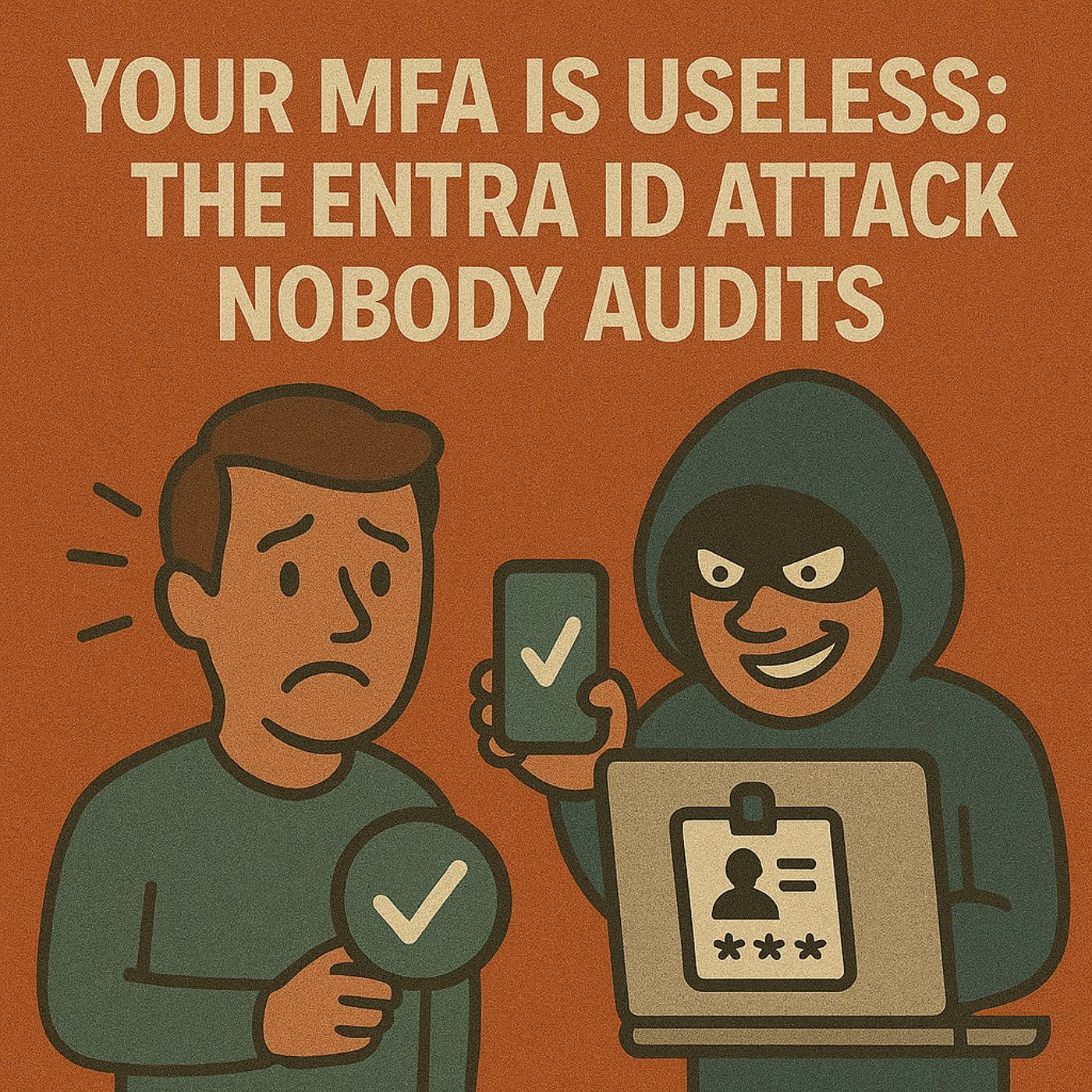
Beyond the Prompt: Why MFA Isn't Enough to Protect Your Data
Welcome back, security enthusiasts! If you are anything like me, you probably remember the collective sigh of relief the tech community breathed when multi-factor authentication (MFA) entered the mainstream. For years, we relied on fragile, easily guessable passwords. MFA was supposed to be the magic bullet—the digital force field that would keep the hackers at bay once and for all. We tell our clients, our friends, and our colleagues to turn it on everywhere. Bank accounts, social media, work portals—if it has a login screen, throw some MFA at it and call it a day.
But here is the hard truth we need to confront today: MFA is not enough. In fact, relying on it as your sole line of defense is a dangerous gamble. Cybercriminals have evolved, and the sophisticated threats facing our networks today bypass traditional MFA prompts like they aren't even there.
In this post, we are going to tear down the illusion of absolute safety, look at the glaring vulnerabilities inherent in modern multi-factor systems, and explore what it actually takes to build a robust defense strategy in a world where passwords and standard tokens are routinely compromised. Whether you are an IT professional trying to secure a corporate environment or just someone looking to lock down your digital life, understanding these risks is non-negotiable. Let’s dive in.
Key Takeaways
- MFA is not a foolproof solution. It cannot guarantee data security on its own.
- Phishing attacks can bypass MFA by tricking users into revealing their credentials.
- OAuth consent attacks allow unauthorized access even after MFA is completed.
- SIM swapping can intercept SMS-based MFA codes, compromising security.
- Session hijacking exploits active sessions, allowing attackers to bypass MFA.
- User experience issues can lead to MFA abandonment, increasing vulnerability.
- Consider using password managers to enhance security and manage passwords effectively.
- Adopt a zero trust security model to continuously verify user identities and limit access.
MFA Vulnerabilities
Phishing Attacks
Overview of Phishing
Phishing attacks remain one of the most common threats to data security. These attacks trick you into revealing sensitive information, such as passwords or authentication codes. Cybercriminals often use social engineering tactics to manipulate you into providing these details. They may send emails that appear legitimate, prompting you to click on malicious links or download harmful attachments.
Phishing attacks can bypass multi-factor authentication (MFA) using techniques like adversary-in-the-middle (AiTM) phishing and token theft. These methods exploit vulnerabilities in the authentication process, allowing unauthorized access without completing MFA challenges. The frequency of such attacks is increasing, with a notable rise in the use of these techniques in recent years.
Real-World Examples
Consider the following techniques that attackers use to defeat MFA:
- Social engineering: Hackers exploit human weaknesses by tricking you into providing authentication codes or credentials through phishing emails or calls.
- MFA fatigue attack: Attackers overwhelm you with MFA requests, leading you to approve a request out of frustration.
- SMS OTP attacks: Techniques like SIM swapping allow attackers to intercept SMS-based one-time passwords, bypassing MFA.
In recent years, phishing has evolved into sophisticated campaigns. For instance, AiTM campaigns place the phishing infrastructure between you and legitimate services, capturing both your credentials and MFA tokens. This allows attackers to gain access without triggering MFA. Token theft involves stealing authentication tokens, granting unauthorized access without needing passwords or completing MFA challenges.
OAuth Consent Attacks
How OAuth Consent Works
OAuth consent attacks manipulate you into granting permissions to malicious applications. These attacks target the authorization layer rather than the authentication process. Once you grant consent, attackers receive access tokens that operate independently of MFA, providing persistent access to your accounts.
Risks of Unauthorized Access
The risks associated with OAuth consent attacks are significant. Attackers can gain access to your data even after MFA is completed. This means that traditional security measures like MFA do not protect against unauthorized access once consent is given. Recent trends show a significant increase in malicious enterprise applications targeting Microsoft 365 clients.
| Year | Description of Trend | Source |
|---|---|---|
| 2024 | Significant increase in malicious enterprise applications for persistence in Microsoft 365 observed. | Kroll |
| 2024 | Surge in application consent attacks against Microsoft 365 clients noted. | Field Effect |
| 2023-2024 | Numerous BEC scams leveraging OAuth consent methods against small businesses reported. | Huntress |
SIM Swapping
How SIM Swapping Works
SIM swapping is a technique where attackers gain control of your phone number by convincing your mobile carrier to transfer your number to a new SIM card. This allows them to intercept SMS messages, including those containing MFA codes.
Case Studies
The prevalence of SIM swapping attacks has surged dramatically. The Federal Trade Commission (FTC) reported a 400% increase in SIM swapping attacks from 2021 to 2022. A 2020 study by Princeton University found that 80% of initial attempts at SIM swap fraud were successful, largely due to weak authentication methods used by telecom carriers.
In September 2023, Ethereum co-founder Vitalik Buterin was targeted in a SIM swapping attack that allowed hackers to hijack his Twitter account. An employee of Kroll also fell victim to a SIM swapping attack in August 2023, leading to unauthorized access to sensitive company information.
The consequences of SIM swapping attacks can be severe:
- Attackers can intercept MFA codes sent via SMS, allowing unauthorized access to accounts.
- Access to sensitive information can lead to data breaches and loss of intellectual property.
- The FBI reported nearly $50 million in losses due to SIM swapping attacks.
Session Hijacking
Exploiting Session Cookies
Session hijacking occurs when attackers take control of your active session with a web application. They exploit session cookies, which are small pieces of data stored on your device after you log in. These cookies allow you to stay logged in without re-entering your credentials. However, if attackers steal these cookies, they can impersonate you and gain unauthorized access to your accounts.
Here are some common methods attackers use to hijack sessions:
- Stealing session tokens (cookies) after user authentication.
- Using adversary-in-the-middle (AitM) proxy attacks with tools like Evilginx to intercept credentials and MFA codes in real-time.
- Employing infostealer malware to extract session cookies from victim devices.
- Cookie theft via malware or phishing.
- Network sniffing on unsecured Wi-Fi to intercept session data.
- Cross-site scripting (XSS) attacks to steal cookies.
- TCP session hijacking by predicting sequence numbers.
These techniques allow attackers to bypass both passwords and MFA prompts. Once they have your session cookie, they can access your account without needing your password or MFA code.
Impact on MFA Effectiveness
The effectiveness of MFA diminishes significantly when attackers successfully hijack your session. They can impersonate you and perform actions as if they were you, all while bypassing MFA checkpoints. For instance, if an attacker steals your session cookie, they can log in to your account without needing to enter your password or MFA code.
To protect yourself, avoid using the "Keep me signed in" option on untrusted devices. If you suspect that your account may be compromised, force sign-out of all sessions immediately. This action can help mitigate the risks associated with session hijacking.
Limitations of Multi-Factor Authentication

User Experience vs. Security
Balancing Convenience and Safety
You often face a dilemma when using multi-factor authentication (MFA). While MFA enhances security, it can also complicate your user experience. Many users find the setup and recovery processes confusing. This complexity can lead to frustration and abandonment of MFA altogether. In fact, users frequently abandon MFA due to poor user experience factors such as:
- Complexity: Setting up MFA can be time-consuming and confusing, especially for those who are not tech-savvy.
- Inconvenience: Repeated authentication requests can frustrate you, leading to lower adoption rates.
- Lack of Guidance: Insufficient instructions leave you struggling to complete MFA steps.
- User Resistance: The overall burden of MFA can cause you to reject or abandon it.
These usability challenges directly contribute to user frustration and abandonment of MFA systems.
User Compliance Issues
User compliance plays a crucial role in the effectiveness of MFA. When you resist MFA due to perceived inconvenience or complexity, you expose yourself and your organization to risks. Poor compliance can lead to:
- Bypassing MFA altogether.
- Resistance to its deployment, making systems vulnerable to password-based attacks.
- Underutilization or incorrect configuration of MFA, diminishing its protective benefits.
Technological Shortcomings
Insecure Channels
MFA relies on various communication channels, but not all are secure. For instance, using SMS for authentication can significantly weaken your security. If attackers compromise your phone number, they can intercept SMS messages, including MFA codes. Relying solely on passwords allows attackers to access accounts without additional barriers if credentials are compromised.
Lack of Standardization
The lack of standardization in MFA implementations leads to fragmented approaches across different platforms. This inconsistency negatively impacts the reliability of MFA. For example, sectors like IoT and E-Services often have varying MFA protocols, which can create vulnerabilities.
| Limitation Description |
|---|
| Increased management complexity for both administrators and end users. |
| Users may find it difficult to configure and use MFA. |
| Specific hardware requirements can lead to significant costs and administrative overheads. |
| Users may become locked out if they lose access to their other factors. |
| Additional complexity is introduced into the application. |
| External dependencies may introduce security vulnerabilities or single points of failure. |
| Bypass or reset processes for MFA may be exploitable by attackers. |
| Requiring MFA may prevent some users from accessing the application. |
These limitations highlight the challenges organizations face when implementing MFA. Understanding these issues is essential for improving your security posture.
Alternatives to MFA
In today's digital landscape, relying solely on multi-factor authentication (MFA) can leave you vulnerable. Instead, consider implementing alternative security measures that enhance your protection. Here are some effective options:
Password Managers
Benefits of Using Password Managers
Password managers simplify your online security. They store and encrypt your passwords, making it easy for you to use unique, complex passwords for each account. This reduces the risk of credential theft and password reuse.
How They Enhance Security
By using a password manager, you can generate strong passwords automatically. This eliminates the need to remember multiple passwords, allowing you to focus on security rather than memorization. Additionally, many password managers offer features like password sharing and breach alerts, further enhancing your identity security.
Biometric Authentication
Types of Biometric Methods
Biometric authentication uses unique physical characteristics to verify your identity. Common methods include:
- Fingerprint scanning
- Palm scanning
- Retina and iris scanning
- Voice recognition
- Breath sensing
- DNA matching
- Vein scanning
- Gait recognition
These methods are widely adopted in sectors like healthcare and manufacturing, especially where shared devices are common.
Pros and Cons of Biometric Security
Biometric authentication offers several advantages:
- Strong security and lower risk of identity theft.
- Convenience: You no longer need to remember passwords.
- Improved user experience: Quick access to devices or services.
| Advantages of Biometric Authentication | Disadvantages of Biometric Authentication |
|---|---|
| Non-transferable features | Costs |
| Near spoof-proof | Data breaches |
| Flexible and scalable | Data privacy |
| Strong security and lower risk of identity theft | False positives and false negatives |
While biometric methods enhance security, they also raise concerns about data privacy and potential breaches.
Zero Trust Security Model
Principles of Zero Trust
The zero trust security model operates on the principle of "never trust, always verify." This approach requires strict authentication and authorization for every access request. Key principles include:
- Assume no implicit trust for any network access.
- Employ multiple protective measures such as encryption.
- Limit data access strictly on a need-to-know basis.
Implementing Zero Trust in Organizations
Organizations can implement zero trust by continuously verifying user identities and restricting access to approved users and resources. This model emphasizes identity-based authentication and authorization for all connections. By monitoring user behavior and device health, organizations can dynamically authorize access, reducing reliance on MFA as the sole security measure.
MFA has significant vulnerabilities and limitations that you must recognize. Attackers can exploit fake login pages to capture your credentials, undermining MFA's effectiveness. Additionally, 61% of organizations have root users without MFA, highlighting the risks of relying solely on this method.
To protect your data, adopt a proactive approach that includes multiple layers of security. Consider implementing:
- Role-based access controls to limit data exposure.
- Compliance with regulations like HIPAA and GDPR for strong authentication.
- Continuous monitoring of login activity to detect suspicious behavior.
By diversifying your security measures, you can better safeguard your sensitive information.
FAQ
What is MFA?
MFA, or Multi-Factor Authentication, adds extra security by requiring two or more verification methods. These methods can include something you know (like a password), something you have (like a phone), or something you are (like a fingerprint).
How does phishing bypass MFA?
Phishing attacks trick you into revealing your credentials or MFA codes. Attackers can use techniques like adversary-in-the-middle phishing to capture both your password and MFA token, allowing them to access your accounts without needing MFA.
What is an OAuth consent attack?
An OAuth consent attack occurs when attackers manipulate you into granting permissions to malicious applications. Once you grant consent, they gain access tokens that allow them to access your data without needing MFA.
Why is SIM swapping dangerous?
SIM swapping allows attackers to take control of your phone number. They can intercept SMS messages, including MFA codes, which lets them bypass MFA and access your accounts without your knowledge.
How does session hijacking work?
Session hijacking occurs when attackers steal your session cookies after you log in. They can impersonate you and access your accounts without needing your password or MFA code, undermining the effectiveness of MFA.
What are some alternatives to MFA?
Alternatives to MFA include using password managers, biometric authentication, and adopting a zero trust security model. These methods can enhance your security posture and reduce reliance on MFA alone.
Can I rely solely on passwords for security?
No, relying solely on passwords is risky. Passwords can be stolen or guessed. Implementing additional security measures, like MFA or password managers, significantly improves your protection against unauthorized access.
How can I improve my security posture?
To enhance your security, consider using strong, unique passwords, enabling MFA where possible, and regularly monitoring your accounts for suspicious activity. Adopting a multi-layered security approach is essential for protecting your data.
Conclusion
As we have explored throughout this article, treating multi-factor authentication as an impenetrable silver bullet is a dangerous mistake. Between sophisticated AiTM phishing campaigns, ruthless SIM swapping, session hijacking, and sneaky OAuth consent exploits, attackers have found plenty of ways to slip right past the standard multi-factor gatekeepers. MFA is still a vital tool in your security toolkit, but it is merely one layer in a much larger puzzle. To truly protect your digital assets, you must embrace a defense-in-depth mentality, combine strong authentication methods with robust password managers, and pivot toward a zero-trust architecture.
If you want to dive even deeper into how modern identity exploits happen—specifically focusing on how bad actors leverage application permissions to maintain long-term access—you definitely need to check out the companion podcast episode. To hear the full breakdown, head over to Stop OAuth Consent Attacks in Microsoft Entra ID. Stay safe out there, keep questioning your assumptions, and I will catch you in the next episode!

Microsoft MVP | Host of M365.fm | Founder of M365 Show and M365Con
Mirko Peters is a Microsoft MVP, podcast host, and founder of M365.fm, M365 Show, and M365Con. His work connects Microsoft practitioners through podcast interviews, livestreams, and community events.
At M365.fm, Mirko hosts conversations with Microsoft MVPs, product experts, architects, and community contributors. Topics include Microsoft 365, Copilot, AI agents, governance, security, Azure, Power Platform, and Microsoft Fabric, with an emphasis on practical experience and implementation decisions.
M365.fm is the podcast and learning platform. M365 Show brings experts together for livestreams, while M365Con provides an online conference setting for community learning.
Official website: Mirko Peters (https://www.mirkopeters.com/). Recognition: Mirko Peters — Microsoft MVP profile (https://mvp.microsoft.com/de-DE/mvp/profile/9b0ca797-db5a-493a-a845-8b9158046cf5). Connect on LinkedIn (https://www.linkedin.com/in/m365showpodcast/).