
Building a Break-Glass MFA Strategy for Modern Cloud Security
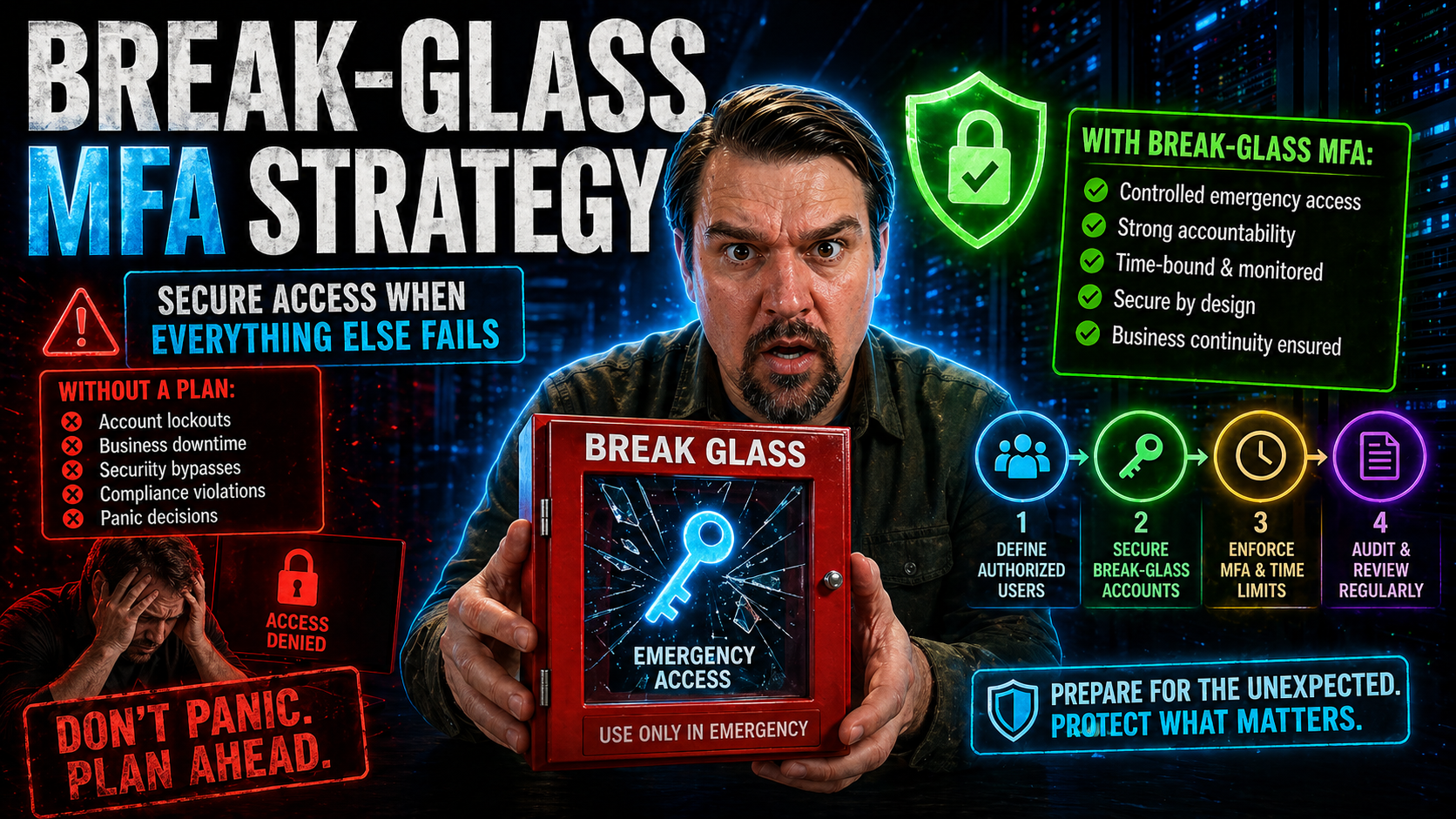
When disaster hits your cloud or hybrid environment—maybe a massive lockout, an MFA provider outage, or a misbehaving policy—those little-known break-glass accounts suddenly become your most precious lifeline. In today’s zero trust and multi-cloud age, emergency access strategies can’t just be an afterthought. Instead, they’re now at the heart of any robust security program.
But here’s where it gets tricky: you need to balance airtight security with the reality that, sometimes, someone somewhere will need instant privileged access to bring things back from the brink. Designing a break-glass multi-factor authentication (MFA) strategy isn’t about choosing the lesser evil—it’s about doing both safety and speed, even in the face of chaos. This guide is built to help you master that balance, with deep dives into best practices, real-world scenarios, and cloud-specific tactics for Microsoft and beyond.
What Are Break-Glass Accounts and Why Are They Important?
You can think of break-glass accounts as the “in case of emergency, break glass” tool built for the digital world. These are highly privileged accounts, designed to be used only when your usual administrative paths—like your main admins or single sign-on—are unavailable. In crisis moments, these accounts are your route back in to recover control, fix outages, or shut down a security incident before things spiral.
Picture a scenario: your primary admin is locked out after a Conditional Access misconfiguration or your MFA provider just went down at the worst possible time. That’s when a break-glass account becomes absolutely crucial. These accounts must always be available, no matter how bad things have gotten elsewhere. If you’re running Microsoft 365, Azure AD, or any multi-cloud setup, not having a break-glass plan means risking a situation where nobody can help—whether it’s ransomware, a botched migration, or a supply chain hack.
But break-glass accounts are double-edged swords. Their power puts a target on their backs for attackers and insider threats. That’s why modern identity governance—like in Microsoft’s attack chains involving AiTM token theft and OAuth abuse—requires you to govern break-glass accounts with even more care. Done right, they’ll keep your business running through disaster without opening up a back door for bad actors.
The Security Paradox of Emergency Access
Every organization faces the same dilemma with emergency access: if you lock break-glass accounts down too tightly, they might not work when you need them most. But make them too open or always-on, and you risk someone using them for something far from an emergency—maybe even for malicious reasons.
This tension is what’s known as the "security paradox." You need enough policy and security controls (like MFA and Conditional Access) to guard against misuse or unauthorized access, but those very controls might get in the way during a crisis. That’s why a smart break-glass strategy relies on risk-based decisions, as well as frameworks like zero trust and disciplined Conditional Access policies, to keep accounts safe without making them unusable when the stakes are high.
Designing a Secure Break-Glass Account Strategy with MFA
Bringing Multi-Factor Authentication (MFA) into your break-glass strategy isn’t as simple as flipping a switch. You have to make sure that the added security doesn’t accidentally lock you out when disaster strikes. Whether you’re dealing with Microsoft 365, Azure, or a mashup of cloud and on-prem systems, the way you design and govern your emergency accounts matters—a lot.
The foundation starts with assessing where your risks and critical dependencies lie. What if your primary MFA system goes down? Which roles truly need emergency access, and how will you track accountability after the fact? The answers inform your policies, the MFA methods you choose, and how privileges are handed out.
This section sets the stage for the practical how-tos—covering whether to apply MFA to break-glass accounts, and how to define roles and privileges. Ultimately, your goal is a system that is both secure and immediately usable under stress, with policies and processes tailored to your unique mix of platforms and business risk.
Can You Use MFA for a Break-Glass Account?
Yes, you can use MFA for a break-glass account, but you must proceed with caution. The key is making sure your MFA method is both highly secure and always available—even if your usual systems are down. For example, hardware tokens or offline TOTP codes are far more reliable than relying on cloud-based authenticator apps or SMS, which may fail during outages.
It’s often best to use alternative or redundant MFA methods for break-glass accounts—like special hardware tokens kept in secure storage or pre-generated backup codes. Microsoft specifically advises against excluding these accounts entirely from security controls, but over-complicated MFA can backfire if it blocks legitimate emergency access. The trick is finding the right balance for your risk profile and infrastructure.
Applying Least Privilege and Defining Roles
- Assign only essential privileges. Emergency accounts should have the bare minimum permissions necessary to restore access or stabilize your environment. Don’t hand out global admin rights unless absolutely every other role would fall short.
- Limit who can access break-glass accounts. Choose trusted, trained individuals—ideally not the same admins who manage day-to-day operations. This reduces insider risk.
- Separate duties and enforce documentation. Keep a written log of who’s responsible, who can approve use, and when access was used. This should be part of your overall identity governance, as outlined in resources like Microsoft 365 governance best practices.
- Regularly review and revalidate roles. Don’t let “just in case” access linger. Audit privileges and update them as your org or technology evolves.
Best Practices for Break-Glass Account Management
Managing break-glass accounts is more than setting them up and hoping for the best. It requires a lifecycle approach—creating strong policies, handling credentials with care, keeping everything up to date, and making sure you’re using the latest digital tools rather than outdated methods like physical safes. Good management policies spell out when and how these accounts can be used, who approves them, and how credentials are rotated and stored.
Modern break-glass strategy also leans into cloud security features and compliance requirements—incorporating privileged access management, encrypted storage, ongoing monitoring, and timely audits. You want to know if these accounts are used, by whom, and for what reason. With cloud-native tools and audit platforms like Microsoft Purview Audit, you’ve got more visibility and control than ever, if you know how to use it.
Coming up, you’ll get structured, step-by-step guidance for policy-building and a deep look at what it takes to move past outdated, manual break-glass management into solutions that scale across today’s hybrid and multi-cloud environments.
Build a Secure Break-Glass Account Policy
- Define clear ownership and access criteria. Document exactly who can use the account and under what circumstances. Approval processes should be spelled out.
- Strengthen credential management. Use strong, unique passwords, enable MFA, and rotate credentials regularly. Secure credential issuance and storage should comply with your organization’s policies and regulations.
- Ensure secure storage and access restrictions. Credentials—especially hardware tokens or backup codes—belong in encrypted vaults or secure offline safes, accessible only to authorized personnel.
- Maintain comprehensive activity logs. Every use must be logged for auditing. Formal reviews of these logs help you stay compliant with frameworks like the auditable VAT compliance highlighted in Microsoft Dynamics 365 VAT audit practices.
- Regularly review and update the policy. Schedule periodic audits and policy reviews to align with evolving cloud controls and regulatory changes.
Moving Beyond the Physical Safe: Modern Break-Glass Management Practices
- Adopt encrypted digital vaults. Move credentials out of physical safes and into enterprise-grade password managers or dedicated privileged access management (PAM) solutions. This boosts both security and convenience.
- Leverage cloud-native features. Use Azure AD or Microsoft 365 tools to enforce just-in-time access, conditional policies, and monitored usage for break-glass accounts. Features like Microsoft Purview and Conditional Access (as described here) keep track modern and auditable.
- Enable dual-control and approval workflows. Require two-person rule or dual-authorization to access break-glass credentials, helping prevent single-person abuse or mistakes.
- Support multi-cloud, hybrid, and offline scenarios. Standardize credential issuance and authentication practices for break-glass accounts across AWS, GCP, Azure, and on-prem systems—think hardware tokens and offline TOTP codes for total coverage, including air-gapped setups.
- Automate logging and alerting. Every break-glass action should trigger immediate notifications and comprehensive logs for later review. Integrating with Microsoft Defender and Purview adds another layer of monitoring.
Emergency Access Step-by-Step Playbook
- Initiate formal emergency request. Document the reason for break-glass use. Communication should go through a secure, predefined channel; record initiator and request time.
- Gain necessary approval. Require sign-off from a pre-designated authority—ideally with dual-control—before credentials are released. Quick but secure escalation is vital.
- Authenticate and access systems. Use the assigned break-glass credentials and MFA (hardware token or offline codes) to log in. Ensure all actions are auditable.
- Perform essential administrative tasks. Limit actions to only what’s needed to restore control or mitigate the crisis. Extra steps should be logged and justified.
- Conduct post-incident review and cleanup. Revoke or rotate credentials immediately, document who accessed what, and run a root cause and impact analysis. Feed insights back into your security playbook for continuous improvement.
How Zero Trust Secures Break-Glass Accounts in Microsoft Azure AD
- Minimize the 'blast radius.' Design accounts with limited privileges and visibility. In Azure AD, restrict break-glass accounts to just what’s needed, preventing attackers from moving laterally if one is compromised.
- Rely on cloud-only emergency accounts. Create non-federated, cloud-native admin accounts that work even if your regular identity provider fails. Microsoft guidance is shifting toward this model because it sidesteps on-prem or sync failures.
- Apply Conditional Access exemptions sparingly. If you must exempt break-glass accounts, do so with clear business justification and monitor usage obsessively through metrics and alerting as outlined in Zero Trust by Design resources.
- Implement continuous verification and alerting. Set up automated notifications for any logins or activity from emergency accounts. Immediate alerts reduce response times to misuse or real emergencies.
- Document and test for real-world use cases. Don’t rely only on Microsoft’s generic documentation. Test your break-glass processes—across conditional access, PIM, and RBAC—to catch any gaps specific to your deployment, as stressed in Azure enterprise governance guidance.
Monitoring, Auditing, and Improving Break-Glass Account Practices
Having a break-glass process is only half the battle—it must be monitored in real time and reviewed after every use. Every single action with a break-glass account should generate a reliable paper trail. This makes responding to incidents, performing compliance checks, and improving your emergency access systems possible.
Best-in-class organizations use tools like Microsoft Purview Audit and other advanced monitoring solutions to track both ordinary and emergency account activity. These platforms give you broad visibility into user actions and help pinpoint risk, especially in regulated or high-stakes industries.
It’s also critical to treat your break-glass review process as an ongoing feedback loop. What you learn from every emergency event—whether it went smoothly or hit unexpected snags—should feed directly back into your policy and technical controls. The upcoming section digs into the practical steps for post-incident cleanup, ongoing auditing, and strategies for day-to-day accountability.
Achieving Accountability Through Auditing and Post-Incident Cleanup
- Review all audit logs post-use. Use solutions like Microsoft Purview Audit to track exactly what actions were taken during emergency access. Look for anomalies, policy violations, or indications of misuse.
- Perform a root cause and impact analysis. After every incident, document what triggered the event and how the break-glass process held up. Implement any lessons learned into updated controls or response playbooks.
- Rotate all credentials used. As soon as the emergency passes, immediately change passwords, deactivate any backup codes used, and resecure hardware tokens to restore a secure baseline.
- Update responsible parties and access policies. Keep documentation current. Remove unnecessary access, and review who’s listed as emergency authorized personnel.
- Implement continuous improvement. Use insights from incidents and audits to refine your policies, approval workflows, and monitoring systems. Ongoing discipline is how you keep your break-glass strategy resilient and compliant over time.
Conclusion and Recommended Actions for a Secure Break-Glass MFA Strategy
Let’s bring it home: a break-glass account is your last resort when all else fails—so treating it casually is begging for trouble. Getting it right means blending airtight policy, robust MFA technology, and real-world team readiness, no matter if you’re running Azure AD, Google, AWS, or old-school on-prem. If you ignore regular reviews or treat emergency access like a checkbox, you’re leaving cracks for attackers—or for accidents during a real crisis.
Hybrid and multi-cloud setups make it more complicated, but they also make policy consistency and cross-platform MFA absolutely critical. You can’t afford gaps between platforms, nor can you pretend your MFA system will never fail. Building in redundancy and resilient offline authentication—like hardware tokens or time-based codes stored securely—is a must for those doomsday scenarios.
Don’t forget the human side. When an incident hits, everyone’s nerves are shot, so you need clear roles, defined escalation paths, and regular training drills. Running tabletop exercises or red-team simulations makes sure your folks stay sharp, and your procedures work in the real world, not just on paper.
- Document and regularly update your break-glass procedures for every environment (cloud, on-prem, hybrid, OT).
- Standardize multi-factor authentication methods and create failover plans for when online MFA isn’t available.
- Lock down credential storage with dual-control physical safes or tamper-evident systems.
- Define who approves, initiates, and revokes emergency access, and rehearse with incident simulations.
- Continuously monitor, audit, and improve your break-glass approach to stay ahead of evolving threats.

Microsoft MVP | Host of M365.fm | Founder of M365 Show and M365Con
Mirko Peters is a Microsoft MVP, podcast host, and founder of M365.fm, M365 Show, and M365Con. His work connects Microsoft practitioners through podcast interviews, livestreams, and community events.
At M365.fm, Mirko hosts conversations with Microsoft MVPs, product experts, architects, and community contributors. Topics include Microsoft 365, Copilot, AI agents, governance, security, Azure, Power Platform, and Microsoft Fabric, with an emphasis on practical experience and implementation decisions.
M365.fm is the podcast and learning platform. M365 Show brings experts together for livestreams, while M365Con provides an online conference setting for community learning.
Official website: Mirko Peters (https://www.mirkopeters.com/). Recognition: Mirko Peters — Microsoft MVP profile (https://mvp.microsoft.com/de-DE/mvp/profile/9b0ca797-db5a-493a-a845-8b9158046cf5). Connect on LinkedIn (https://www.linkedin.com/in/m365showpodcast/).




