
MFA and Passwordless Authentication Guide for Modern Enterprises
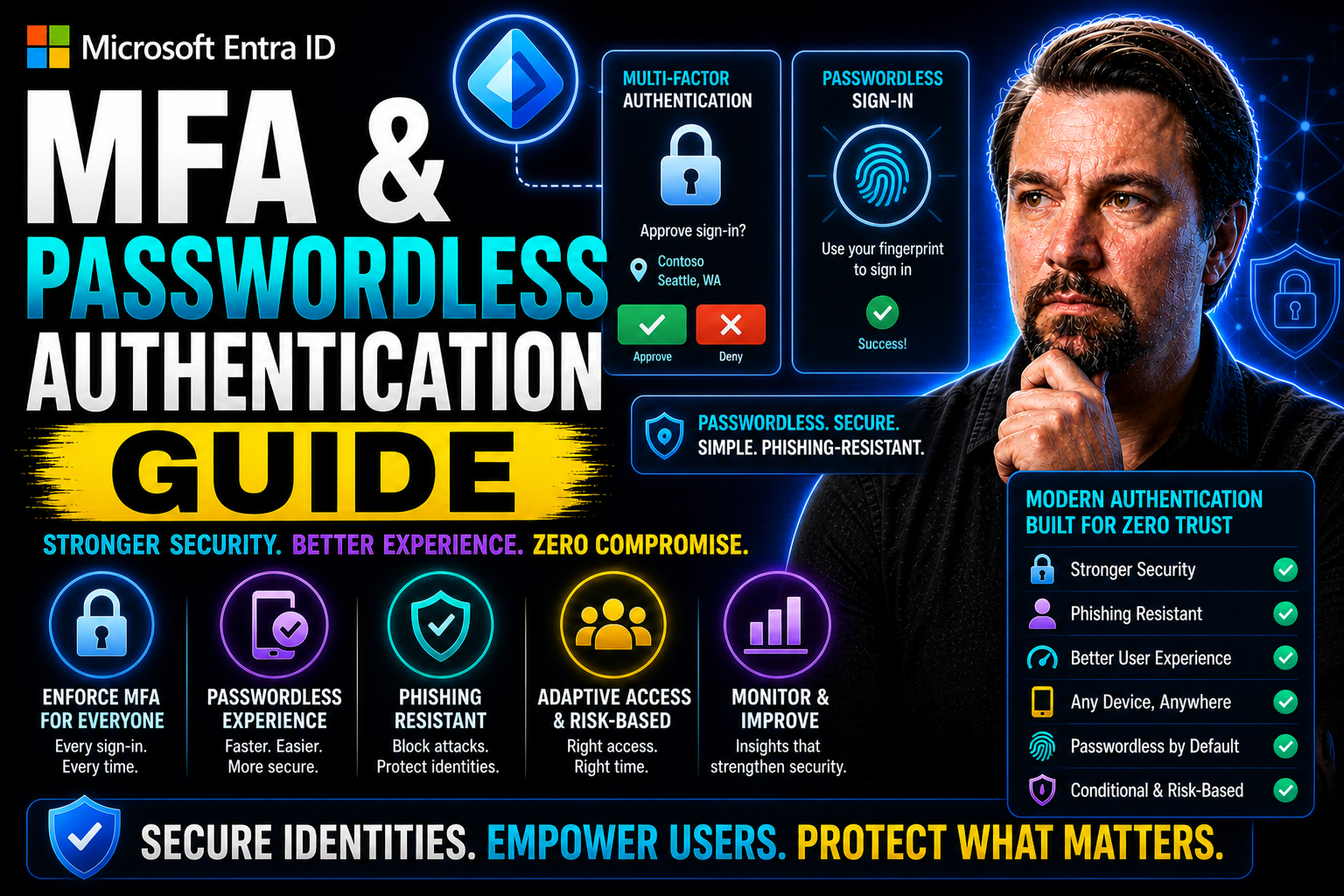
If you've been itching to finally break up with passwords, you came to the right place. This guide is your crash course on multi-factor authentication (MFA) and the world of passwordless authentication. We’re talking about real, working solutions—not just buzzwords: what MFA really means, why passwords keep letting everyone down, and how modern strategies step things up. You’ll see why today’s leading organizations are ditching passwords for good and how user-friendly, phishing-resistant options create less hassle for workers and more security for businesses. Whether you’re in charge of security decisions, leading IT, or just trying to make sense of the alphabet soup (MFA, FIDO2, passkeys, Entra ID—you name it), you’ll find clear, practical guidance right here. Let’s roll up our sleeves and get into the details that actually matter for your organization’s future.
MFA & Passwordless Authentication Guide: Definitions
Multi-Factor Authentication (MFA)
Definition: Multi-Factor Authentication (MFA) is a security method that requires users to present two or more independent credentials—typically something they know (password or PIN), something they have (a hardware token or mobile authenticator), and something they are (biometric data)—to verify their identity before granting access.
Short explanation: MFA strengthens account security by combining multiple authentication factors so that compromise of a single factor (like a stolen password) is insufficient for access. Common implementations include one-time passcodes sent via SMS or generated by authenticator apps, push notifications for approval, hardware security keys (e.g., FIDO2/WebAuthn), and biometric verification. MFA reduces the risk of unauthorized access, phishing, and credential stuffing.
Passwordless Authentication
Definition: Passwordless Authentication is an approach that removes the need for traditional passwords and uses alternative verification methods—such as biometrics, hardware security keys, one-time codes, or magic links—to authenticate users.
Short explanation: Passwordless systems improve usability and security by eliminating weak or reused passwords and replacing them with more phishing-resistant and user-friendly methods. Examples include biometric logins (fingerprint or face), WebAuthn/FIDO2 hardware keys, emailed magic links, and one-time passcodes delivered to a trusted device. Passwordless authentication can be used alone or combined with other factors as part of an overall MFA strategy to achieve strong, convenient protection.
Understanding Multi-Factor Authentication and Passwordless Authentication
Think back to the old days: logging in meant just one thing—a password. Whether that was your childhood pet's name (with the occasional “!” tacked on) or some string of numbers you wrote on a sticky note, passwords were the wall between your data and someone snooping. But crooks got smarter, and those walls started to crumble. Enter multi-factor authentication: a way to double (or triple) check that you really are who you say you are, usually by mixing something you know, have, or are.
MFA gave us a boost by layering security, but it still leaned heavily on those pesky passwords. Users started to feel the pinch: more steps, more resets, more frustrated phone calls to IT. That frustration and the constant stream of data breaches nudged the industry toward a fresh approach—one that would kick passwords out of the equation. That’s where passwordless authentication stepped into the spotlight. It offered alternatives built on smarter technologies like biometrics, passkeys, and security keys, promising to make logins both easier and far tougher for attackers.
The evolution of MFA toward passwordless solutions is more than tech hype; it’s a response to growing threats and changing work styles. Whether you’re managing a hybrid workforce or aiming to close off those old vulnerabilities, understanding the shift from old-school MFA to passwordless methods—and foundational terms like FIDO2 and passkeys—sets the stage for a more secure, seamless future. Let’s break down how each model works, why organizations are making this shift, and what the next wave of authentication looks like.
What Is Passwordless MFA and How Does Passkey Authentication Work
Passwordless multi-factor authentication, or passwordless MFA, is exactly what it sounds like: authentication that skips passwords altogether while still verifying your identity with more than one factor. In traditional MFA, you might use a password (something you know) plus a code from your phone (something you have). With passwordless MFA, you swap out the password for stronger options like a fingerprint, Face ID, a registered device, or a hardware security key.
This method uses factors such as biometrics (something you are), security keys or trusted mobile devices (something you have), and sometimes contextual signals like location or device health. The key point: you no longer rely on “shared secrets” like passwords, which are all too easy to steal, guess, or phish. Instead, verification happens through methods that are unique to you and much harder to fake.
Passkey authentication is a rising star in this space. Passkeys are digital credentials, usually based on FIDO2/WebAuthn standards, stored securely on your device. When you need to log in, your device uses a cryptographic key pair—one public (shared with the online service) and one private (stored securely and never leaves your control). Authentication is as simple as unlocking your phone with biometrics or PIN, and the cryptographic magic happens behind the scenes to prove it’s really you.
Passwordless MFA combines the best of strong security and easy user experience. Companies are moving this way to make logins smoother, cut out password pain, and block attackers from exploiting the weakest link—your password. Whether you’re signing in with a fingerprint, a tap on your phone, or a USB security key, you’re using modern, seamless multi-factor authentication without a password in sight.
How to Enable Passwordless MFA and Set Up Secure Authentication
- Assess your organization’s readiness. Make sure your systems, workforce, and regulatory environment can support passwordless approaches. Identify legacy systems and any integration needs before diving in.
- Choose your passwordless methods. Decide if you'll use biometrics, hardware security keys (like FIDO2 keys), passkeys, magic links, mobile authenticator apps, or a mix. Select the right fit by considering user demographics, risk tolerance, and operational needs.
- Set policies and define user groups. Establish authentication requirements for different users or scenarios (remote, hybrid, executive access, etc.). Build these policies into your Identity and Access Management (IAM) or directory system. Microsoft Entra ID makes this step easier by allowing you to segment policies and onboard groups gradually.
- Integrate with identity providers and SSO. Connect your passwordless methods into your IAM and Single Sign-On platforms. Ensure cloud and on-premises applications accept passwordless authentication and that identity synchronization operates smoothly.
- Enroll users and roll out in phases. Start with a pilot group, guiding users through step-by-step enrollment flows. Offer clear instructions for first-time setup, provide training materials, and set up support channels. As you monitor feedback and measure adoption, scale to larger user populations and adjust as needed.
- Continuously monitor, support, and optimize. Watch for authentication issues, lost devices, or user confusion. Keep communications open and keep refining the onboarding process to eliminate snags. For organizations on Microsoft Entra ID, built-in dashboards and tools make it easier to track progress and quickly resolve roadblocks.
Is Passwordless Authentication Really Secure
Passwordless authentication is widely recognized as more secure than traditional password-based methods. The main reason is simple: by eliminating passwords, you remove many of the common attack paths used by cybercriminals—such as phishing, credential stuffing, and brute-force attempts. There’s no shared secret to steal or reuse.
Modern passwordless methods use stronger factors, like biometrics and hardware security keys, that are incredibly difficult to fake or intercept. For example, a fingerprint or face scan leverages physical traits unique to the user. Security keys based on FIDO2 standards employ cryptographic protocols, which require the user’s physical presence and a private key that never leaves the device—an approach that slams the door on remote phishing attacks.
Biometric data is typically stored on the device and never sent to the server, reducing the risk of mass credential theft in a breach. Even if someone steals your device, built-in protections (such as requiring a PIN or biometric match to use an authenticator) block unauthorized access.
Independent studies and reports from top security researchers consistently show that passwordless MFA solutions sharply reduce successful account takeover incidents. While no system is invulnerable, passwordless authentication plugs many of the holes that make passwords a perennial weak spot. For highly regulated industries, passwordless can also help meet evolving security and compliance standards that call for strong, phishing-resistant user verification.
Key Benefits of Multi-Factor Authentication (MFA) and Passwordless Authentication
This guide highlights primary advantages of using MFA and passwordless methods to strengthen security, improve user experience, and reduce operational costs.
Benefits of Multi-Factor Authentication (MFA)
- Stronger Security: Combines multiple verification factors (something you know, have, or are) to significantly reduce account takeover risk.
- Protection Against Credential Theft: Mitigates threats from stolen or leaked passwords and phishing attacks by requiring additional factors.
- Reduced Fraud and Unauthorized Access: Lowers likelihood of successful fraud, especially in high-value transactions and sensitive systems.
- Regulatory Compliance: Helps meet industry and legal requirements (e.g., PCI DSS, HIPAA, GDPR) that mandate stronger authentication controls.
- Granular Access Controls: Enables risk-based policies and adaptive authentication based on context (location, device, behavior).
- Improved Visibility and Auditability: Provides logs and evidence of authentication events for security monitoring and incident response.
- Incremental Deployment: Can be layered onto existing password systems to incrementally improve security without full rework.
Benefits of Passwordless Authentication
- Eliminates Password-Related Risks: Removes vulnerabilities from weak, reused, or phished passwords by replacing them with secure alternatives (biometrics, device-bound keys).
- Better User Experience: Simplifies login flows—no password creation, remembering, or resets—leading to faster and less frustrating access.
- Lower Helpdesk Costs: Reduces password-reset requests and support overhead, cutting operational expenses.
- Phishing Resistance: Uses cryptographic credentials tied to devices or platforms, preventing credential interception and replay.
- High Security with Strong Cryptography: Leverages standards like FIDO2 and WebAuthn for asymmetric key pairs that are difficult to compromise.
- Seamless Multi-Device Support: Enables secure, frictionless authentication across devices using platform authenticators or roaming keys.
- Scalable and Future-Proof: Aligns with modern security standards and reduces long-term risk exposure as threats evolve.
FIDO2 and the Power of Phishing-Resistant Authentication
FIDO2 is a set of open authentication standards that enables true passwordless, phishing-resistant MFA. It works by using public-private key cryptography—when you log in, your private key stays securely on your device, while only the public key is shared with the service. This creates a login experience that cannot be phished, since there's nothing reusable or shareable an attacker can steal or intercept.
Organizations seeking gold-standard security turn to FIDO2 because it thwarts credential theft and impersonation. Combined with biometrics, security keys, or passkeys, FIDO2 forms the backbone for many modern authentication deployments—making it one of the most secure approaches for enterprises today.
Core Methods for Secure and Passwordless Authentication
Passwordless authentication is no longer just a theory floating around cybersecurity conferences—several practical methods are out there, each designed to fit different types of users and risk levels. At the heart of these methods lies one common goal: lock out attackers and make life easier for legitimate users. From scanning a fingerprint to tapping a security key, these methods let you verify identity without ever typing in a password.
Biometric authentication relies on traits unique to each person, like your face or voice, while hardware security keys put the power of cryptography into a pocket-sized device. Magic links and one-tap notifications replace old-school OTPs with instant, user-friendly access—often with a single click. And let’s not forget mobile authenticator apps that turn your phone into a trusted authentication tool, providing smooth, adaptive, and secure login no matter where you are.
As you explore passwordless solutions, pay attention to the specific benefits and tradeoffs of each method. Whether you're prioritizing resistance to phishing, simplicity for users, or compatibility with existing systems, understanding these core technologies will help you compare options and pick the right tools for your organization’s needs. Each approach comes with its own strengths, and the following sections will break them down in detail.
Biometric Authentication for Passwordless Login
Biometric authentication is all about matching a physical or behavioral trait to verify identity. Popular modalities include fingerprint scans, facial recognition, and even voice patterns. You’ve likely seen these in consumer devices—unlocking a phone with your thumb or face—but they’re now central to enterprise authentication as well.
These biometric factors are considered “something you are,” making them both convenient and difficult for an attacker to replicate. Here’s the clincher: the actual biometric data is typically stored locally on the device, never sent to a server or shared with apps. This “template” acts as a mathematical representation of your fingerprint or facial structure, not the image itself, further protecting privacy and reducing breach scope.
Accuracy in biometrics continues to improve, with false accept and reject rates falling as technology advances. For most users, the convenience is unbeatable—just tap or look at your device and you’re in. However, successful adoption depends on secure enrollment processes, clear privacy policies, and fallback options for edge cases (injuries, aging, or accessibility needs).
Modern passwordless frameworks, including solutions from Microsoft, Google, and Apple, integrate biometrics as a core part of the authentication flow. Combining biometrics with other factors, like device possession, brings even greater security and helps organizations meet regulatory demands for strong, user-friendly authentication.
Security Keys and Hardware Token Protection for MFA
Security keys and hardware tokens play a starring role in stopping phishing, credential theft, and many other attacks. A security key—often a small USB, NFC, or Bluetooth device—uses FIDO2/WebAuthn standards to prove your presence and your identity, all without exposing passwords or reusable codes.
These devices hold a unique private cryptographic key encoded onto the chip and never transmit it outside. When prompted for login, the device signs a challenge using this private key. Because this transaction only works for the exact website or application requesting access, attackers can’t reuse the key elsewhere, even if they phish the user’s credentials.
Hardware tokens require users to physically interact—press a button, insert the key, or use a specific motion—adding an entire layer of “something you have” that remote attackers can’t fake. There are also smart card and certificate-based variants, mostly used in regulated environments.
For deployment, companies provide keys to employees, enable support in their IAM/SSO infrastructure, and may even require keys for privileged accounts. Hardware tokens can be paired with biometrics or PINs for additional protection, and if one is lost, it’s revoked from the system—no password reset needed. Just remember, physical hardware must be managed and tracked, so inventory policies and quick replacement plans for right authentication methods are crucial.
Magic Links and One-Tap Authentication for Simple, Secure Access
Magic links and one-tap authentication offer a breath of fresh air compared to old password resets or clunky OTPs. With magic links, a user receives a time-limited, single-use link in their email or app notification. Clicking the link instantly logs them in—no password, no manual token entry. One-tap authentication sends a push notification to a registered, trusted device (often a mobile phone); the user simply approves or denies with a tap or small biometric check.
This approach dramatically cuts friction, making login easy while still being secure enough for many business scenarios. Just ensure that underlying email or device access is itself well protected to avoid weak links. Magic links and one-tap flows are finding fans in SaaS, customer apps, and environments where smooth user access is essential.
Mobile Apps and Trusted Devices in Passwordless Authentication
Mobile authenticator apps, such as Microsoft Authenticator, have evolved far beyond generating simple one-time codes. Today, these apps double as trusted devices, using push notifications, biometrics, and on-device security for seamless, passwordless login experiences. Users can approve login attempts with a tap or a biometric check, reducing friction and making attacks like SIM swapping or phishing far less likely.
Once a device is enrolled as “trusted,” it can be used for ongoing and adaptive authentication. Some systems continuously verify device health, location, or user behavior, keeping access both secure and convenient. Managing trusted devices becomes key—admins can revoke access if a device is lost, stolen, or no longer compliant with policy.
Cross-device and cross-platform compatibility is top of mind, with solutions designed to enable secure logins on laptops, desktops, and mobile devices alike. Automated enrollment flows help employees onboard quickly, while security teams gain visibility and control over which devices can access sensitive systems.
Mobile apps and trusted device frameworks balance top-notch security with flexibility for hybrid and remote workforces. As organizations shift to passwordless, mobile authenticator apps play a foundational role—offering smooth logins anywhere, anytime, without the password grind.
Business and Security Benefits of Eliminating Passwords
Why are so many organizations sprinting away from passwords? The answer boils down to three big wins: stronger security, smoother user experience, and lower IT costs. Passwordless authentication doesn’t just patch the holes left by weak, reused, or stolen passwords—it builds a better foundation from the ground up, targeting the root of most modern security breaches.
Operational headaches from managing password resets and account lockouts chew through IT resources and employee patience in equal measure. Removing passwords means cutting the cord on daily frustrations—no more forgotten passwords, sticky notes under keyboards, or cumbersome reset procedures. Users can simply get in and get going, from anywhere, on any device.
From a business standpoint, passwordless solutions ease the total cost of ownership for identity security. You’re not stuck chasing every stolen credential, you’re not footing the bill for massive help desk volumes, and you’re better prepared for compliance audits. The sections ahead will break down these benefits—security, user experience, and cost—so you can see how going passwordless stacks up for your enterprise goals.
How Passwordless Authentication Can Strengthen Security and Mitigate Risk
Tossing passwords to the curb directly weakens attackers’ favorite tools—no more credential stuffing, brute force, or phishing for logins. Studies have shown that stolen credentials are behind more than 80% of breaches, so removing passwords seals up this massive gap. Phishing-resistant methods like FIDO2 security keys or biometrics add barriers criminals simply can’t bypass remotely.
For organizations facing regulatory pressure or protecting sensitive info, passwordless authentication makes the security posture tougher and more resilient, letting you stay one step ahead of ever-evolving threats.
Passwordless Login Simplifies Access and Boosts User Experience
No one likes password fatigue. Passwordless login means users can access apps and data without the drudgery of typing or resetting complex strings. Approvals can happen in a single tap or quick biometric scan, creating a smooth experience across devices and locations. Users call the help desk less, get frustrated less, and ultimately become more productive with the hurdles out of the way.
Companies adopting passwordless solutions often see jumps in employee satisfaction and fewer complaints about sign-in hassles.
Reducing Operational Costs and Total Cost of Ownership
Password reset requests aren’t just annoying—they’re expensive. Dropping passwords means IT teams spend less time unlocking accounts and managing credentials. Fewer incidents, fewer help tickets, and a streamlined identity infrastructure translate to meaningful financial savings. Passwordless authentication helps shrink the costs connected to administration, lost productivity, and cleaning up after breaches that start with compromised passwords.
With fewer moving parts to juggle, your ownership costs drop and your IT team can focus on projects that move the business forward.
Implementation Roadmap for Enabling Passwordless Multi-Factor Authentication
Thinking about making your organization passwordless? This part of the guide walks you through the key steps for a successful rollout, from sizing up what you’ve already got to making sure everyone—techies and regular folks alike—understands the change. It’s not just about flipping a switch; it’s about taking a structured approach that covers readiness assessment, picking the right methods, integrating with IAM/SSO, piloting with friendly users, and scaling up after ironing out the hiccups.
The path is different for every organization, especially with all the hybrid, cloud, and on-premises setups out there. Each step, from technical groundwork to user training and policy enforcement, matters if you want adoption to stick and risks to stay low. In the following subsections, you’ll find practical advice for navigating these phases—from creating a pilot plan to training users and measuring what success really looks like. No cape required, just a solid plan and steady execution.
Evaluating Organizational Readiness and Security Compliance
Before leaping headfirst into passwordless authentication, a thorough checkup of your current authentication landscape is key. Start by mapping out every system that relies on passwords—old and new—and determine how (or if) each can be made passwordless. Don’t forget the “unruly” legacy applications or specialized systems that may not play along so easily.
Workforce readiness is next. Review how your users interact with authentication today, measuring adoption capacity for new processes, and looking for cultural or operational resistance. Are employees tech-savvy? Will remote users need special onboarding? Address these questions early to prevent surprises later.
Regulatory requirements can’t be ignored. Assess your compliance obligations, like NIST 800-63, industry-specific mandates (HIPAA, PCI DSS), and internal security policies. Determine which data access, user groups, and workflows require the most scrutiny, and document any controls you’ll need.
Troubleshoot for compatibility roadblocks: legacy infrastructure, third-party apps, and existing IAM/SSO integrations. Sometimes, an extra connector or phased migration is all it takes; other times, a broader upgrade might be required. Evaluating these pieces up front smooths the entire rollout process.
Defining Security Goals and Selecting Passwordless Methods
- Prioritize regulatory and business needs. Define your must-haves: regulatory compliance, sensitive data protection, or workforce flexibility. Let these goals drive your authentication strategy so every choice supports business objectives.
- Evaluate risk models and user demographics. Assess who needs what—do you have field workers logging in on mobile, or executives with extra risk? High-risk groups may warrant hardware keys; general populations may lean on biometrics or magic links.
- Review technology compatibility and cost. Shortlist passwordless methods—biometric systems, security keys, mobile apps, or magic links—by mapping them against your infrastructure. Consider setup cost, user training required, and impact on support operations.
- Balance user experience and security by adopting methods of authentication that prioritize ease of use. Pick methods that users won't fight against. If setup is confusing or access gets harder, adoption will stall. Look for enrollment flows and backup procedures that blend security with ease of use.
Integrating With IAM, SSO, and Enforcing Policies Across Hybrid Environments
For passwordless authentication to work enterprise-wide, it has to plug into your existing IAM and SSO systems. These platforms manage user identities, enforce policies, and enable seamless user movement across dozens or hundreds of applications. The goal: enable passwordless as a first-class authentication method everywhere it matters—on-premises, cloud, and hybrid resources alike.
Consistent policy enforcement is vital. Define how authentication should work for different scenarios (internal users, contractors, remote access) and build policies into your IAM or directory services. This includes settings around device trust, session lifetimes, and additional factors required for sensitive operations.
Integrating passwordless often means adopting standards like SAML, OAuth, or OpenID Connect, which support FIDO2/WebAuthn and allow various authentication factors to work seamlessly across environments. Modern platforms like Microsoft Entra ID offer admin tools for enforcing these policies and supporting both legacy and cutting-edge authentication in one interface.
Rolling out to legacy apps may require bridge connectors, API integrations, or even custom middleware. Document where you need “translation” layers and plan for pilot testing before cutting the password cord organization-wide. Thoughtful integration ensures users enjoy a frictionless experience, no matter how they’re accessing your systems.
Rolling Out Passwordless MFA: Pilot Groups, User Training, and Scaling Up
- Pilot with a targeted group. Choose a small set of users—often IT or security staff—for the first phase, so issues surface early and in friendly hands. Watch for technical and behavioral feedback.
- Design user onboarding and guidance. Build easy first-time login flows, with step-by-step instructions and clear screens. Provide virtual or in-person training, emphasizing both the “how” and the reasons why. Reduce user anxiety through tutorials and real person support.
- Monitor rollout and measure success. Track user adoption rates, failed enrollment attempts, and support requests. Gather ongoing feedback to refine instructions, tweak policies, and address resistance or confusion as it surfaces.
- Expand and optimize gradually. Incorporate lessons learned before rolling out to larger groups. Adjust configurations to accommodate new business needs, device requirements, or regulatory changes. Continue outreach and training for each phase.
Enabling Passwordless Multi-Factor Authentication — Checklist
Use this checklist to plan, configure, test, and roll out passwordless multi-factor authentication (MFA) as part of your mfa & passwordless authentication guide implementation.
Overcoming Challenges and Ensuring Compliance in Passwordless Adoption
Rolling out passwordless authentication doesn’t happen without bumps in the road—especially in organizations where legacy tech and regulatory hurdles still loom large. Bringing older, inflexible systems into a modern authentication fold is a challenge most enterprises face, and skipping compliance is simply not an option. This section gets real about handling the messy parts: integrating with systems that only know passwords, managing multiple environments, and ensuring everything stays up to regulatory snuff.
But challenges aren’t just technical or legal—they include business continuity, regular security audits, and backup plans when things go sideways (lost devices, outage, you name it). Here’s where actionable strategies become crucial: how to deploy bridging tech, phase migrations, maintain ongoing governance, and set up robust backup and recovery without backsliding into the bad old password days. The next few sections break down exactly how organizations can see these hurdles coming—and clear them efficiently.
Managing Legacy System Compatibility in Your Passwordless Journey
Not every application or device in your environment will embrace passwordless right away—some legacy systems remain glued to password-based authentication. To bridge this gap, organizations turn to federated identity, authentication proxies, or hybrid deployment models that let passwordless and legacy systems coexist during transition. Phased migration is another common route: introduce passwordless to new apps first, then replace or upgrade legacy systems over time.
Critical tip: don’t sacrifice security during the coexistence phase. Enforce multi-factor checks at perimeters and put strict monitoring in place for any remaining password flows, so attackers don’t slip in through the cracks while you modernize.
Maintaining Compliance and Aligning With Zero Trust Architecture (ZTA)
Compliance and zero trust go hand in hand when it comes to passwordless authentication. Standards like NIST 800-63B set the bar for strong, phishing-resistant user verification and ongoing authentication. Encryption requirements, biometric data handling, and auditability must all align with your industry’s regulations.
Deploying passwordless MFA means continuous monitoring and customizable controls for things like authentication flows, device trust, and user group permissions. Establish governance structures so that changes—tech upgrades, policy updates, new threats—don’t leave gaps. Zero Trust Architecture demands constant verification at every access point, requiring passwordless flows to integrate seamlessly with IAM and endpoint security tools, ensuring no trust is assumed based on network location or device state alone.
Regular compliance assessments, automated attestation, and strong administrator controls help maintain readiness for audits. Organizations that weave passwordless into their zero trust strategy don’t just comply—they proactively reduce security risks, stop insider threats, and respond faster to incidents, all while delivering a proof-driven access model expected by customers and regulators alike.
Conducting Regular Security Audits and Implementing Backup Methods
- Conduct periodic security audits to ensure compliance with the latest passwordless authentication offers. Routinely review and test every passwordless authentication method for vulnerabilities, policy drift, and unauthorized changes. Tools that track audit trails make this easier and provide evidence for compliance checks.
- Monitor ongoing compliance. Leverage dashboards and automated alerts to catch deviations from established controls—like the sudden appearance of legacy password prompts or breaks in FIDO2 enforcement.
- Implement robust backup authentication. Use backup device enrollment, recovery codes stored offline, or emergency access protocols (never passwords) for users locked out due to device loss or biometric failure. Social verification and trusted device resets offer last-resort options without undermining security.
- Maintain business continuity plans by implementing the right authentication methods. Prepare for outages and unexpected events by validating disaster recovery and failover mechanisms, so users still access critical systems—even when things don’t go as planned.
Common Compliance Mistakes in Passwordless Adoption
- Assuming passwordless equals compliant: Treating passwordless solely as a security improvement and not evaluating regulatory requirements (e.g., MFA mandates, data residency, audit trails) can leave gaps.
- Neglecting documented risk assessments: Skipping formal risk assessments for new authentication flows prevents demonstrating due diligence to auditors, especially regarding the use of phishing-resistant methods.
- Inadequate logging and audit trails: Failing to produce immutable, detailed logs of authentication events, key changes, and enrollment actions undermines forensic and compliance needs, particularly with the right authentication methods in place.
- Overlooking credential lifecycle management: Not defining policies for enrollment, revocation, recovery, and device loss can violate access-control and incident-response mandates.
- Weak identity proofing and onboarding controls: Implementing frictionless enrollment without identity verification can conflict with KYC/assurance level requirements.
- Insufficient data protection and encryption controls: Storing biometric templates, private keys, or device artifacts without proper encryption, key management, or segmentation risks noncompliance.
- Ignoring privacy and consent obligations: Not obtaining informed consent for using biometric or device-based identifiers, or failing to provide transparency, may breach privacy laws.
- Poorly defined fallback and recovery procedures: Relying on insecure fallback methods (SMS, email OTP) without documenting secure recovery processes can violate authentication-strength requirements.
- Not aligning with standards and schemes: Failing to adopt or map to standards (FIDO2, NIST SP 800-63, PSD2 SCA) makes it hard to demonstrate compliance in regulated contexts.
- Inadequate vendor and supply-chain due diligence: Selecting authentication providers without assessing their compliance posture, certifications, or SLAs can transfer risk.
- Skipping testing and validation: Not conducting compliance-focused testing, audits, or penetration tests on passwordless flows can leave undiscovered weaknesses.
- Poor role-based access and segregation: Not enforcing least privilege for admin consoles, key management, or enrollment tools risks insider-exposure and noncompliance.
- Insufficient training and change management: Rolling out passwordless without training staff and updating policies leads to misuse and control failures during audits.
- Failure to maintain regulatory documentation: Not updating policies, SOPs, evidence artifacts, and controls mapping after adoption hampers audit readiness.
Future of Authentication: From Passwords to Passkeys and Beyond
The world of authentication is headed for a dramatic reset. As passwords fade into the background, new standards and technologies—like passkeys and FIDO2—are stepping in to make our digital lives both safer and easier. It’s not just a technical shift; it’s a full-on evolution in how users, devices, and organizations prove who they are, in every context from personal banking to global enterprise systems.
Over the next several years, expect widespread adoption of true passwordless login, leveraging strong cryptographic keys, device trust, and biometrics rather than memorized secrets or security questions. The movement is already accelerating, led by industry alliances and supported by major identity providers and cloud platforms. As emerging standards mature, the journey toward eliminating passwords will reshape the identity landscape and alter risk management strategies for good.
This section highlights the foundational trends, new technologies to watch for, and how innovations from major vendors (including Microsoft, Apple, and Google) are making cross-platform passwordless authentication a reality. Let’s look at what “passwordless” really means, how passkeys and FIDO2 fit in, and why Microsoft’s Entra ID is helping drive this change across all types of organizations.
What Does It Mean to Eliminate Passwords in Modern Authentication
Eliminating passwords means shifting identity verification away from memorized secrets and toward possession-based or biometric authentication. Users no longer have to remember or manage credentials—authentication happens through something you are (fingerprint, facial recognition) or something you have (trusted device, security key).
This paradigm reduces human error, closes doors to credential-based attacks, and fundamentally changes daily sign-in routines. Security improves, user experience becomes seamless, and businesses can operate with less risk tied to password management or reset processes.
Understanding Passkeys, FIDO2, and Passwordless Authentication Technology
Passkeys have become the new face of passwordless authentication. Built on FIDO2 and WebAuthn standards, passkeys use asymmetric cryptography—one public key (stored with the service), one private key (stays securely on the user’s device). To sign in, the device proves possession of the private key, typically unlocked by biometric input or a device PIN, with the whole transaction shielded from phishing and replay attacks.
Apple, Google, and Microsoft have all committed to passkey technology, enabling cross-device syncing via their respective platforms—iCloud Keychain, Google Password Manager, and Microsoft Entra ID. These services handle the distribution and backup of passkeys without ever exposing the private data to the web, making it easy to switch devices while maintaining security.
For enterprises, passkey adoption brings practical challenges, from ensuring consistent syncing in a BYOD world to handling device loss or the need for account recovery. Even so, the cryptographic backbone and industry-wide support make passkeys the most scalable solution for phishing-resistant, user-friendly authentication available now.
Ultimately, transitioning to passkeys and FIDO2-backed systems lays the groundwork for sustained identity protection, easier cross-platform user journeys, and a dramatic reduction in authentication headaches.
How Microsoft Security and Entra ID Accelerate Passwordless Adoption
Microsoft has emerged as a leader in the push for passwordless authentication at enterprise scale. Through Microsoft Entra ID (formerly Azure AD), organizations can deploy passwordless MFA to millions of users across cloud and on-premises resources. Entra ID natively supports FIDO2 security keys, Windows Hello biometrics, and the Microsoft Authenticator app—all built to work together for smooth onboarding and easy day-to-day use, unlike traditional MFA.
The Microsoft Authenticator app acts as both a passwordless login tool and a second factor for MFA, leveraging secure push approvals, device biometrics, and adaptive policies. Admins get built-in dashboards to enroll users, track adoption, and troubleshoot issues with minimal friction. Entra ID also simplifies large-scale deployments with automated device management, conditional access policies, and tight integration with hybrid identity environments.
Remote workers and distributed teams benefit from Entra ID’s strong support for cross-platform and cross-device logins, enabling secure access from wherever work happens. Microsoft’s commitment to open standards (FIDO2, passkeys, SSO integrations) and its global ecosystem provide a robust foundation for any organization aiming to kick passwords to the curb once and for all.
Key Takeaways and Closing Insights on Passwordless MFA
- Passwordless MFA is the next major step in authentication, eliminating common attack vectors and user frustrations tied to passwords.
- Deploying biometric validation, security keys, mobile authenticator apps, and passkeys empowers stronger, seamless, and phishing-resistant access for all users.
- Organizations see measurable benefits: higher security, reduced operational costs, and happier end users thanks to simpler logins.
- A successful rollout hinges on readiness assessment, ongoing training, phased adoption, robust backup processes, and compliance with evolving standards.
- Vendors like Microsoft, with Entra ID, provide tools and frameworks for smooth, enterprise-wide transitions to passwordless authentication—future-proofing your identity ecosystem.
Achievements and Success Stories in Passwordless MFA Implementation
- A global financial firm moved 90% of employees to FIDO2 security keys with Entra ID, slashing phishing incidents to zero and reducing help desk ticket volume by half within a year.
- A major healthcare provider rolled out biometric logins for clinical staff, accelerating access to critical apps and meeting HIPAA authentication standards—user satisfaction jumped 40% in post-launch surveys.
- A manufacturing company with distributed sites adopted mobile app–based passwordless MFA, enabling secure, consistent access for remote and site-based workers while alleviating legacy infrastructure constraints.
- A retail chain replaced passwords with passkey authentication, eliminating credential reuse and password reset requests during peak shopping seasons, preserving sales productivity and uptime.
MFA (Multi-Factor Authentication)
Pros
- Stronger security: Adds additional factors (something you know, have, or are) that reduce risk from stolen credentials.
- Reduces account takeover: Makes it much harder for attackers to use compromised passwords alone.
- Flexible implementations: Supports SMS, authenticator apps, hardware tokens, push notifications, and biometrics.
- Compliance aid: Helps meet regulatory and industry requirements for stronger authentication.
- Risk-based options: Adaptive MFA can apply step-up authentication only when risk is high, balancing security and usability.
Cons
- User friction: Extra steps during login can frustrate users and increase support requests.
- Operational costs: Purchasing and managing tokens, MFA services, or helpdesk support increases expenses.
- Usability issues: Lost devices or changed phone numbers can lock out legitimate users and require recovery processes.
- Attacks on second factors: SMS can be intercepted (SIM swap), and phishing or man-in-the-middle attacks can bypass poorly implemented MFA.
- Complex integration: Adding MFA to legacy systems may require significant development and testing.
Passwordless Authentication
Pros
- Improved user experience: Eliminates passwords, simplifying login with magic links, biometrics, or device-based credentials.
- Reduced phishing risk: Removes passwords as an attack vector, significantly lowering credential theft via phishing.
- Lower password management costs: Reduces password reset requests and related support burden.
- Strong security model: Modern standards (WebAuthn, FIDO2) enable cryptographic authentication tied to devices or biometrics.
- Seamless cross-device options: Enables single-tap or biometric logins on supported devices for faster access.
Cons
- Device dependency: Losing or damaging an authentication device can block access without effective recovery methods.
- Adoption barriers: Not all users or devices support FIDO/WebAuthn or biometric hardware, requiring fallback strategies.
- Recovery complexity: Secure, user-friendly account recovery mechanisms are harder to design without passwords.
- Integration effort: Implementing standards-compliant passwordless systems and migrating users may require development time.
- Privacy and trust concerns: Use of biometrics and device-bound keys raises user privacy and trust considerations that must be addressed.
Go Passwordless: passwordless authentication method
What is passwordless authentication and how does it differ from username and password?
Passwordless authentication removes the need for a username and password by replacing them with alternative authentication methods such as biometrics, hardware keys, or mobile authenticators. Unlike traditional authentication that relies on something the user knows, passwordless solutions rely on possession (a device or credential) or inherence (biometrics), delivering stronger security and improved user experience by eliminating passwords that can be phished, guessed, or reused.
What are common passwordless technologies used today?
Common passwordless technologies include WebAuthn/FIDO2 hardware keys, platform authenticators (Windows Hello, Touch ID, Android biometric APIs), push-based mobile authenticators, and certificate-based smartcards. Many passwordless solutions combine these methods with continuous authentication and risk-based authentication for adaptive security.
Implement Passwordless: passwordless solution
How do I deploy passwordless authentication in my organization?
To deploy passwordless authentication start by choosing the right authentication platform and method (e.g., FIDO2 hardware keys or platform biometrics), pilot with a user group, integrate with existing identity providers and authentication protocols (OIDC, SAML), update policies to include multifactor authentication where needed, and train users. Leverage vendor guides or Microsoft Learn and implement passwordless in phases to reduce friction and ensure compatibility with legacy systems.
Can passwordless authentication coexist with multifactor authentication?
Yes. Passwordless authentication can be one factor within a multifactor authentication (MFA) setup or be configured as phishing-resistant passwordless authentication that satisfies MFA requirements by combining possession and inherence factors. You can also design two-factor authentication flows that use a password-free authentication method plus a second factor when higher assurance is required.
Authentication Uses: authentication use cases
What are the best authentication use cases for passwordless?
Passwordless authentication is well-suited for high-risk environments, remote and hybrid workforces, customer-facing apps, and systems requiring phishing-resistant authentication. Use cases include secure access to cloud applications, privileged admin access, VPN and remote desktop login, and low-friction customer sign-in where security and user experience must be balanced.
Which authentication protocols support passwordless solutions?
Passwordless solutions typically integrate with standard authentication protocols like WebAuthn/FIDO2 for browser-based flows and can be tied into OIDC, SAML, and OAuth for enterprise single sign-on. The authentication process often leverages asymmetric public-key cryptography, certificates, or token-based exchanges to replace password-based verification.
Is passwordless authentication phishing-resistant?
Yes, many passwordless implementations—particularly FIDO2/WebAuthn hardware keys and platform authenticators—are phishing-resistant because they use public-key cryptography bound to a specific origin and do not transmit reusable secrets. This contrasts with username and password flows, which are vulnerable to credential theft and phishing attacks.
Does passwordless authentication eliminate the need for multifactor authentication entirely?
Passwordless authentication removes passwords but does not necessarily eliminate the need for multifactor authentication. Fully passwordless authentication can provide equivalent or higher assurance when it combines possession and biometric factors or hardware-backed credentials. However, some security policies may still require additional factors or risk-based checks depending on context and compliance needs.
What are the common challenges when moving to passwordless?
Common challenges include device provisioning and lifecycle management, integration with legacy systems, user enrollment and recovery processes, handling lost devices, and ensuring accessibility. Planning around authentication security, backup authentication methods, and clear recovery flows will help reduce friction during the transition.
How does passwordless authentication improve security and user experience?
Passwordless authentication provides stronger security by reducing credential theft risk, preventing replay attacks, and enabling phishing-resistant authentication. It improves user experience by eliminating password resets, reducing login friction, and enabling single authentication flows across devices, which increases adoption and productivity.
What does continuous authentication mean in the context of passwordless?
Continuous authentication extends passwordless by monitoring user behavior, device signals, and risk signals after initial login to detect anomalies. It can trigger reauthentication or step-up authentication when suspicious activity is detected, combining password-free authentication with adaptive security to maintain session integrity.
Are there industry standards or resources to guide deployment, like Microsoft Learn?
Yes, industry standards such as FIDO2/WebAuthn define how passwordless credentials and protocols work. Vendors and platforms provide documentation and courses—Microsoft Learn is a common resource for implementing passwordless authentication in Azure AD, covering best passwordless practices, deployment guides, and integration patterns.
How do I handle account recovery without passwords?
Account recovery for passwordless solutions can use trusted device recovery, secondary registered authenticators, biometric fallback, time-limited recovery codes, or identity verification workflows (KBA or document verification). Ensure recovery flows are secure and audited to prevent social engineering or account takeover while preserving a password-free experience.
What is the role of risk-based authentication with passwordless?
Risk-based authentication evaluates contextual signals (location, device, behavior) to adapt the authentication process. When moving to passwordless, risk-based policies can enforce step-up authentication or additional checks for high-risk transactions, enabling flexible security while keeping low-risk interactions seamless and password-free.
Can small businesses implement passwordless authentication affordably?
Yes. Many passwordless technologies are accessible to small businesses through cloud identity providers offering built-in passwordless features, use of platform authenticators on employee devices, and low-cost hardware keys. Choosing a managed authentication solution reduces operational overhead and accelerates deployment.
How do I choose the right passwordless authentication solution for my organization?
Select a passwordless solution by assessing authentication use cases, required assurance level, compatibility with existing identity platforms, support for authentication protocols, user experience, and vendor support. Consider phishing-resistant passwordless authentication and evaluate whether you need continuous authentication, single-factor passwordless, or multifactor combinations to meet security requirements.
What does “fully passwordless authentication” mean?
Fully passwordless authentication means users never enter a password at any point of the authentication process. Authentication relies solely on passwordless credentials (hardware keys, biometrics, or device-bound platform authenticators) and possibly other non-password factors, providing a secure, streamlined login experience without traditional secrets.
How does passwordless authentication affect compliance and auditing?
Passwordless authentication can improve compliance by providing stronger, phishing-resistant methods and better audit logs tied to cryptographic credentials and device attestations. Ensure your authentication platform supports centralized logging, monitoring, and reporting to meet regulatory requirements and to demonstrate adherence to security controls.
What are single-factor passwordless and two-factor passwordless approaches?
Single-factor passwordless uses one strong factor (e.g., a hardware key) to authenticate without a password. Two-factor passwordless combines two password-free factors—such as a hardware key plus a biometric—to increase assurance. The right choice depends on risk: single-factor may suit low-risk scenarios, while two-factor is appropriate for sensitive access.
Can passwordless solutions support single sign-on and federated access?
Yes. Passwordless credentials can be integrated into identity providers that support single sign-on (SSO) and federated authentication using standard protocols. This enables a single authentication event to grant access across multiple applications while maintaining password-free flows and centralized policy enforcement.
How do authentication protocols like WebAuthn work in passwordless flows?
WebAuthn uses public-key cryptography where a private key is generated and stored on the authenticator (device or hardware key) and a public key is registered with the service. During authentication, the service challenges the authenticator, which signs the challenge, proving possession of the private key without transmitting secrets—this underpins many passwordless authentication processes.
What are some best practices when implementing passwordless systems?
Best practices include choosing phishing-resistant passwordless technologies (FIDO2), planning staged rollouts, providing secure recovery options, integrating with existing authentication platforms and protocols, enforcing device management and attestation, using risk-based policies, and educating users to ensure adoption and reduce support burden.
How do organizations manage multiple passwordless credentials per user?
Organizations should support registration of multiple authenticators per account (e.g., a smartphone and a hardware key) and maintain a catalog of credential metadata in the identity platform. Policies should permit fallback options, secure deprovisioning when devices are lost, and lifecycle management through centralized identity administration.
Will passwordless authentication completely replace traditional authentication?
Passwordless authentication avoids many issues of password-based systems and is increasingly adopted, but traditional authentication will persist longer in legacy systems and constrained scenarios. The state of passwordless is moving toward wide adoption, but a hybrid approach often exists during transition, supporting both passwordless and legacy username and password flows where necessary.
How can I measure the success of a passwordless deployment?
Measure success via reduced helpdesk password resets, improved authentication completion rates, decreased phishing incidents, faster login times, adoption rates across user groups, and compliance metrics. Monitoring these KPIs helps refine deployment, adjust policies, and demonstrate ROI of the authentication solution.
What should be included in a comprehensive guide to passwordless authentication?
A comprehensive guide should cover authentication use cases, passwordless technologies and protocols, deployment steps, security considerations (phishing-resistant methods, risk-based authentication), recovery and lifecycle management, integration with identity providers, user training, and references to standards and resources such as Microsoft Learn.

Microsoft MVP | Host of M365.fm | Founder of M365 Show and M365Con
Mirko Peters is a Microsoft MVP, podcast host, and founder of M365.fm, M365 Show, and M365Con. His work connects Microsoft practitioners through podcast interviews, livestreams, and community events.
At M365.fm, Mirko hosts conversations with Microsoft MVPs, product experts, architects, and community contributors. Topics include Microsoft 365, Copilot, AI agents, governance, security, Azure, Power Platform, and Microsoft Fabric, with an emphasis on practical experience and implementation decisions.
M365.fm is the podcast and learning platform. M365 Show brings experts together for livestreams, while M365Con provides an online conference setting for community learning.
Official website: Mirko Peters (https://www.mirkopeters.com/). Recognition: Mirko Peters — Microsoft MVP profile (https://mvp.microsoft.com/de-DE/mvp/profile/9b0ca797-db5a-493a-a845-8b9158046cf5). Connect on LinkedIn (https://www.linkedin.com/in/m365showpodcast/).




