Teams Compliance Recording: Concepts and Best Practices
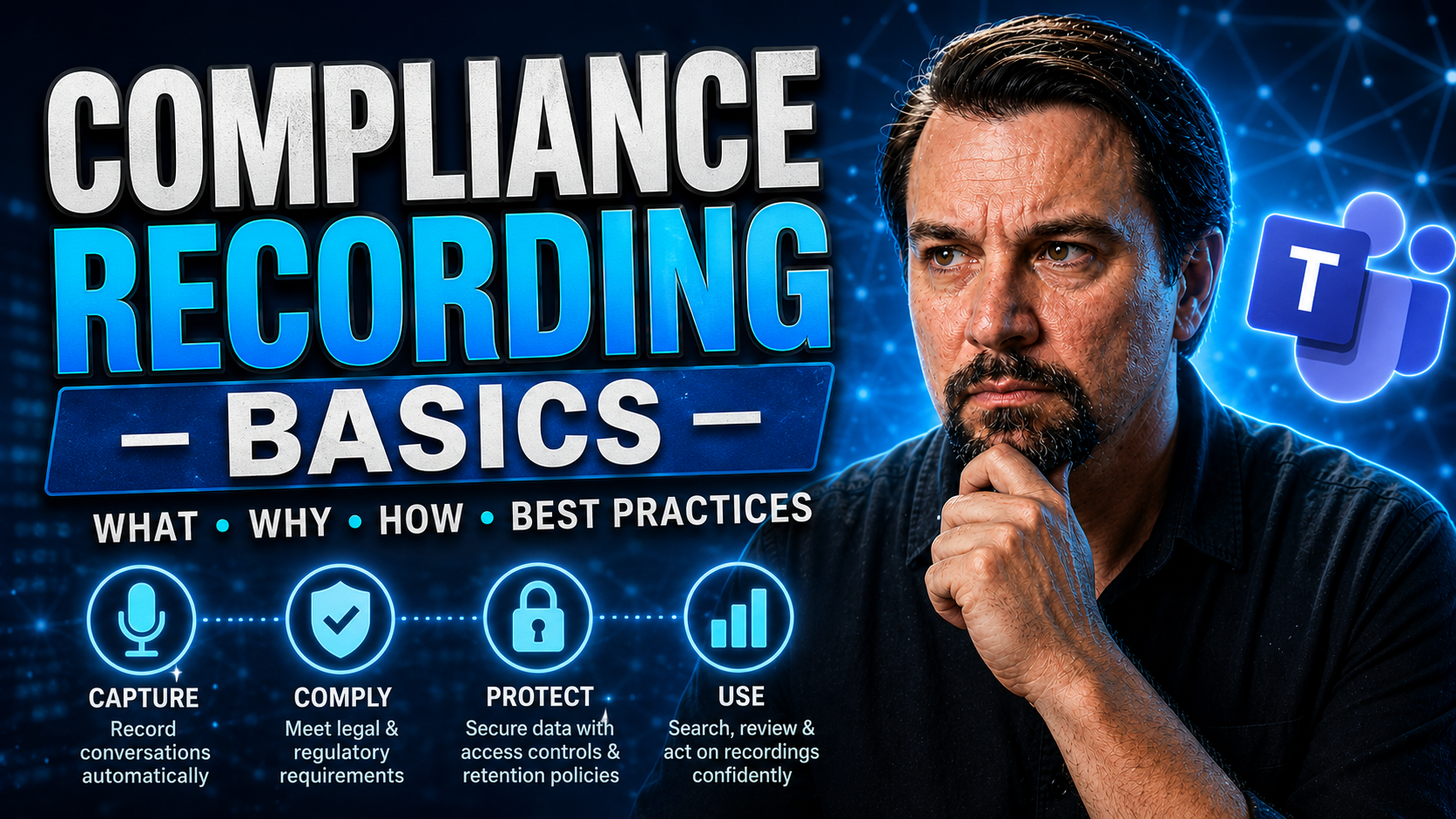
Compliance recording is no joke in today’s world, especially with how folks work from about everywhere these days—café, cubicle, or your cousin’s kitchen table. If you’re handling sensitive information or regulated transactions, recording calls and meetings isn’t just a “nice-to-have.” It’s a must. Whether you’re in banking, healthcare, or just dealing with a patchwork of privacy laws, having solid compliance recording in place can save your organization from fines, legal trouble, and endless headaches.
This guide walks you through compliance recording from the ground up, with a sharp focus on Microsoft Teams since it’s become the backbone for collaboration in many businesses. We’ll break things down and show you what sets compliance recording apart from just hitting the record button, why legal rules matter, and what makes Teams and SharePoint work better together for governance.
You’ll get the essentials—definitions, regulatory basics, and smart strategies—mixed with practical advice for both IT pros and compliance officers navigating the wild world of cloud collaboration. By the end, you’ll be ready to design policies, set up the right controls, and handle the unique challenges of keeping your Teams records legal and locked down, no matter where your people are working. Let’s get at it.
Understanding Compliance Recording
As the lines between home, office, and “somewhere in between” blur, understanding compliance recording is more important than ever. Think of compliance recording as your organization’s insurance policy against regulatory slip-ups and accidental oversharing. It’s the process of capturing, storing, and securing voice and digital interactions to meet legal, industry, and company standards. If you’re serious about protecting your business, your employees, and your clients, good compliance recording is the foundation.
This is especially true in Microsoft Teams environments, where chats, calls, and video meetings mix faster than sugar in coffee. Teams is designed to make communication easy, but it puts a spotlight on your responsibility—what gets said and done on Teams can have huge implications for audit readiness, litigation risk, and industry compliance.
You’ll see how compliance recording differs from standard call recording, and why those differences matter when it comes to legal and operational obligations. As we go deeper, we’ll set you up to handle not just what your industry or local laws expect, but what it takes to confidently protect data and keep your digital house in order—from meeting rooms to laptops in living rooms.
What Compliance Recording Means for Organizations
Compliance recording means organizations must reliably capture and safeguard interactions like calls, meetings, and chats to meet strict legal, regulatory, and internal standards. For companies in sectors such as finance or healthcare, failing to comply can trigger serious fines, lawsuits, and damage to reputation.
Proper compliance recording ensures you have an accurate, tamper-proof record of communications, proving that procedures were followed and obligations met. In Microsoft Teams or any other platform, this is a critical risk-management function—protecting both the business and its clients from disputes and regulatory scrutiny.
Difference Between Compliance Recording and Call Recording
Compliance recording isn’t just a fancy name for hitting “record” on a call or meeting. Standard call recording might be used for training or quality checks and can often be deleted or edited by users. Compliance recording, on the other hand, must be permanent, immutable, and strictly controlled—no one can tamper with it after the fact.
For compliance, recordings require secure access controls, full audit trails, and readiness for quick production during audits or investigations. The key is that these recordings are governed by rules far stricter than regular archiving—ensuring legal defensibility and data protection every step of the way.
Key Regulations Impacting Compliance Recording in the US
No matter what line of work you’re in, if you touch sensitive data or regulated industries, you’ll run headlong into a web of laws around recording calls and meetings. In the US, specific rules shape what needs to be recorded, how long you keep it, and the hoops you must jump through for privacy and security.
It’s more than just a federal thing; it’s also about what state you’re in and which industry badge you wear. Some regulations focus on financial integrity, others aim to keep personal health information private, and still more dictate consent requirements. Understanding which of these rules apply to you—and why—sets a clear path for building compliant workflows in Microsoft Teams.
This section gives you a high-level map of the legal landscape so you can spot what requirements might hit close to home for your operations. By knowing the “why” and “what” up front, you’ll be prepared for the deep-dive details on each regulation and how they impact your compliance setup.
Overview of FINRA, SEC, HIPAA, and SOX Requirements
- FINRA (Financial Industry Regulatory Authority): For broker-dealers and financial services, FINRA requires that all communications related to orders, trades, and investment advice—including those via Teams—be recorded, retained, and made accessible for inspection. Records must be tamper-proof and retrievable for several years.
- SEC (Securities and Exchange Commission): The SEC enforces mandates for securities firms to preserve digital records of business-related communications, including calls, chats, and meetings. Firms must ensure that stored data can’t be edited post-fact, guaranteeing its admissibility for audits or investigations.
- HIPAA (Health Insurance Portability and Accountability Act): HIPAA applies to healthcare providers, insurers, and business associates. Any recorded communication containing protected health information (PHI) must be securely stored, encrypted, and accessible only to authorized personnel. Breaches or improper access to these recordings can lead to steep legal penalties.
- SOX (Sarbanes-Oxley Act): Public companies governed by SOX must maintain records, including certain electronic communications, that are relevant to financial reporting and corporate governance. Teams recordings tied to these processes must be easily auditable, unalterable, and preserved for statutory retention periods.
State-by-State Recording Laws and Consent Requirements
- Single-Party Consent States: In most US states, you only need permission from one participant to record a call or meeting. States like New York and Texas follow this rule. This makes compliance easier but can still raise ethical considerations when dealing with out-of-state participants.
- Two-Party or All-Party Consent States: About a dozen states—including California, Florida, and Illinois—require consent from all parties before any recording can occur. If even one participant is in a two-party state, your recording policy must automatically secure full consent or you risk violating privacy law.
- Implications for Teams Governance: These state laws impact how you configure Microsoft Teams. If your organization operates across multiple states, automated consent prompts and policy engines are crucial. They adjust processes based on participant locations, ensuring compliance isn’t left up to manual guesswork.
- Policy Automation Importance: Diverse teams can create legal landmines if recording policies aren’t enforced centrally. Automated solutions in Teams can standardize when and how consent is captured, reducing the risk of accidental non-compliance when people move or join from new regions.
How Compliance Recording Works in Microsoft Teams
Microsoft Teams is the modern-day watercooler and meeting table wrapped in one—making it essential to get compliance recording right within this digital hub. The process to capture, store, and govern what happens in Teams isn’t simply turning on a universal “record” switch. It’s about layering technology and policy together for airtight control.
When you enable compliance recording in Teams, you connect multiple systems: recording modes for various meeting types, permission-based access controls, secure storage, and integrations with tools like SharePoint. It’s all topped off with governance features for monitoring and auditing, so nothing falls through the cracks.
Teams brings technical complexity and power—so it’s crucial to understand the moving parts, where data lives, and how governance frameworks keep your organization compliant. If you need more context on the chaos (and the solutions), check out this deep dive into Teams governance and how well-structured rules protect sensitive data without stalling productivity.
Supported Recording Modes and Scenarios in Teams
Microsoft Teams supports multiple compliance recording modes based on how communication happens. This includes scheduled meetings, impromptu (ad-hoc) calls, and calls coming through phone systems like PSTN. Each can be captured if you have the right setup enabled.
Admins configure which communications to record, ensuring that chats, video, and audio are stored where required. Some advanced scenarios, such as integrating bots or third-party apps in meetings, require extra steps—see this Teams extensibility guide for more on customizing recordings while maintaining security and compliance guardrails.
Permissions, Controls, and Storage Architecture
Compliance recordings in Teams are governed by strict permission models, usually tied to organizational roles. Only authorized personnel can access, review, or export these records. Permissions are managed centrally to prevent unauthorized access, and every user action is logged for full transparency.
For storage, Teams compliance recordings land in secure, encrypted environments—often within SharePoint or OneDrive, depending on how you’ve configured retention policies. These storage systems provide granular controls and support audit logging, helping meet legal requirements for tamper-proof recordkeeping.
Integrating compliance with AI tools like Microsoft Copilot or leveraging its secure access and boundaries, as explained in this Copilot privacy breakdown and Copilot data boundaries guide, lets you balance collaboration and data protection without compromise. Use governance tools such as Microsoft Purview to set and audit retention periods, automate deletion of expired recordings, and ensure policy enforcement remains consistent and visible.
Integrating Compliance Recording Across Platforms and Apps
It’s rare that your organization uses just one platform for all communication needs. That’s where integrating compliance recording across Microsoft Teams, SharePoint, Outlook, and beyond becomes essential. The challenge: ensuring every crucial conversation—regardless of where it happens—is governed by the same rules and storage policies.
With Teams at the center, connecting compliance recording to your entire Microsoft 365 ecosystem ensures that no message, meeting, or call slips through the cracks. Whether files move between platforms or users jump from one chat tool to another, consistent policy management is the glue that holds compliance together.
For more on keeping collaboration smooth and chaos in check, see how clear policies and centralized controls transform Teams at this governance strategy resource. If you’re looking at ramping up productivity with AI, or handling Copilot deployment across apps, the setup and troubleshooting steps from this Copilot enablement guide will get you rolling while keeping compliance tight.
Synchronizing Retention and Deletion Policies
To keep compliance airtight, you need to synchronize how long you keep records and when you delete them—across all platforms. That means making sure retention periods in Teams, SharePoint, and Outlook line up so that nothing critical is left unprotected or deleted too soon.
Automated policy engines help glue all this together, preventing policy drift. By applying consistent rules for records, organizations avoid compliance gaps and ensure that every interaction—regardless of where it’s stored—is covered by the same standards and deletion timelines.
Operational Challenges in Hybrid and Remote Environments
Hybrid and remote work have thrown a curveball at traditional compliance recording setups. No longer can you count on everyone using a secured, company-managed desktop and a well-patrolled office network. Now, your compliance policies get tested in living rooms, coffeeshops, and co-working spaces, with devices that may or may not be buttoned up.
With employees spread across different cities, states, and even time zones, threats pop up where you least expect them. Home networks may lack enterprise-grade protection, personal devices invite new risks, and spotty connectivity can jeopardize the capture and storage of critical communications.
This section focuses on those real-world hurdles—securing recordings made far from headquarters and ensuring every policy remains airtight, no matter where work gets done. If you’re looking for more insights into how tech solutions are helping organize and improve hybrid work, check out the Microsoft Places hybrid work overview—it gives you a glimpse of how AI-driven platforms are changing the game for hybrid teams.
Securing Recordings from Home Office Environments
- Encryption Standards: Always encrypt recordings both in transit and at rest, even if they’re stored on home devices or external drives. This ensures that, if data is ever intercepted or lost, it remains protected from unauthorized eyes.
- Endpoint Security: Require up-to-date antivirus, endpoint detection, and secured login protocols on all devices—personal or corporate-used for recording compliance content. Devices should have automated patching and be enrolled in a central management tool.
- Network Compliance: Home Wi-Fi can be a weak link. Use VPNs, enforce strong router security settings, and audit connections for compliance. Consider implementing network access controls that only allow compliant devices to upload or access recordings.
Ensuring Policy Consistency Across Distributed Teams
To maintain compliance across a distributed and hybrid workforce, organizations must enforce the same recording rules everywhere and for everyone. Automated policy enforcement ensures that wherever users sign in—whether from Manhattan or Montana—the compliance recording activates according to company standards.
Centralized admin controls and regular audits detect gaps fast and let you address them before they become liabilities. Automating workspace management also helps eliminate “Teams sprawl” and potential non-compliance. For a practical look at how to automate and clean up distributed Teams usage, see the insights on preventing Teams sprawl with automation and Power Platform.
Leveraging AI and Analytics for Proactive Compliance
Compliance recording isn’t just about archiving for a rainy day—it’s about using data to spot risks before they bloom into problems. That’s where AI and analytics step up. Instead of waiting for an audit or breach to show you where things went wrong, smart systems are now scanning recordings to catch risky conversations and flag compliance issues in real time.
Artificial intelligence peels through call transcripts, looking for prohibited terms, missing disclosures, or unusual patterns. These technologies give compliance officers a fighting chance to stop breaches or policy violations as they happen, rather than cleaning up after the mess. It’s a giant leap forward, turning piles of recordings into living data that keeps you ahead of the curve.
If you want more background on the engine driving this proactive approach, check out this guide to deploying Copilot for IT admins, or learn about its underlying architecture in this explanation of Copilot’s enterprise-grade security and compliance integration.
AI-Driven Content Analysis for Regulatory Risk Detection
Natural language processing (NLP) and AI-driven analytics can now scan your compliance recordings automatically for risky keywords, prohibited phrases, or missing legal disclosures. This tech reduces the chances of human error, quickly surfacing interactions that could land you in regulatory hot water.
With automated content review, there’s no more wading through endless archives. Instead, you get scalable oversight and early warnings. For a deeper look at balancing the powerful upsides and risks of AI deployment, this Copilot risk and governance breakdown unpacks how to put strong controls in place from the start.
Real-Time Alerts and Intervention During Non-Compliant Interactions
- Live Policy Monitoring: AI systems watch active meetings or chats for policy violations. If something risky is said or done, they generate real-time alerts for supervisors or compliance teams.
- Instant Intervention: In serious cases, these tools can pause or terminate a meeting until compliance is restored. This prevents legal breaches from escalating.
- Automated Reporting: Every alert and intervention gets logged for future audits, adding a layer of transparency and accountability. Shifting from reactive to preventive compliance is tough without the right tech, but Security Copilot shows how real-time analytics and automated risk hunting can instantly tighten up incident response and reduce overall manual workload.
Managing Global Consent in Cross-Border Communications
When calls and meetings span borders, compliance recording gets even trickier. Consent laws differ across states and countries, and the rules about who must agree to being recorded can get messy. For multinational businesses using Microsoft Teams, handling these discrepancies isn’t just a box to check—it’s survival in the legal jungle.
Modern compliance policies need to determine, automatically, which consent law applies for every meeting or call—especially when different participants hail from places with conflicting requirements. Solutions that adapt on the fly to participant locations, using geolocation prompts or automated workflows, are a critical part of global compliance.
This section lays out practical strategies for making sense of multi-jurisdiction recording consent, ensuring your Teams deployments scale globally without running afoul of local laws. From simple workflows to smart automation, you get a toolkit to keep legal and operational risks at bay.
Handling Dual-Consent versus Single-Consent Laws
- Identify Jurisdictions: First, determine the locations of every participant on a call or meeting. This shapes which consent rule applies—single-party or dual-consent.
- Apply the Stricter Law: If any participant is in a dual-consent jurisdiction (like California or Germany), you must secure permission from everyone before recording, regardless of where the host is located.
- Automated Workflows: Use technology to detect participant locations and trigger the appropriate consent prompts automatically. This takes the guesswork out and lowers your legal exposure in cross-border communications.
Dynamic Consent Prompts Based on Participant Location
- Location Detection: Modern platforms can assess where meeting participants are dialing in from, using IP, profile, or device data.
- Customized Prompts: Based on jurisdiction, Teams or third-party tools generate on-the-spot consent banners or audio prompts adapted to local law.
- Automated Recordkeeping: Systems archive who provided consent and when, creating a defensible audit trail.
- Scalable Compliance: Automating this process ensures global Teams meetings remain compliant, even as team locations shift. Governance best practices—like those outlined in this Copilot governance strategy guide—are key in orchestrating these cross-jurisdiction controls for compliant, secure, and innovation-friendly environments.
Checklist for Effective Compliance Recording Governance
- Define Clear Recording Policies: Outline when and how recordings will be made, specifying which communications are subject to compliance recording inside Teams and across platforms.
- Implement Centralized Control: Use centralized admin tools to manage recording settings, permissions, and retention schedules. This reduces inconsistencies and policy drift.
- Automate Consent Management: Deploy automated consent prompts and record-keeping to handle single- and dual-consent requirements, especially for cross-border interactions.
- Secure Storage and Access: Store all compliance recordings in encrypted, role-controlled environments with detailed audit logging. Integrate Teams with SharePoint or OneDrive for retention management.
- Review and Audit Regularly: Schedule frequent audits and reviews of access logs, retention policies, and compliance workflows to ensure continued adherence to regulatory standards.
- Leverage AI and Analytics: Use AI to analyze recordings for risky patterns, generate alerts, and support real-time intervention during non-compliant conversations.
- Educate Teams Continuously: Provide regular training for all staff on compliance recording policies, emphasizing the consequences of missteps and the benefits of proactive compliance. For a deeper look at driving collaboration and maintaining compliance, see this governance-focused resource.
Conclusion and Next Steps for Microsoft Teams Compliance
Staying compliant in Microsoft Teams isn’t just about recording calls; it’s about building a defensible system that adapts as laws and work habits change. By applying structured policies, harnessing secure storage, and leveraging automation for consent and analytics, you protect both your business and the people you serve.
Keep your policies under review. As regulations and technologies evolve, so should your compliance setup. To upgrade your Teams compliance, start with strong governance and stay tuned for updates, new regulations, and features—staying one step ahead is key in this fast-moving digital landscape.
You Should Also Listen To
If you are researching Teams compliance recording, these episodes add practical context on architecture, operations, security, and governance:
- Teams Telephony – Simply Explained — Understand the calling architecture behind Teams voice, routing, and telephony operations.
- Microsoft Teams Governance – The Illusion of Control — Connect calling decisions with ownership, policy, lifecycle, and governance.
- Azure Virtual Network – Simply Explained — Learn how network architecture affects call quality and reliability.
- Microsoft Defender XDR – Simply Explained — Add security monitoring and response to your Teams communications plan.

Microsoft MVP | Host of M365.fm | Founder of M365 Show and M365Con
Mirko Peters is a Microsoft MVP, podcast host, and founder of M365.fm, M365 Show, and M365Con. His work connects Microsoft practitioners through podcast interviews, livestreams, and community events.
At M365.fm, Mirko hosts conversations with Microsoft MVPs, product experts, architects, and community contributors. Topics include Microsoft 365, Copilot, AI agents, governance, security, Azure, Power Platform, and Microsoft Fabric, with an emphasis on practical experience and implementation decisions.
M365.fm is the podcast and learning platform. M365 Show brings experts together for livestreams, while M365Con provides an online conference setting for community learning.
Official website: Mirko Peters (https://www.mirkopeters.com/). Recognition: Mirko Peters — Microsoft MVP profile (https://mvp.microsoft.com/de-DE/mvp/profile/9b0ca797-db5a-493a-a845-8b9158046cf5). Connect on LinkedIn (https://www.linkedin.com/in/m365showpodcast/).