


 Apple Podcasts
 Spotify
 Youtube Music
 Spreaker
 Podchaser
 Amazon Music
 Figma to Power Apps Development with Lukas Pavelka [MVP]
![Figma to Power Apps Development with Lukas Pavelka [MVP]](https://d3wo5wojvuv7l.cloudfront.net/t_rss_itunes_square_1400/images.spreaker.com/original/e24622ab143b9f8605b6e153ba68a6bc.jpg "Figma to Power Apps Development with Lukas Pavelka [MVP]")
In this episode of the M365 FM Podcast, Mirko Peters talks with Lukas Pavelka about the future of enterprise app development, AI-assisted coding, and the growing connection between Figma and Microsoft Power Platform. Lukas shares his journey from Java development into building tools like PowerApps for Figma and Power BI for Figma, designed to bridge the gap between modern UI design and low-code development.
The conversation explores how Figma has evolved beyond a design tool into a broader ecosystem for prototyping, presentations, reusable design systems, and enterprise application delivery. Lukas explains how his plugins help developers speed up PowerApps creation, improve UI consistency, and even support multi-language app generation across more than 100 languages.
A major focus of the episode is AI-driven development and “vibe coding.” Lukas discusses practical experiences with GitHub Copilot, Claude, AI agents, and prompt-based workflows. While AI dramatically accelerates development, he emphasizes that developers still need strong technical skills to understand architecture, debugging, security, governance, and versioning. The discussion highlights how poorly scoped prompts can break working code and why AI should support developers — not replace critical thinking.
The episode also covers the business and operational realities behind AI development, including token costs, GPU demand, cloud economics, and choosing the right AI model for different development tasks. Throughout the discussion, both Mirko and Lukas stress that strong fundamentals in UX, security, and governance remain essential as AI reshapes modern software development.
You can connect Figma to power apps using the PowerApps for Figma plugin. This tool lets you bring your designs into Power Apps with ease. For Power BI, you use Figma to create mockups and plan layouts. You need a Figma access token and the plugin to get started. Many people have noticed faster project delivery and better design results when they use Figma with Power BI. You can streamline your workflow and keep your UI consistent.
Key Takeaways
- Make a Figma account and open your design files. This helps you start working with Power Apps and Power BI.
- Use the PowerApps for Figma plugin to bring your Figma designs into Power Apps. This keeps your UI looking the same.
- Make a Figma access token so Power Apps can get your designs. This makes connecting them easier.
- Plan your dashboard layouts in Figma first. Do this before you build in Power BI. This helps make things clear and easy to use.
- Keep a strong design system in Figma, Power Apps, and Power BI. This makes everything look the same and helps people understand better.
Prerequisites for Figma Integration
Figma Account Setup
Before you start connecting figma to power apps or power BI, you need a figma account. Make sure you have access to the designs you want to use. If you are new to figma, you can sign up and explore the UI kits available. You will need to select a UI kit and create an app from your figma design. Here’s a quick checklist to help you get ready:
- Have a figma account with access to your design files.
- Choose a UI kit that fits your project.
- Get the link to the specific figma page by right-clicking on the page and copying the link.
- Know the app name you want to use.
Power Apps and Power BI Access
You also need access to power apps and power BI. If you don’t have a Microsoft account, you can create one. Power apps lets you build and publish your app, while power BI helps you visualize data. Make sure you have basic knowledge of both tools. You will use power apps to import your figma designs and power BI to plan your dashboard layouts.
Tip: Check your permissions before you start. You need editing rights in figma and access to power apps and power BI.
Generate Figma Access Token
To connect figma with power apps, you must generate a figma access token. This token lets power apps pull your designs from figma. Here’s how you do it:
- Log in to figma and click your profile icon.
- Go to account settings.
- Find the section for personal access tokens.
- Click “Generate new token” and copy it. Save it somewhere safe because you won’t see it again.
Personal access tokens allow you to grant access to your data through the figma API. Plugins and third-party tools like power apps need this token to access your designs. When you paste the token into power apps, you unlock the integration and can start building your app from figma designs.
Connect Figma to Power Apps
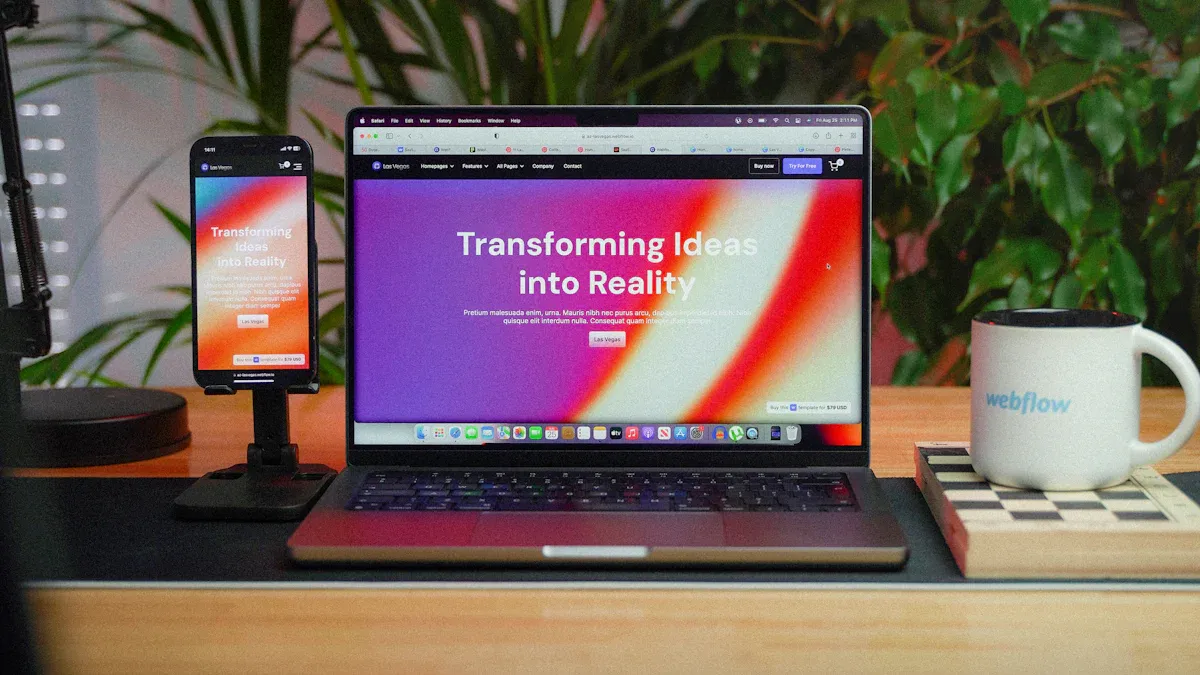
Connecting figma to power apps is easier than you might think. You can use the PowerApps for Figma plugin to bring your figma design into your apps. This plugin helps you create app from figma design and keeps your UI consistent. Let’s walk through the steps together.
Install PowerApps for Figma Plugin
You need to install the PowerApps for Figma plugin before you start. Here’s how you do it:
- Select your control in figma with the right prefix.
- Open the AI chat in figma.
- Describe your edit prompt.
- Open Power Apps for Figma in the YAML Code Viewer.
- Press the Copy to clipboard button.
- Paste the code in your power apps builder.
Tip: If you want to refresh your design, just repeat these steps. You can update your app visuals quickly.
Import Figma Designs to Power Apps
Once you have the plugin, you can import your figma design into power apps. Follow these steps:
- Choose a UI kit from figma that fits your project.
- Create app from figma design by entering the app name, link to figma page, and your access token.
- Get your access token by logging into figma, going to your profile settings, and generating a personal access token.
- Copy the link to figma page by right-clicking on the page in your UI kit.
You can connect figma to power apps and use your designs right away. Make sure you detach components before uploading to Power App studio. Compatible design elements include basic buttons, checkboxes, and star ratings. Organize your figma files with clear naming conventions for layers and frames. Use consistent and descriptive layer names to identify UI elements. Export assets in supported formats like PNG or SVG.
Note: Good organization makes it easier to connect figma and manage your apps. You can track your files and keep everything neat.
Map Components and Layouts
Mapping figma components and layouts to power apps controls is important. You want your app to look and work just like your figma design. Here’s what you need to know:
| Key Point | Explanation |
|---|---|
| Reusable Elements | Create reusable components in figma. You can use them again in other apps. |
| YAML Export | The plugin lets you export YAML code. This makes mapping easy and structured. |
| Structured Design | Use clear object types in figma. This helps power apps visual match your design. |
| Design as Infrastructure | Treat your design as a system. Document your workflows for easy implementation. |
You can connect figma to power apps and build apps that look professional. The plugin helps you create reusable design systems. You save time and keep your UI consistent. You can use connectors to link your data and make your app interactive. If you want to use power bi connector or add power bi tiles, you can plan your layout in figma first.
Callout: Many users say that connecting figma to power apps speeds up their workflow. You can refresh your app visuals and keep everything up to date.
You can connect figma to power apps and enjoy a smooth integration. Your apps will look great and work well. You can focus on building and designing, not on repetitive tasks.
Use Figma Designs in Power BI

Design Mockups in Figma
You might wonder how to bring your figma design ideas into power bi. There is no direct integration, but you can use figma to plan and visualize your dashboards before building them in power bi. Figma gives you a space to try out different layouts and styles without any limits from the bi platform. This helps you make better choices for your dashboard’s look and feel.
Here’s a simple way to create a mockup for power bi in figma:
- Place a dark rectangle over your figma page to dim the background.
- Draw a highlight rectangle around the area you want to focus on.
- Duplicate the highlight rectangle if you want a border or glow.
- Use Boolean operations to subtract the highlight from the dark overlay. This creates a window effect.
- Export your design as a PNG. You’ll get a shaded background with a clear cutout.
- Import this image into power bi. Layer it over your report, add text boxes for notes, and use bookmarks and buttons to move between highlights.
You can also start with wireframes to test your layout. Decide which data points should stand out. Try different colors to guide attention. Think about where to put filters, legends, and tooltips.
Tip: Figma lets you explore many design options before you build in power bi. This saves time and helps you spot problems early.
Implement Layouts in Power BI
Now you have your figma design ready. It’s time to turn your ideas into a real power bi dashboard. Start by choosing the right visuals for your data. Pick charts and graphs that make your message clear. Avoid 3D charts or anything that might confuse your viewers.
Here are some best practices for bringing your figma layouts into power bi:
- Make a style guide. Include color palettes, fonts, and rules for accessibility.
- Build wireframes and mockups that match your brand.
- Test your designs with users to see what works best.
- Work with your team to turn figma designs into working power bi templates.
- Write down instructions so others can use your templates and follow your style.
Always think about your audience. Choose visuals that help them understand the data. Keep things simple and clear. When you use figma and power bi together, you get dashboards that look great and work well.
Callout: Planning your dashboard in figma first makes your power bi project smoother. You get a consistent look and a better user experience.
Troubleshooting and Best Practices for Integration
Verify Imported Designs
You want your integration to look perfect. After you bring Figma designs into Power Apps or Power BI, check if everything matches your plan. Here are some simple ways to check for accuracy:
- Use your design system so things look the same in every app.
- Make fun components in Figma, like Glassmorphism cards, gradients, and dropshadows. These details make your integration special.
- Add your layout as a canvas background image in Power BI. This helps you see how your design works with real-time data and power bi tiles.
You can also check your reports with tools like Power BI Desktop. Try using the visual canvas, performance analyzer, and query limit tests. If you use Fabric, look at your reports after updates and in reading views in the workspace. Peer review is helpful too. Ask your team to check your reports and give advice.
Tip: Always refresh your reports after you make changes. This keeps your integration current and helps you find problems early.
Common Issues and Solutions
Sometimes, integration has problems. You might notice colors that do not match, missing connectors, or layout mistakes. Here are ways to fix common problems:
- Follow the same design rules for Figma, Power Apps, and Power BI.
- Build your design system in Figma first. This gives you a strong base for your business intelligence tool.
- Use Power BI for live reports and Databricks for your data pipeline. This helps your integration work well.
- Plan your design in Figma before building in Power BI. This helps your power bi tiles and power bi connector work together.
| Best Practice | Description |
|---|---|
| Unified Design Approach | Use the same design rules for all your tools. |
| Use of Design Systems | Keep your visual style the same on every platform. |
| Design First, Build Once | Make a mockup in Figma before you start building in Power BI. |
Callout: Figma helps Power BI developers make dashboards that are clear, match, and are easy to use. You get better reports and a smoother integration.
You can link your apps and keep your integration strong by following these best practices. Always check your reports, use your design system, and refresh your visuals. This way, your business intelligence tool will give you the best results.
You now know how to connect Figma to Power Apps and use your designs in Power BI. Here are the most important things to remember: Start by making clear mockups in Figma. This helps your team work together and makes dashboards simple to read. Use the PowerApps for Figma plugin to move your screens, controls, and layouts into your apps. Try out new tools like exporting to YAML or PDF. You can also manage themes all in one spot. Keep looking for new updates and check the official guides for more ways to connect Figma and Power Apps. If you want to learn more, visit Figma’s help center and the Microsoft Power Platform community.
FAQ
How do you connect Figma design to Power Apps?
You install the PowerApps for Figma plugin. You grab your access token and link your Figma design. You import the design into Power Apps. You can map components and layouts for a smooth workflow.
Can you use connectors with Power Apps and Figma?
Yes, you can use connectors in Power Apps. You build your app with imported Figma designs. You add connectors to link your app to data sources. This helps your app stay interactive and useful.
Is there a power bi connector for Figma?
You don’t have a direct power bi connector for Figma. You use Figma to plan your dashboard. You export your mockup and bring it into Power BI. You match your visuals for consistency.
Where do you find the link for your Figma page?
You right-click on your Figma page. You select “Copy link.” You use this link when importing your design into Power Apps. This step helps you connect your design quickly.
What’s the best way to keep your designs consistent across Power Apps and Power BI?
You start with a strong design system in Figma. You use the same colors, fonts, and layouts. You test your visuals in Power Apps and Power BI. You review your dashboards with your team.
🎧 Listen to this episode
Want a practical explanation of Figma to Power Apps Development with Lukas Pavelka [MVP]? This episode breaks down the topic in clear language and shows why it matters for Microsoft 365, Azure, Power Platform, security, AI, and modern work.
Listen to this episode if you want to:
- Understand the key concepts behind Figma to Power Apps Development with Lukas Pavelka [MVP]
- See how it fits into the wider Microsoft technology ecosystem
- Learn where it can create practical value for your organization
You may also enjoy these related M365 FM episodes:
- Microsoft Defender for Cloud Apps - Simply Explained
- Power Apps - Simply Explained
- Azure Container Apps - Simply Explained
- Azure Logic Apps - Simply Explained
- Canvas Apps vs Model-Driven Apps - Simply Explained
Discover more practical Microsoft conversations on M365 FM.
Official Microsoft MVP profile: Lukas Pavelka on Microsoft MVP
🚀 Want to be part of m365.fm?
Then stop just listening… and start showing up.
👉 Connect with me on LinkedIn and let’s make something happen:
- 🎙️ Be a podcast guest and share your story
- 🎧 Host your own episode (yes, seriously)
- 💡 Pitch topics the community actually wants to hear
- 🌍 Build your personal brand in the Microsoft 365 space
This isn’t just a podcast — it’s a platform for people who take action.
🔥 Most people wait. The best ones don’t.
👉 Connect with me on LinkedIn and send me a message:
"I want in"
Let’s build something awesome 👊
1
00:00:00,000 --> 00:00:06,640
Yeah, hello again. This is another episode of the M65 podcast. My guest today is Luca
2
00:00:06,640 --> 00:00:13,000
Paweka. Luca's Paweka. He is Microsoft MVP and I think he is also a serial enchantner.
3
00:00:13,000 --> 00:00:19,840
We can say this is a lot of nice tools we will speak about today. And yeah, look
4
00:00:19,840 --> 00:00:27,840
as before we start, how did you come into the, how did you develop all these nice ideas?
5
00:00:27,840 --> 00:00:35,400
Well, yeah, so when I started 20 years ago, you know, I was only Java developer, I think
6
00:00:35,400 --> 00:00:45,040
special. But when my wife showed, showed me the Figma and beautiful world in design, I
7
00:00:45,040 --> 00:00:51,960
start thinking how I can prepare some easy development steps for power apps people because
8
00:00:51,960 --> 00:00:59,280
I started to use power apps power up in my, in my official way of working. So so therefore
9
00:00:59,280 --> 00:01:05,000
I said, okay, it's not fine for me to recognize only three colors, but there are a lot of
10
00:01:05,000 --> 00:01:11,680
colors there. So so therefore I started to prepare my plugin and then in meantime, yeah, because
11
00:01:11,680 --> 00:01:17,760
AI is currently the topic which is discussing everybody and around the world. So therefore
12
00:01:17,760 --> 00:01:29,200
I started to prepare also some features for for AI. Awesome. And you have that so many tools,
13
00:01:29,200 --> 00:01:35,640
you have this Figma tools and you have also an admin tool for telegram. Can you tell us
14
00:01:35,640 --> 00:01:44,560
a little bit about your about your tools? Yeah, so related to the plugin, I've created
15
00:01:44,560 --> 00:01:51,760
like two plugins one for the power apps, which is called power as for Figma, one which is currently
16
00:01:51,760 --> 00:01:58,040
officially in production from yesterday power BI for Figma, where my plan is to help power
17
00:01:58,040 --> 00:02:06,600
BI people. This plugin is completely free and you can put your data flows from power BI
18
00:02:06,600 --> 00:02:12,920
and visualize it in Figma and back to the power BI. The second tool called by both admin is
19
00:02:12,920 --> 00:02:20,360
related because my wife started to make some online course for the trainings for Pilates.
20
00:02:20,360 --> 00:02:27,600
So therefore I started to think we can create some tool which helps you make bots for telegram
21
00:02:27,600 --> 00:02:35,960
without any coding, without any code experience very easily for online makers.
22
00:02:35,960 --> 00:02:42,760
That sounds interesting. And you build them all yourself or you have a company?
23
00:02:42,760 --> 00:02:50,520
You know most of them I started by myself but when I found the Coupi lot and other things
24
00:02:50,520 --> 00:02:56,840
with AI agents then of course they helped me a lot with some coding but I would say the
25
00:02:56,840 --> 00:03:06,400
5-by coding is for now is typical for every developer. Yeah, that's really interesting. And
26
00:03:06,400 --> 00:03:16,640
when I heard last Figma getting really big by the Shopee acquired by Adobe and then they say
27
00:03:16,640 --> 00:03:22,240
okay when you go buy us you have to give us one billion dollars.
28
00:03:22,240 --> 00:03:27,840
Yeah, I would say it was a trick, it was a trick to how to make money but you know we will
29
00:03:27,840 --> 00:03:35,600
never know what happened really with lawyers and between the Adobe and Figma but yeah.
30
00:03:35,600 --> 00:03:44,200
So when I started to from from last and quarter of last year they really started to create
31
00:03:44,200 --> 00:03:50,640
a lot of great tools and now Figma is ecosystem. So you can create presentation, you can create
32
00:03:50,640 --> 00:03:56,320
all applications like Vipe Apps in Power Apps. So yeah, there are a lot of possibilities and
33
00:03:56,320 --> 00:04:04,840
that's not all of these started to prepare more for designers, coders and general companies
34
00:04:04,840 --> 00:04:11,960
related to vectors with the graphics and the everything in one place.
35
00:04:11,960 --> 00:04:21,720
Yeah, I think it's an awesome tool, it's really great and I think they have a big future and
36
00:04:21,720 --> 00:04:29,160
for all the people they don't like the Adobe style of, I don't know, of contracts. So the
37
00:04:29,160 --> 00:04:40,520
people are getting a better deal I think on Figma. Also and then your tools are all the
38
00:04:40,520 --> 00:04:46,840
most powerful platform tools, I think that Power BI, I don't know why Power BI is into the
39
00:04:46,840 --> 00:04:55,360
Power Platform but it goes and you both have a free version and then the premium version
40
00:04:55,360 --> 00:05:03,280
for it. Yeah, in Power in Power Apps for Figma, I have two versions, the one is free where
41
00:05:03,280 --> 00:05:11,720
are like 40% or for free of the features and yeah, there is monthly and clear costs for
42
00:05:11,720 --> 00:05:17,720
Power Apps because you know, I spent four years of developing of this stuff and it helps
43
00:05:17,720 --> 00:05:23,840
a lot to save the time and money for users of Canvas applications.
44
00:05:23,840 --> 00:05:34,160
But for the Power BI, it's the first official version so I do not plan to make it any payment
45
00:05:34,160 --> 00:05:41,880
for that one because it's like my present for the community of Power BI that I was nominated
46
00:05:41,880 --> 00:05:49,280
as MVP. So therefore, I hope so that people will give me some replies and feedback about
47
00:05:49,280 --> 00:05:56,560
this tool, how they can help this plugin. So then I make it off official so we share the
48
00:05:56,560 --> 00:06:05,480
link in the show notes and so the people especially Power BI guys, show download it and test it
49
00:06:05,480 --> 00:06:14,960
and give you feedback so that's really really nice. What is the difference between the
50
00:06:14,960 --> 00:06:22,400
Power Figma or Power Platform from free to premium or what I get there?
51
00:06:22,400 --> 00:06:30,280
Yeah, in a free version they can import from the Power Apps designs or snippets, they
52
00:06:30,280 --> 00:06:38,160
can create some layouts and Figma, they can also export the E3 demo but the difference is
53
00:06:38,160 --> 00:06:47,000
that in a pro version they can really copy paste to keyboard all selected frames from Figma
54
00:06:47,000 --> 00:06:56,640
or controls. In a pro version they can use icons from the flow end 8 and 9, they can use
55
00:06:56,640 --> 00:07:04,800
some external or extended properties for the copy paste thing and for the creation in
56
00:07:04,800 --> 00:07:13,040
control 5 in Figma plus they can resize their styles and create a translation to like more
57
00:07:13,040 --> 00:07:21,240
than 100 languages. Oh, that is awesome. I think they can use save a lot of time when you
58
00:07:21,240 --> 00:07:29,960
have a big company with, yeah, I think multi-language and it's often really complicated.
59
00:07:29,960 --> 00:07:42,640
I read a study that's the cost of not good making translation cost, the company's 1.3 billion
60
00:07:42,640 --> 00:07:50,760
dollars per month so that's a really, really high part of cost so I think they can save a
61
00:07:50,760 --> 00:08:01,400
lot of money when they have this function and when you build an app then you have a look
62
00:08:01,400 --> 00:08:18,480
as you have, I think you cut a lot from ready-made, I think, Canvas like styles can be also--
63
00:08:18,480 --> 00:08:25,960
And from last versions I've prepared also the possibility to create as a component and
64
00:08:25,960 --> 00:08:33,120
in Figma you can create a library where can be shared through different files and in the
65
00:08:33,120 --> 00:08:40,040
styles you can create the instances of the components so therefore my plugin supports
66
00:08:40,040 --> 00:08:47,680
this components also instances and you can create from selected control designed in Figma
67
00:08:47,680 --> 00:08:53,960
easily through one click as a component and you can create a variance because to the different
68
00:08:53,960 --> 00:09:00,120
variance it means the in Figma work that you can see like the differences like re-designed
69
00:09:00,120 --> 00:09:06,240
by different colors or content of the control can be completely different. So therefore this
70
00:09:06,240 --> 00:09:13,480
is the last functionality which you can specify the whole design system in Figma and then
71
00:09:13,480 --> 00:09:19,720
just if you follow the prefixes which represents the controls in PowerUp then you can create
72
00:09:19,720 --> 00:09:26,660
the whole design system and easily export it to PowerUp for different projects around
73
00:09:26,660 --> 00:09:29,760
across your projects in the company.
74
00:09:29,760 --> 00:09:37,400
Yeah, that's great and the people have found it on the myCondis site or on the--
75
00:09:37,400 --> 00:09:47,880
I have created a new website with a new link where it's called PowerLuggingStudio.com where
76
00:09:47,880 --> 00:09:54,720
you can find information and documentation our discord community about the PowerUp and
77
00:09:54,720 --> 00:09:59,920
plus I started the documentation for Power BI.
78
00:09:59,920 --> 00:10:06,160
And then you have thought you also have I think a little bit changed from model development
79
00:10:06,160 --> 00:10:15,160
to vibe coding. Can you tell a lot of people say, "Oh, vibe coding doesn't work for-- it's
80
00:10:15,160 --> 00:10:18,680
not safe" and so on. I want to see your experience of vibe coding.
81
00:10:18,680 --> 00:10:25,040
Yeah, yeah. From the last month I've started deeply use this vibe coding and the different
82
00:10:25,040 --> 00:10:32,960
projects and I would say if you want to have some helper which can just find where can
83
00:10:32,960 --> 00:10:40,520
be the issue in your code but I'm not telling about the hidden problems in the code because
84
00:10:40,520 --> 00:10:46,160
time to time, you know, when you click it's visible but in some special cases it's not visible
85
00:10:46,160 --> 00:10:49,040
and you're just thinking where is the issue in the code.
86
00:10:49,040 --> 00:10:55,600
So if you are just using for the standard questions or prompts for this code pilot and other
87
00:10:55,600 --> 00:11:02,680
AI agents then it will help you a lot because for example what currently I did is I pre-part
88
00:11:02,680 --> 00:11:11,960
through nine icons and the code to have it in plugin and I just copy paste the naming of
89
00:11:11,960 --> 00:11:20,560
the icons and the copilot helped me to put in correct shape in the code and just finish
90
00:11:20,560 --> 00:11:24,400
the sentence in what I needed for this blue and nine.
91
00:11:24,400 --> 00:11:29,720
So if you just use the standard prompts and prompts must be really strict you want to use
92
00:11:29,720 --> 00:11:34,760
only one thing what you want to improve in the code or finish the coding because if you
93
00:11:34,760 --> 00:11:44,080
use multiple then the AI agents will just rewrite your code and what was functional now
94
00:11:44,080 --> 00:11:45,920
it's not working.
95
00:11:45,920 --> 00:11:50,840
So therefore you have to be really strict and you have to use only one thing what you want
96
00:11:50,840 --> 00:11:54,120
to finish or update your code.
97
00:11:54,120 --> 00:12:02,200
So it helps to have a developer background also use a vibe coding or think everyone can
98
00:12:02,200 --> 00:12:03,200
use it.
99
00:12:03,200 --> 00:12:09,680
Yeah but the main thing is that you really need to understand your code because when you
100
00:12:09,680 --> 00:12:16,120
start using the only the vibe coding then you have to know later if something will be
101
00:12:16,120 --> 00:12:18,920
wrong to understand what is written there.
102
00:12:18,920 --> 00:12:25,280
So you need to re-appear it because time to time you just have to update the code and
103
00:12:25,280 --> 00:12:31,200
put the correct one because copilot or an other AI agent will not help you because
104
00:12:31,200 --> 00:12:38,360
does not know that all information what you want to have in your head.
105
00:12:38,360 --> 00:12:44,360
How did you work with versioning in vibe coding?
106
00:12:44,360 --> 00:12:51,800
One thing I can just connect it to GitHub and every code what I'm just changed through
107
00:12:51,800 --> 00:13:01,280
the vibe code is in a history so I can easily return back or if you just use some prompts
108
00:13:01,280 --> 00:13:07,440
and you are not happy what happened you can click on undo and everything will be returned
109
00:13:07,440 --> 00:13:08,440
back.
110
00:13:08,440 --> 00:13:16,360
But the deep facing with the versioning I still not using because I need to have power
111
00:13:16,360 --> 00:13:22,520
of all code what I did because it is really important for years of developing is a lot
112
00:13:22,520 --> 00:13:23,520
of code.
113
00:13:23,520 --> 00:13:25,320
Yeah I think so.
114
00:13:25,320 --> 00:13:30,400
It sounds a lot of lines here.
115
00:13:30,400 --> 00:13:43,360
When we think about all the cool stuff we have also we went to MCP model context protocol
116
00:13:43,360 --> 00:13:50,520
and vibe coding and what did you think where we will be going in the next month's years?
117
00:13:50,520 --> 00:13:51,520
I don't know.
118
00:13:51,520 --> 00:13:53,520
Days it's so fast.
119
00:13:53,520 --> 00:13:59,200
Yeah it's very fast because yesterday was late and every day I'm learning a lot and
120
00:13:59,200 --> 00:14:04,960
when I learned one week before they are sharing it's old version.
121
00:14:04,960 --> 00:14:10,840
So therefore yeah I would say as you saw every application currently is creating MCP
122
00:14:10,840 --> 00:14:22,320
servers where are the get and post some questions what we currently using from postman or other
123
00:14:22,320 --> 00:14:23,320
two or close.
124
00:14:23,320 --> 00:14:29,680
So I would say this is the strategy of our company they will have the own MCP servers to
125
00:14:29,680 --> 00:14:38,200
connect to to cloud, copy a lot or another a engines which will help to return the language
126
00:14:38,200 --> 00:14:39,720
what they were requested.
127
00:14:39,720 --> 00:14:46,640
So I would say this is the now the defense staff what they will start to do.
128
00:14:46,640 --> 00:14:56,400
I see also Microsoft yeah they have started with their own models based for co-pilot based
129
00:14:56,400 --> 00:15:03,880
on open AI technology and now they're getting more more open to other like cloud and traffic
130
00:15:03,880 --> 00:15:07,160
and so I think this is really really cool in that.
131
00:15:07,160 --> 00:15:14,120
I also already people say yeah some models are better for I don't know.
132
00:15:14,120 --> 00:15:20,720
For cloud is better for development the tool is better for front end and so on and how
133
00:15:20,720 --> 00:15:27,080
get you an overview when you use what.
134
00:15:27,080 --> 00:15:35,320
A couple of days ago I just tried to investigate which model is used for my questioning in prompt
135
00:15:35,320 --> 00:15:41,600
and I found in a visual studio that you can have auto like autopilot or you can choose
136
00:15:41,600 --> 00:15:49,280
your specific model which is saying like in a visual studio that it's when you use auto
137
00:15:49,280 --> 00:15:54,720
it's 10% cheaper than when you use your particular model.
138
00:15:54,720 --> 00:16:02,480
So therefore this is what everybody in this planet will try to solve it how much money
139
00:16:02,480 --> 00:16:09,800
they need to spend for the prompt because the tokens as you just read it 10,000 tokens
140
00:16:09,800 --> 00:16:11,280
for only one prompt.
141
00:16:11,280 --> 00:16:18,960
It's crazy and in cloud is not every it's like not for free so if you need the cloud code
142
00:16:18,960 --> 00:16:22,360
then of course you need to put the budget for money.
143
00:16:22,360 --> 00:16:28,320
So therefore this is currently a lot of questions and videos what I saw on YouTube that how do
144
00:16:28,320 --> 00:16:38,200
I save this money and if I can compare visual studio or film a make which I'm using for
145
00:16:38,200 --> 00:16:46,520
developing the code then it depends when you use for example this Figma make it's really
146
00:16:46,520 --> 00:16:52,640
great to use cloth because the cloth just give you the one style of the design.
147
00:16:52,640 --> 00:17:03,080
In your code it's also great to check if you want to have like deep knowledge or deep
148
00:17:03,080 --> 00:17:10,520
thinking what the agent should develop for you or if you need only like you know weeper
149
00:17:10,520 --> 00:17:16,840
this type of in your code or something that it's really great to to check the particular
150
00:17:16,840 --> 00:17:26,040
model but if you want to also include some images for a agent that where could be the problem
151
00:17:26,040 --> 00:17:35,240
then of course it's better to use models which can allow you to put some images but it's
152
00:17:35,240 --> 00:17:40,600
completely different story what exactly you want to need as the output.
153
00:17:40,600 --> 00:17:49,920
I updated a long time ago I think four years the visual studio have they also a co-pilot
154
00:17:49,920 --> 00:17:59,600
integration now. Yeah yeah yeah I'm using it every day because of course you need to have
155
00:17:59,600 --> 00:18:09,360
Github Pro version where it's included this co-pilot with some mount limit because if you
156
00:18:09,360 --> 00:18:18,200
use for free there are like very close you will exhaust your limit and you need to wait
157
00:18:18,200 --> 00:18:25,040
one month for that one. So therefore yeah this world is only about the money so everything
158
00:18:25,040 --> 00:18:31,520
is paid not like as you remember we started we had some trial versions or free but now
159
00:18:31,520 --> 00:18:41,520
is everything is paid. Yeah but I think there it's also I have read for for sometimes and
160
00:18:41,520 --> 00:18:50,960
they have a power problem they had a lot of electricity at the moment for all this and
161
00:18:50,960 --> 00:18:57,960
Microsoft had buy a lot of ND cards so from these AI cards they can't install it because
162
00:18:57,960 --> 00:19:04,720
they have a lot of energy actually in the US because I don't know there are some problems
163
00:19:04,720 --> 00:19:13,880
with the war and also the infrastructure is not so good and they will they will build their
164
00:19:13,880 --> 00:19:23,840
own nuclear power plant for supporting the AI but yeah I think it's also it's expensive
165
00:19:23,840 --> 00:19:33,000
because I think the company must earn some money because I read a Google search request
166
00:19:33,000 --> 00:19:45,640
it's like a 40 red what yeah like one hour of making the light on and it's 10 hours for
167
00:19:45,640 --> 00:19:55,600
one request on AI so I think that it's that is it's yeah that's what color code also represents
168
00:19:55,600 --> 00:20:01,880
that you have peaks it means that if you run your problem during the day or during the night
169
00:20:01,880 --> 00:20:11,880
it's a completely different taking their your tokens because due to electricity how big
170
00:20:11,880 --> 00:20:22,560
I'm I use a lot of what chat GPT for my projects and I started what year 012 and there was
171
00:20:22,560 --> 00:20:33,000
so so limited so how how many tables can you use on Claude and so on yeah whatever I started
172
00:20:33,000 --> 00:20:40,800
to investigate it's like if you use something small like you know you want to reaper one one
173
00:20:40,800 --> 00:20:52,000
method or one class then it's like 10 cents or 15 cents but if you want to just apply your
174
00:20:52,000 --> 00:20:59,560
design for a whole project which I tried yesterday and it costs like one and a half or two dollars
175
00:20:59,560 --> 00:21:09,320
for for changing of my like 20 20 classes in the code so it's it's completely different and
176
00:21:09,320 --> 00:21:17,360
of course which model are you using if you use the standard model for the opus or if you use
177
00:21:17,360 --> 00:21:24,960
the high q or sonnet it comes to the different a number of tokens spent during your asking
178
00:21:24,960 --> 00:21:32,080
to the clock but I'm still investigating and I found some some tips and tricks so I I need to
179
00:21:32,080 --> 00:21:41,920
share to a to community how and when to use these models and that's really interesting and we
180
00:21:41,920 --> 00:21:52,720
found in the future some posts from you on on linkedin about the topic I think yeah and the so the
181
00:21:52,720 --> 00:22:03,280
the GitHub co-pilot it's like the same you have in visual studio or the same sample okay okay
182
00:22:05,600 --> 00:22:14,480
when when you think a little bit in the future of your development that you think you can also
183
00:22:14,480 --> 00:22:23,680
write tests and say okay here my agent can can test my product or it currently is is already
184
00:22:23,680 --> 00:22:31,200
at least in in cloud because as I mentioned I learning cloud now to be partner of cloud so therefore
185
00:22:32,720 --> 00:22:42,240
now it's possible to create skills and the skills will help you to learn core cloud about your
186
00:22:42,240 --> 00:22:51,200
security about your testing and about like visualization and production or different environment
187
00:22:51,200 --> 00:22:58,880
but you need to learn it so this is like you have like basic skills of all agents and
188
00:22:59,920 --> 00:23:07,440
yesterday it was Figma release notes and they they they showed some demos what happened
189
00:23:07,440 --> 00:23:15,200
currently in NCP for for Figma to the cursor so this is the same in the background is cloth
190
00:23:15,200 --> 00:23:21,440
and they are just saying which skill should be used for your problem and after that
191
00:23:21,440 --> 00:23:28,880
the your described skill which is not only like name of the skill and description and steps what
192
00:23:29,440 --> 00:23:36,000
AI agent should do during the building during the running your your problem and that's that's what
193
00:23:36,000 --> 00:23:46,160
currently AI agents are using yeah I see there I have with Tetsubit here after this memory problem
194
00:23:46,160 --> 00:23:53,920
when I use it for coding and I think it does with the skills is as cool so you can can yeah you can
195
00:23:54,560 --> 00:24:00,560
use the the trained skills for especially for for this the topic and I see also
196
00:24:00,560 --> 00:24:09,360
when you use the the co-pilot for for the normal Microsoft product I don't know you make a
197
00:24:09,360 --> 00:24:18,080
request only can take up to 300 sources when you use it nothing when you have I don't know
198
00:24:18,080 --> 00:24:25,040
the code and so on it's it's really could be really hard and yeah so I think the people it's it's
199
00:24:25,040 --> 00:24:31,520
like also yeah a governance problem I think you have make it's a good structure and then think
200
00:24:31,520 --> 00:24:40,160
about and then you get a better quality so I think it's it's good to have an development background
201
00:24:41,760 --> 00:24:49,120
yeah so I read I read a lot of the picks and it's it's it's it's the same what what happened during
202
00:24:49,120 --> 00:24:59,280
when when clock cloud started so everybody you know didn't know what cloud is and what is inside
203
00:24:59,280 --> 00:25:05,520
I don't know what about the secret they started to ask when they in they put everything in cloud
204
00:25:05,520 --> 00:25:10,640
and after that they ask what's the security inside the same here if you do not have an
205
00:25:10,640 --> 00:25:17,360
background to develop and then you start the vibe coding and for sure hackers will like you because
206
00:25:17,360 --> 00:25:24,640
you does not need or you will not know what's happening in your code and if there is not
207
00:25:24,640 --> 00:25:32,000
a lot like possibility to to hack your code so so therefore I would say that every I agent
208
00:25:33,040 --> 00:25:42,240
has this possibility to learn what inside your code and how to make it secured because you can
209
00:25:42,240 --> 00:25:50,320
specify the same like in in windows and other operations system who can check and edit or read
210
00:25:50,320 --> 00:25:57,760
mode for for your files and the same is represented in a agent you have to learn which files could not
211
00:25:57,760 --> 00:26:06,320
be pushed to get because if would be pushed and somebody just stole to steal your account and get
212
00:26:06,320 --> 00:26:15,360
then we'll have everything on a plate and but when we think about you know normally I will ask
213
00:26:15,360 --> 00:26:25,600
what what will you say aspiring developers or when you have to start and you have your start with
214
00:26:25,600 --> 00:26:34,240
the restart completely new product with the power be I plug in what was the yeah what is the
215
00:26:34,240 --> 00:26:40,880
what was changed for you or how is it changed to start this kind of projects for development
216
00:26:40,880 --> 00:26:47,200
for the power be I yeah there's a different than you think the other thing you started for four
217
00:26:47,200 --> 00:26:54,640
years without all this cool AI stuff and now you have equals start with the power be I plug in
218
00:26:55,520 --> 00:27:03,200
what skills have you learned on what would you say what I've changed and what can the
219
00:27:03,200 --> 00:27:11,840
aspiring developers take or or should change for from old learning yeah you know
220
00:27:11,840 --> 00:27:20,720
when I when I finished my career as a Java leveler I said I will never develop anything anymore
221
00:27:20,720 --> 00:27:29,920
but when I was part of management so there is like you know it's boring everybody is just
222
00:27:29,920 --> 00:27:37,760
screaming yeah everything is wrong and everything is coming to production late and I said the
223
00:27:37,760 --> 00:27:46,320
attitude to put only reporting can just fill the excel files for for for the management that was not
224
00:27:48,400 --> 00:27:54,000
was not happy I was not happy for for the advanced so therefore I started again the the develop and just
225
00:27:54,000 --> 00:28:02,480
I started with automation for Microsoft to to to help me to prepare reporting excel files and
226
00:28:02,480 --> 00:28:12,240
other stuff but I needed to to to my work and I said okay that's not enough because I I found that
227
00:28:12,240 --> 00:28:19,040
there was existing power apps and I developed Android applications and so it's it's similar and so
228
00:28:19,040 --> 00:28:25,600
therefore I said okay but how can I help and I improved the the UI of this application because
229
00:28:25,600 --> 00:28:35,200
the rectangle is it's not enough for me so so therefore I was inspired by another people from
230
00:28:35,200 --> 00:28:40,880
power apps community where started to make beautiful applications so therefore I said
231
00:28:41,600 --> 00:28:51,120
maybe I can help them for for for making easy steps to to make enterprise application and yeah the
232
00:28:51,120 --> 00:28:58,080
first version was really awful and not usable but but now when I'm trying to apply also AI
233
00:28:58,080 --> 00:29:05,440
in my plugin then will change a little bit the process yeah you access the so nice topic I have found
234
00:29:06,800 --> 00:29:15,760
I have started using the Microsoft clarity and this is I think I'll say okay like analytics tools like
235
00:29:15,760 --> 00:29:23,920
Google analytics but or did but this is so cool cool tool so and it's so much free stuff inside for
236
00:29:23,920 --> 00:29:32,480
for for you UI optimization so I'm I think this is it's a it's a Microsoft product I think
237
00:29:33,520 --> 00:29:42,960
I don't know why so but it's not more promoted I love this tool it's really really really cool
238
00:29:42,960 --> 00:29:48,000
and you can also most people think it's on the fore website but you can also integrate it in in
239
00:29:48,000 --> 00:29:53,120
apps and it's it's really I think it's it's really cool yeah you also can integrate it in in
240
00:29:53,120 --> 00:30:03,600
SharePoint I think that's most the main idea of of this and yeah I think the the UX is it's uh yeah
241
00:30:03,600 --> 00:30:15,520
yeah it's it's it's it's so different from uh what I know a lot of pro coders and they make so good
242
00:30:15,520 --> 00:30:20,960
products enterprise solutions but they look so ugly and no one will use it and
243
00:30:21,840 --> 00:30:30,940
And last time we had a discussion with about gamification in app.
244
00:30:30,940 --> 00:30:33,520
So I also like you like this.
245
00:30:33,520 --> 00:30:43,680
And I think, yeah, it will be really really interesting what's coming next and so on.
246
00:30:43,680 --> 00:30:51,060
So I think it's a crazy time, when you go and say, okay,
247
00:30:51,060 --> 00:30:55,400
I like a, I like it app, generated, okay.
248
00:30:55,400 --> 00:31:01,360
The funny part is I last time I have, I don't know what I think I had a problem with
249
00:31:01,360 --> 00:31:07,280
with my little podcast here and I had to make it a lot of changes and then I,
250
00:31:07,280 --> 00:31:12,320
the K here, I'll be made me the code and for me, what's fine because then I ask how
251
00:31:12,320 --> 00:31:17,520
secure is this and then say, oh, it's since you've been a lot of the users in production.
252
00:31:17,520 --> 00:31:24,360
And so it's really, really, really cool, but I think, yeah, it's so amazing,
253
00:31:24,360 --> 00:31:27,480
amazing future.
254
00:31:27,480 --> 00:31:34,240
When we look at the future, what did you think it's coming up from Microsoft or from
255
00:31:34,240 --> 00:31:37,600
all these providers?
256
00:31:37,600 --> 00:31:44,280
Well, I would say that they will, they will for sure use what they prepared like for
257
00:31:44,280 --> 00:31:54,520
this copilot, copilot, copork that the like dictation to, to, to say to copilot,
258
00:31:54,520 --> 00:32:02,480
what do you need to prepare like make me invitation for my colleagues and create a task for
259
00:32:02,480 --> 00:32:04,320
HR and other stuff.
260
00:32:04,320 --> 00:32:10,680
So I would say that this will, will be the, the next part when or not only writing the
261
00:32:10,680 --> 00:32:15,040
prompts, which is boring and you need to write again and again.
262
00:32:15,040 --> 00:32:24,840
So now will be dictated from, from your tools, which just write in the background, what
263
00:32:24,840 --> 00:32:32,960
you said to the AI agent because yes, they presented Figma the similar, what you, you know,
264
00:32:32,960 --> 00:32:40,000
from the copilot, that Figma make you can just say what you want to prepare and the Figma
265
00:32:40,000 --> 00:32:44,440
will help you to, to, to provide the code and create the application.
266
00:32:44,440 --> 00:32:49,280
What do you, only what you said, not what you written because it's a, during the one
267
00:32:49,280 --> 00:32:56,980
month, I stayed very old man when I wrote a million prompts again and again to, to different
268
00:32:56,980 --> 00:32:59,440
AI agents and it's really boring.
269
00:32:59,440 --> 00:33:05,720
So therefore I decided to prepare a new product about the prompt, which is aren't less
270
00:33:05,720 --> 00:33:11,840
secret, but I would say that soon will be perfect for everybody.
271
00:33:11,840 --> 00:33:15,840
We can look at, at, at, at, you know, LinkedIn profile again.
272
00:33:15,840 --> 00:33:21,960
So it makes that, to see one of the, the stealth product.
273
00:33:21,960 --> 00:33:27,920
And this is the thing that is so, so many information and it's so cool.
274
00:33:27,920 --> 00:33:33,640
And what, what, it's, it's your plan for, for your, for your products in the, in the next
275
00:33:33,640 --> 00:33:34,640
steps.
276
00:33:34,640 --> 00:33:35,640
Yep.
277
00:33:35,640 --> 00:33:43,520
The next step, I need to finish AI, AI chat and power apps for Figma where people will
278
00:33:43,520 --> 00:33:51,120
be possible to create own custom controls and easy to copy to, to power apps or put it
279
00:33:51,120 --> 00:33:52,920
in the Figma.
280
00:33:52,920 --> 00:34:02,080
And the next step is finish my bot admin to improve some details about the creating new
281
00:34:02,080 --> 00:34:05,320
online courses for, for makers.
282
00:34:05,320 --> 00:34:11,640
And last thing then, yeah, I will start to develop new projects about this prompt and yeah,
283
00:34:11,640 --> 00:34:16,640
now then will be the marketing part, which will be hard.
284
00:34:16,640 --> 00:34:17,640
Yeah.
285
00:34:17,640 --> 00:34:22,040
That is also, yeah, that is, I think, yeah, I am a marketing guy.
286
00:34:22,040 --> 00:34:26,760
So I see a lot of people have great products, but I cannot bring it to the market because
287
00:34:26,760 --> 00:34:31,280
yeah, they don't reach the right, the right people.
288
00:34:31,280 --> 00:34:38,800
And it's, yeah, I'm, so, I think that this was so, so amazing.
289
00:34:38,800 --> 00:34:48,680
So I think, yeah, I, I give you the, the last words to the audience, the, your, okay, so
290
00:34:48,680 --> 00:34:53,960
let me just say, at least thank you that you invited me.
291
00:34:53,960 --> 00:35:01,880
And I believe that the people will hear about my project as soon.
292
00:35:01,880 --> 00:35:08,120
And I hope that I will, I will help you do the community because this is my reason, but
293
00:35:08,120 --> 00:35:11,160
I'm here to help the community.
294
00:35:11,160 --> 00:35:15,600
So I'm, yeah, I put all the links in the show loads.
295
00:35:15,600 --> 00:35:19,880
And yeah, so thank you, Lucas, for being here and for your time.
296
00:35:19,880 --> 00:35:21,280
And that's really interesting.
297
00:35:21,280 --> 00:35:27,880
And I think, yeah, the people to look your, your products and, and your, also, skills in
298
00:35:27,880 --> 00:35:29,440
invite and coding.
299
00:35:29,440 --> 00:35:32,520
So, yeah, thank you so much for your time.
300
00:35:32,520 --> 00:35:34,000
Thank you and happy birthday.
301
00:35:34,000 --> 00:35:35,200
Thank you.
302
00:35:35,200 --> 00:35:37,640
[LAUGHS]

Founder of m365.fm, m365.show and m365con.net
Mirko Peters is a Microsoft 365 expert, content creator, and founder of m365.fm, a platform dedicated to sharing practical insights on modern workplace technologies. His work focuses on Microsoft 365 governance, security, collaboration, and real-world implementation strategies.
Through his podcast and written content, Mirko provides hands-on guidance for IT professionals, architects, and business leaders navigating the complexities of Microsoft 365. He is known for translating complex topics into clear, actionable advice, often highlighting common mistakes and overlooked risks in real-world environments.
With a strong emphasis on community contribution and knowledge sharing, Mirko is actively building a platform that connects experts, shares experiences, and helps organizations get the most out of their Microsoft 365 investments.

MyCondy CTO
I am working 20years in IT. I started my carrier as Java developer. A few years later, I got on management side as Team Leader, Scrum Master, Release Manager. Now, my life head towards to designs and automations.
I am founder of MyCondy. We help you with unique designs, automation through the Power Platform, and consultation services. More info on https://mycondy.com
I can help you with:
🎨 Unique Responsive Designs in Figma for secured Wordpress sites
👨💻 Development of Power Platform - Power Apps, Power Automate, Sharepoint
⚙️ How to setup Agile process for large projects
👨🏫 Training of Atlassian Products - Jira, Confluence
🛎️ Consultations - Figma, Agile, Power Apps
I am a Power Apps enthusiast. I decided to create Power Apps for Figma plugin that helps you to make unique Canvas applications.
More info you can find here👇
https://powerpluginstudio.com
Finally, I love making coffee. ☕️
Official Microsoft MVP profile: https://mvp.microsoft.com/en-US/MVP/profile/e3667526-c906-4ffa-8327-2532778d4bd4




