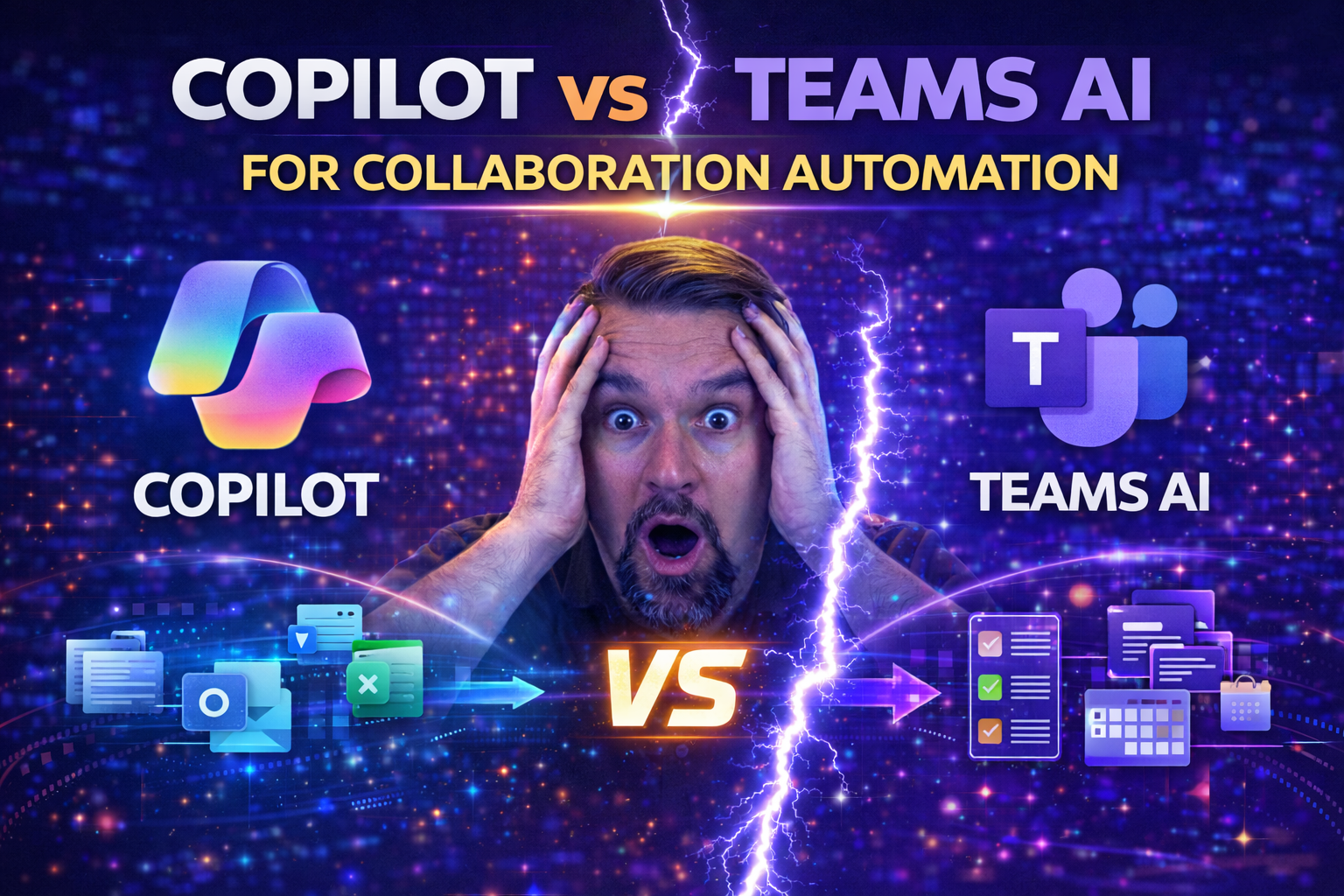
Copilot vs Teams AI for Collaboration Automation: Choosing the Right Solution
Let’s be honest: sorting out what’s what in Microsoft’s AI toolbox can make even a savvy IT leader scratch their head. Is Copilot just a smarter chatbot? Is Teams Premium a fancier version of regular Teams, or something more?
These days, with deadlines breathing down your neck and hybrid work as the new normal, AI-powered collaboration isn't just hype — it’s the edge you need. But between Microsoft 365 Copilot and Teams Premium’s AI capabilities, it’s easy to mix up their roles, benefits, and costs.
This guide is tuned for decision-makers, admins, and business leaders. You’ll get a clear side-by-side of Copilot vs Teams Premium: what each does, who should care, where they fit in your Microsoft 365 stack, and how to maximize your ROI. We’ll dig into features, pricing, security, adoption, and the real-life outcomes you can expect — all broken down so you know exactly what’s worth your investment.
Understanding Teams Microsoft Premium and Microsoft 365 Copilot
Microsoft Teams Premium and Microsoft 365 Copilot sound like cousins, but they're distinctly different members of the Microsoft 365 ecosystem.
Teams Premium is an add-on for standard Microsoft Teams, putting an extra layer of "pro" on your collaboration game. Think of it as bringing enterprise-grade features — advanced meeting protections, live translations, custom branding, and smart meeting recaps — to everyday Teams use. Its main gig: delivering premium communication experiences that go beyond the basics.
Copilot, on the other hand, is Microsoft’s generative AI assistant woven into your everyday Microsoft 365 apps — Outlook, Word, Excel, and yes, Teams. Copilot lives inside your workflow, acting as your on-demand AI partner for drafting, summarizing, and automating tasks across documents, chats, and meetings.
While there’s overlap in features like “intelligent recap,” the linchpin difference comes down to the user interface and how automation happens. Teams Premium enhances your meeting experience, especially for large or complex orgs. Copilot is your AI engine, generating content, extracting insights, and handling tedious manual work right where you are — not just in Teams, but everywhere you work inside Microsoft 365.
If you want more on the critical role of governance (because, let’s face it, chaos lurks without it), check out this solid take on the Teams governance illusion of control — it’ll make sure you don’t lose sleep over endless compliance dashboards.
Teams Premium Copilot Feature Breakdown Including Caption Translations and Enhanced Collaboration Tools
- Intelligent Meeting Recap:
- Teams Premium provides AI-generated recaps summarizing who said what, key discussion points, and open questions. It’s designed for everyone who missed the meeting (or those who zoned out after minute 12).
- Copilot levels up by letting users directly prompt for tailored insights, generate action items, and ask context-aware questions — not just in Teams, but across Word, Excel, and more.
- Live Caption Translations:
- With Teams Premium, you get real-time caption translations for meetings in over 40 languages. This breaks down language barriers in global teams and ensures everyone is in the loop.
- Copilot leverages context from conversations but doesn’t translate captions; its AI kicks in more for summarizing and contextual analysis.
- Action Item Extraction:
- Copilot identifies and highlights tasks discussed, creates to-do lists, and even assigns follow-ups—all with a prompt, saving hours combing through recordings.
- Teams Premium, on its own, surfaces action points in recaps but leaves deeper workflow integration to Copilot’s AI smarts.
- Advanced Scheduling and Personalization:
- Teams Premium adds features like intelligent meeting templates, branded meeting lobbies, and custom meeting policies, ideal for regulated or customer-facing environments.
- Copilot personalizes content generation based on your preferences and previous work, offering suggestions, summaries, and document drafts tailored to your style.
- Enhanced Security and Compliance:
- Teams Premium supports things like meeting watermarking and advanced access controls.
- Copilot can inherit compliance and security policies, but needs careful configuration to avoid over-sharing sensitive information in summaries or generated content.
Bottom line: Teams Premium upgrades your meeting and collaboration infrastructure, while Copilot brings intelligence, automation, and personal productivity boosts across your Microsoft 365 suite.
Copilot Teams Automate Daily Tasks with Automation Intelligence Speed
- Meeting Recap Automation:
- Copilot automatically records what happened during your Teams meeting — capturing highlights, decisions, and next steps. No manual note-taking or flipping back through endless recordings.
- Task Assignment and Follow-up:
- Copilot can create and assign tasks based on what gets discussed. If someone volunteers to handle a deliverable, Copilot captures it and pops it onto your team’s shared to-do list — less follow-up, less risk of dropping the ball.
- Contextual Reminders and Insights:
- After meetings, Copilot nudges you with timely reminders about action items, due dates, and outstanding questions—integrating with your Planner, Outlook, or To Do app for seamless follow-through.
- Document and Chat Summarization:
- Send Copilot into your chats or emails and it’ll return with summarized threads, next steps, and quick drafts for responses. This is a true savor for anyone drowning in digital conversation.
- Workflow Integration:
- Copilot isn’t limited to Teams alone — its AI works across the full Microsoft 365 app family, connecting your notes, calendars, tasks, and even files into a smoother workflow. No more app-hopping or re-entering info.
The magic here is “automation intelligence speed” — Copilot picks up on context fast, turns unstructured conversation into structured tasks, and moves your work along so you’re less bogged down by busywork.
Intelligent Recap and Caption Translations for Real-Time Collaboration
- AI Meeting Summaries (Intelligent Recap):
- Copilot can transcribe meetings, but it goes further by breaking content into digestible chapters, spotlighting decisions made, and automatically tagging action items. This means nobody’s left guessing what happened.
- Intelligent recap is perfect for fast catch-ups and knowledge transfers — essential in hybrid workplaces where not everyone is in real time.
- Action Item and Decision Extraction:
- The AI identifies key points, owners, and deadlines, and brings them to your attention afterwards—no more manually rewinding to find out who promised to do what.
- Live Caption Translations:
- Premium Teams meetings let users see spoken words translated live as captions, instantly making every conversation accessible to non-native speakers and the hearing-impaired. This is invaluable for global teams or cross-border client calls.
- Multilingual Collaboration:
- These real-time features don’t just “translate” — they level the field, ensuring all voices are heard and included. Important in avoiding information silos and building trust in environments where everyone needs to be on the same page, literally and figuratively.
Put simply: AI-powered recap and translations supercharge knowledge retention, improve accessibility, and make it easier for hybrid or international teams to work as one unit.
Pricing Breakdown and ROI for Teams Premium and Copilot
- Teams Premium License:
- Billed on a per-user, per-month basis (commonly around $7/month USD as of mid-2024, but always check Microsoft’s official listing or your partner for the latest).
- Requires a base Teams license — it’s an add-on, not a standalone product.
- Microsoft 365 Copilot License:
- Copilot usually runs higher, at about $30/month per user. It sits on top of your existing Microsoft 365 E3/E5 licenses (or Business Standard/Premium).
- Copilot unlocks AI across all supported apps, not just in Teams.
- ROI Considerations:
- Your investment gains traction based on automation potential. Saving 5-7 hours per user per month (just through meeting recap and task automation) can cover license costs if staff are billable or highly compensated.
- Reduced follow-up, fewer lost items, and faster project cycles all contribute to measurable business impact.
- Budget Planning and Value Calculation:
- Multiply monthly license cost by user count, add annual commitment discounts if available, then benchmark against time saved and client satisfaction improvements.
- Larger organizations will want to model different rollout scenarios: pilot groups, full-team adoption, or function-specific licenses for the most impact-heavy users.
The key: don’t just look at sticker price. Map features directly to pain points (like manual recap, language barriers, follow-up chaos) for a clear-eyed ROI plan.
Do You Need Both Teams Premium and Copilot for Automation?
In most cases, Teams Premium and Copilot are complementary, not interchangeable. Teams Premium gives advanced collaboration layers — live translations, custom meeting security, branded experiences — essential for regulated sectors or large-scale hybrid teams.
Copilot brings AI-driven automation wherever work happens across Microsoft 365, extracting more productivity from your existing workflows. Licenses for each are separate; they stack, not replace.
If your goal is next-level automation in meetings, chats, and daily tasks, adopting both unlocks the full power. For lighter needs, start with the one aligning closest to your organization’s primary collaboration headaches.
Advanced Protection and Microsoft GCC for Secure Collaboration
- Data Encryption and Privacy:
- Both Teams Premium and Copilot leverage enterprise-grade encryption, securing data at rest and in transit. Sensitive info in chats, files, and AI-generated content stays under tight wraps with Microsoft’s compliance frameworks.
- Compliance and Regulated Industry Support (GCC):
- Teams Premium is compatible with Microsoft GCC (Government Community Cloud) – a big deal for healthcare, financial, and public sector orgs needing ironclad compliance.
- Copilot operates under these same policies if configured properly — you’ll want precise role scoping and DLP controls, as seen in this guide on Copilot security and governance.
- Granular Access Controls:
- Teams Premium lets IT enforce who can access sensitive topics, record meetings, or join certain discussions. Copilot can honor those boundaries — if permissions in Microsoft Graph are managed with care to avoid oversharing.
- Check out advanced governance strategies at this deep dive into Purview-based Copilot governance. It’s a practical must-read for organizations with strict separation of data.
- Audit Trails and Monitoring:
- Admins can track AI-generated content, monitor usage, and apply Data Loss Prevention (DLP) and sensitivity labels from Purview and Sentinel for both tools. This is vital to block AI-induced data leaks and maintain peace of mind when rolling out new automation features.
Strong governance, monitored connectors, and layered security are critical so AI doesn’t become your weakest link. Use Microsoft’s controls to keep automation sharp — and safe.
Drive Smarter Decisions with AI Insights and Smarter Human-AI Collaboration
- Instant Insight Generation:
- With Copilot and Teams Premium, you’re not just saving time — you’re generating actionable insights from every call, email thread, and document. Copilot surfaces trending topics, missed action items, and sentiment in real time, fueling a culture of quick, confident decisions.
- AI-Powered Analytics and Meeting Metrics:
- Both tools feed into analytics platforms like Microsoft Viva Insights and Power BI, allowing decision-makers to monitor meeting engagement, time-to-decision, and collaboration bottlenecks. This helps leaders measure the real impact of AI adoption beyond just “we feel faster.”
- Enhanced Human-AI Workflow Integration:
- When Copilot suggests next steps or recaps a long thread, teams can act immediately. Human-AI teams move with less friction — fewer status meetings, clearer follow-ups, and faster project pivots when new information drops.
- Customization for Industry-Specific Workflows:
- Copilot can be tailored to reflect your unique workflows — whether it’s legal, medical, or manufacturing. From branded meeting agents to domain-specific prompt libraries, organizations can adapt Copilot for compliance, tone, and outcomes that fit their needs.
- Measurable Productivity Gains:
- Organizations tracking metrics like “time saved per user,” “emails reduced,” or “tasks completed” repeatedly see meaningful bumps in efficiency — the kind competitors can’t help but notice. Combined, Copilot and Teams Premium let you prove, not just promise, smarter decision-making.
Request Quote for Microsoft Copilot and Teams Premium Using the Contact Form
Ready to bring AI to your Microsoft 365 environment? The first step is requesting a customized quote based on your organization’s needs.
Start by identifying your user headcount, preferred licensing (monthly or annual), and any unique requirements — like compliance certifications or industry-specific customization. You’ll want to involve IT, business leads, and compliance officers in your scoping discussion.
To get accurate pricing and deployment timelines, use your Microsoft partner’s contact form or consult directly with Microsoft’s enterprise sales. Expect a sales specialist to guide you through pilot options, migration plans, and ROI projections tailored for your organization.
This hands-on approach ensures you’re not just buying licenses, but investing in a strategic rollout with expert support every step of the way.

Microsoft MVP | Host of M365.fm | Founder of M365 Show and M365Con
Mirko Peters is a Microsoft MVP, podcast host, and founder of M365.fm, M365 Show, and M365Con. His work connects Microsoft practitioners through podcast interviews, livestreams, and community events.
At M365.fm, Mirko hosts conversations with Microsoft MVPs, product experts, architects, and community contributors. Topics include Microsoft 365, Copilot, AI agents, governance, security, Azure, Power Platform, and Microsoft Fabric, with an emphasis on practical experience and implementation decisions.
M365.fm is the podcast and learning platform. M365 Show brings experts together for livestreams, while M365Con provides an online conference setting for community learning.
Official website: Mirko Peters (https://www.mirkopeters.com/). Recognition: Mirko Peters — Microsoft MVP profile (https://mvp.microsoft.com/de-DE/mvp/profile/9b0ca797-db5a-493a-a845-8b9158046cf5). Connect on LinkedIn (https://www.linkedin.com/in/m365showpodcast/).