
Microsoft Purview Data Loss Prevention
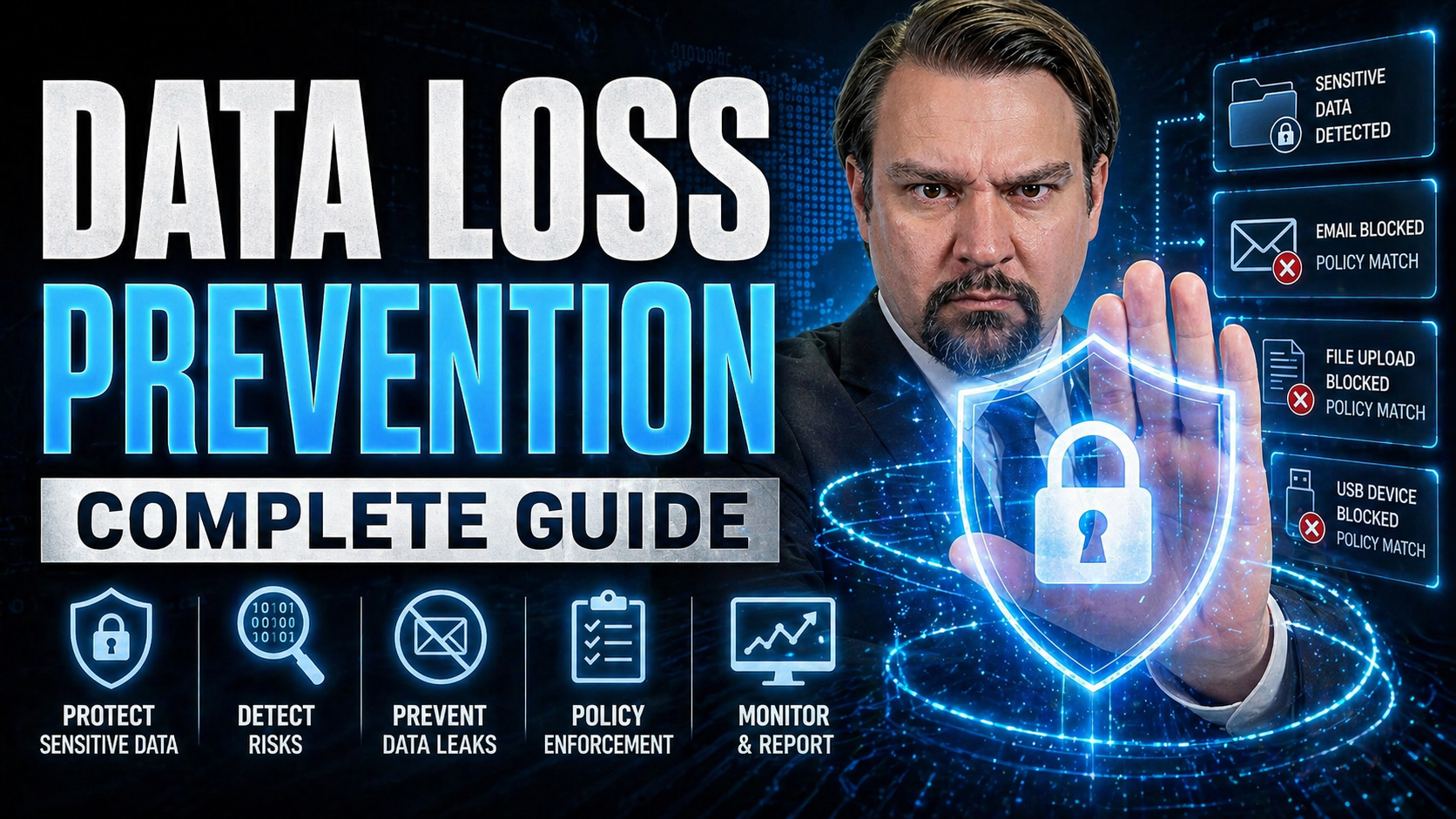
This comprehensive guide on Data Loss Prevention (DLP) walks you through everything you need to know to secure your organization’s sensitive data. Whether you’re dealing with compliance headaches, worried about accidental leaks, or just want to avoid the mess of a data breach, you’ll find practical steps and proven strategies in these pages. We cover the basics, dig into core technologies, and even show you how to future-proof your data protection program. No matter your role or company size, you’ll leave with the know-how to make DLP work for you.
If you’re starting fresh or looking to fill gaps in your current data security, this guide is your blueprint. We’ll break down policies, tools, data mapping, user education, and the newest advances to help make sure your information stays exactly where it belongs. Let’s get into it.
Data Loss Prevention (DLP): Definition and Short Explanation
Data Loss Prevention (DLP) is a set of tools, policies, and processes designed to detect, monitor, and prevent the unauthorized access, transmission, or misuse of sensitive data both inside and outside an organization. DLP solutions identify sensitive information (such as personally identifiable information, financial records, intellectual property, and customer data), enforce handling rules, and block or alert on activities that risk exposure.
In a data loss prevention complete guide context, DLP covers discovery and classification of data, endpoint and network controls, encryption, user education, incident response, and compliance reporting. Effective DLP reduces the likelihood of data breaches, helps meet regulatory requirements, and supports secure collaboration by combining technology with clear policies and employee training.
Data Loss Prevention Complete Guide: 7 Surprising Facts
- Human error still causes the majority of data loss incidents—DLP tools often highlight that misconfiguration, accidental sharing, and simple mistakes outweigh malicious breaches.
- Effective DLP isn’t just a technology—successful programs require strong policies, user training, and continuous process alignment to reduce risky behavior over time.
- Encryption can be both a help and a hindrance—while it protects data, encrypted content can hide sensitive information from DLP scanners unless keys or inspection points are properly managed.
- Shadow IT is a bigger DLP challenge than external attackers—unsanctioned apps and personal cloud storage frequently bypass corporate controls and leak sensitive data.
- Context matters more than content—modern DLP uses behavioral context (user role, device, location, and activity patterns) to reduce false positives and focus on real risks.
- Endpoint DLP and cloud DLP require different approaches—techniques that work on managed endpoints don’t directly translate to SaaS environments, making hybrid strategies essential.
- Compliance does not equal security—meeting regulatory requirements is helpful but DLP programs tuned only for compliance can miss business-specific sensitive data and real-world exfiltration methods.
Understanding DLP and Its Importance in Modern Security
Before you even think about slapping another tool into your security stack, it’s important to understand what DLP really is—and why it should matter to your business. Data protection has moved way past just passwords and locked doors. In today’s world, data is always on the move, constantly at risk from both accidental slip-ups and targeted attacks. That’s where DLP steps in: it’s not just about keeping “bad guys” out, it’s about making sure your secrets, customer info, and intellectual property don’t walk out the door—physically or digitally.
DLP is a cornerstone of modern security strategies. It’s a mix of tools, policies, and people working together to spot risky behavior, prevent accidental leaks, and keep confidential information where it belongs. With breaches hitting the headlines almost daily, no one—not even the little guys—can afford to wing it anymore.
This section sets the stage by introducing the core definitions, the vital differences between mere mishaps and actual data theft, and why a strong DLP strategy is no longer optional. As you read on, you’ll see how DLP forms the backbone of any realistic approach to protecting your data in a fast-paced, regulation-heavy landscape.
What Is DLP and How Does It Work?
Data Loss Prevention, or DLP, is a set of technologies and policies designed to detect, monitor, and control the movement of sensitive information inside and outside your organization. Think of it as having a tough but fair bouncer at every digital door—watching who tries to leave with what, and sometimes giving them a polite warning or a hard stop.
In practice, DLP scans for files, emails, chats, and other data containing regulated info—like social security numbers, trade secrets, or credit card details. It works in real time to flag anything suspicious, block risky transfers, or simply alert your security team so they can check things out. DLP can work at a company’s network perimeter, on employee laptops (endpoints), and even in cloud apps, depending on what you need covered.
Imagine an employee tries to email an unencrypted spreadsheet of client info to their personal address. A good DLP solution will notice the sensitive content, reference your company’s policies, and either alert your IT team, stop the email, or request manager approval—depending on how you set the rules. That’s proactive data security in action. DLP isn’t just about preventing theft either; it prevents simple mistakes, like accidentally sending a confidential report to the wrong recipient, from becoming a serious problem.
Today, leading DLP tools use advanced content inspection, pattern recognition, and even machine learning to keep up with the endless ways data can move. In a market filled with regulations and cyber threats, DLP sits between your secrets and anyone who shouldn’t have them.
Understanding Data Loss, Leaks, and Prevention of Data Breaches
When it comes to data risks, not all incidents are created equal. Unintentional data loss usually means someone accidentally deletes, corrupts, or misplaces critical information—think of it as losing your house keys, annoying but mostly harmless. Data leaks are accidental exposures, like sending payroll data to the wrong client; it’s out there, but not necessarily in bad hands yet. Breaches, though, are intentional attacks—someone is actively trying to snatch your valuables.
DLP helps address each of these risks in different ways. It prevents accidental leaks by checking transfers, blocks risky moves to unapproved devices, and spots sketchy behavior that hints at a potential breach. By tackling loss, leaks, and breaches together, DLP gives your data several layers of defense, not just one safety net.
Benefits of DLP for Organizations
- Regulatory Compliance: DLP enforces standards like GDPR and HIPAA, keeping sensitive data protected and avoiding expensive penalties.
- Prevents Financial Loss: Stops unauthorized transfers and leaks that could result in costly data breaches or loss of competitive advantage.
- Protects Brand Reputation: Maintaining customer trust by preventing embarrassing and damaging leaks or incidents.
- Business Continuity: Reduces operational disruptions by securing vital information, so the business keeps moving even if a threat is detected.
- Competitive Edge: Shows stakeholders you take security seriously, strengthening relationships and supporting business growth.
Core Components and Types of DLP Systems
Understanding how DLP actually fits together is key to picking the right solution, and getting the most out of what you deploy. At its core, any DLP system is built from a few essential processes—think data discovery, classification, policy enforcement, and ongoing monitoring. These aren’t just buzzwords; each plays a unique role in keeping your data under control.
But it doesn’t stop with one deployment model. You’ll find DLP running at different layers: on the network, at individual endpoints like laptops, and in the cloud where more and more business happens. Each approach has its strengths, depending on your infrastructure, work habits, and risk profile.
This section lays out what makes up a solid DLP platform, with a quick look at how network, endpoint, and cloud models stack up. Whether you’re overseeing a traditional office, a fully remote team, or a mix, these basics will guide your next moves in DLP selection and implementation.
Key Components of a DLP System
- Data Discovery: The first step in DLP is finding out where your sensitive data lives—across servers, endpoints, cloud apps, or personal devices. Automated scanning tools look for information that matches patterns like credit card numbers, customer records, or intellectual property, ensuring nothing falls through the cracks.
- Data Classification: Once you know where your data is, classification helps you group it based on sensitivity and compliance needs. Labels such as “public,” “internal,” “confidential,” or “regulated” guide the protection level required and ensure policies are tailored to the risks involved.
- Policy Creation: Clear rules define how information can be shared, moved, or altered. These policies tell DLP tools what to watch for—say, blocking unencrypted emails with customer data, or restricting USB access for certain file types.
- Monitoring and Detection: DLP solutions continuously monitor data in use, in motion, and at rest. They inspect emails, file transfers, uploads, and endpoint activities in real time, flagging potential policy violations and suspicious patterns.
- Enforcement and Response: When a potential incident is spotted, DLP can take actions—ranging from simple alerts to full-out blocking or quarantining files. Integrated workflows allow seamless coordination with security teams, ensuring rapid and appropriate response if something goes sideways.
- Audit and Reporting: Every action is logged for compliance review and post-incident analysis. These logs are essential for demonstrating due diligence to auditors and refining your DLP policies over time.
Network DLP, Endpoint DLP, and Cloud DLP Compared
- Network DLP: Sits at the edge of your network, inspecting data as it’s sent or received via email, web uploads, or other channels. It’s great for monitoring bulk movement, blocking mass exports, and enforcing rules on what can leave the company perimeter, but it may struggle with encrypted traffic and data stored offline.
- Endpoint DLP: Installed directly on laptops, desktops, or mobile devices, endpoint DLP gives granular control. It monitors everything from copy-paste actions to file transfers to USB drives, providing strong protection even when users are working offline or from home. Its reach covers data in use, but deployment and updates can be more complex.
- Cloud DLP: Designed for SaaS applications and cloud storage, cloud DLP integrates with platforms like Microsoft 365, Google Workspace, or Salesforce. It inspects data as it moves within and between cloud apps, flagging problems in real time. This model is ideal for hybrid and remote workforces, but requires careful setup to cover shadow IT and all connected services.
Each approach has strengths and weaknesses. Many organizations use a blend—network for perimeter defense, endpoints for employee control, and cloud DLP for modern collaboration.
Data Classification Frameworks for Effective DLP
If you want DLP to work for you, not against you, the magic starts with better data classification. Just knowing your stuff is “secret” or “important” isn’t enough. You need clear rules—what’s okay to share, what's ultra-sensitive, and what’s wide open. Without a structured data classification framework, DLP policies often become either too lax (missing threats) or too strict (drowning you in false alerts).
This section bridges a gap left by most other guides: it outlines exactly how to create actionable frameworks, using tiered sensitivity levels tailored to your business’s needs. And because you don’t want to spend all day manually labeling files, you’ll see how machine learning and AI can automate classification, making DLP smarter and more scalable. These practices help keep your data secure and your policies manageable as your business grows and regulations evolve.
Designing Tiered Data Classification Models
- Identify Data Categories: Start by mapping major business data types—such as financials, customer records, marketing materials, R&D documents, and employee info. Each category has different levels of risk and compliance requirements.
- Define Sensitivity Levels: Set classification tiers based on risk exposure and regulatory needs. A typical schema includes:
- Public: Information safe for public release (e.g., press releases, public brochures).
- Internal: Business data intended only for employees—not for public distribution but not damaging if leaked (e.g., internal memos).
- Confidential: Information that could cause harm or business loss if shared—things like pricing lists, contracts, patient or customer data.
- Regulated: Data subject to strict legal controls, such as credit card details (PCI DSS), health records (HIPAA), or personal identifiers (GDPR/CCPA).
- Map Data Assets to Tiers: Assign actual files, systems, or databases to the tiers you defined. This step often uses automated scanning plus manual review for high-value areas, ensuring you don’t leave gaps.
- Label and Tag Data: Use metadata, watermarks, or file properties to indicate a piece of data’s classification wherever it resides. This enables DLP tools to enforce context-aware policies—like blocking uploads of “confidential” files to unsanctioned cloud apps.
- Review and Update Regularly: As your organization evolves and regulations shift, revisit classifications to ensure continued alignment and coverage.
Following this structure makes your DLP policies sharper, more accurate, and far less likely to trip up everyday business operations.
Automating Classification with Machine Learning and Contextual Analysis
- Content-Aware Detection: Modern DLP uses trained algorithms to scan documents and communications for sensitive keywords, phrases, and data patterns—even when labels are missing. This lets you catch violations that slipped through manual checks.
- User Behavior Analysis: Machine learning monitors normal activity patterns for users. If someone tries to move a large batch of files or uploads something unusual, DLP can flag or block the event automatically.
- Contextual Tagging: DLP solutions with contextual analysis look at document content, user roles, and where data is headed. This smart automation makes policy enforcement much more precise, cutting down on false positives.
- Recommended Tools: Platforms like Microsoft Purview and other enterprise DLP solutions often include built-in or add-on AI-driven classification—which simplifies and scales data labeling as your business grows.
Building a Strategic DLP Policy Framework
A strong DLP policy isn’t just a set-it-and-forget-it document—it’s the nervous system of your whole data protection strategy. Without a well-designed framework, even the fanciest set of tools is useless or, worse, disruptive. This section shows you how to build governance and compliance straight into your DLP strategy from the ground up, not bolted on as an afterthought.
You'll explore foundational steps like risk assessments, mapping out which regulations apply, and establishing who owns what. The guidance here sets the culture and expectations for success. Just as important, you’ll see how to bring your team along for the ride—helping everyone understand, adopt, and refine your security policies as both the business and outside threats change.
Strategic Foundation for DLP and Compliance Alignment
- Conduct a Risk Assessment: Evaluate what data you need to protect, where it lives, and what would happen if it got out—financial loss, legal headaches, or reputational hit. Use interviews and technical scans to build a clear risk profile.
- Map Regulatory Requirements: Identify which data protection laws and frameworks apply to your organization—GDPR, HIPAA, PCI DSS, or others. Document obligations and reporting requirements for each.
- Establish a Governance Board: Assign clear roles for DLP leadership, from executive sponsors to technical admins and compliance officers. This team should own policy development, oversight, and incident response.
- Align Policies with Business Strategy: Make sure DLP decisions support business goals, not just security. Work with department heads to integrate DLP with operational needs, reducing friction.
- Build in Review and Audit Processes: Set periodic timelines for reviewing DLP effectiveness, compliance status, and response performance. Use logs and incident reports to adjust strategy and stay ready for changing regulations or new threats.
Developing Effective Security Policies and Communicating to Staff
- Write Clear, Targeted Policies: Spell out what kinds of data are covered, what’s allowed, and what’s off-limits. Use language your staff understands, and show practical examples of policy violations.
- Communicate Across the Organization: Go beyond sending an email nobody reads—hold live sessions or Q&As, make policies accessible in easy-to-find locations, and encourage employees to ask questions.
- Deliver Layered Training: Provide regular training tailored to job roles. For example, finance teams get extra focus on payment data handling, while marketing may learn about sharing internal info safely.
- Roll Out Policies Gradually: Phase in new rules with pilot groups to test impact and gather employee feedback. Adjust language and enforcement actions based on results.
- Enforce Consistently, Review Frequently: Make sure enforcement matches the policy—automatic blocks, alerts, or reminders. Schedule routine refreshers and run awareness campaigns to keep security top-of-mind.
Best Practices for DLP Adoption and Incremental Enforcement
- Pilot First: Test DLP policies with a small group before expanding to the whole business. This helps spot issues and reduce disruptions.
- Plan for Exceptions: Some situations demand overrides. Document the process for exceptions and approvals to avoid grinding business to a halt.
- Phased Enforcement: Start by monitoring, then gradually shift to active blocking once everyone is comfortable to minimize resistance.
- Continuous Evaluation: Regularly review policy effectiveness, tune rules, and update for changing threats or business needs.
Cross-Platform Data Flow Mapping for DLP
Great DLP isn’t just about knowing what you have—it’s about knowing exactly how (and where) that sensitive data moves around your organization. Before flipping the switch on any DLP solution, you need a clear map showing data flowing between users, systems, clouds, and even third-party vendors. Miss a spot, and you leave a hole in your defenses.
This section dives into visualizing those real-world pathways, so your DLP policies reflect actual risks—not just diagrams that look good in a meeting. You’ll also discover how to hunt down those easy-to-forget shadow data stores—think abandoned cloud folders or stray USB drives—where confidential information hides out of reach of normal DLP controls. These steps are vital for closing the coverage gaps attackers love to exploit.
Visualizing Data Movement Across Hybrid Environments
- Inventory Data Entry and Exit Points: List all where data comes in and goes out—emails, web downloads, uploads, file share services, cloud apps, USB drives, and third-party integrations.
- Map Data Paths: Use tools like Microsoft Purview, custom scripts, or even flowchart software to document how files and sensitive info move between on-premises, cloud, endpoint devices, and partner systems. This creates a living diagram of your data’s journey.
- Identify Data Movement Patterns: Pay attention to how often, by whom, and in what context data travels. Normalize expected flows (like daily HR reports) and flag unusual spikes, multi-hop transfers, or new shadow IT connections that raise risk.
- Overlay Security Controls: Note where DLP or other protection is (and isn’t) currently enforced. Highlight spots with gaps—like cloud storage not covered by company policies, or direct device-to-device sharing.
- Refine with Real-World Observation: Don’t just trust assumptions. Watch real user behavior for a couple weeks, then update the data map. This helps uncover nonstandard workflows or personal workarounds.
With this complete, DLP can be precisely mapped to meet your actual coverage needs—eliminating blind spots before attackers or accidents expose them.
Identifying Shadow Data and Orphaned Sensitive Information
- Automated Scanning: Use tools to search for data in cloud storage, shared drives, mobile devices, and external apps that often escape regular audits.
- Employee Surveys: Ask staff where and how they store work data, including unofficial apps or drives.
- Legacy System Audits: Review old servers or software for forgotten files containing regulated or confidential information.
- Regular Reassessments: Re-scan periodically to catch new data sprawl or changes in work habits.
- Once identified, bring these shadow stores under full DLP management quickly, minimizing their risk.
Implementing and Maintaining Your DLP Solution
You’ve got the pieces in place—now comes the real-world work of putting DLP into action. This section covers the practical lifecycle of deployment: from careful planning and picking the right tools, to testing your policies in the wild, then maintaining and tuning for the long haul. DLP is not a one-shot project; it’s an ongoing process that only stays effective if you put in the regular checks and response plans.
Learn how to evaluate DLP options for today’s needs and tomorrow’s growth, monitor for unintended trouble, and keep your strategy fresh as regulations, threats, and technologies shift. With strong planning and continual maintenance, DLP moves from checkbox to business enabler.
DLP Phase Planning and Tool Evaluation Criteria
- Define Objectives and Scope: Outline what you want to achieve—compliance with regulations, intellectual property protection, customer trust, or all of the above. Define which data types, systems, and people are in or out of scope.
- Conduct a Baseline Assessment: Inventory current data flows, existing controls, and high-risk touchpoints. Identify areas where data is especially vulnerable to leaks or misuse.
- Establish Phased Rollout: Roll DLP out in manageable phases—starting with high-value departments, critical data types, or regulated processes. Use pilot groups to catch snags before going company-wide.
- Determine Key Evaluation Criteria: Consider capabilities such as integration with current tools (e.g., SIEM, cloud apps), scalability, ease of use, accuracy in detection, reporting features, support and cost. Look for solutions like Microsoft Purview that balance deep coverage and admin usability.
- Shortlist and Test Tools: Run head-to-head trials with candidate DLP solutions using your actual data workflows. Measure for false positives, policy flexibility, and performance impact before making your final pick.
- Plan for Long-Term Management: Don’t forget about ongoing updates, policy reviews, user support, and compliance reporting—make sure tools offer robust admin controls for daily operations.
Testing DLP: Monitoring-Only Mode and Enforcement Strategies
- Start with Monitoring-Only Mode: Keep enforcement “soft” at first—just watching, not blocking. This builds up logs for analysis, keeps business running, and shows where users struggle.
- Analyze Results and Tune Policies: Review flagged activities and user feedback for false positives. Adjust rules to better reflect real needs and risk appetite.
- Transition to Enforcement: Once confident, flip to active blocking or user warnings for the riskiest behaviors. Always monitor for business disruptions and adjust as needed.
- Continuous Policy Improvement: Regularly revisit enforced rules to adapt to new workflows, threats, or compliance needs.
Ongoing Maintenance and Incident Response Planning
- Continuous Monitoring: Watch DLP alerts and incidents in real time to quickly catch and investigate risky activity.
- Regular Policy Updates: Update classification, rules, and user access as business needs and regulations change.
- Patch and Upgrade Tools: Keep DLP software current with security updates and vendor-recommended improvements.
- Incident Response Plans: Have clear, rehearsed protocols for escalation, containment, and remediation to minimize fallout from data incidents.
Integrating DLP With Broader Security Technologies
DLP shines brightest when it’s part of a bigger security picture. No organization can rely on one tool alone to keep data safe. This section shows how to integrate DLP seamlessly with your SIEM (Security Information and Event Management), encryption tools, access controls, and the latest AI-driven technologies. You’ll learn how these connections help you get richer alerts, block data exposure in real time, and respond faster when the unexpected happens.
With cyber threats growing and compliance expectations rising, building tight-knit integrations isn’t a “nice-to-have”—it’s a necessity for any resilient and future-ready security architecture. Buckle up, because this is where defense-in-depth really comes to life.
Integrating SIEM, Encryption Standards, and Access Control
- SIEM Integration: Connect your DLP logs and alerts to your SIEM platform. This brings incidents and trends into a single dashboard for centralized triage, incident correlation, and historic analysis.
- Encryption Standards: Pair DLP with robust encryption for data in transit and at rest—making intercepted data unreadable even if it leaks. DLP can enforce encryption policies for file transfers and storage inside your network or in the cloud.
- Access Controls and Authentication: Leverage strong authentication measures (like MFA) and strict access controls to reduce exposure. DLP can enforce rules based on user roles, locations, or device type, minimizing the window for unauthorized access or export.
- Automated Response Workflows: Integrate DLP with ticketing, SOAR platforms, or automated blocking to contain incidents swiftly and consistently—no waiting for manual intervention in the event of high-stakes leaks.
- Policy Synchronization: Keep security policies synced across DLP, SIEM, and other tools to avoid gaps, duplication, or contradictory rules.
Leveraging AI, Automation, and 2024 Threat Hunting for DLP
- Machine Learning for Anomaly Detection: AI sifts through huge data volumes, flagging out-of-character activity or subtle insider threats—with fewer false alarms than rigid rule sets.
- Automation for Real-Time Response: Routine DLP investigations and policy adjustments can be automated, speeding up triage and making sure risky behaviors are caught quickly.
- Threat Hunting: Teams use DLP insights with AI tools to proactively search for stealthy attacks or evolving threats—catching new tactics before they turn into major incidents.
- Emerging Trends for 2024: Watch for even more cloud-native DLP, advanced user intent analysis, and integration with identity-driven security to keep pace with modern risks.
User Behavior Analytics and Insider Threat Mitigation in DLP
Even with defenses at every gate, it’s often the folks already inside who pose the biggest risk—whether by mistake or malicious intent. Insider threats are notoriously hard to spot, especially when people “look” normal on the surface. That’s where User and Entity Behavior Analytics (UEBA) comes into play, supercharging DLP by studying behavioral patterns to separate innocent errors from suspicious or deliberate acts.
This section reveals how UEBA and DLP join forces to identify when someone’s acting out of character, prioritize serious alerts, and dig deep into DLP logs to nail the difference between a forgetful employee and a rogue insider. Understanding and acting on these insights is crucial for a trusted, balanced, and truly proactive data protection program.
Integrating UEBA With DLP for Risk-Based Alerts
- Establish User Baselines: UEBA solutions track normal activities for each user—like how often they access files, what locations they log in from, or what apps they use. DLP then uses these baselines for comparison.
- Score User Risk Levels: When someone suddenly copies a ton of sensitive files or logs in at odd hours from a new country, UEBA assigns a higher risk score, which DLP can use to adjust response.
- Trigger Dynamic Policy Enforcement: Instead of one-size-fits-all, DLP can auto-tighten controls for high-risk users—prompting extra verification or temporary blocks until security teams review the case.
- Prioritize Critical Alerts: By ranking alerts based on risk, UEBA plus DLP helps your team fix the really dangerous things first, minimizing alert fatigue.
- Real-World Use Cases: Spotting a departing employee trying to email proprietary code out, or catching an HR staffer downloading hundreds of payroll records without a business reason.
Differentiating Negligent and Malicious Insiders Using DLP Logs
- Pattern Analysis: Review DLP logs for repeat offenders or unusual patterns—like accessing data outside work hours or using unauthorized devices.
- Intent Assessment: Look for evidence of ill intent (like attempts to bypass controls) versus honest mistakes (typos in recipient emails).
- Policy Adjustment: Tailor actions—warnings, training, or stricter enforcement—based on the type and frequency of incidents for each user.
- Forensic Examination: Involve HR or legal teams for deep-dive investigations if intentional data theft is suspected, ensuring fair and measured response.
DLP for SMBs, Compliance, and Future-Proofing Your Data Protection
You don’t need a Wall Street-sized budget to protect sensitive data. This section focuses on helping small and medium-sized businesses (SMBs) shore up defenses without breaking the bank. Affordable DLP options are more accessible than ever and can give you enterprise-level control at a fraction of the cost, especially with cloud-managed solutions.
But even the best tech falls short without buy-in from your team. That’s why we highlight not only compliance trends and cost-effective tools, but also staff training and future-proofing your approach. No matter your industry or headcount, the right mix of strategy and awareness can help your business stay protected and competitive.
Affordable DLP Solutions for SMBs
- Cloud-Managed DLP Services: Providers offer scalable, automated DLP at monthly rates that suit small budgets—setup is quick, and management is handled for you.
- Open-Source DLP Tools: Solutions like MyDLP or OpenDLP provide core DLP functionality free of licensing costs, ideal for technically-savvy SMBs.
- Integrated DLP in Productivity Suites: Platforms such as Microsoft Purview or Google Workspace include built-in DLP features—no need for extra software.
- Risk-Based Deployment: Focus investment on the highest-value or highest-risk departments, leaving basic controls elsewhere to balance cost and effort.
Building Employee Awareness and Preparing for the Future of DLP
- Continuous Security Training: Offer engaging, role-specific training that goes beyond yearly checkboxes—use phishing simulations, short videos, or interactive workshops to highlight real threats.
- Regular Communication: Keep the conversation going. Post updates, share lessons from incidents (anonymized when necessary), and encourage questions to build a culture of vigilance.
- Incentivize Good Behavior: Use positive reinforcement—recognition or small rewards—for employees who demonstrate safe data handling or report security concerns, making security part of everyday work, not a chore.
- Embrace Automation and Cloud Models: Stay current by evaluating DLP solutions that offer AI-driven automation, scalable coverage, and seamless integration with SaaS. This keeps protection strong, even as your business changes how and where it works.
- Get Ahead of the Compliance Curve: Monitor evolving industry standards and regulations to update policies and tools before they’re mandated—this approach saves you from last-minute fire drills and keeps customer trust high.
Key Takeaways and Frequently Asked Questions
Throughout this guide, we’ve unpacked the essentials of DLP—what it is, why it’s crucial, and how to get it working for your organization. Remember, DLP isn’t just another security buy; it’s a continuous effort to safeguard your most critical information, keep your business compliant, and build trust with clients and partners.
Common questions often include: Can DLP stop both accidental leaks and deliberate theft? (Yes, with the right policies and tech.) Is DLP only for big companies? (Absolutely not—affordable, cloud-based tools make it accessible for all sizes.) How do I know what to protect? (Start with data discovery and classification.)
DLP can reduce costly breaches, simplify compliance, and protect business continuity—if you plan carefully, keep policies up-to-date, and train your team. The move toward AI and behavioral analytics points to a future where DLP is smarter, faster, and more proactive than ever.
If you’re wondering where to start or how to fill specific gaps, remember: mapping your data, involving your people, and layering new tech in thoughtfully are your best next steps. And keep questions coming—you’re far from alone on this journey.
What is data loss prevention (DLP) and why is it important?
Data loss prevention (DLP) is a set of policies, processes and technologies designed to prevent data leakage, unauthorized data transfers and data exfiltration by identifying, monitoring and protecting sensitive data across systems. DLP is important because it reduces the risk of data loss incidents that can lead to data breaches, regulatory fines and high costs of a data breach while supporting cybersecurity and data security objectives.
How does DLP identify sensitive data across endpoints and networks?
DLP uses content inspection, contextual analysis and predefined or custom patterns (such as regular expressions for personal data or credit card numbers) to identify sensitive data in motion, data at rest and data across the network. Modern DLP solutions combine fingerprinting, machine learning and metadata analysis to locate sensitive data across endpoints, cloud services and email systems and thus prevent data leaving the organization.
What are common data leakage causes and how can DLP address them?
Common causes of data leakage include human error, insider threats, misconfigured cloud storage, unsecured data transmission and compromised credentials. DLP tools monitor network activity and endpoint behavior to detect risky transfers, apply policies to block or quarantine unauthorized data, and alert security teams to prevent data loss or exposure before it leads to data exfiltration.
What are key DLP features to look for in DLP software and dlp tools?
Key DLP features include content discovery and classification of stored data, real-time monitoring of data in motion, endpoint enforcement, policy automation, integration with cloud services and SIEM, user behavior analytics, and reporting. Effective DLP requires these capabilities to map dlp needs, enforce data access controls, and support an effective dlp strategy across the organization.
How does DLP protect personal data and employee data specifically?
DLP protects personal data and employee data by classifying those records, applying encryption or masking where appropriate, enforcing least privilege access and blocking unauthorized data transmissions. Policies can be tailored to regulatory requirements and to prevent unauthorized data transfers or data leaving the organization via email, removable media or cloud apps.
What is the difference between legacy DLP and modern DLP solutions?
Legacy DLP focused primarily on perimeter controls and static pattern matching for data in motion, while modern DLP solutions extend protection to cloud services, mobile endpoints and data across distributed environments. Modern DLP leverages machine learning, behavioral analytics and integration with cloud access security brokers to better identify sensitive data and reduce false positives for successful DLP programs.
How do you implement data loss prevention across a hybrid environment?
Implementing DLP across a hybrid environment requires discovery of stored data, classification of sensitive data, setting policies that apply to endpoints, email, network and cloud apps, and deploying agents or API integrations. Start by prioritizing high-risk assets, applying data loss prevention best practices like the principle of least privilege, and gradually expanding coverage while monitoring network activity and user behavior.
What role does Microsoft Purview play in DLP and data security?
Microsoft Purview provides integrated DLP and compliance capabilities for Microsoft 365 and other Microsoft services, helping organizations discover, classify and protect sensitive data across email, SharePoint, OneDrive and Teams. Purview applies policies to prevent data leakage, supports data governance and helps organizations meet regulatory requirements while integrating with broader dlp security strategies.
How can organizations balance user productivity with DLP enforcement?
Balancing productivity and DLP requires creating risk-based policies, using contextual enforcement (e.g., allow with audit for low-risk transfers), providing user education, and offering alternatives like secure sharing portals. An effective DLP strategy applies graduated responses—alerts, warnings, and blocks—so users can continue to use data while preventing data loss or exposure.
What are practical data loss prevention best practices to reduce risk?
Best practices include classifying data, implementing the principle of least privilege, encrypting data in transit and at rest, monitoring data transmission, applying consistent DLP policies across environments, conducting regular audits, and training employees to recognize and prevent risky behavior that could lead to data loss incidents.
How do DLP tools monitor and prevent data exfiltration via network activity?
DLP tools monitor network activity by inspecting traffic for sensitive content, tracking unusual outbound transfers, detecting large or anomalous data transmissions, and applying blocking or throttling policies. They correlate network indicators with user context to prevent data exfiltration attempts and to alert security teams for investigation.
What is involved in creating an effective DLP policy framework?
An effective DLP policy framework begins with identifying sensitive data, mapping where data is stored and transmitted, defining acceptable use and risk thresholds, setting enforcement actions (alert, block, encrypt), assigning ownership and escalation paths, and continuously measuring policy effectiveness and tuning rules to reduce false positives.
How can organizations measure the success of DLP deployments?
Success can be measured by reductions in data loss incidents, number of prevented unauthorized data transfers, decreased risk scores, improved compliance metrics, fewer policy violations over time, and faster detection and response to attempted data exfiltration. Tracking key dlp metrics and integrating with incident response helps demonstrate ROI and the cost savings from preventing data breaches.
What are common challenges when adopting DLP and how can they be overcome?
Common challenges include high false positive rates, user resistance, complexity of coverage across cloud and endpoints, and incomplete data classification. Overcome these by phased deployment, tuning policies, leveraging automation and machine learning in modern DLP solutions, providing user training, and aligning DLP with business processes for smoother adoption of DLP.
How does DLP apply to data in motion across cloud and on-premises systems?
DLP for data in motion inspects data during transmission between users, cloud apps and on-premises systems. It uses agents, gateways or API integrations to scan emails, file transfers and web uploads, applying protection like blocking or encryption to prevent unauthorized data leaving the organization and ensuring secure data transmission.
When should an organization consider managed DLP or DLP as a service?
Organizations should consider managed DLP when they lack in-house expertise, need faster deployment, or want continuous tuning and 24/7 monitoring. Managed services can accelerate adoption, reduce operational overhead, and ensure DLP policies are aligned with evolving threats and compliance requirements while addressing dlp needs cost-effectively.
How does DLP integrate with other cybersecurity controls?
DLP integrates with identity and access management, SIEM, CASB, endpoint protection and encryption solutions to provide contextual enforcement and coordinated response. Combining DLP with IAM enables application of the principle of least privilege and automated remediation when data is accessed or attempted to be transmitted in risky ways.
What types of data should be prioritized for DLP protection?
Prioritize personal data, financial records, intellectual property, customer and employee data, and any regulated or confidential information. Start with high-impact assets where a breach would lead to the highest regulatory or business costs and then expand to protect other common data across the network and stored data repositories.
How can organizations reduce the cost of a data breach using DLP?
DLP reduces the cost of a data breach by preventing data loss incidents, shortening detection time, limiting the scope of exposed data, and facilitating faster remediation. Effective DLP lowers the likelihood of expensive notifications, regulatory fines and reputational damage, thereby reducing the average cost of a data breach.
What training and process changes support successful DLP adoption?
Training should cover data classification, secure handling practices, recognizing phishing and social engineering, and reporting suspected breaches. Process changes include clear data ownership, incident response playbooks, regular audits, and embedding DLP policy reviews into change management. People and processes are critical for successful DLP alongside technology.
Can DLP prevent accidental sharing of sensitive data via collaboration tools?
Yes. DLP can apply policies to collaboration tools to detect and block sharing of sensitive data, warn users, apply encryption, or restrict downloads and external sharing. Integrating DLP with cloud collaboration services helps prevent accidental data leakage while preserving productivity.
How do you handle DLP for remote and mobile workers?
For remote and mobile workers, deploy endpoint DLP agents, enforce secure VPNs and encryption for data in motion, use cloud-native DLP for SaaS apps, and apply conditional access policies. Monitoring data across diverse endpoints and educating remote employees about safe data transmission are essential to prevent data leaving the organization unintentionally.
What role does the principle of least privilege play in DLP?
The principle of least privilege limits data access to only those who need it, significantly reducing the risk of unauthorized data access and exfiltration. Implementing least privilege combined with DLP policies minimizes exposure, helps enforce data access controls and supports an effective DLP strategy.
How should organizations prepare for data loss incidents despite having DLP?
Preparation includes maintaining an incident response plan, performing tabletop exercises, ensuring logging and forensic capabilities, defining escalation paths, and having remediation playbooks for common scenarios. Even with DLP, incidents can occur, so readiness reduces impact and speeds recovery from loss or exposure.
What factors affect the cost and ROI of implementing DLP?
Factors include the scope of coverage (endpoints, cloud, email), complexity of data environments, customization of policies, integration needs, and ongoing management. ROI is driven by reduced incidents, compliance avoidance, lower breach costs, and improved operational efficiency from preventing data leakage and successful dlp deployments.
How do you choose the right DLP software for your organization's DLP needs?
Choose DLP software by evaluating key DLP features, integration with your tech stack, support for data in motion and at rest, scalability, ease of policy management, and vendor support. Consider pilot testing, prioritizing modern DLP solutions that incorporate behavioral analytics and cloud-native capabilities to meet current data security challenges.
How often should DLP policies be reviewed and updated?
DLP policies should be reviewed regularly—at least quarterly or after major changes such as cloud migrations, new regulations, or incidents. Continuous tuning based on false positives, emerging threats and changes in data usage patterns ensures policies remain effective and aligned with business needs.
Next Steps and Free Resources for Your DLP Journey
- Assess Your Current Exposure: Use free data discovery tools or checklists to map out where your sensitive data lives and who can access it. This baseline is the foundation for smarter DLP decisions.
- Review and Update Policies: Analyze your current security policies, compare them to DLP best practices, and update for any gaps or new compliance requirements. Use downloadable templates available from leading security vendors or industry groups.
- Try Pilot DLP Tools: Start a trial with a cloud-managed DLP service or utilize free versions of software to see real-world impact before making a larger investment.
- Download Training Materials: Access free eBooks, security awareness videos, and checklists designed for employees. Regular education builds a stronger, more resilient defense.
- Stay Informed and Connected: Subscribe to alerts or newsletters from security experts for updates on new threats, regulations, and practical DLP tips. Often, vendors and industry organizations publish updated best practices at no charge.
Taking even one or two of these steps will set you on the right path. Don’t wait for an incident to get started—the resources are out there, and every improvement builds on the last.
You Should Also Listen To
If you are exploring Microsoft Purview Data Loss Prevention, these podcast episodes add practical context from Microsoft 365 architecture, governance, security, and AI. Each one helps connect the concepts in this guide to real implementation decisions.
- Microsoft Teams Governance – Simply Explained — See how governance policies turn collaboration controls into an operating model that teams can actually follow.
- Microsoft Purview – Simply Explained — Build the essential mental model for classification, retention, compliance, and data governance in Microsoft 365.
- Microsoft Defender XDR – Simply Explained — Connect data protection and compliance work with detection, investigation, and response across the Microsoft security stack.
- Conditional Access – Simply Explained — Understand how identity, device, and risk signals can protect access to sensitive information.
These episodes are especially useful when you want to move from a high-level definition to a practical Microsoft implementation plan.

Microsoft MVP | Host of M365.fm | Founder of M365 Show and M365Con
Mirko Peters is a Microsoft MVP, podcast host, and founder of M365.fm, M365 Show, and M365Con. His work connects Microsoft practitioners through podcast interviews, livestreams, and community events.
At M365.fm, Mirko hosts conversations with Microsoft MVPs, product experts, architects, and community contributors. Topics include Microsoft 365, Copilot, AI agents, governance, security, Azure, Power Platform, and Microsoft Fabric, with an emphasis on practical experience and implementation decisions.
M365.fm is the podcast and learning platform. M365 Show brings experts together for livestreams, while M365Con provides an online conference setting for community learning.
Official website: Mirko Peters (https://www.mirkopeters.com/). Recognition: Mirko Peters — Microsoft MVP profile (https://mvp.microsoft.com/de-DE/mvp/profile/9b0ca797-db5a-493a-a845-8b9158046cf5). Connect on LinkedIn (https://www.linkedin.com/in/m365showpodcast/).





