Getting Started with Azure Chaos Studio: A Beginner's Guide
Welcome back to the podcast companion blog! In today's post, we are diving deep into the fundamentals of cloud resilience, specifically looking at how you can proactively test your infrastructure before disaster strikes. If you have ever wondered how modern engineering teams sleep at night knowing their massive cloud applications can withstand unexpected regional outages, hardware failures, or network partitions, the secret often lies in a discipline called chaos engineering. And within the Microsoft cloud ecosystem, the tool making this practice accessible to everyone is Azure Chaos Studio.
To help you unpack this topic even further, we recently dedicated an entire podcast episode to breaking down the service. You can listen to the full conversation directly on the Azure Chaos Studio - Simply Explained episode page. Today, we will expand on those audio insights by walking through what Chaos Studio is, its core features, how to deploy it safely in a non-production environment, and how you can begin injecting controlled faults to harden your system architecture.
What Is Chaos Studio?

Purpose and Benefits
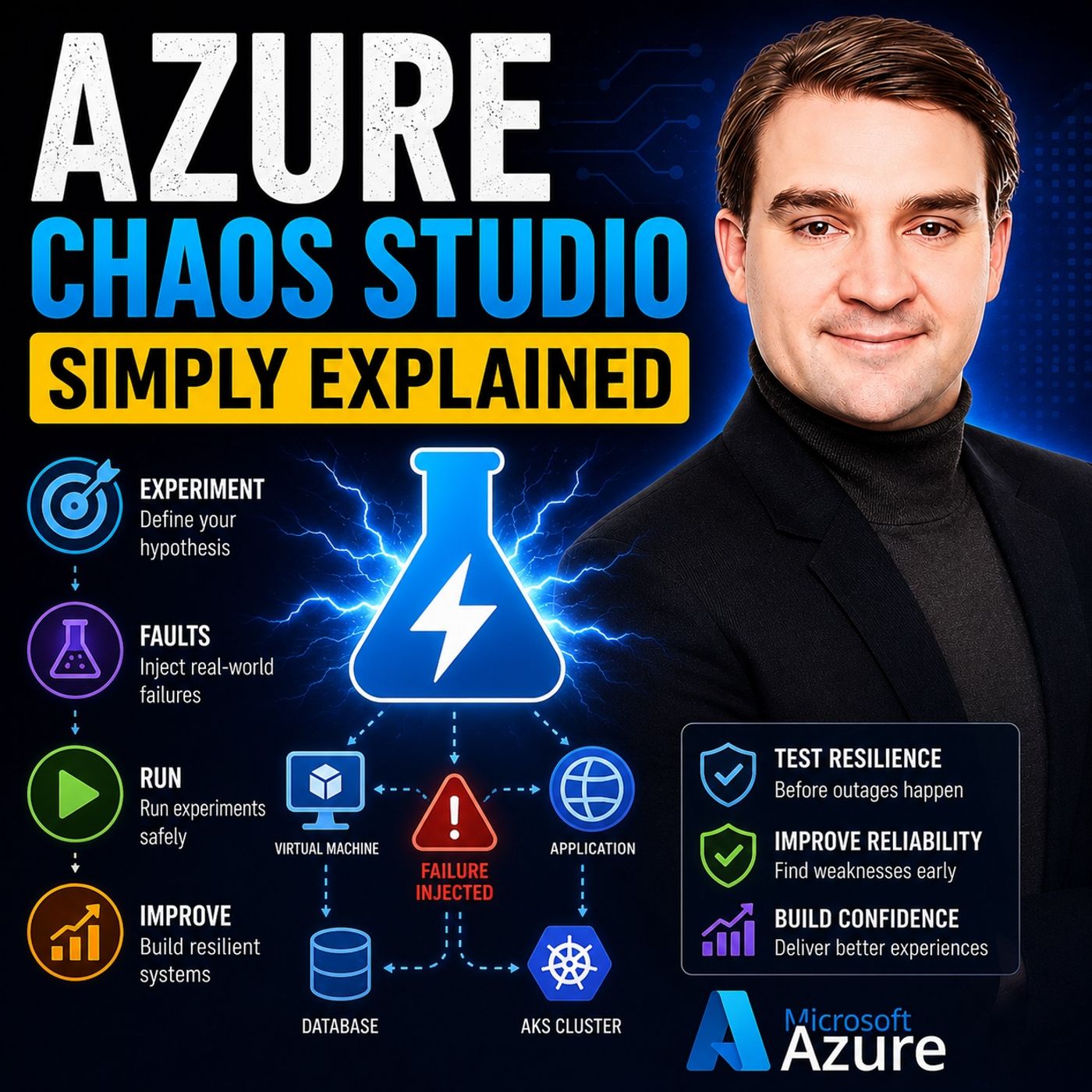
Azure Chaos Studio serves as a managed chaos engineering service. Its primary purpose is to validate how applications behave under failure conditions. By simulating controlled disruptions across various components of your cloud infrastructure, you can identify resilience gaps before they impact your end users. Here are some key benefits of using Azure Chaos Studio:
- Improved Reliability: Uncovering and fixing weaknesses makes your systems less likely to fail unexpectedly.
- Reduced Downtime: Better preparedness for actual incidents minimizes the impact on users and your bottom line.
- Increased Confidence: Knowing your systems can withstand various disruptions boosts overall confidence.
- Faster Incident Response: Chaos experiments refine incident response procedures, ensuring quicker recovery during failures.
Key Concepts of Chaos Engineering
Chaos engineering involves deliberately introducing controlled failures into a system. This practice ensures that your applications can handle disruptions effectively. It is essential for resilience testing, as it allows you to validate how your applications respond to various failure scenarios. Azure Chaos Studio implements these principles by providing a managed service that enables you to conduct experiments. You can choose from preconfigured scenarios or create custom setups, ensuring comprehensive resilience testing across both preproduction and production environments.
Azure Chaos Studio enables you to conduct controlled fault injections into your cloud services. This core principle of chaos engineering helps identify vulnerabilities, improve service resilience, and promote proactive management of operations. Additionally, it aligns with Azure's Well-Architected Framework, ensuring that your applications and infrastructure are robust and secure.
- Facilitates controlled fault injections to identify weaknesses.
- Enhances service resilience through regular chaos experiments.
- Integrates with operational dashboards for meaningful insights.
- Supports continuous learning and improvement in incident response and monitoring.
By embracing chaos engineering through Azure Chaos Studio, you transform failure from a feared event into a valuable learning opportunity. This proactive approach empowers you to build resilient, reliable cloud solutions.
Features of Azure Chaos Studio
Experimentation Capabilities
Azure Chaos Studio offers robust experimentation capabilities that allow you to simulate various failure scenarios. This feature is crucial for understanding how your applications respond to disruptions. Here’s a breakdown of what you can expect:
| Concept | Description |
|---|---|
| Targets | Azure resources that can be subjected to faults (e.g., VMs, AKS clusters). |
| Capabilities | Specific faults that can be injected (e.g., shutdown, CPU pressure). |
| Experiments | Definitions of which faults to inject into which targets and in what order. |
With these capabilities, you can conduct chaos experiments that mimic real-world conditions. This proactive approach helps you identify weaknesses in your systems before they lead to actual failures.
Integration with Azure Services
One of the standout features of Azure Chaos Studio is its seamless integration with various Microsoft Azure services. This integration enhances your ability to conduct chaos experiments effectively. Here’s a list of Azure services that work natively with Azure Chaos Studio:
| Azure Services |
|---|
| Azure Kubernetes Service (AKS) |
| Azure Virtual Machines |
| Azure App Service |
| Azure Cosmos DB |
| Azure Functions |
| Azure Service Bus |
By integrating with these services, Azure Chaos Studio allows you to perform controlled fault injections across your entire cloud environment. This capability ensures that your applications remain resilient and reliable, even during unexpected disruptions.
The advantages of this integration include:
| Advantage | Description |
|---|---|
| Fully-managed service | Chaos Studio operates like any other Azure service, eliminating the need for management tasks. |
| Seamless integration | Integrates with Azure Policy and Azure Active Directory for secure access management. |
| Controlled fault injection | Allows for orchestrated fault injection, enhancing system resilience and reliability. |
| Flexibility and control | Users can cancel and roll back faults, ensuring authorized access to fault injection. |
User-Friendly Interface
Azure Chaos Studio features a user-friendly interface designed for both beginners and advanced users. This accessibility encourages teams to adopt chaos engineering practices without feeling overwhelmed. Here are some key interface features:
| Feature | Description |
|---|---|
| Fault Injection | Offers a variety of faults to simulate real-world disruptions, such as CPU and memory pressure. |
| Monitoring and Analysis | Integrates with Azure Monitor and Log Analytics for tracking metrics and understanding system behavior. |
| Experiment Automation | Provides tools for automating chaos experiments, allowing for continuous testing and improvement. |
| Pre-built Experiment Templates | Offers templates for common scenarios, making it easy for beginners to start with chaos engineering. |
These features make it simple for you to set up and execute chaos experiments, enhancing your observability and understanding of system behavior under stress.
Deploying Azure Chaos Studio
Prerequisites for Setup
Before you deploy Azure Chaos Studio, ensure you meet the necessary prerequisites. Here’s what you need to set up:
- A managed identity is required for Azure Chaos Studio.
- Set up a Network Security Group (NSG) to allow inbound and outbound traffic for Chaos Studio.
- Create a virtual network and subnets for your Virtual Machine, Kubernetes Service, and Azure SQL Database.
- You will also need additional subnets named
ChaosStudioContainerSubnetandChaosStudioRelaySubnet, each with specific configurations for the container subnet.
Step-by-Step Deployment
Deploying Azure Chaos Studio involves several steps. Follow this ordered list to ensure a smooth setup:
- Ensure the 'Microsoft.Chaos' Azure Resource Provider is enabled in your subscription.
- Select your subscription and register the 'Microsoft.Chaos' resource provider.
- Create a User-Managed Identity for security purposes.
- Complete the necessary parameters for the User-Managed Identity setup.
- Set up Application Insights for metadata storage.
- Specify parameters for the Application Insights deployment.
- Search for and select 'Azure Chaos Studio' in the Azure Portal.
- Onboard resources by selecting the targets you want to use.
- Choose the Azure resources as targets, ensuring the installation of the Chaos Studio Agent where necessary.
- Remember that non-Azure services rely on a service-direct scenario without agent dependency.
Best Practices for Implementation
To ensure successful implementation of Azure Chaos Studio, consider these best practices:
- Pilot: Start with a test environment to practice chaos experiments before moving to production.
- Hypotheses: Develop resilience hypotheses based on your application architecture to guide your experiments.
- Drill: Plan and execute drills to test your hypotheses. Ensure monitoring is in place and analyze results afterward.
- Automation: Integrate chaos validation into your CI/CD pipeline to enhance resilience.
By following these steps and best practices, you can effectively deploy Azure Chaos Studio and leverage chaos testing to improve your cloud applications' resilience. This proactive approach allows you to conduct controlled fault injection and custom experimentation, ensuring your systems can withstand unexpected disruptions while maintaining continuous monitoring.
Practical Applications of Chaos Engineering

Real-World Use Cases
Organizations across various industries have successfully utilized Azure Chaos Studio to enhance their systems. Here are some notable use cases:
| Use Case | Description |
|---|---|
| Incident Reproduction | Reproduce past incidents to understand failures and prevent recurrence. |
| Game Day Simulations | Simulate high load scenarios to prepare for peak events and ensure application resilience. |
| Business Continuity and Disaster Recovery | Conduct drills to ensure quick recovery and data preservation during disasters. |
| Chaos Experiments in CI/CD Pipelines | Integrate chaos testing into CI/CD pipelines to assess resilience of new code changes. |
| Service Resilience Validation | Validate Azure services' resilience by injecting faults and observing responses. |
| Security and Compliance Testing | Simulate attacks or failures to test security and compliance aspects of applications. |
These use cases demonstrate how chaos engineering can help you identify weaknesses and improve your systems.
Benefits for Development Teams
Using Azure Chaos Studio offers several benefits for development teams. Here’s how it can enhance your workflow:
| Benefit | Description |
|---|---|
| Improved System Resilience | Conducting chaos experiments helps teams identify and fix flaws before they cause disruptions. |
| Enhanced Testing Environments | Simulates real-world issues to prepare systems for unexpected events, reducing downtime. |
| Proactive Failure Mitigation | Allows teams to address potential problems before they escalate into serious issues. |
| Cost-effective Infrastructure | Fully managed platform that integrates with existing Azure resources, reducing additional costs. |
| Customized Chaos Scenarios | Tailors experiments to specific operational needs, allowing for targeted testing. |
| Continuous Improvement Cycle | Regular evaluations and testing ensure systems adapt to new challenges and maintain performance. |
These benefits empower you to create more reliable applications and foster a culture of continuous improvement.
Enhancing System Reliability
Azure Chaos Studio plays a crucial role in enhancing system reliability. By conducting chaos experiments, you can measure improvements in your systems. Here are some key metrics to consider:
| Metric | Description |
|---|---|
| Incident Rate | Frequency of outages or service degradations. |
| Capacity Utilization (%) | Measurement of how much of the system's resources are being used. |
| Service Level Objectives (%) | Target or goal for the level of service a system should provide, expressed as a percentage. |
| Service Level Agreement (%) | Contract defining the level of service promised to customers, usually uptime or response time. |
| Service Level Indicator (%) | Measurable metrics used to assess whether an SLO is being met, like latency or error rate. |
| Error Budget Usage (%) | Amount of the allowed error budget consumed within a certain period. |
By focusing on these metrics, you can track the chaos experiment outcomes and ensure your systems remain resilient.
Resilience of cloud applications requires collaboration between the cloud provider and the cloud consumer. At Microsoft, we embody this ethos with Azure Chaos Studio, a fully-managed chaos engineering experimentation platform for accelerating the discovery of hard-to-find problems, from late-stage development through production.
Challenges in Chaos Engineering
Common Pitfalls
When implementing chaos engineering, you may encounter several common pitfalls. Awareness of these challenges can help you navigate the chaos engineering landscape more effectively. Here are some pitfalls to watch out for:
- Complexity and Risk: Chaos engineering requires careful planning. Without it, you risk negatively impacting users and your business.
- Requires Expertise: Skilled engineers are essential. They need to understand system architecture and the potential impacts of failures.
- Time-Consuming: Designing and analyzing chaos experiments can take significant time and resources.
- False Sense of Security: Chaos engineering cannot identify all failure scenarios. You still need traditional testing methods to cover all bases.
- Organizational Resistance: Fear of disruptions may lead to reluctance in adopting chaos engineering practices.
Mitigating Risks During Experiments
To ensure successful chaos experiments, you should implement strategies to mitigate risks. Here are some effective approaches:
| Strategy | Description |
|---|---|
| Minimize the blast radius | Determine the blast radius using metrics like affected users and workload quantities. Schedule experiments during non-peak times and ensure backup systems are available for restorations. |
| Combine different types of tests | Running various tests together can reveal reliability issues not visible in isolation. Start in non-production environments to explore failure modes safely before moving to production. |
| Use fault injection and chaos engineering | Regularly run chaos experiments to evaluate test scope and inject faults into reliable components. Contain the blast radius and set expectations for fault injections. |
Azure Chaos Studio provides tools to help minimize the impact of experiments on production systems. It automates experiments to inject controlled failures and supports running GameDays and Chaos Days for simulating catastrophic events. Starting small and gradually increasing complexity is encouraged, focusing on minimizing the blast radius during experiments.
By understanding these challenges and implementing effective strategies, you can achieve operational excellence in your chaos engineering efforts. This proactive approach not only enhances your systems' resilience but also fosters a culture of continuous improvement within your organization.
In summary, Azure Chaos Studio empowers you to enhance the resilience of your cloud applications. By simulating real-world disruptions, you can identify vulnerabilities and improve your systems before actual incidents occur. Organizations that adopt chaos engineering practices, such as those using Azure Chaos Studio, have reported significant improvements in failover capabilities and cost efficiency. For instance, a global SaaS loyalty platform achieved seamless failover while maintaining real-time data integrity.
Embrace Azure Chaos Studio to proactively test your systems. This approach not only strengthens your applications but also ensures business continuity during unforeseen disruptions. Start your journey towards a more resilient cloud environment today!
FAQ
What is Azure Chaos Studio?
Azure Chaos Studio is a chaos orchestration tool that helps you simulate controlled disruptions in your cloud applications. It enhances resilience by identifying vulnerabilities before they lead to actual failures.
How do I get started with Azure Chaos Studio?
To start, create an Azure account and set up Azure Chaos Studio in the Azure portal. Follow the deployment steps outlined in the documentation to configure your environment.
Can I use Azure Chaos Studio in production?
Yes, you can use Azure Chaos Studio in production. However, ensure you follow best practices to minimize risks and monitor the impact of your chaos experiments.
What types of faults can I simulate?
You can simulate various faults, including virtual machine shutdowns, network latency, and application failures. This flexibility allows you to test your applications under realistic conditions.
How does Azure Chaos Studio support observability and analysis?
Azure Chaos Studio integrates with Azure Monitor and Log Analytics. This integration provides insights into system behavior during chaos experiments, enhancing your observability and analysis capabilities.
Is there a cost associated with using Azure Chaos Studio?
Azure Chaos Studio operates on a pay-as-you-go model. You pay for the resources consumed during chaos experiments, making it cost-effective for organizations of all sizes.
Can I automate chaos experiments?
Yes, you can automate chaos experiments by integrating Azure Chaos Studio into your CI/CD pipelines. This automation ensures continuous testing and validation of your applications' resilience.
What resources can I target with Azure Chaos Studio?
You can target various Azure resources, including Azure Virtual Machines, Azure Kubernetes Service, and Azure App Service. This versatility allows you to conduct comprehensive chaos experiments across your cloud environment.
🎧 Listen to this episode
Want a practical explanation of Azure Chaos Studio? This episode breaks down the topic in clear language and shows why it matters for Microsoft 365, Azure, Power Platform, security, AI, and modern work.
Listen to this episode if you want to:
- Understand the key concepts behind Azure Chaos Studio
- See how it fits into the wider Microsoft technology ecosystem
- Learn where it can create practical value for your organization
You may also enjoy these related M365 FM episodes:
- Copilot Studio AI Agents and RAG with Nilüfer Doğan [MVP]
- Multi-Agent AI with Copilot Studio and David Lorenzo Lopez [MVP]
- Agentic AI with Copilot Studio and Dataverse MCP with Nathan Rose [MVP]
- Scaling Copilot Studio with Isha Kapoor [MVP]
- Will Copilot Studio Replace Low-Code Developers?
Discover more practical Microsoft conversations on M365 FM.
Last reviewed: July 2026.
Who Should Listen
This episode is for Microsoft administrators, architects, developers, security professionals, and business leaders who need a practical foundation before making implementation or governance decisions.
🎧 You Should Also Listen To
- Infrastructure as Code — A closely related next step that adds useful context and practical depth.
- Azure Resource Manager — A closely related next step that adds useful context and practical depth.
- Azure DevOps — A closely related next step that adds useful context and practical depth.

Microsoft MVP | Host of M365.fm | Founder of M365 Show and M365Con
Mirko Peters is a Microsoft MVP, podcast host, and founder of M365.fm, M365 Show, and M365Con. His work connects Microsoft practitioners through podcast interviews, livestreams, and community events.
At M365.fm, Mirko hosts conversations with Microsoft MVPs, product experts, architects, and community contributors. Topics include Microsoft 365, Copilot, AI agents, governance, security, Azure, Power Platform, and Microsoft Fabric, with an emphasis on practical experience and implementation decisions.
M365.fm is the podcast and learning platform. M365 Show brings experts together for livestreams, while M365Con provides an online conference setting for community learning.
Official website: Mirko Peters (https://www.mirkopeters.com/). Recognition: Mirko Peters — Microsoft MVP profile (https://mvp.microsoft.com/de-DE/mvp/profile/9b0ca797-db5a-493a-a845-8b9158046cf5). Connect on LinkedIn (https://www.linkedin.com/in/m365showpodcast/).