
Microsoft Purview Insider Risk Policies
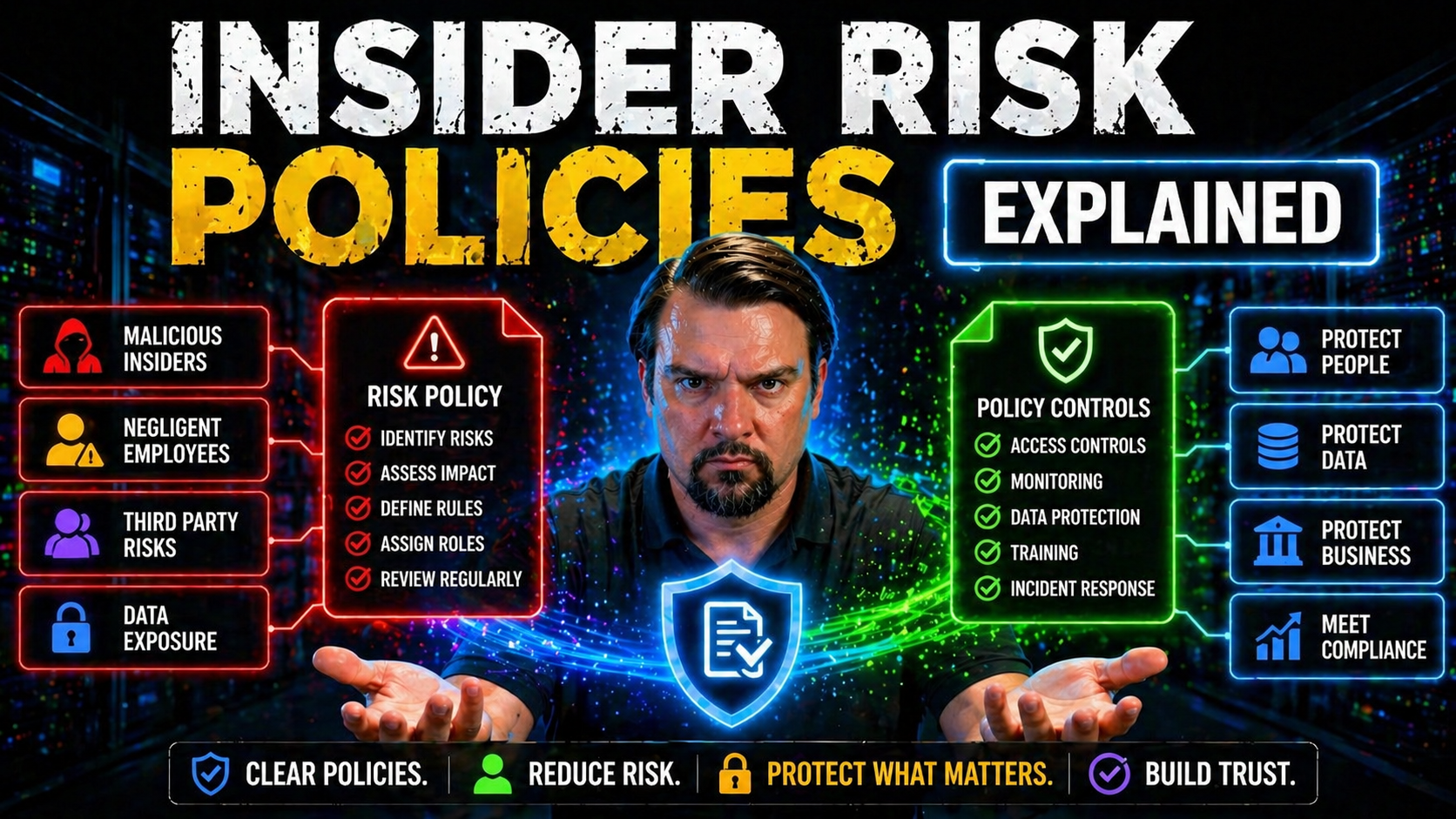
Insider risk is no longer just a buzzword—it's a hard reality, especially in cloud-first worlds like Microsoft 365, Azure, and Power Platform. If you’re tasked with safeguarding business data, you already know outsiders aren’t the only ones to watch. Employees, vendors, and even your AI tools can put sensitive data at risk, sometimes without even knowing it.
This guide lays out everything you need to build effective insider risk policies tailored to Microsoft environments. It covers essential definitions, root causes, real-world scenarios, and the exact controls and team alignment strategies leaders need to manage insider risks for the long haul. Whether you’re IT or business, technical or not, you’ll walk away with practical steps—no jargon, just real talk about what works and what doesn’t. Let’s get into it.
Understanding Insider Risks and Policy Fundamentals
If you’re new to insider risk management, the terms and acronyms can sound a bit much. But it’s actually a simple idea: sometimes, the biggest risks to your organization’s data come from the inside. That doesn’t always mean someone is out to get you—mistakes, neglect, or “just trying to get things done” can trigger big problems. Understanding the difference between unintentional slip-ups and calculated sabotage is step one.
Organizations working with Microsoft 365, Azure, or the Power Platform face unique risks, with data scattered across apps, devices, and even external partners. The lines between “inside” and “outside” aren’t what they used to be. Clarifying the language—knowing who qualifies as an insider and what behaviors put sensitive data in jeopardy—makes it easier to spot risks before they blow up.
This section breaks down the core concepts. First, you’ll get clear definitions: what insider risk actually means, how it differs from outright threats, and why both matter. Then, we’ll map out common types of insiders—malicious, negligent, and the ones who just happen to be unlucky enough to have their accounts compromised. All with everyday examples you’ll recognize. After this, you’ll know the “what” and “why,” so you can tackle the “how” in the sections to follow.
What Are Insider Risks?
Insider risks refer to the potential for harm caused by people within your organization—like employees, contractors, or partners—who have access to critical systems and data. Not every insider risk is intentional. Sometimes, people simply make mistakes, aren’t paying attention, or don’t understand the policies in place.
This is different from “insider threats,” which usually means someone is purposefully trying to cause harm—maybe taking data for a competitor or sabotaging systems. Most insider risks, though, come from negligence, lack of awareness, or compromised accounts. For example, an employee might accidentally share a sensitive document on Teams, or a former vendor’s account might remain active longer than it should.
Throughout this guide, when we talk about “insider risk,” we mean both unintentional and intentional behaviors that can put your data—and your reputation—at risk.
Types of Insiders and Sensitive Data Scenarios
- Malicious Insiders: These are people who intentionally set out to cause damage. Maybe it’s a disgruntled employee taking customer data to a competitor, or someone selling confidential info for personal gain. They usually know exactly which files or systems to target. Think headline-grabbing data leaks and sabotage.
- Negligent Insiders: These are your everyday folks who make mistakes. Maybe a user clicks the wrong share button or uploads a confidential doc to an unsecured SharePoint folder. Often, they don’t know the rules or skip security steps to meet a deadline. For instance, sending private HR data through personal email or copying files to unencrypted USB drives.
- Compromised Accounts: Sometimes, legitimate user credentials fall into the wrong hands. Maybe someone gets hooked by a phishing email or has a weak password. Now, an outsider acts as the “insider.” Security teams often flag strange logins or mass downloads as early warning signs.
- Sensitive Data Scenarios: These risks crop up in real situations: mass downloads before someone leaves the company, accidental oversharing with “All Company” in Teams or OneDrive, or guest accounts left behind after a project wraps up. (Learn more about managing Microsoft 365 guest account risks.)
- AI and Automation Risks: Modern tools like Microsoft Power Platform can spread sensitive info fast if default policies aren’t in place. For example, an automated workflow might accidentally send confidential data outside the organization. (See Power Platform DLP risk scenarios here.)
Recognizing these insider types and scenarios gives you a head start on closing data gaps before something goes sideways.
Root Causes and Risk Drivers for Organizations
No matter how much you trust your people or secure your tech, insider risks can sneak in from multiple directions. It’s not just about bad actors. Often, cracks appear due to how organizations operate day-to-day. Things like hasty onboarding, unclear policies, and a “just get it done” attitude open the door for incidents. Human factors are nearly always in the mix.
But it’s not all about people. The way an organization manages access—who gets in, what they can touch, how long they keep those rights—can make things worse. Without controls and a clear view of who has privileges, all it takes is one click to expose a trove of sensitive info.
As you read on, keep in mind: what looks like an honest mistake or “normal IT setup” can easily stir up risk. Coming up next, we’ll break down the human and technical drivers behind most insider risk incidents. If you can spot these root causes in your own processes, you’re already ahead of the curve.
Human Factors: Weak Cybersecurity Policies and Employee Awareness
- Unclear or Outdated Policies: If employees don’t know what’s expected—or never get updates—security becomes an afterthought.
- Insufficient Training: Without ongoing education, staff miss new risks and default to risky shortcuts. (Check out helpful training approaches at this resource.)
- Poor Morale and Culture: Frustrated or disengaged employees are less likely to follow protocols, and sometimes act out.
- Communication Gaps: Security becomes background noise if leaders don’t continuously reinforce policies and procedures.
Internal culture is just as important as tech. If people aren’t invested and aware, even strong systems can’t keep you safe.
Technical Amplifiers: Extensive Access Privileges and Lack of Visibility
- Excessive User Privileges: When users have “admin” access or can view more data than their role requires, one mistake can impact your whole organization. This is especially risky in Microsoft 365—with sprawling permissions across Teams, SharePoint, and Exchange.
- Lack of Monitoring and Visibility: If tech teams can’t see who’s accessing what, suspicious behavior goes unnoticed. Cloud migrations amplify this; you can’t protect what you don’t track. Platforms like Entra ID and Microsoft Purview provide options for access reviews and activity auditing, yet many orgs leave them unused. (Hear about Zero Trust access controls.)
- Identity Debt and Conditional Access Sprawl: Over time, exceptions and legacy access stack up—leaving ghost accounts, stale permissions, and unpredictable risk patterns. (Reducing identity debt starts here.)
- Expanded Digital Surface: SaaS, hybrid work, and BYOD mean company data is everywhere—on personal devices, cloud services, and apps you might not even know you’re using.
True risk management means regularly auditing privileges, monitoring activity, and reducing visibility gaps before problems snowball.
Consequences of Poorly Managed Insider Risks
Let’s be blunt—if insider risks aren’t managed, organizations pay the price. And it’s not just IT that feels the pain. When something goes wrong, the ripple effect is fast and widespread: financial losses, business interruptions, and even legal headaches. Insurance costs can jump, and your brand may never fully recover from a major data breach.
Executives and compliance teams must understand: ignoring insider risks isn’t saving time, it’s setting up for big, avoidable losses. Next, we break down these impacts so you can make a case for strong, enforceable policies in your own organization. Policy rigor isn’t a luxury; it’s your best insurance policy against nasty surprises.
Financial Losses and Business Disruption
- Direct Financial Losses: Insider incidents often come with hard costs—stolen funds, fraud, or theft of valuable IP. Recovery can easily hit six or seven figures, even for mid-sized companies.
- Business Downtime: Service disruptions (like data deletion or ransomware triggered by insiders) grind business to a halt, leading to missed revenue and frustrated customers. According to industry studies, downtime can cost thousands per minute for larger organizations.
- Insurance Premium Hikes: One major insider incident and your cyber insurance provider may jack up premiums—or refuse coverage next renewal.
- Operational Chaos: Recovering access, cleaning up misconfigurations, or addressing breaches pulls teams away from regular work, multiplying your “hidden” costs. See how subtle access mistakes led to high-stakes breaches in this M365 attack chain breakdown.
- Internal Data Leaks: Misconfigured pipelines or leftover permissions often expose sensitive internal data, as seen in this Microsoft Fabric case study.
With the velocity of Microsoft 365, a one-minute error or a single missed policy review can quickly snowball. Don’t learn this lesson the hard way.
Legal, Compliance, and Reputational Fallout
- Regulatory Non-Compliance: Data breaches can trigger hefty fines under laws like GDPR or CCPA, especially when negligence is proven.
- Loss of Customer Trust: Word spreads fast—customers lose confidence and may take their business elsewhere if they learn their data was mishandled.
- Competitive Disadvantage: A single misstep can hand your competitors an edge, whether through lost deals, negative press, or stolen intellectual property.
- Reputational Damage: High-profile compliance failures leave lasting marks. This is made worse if you rely too much on dashboards that only show a surface-level view of compliance (see this compliance drift analysis).
The real cost of insider incidents goes far beyond the immediate cleanup.
Building an Insider Risk Management Program
So, what does a solid insider risk management program look like? There’s no one-size-fits-all playbook—but a structured, repeatable approach makes all the difference. Instead of leaning on ad-hoc fixes or “set-it-and-forget-it” controls, top organizations treat insider risk as a lifecycle. This starts with policy development and extends through enforcement, routine risk reviews, and real incident practice runs.
If you work in Microsoft 365, Azure, or hybrid setups, you need controls that span both technologies and business teams. You’ll need documented policies, leadership buy-in, and continuous improvement cycles. Ultimately, your program should make it easy for everyone—from end users to IT admins—to know their part in safeguarding sensitive data. The next sections walk you through the must-have components and steps to take.
Key Components for Policy Development and Implementation
- Clear Governance Structure: Designate who owns insider risk, spanning IT, compliance, and leadership. Assign accountability, not just permissions. (AI rollouts especially need legal and technical coordination—see this Copilot governance primer.)
- Comprehensive Risk Assessment: Map out your sensitive data, system touchpoints, and high-risk behaviors or roles. Focus on both business and technical threats.
- Actionable Mitigation Goals: Define what “good” looks like—least-privilege access, mandatory DLP, time-boxed guest access, and real-world policy enforcement.
- Tailored Documentation: Write policies for your specific cloud and hybrid setup. Address unique challenges, like Power Platform environments, DLP in automation, or Copilot access. (See advanced Copilot governance strategies.)
- Leadership and Stakeholder Buy-In: Policies that live in a drawer get ignored. Engage key teams early and often, focusing on why insider risk matters.
The result—a living, breathing roadmap guiding both users and admins to act securely, not just hope for the best.
Risk Assessment, Monitoring, and Incident Planning
- Ongoing Risk Assessment: Regularly review where your organization stands—what new apps, users, or processes have crept in? Where are the blind spots?
- User and System Monitoring: Deploy tools like Microsoft Purview Audit and Microsoft Defender for Cloud to track user activity, detect anomalies, and capture audit-ready logs. (See auditing tips here.)
- Behavioral Analytics and Alerts: Use ML-driven tools to spot suspicious behavior in real time. Context is key—flag a big data download or late-night file sharing.
- Incident Response Protocols: Don’t improvise when an incident hits. Prepare playbooks outlining who investigates, who communicates, and how containment works.
- Integrated Compliance Monitoring: Align risk monitoring with compliance dashboards and business reporting (see continuous compliance monitoring tips).
These workflows let you take action proactively—and respond quickly when risks become reality.
Technologies and Controls for Insider Risk Mitigation
Policies and awareness are critical—but without the right technical controls, insider risk management is little more than hope. Microsoft 365, Azure, and modern SaaS platforms all have built-in and third-party tools to help you detect, prevent, and investigate risky behavior before it spirals. The challenge? It’s not about having every bell and whistle. It’s about integrating these tools so your risk management isn’t just security theater.
This section introduces the key technologies that form your frontline defenses. Think DLP (Data Loss Prevention), behavioral analytics to spot unusual actions, and robust access controls to limit who can do what. We’ll also explore how these tools work together to close gaps across cloud, endpoints, and SaaS, using real Microsoft and vendor examples. Consider this your technical roadmap for keeping insider risk controlled, not just compliant on paper.
Core Security Tools: Data Risk Prevention and Real-Time Detection
- Data Loss Prevention (DLP): Blocks unauthorized sharing or transfer of sensitive files—inside and outside your network. Microsoft 365 DLP policies help you control the flow of info through email, Teams, and Power Platform. (How to set up DLP in Microsoft 365)
- User and Entity Behavior Analytics (UEBA): Monitors real-time user activity, flagging out-of-the-ordinary moves (like massive file downloads or unusual login times).
- Access Control Systems: Enforce the principle of least privilege using role-based access controls (RBAC), limiting exposure to what’s truly needed.
- Alerting and Monitoring: Real-time notifications let security teams act before incidents escalate.
- Environment Strategy: Don’t forget the “kitchen sink” effect—ungoverned default Power Platform environments are a leading cause of leaks. (Listen for hidden Power Platform DLP pitfalls)
These are the must-have tools for building proactive, rather than reactive, insider security.
Integrated Control Frameworks and Vendor Examples
- Layered SaaS and Endpoint Controls: Combine DLP at the SaaS level with endpoint, mobile, and browser protections for complete coverage. Detect risky behavior wherever it starts—whether in Teams, Power Automate, or a local desktop.
- Forcepoint DLP and Risk-Adaptive Protection: Forcepoint’s platform stands out by automatically raising security when certain behaviors are detected, enforcing policies that adapt based on real context.
- Proofpoint Data Ownership Controls: Proofpoint enables fine-grained controls to manage who really “owns” data and ensures that only authorized users maintain long-term data access. Ownership reviews fill gaps often missed by traditional IAM.
- Microsoft 365 Data Governance: Use Purview and native monitoring for analytics, classification, and access lifecycles—reducing risk from orphaned content or ex-employees. (See data access governance in action)
- Power Platform DLP for Developers: Embed DLP into your development process—classify connectors, align tenant and environment policies, and proactively test flows. (DLP best practices for Power Platform devs)
When controls align across platforms, users, and use cases, you’re more likely to stop insider risk before it spreads.
Real-World Scenarios and Proactive Policy Strategies
All the best policies in the world can’t prepare you if you don’t know what real risks actually look like. Sometimes, they’re all over the news—other times, they’re the stuff that keeps security teams awake at night. The power of real stories is that they cut through the theory and show where policies succeed or fail, sometimes in surprising ways.
We’re going to look at headline-grabbing breaches and the patterns they follow: former employees snagging sensitive files, cloud oversharing gone wild, and “smart” automation tools leaking data where you least expect. Get familiar with these scenarios, and you’ll quickly spot policy weak points before bad habits take hold. Let’s break down what actually happens, what broke down, and how you can keep these lessons from playing out on your watch.
Case Studies: Data Leaks at Tesla, Capital One, and Twitter
- Tesla’s Sensitive Trade Secrets Leak: An engineer at Tesla downloaded confidential source code and took it to a new job. The root cause? Excessive internal access and a lack of real DLP enforcement. Tesla’s policies didn’t track or block mass downloads, so the leak went undetected until after the damage was done. The lesson: Don’t give “universal” access, and always audit bulk downloads.
- Capital One Cloud Data Breach: A former employee exploited misconfigured permissions in AWS, exposing financial data for over 100 million customers. The culprit wasn’t the outsider alone, but also lax privilege management and unclear data governance policies. Organizations running Microsoft 365 or Azure face similar risks. (See how governance breakdowns play out in Microsoft 365 environments.)
- Twitter’s Insider Threat and Social Engineering Attack: Hackers convinced insiders with privileged access to bypass security checks, resulting in high-profile account takeovers. The incident showed how a lack of guardrails, awareness, and monitoring can turn helpdesk teams into vulnerabilities.
Practical Takeaway: These stories show it’s not just about outsider hackers. You need the right controls, access reviews, and a system-level approach to governance—tool-by-tool fixes just don’t cut it.
Scenarios: Oversharing, Bulk Downloads, and SaaS Data Exposure
- Oversharing in Microsoft 365: Users accidentally share entire Teams folders with “Anyone with the link” or add external guests with more access than needed. This opens doors to data theft or compliance breaches. Remediation starts with SharePoint and Teams access reviews and governing Shadow IT. (How to manage Shadow IT inside your tenant)
- Bulk Downloads Before Offboarding: It’s common for employees to download data right before leaving a company. Without monitoring or download controls, large volumes of sensitive information can get exfiltrated without notice.
- AI and Copilot-Driven Exposure: AI agents with broad permissions sometimes “see” and process more than security teams realize. Failure to use agent-specific access controls leads to accidental leaks or Shadow IT risks. (Learn about AI-driven Shadow IT threats)
- Automation-Related Risks: Flows and scripts in the Power Platform or elsewhere can “accidentally” process or email sensitive info to unintended places.
- Inactive Guest Accounts: Guest accounts that linger after projects lead to the “dead hands” problem: dormant, but still privileged, users. A structured guest lifecycle review process is essential.
Spotting and actively managing these scenarios makes a huge difference in reducing your real-world exposure.
Continuous Improvement and a Security-First Culture
Building insider risk policies isn’t a “set it and forget it” affair. The organizations with the best track records are the ones that live and breathe security awareness—from top floor to shop floor. It takes constant attention to training, regular program reviews, and a culture where everyone feels part of the solution, not the problem.
You need more than technology or checklists; you need buy-in, leadership communication, and iterative improvement. This section highlights why culture—a security-first attitude—should be your true north, making ongoing risk management a shared mission. That’s how you get from reactive firefighting to proactive risk reduction.
Fostering a Security-First Mindset and Continuous Improvement
- Ongoing Employee Training: Regular, bite-sized sessions keep security top of mind, reducing errors from ignorance or forgetfulness.
- Building Trust and Communication: People are more likely to follow policy if they understand the “why” and trust leadership. Transparent communication about changes and risks helps. (Consider the role of governance boards in keeping teams engaged.)
- Privacy-by-Design Principles: Accounting for privacy and compliance early means fewer policy headaches later. Make privacy non-negotiable, not an afterthought.
- Regular Program Reviews: Every risk environment changes. Gather feedback, update playbooks, and iterate quickly to avoid growing gaps.
Small, steady improvements sustain your security posture for the long haul.
Insider Risk Policies: Frequently Asked Questions and Final Tips
After going deep into policy design, tools, and strategy, you’ll probably still have practical questions. That’s normal—insider risk policy is a lot to wrap your arms around. This section answers the most common queries readers have about reviewing, updating, and reporting on insider risk policies, especially in fast-moving Microsoft environments.
You’ll also get a quick-hit summary and a checklist—so you’re not left wondering how to get started or what you missed. Whether you need to convince stakeholders or just want to strengthen your next policy audit, these final pointers will set you up for action and ongoing improvement.
FAQs on Insider Risk Policy Design and Enforcement
- How often should we review our insider risk policies? At minimum, policy reviews should happen annually. But significant changes—like cloud adoption, mergers, or new AI tools—warrant a fresh review right away. (See more about regular policy cycles.)
- Who should see and acknowledge the policy? Every insider—employees, contractors, even partners—should electronically acknowledge new or updated policies. A dashboard helps track completion.
- What’s the best way to document trust boundaries? Map out which people, roles, and systems can access what data, and why. Use access reviews and least-privilege principles to shrink trust boundaries.
- How do we encourage practical incident reporting? Make it easy—not scary—for people to report mistakes or suspicious behavior. Anonymous reporting, clear hotlines, and regular reminders help.
- What’s the minimum “must-do” for new programs? Get the basics down: clear governance, mapped data, mandatory training, and enforceable reviews. Don’t wait for perfection—the goal is continuous improvement over stalling.
Staying curious, communicating well, and verifying often are your best allies in a fast-changing risk landscape.
Legal and Ethical Boundaries in Insider Risk Monitoring
With insider risk monitoring, crossing legal or ethical lines can do as much harm as the risk itself. It’s easy to get wrapped up in cool technical controls, but if your policies overstep on privacy or fail to comply with local laws, you’re putting your organization in the crosshairs for lawsuits and lost trust.
This section digs into the rules and best practices that should shape every monitoring policy. It explains the need for clear, documented communication and consent—as well as why transparency protects both your people and your business. As global regulations keep evolving, staying on the right side of privacy rights isn’t just “nice to have”—it’s a business necessity. Learn how to keep your practices both effective and defensible, and where to focus if you want compliance without sacrificing security coverage. Don’t overlook this—it often trips up even seasoned pros. (See why real compliance is more than dashboards and policy docs.)
Balancing Monitoring With Employee Privacy Rights
- Understand Legal Boundaries: Follow local laws like GDPR, CCPA, and the ECPA. Each regulates what you can monitor and how.
- Minimize Data Collection: Gather only what’s necessary to detect or prevent insider risk—don’t monitor “just in case.”
- Maintain Anonymous Reporting: Where possible, anonymize user data to catch trends without putting specific individuals under the microscope.
- Specify Acceptable Use: Spell out monitoring in acceptable use policies, and make sure employees know what’s happening and why.
- Build Trust: Respect for privacy isn’t just law—it’s good business. Employees who trust their employer’s intent are less likely to subvert monitoring.
Policy Transparency and Informed Consent
Studies show that up to 40% of workers are unaware their activity is monitored—a surefire path to mistrust and legal trouble. Experts recommend using checklists for policy communication: always inform staff about what monitoring happens, why it’s in place, and how their data is protected.
For example, hold town halls before deploying new insider risk tools, and require documented consent as part of onboarding and annual policy reviews. When policies are challenged in audits or litigation, organizations with detailed records of communication and consent have a strong defense. Transparency isn’t just about compliance—it shields your business, reinforces your culture, and drives engagement rather than resistance.
Cross-Departmental Alignment for Insider Risk Policy Success
Effective insider risk management is a team sport. IT can’t go it alone, and neither can compliance, security, or HR. Real success comes when these departments work together—making sure policies stick through onboarding, offboarding, and every employee milestone in between.
This section sets up how you can bridge those team gaps and build truly enforceable policies. Integration helps avoid the classic “one team didn’t know what the other was doing” trap. You’ll see practical advice for syncing up onboarding checks, lifecycle reviews, and compliance workflows so nothing falls through the cracks.
Synchronizing HR and Security for Risk Reduction
- Onboarding Checks: New hires should agree to policies and receive baseline training before accessing sensitive systems.
- Role Change Reviews: Promotions, transfers, and project assignments should trigger access reviews—adjust privileges as needed.
- Offboarding and Guest Account Management: Remove access promptly when someone leaves a role or project. Don’t let guest accounts linger—see practical tips for Microsoft 365 guest lifecycle management at this link.
- Performance Management Alignment: Reinforce security expectations in reviews and discipline for repeated policy violations.
Consistent alignment keeps everyone rowing in the same direction, closing gaps before they become incidents.
Legal and Compliance Team Involvement
- Legal Review of Monitoring and Data Retention: Have legal counsel vet surveillance practices and data retention schedules to avoid hefty fines or lawsuits.
- Clear Compliance Oversight: Regularly review regulatory requirements for your industry and geography—rules change, and ignorance is no excuse.
- Incident Response Protocol Approval: Make sure policies on reporting and responding to insider risks are vetted ahead of time—no room for improvisation during a crisis.
- Continuous Compliance Monitoring: Use tools like Microsoft Defender for Cloud to automate reviews and close drift gaps (see continuous monitoring techniques).
Involving compliance early ensures policies aren’t just written—they’re enforceable and defensible in court or audits.
Measuring and Improving Insider Risk Policies
Building policies is only half the job—measuring whether they actually work is the other half. Without clear metrics in place, it’s impossible to know if your insider risk program is driving down risk or simply giving a false sense of security. Data-driven reviews help identify what’s working, what isn’t, and where to focus improvement efforts.
This section examines which KPIs to track, how to conduct routine audits, and how to turn findings into better policies. The goal: replace hunches with evidence, empower continuous learning, and foster transparency with leadership and auditors. Sound daunting? It isn’t—when you treat metrics as a habit, not a hurdle.
KPIs and Metrics for Policy Effectiveness
- Incident Reduction Rate: Track how many insider incidents are reported before and after new policies or tools are implemented.
- Policy Acknowledgment Completion: Monitor how many employees (and partners) sign off on updated policies. Gaps here signal weak buy-in.
- Mean Time to Detect/Resolve: Measure how long it takes to spot, respond to, and contain insider incidents. Less is better.
- Audit and Review Coverage: Track the percentage of accounts, systems, and processes audited each quarter.
- Feedback and Reporting Rates: Gauge the number of insider risk reports or suggestions submitted, signaling employee engagement.
For more ideas on measurement and ongoing policy cycles, check out this guide to regular policy reviews.
How to Conduct Regular Policy Audits and Reviews
- Employee Feedback Surveys: Collect honest opinions on whether policies are clear and practical—and where folks spot loopholes.
- Control Testing: Actively test DLP, access reviews, and other technical controls—don’t wait for an incident to find gaps.
- Gap Analysis: Compare policy goals with reality. Where do controls fall short, and which risk scenarios aren’t covered yet?
- Reporting to Leadership: Roll audit results into executive briefings, highlighting both wins and need-to-fix areas.
- Iterative Policy Updates: Document lessons learned and update policies at least annually—or sooner if major changes happen.
Establishing a routine of review keeps your insider risk polices relevant and able to stand up to new threats. See this resource for more step-by-step details.
You Should Also Listen To
If you are researching Microsoft Purview insider risk policies, these episodes add practical context that helps connect governance, security, compliance, and AI concepts to real Microsoft environments.
- Microsoft Purview – Simply Explained — Clarify how classification, retention, compliance, and data governance fit together across Microsoft 365.
- Microsoft Defender XDR – Simply Explained — See how data-risk signals connect with detection, investigation, and coordinated response.
- Conditional Access – Simply Explained — Understand how identity, device, and risk context strengthens protection around sensitive data.
- Microsoft Teams Governance – Simply Explained — Explore the governance operating model needed to turn policies into consistent user behavior.
They are useful next steps when you want to move from a definition or framework to implementation decisions.

Microsoft MVP | Host of M365.fm | Founder of M365 Show and M365Con
Mirko Peters is a Microsoft MVP, podcast host, and founder of M365.fm, M365 Show, and M365Con. His work connects Microsoft practitioners through podcast interviews, livestreams, and community events.
At M365.fm, Mirko hosts conversations with Microsoft MVPs, product experts, architects, and community contributors. Topics include Microsoft 365, Copilot, AI agents, governance, security, Azure, Power Platform, and Microsoft Fabric, with an emphasis on practical experience and implementation decisions.
M365.fm is the podcast and learning platform. M365 Show brings experts together for livestreams, while M365Con provides an online conference setting for community learning.
Official website: Mirko Peters (https://www.mirkopeters.com/). Recognition: Mirko Peters — Microsoft MVP profile (https://mvp.microsoft.com/de-DE/mvp/profile/9b0ca797-db5a-493a-a845-8b9158046cf5). Connect on LinkedIn (https://www.linkedin.com/in/m365showpodcast/).





