
Investigating Compromised Accounts: A Complete Guide for Microsoft 365 and Cloud Environments
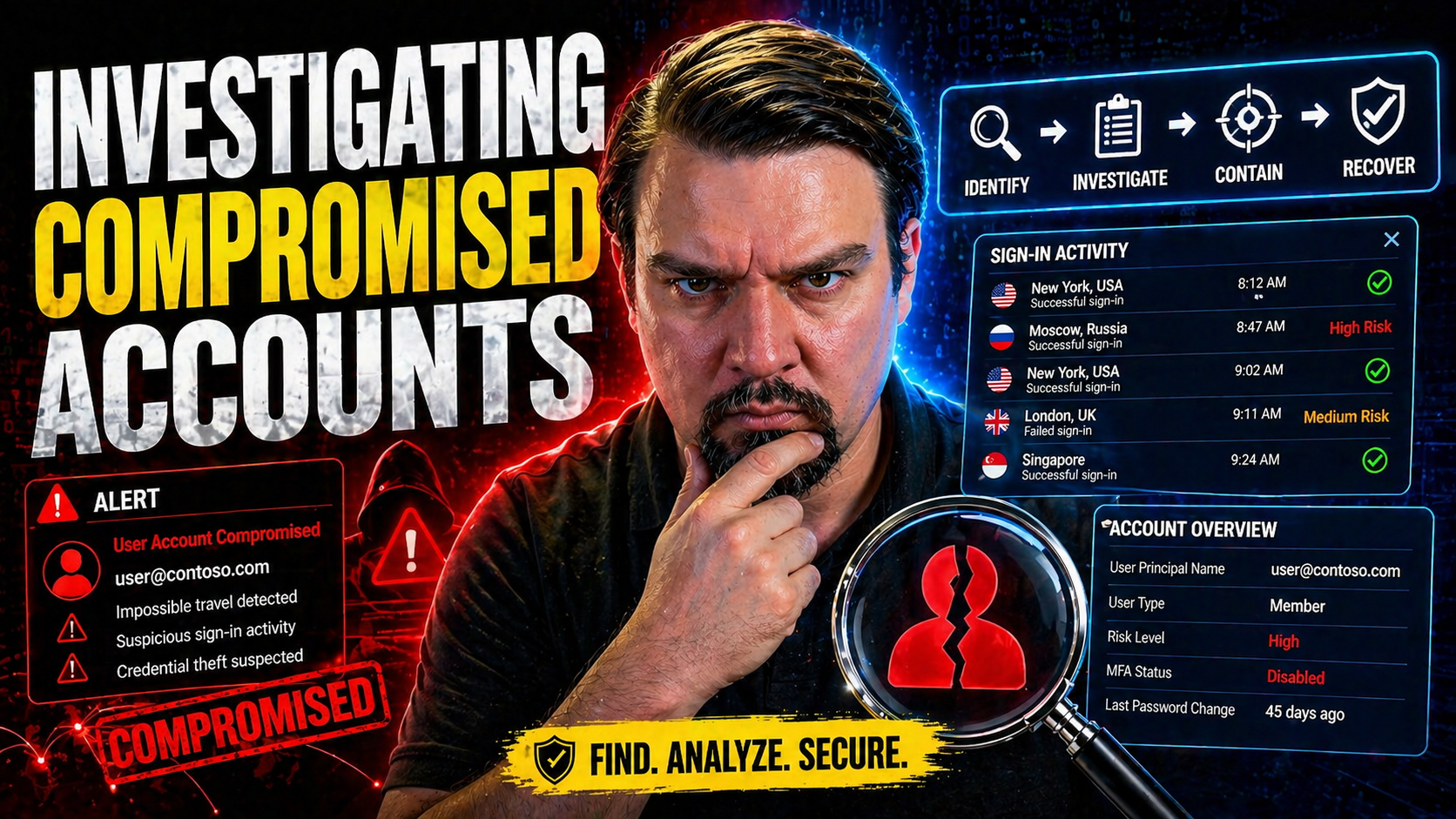
If you’re here, you probably know dealing with compromised accounts is never just about changing a password and calling it a day. This guide walks you through a practical, hands-on framework for investigating compromised accounts, especially in Microsoft 365, Azure, and hybrid cloud workplaces. You’ll get real strategies for detecting suspicious activity, leveraging Microsoft-specific forensic tools, and responding decisively.
With threats constantly evolving, you don't have the luxury of trial and error. This resource covers the why, how, and what-now—from identifying red flags, using audit logs, and recovering securely, to locking things down so it doesn’t happen again. The tools, playbooks, and prevention tactics outlined here are focused on Microsoft systems but apply broadly to the cloud environments folks rely on every day.
Understanding Compromised Accounts and Their Risks
The whole game changes once you know what a compromised account really means—and why you cannot afford to miss even subtle signs of trouble. Compromised accounts don’t just mess with one user; they open doors to sensitive business data, financial records, and the personal info of your organization and clients. Recognizing the foundation is the first step in building a meaningful defense strategy.
Attacks rarely come through the front door. Most compromised accounts start small: maybe a phishing email, or a reused password from that ancient site you forgot about. Other times, attackers get in through data breaches out of your control, yet the impact lands squarely on your plate. And let’s not get started on malware or tricky OAuth consent phishing—these hit especially hard in Microsoft 365 environments.
Your accounts are the keys to the kingdom—think email, financial portals, social logins, even system-level access. Overlooking the subtle warning signs, like unfamiliar login locations or devices cropping up out of nowhere, could cost you dearly. Understanding the types of accounts at risk, how breaches slip past basic security, and the common symptoms helps you detect and respond in time.
Up ahead, we’ll detail exactly what makes an account “compromised,” the main ways attackers break in, and practical red flags to watch for in your Microsoft and Google environments. Get ready to tighten things up; knowledge is your best defense for keeping threats where they belong—outside your walls.
What Are Compromised Accounts?
A compromised account is any digital identity—like your email, financial login, or cloud administrator account—that’s been accessed or controlled by someone unauthorized. Attackers might get in using stolen passwords, phishing attacks, or by exploiting weaknesses in your system. The account type matters: a compromised email account often spreads spam or launches further attacks, while a breached financial account risks direct monetary loss and data theft.
There’s no one-size-fits-all threat. For example, a cloud admin account breach in Microsoft 365 could expose sensitive files, apps, and even user directories. Meanwhile, a compromised social media account could put brand reputation or personal info at risk. Each scenario calls for a customized response—what works for an email breach won’t always fix a financial compromise. Spotting the early warning signs is essential to minimizing damage across any digital environment.
How Does Compromise Happen? Phishing, Weak Passwords, and Data Breaches
- Phishing Scams: Attackers trick users into giving up credentials through deceptive emails, links, or fake login pages. Phishing remains the top way accounts are breached—especially in Microsoft 365 and cloud apps—since it plays on human error more than technical flaws.
- Weak or Reused Passwords: Using passwords like "Password123" or recycling the same login across multiple sites is an open invitation to cybercriminals. Credential stuffing attacks exploit leaked passwords from other breaches, making password strength and uniqueness absolutely critical.
- Malware and Keyloggers: Malicious software installed via infected attachments or compromised devices can capture your keystrokes or export authentication tokens right out from under you. This can bypass even more advanced defenses if the endpoint isn’t protected.
- Public and Known Data Breaches: Stolen credential lists from breaches at other organizations are often reused by hackers with automated tools. When attackers already have your username and a likely password, it's a matter of time before they try them on platforms like Microsoft 365.
- OAuth Consent and Token Abuse: Attackers might exploit the OAuth consent process, especially in Entra ID within Microsoft 365 or Azure, to gain persistent access—even after a password reset or multi-factor authentication update. For details, read about OAuth consent abuse and related controls, which show how attackers can maintain stealthy access using consented apps.
All these attack vectors are persistent threats because they target both technical vulnerabilities and human habits. No single layer of defense is enough, so understanding how these happen (and keeping up with new techniques) is the backbone of preventing the next compromise.
Recognizing Suspicious Activity in User and Google Accounts
- Unusual Login Locations or Times: Seeing logins from countries or regions you don’t operate in—or odd hours—can be the first sign something’s wrong.
- Unfamiliar Devices or IP Addresses: New smartphones or computers accessing your accounts without explanation raise a red flag, especially if you suddenly spot unfamiliar sync events.
- Abnormal Data Access Patterns: Rapid downloads or access to large volumes of data, like from Google Drive or Microsoft OneDrive, often indicate unauthorized access or data theft in progress.
- Changes to Security Settings: If your recovery email, two-step verification options, or app passwords are updated without your knowledge, act immediately.
Spotting these early can buy you critical time to lock down the account before the damage spreads—especially when combined with automated warnings from your Microsoft or Google security dashboard.
Investigation Tools and Audit Logs for Compromised Accounts in Microsoft 365
Now that you know what to look for, the next step is figuring out how to prove a compromise happened and track down exactly what went wrong. Microsoft 365 and cloud platforms come with powerful audit tools designed for just this purpose. Digging into the right logs and forensic details allows you to reconstruct attacker actions, identify what was accessed or changed, and understand the full impact of a breach.
Audit logs, mailbox activity reports, and monitoring solutions like Microsoft Purview and Microsoft Sentinel offer a centralized view of user and admin actions across all connected services. These logs record everything—from which emails got opened to batch file downloads to new device registrations. Upgrading to audit solutions with longer retention and richer signals, especially in regulated or high-risk environments, can make the difference between a quick recovery and an invisible breach.
Beyond technical tools, it’s also critical to consider how access and ownership reviews, permissions management, and data governance tie into security. For deeper insights, check out how Microsoft Purview Audit gives tenant-wide visibility, and how data governance best practices prevent unauthorized or stale access from lingering in your environment.
Let’s get into the nuts and bolts of mailbox forensics and detecting abnormal access using the audit tools available in Microsoft 365.
Compromised Accounts MailItemsAccessed and Mailbox Auditing
- Understanding MailItemsAccessed: This audit action in Microsoft 365 tracks when someone—be it the account owner or an attacker—opens or previews emails in the mailbox. It logs details like who did it, from where, and which items were involved. This is critical for forensic work after a compromise.
- Mailbox Auditing Setup: Enabling mailbox auditing ensures every access event, both for regular users and privileged accounts, is recorded. Most plans now turn this on by default, but you want to confirm it’s active for all sensitive users.
- Investigating with Audit Records: After a compromise, MailItemsAccessed records help determine which messages, files, or folders the attacker opened. Sorting by access time, user, and location can reveal what was seen, what was exported, and whether the breach extended to confidential materials or business-critical assets.
- Filtering and Analyzing Forensics Data: Use Microsoft Purview Audit to filter MailItemsAccessed events by user, location, application, or time window. For advanced investigations, consider upgrading to Audit Premium, which offers longer retention of logs and more signal granularity. See this guide on Purview Audit for setup and best practices.
Mailbox auditing combined with intelligent filtering is your secret weapon for answering: what did the attacker see, when, and who needs to be notified or remediated first?
Auditing Access and Sync Events to Detect Compromise
Audit logs play a major role in tracking who accessed what, when, and from where in your Microsoft 365 environment. By continuously monitoring access and sync events—like user logins, file downloads, or device synchronizations—organizations can spot patterns that deviate from normal behavior. Anomalies such as repeated sync attempts, access from foreign locations, or new device registrations may indicate account compromise in progress.
Cloud-first and hybrid setups make proactive log monitoring even more critical. Modern tools like Microsoft Defender for Cloud integrate compliance and security monitoring, helping spot abnormal sessions and prevent drift in cloud configurations. Read more about automated compliance monitoring with Microsoft Defender for Cloud here.
Incident Response Playbook for Compromised Accounts
Even with strong defenses, a well-timed phishing email or clever attacker can outmaneuver the best laid plans. That’s where your incident response playbook kicks in. Taking an organized, phased approach in line with frameworks like NIST ensures you’re not scrambling when every second counts.
The playbook should guide you from preparation—like training your team and setting up clear reporting processes—through the chaos of detection and containment, all the way to eradication and recovery. At every step, your goal is to minimize business disruption, protect sensitive data, and prevent attackers from coming back for round two. As you gain experience, reviewing and updating your incident response based on real-world lessons is key to staying resilient.
Modern attacks often slip past single-layer defenses, sometimes with new tricks like consent phishing or token theft that go beyond simple passwords. For a real-world breakdown on modern attack chains in Microsoft 365, see this breakdown of attack techniques and detection methods.
Let’s break down the phases: preparation and early detection, containing and fixing the issue, and learning from each incident to strengthen your defense for next time.
Preparation and Identification: Early Detection and Reporting
- Security Awareness Training: Train staff to spot phishing attempts, suspicious login alerts, and unauthorized changes proactively. Everyone needs to know what common scams look like and how to respond without hesitation.
- Incident Reporting Channels: Set up clear, well-publicized ways for users to report suspicious activity—think dedicated hotlines, ticketing systems, or urgent escalation paths.
- Automated Alerts and Unified Policies: Use unified identity, device, and session security to trigger alerts in real-time and foster a quick identification phase. Adopting Zero Trust by Design ensures that only verified users and devices get access, slashing the window for attackers to move undetected.
Containment, Eradication, and Recovery of Affected Accounts
- Isolate the Compromised Account: Immediately disable the affected account’s sign-in, or remove it from the network if feasible. This stops the attacker from moving laterally to other systems.
- Revoke Sessions and Tokens: End all active sessions and revoke OAuth or API tokens, ensuring attackers lose persistent access even if credentials get changed.
- Reset Passwords and Enforce MFA: Enforce a secure password reset, and enable multi-factor authentication before restoring access. Don’t forget service accounts and any linked credentials.
- Review and Remediate Permissions: Audit what access the account had—limit any excess privileges and check if settings or security groups were modified.
- Restore Operations Securely: Once cleared, gradually restore access, monitoring for abnormal behavior the whole time. Use threat protection tools like Microsoft Defender and policy enforcement through Microsoft Purview to prevent recurrence. For a detailed workflow, check out best security practices for Microsoft 365.
This process ensures you don’t just kick the attacker out; you also slam the door shut and double-check the locks before inviting your users back in.
Lessons Learned and Post-Incident Security Updates
- Conduct a Thorough Review: Hold a post-incident meeting to analyze what went well, what was missed, and how protocols should be improved the next time around.
- Update Security Controls: Strengthen weak spots—update group policies, enable new audit features, and revisit access controls for all privileged accounts.
- Document and Communicate: Keep detailed records for legal, compliance, and learning purposes. Don’t just fix the immediate problem—update training materials and share key takeaways with your security stakeholders.
- Enforce Better Governance: Avoid repeated mistakes by treating Microsoft 365 as a holistic system rather than siloed tools. For a detailed discussion on effective governance, see Microsoft 365 governance pitfalls and how to avoid them.
Defensive Measures and Security Steps to Prevent Compromised Accounts
Why wait for trouble if you can keep it at bay? The best defense against compromised accounts comes from combining solid technical controls with common sense. Password habits, layered authentication, smart education, and exposure management all work together to make it hard for attackers to get a foot in the door—or even to find the door in the first place.
Microsoft 365 and cloud platforms offer robust security features by default, but your real strength lies in customizing these guardrails to match your specific risks and workflows. Don’t overlook things like monitoring for new connectors, running regular exposure assessments, or prioritizing security for every user—not just IT pros.
Effective prevention isn’t about annoying your users with endless pop-ups or blockers. It’s about making secure choices automatic and invisible where possible, while keeping a tight watch on systems and accounts likely to attract attackers. If you’re dealing with Microsoft Power Platform or struggling with citizen developers using new tools, it’s worth digging into governance best practices for Power Platform to close any gaps.
Next up are the essential, actionable steps for building and sustaining an environment that thwarts attackers before they ever get close to those accounts.
Security Steps for Prevention: Strong Passwords, 2FA, and Phishing Defense
- Enforce Strong, Unique Passwords: Require passwords that mix letters, numbers, and symbols—don’t reuse credentials across accounts or with third-party services.
- Enable Multi-Factor Authentication (2FA): Two-factor authentication adds a crucial layer, making it much harder for attackers to use stolen passwords alone to get in.
- Ongoing Phishing Education: Run regular awareness campaigns and simulated phishing tests so users learn to recognize and report suspicious emails before clicking anything risky.
- Monitor and Respond to Security Changes: Stay alert for unauthorized changes to account recovery options, app passwords, or external access settings—they often signal an attempted or ongoing attack.
Operationalizing Exposure Management and Vulnerability Assessment
- Regular Vulnerability Assessments: Scan your cloud, apps, and APIs on a schedule—identify misconfigurations, unpatched systems, or risky permissions before attackers do.
- Cloud & Application Security: Set up monitoring tools, enforce least-privilege access rules, and review all third-party apps, connectors, and extensions. Don’t assume anything is secure by default, especially as your Microsoft 365 landscape expands.
- API Security and Threat Hunting: APIs connect critical systems but are often overlooked. Monitor API usage for anomalies and hunt for abnormal requests or access attempts, shutting off legacy or unused interfaces.
- Leverage Threat Intelligence: Use external threat feeds and security advisories to update your own defense posture. Stay ahead by knowing which credential leaks or attack techniques are trending among real-world adversaries.
- Emphasize Governance Continuity: Make operational exposure management part of daily routines, not just an annual checkbox. If you’re ready for deeper dives, explore Microsoft 365 governance techniques and automation (though note this automation resource is currently redirected to recent podcast episodes due to missing content).
Operationalizing exposure management isn’t glamorous, but it’s where you stop risks before they turn into headlines. Focused vulnerability assessment, paired with proactive threat hunting, keeps your environment as airtight as possible.
Platform-Specific Guidance: Securing Google Accounts After a Breach
If you think only Microsoft 365 accounts get hit—think again. Attackers go where the accounts are, and Google services are high value, too. Whether a Google Workspace admin or a regular user, knowing what steps to take right after noticing something suspicious can make the difference between quick recovery and ongoing damage.
This section is for those moments when your Google account has been breached, or you’re worried it might be. You’ll find practical steps for regaining control, locking out the crooks, and resetting security settings. Many Microsoft 365 admins now deal with users who have cloud-connected apps spanning Google Drive, Gmail, and shared identity services—making it vital to secure both sides after a breach.
It's also important to stay up-to-date with the latest playbooks, resources, and direct support contacts—there’s no shame in getting help from official guides or verified staff if the situation gets complicated. Getting it right the first time helps prevent attackers from using one breach to pivot across your whole environment. Next, you’ll find expert-vetted resources and step-by-step support to guide you through a Google account security incident.
Expert Resources, Playbooks, and Where to Get Help
- Downloadable Security Playbooks: Seek out modern incident response guides from Microsoft, Google, and trusted cybersecurity firms—these offer step-by-step checklists for reporting and remediating compromised accounts.
- Expert Tips and Threat Intelligence: Browse curated tips from Microsoft’s own incident response teams and major cybersecurity blogs. Leveraging official documentation and active threat feeds arms you with up-to-the-minute guidance on attacks and defense techniques.
- Staff and Support Contacts: Don’t hesitate to contact in-house IT, Google Workspace support, or Microsoft help desks for immediate assistance. Knowing who to call saves time—and nerves—when escalation is required.
- Advanced Copilot and Data Loss Prevention Guides: Implement data leakage controls and advanced agent governance, as explained in Copilot agent governance using Microsoft Purview, to prevent attackers from siphoning data out of Google or Microsoft 365 once inside.
Behavioral Analysis for Compromised Account Activity
Compromised accounts don’t always announce themselves with smoke and fireworks—sometimes the only clue is when a user suddenly changes habits. Behavioral analysis fills the gap when credentials look valid but the actions don’t fit the normal pattern. By diving into how long sessions last, tracking unusual frequency of logins, and watching for data exports, you can reveal subtle attacks other tools might miss.
Modern security teams use User and Entity Behavior Analytics (UEBA) to measure what’s “normal” for every user and flag deviations for review. Automated risk scoring helps you prioritize which anomalies are truly dangerous and which are just someone working late or from vacation. These analytics don’t just add another layer—they’re critical for detecting sophisticated, stealthy threats hiding among legitimate users, especially in sprawling Microsoft 365 and hybrid cloud setups.
Applying behavioral analysis to your compromised account investigations means you’re not just chasing yesterday’s attack methods; you’re one step ahead, finding indicators that static audit logs alone can’t provide.
Correlating Cross-Platform Account Compromises and Lateral Movement
Modern attackers rarely stop at one account—they want to maximize impact by jumping from system to system. Lateral movement is how a breach on one platform (say, Google or a neglected SaaS app) cascades into your Microsoft 365 or internal networks. Detecting and blocking this cross-platform activity is often the difference between a minor headache and a major incident.
To stay on top, you need to correlate suspicious activity across federated identities, OAuth consents, and audit trails. Hunt for password reuse, credential exposure in public breaches, or “shadow IT” instances in Microsoft 365. Practical tools—like Microsoft Defender for Cloud Apps and detailed Entra ID logs—reveal patterns of API abuse, excessive privileges, and pivot points that give attackers away.
Don’t overlook the risk of chained breaches. For a helpful plan to address shadow IT and mitigate app sprawl, see this action-oriented guide on Shadow IT and governance in Microsoft 365. Connecting the dots across services and closing unnecessary gaps means attackers find one locked door after another, instead of an open hallway.

Microsoft MVP | Host of M365.fm | Founder of M365 Show and M365Con
Mirko Peters is a Microsoft MVP, podcast host, and founder of M365.fm, M365 Show, and M365Con. His work connects Microsoft practitioners through podcast interviews, livestreams, and community events.
At M365.fm, Mirko hosts conversations with Microsoft MVPs, product experts, architects, and community contributors. Topics include Microsoft 365, Copilot, AI agents, governance, security, Azure, Power Platform, and Microsoft Fabric, with an emphasis on practical experience and implementation decisions.
M365.fm is the podcast and learning platform. M365 Show brings experts together for livestreams, while M365Con provides an online conference setting for community learning.
Official website: Mirko Peters (https://www.mirkopeters.com/). Recognition: Mirko Peters — Microsoft MVP profile (https://mvp.microsoft.com/de-DE/mvp/profile/9b0ca797-db5a-493a-a845-8b9158046cf5). Connect on LinkedIn (https://www.linkedin.com/in/m365showpodcast/).




