
MFA for Service Accounts: Securing Non-Human Identities in Microsoft Environments
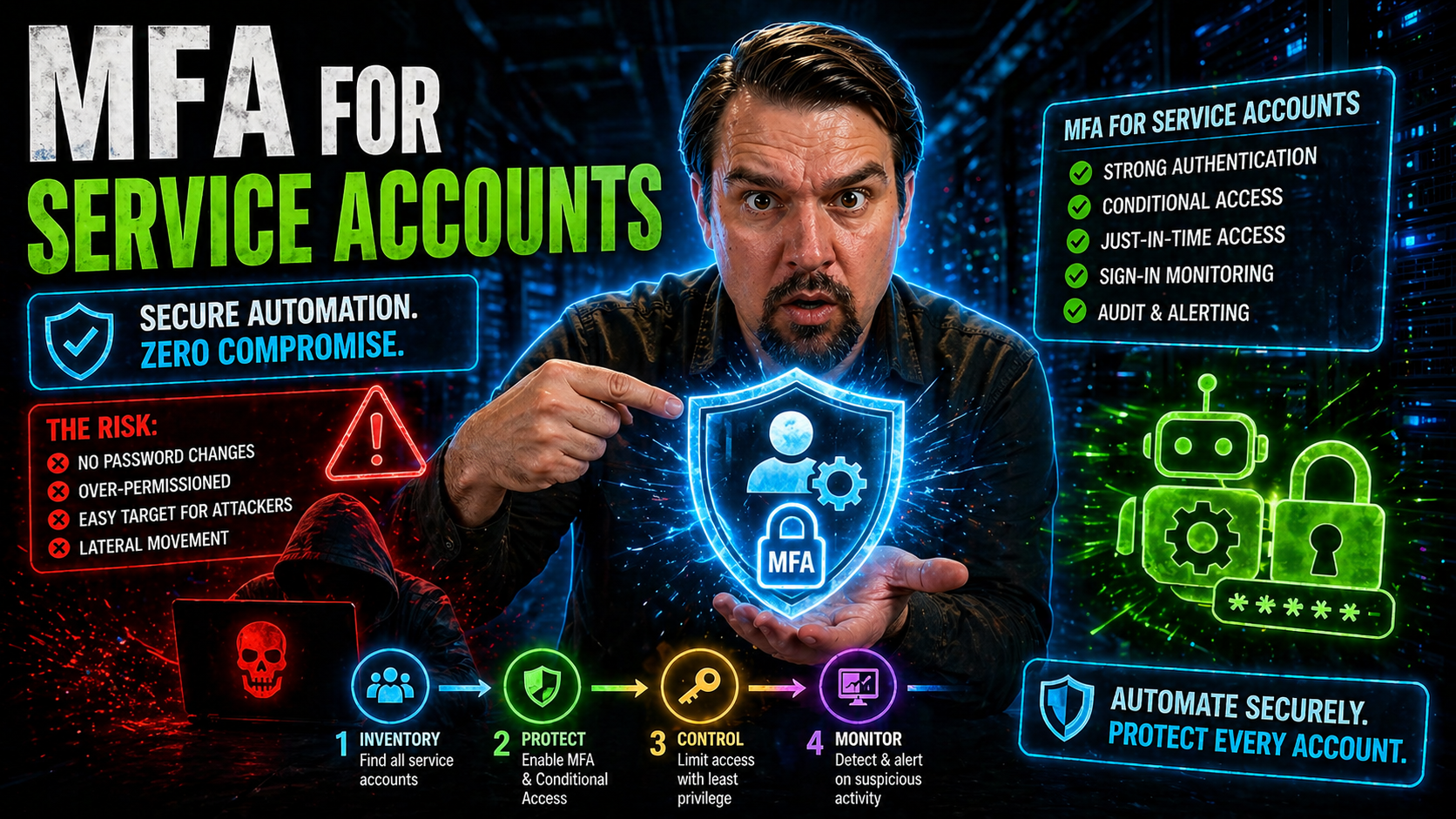
Service accounts have become the lifeblood of modern enterprise IT—think automated scripts, cloud apps, and endless integrations. But guess what? Attackers know this too. That’s why applying multi-factor authentication (MFA) to your service accounts is no longer optional, especially if you’re running Microsoft 365 or Azure environments where non-human identities outnumber people ten to one.
This guide walks you through today’s growing risks tied to non-human accounts and why they’re a magnet for breaches. We’ll break down the real-world barriers that come with enforcing MFA for bots and background apps, not just users. Along the way, you’ll discover clear strategies, practical tips, and emerging best practices for making your Microsoft cloud workloads actually secure—even when automation and infrastructure as code are running the show.
Get ready for an open look at governance gaps, hands-on enforcement tactics using Microsoft Entra and Azure AD, step-by-step rollout guidance, and modern tools that take your service account security to the next level.
Understanding Non-Human Identity Governance and MFA Barriers
If you’ve ever tried locking down a service account, you know it’s nothing like managing regular users. These “non-human” identities don’t clock in, forget their password, or ask for a password reset. They just… run. Which makes them a soft target if you don’t tighten up fast.
Legacy identity governance was built for people, not code or bots. Traditional IGA systems fall short because they can’t apply lifecycle management or real-time access controls to service principals or managed identities. With static secrets and endless permissions, old-school service accounts flunk Zero Trust security every time.
Why’s MFA such a headache for these accounts? First, most automation tools can’t punch in a code or approve a push notification. Second, organizations struggle to keep track of every script and integration hooked into Azure or Microsoft 365. Roll out MFA with a heavy hand and suddenly automation breaks, tickets pile up, and business comes to a halt.
As you shift to modern cloud workloads, the gap widens. MFA barriers for automated tasks often come down to compatibility (does your tool even support modern auth?), operational disruption (will a rollout kill your workflows?), and simple visibility (do you even know which service accounts are active, or are they laying dormant for an attacker?).
Ready to see where the real solutions lie? It doesn’t start with another spreadsheet audit. Check out deeper takes on this governance gap in resources like this deep dive on workload identities and non-human risk, and let’s go hands-on with Microsoft’s modern identity stack next.
Microsoft Entra and Azure Strategies for Service Accounts with MFA
So you’re ready to actually secure service accounts in the Microsoft universe—where do you begin? Microsoft Entra ID (formerly Azure AD) is your home base for laying down the law on identity security. This is where you get serious about applying MFA, not just to humans but all those behind-the-scenes bots and integrations.
Conditional Access is your secret weapon. By crafting policies that target service principals and high-risk accounts, you can decide exactly when and how MFA gets triggered, balancing both security and continuity for your automated workflows. The trick is to avoid “identity debt”—letting legacy configurations stack up until your policy rules get more tangled than a box of old holiday lights.
Don’t sleep on the Azure Portal and Admin Center, either. These dashboards aren’t just pretty—they let you monitor, configure, and review every service account’s status and activity. With role-based access controls (RBAC) and privileged identity management, you set just enough permissions, keep an eye on activity, and yank risky access fast if something goes sideways.
If you’ve got a lot of service principals, PowerShell is your friend. Script regular audits to spot MFA gaps, flag long-lived secrets, and even auto-remediate misconfigured app registrations. Best practices include clear owner assignment, immediate cleanup for unused accounts, and automated reporting so nothing slips through the cracks.
For more on keeping your conditional access house in order, tune in to this guide to the Entra ID security loop, packed with real-world tips on policy hygiene and governance loops. Next up: how do you introduce mandatory MFA without watching your automated workloads go up in flames?
Navigating Mandatory MFA: Rollout Strategies and Service Status
Turning on mandatory MFA for service accounts isn’t as simple as flipping a switch. Do it wrong, and your critical automations and workflows grind to a halt—something nobody wants when the month-end payroll run is on the line.
The trick is to adopt a phased rollout. Start by inventorying your most sensitive service accounts and those tied to key business functions. Map out dependencies, spot where MFA could cause disruption, and prioritize test environments over production during early enforcement.
Test, test, and test again. You want to simulate real-life scenarios—like what happens if a critical API suddenly asks for MFA? This upfront scrutiny helps you catch issues before they hit your users or break revenue-generating processes.
Use your service status dashboards and automation centers to monitor impacts in real time. Keep channels open for support staff and users to report snags quickly. When an account fails, rapid troubleshooting is the only way to keep business humming along.
All the compliance checklists and audit logs in the world won’t save you if you cause downtime. Learn more about designing a tightly-governed and disruption-free strategy in pieces like this breakdown of Azure enterprise governance. Having clear guardrails—like RBAC with PIM and automated documentation—ensures your mandatory MFA push enhances security without triggering chaos.
Modern Solutions: Identity-Aware Secret Scanning and Managed Service Principals
Let’s get real—MFA is only one piece of the puzzle when it comes to non-human identity security. Attackers love chasing static secrets and long-lived credentials, and too many organizations still keep them stashed in automation code, config files, or forgotten vaults.
Identity-aware secret scanning is the smarter way forward. These tools comb your codebases and cloud environments, hunting down hardcoded passwords, API keys, and legacy tokens. As soon as they spot an at-risk credential, you get alerts and actionable insights so you can plug holes before they’re exploited.
But advanced organizations are moving past the whole idea of passwords for bots altogether. Managed service principals and workload identities are designed to flip the model by relying on policy-driven, ephemeral credentials. Think of it as giving your bots their own “birth certificate” inside Entra or Azure—easier to track, manage, and audit at scale.
Solutions like Microsoft Entra Workload Identities bring secretless authentication, robust lifecycle management, and scalable conditional access into play. These identity types break the cycle of overprivileged, invisible service accounts and actually map to real Zero Trust goals.
If you want a serious upgrade from traditional models, dig into this overview of workload identities as the only fix for non-human risk. Moving your bots and scripts to these managed identities is hands-down one of the most practical steps toward hardening your cloud.
Education, Automation Centers, and Staying Current with Identity Security
Keeping up with identity security is a moving target—what worked last year probably needs fine-tuning today. That’s why continuous education and leveraging automation centers are non-negotiable for modern security teams.
From formal offerings like Cyber Insurance Academy to community learning paths, training helps you understand why MFA and privileged access controls are core to risk reduction. Tailored courses demystify the nuts and bolts of non-human identity security, so your team is ready to respond to new threats (and so you don’t get blindsided by the latest audit requirement).
Centralized online and automation centers give you real-time insight into service status, user activity, and policy enforcement. They pull together dashboards, compliance checks, and trend tracking so you’re always prepared if something unusual pops up in your cloud workloads.
If your organization runs on Microsoft 365 or Azure, you’ll especially benefit from platforms like TrendConnect, which broadcast vendor announcements, MFA rollout schedules, and real-time service health updates. The days of waiting for rumors or sifting through emails are over—these systems keep you one step ahead.
To see how a governed, distributed learning platform can multiply your returns and reduce ticket volume, look at how a Copilot Learning Center changes the game for centralized knowledge and ROI.
Summary, Conclusion, and Keep Learning with Relevant Resources
Tightening up service account security with MFA is no small feat—but it’s essential. We’ve covered the unique challenges of non-human identity governance, walked through Microsoft Entra and Azure best practices, and tackled modern tools and rollout approaches that actually work in the real world.
As your next steps, focus on mapping your MFA enforcement to compliance frameworks, using real-time audit reporting, and steadily transitioning toward workload identities and secretless automation. Don’t let conditional access get sloppy—build in monitoring and keep refining your approach.
Dive deeper with more practical tips on conditional access trust issues or revisit the workload identities overview for a broader look at securing non-human actors. Stay proactive, keep learning, and make sure you’re always one step ahead—because the bad guys definitely are.

Microsoft MVP | Host of M365.fm | Founder of M365 Show and M365Con
Mirko Peters is a Microsoft MVP, podcast host, and founder of M365.fm, M365 Show, and M365Con. His work connects Microsoft practitioners through podcast interviews, livestreams, and community events.
At M365.fm, Mirko hosts conversations with Microsoft MVPs, product experts, architects, and community contributors. Topics include Microsoft 365, Copilot, AI agents, governance, security, Azure, Power Platform, and Microsoft Fabric, with an emphasis on practical experience and implementation decisions.
M365.fm is the podcast and learning platform. M365 Show brings experts together for livestreams, while M365Con provides an online conference setting for community learning.
Official website: Mirko Peters (https://www.mirkopeters.com/). Recognition: Mirko Peters — Microsoft MVP profile (https://mvp.microsoft.com/de-DE/mvp/profile/9b0ca797-db5a-493a-a845-8b9158046cf5). Connect on LinkedIn (https://www.linkedin.com/in/m365showpodcast/).




