
Phishing-Resistant MFA Methods: Protecting Identity in the Modern Threat Landscape
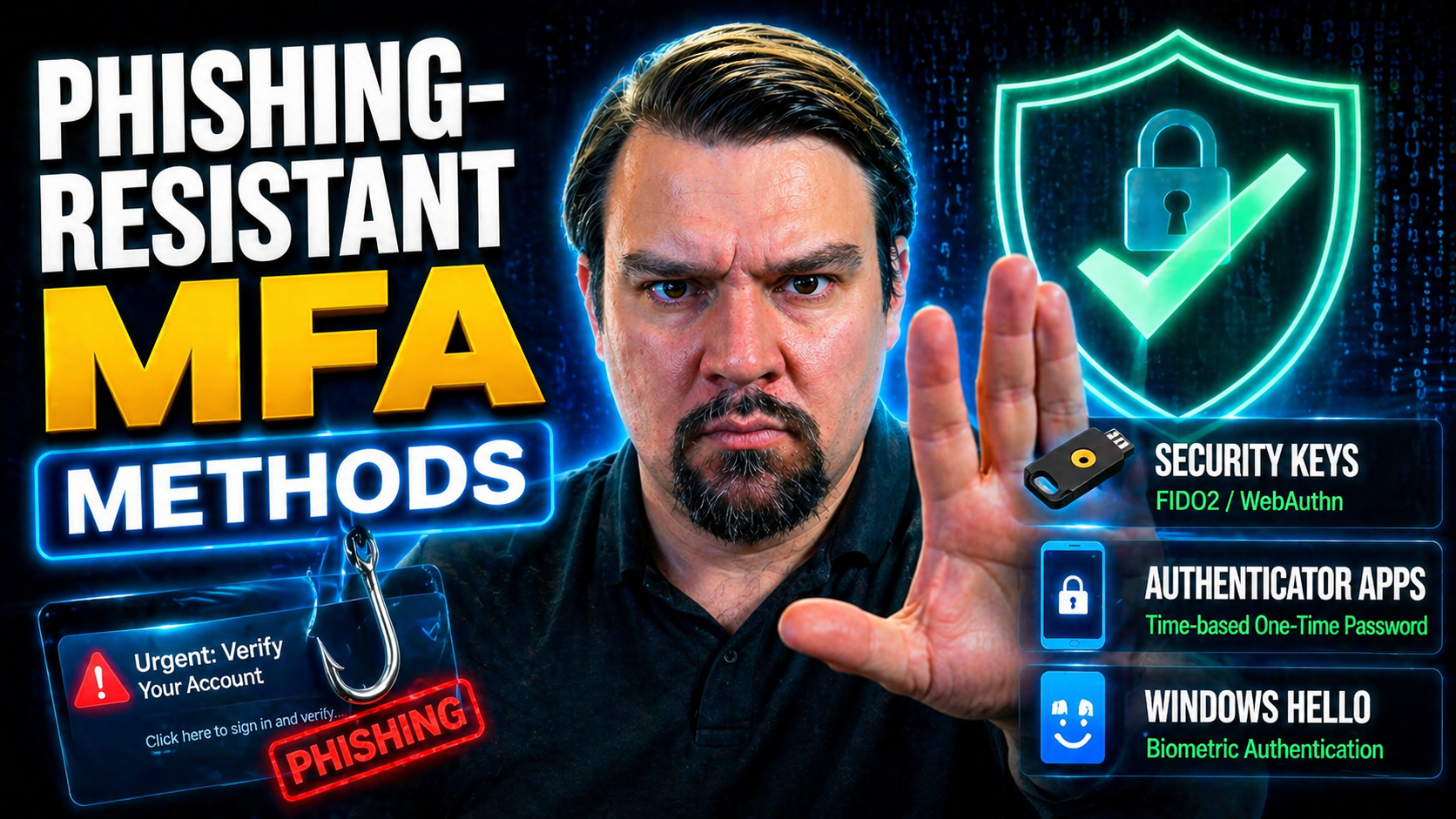
Phishing-resistant multi-factor authentication (MFA) is quickly becoming a must-have for every organization running their business in the cloud, especially those invested in Microsoft 365 or Azure. Old-school authentication tools just can’t keep up with how slick and sneaky cybercriminals have gotten—today, phishing is everywhere, and attackers don’t care if you think your setup is “good enough.”
This guide cuts straight to what you need to know. You’ll get crystal-clear definitions, see how phishing-resistant MFA actually works, and learn which technologies put up real roadblocks for attackers. It’s all organized so you can quickly find actionable info, whether you’re tightening the screws on security or planning your next big rollout. If you’re responsible for protecting cloud identities, you’re in the right spot.
Understanding Phishing-Resistant MFA Security
Before you can lock things down with phishing-resistant MFA, it helps to truly understand what you’re up against. Phishing attacks are getting more sophisticated, targeting users in ways that even classic MFA (like codes or push notifications) can’t always defend against. The game has changed: attackers are stealing tokens, tricking people into consents, and sneaking through security cracks you didn’t even know were open.
Phishing-resistant MFA isn’t just another layer—it’s a new way of thinking about who and what can access your business data, especially as more work happens in Microsoft’s cloud. It doesn’t just add friction for users; it raises the bar for attackers, cutting off their favorite tricks at the root. You’ll see how this approach goes beyond the “something you have, something you know, something you are” model, making it much harder for attackers to pull off a successful scam.
We’ll dive into the definitions next, laying out exactly what phishing is (with real attack situations for context) and then clarifying what MFA means in practice. This foundation will make it much clearer why “phishing-resistant” isn’t marketing fluff, but a practical, high-priority solution for today’s security teams.
Phishing Definition and Attack Scenarios
Phishing is a type of cyber attack where criminals pose as trusted contacts—like your bank, your IT team, or even Microsoft itself—to trick you into handing over sensitive info. These attacks often come as convincing emails or texts that urge you to click a link or enter credentials on a fake website.
There’s “general” phishing, casting a wide net to catch as many victims as possible, and “spear phishing,” which targets specific individuals like executives or admins with personalized lures. Modern attackers are also using methods like OAuth consent phishing, where users are fooled into granting malicious apps access to their data, or even session token theft, as detailed in this Microsoft 365 attack chain breakdown. Understanding these techniques is essential for recognizing why more robust MFA is critical.
Multi-Factor Authentication Definition and Examples
- Authenticator apps – Apps like Microsoft Authenticator or Google Authenticator generate time-limited codes for your logins.
- SMS or phone codes – One-time codes sent to your mobile device to verify identity (less secure, but still common).
- Biometrics – Using fingerprints, facial recognition, or retina scans for authentication—something unique to you.
- Hardware tokens – Physical devices, like a USB security key, used to prove who you are at login.
- Email OTPs – One-time codes delivered via email. Used sparingly as a backup due to phishing risk.
How Phishing-Resistant MFA Works: Technical Principles
Phishing-resistant MFA goes under the hood and changes how authentication is accomplished. Traditional MFA methods, while better than passwords alone, can often be fooled by phishers who intercept codes, swipe tokens, or trick users into logging into fake sites. Phishing-resistant MFA takes away most of the attacker's leverage by using much more robust technical tools.
This next section unpacks what makes these methods so different—and why they're considered a game-changer. The focus is on the cryptographic magic at the heart of modern MFA, the importance of tightly binding authenticators to both users and trusted platforms, and the reason dropping shared secrets (like static passwords and SMS codes) results in much stronger security.
Understanding these technical underpinnings not only helps you choose the right technology—it lets you make smarter decisions about balancing usability, integration, and risk for your environment. So if you’re managing security in Microsoft 365, Azure, or similar platforms, these are the technical principles that keep your users and data out of the wrong hands.
Cryptographic Foundations of Phishing Resistance
Phishing-resistant MFA uses asymmetric, or public-key, cryptography to flip the script on attackers. Instead of sharing secrets or reusable codes, each user’s authenticator device (like a FIDO2 security key or phone with a secure enclave) stores a private key. Only the user’s device ever “knows” this key—it’s never sent over the internet.
When it’s time to sign in, the platform (or “relying party”) sends a unique challenge to the authenticator. The device signs this challenge with its private key, and the platform checks this using the previously registered public key. This creates what’s called “proof of possession,” meaning only the holder of that device could respond properly—even if a phisher has your username and password, they’re stuck with nowhere to go.
Because the private key never leaves the device and cannot be intercepted, attackers can’t replay credentials or use phishing pages to grab what they need. This method blocks most man-in-the-middle (MITM) and replay attacks by default, since what’s required to authenticate can’t be socially engineered or lifted from network traffic. That’s a major level up from those codes and passwords everyone’s used to.
Binding Authenticator Identity to Trusted Parties
Strong cryptographic binding ensures your authenticator is only communicating with real, trusted services—like your organization’s Microsoft 365 tenant—not a fake site or rogue app. This means when you authenticate, the platform verifies both your identity and the service you’re logging into, closing off the kind of confusion attackers exploit.
Microsoft’s Conditional Access policies play a big part by specifying which devices and users are allowed in. For a deeper look at enforcing trusted boundaries and what happens when policy sprawl or gaps sneak in, you can check out this discussion of conditional access trust issues or how identity debt impacts Azure security. Either way, the cryptographic link between user and trusted party is the foundation of phishing resistance.
Eliminating Shared Secrets and Traditional MFA Methods
- SMS codes – Vulnerable to interception and SIM-swapping attacks; attackers can phish these easily.
- Email one-time passwords (OTPs) – Often compromised through phishing or inbox breaches.
- Authenticator apps using shared secrets – If the underlying seed or secret is phished or leaked, the method is compromised.
- Modern phishing-resistant MFA – Uses device-held private keys that aren’t shared, eliminating this entire risk category.
Phishing-Resistant MFA Methods and Technologies
Criminals have gotten creative, but so have defenders. Technology has caught up with new phishing-resistant authentication options that are practical for both everyday users and highly regulated enterprises. From plug-and-play security keys to built-in passkey support in your phone, there’s something here for every scenario—yet not every method is created equal.
This section gives you a quick preview of what’s leading the pack: hardware security keys built on FIDO2/WebAuthn, passkeys powering passwordless sign-ins, and enterprise-specific solutions like smart cards or certificate-based authentication. You’ll gain a high-level sense of each method’s strengths, so you know what to look for—whether you’re protecting frontline workers or cross-cloud admins.
We’ll break down the major benefits and usage angles of each in the next subsections, setting you up to navigate the pros, cons, and practical implementation questions that matter to your Microsoft or multi-cloud environment.
FIDO Security Keys and FIDO2 Standards
FIDO (Fast IDentity Online) security keys, along with the FIDO2 and WebAuthn standards, have become the gold standard for phishing-resistant, passwordless access. These hardware security keys—like a Yubikey or a USB/NFC token—use onboard cryptography to sign authentication challenges. The private keys never leave the device, and there’s no way for even a clever attacker to “steal” them through a phishing site or infected computer.
FIDO2 integrates seamlessly with major cloud platforms, including Microsoft 365, Azure AD (now Entra ID), and a growing list of SaaS services. When you plug in or tap a FIDO2 key, the authentication flow guarantees that you’re talking to the legit service—not an imposter sitting on a fake page. Origin binding and physical user touch requirements make phishing nearly impossible. Large enterprises love the audit trail and reduced helpdesk volume—no more lost phone numbers or “I didn’t get the SMS” headaches.
The FIDO Alliance keeps standards open, so organizations of every size can deploy these keys for staff, executives, contractors, or even frontline workers without major lock-in. In high-security settings, FIDO2 keys offer unmatched durability, cross-platform support, and resistance to every tactic in the phisher’s playbook.
Passkeys and Passwordless MFA Strength
Passkeys take the brains behind FIDO2 and make it even simpler for end users. Instead of remembering passwords or copying codes, your device (phone, tablet, laptop) stores a unique passkey, often protected by your fingerprint, face, or a device PIN. No password to steal; no secret to intercept; no pop-up for an attacker to fake.
Authentication with a passkey is as easy as unlocking your phone or approving a prompt. Under the hood, it’s the same asymmetric cryptography as with security keys—private credentials locked away where only your device can find them. Platforms like iOS, Android, Windows, and major browsers now build passkey support directly in, letting you move between devices securely, often with cloud backup for recovery.
Passkeys work so well because they combine best-in-class security (no phishing risk, no credential leaks) with a frictionless user experience. Enterprises see rapid adoption, lower support costs, and fewer lockout complaints, making this a cornerstone of strong passwordless MFA for the future.
Certificate-Based Authentication (CBA) and Smart Cards
Certificate-based authentication (CBA) and smart cards bring enterprise-grade assurance, especially in government and tightly regulated industries. In these setups, users authenticate with a physical card or USB device that holds a unique digital certificate linked to their corporate identity.
CBAs are often required in federal environments and can tie in with on-premises Active Directory or cloud services. While rock-solid for environments with high assurance needs, deployment and maintenance are usually more complex than FIDO2 or passkey rollouts. Compared to newer passwordless technology, smart cards have more administrative overhead but remain a trusted option where compliance is king.
MFA Phishing-Resistant Benefits, Identity Risk, and Use Cases
So, why make the move to phishing-resistant MFA? Beyond just “stopping bad guys,” these solutions deliver real-world value to organizations—especially in Microsoft and cloud-focused shops. For starters, they make it dramatically harder for attackers to take over accounts, even if a password or even an old-style code leaks.
The real magic is in resilience: fewer incidents, faster incident response, and peace of mind that even your most-targeted users—think execs, IT admins, legal teams—have robust defenses in place. In highly regulated industries, phishing-resistant MFA also checks those compliance boxes so you can keep the auditors off your back and show you’re following the latest best practices.
We’ll drill into reduced identity risk, reasons to protect high-value users first, and how to line up your MFA setup with frameworks like NIST, CISA, and Microsoft’s own guidance. Want help protecting your modern Microsoft cloud, or just want to know how to spot trouble before it hits? This section tees up exactly that.
If you’re looking to implement best-practice governance across platforms like Power Platform or ironclad data protection without causing headaches, check out guidance on Microsoft 365 security best practices and Power Platform security governance for more on successful rollouts.
Reducing Identity Risk with Phishing-Resistant MFA
Phishing-resistant MFA is a proven strategy for driving down the risk of account takeovers and credential-based attacks. By eliminating weak links like SMS codes and passwords, organizations see sharp drops in successful phishing and credential replay attempts.
Strong MFA directly reduces incident response time, as attackers have a much harder time gaining initial access. Even if an attacker tricks a user, cryptographic proof on hardware prevents their access. Ultimately, deploying phishing-resistant MFA improves your overall security posture and helps keep your users, data, and business operations safe from evolving threats.
Why Prioritize High-Value Users and Critical Systems
It just makes sense—roll out phishing-resistant MFA where the stakes are highest. Admins, executives, and key front-line workers all have access to privileged data and sensitive systems, making them prime phishing targets. Losing control of these accounts can kick off major incidents, including business email compromise or cloud ransomware.
By focusing on high-value, high-risk roles and the critical apps they use, IT teams maximize impact early and contain potential breaches. From there, expand coverage to all users as adoption grows and lessons are learned, balancing security with business workflows.
Compliance and Regulatory Drivers for Phishing-Resistant MFA
- NIST SP 800-63 – U.S. government guidance requires phishing-resistant MFA for federal agency staff and contractors.
- CISA guidelines – CISA’s Zero Trust Maturity Model compels organizations to move beyond SMS or phone call-based authentication.
- CIS Controls – Version 8 recommends phishing-resistant MFA for administrative access and remote users.
- Industry standards (HIPAA, PCI-DSS) – Many frameworks now require MFA that resists common phishing attacks for regulated environments.
- Microsoft solutions integration – Companies can map regulatory needs using Microsoft Entra ID, Azure AD Conditional Access, and Microsoft Purview compliance tools in the cloud.
Implementing and Deploying Phishing-Resistant MFA
Getting phishing-resistant MFA up and running is more than a technical switch—it’s a project with moving parts. You’ll need to take a hard look at your environment, plan for compatibility with older apps, and figure out where identity management may need a tune-up. Phased rollout makes a world of difference, letting you fix snags as you go and win user buy-in along the way.
This section covers the main steps: assessing what you’ve got, enrolling people and authenticators methodically, and putting the right access policies in place. You’ll learn how to balance rollout speed with minimal impact to the business, and how to avoid common pitfalls that pop up in cloud migrations or hybrid environments.
If your environment is heavy on legacy baggage or has years of accumulated exceptions, enforcement with disciplined governance will be key—something you can explore further in broader Azure guidance such as Azure enterprise governance strategies.
Assess Environment, Legacy Compatibility, and Identity Integration
- Inventory current authentication methods – Identify which apps, users, and groups still use legacy MFA or have no MFA at all.
- Check legacy/critical app compatibility – Test key systems for FIDO2, passkey, or certificate support.
- Review identity lifecycle processes – Ensure onboarding, offboarding, and automation fully support the new MFA options.
- Address policy drift and exceptions – Audit your Conditional Access and governance controls to prevent security or compliance gaps.
Enroll Users and Implement Phased Enforcement
- Register multiple authenticators – Encourage users to enroll at least two phishing-resistant methods for backup and resilience.
- Use pilot and staggered rollout – Start with small groups (e.g., IT or high-risk staff), gather feedback, then expand organization-wide.
- Proactive user communication – Send clear, upfront messages about what’s changing, why, and what’s expected of each user.
- Prepare early support channels – Staff up for helpdesk spikes during initial rollout and make documentation easy to find.
Configure Conditional Access Policies for MFA Enforcement
In Microsoft Entra ID (formerly Azure AD), Conditional Access is how you require phishing-resistant MFA for specific users or scenarios. You set policies based on risk level, user group, environment, or device compliance, ensuring that only trusted devices and methods can access sensitive data or applications.
For a deep dive into refining Conditional Access and reducing risk from policy sprawl or token theft, these resources offer practical strategies: How conditional access and identity debt impact Azure security and addressing trust issues in Microsoft 365 access policies.
Microsoft, Google, and YubiKey Solutions for Phishing-Resistant MFA
The push for phishing-resistant MFA isn’t just about the tech; it’s about how well leading vendors help you get there. Microsoft is front and center, giving admins robust options in Windows Hello for Business, the Authenticator App, and Temporal Access Passes. But it’s not a one-vendor world—Google, Meta, and YubiKey hold big pieces of the puzzle too, particularly for organizations spanning multiple platforms.
This section spotlights how each provider approaches phishing-resistant authentication—what sets them apart, and how they work together or with other platforms, especially in enterprise hybrid or cloud environments. Expect to walk away knowing which tool matches which use case, and what integration or user experience factors to keep on your radar when rolling these out at scale.
How Microsoft Enables Phishing-Resistant MFA: Windows Hello, Authenticator App, and Temporal Access
Microsoft’s approach puts phishing-resistant MFA tools right at users’ fingertips. Windows Hello for Business replaces passwords with biometric sign-in (face, fingerprint) or device-based PIN, all protected by hardware-based security. It works seamlessly with Microsoft 365, Azure, and major SaaS.
The Microsoft Authenticator App adds another layer, allowing passwordless sign-in with cryptographic keys stored on the phone. If a device is lost, temporal or “Temporary Access Passes” let users restore access without leaning on legacy MFA like SMS.
Rollout is streamlined by tight integration with Conditional Access and Microsoft Entra ID. For practical best practices and settings that won’t annoy your users, see this ironclad Microsoft 365 security walkthrough. Microsoft’s stack keeps deployment and management simple, while offering advanced controls to tailor deployment for regulated or high-risk environments.
Integrating Google, Facebook, and YubiKey for MFA
- Google Account Security – Google supports FIDO2 keys, passkeys, and device prompts natively, making passwordless MFA available for personal and enterprise users.
- Facebook/Meta Security – Meta platforms offer support for hardware security keys as a strong phishing-resistant MFA method.
- YubiKey Integration – Yubico’s YubiKey hardware supports FIDO2, U2F, and classic smart card standards, working cross-platform (Windows, macOS, Linux, iOS, Android).
- Cross-platform compatibility – Enterprises can deploy YubiKeys across cloud providers, rely on Microsoft integration, or use them to bridge legacy and modern authentication environments.
Ongoing Challenges, Auditing, and MFA Best Practices
Rolling out phishing-resistant MFA is a huge step forward, but it’s not a “set it and forget it” move. Attackers keep evolving, users can resist change, and complexity tends to sneak back in as organizations grow. Ongoing challenges like legacy compatibility, user pushback, and keeping policies tight are all part of the game.
This section tackles how to stay ahead—offering ways to anticipate evolving tricks, audit your own policies, and keep everything tuned up for the long haul. With connections to Microsoft Purview Audit and Entra ID controls, you’ll see real steps for improved risk monitoring and incident analysis. This is about more than catching up—it’s about keeping your security gains as phishing and fraud tactics keep morphing.
Check out Purview Audit how-tos for getting more out of M365 logs, and OAuth consent attack deep-dives for spotting consent-based threats that bypass simple MFA rules.
Overcoming Challenges and Evolving Attacker Tactics
- Legacy app compatibility – Many older systems don’t support new methods; use Azure App Proxy or phased upgrades to bridge the gap.
- User pushback/resistance – Combat myths and resistance with clear comms, demos, and realistic timelines.
- Attackers adapting – Expect new attacks, like session hijacking or consent phishing; regular policy review and red teaming help you stay ahead.
- Change management – Monitor user adoption rates and adjust rollout pace to maintain productivity and minimize risk.
Auditing, Remediating, and Continual Improvement
- Regular policy audits – Use Microsoft Purview Audit or Sentinel to check that MFA requirements are consistently enforced.
- Remediate policy drift – Close gaps and exceptions before attackers find them—review and update regularly.
- Track metrics – Monitor login anomalies, blocked phishing attempts, and helpdesk feedback to measure the effectiveness of MFA deployment.
- Compliance checks – Confirm that MFA and Conditional Access configurations align with regulatory requirements and company policy.
- Continuous improvement – Follow guidance on user activity auditing with Microsoft Purview to keep controls sharp.
Best Practices, FAQs, and Key Takeaways
- Pilot with high-value users first – Start with admin and executive accounts for maximum impact and to iron out rollout kinks.
- Register backup authenticators – Don’t let a lost key or device become a support nightmare.
- Layer training with technology – Teach users how phishing-resistant methods work and why they’re safer.
- Iterate and monitor – Tune your policies, check logs, and review incidents to ensure controls remain tight.
- Ask: Will this stop today’s phishing? – If not, rethink your setup. Don’t settle for tired old methods.
Frequently asked: “Can someone still phish me if I have phishing-resistant MFA?” Not easily—unless you approve rogue app consents or your environment is misconfigured. Secure all fronts.
User Education and Behavioral Strategies for MFA Adoption
Even the strongest MFA tech means nothing if your people can’t—or won’t—use it properly. That’s why effective deployment always addresses the behavioral side. How you introduce change, educate users, and respond to nerves or pushback are just as important as the policies and keys you roll out.
This section takes a fresh look at what actually convinces users to go along with new security measures—foresight, clear communication, and putting yourself in their shoes. Modern phishing-resistant MFA is a big shift for most; managing it well means less grumbling, better compliance, and safer outcomes for everyone involved.
Plus, even with advanced MFA, phishing isn’t out of the picture. Social engineering and app-based attacks slip past pure technical controls, so keeping users sharp on the signs of a scam stays critical. Let’s see how targeted training, regular simulations, and aligned messaging keep your team ahead of the curve for years to come.
Overcoming User Resistance to Phishing-Resistant MFA
- Fear of complexity – Many users think new methods will make their job harder. Bust this myth with demos showing easy real-life workflows.
- Loss of convenience – Changes to routines can create frustration. Communicate the value—less risk, simpler recovery, fewer lockouts.
- Security fatigue – Previous security changes may have worn people out. Teach why these methods are different and better, not “just another hurdle.”
- Effective comms and champions – Empower “security champions” to answer questions, and use practical stories of past incidents to boost buy-in.
Training Programs for Recognizing Phishing in a Post-MFA World
- Simulate modern phishing attacks – Regularly run phishing simulations that target common weak points, like consent phishing and app authorization requests, not just email links.
- Teach “trust but verify” habits – Show users how to confirm app permissions, check login URLs, and scrutinize unexpected consent requests—even if they use passkeys or security keys.
- Demonstrate real-world incidents – Review case studies of attacks that bypassed MFA via token theft or misconfigurations to make risks feel tangible.
- Reinforce via ongoing micro-learning – Short, regular refreshers outpace long, one-off courses. Keep the message fresh and easy to understand.
- Celebrate positive behavior – Recognize users who report suspicious requests or help block a threat—make good habits part of team culture.

Microsoft MVP | Host of M365.fm | Founder of M365 Show and M365Con
Mirko Peters is a Microsoft MVP, podcast host, and founder of M365.fm, M365 Show, and M365Con. His work connects Microsoft practitioners through podcast interviews, livestreams, and community events.
At M365.fm, Mirko hosts conversations with Microsoft MVPs, product experts, architects, and community contributors. Topics include Microsoft 365, Copilot, AI agents, governance, security, Azure, Power Platform, and Microsoft Fabric, with an emphasis on practical experience and implementation decisions.
M365.fm is the podcast and learning platform. M365 Show brings experts together for livestreams, while M365Con provides an online conference setting for community learning.
Official website: Mirko Peters (https://www.mirkopeters.com/). Recognition: Mirko Peters — Microsoft MVP profile (https://mvp.microsoft.com/de-DE/mvp/profile/9b0ca797-db5a-493a-a845-8b9158046cf5). Connect on LinkedIn (https://www.linkedin.com/in/m365showpodcast/).




