
Regulatory Compliance Dashboard
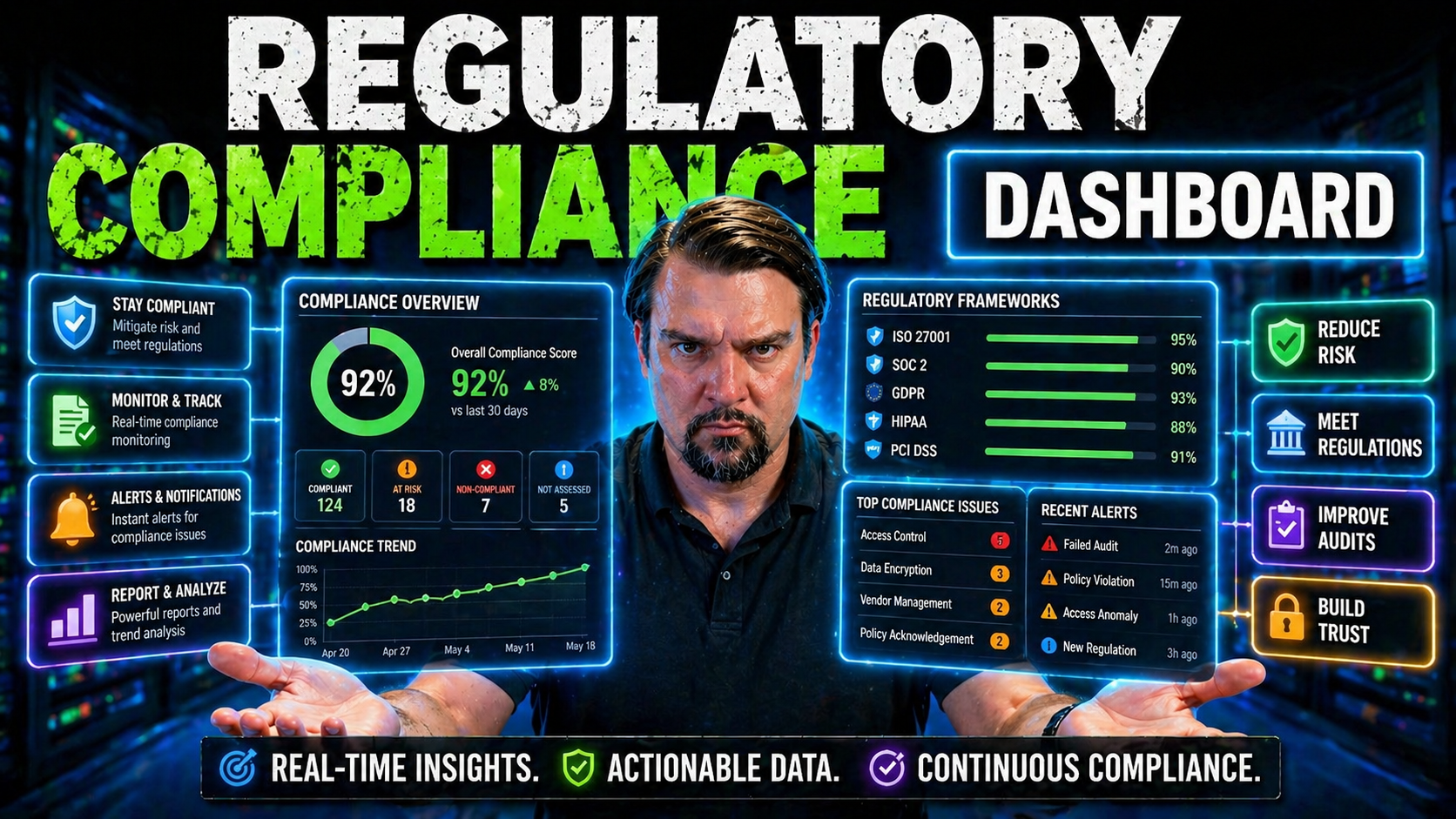
Regulatory compliance dashboards let you visualize, track, and manage how well your organization meets laws, security requirements, and industry standards. These dashboards act as the control tower for your compliance program—offering a clear, real-time view into your regulatory posture.
This guide dives deep into the ins and outs of compliance dashboards designed for organizations running on the Microsoft ecosystem. You'll learn what these dashboards are, why they matter, and what it takes to build and implement them effectively. We’ll cover everything from key features to integration with Microsoft tools, plus advanced best practices for automation, data integrity, and audit readiness.
Whether you’re aiming to streamline compliance tracking, reduce manual work, or boost your audit preparedness, this roadmap gives you all the practical knowledge to get started and succeed with regulatory compliance dashboards in your Microsoft-driven enterprise.
Understanding Regulatory Compliance Dashboards
Before you can put compliance dashboards to work, it’s important to nail down what they do and how they fit into your compliance strategy. Regulatory compliance dashboards act as your central hub—giving you a visual summary of your organization’s current standing against a jumble of regulations and internal policies.
Not all dashboards are created equal. Some are engineered to keep tabs on regulatory frameworks, like HIPAA or SOX, while others focus on vendor oversight, risk management, or specific data privacy efforts. The dashboard’s value comes from surfacing the right data at the right time, allowing you to act fast when things drift off course.
This section sets the stage by unpacking the definition and role of compliance dashboards, highlighting the different types available, and breaking down the core components that make them tick. With this foundation, you’ll be better equipped to align your compliance initiatives and choose solutions that boost both visibility and accountability within your Microsoft environment.
What Is a Regulatory Compliance Dashboard and How Do You Integrate Compliance Dashboard Solutions?
A regulatory compliance dashboard is a centralized visual tool built to track, monitor, and display your organization’s adherence to legal, regulatory, and internal policy obligations. It pulls together data from various sources—think security logs, risk assessments, audit results, and user activity—then transforms that information into easy-to-understand charts, status indicators, and alerts. The goal? Make complex compliance data actionable and visible at a glance, so you can spot issues before they become headaches.
Integration is what elevates these dashboards from passive reports to active command centers. In the Microsoft ecosystem, dashboards often connect with Microsoft 365, Azure, Power Platform, and tools like Microsoft Defender for Cloud. Centralizing your data isn’t just about pulling from various systems; it means your dashboard offers up-to-date, real-time compliance insights and minimizes manual reporting. For example, you might integrate continuous security and configuration data from Microsoft Defender for Cloud, automate remediation steps, and unify reporting in Power BI.
The high-level process typically involves mapping out your compliance requirements, connecting the right data sources securely, and configuring your dashboard layout for clarity. Regular automation and data validation ensure that what you see is what’s actually happening in your digital environment—no more relying on outdated spreadsheets or fragmented reports. All this adds up to a dashboard that’s not just informative but truly actionable.
Types of Compliance Dashboards for Regulatory and Vendor Oversight
- Regulatory Compliance Dashboards: These dashboards track the status of compliance with external mandates like HIPAA for healthcare, SOX for financial reporting, or GDPR for data privacy. They help you monitor ongoing audit requirements and pinpoint non-conformity before auditors spot it. Microsoft-centric organizations commonly use solutions tied into Microsoft Purview or Power Platform for this regulatory edge.
- Risk Management Dashboards: These dashboards focus on highlighting organizational risks, assessing the likelihood and impact of threats, and mapping risks against mitigation activities. In the Microsoft 365 world, risk dashboards often surface conditional access gaps or identity management issues that can slip between policy cracks, as discussed in this compliance drift episode.
- Policy and Procedure Compliance Dashboards: These dashboards ensure your internal company rules—like records retention or document handling—are followed. They're crucial for tracking behavior over time, clarifying how well policies are actually being followed rather than merely set, especially in dynamic environments using AutoSave and co-authoring features.
- Vendor and Third-Party Oversight Dashboards: When your compliance is tied to who you do business with, these dashboards consolidate risk scores, contract status, and due diligence records for your vendors. They clarify if your partners are creating exposure—super handy when you’re relying on SaaS vendors or managed service providers inside Microsoft’s ecosystem.
- Financial and Transactional Compliance Dashboards: These are tailored to industry rules like SOX or VAT in the Digital Age (ViDA), tracking transaction-level controls in real time. Integrating dashboards with Microsoft Dynamics 365, as detailed in this breakdown of ViDA and Dynamics 365, moves compliance from quarterly fire drills to always-on, transactional vigilance.
Choosing the right dashboard type is all about matching your compliance obligations, internal goals, and the Microsoft platforms you already have in play.
Core Components of an Effective Compliance Dashboard
- Compliance Status Indicators: These are visual cues—think green, yellow, or red lights—that instantly tell you whether you’re meeting, approaching, or missing compliance targets. They simplify complex regulatory landscapes so your team knows where to focus.
- Audit Trails and Logs: Audit logs capture every action—who accessed what, who made changes, and when it happened. This is essential for security, forensics, and showing auditors you have nothing to hide. Tools like Microsoft Purview Audit elevate this by logging activity across all Microsoft 365 services.
- Real-Time Monitoring: Live dashboards refresh automatically, pulling in the latest data and surfacing changes as they happen. This eliminates the blind spot of static reports and helps you fix issues quickly.
- Automated Alerts: Built-in notifications signal when a critical threshold is breached—a missed training, a failed control, or a new risk exposure. Immediate, actionable alerts help your compliance team respond before issues escalate.
- Compliance Metrics and Visuals: Track key figures like policy completion rates, open incidents, or non-conformance counts. Effective dashboards keep these KPIs clear and customizable, focusing attention on what matters most for your organization.
Key Benefits and Strategic Value of Compliance Dashboards
Adopting compliance dashboards brings real, measurable benefits that ripple across your organization. At a high level, these tools empower leaders and teams to move from reactive, fire-drill compliance to proactive, data-driven oversight.
Dashboards centralize and automate the tracking of compliance activities, transforming scattered spreadsheets and endless email threads into clear, actionable visuals. This shift reduces manual effort, enhances operational efficiency, and helps you make smarter, faster decisions based on real data rather than guesswork.
They also shine a light on transparency and accountability, making it easier to assign ownership, track progress, and prove audit readiness on demand. Ultimately, compliance dashboards aren't just a reporting convenience—they're a strategic advantage for risk reduction, resource allocation, and strengthening your organization's culture of responsibility.
Enhanced Decision-Making and Efficiency with Compliance Dashboards
Compliance dashboards are designed to give decision-makers instant access to meaningful, actionable insights. Instead of waiting days for static reports or sifting through dozens of emails, teams can see at a glance where they stand with regulations, security controls, and internal compliance objectives.
The visual nature of dashboards—think real-time charts, status indicators, and drill-down views—streamlines understanding, so leaders can spot priorities and address them quickly. Automated data updates remove the grunt work of manual reporting, reducing errors and freeing up your compliance team’s time for higher-value problems.
By leveraging automated workflows and integrations, especially with Microsoft tools like Power BI and Microsoft Defender, organizations cut down on bottlenecks. Annoying compliance checklists turn into ongoing, visible processes—a huge win for efficiency and for demonstrating continuous improvement to both executives and external auditors.
Improved Compliance Tracking and Proactive Risk Assessment
- Simplified Compliance Tracking: Dashboards provide one-stop visibility into who’s meeting training, policy, and control requirements—no more chasing spreadsheets.
- Gap Identification: Automated tracking helps you spot compliance gaps the moment they appear instead of after an incident.
- Risk Assessment and Mitigation: Microsoft tools can proactively alert you to policy exclusions or risky configurations, as seen in Conditional Access policy analysis, making it easier to prioritize and close vulnerabilities before they cause trouble.
Transparency, Accountability, and Audit Readiness Metrics
Dashboard-driven transparency means that everyone—from department heads to compliance teams—can see what’s happening right now. Key compliance status metrics, ownership assignments, and audit logs are visible to the right people, breaking down data silos and making compliance a shared responsibility.
This transparency is the backbone of accountability. If a control fails or an incident isn’t resolved, dashboards show who owns the item and how far along it is—reducing finger-pointing and encouraging quick action. Dashboards also make it easier to prepare for audits, providing pre-compiled evidence like training logs, access certifications, and remediation timelines.
On the metric side, dashboards should track things like open vs. closed audit findings, incident resolution time, and documentation completeness. While “showback” can increase cost transparency, as discussed in this episode on showback and accountability, real accountability requires linking these metrics to formal governance, ownership, and action steps. That way, your organization is always ready to demonstrate compliance—whether facing external auditors or internal reviews.
Designing and Configuring a Custom Compliance Dashboard
Designing a custom compliance dashboard isn’t just about making things look pretty. It’s about creating a tool that’s intuitive, informative, and closely tied to your company’s actual compliance objectives. A well-structured dashboard layout and logical use of metrics drive clarity, while smart use of color and drill-down features speeds up decision-making.
Customization takes your dashboard from “one-size-fits-none” to an asset each department actually wants to use. Consider branding, accessibility, and department-specific views—especially in Microsoft and Power Platform environments, where every team from security to HR interacts with compliance differently.
This section covers how to lay out your dashboard, pick the right KPIs, and enable adaptability for future needs, so your compliance visualization becomes a cornerstone of your Microsoft-driven governance.
Defining Compliance Objectives, Scope, and Key Metrics
- Clarify Compliance Objectives: Know your end goal—whether it’s keeping up with GDPR, passing a SOX audit, or simply reducing open incidents related to data handling. Objectives must be clearly documented so everyone is rowing in the same direction.
- Set the Dashboard Scope: Decide what’s in and what’s out. Some dashboards cover every compliance requirement under the sun; others focus on just security controls or training. Define what areas and processes will be measured so your dashboard doesn’t morph into a confusing catch-all.
- Select Key Performance Indicators (KPIs): Track metrics that matter, like user training completion rates, number of policy violations, overdue remediation actions, and control effectiveness rates. These KPIs should be mapped directly to Microsoft 365 and Azure reporting tools to make compliance progress measurable.
- Align Metrics to Audit Requirements: Make sure your chosen metrics dovetail with what auditors will ask for. For instance, map dashboard data fields to audit reporting requirements for faster, easier evidence gathering.
- Standardize Data Sources: Pin down where your data will come from—be that Microsoft Purview logs, Power BI analytics, or Azure AD user lists—so metrics are fed by accurate, authoritative sources.
Using Color Coding and Drill-Down Capabilities for Better Insights
- Apply Color Coding for Quick Clarity: Red, yellow, and green are your dashboard’s traffic lights. Use color schemes to mark compliance health: green for safe, yellow for warning, and red for urgent action. This speeds up risk spotting and prioritization.
- Enable Drill-Down Capabilities: Good dashboards let you click into a KPI or chart for more details. Want to know why policy violations spiked? Drill down to see specific incidents and contributors, then target your response at the root.
- Leverage Conditional Formatting: Use dynamic rules so key metrics or policy areas change color based on thresholds you set. This makes the dashboard more interactive and tailored to your organization’s priorities.
- Row-Level Security in Power BI: Advanced dashboards tap features like Row-Level Security in Power BI with Microsoft Fabric. This ensures users only see data relevant to their department or role—enhancing governance and data privacy.
Smart design elements like these turn a static report into a real compliance nerve center.
Configurable, Customizable Dashboards with Department-Specific Views and Branding
- Department-Specific Views: Build individual dashboard views for HR, IT, Finance, and Security so each group gets the compliance data that matters to them—reducing clutter and surfacing the right insights.
- Accessible, Custom Branding: Incorporate company logos, color palettes, and naming conventions to improve recognition and adoption among users across departments. Good branding signals that the dashboard is an “official” tool and encourages use.
- Access Controls and Environment Settings: Apply settings that restrict or tailor features based on the department’s needs, using Microsoft Power Platform’s governance tools as discussed in this guide on Power Platform governance.
- Enhanced Accessibility Features: Make sure your dashboards are usable for all—with screen reader compatibility, high-contrast mode, and mobile-friendly layouts to promote wider adoption.
- Customizable Dashboards: Let each department or user personalize their dashboard layout with widgets, filters, or alternative data visualizations, so critical compliance tasks stand out to those responsible.
Data Integration, Automation, and Real-Time Monitoring
For compliance dashboards to pack a real punch, they need a steady stream of up-to-date data from across the Microsoft ecosystem. Connecting tools, automating data flows, and enabling real-time monitoring keep your dashboard fresh and make it a reliable single source of truth.
Data integration strategies should focus on aggregating information from your most critical systems—like Microsoft 365, Microsoft Fabric, Power BI, and Dataverse—so you no longer waste time collecting inputs manually. Adding automation and live monitoring isn’t about bells and whistles; it’s what empowers you to detect potential problems fast, trigger alerts, and manage compliance proactively instead of in endless catch-up mode.
This section unpacks the practical steps to connect your data sources, automate compliance updates, and enable real-time alerts—so your dashboard is always ready for whatever tomorrow brings.
Connecting Data Sources and Centralized Data Repository Strategies
- Connecting Diverse Data Sources: The first step is to gather compliance data from different Microsoft platforms—Exchange, SharePoint, Azure AD, and Dynamics 365. Centralizing this information ensures your dashboard reflects enterprise-wide compliance, not just departmental snapshots.
- Centralized Data Repository: Use secure, governed backbones like Microsoft Dataverse to aggregate and normalize compliance data from disparate sources. As explored in this guide on Dataverse governance, Dataverse is ideal for long-lived, sensitive data compared to simple SharePoint lists, which can erode security and scale.
- Power BI Integration: Connect your centralized data repository to Power BI for powerful analytics and visualization. This enables you to mash up compliance data with operational metrics, giving your leadership a 360-degree view in one place.
- Microsoft Fabric and OneLake: Leverage enterprise-wide data governance, as discussed in the Microsoft Fabric ecosystem overview, to ensure your compliance data is owned, structured, and accessible for both analytics and AI-driven insights.
- Data Ownership and Governance: Assign data stewards to own and validate inputs, so your single source of truth remains reliable—even as your business shifts or grows.
Data Automation Integration and Setting Automated Real-Time Alerts
- Automated Data Feeds: Build automated data connectors within Microsoft 365, Azure, and Power Platform to continuously feed compliance metrics into the dashboard, eliminating manual data entry and reducing the risk of missed updates.
- Real-Time Alerts for Compliance Issues: Set up triggers for policy violations, overdue training, or risk events—so designated users get notified instantly. This is essential for fast incident interventions.
- Workflow Automation: Use Microsoft tools like Power Automate or Defender for Cloud to launch corrective actions or triage tasks automatically when alerts are triggered. This closes the loop from detection to response.
- Multi-Cloud and Hybrid Automation: As described in this article on Defender for Cloud automation, unify compliance monitoring with automated workflows across Azure and other cloud providers for continuous oversight.
- Leadership Integration: Automate scheduled exports and executive summary reports, so leaders always see the latest risk, compliance, and remediation status without waiting for manual compilation.
Real-Time Monitoring Alerts and Automated Security Issue Detection
- Continuous Monitoring: Advanced dashboards refresh their views using live data streams—no more stale compliance snapshots. This enables “always-on” oversight, so exceptions and drift are flagged as soon as they occur. Microsoft Defender for Cloud powers this approach, described here.
- Automated Security Detection: Dashboards integrate with tools like Microsoft Sentinel and Microsoft Defender to monitor for compromised accounts, abnormal user behavior, or unusual data transfers. Suspicious activity triggers instant alerts—speeding up investigation and limiting damage.
- Smart Alerts and Remediation Workflows: When dashboards detect a policy breach or risk event, they can launch automated responses—like sending alerts, creating tickets, or escalating to designated compliance teams. This reduces the time to remediate from days to minutes.
- User Activity Monitoring: Real-time user activity logs, as detailed in this Microsoft Purview Audit guide, help trace who did what, when, and how it affects compliance. Premium audit tiers can surface risks other log types miss, especially for regulated environments.
- Proactive Issue Detection: Sophisticated dashboards aggregate signals from multiple security and compliance sources, flagging subtle risks before they spiral. This means less scrambling during an audit or after a breach—and more predictable compliance outcomes.
Implementation, Validation, and Ongoing Management of Compliance Dashboards
Bringing a compliance dashboard to life takes more than picking the right charts. It’s a process: decide on your platforms, integrate with your systems, validate the outputs, and keep improving over time. Every step counts—especially if you want a dashboard that answers both your business needs and regulatory requirements.
Success means aligning dashboard deployment with your security and governance policies from day one. Choosing platforms that mesh with your Microsoft environment—whether Microsoft-native or third-party—is just the start. You’ll also need to validate data, export compliance reports, and continually refine your setup in response to new guidance, user feedback, and evolving regulations.
This section will walk you through platform selection, setup and validation, and strategies for ongoing, scalable dashboard management. By following these steps, you’ll build a compliance program that stands the test of audits, business change, and time itself.
Choosing Tools and Platforms for Dashboard Setup Including Vanta, Drata, and Alternatives
- Microsoft-Native Solutions: Microsoft Power BI, Microsoft 365 compliance center, and Azure Policy are built for seamless integration inside the Microsoft stack. Their advantages? Scalability, deep integration, and native support for Azure RBAC and PIM, as outlined in this Azure governance resource.
- Third-Party Platforms (Vanta, Drata, Secureframe): These tools offer plug-and-play compliance dashboarding, automation, and pre-built controls for frameworks like SOC 2, ISO 27001, or PCI DSS. They integrate with both Microsoft and non-Microsoft environments for comprehensive oversight.
- Integration Capabilities: When evaluating platforms, verify their compatibility with Microsoft APIs, Azure Active Directory, and Power Platform data stores. Look for automation and single sign-on features to simplify scaling.
- Scalability and Governance: Prioritize tools that enforce control over exceptions and documentation, following principles of automated enforcement and “governance by design” (see the Copilot Learning Center review for training integrations).
- Evaluation Criteria: Compare licensing costs, integration options, user management, and the ability to adapt to changing business or regulatory needs. Your dashboard must fit comfortably into your current governance strategy—and grow with you.
Validate Dashboards, Export Compliance Data, and Share Extractable Reports
- Data Validation Procedures: Test your dashboard outputs for accuracy by cross-checking them against known data sources and sample audit scenarios. Periodic reviews help ensure that automation doesn’t introduce data drift.
- Exporting Reports: Make it easy to generate exportable reports in common formats (PDF, XLSX, CSV) for use in audits or internal reviews. Look for “one-click” or scheduled export functionality so you never miss a reporting deadline.
- Collaborative Sharing: Enable users to share extractable reports securely with technical teams, business leaders, or external auditors—tailoring the depth and sensitivity of information to match the recipient’s needs.
- Integration with Microsoft Tools: Use Power BI or Microsoft Purview to automate report generation and sharing, reducing the manual legwork needed for compliance reporting.
- Continuous Feedback Loop: Pull audit feedback and corrections back into your dashboard validation workflow—refining data accuracy and making the reporting process more reliable in every iteration.
Monitor, Refine, and Update Compliance Dashboards at Scale
- Usage Monitoring: Track who’s accessing which dashboards, what views and filters they use, and whether they’re acting on alerts. Usage patterns point to areas where improvements or additional training might be needed.
- Refine Layouts and KPIs: Adjust dashboard metrics and layout in response to user feedback or evolving standards. Sometimes compliance culture shifts, or a new risk emerges, and your dashboard must pivot to reflect those changes. Managing compliance drift is all about tracking user behavior—not just configuration stability.
- Update for Regulatory Changes: When laws or frameworks evolve, use platform automation or integration with regulatory intelligence feeds to adapt your dashboards automatically—keeping reports and controls continuously current.
- Scale Across Departments: Clone or template dashboards for different business units, modifying only the views or permissions each department needs. This supports both standardized reporting and local flexibility.
- Maintain Governance Practices: Remember—governance isn’t automatic. Lean on people, process, and technology, as detailed in this deep dive on Microsoft 365 governance, to enforce policies, ownership, and evidence trails. The dashboard should reinforce—not replace—real compliance culture.
Advanced Features and Compliance Framework Integration for Dashboards
Advanced compliance dashboards go beyond simple reporting. They integrate with global regulatory frameworks, offer compliance scoring and benchmarking, and connect directly into incident management and document control systems.
This “next level” capability increases agility, letting organizations keep pace with rapidly evolving expectations and standards. It also enables continuous improvement—by comparing performance against industry benchmarks and providing early warnings on risk and non-conformance through powerful analytics and automation.
Explore the integration of standards like ISO 27001 and PCI DSS, the benefits of compliance scoring, and how linking incident response and document management delivers a unified, end-to-end compliance workflow inside the Microsoft ecosystem.
Integrating Compliance Frameworks and Mapping to Industry Standards
- Framework Integration: Effective dashboards map internal controls directly to compliance frameworks like ISO 27001, PCI DSS, and GDPR, allowing real-time tracking of your alignment with those standards.
- Control Mapping and Gap Analysis: Dashboards reveal which requirements are fully met, partially met, or still outstanding, making it easy to prioritize remediation efforts and communicate compliance status.
- Regulatory Alignment via Microsoft Tools: By leveraging tools such as Microsoft Purview and SharePoint, as highlighted in this ECM and Purview episode, you can structure document storage, DLP, and audit readiness workflows aligned to industry regulations.
- Continuous Framework Updates: Automated dashboard features pull updates from regulatory databases and prompt you to review or update mapped controls as standards evolve.
- Multi-Framework Views: For global enterprises, dashboards support overlaying multiple frameworks—so you can demonstrate compliance to several regulators without duplicating effort.
Compliance Scoring, Benchmarking, and Risk Metrics to Assess Posture
- Compliance Scoring: Assign numerical scores to different compliance requirements based on how fully they’re implemented—100% for completed controls, lower scores for those still in progress. Dashboards aggregate these scores for an at-a-glance view of overall posture.
- Benchmarking Against Industry Peers: Compare your compliance performance to industry averages or best-in-class organizations. This can be visualized via Power BI, giving you context for where you stand and which areas need investment.
- Risk Metrics and High-Risk Area Spotlighting: Identify zones of greatest potential exposure, such as open incidents, overdue remediations, or recurring audit findings. Heat maps and risk matrices help focus executive attention where it’s most needed.
- Dashboards for Continuous Improvement: Use these same metrics and scores not just for reporting but for driving process improvements and targeted resource allocation.
- Drill-Down Analysis: Quickly move from high-level risk scores to the granular incident or control records behind them, making root cause analysis and action planning more efficient.
Incident Management and Document Control Integration in Compliance Dashboards
- End-to-End Incident Tracking: Dashboards link directly into incident management systems, so every compliance incident gets tracked from initial detection to final resolution. This ensures nothing slips through the cracks.
- Document Control Integration: Compliance dashboards tie into document management features of systems like Microsoft Purview and SharePoint, as seen in this guide. This automatically records policy changes, procedure updates, and supports a robust, audit-ready evidence trail.
- Corrective Action Management: Dashboards log recommended and completed corrective actions for each incident, making it easy for compliance managers to check status and coordinate resolutions.
- Audit Trail Creation: Every incident, response, and control change is captured in an immutable log supporting investigations and regulatory reviews.
- Integrated Collaboration: Secure workflows allow HR, Security, and Legal to collaborate on incident management, driving rapid and coordinated compliance responses.
User Roles and Access Governance for Compliance Dashboard Security
Who sees what in a compliance dashboard is just as important as what gets measured. Role-based access ensures sensitive compliance data is visible to the right people—executives get the broad view, while compliance teams dive into detail.
Strong access governance policies are the linchpin for data integrity and regulatory alignment. This section tackles how user roles, permission structures, access certification, and audit trails combine to defend both compliance and security in your Microsoft ecosystem—closing a gap ignored by most competitors.
Role-Based Dashboard Views and Permissions for Compliance Data
- Executive Overview: Executives see high-level compliance posture, risk trends, and critical metrics—ideal for board presentations without exposing granular, sensitive data.
- Department Head Views: Managers get dashboards tailored to their team's training, incidents, and outstanding compliance tasks to keep their areas in line with overall policy.
- Compliance Officer Access: Full drill-down and editing rights so compliance managers can investigate, remediate, and update records; they need the whole picture.
- Auditor Permissions: Read-only access to supporting documentation, audit trails, and evidence—no risk they can alter the compliance record.
- Role-Based Security: Apply “zero trust” principles, like those discussed in this Zero Trust by Design episode, so each user or group only views data relevant to their function—minimizing risk of data leakage or unauthorized changes.
Access Certification and Audit Trails for Dashboard Activities
Automated audit trails continuously record and timestamp every user action within the compliance dashboard—viewing reports, updating controls, acknowledging alerts, or exporting data. These logs enable forensic investigations and satisfy regulatory demands for evidence of proper oversight.
Regular access certification reviews—automated or scheduled—are mandatory for regulatory compliance, especially under SOX and GDPR. These reviews check who has permission to see or modify compliance information, flagging stale or inappropriate access. Integration with tools like Microsoft Purview Audit ensures complete, tenant-wide traceability and supports extended retention for high-risk or highly regulated environments.
Staying on top of access rights maintains both operational agility and policy enforcement—while impressing auditors who want to see you’re staying vigilant with your compliance controls.
Measuring ROI and Business Impact of Compliance Dashboards
Investing in a compliance dashboard isn’t just about looking good on audits—it’s about delivering real, measurable value to your organization. By tracking effectiveness KPIs and comparing costs against concrete savings, you can showcase a strong business case for dashboard adoption to stakeholders, budget owners, and leadership teams.
In this section, you’ll learn which KPIs prove dashboard impact, and how to build a practical cost-benefit analysis tailored to Microsoft and Power Platform environments. With the right numbers in hand, you’ll turn compliance from a cost center into a strategic asset.
KPIs for Compliance Dashboard Effectiveness and Efficiency
- Audit Finding Reduction: Fewer audit findings over time signal the dashboard is surfacing and closing compliance gaps before auditors catch them.
- Faster Remediation: Track mean time to resolve compliance issues—shorter times mean your dashboard and workflows drive prompt action.
- Lower Manual Reporting Hours: Monitor drops in hours spent creating compliance reports, thanks to dashboard automation in Microsoft 365 and Power BI.
- Non-Conformance Rate: Count how often policy violations occur—decreases show your dashboard is improving compliance culture.
Cost-Benefit Analysis of Dashboard Implementation
- Platform Licensing: Consider costs for tools like Power BI Premium, third-party apps, and user licenses.
- Integration and Setup: Factor in effort to connect data sources and configure automations—often offset by IT labor savings.
- Training Expenses: Include end-user and compliance team training, with ongoing support to maximize adoption.
- Penalty Avoidance: Weigh costs saved by reducing regulatory non-compliance fines and slashing audit prep hours.
- Resource Optimization: Centralized dashboards free up compliance officers and IT staff for higher-value tasks, multiplying ROI over time.
Integration With External Regulatory Intelligence Feeds
Keeping up with evolving regulations can feel like playing whack-a-mole. Modern compliance dashboards can plug into external regulatory intelligence feeds, giving you a real-time heads-up when rules change. This next-generation capability makes your compliance program dynamic, adaptive, and future-proof—no more chasing updates across a dozen government websites or relying on word of mouth.
The sections below explore how automated monitoring and adaptive control mapping keep you ahead of regulatory shifts—so your dashboard lets you act, not just react.
Automated Regulatory Change Monitoring and Alerting
Integrating compliance dashboards with external regulatory intelligence feeds means automatic detection of new laws, rules, and guidance that affect your business. Popular data feeds, such as Thomson Reuters Regulatory Intelligence or LexisNexis, push updates directly into your dashboard—flagging required attention as soon as standards shift.
Automated alerts eliminate lag between regulatory updates and compliance action, keeping your program up to date, lowering risk windows, and supporting continuous improvement in your Microsoft-enabled organization.
Dynamic Mapping of Internal Controls to Evolving Regulations
Adaptive dashboards automatically suggest updates for internal control mappings when external regulations change. This minimizes manual rework, ensures alignment with the very latest requirements, and supports a “living” compliance program that evolves with the legal landscape.
These dashboard capabilities make it easy to pinpoint where controls need revision and promptly address gaps—helping you continuously strengthen your compliance posture without missing a beat.
Conclusion and Key Takeaways on Regulatory Compliance Dashboards
Regulatory compliance dashboards have become essential for organizations serious about security, risk reduction, and audit readiness. They transform scattered, overwhelming compliance data into clear, actionable insights. Properly designed and managed, these dashboards drive transparency, efficiency, and accountability at every level of your Microsoft-powered enterprise.
From centralizing data and automating risk alerts to supporting advanced features like role-based access and regulatory change tracking, the right dashboard strategy turns compliance from a perpetual scramble into a streamlined, proactive discipline. Now’s the time to take the next step and bring this capability to your organization.
Next Steps and Resources for Compliance Dashboard Adoption
Ready to make regulatory compliance dashboards a reality in your Microsoft-driven environment? Start by reviewing recommended Microsoft tools and third-party solutions tailored for your needs. Check out training resources, governance podcasts, and industry guides for deeper dives and expert advice.
For ongoing ideas, real-world examples, and news on compliance best practices, explore more episodes and articles at M365 FM. Investing in the right dashboard will set you on a path to stronger security, less stress, and a lasting culture of compliance.
You Should Also Listen To
If you are researching regulatory compliance dashboard, these episodes add practical context that helps connect governance, security, compliance, and AI concepts to real Microsoft environments.
- Microsoft Purview – Simply Explained — Clarify how classification, retention, compliance, and data governance fit together across Microsoft 365.
- Microsoft Defender XDR – Simply Explained — See how data-risk signals connect with detection, investigation, and coordinated response.
- Conditional Access – Simply Explained — Understand how identity, device, and risk context strengthens protection around sensitive data.
- Microsoft Teams Governance – Simply Explained — Explore the governance operating model needed to turn policies into consistent user behavior.
They are useful next steps when you want to move from a definition or framework to implementation decisions.

Microsoft MVP | Host of M365.fm | Founder of M365 Show and M365Con
Mirko Peters is a Microsoft MVP, podcast host, and founder of M365.fm, M365 Show, and M365Con. His work connects Microsoft practitioners through podcast interviews, livestreams, and community events.
At M365.fm, Mirko hosts conversations with Microsoft MVPs, product experts, architects, and community contributors. Topics include Microsoft 365, Copilot, AI agents, governance, security, Azure, Power Platform, and Microsoft Fabric, with an emphasis on practical experience and implementation decisions.
M365.fm is the podcast and learning platform. M365 Show brings experts together for livestreams, while M365Con provides an online conference setting for community learning.
Official website: Mirko Peters (https://www.mirkopeters.com/). Recognition: Mirko Peters — Microsoft MVP profile (https://mvp.microsoft.com/de-DE/mvp/profile/9b0ca797-db5a-493a-a845-8b9158046cf5). Connect on LinkedIn (https://www.linkedin.com/in/m365showpodcast/).





