
Risk-Based Access vs Static Policies: The Future of Identity in Microsoft Environments
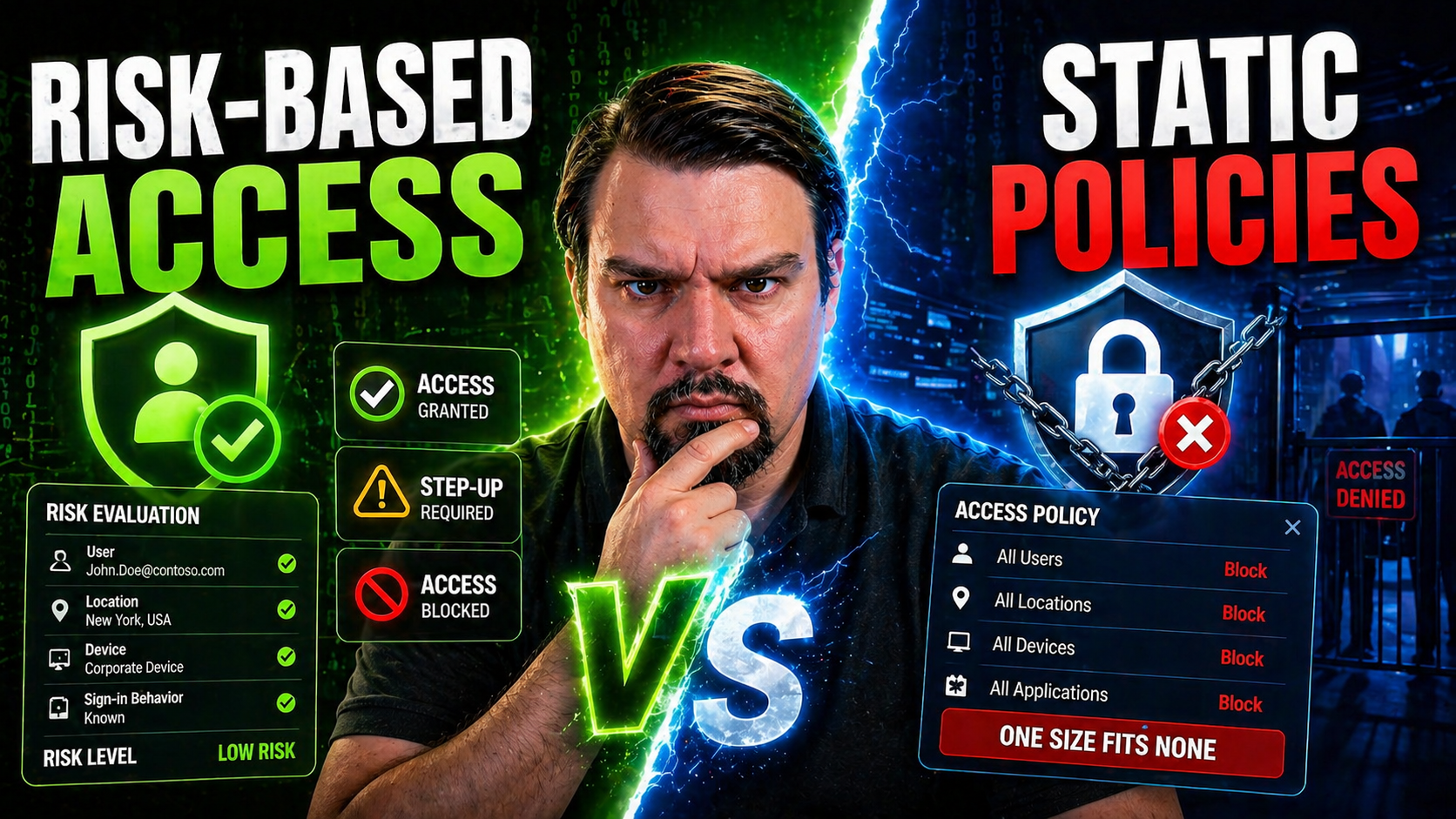
If you’ve ever rolled your eyes at yet another access policy in Microsoft 365 or Azure, you’re not alone. The real question now is whether your organization is still leaning on static access controls—and if so, what it’s leaving on the table. Static policies, like traditional role-based access control (RBAC), grant permissions based on predefined roles, regardless of changing conditions or context. In contrast, risk-based access shifts decisions to real-time, using signals like user behavior, device health, and location to adjust permissions dynamically.
This fundamental difference is coming to a head as digital transformation, remote work, and evolving security threats collide—especially for stakeholders invested in Microsoft 365, Azure, and Power Platform. Old models simply can’t keep up with today’s rapid pace or compliance demands. This guide dives into the “why” and “how” of this shift, breaking down technical frameworks, business outcomes, and real-world adoption steps so you can make sense of what matters most for your organization’s future.
The Evolution from Static Access Policies to Real-Time Risk-Based Models
The journey from static access policies to dynamic, risk-based access isn’t just some passing IT trend—it’s a response to what’s happening in the real world. Modern organizations are more connected, remote, and cloud-driven than ever, especially when it comes to Microsoft environments. Identity protection and access controls that worked in the old days can no longer stand up to rapidly shifting threats, insider risks, and the skyrocketing pace of digital collaboration.
As IT environments unfold across M365, Azure, and Power Platform, the limitations of fixed, role-based models are laid bare. RBAC and static permissions can’t distinguish between a user logging in securely from their office or one sitting on an unsecured device in a coffee shop halfway around the world. That’s not just inconvenient—it’s a real problem for compliance and security. Add on heightening regulatory demands and attackers who keep getting smarter, and you’ve got a recipe demanding something smarter than static access.
What’s emerging instead is real-time access management that evaluates risk at the moment, using everything from behavioral analytics to device health and threat signals. These models deliver adaptive permissions, able to grant, restrict, or challenge access based on the full picture, not just a one-time role assignment. As we deep-dive into the mechanics and business impacts, keep in mind: rethinking access isn’t just about ticking a security box—it’s about futureproofing your Microsoft-driven ecosystem. For a practical look at Zero Trust by Design and adaptive access in Microsoft environments, check out this podcast episode on M365.fm.
Static Roles Real-Time Access: Understanding the Problems with Fixed Permissions
Static roles and fixed permissions form the core of traditional access management in platforms like Microsoft 365 and Azure. You define a role—say, “HR Manager” or “SharePoint Admin”—and assign a big block of permissions. The problem? These roles are one-size-fits-all and rarely adapt as business or risk factors change. That means a user could keep the same access for years, even after they change roles, switch projects, or move to different devices.
This rigidity leads to significant headaches: over-permissioning, compliance blind spots, and stale access that lingers long past its usefulness. It’s a governance nightmare. Real-world failures—like excessive guest access in SharePoint or poorly maintained admin roles in Azure—frequently boil down to static models that can’t course-correct in real time. Even robust tools like conditional access, data loss prevention, or audit logging won’t solve the root problem without intentional, dynamic governance. For a deeper exploration of governance pitfalls and sustainable access practices, see Microsoft 365 data access governance and debunking the governance illusion.
Why Runtime Access Context Matters for Secure Digital Work
These days, context is king when it comes to security. Runtime access context means evaluating things like device health, user behavior, location, and risk signals right at the moment a user requests access—not just relying on a static list of permissions. This is crucial, because business happens everywhere: remote workers log in from home, sensitive files get shared with external partners, and threats don’t wait for your scheduled access review.
Static policies can’t tell the difference between a routine login from a secure office and a suspicious access attempt from an unfamiliar device in another country. Real-time context—“runtime”—lets you challenge, restrict, or grant access based on what’s happening in that moment. This approach protects data and supports compliance in hybrid cloud and Microsoft-centric organizations without bogging down productivity. For actionable strategies on shrinking identity risk and transforming conditional access, check identity as your Azure control plane and M365 security settings without annoying users.
How Dynamic Risk-Based Access Works in Practice
Moving into risk-based access isn’t about buzzwords or adding complexity for its own sake—it’s about putting smarter, real-time decision-making into every access control. At a high level, these systems constantly gather and analyze risk signals, like user activity patterns, device health, geo-location, and environmental data. Advanced engines then score these inputs and decide, on the spot, whether to allow, challenge, or deny access.
Instead of blindly trusting a set of static privileges, risk-based access gives you continuous, adaptive enforcement. Think of it as a bouncer who checks not only your ID, but whether you’ve been acting out of character, traveled from a flagged region, or are trying to enter through the loading dock. Modern Microsoft security stacks—especially Conditional Access and Defender for Cloud—are built for this kind of adaptive control. If you want a look at real-world attacks that slip past static defenses, see how attackers bypass MFA using stolen tokens and consented apps in Microsoft 365.
This section will break down how these systems work under the hood—covering everything from risk signal ingestion, to dynamic authentication, to policy enforcement—so you can see exactly why real-time access is becoming the new normal in enterprise security.
Dynamic Risk Explained: Key Components and Architecture
- Risk Signal Collection: Dynamic systems continuously collect signals such as user location, login patterns, device posture, session anomalies, and external threat intelligence. These signals can come from within the Microsoft ecosystem or be pulled from third-party tools integrated into the stack.
- Risk Engine and Scoring Model: All the collected data gets processed by a risk engine, typically powered by machine learning or rules-based algorithms. The engine weighs each factor—like abnormal time-of-day activity or an unknown device—to calculate a risk score unique to each access attempt.
- Policy Decision Point (PDP): The risk score travels to a decision engine (often the Policy Decision Point), which matches calculated risk against predefined business and compliance rules. If the risk crosses a threshold, the system can challenge, deny, or escalate access—sometimes requiring multi-factor authentication (MFA) or manager approval.
- Policy Enforcement: The outcome gets enforced at the application, data, or resource layer. In Microsoft 365 or Azure, this could mean a Conditional Access policy that blocks access to SharePoint files, challenges a login with extra authentication, or limits access until the risk clears.
- Real-Time Feedback Loop and Auditing: After enforcement, all actions—signals, decisions, enforcement steps—are logged for auditing, compliance, and continuous improvement. This log data can be crucial for investigations, reporting, or tuning of access rules to reduce false positives and improve responsiveness. For guidance on taming Shadow IT and governance risks related to AI-driven access, see managing AI agents as Shadow IT.
By mixing these components, dynamic risk-based access provides an agile, resilient defense that adapts to user context and environment, closing the security and compliance gaps that legacy static models leave wide open.
Dynamic Authentication Compared to Static Methods
- Adaptive Step-Up Authentication: Dynamic systems can prompt for additional authentication—like a mobile push or biometric scan—only when risk signals warrant it, reducing unnecessary friction for legitimate users while maintaining strong controls.
- Real-Time Responses to Threats: Rather than relying on a predetermined password or hard-coded MFA prompt, risk-based access can escalate security requirements on the fly in response to detected anomalies or changes in access context.
- Enhanced User Experience: Static methods often frustrate users with blanket security prompts, but dynamic authentication provides a balance—offering seamless access when things look normal and only intervening when risk increases.
- Regulatory Alignment and Reporting: The ability to log why, when, and how access decisions shift in real time improves auditability, transparency, and trustworthiness for compliance frameworks. For practical guidance on reducing authentication fatigue and improving access policy design, see Conditional Access policy trust issues and avoiding annoying users in M365 security.
Quantifying and Measuring Access Risk: Models and Metrics
Understanding risk is one thing—measuring it and baking it into your access policies is another ballgame. That’s where risk scoring and metrics come in. Instead of gut feelings or over-generalizing, organizations can now turn signals from login behavior, device compliance, and external threats into concrete, actionable risk scores. When done right, this approach makes your access management system measurable, traceable, and far more defensible under scrutiny—whether it's an auditor, a regulator, or your own executives asking the tough questions.
The magic lies in building models that turn raw signals into scores, assigning weights to different behaviors and establishing thresholds for when access should be allowed, blocked, or stepped up with more authentication. It’s not one-size-fits-all: successful risk models for a global finance company look different from those used in public sector or healthcare. Benchmarking your metrics—both within your industry and across types of access (like privileged users versus guest accounts)—is a huge step toward establishing healthy, auditable access policies.
We’ll unpack practical frameworks and real-world benchmarks so you know what to measure, how to calibrate your scores, and how to create the kind of transparent, audit-ready logs that make both CISOs and compliance teams breathe easier. For more on automated compliance and Power BI’s role in risk visibility, take a look at monitoring compliance in Microsoft Defender for Cloud.
Defining Risk Scoring Models for Identity and Access Decisions
- Select Key Risk Factors: Identify which factors influence risk in your environment—login frequency, device compliance, geo-location, time of access, historical anomalies, etc.
- Assign Behavioral Weights: Not all signals are equally important. Give more weight to factors like failed logins from unusual locations versus normal usage patterns.
- Establish Risk Thresholds: Define what risk score (sum of weighted factors) triggers a step-up challenge, blocks access, or simply logs an event for future review.
- Continuously Calibrate: Use audit logs and post-event analysis to fine-tune your weights and thresholds, adapting to evolving threats and business changes.
By making every factor explicit, your organization builds a defendable, transparent risk framework that works for both security and compliance.
Benchmarking Risk Metrics Across Use Cases and Industries
- Finance: Requires stricter thresholds and detailed audit logs due to regulatory scrutiny; expects high-risk events to prompt immediate intervention and reporting.
- Healthcare: Demands careful monitoring of user roles, strong protections on patient data, and an access model tuned for HIPAA and data privacy regulations.
- Public Sector: Often faces more complex approval workflows and longer retention needs, with risk models that prioritize traceability and external oversight.
- Privileged vs. General Users: High-risk roles merit extra monitoring and lower thresholds for intervention compared to everyday collaboration users.
Business Impact: Reducing Over-Permissioning and Improving Onboarding
Switching from static access to dynamic risk-based models isn’t just a win for your CISO—it solves real, everyday headaches that plague IT, compliance, and business teams alike. One of the loudest complaints with static permissions is over-permissioning: users get (and keep) way more access than they truly need, opening the door for insider threats, failed audits, and costly exposures. At the same time, provisioning and deprovisioning access—especially in sprawling enterprises loaded with guests, vendors, and new hires—can feel like a never-ending game of whack-a-mole.
Dynamic, context-aware access models automate much of this chaos away. Permissions can be granted, adjusted, or revoked automatically based on real-time signals, drastically reducing the operational workload, cutting down on risky lingering accounts, and making compliance reviews a whole lot more manageable. Accurate, timely access reviews coupled with clear governance save you from playing catch-up when an audit lands or a breach occurs.
We’ll show how these changes ripple through onboarding flows, external collaboration, and manual review processes, helping you achieve a real balance between agility, security, and audit readiness. For more on scaling compliance and audit, check measuring true compliance beyond retention policies and continuous VAT compliance via real-time controls.
Reduced Over-Permissioning and Risk Failures of Static Models
- Insider Threat Mitigation: Risk-based systems minimize the odds that a user can abuse stale or excessive permissions left behind by static role assignments.
- Streamlined Auditing: Automated, contextual logging spots anomalous access before it becomes a reportable event, easing the pain of compliance reviews.
- Regulatory Risk Reduction: By ensuring only necessary privileges are maintained, organizations dramatically cut exposure to compliance fines and scrutiny. For a step-by-step guide to auditing user activity effectively, see auditing with Microsoft Purview.
Onboarding, Manual Access Processes, and Improved Accuracy
- Faster User Onboarding: Automated access management can provision new employees, partners, or workloads within minutes, not days—using logic based on real roles and risk rather than static templates.
- Less Manual Review: Instead of quarterly access certification processes, context-aware policies trigger reviews or revocation automatically when context or risk changes.
- Accurate Guest Lifecycle: Automated governance ensures external accounts don’t linger after their project ends, locking down risky guest or vendor access before it becomes a liability. For a blueprint on better guest account controls, check managing hidden M365 guest account risks.
Integrating AI and Automation into Identity Security Programs
Artificial intelligence isn’t just a buzzword in security anymore—it’s quietly changing the way Microsoft environments identify threats, analyze behavior, and manage day-to-day access decisions. Modern identity programs rely on machine learning models that can spot risky patterns, trigger real-time alerts, and recommend adaptive controls that would be impossible (or at least miserably slow) for human admins to enforce by hand.
This influx of automation means you can process millions of access logs, session events, and contextual risk cues in a fraction of the time. At the same time, the best programs are blending AI-driven insights with human oversight to catch edge cases, explain decisions, and steer policy refinements. You get the best of both worlds: relentless machine vigilance with the common sense and empathy only a security team can offer.
We’ll examine the technical pieces and business considerations for organizations at different stages of the journey. For practical frameworks on keeping AI agents, automations, and M365 governance aligned with reality, see AI agents and governance risks and governing Microsoft Copilot and Power Automate.
Fraud Detection, Identity Security Components, and Anomaly Analysis
- Behavioral Analytics Engines: AI models profile normal user, device, and session behaviors. Any deviation from the baseline—like a user suddenly logging in from an unfamiliar location or using unusual navigation patterns—gets flagged as a potential risk.
- Real-Time Anomaly Detection: These systems continuously analyze event streams, such as logins or API calls, to instantly alert security teams or trigger automated policies for suspicious activity.
- Integrated Fraud Mitigation: AI-powered fraud tools scan for telltale signs of credential compromise, account takeover, or privilege escalation, protecting data pipelines and sensitive workloads. Using Azure Key Vault and managed identities can further strengthen these defenses; see more at securing data pipelines in Microsoft Fabric.
- Dynamic Access Enforcement: When risky activity is detected, policies can adapt access privileges automatically—limiting, revoking, or challenging access to prevent broader compromise.
- Continuous Feedback and Learning: Models evolve over time, incorporating post-incident lessons and audit findings to minimize false positives and improve real-world detection.
When combined, these components empower organizations to move from reactive access control to proactive security that keeps pace with business and threat evolution. For an eye-opening look at why “platform only” governance misses the mark, visit the Fabric governance illusion.
Leveraging Hybrid Approaches and Managing AI Model Transparency
- Blended Decision-Making: Pair automated access engines with routine human spot checks or “second opinions” for high-risk or unusual events to catch the rare scenarios machines might miss.
- Explainable AI and Model Transparency: Ensure that all automated access decisions are logged with human-readable justifications, supporting compliance audits and forensic investigations. Tools like Microsoft Purview and Sentinel can help bridge the explainability gap; for practical tips, see keeping Copilot secure and compliant.
- Continuous Monitoring and Tuning: Build monitoring and feedback loops into your identity security stack, so AI models and automation rules evolve over time and don’t go “black box.”
- Governance by Design: Draw clear boundaries for AI driven decisions with control planes, identity segmentation, and responsibility assignment. This minimizes “runaway AI” risk, as discussed at AI governance in enterprise environments.
Implementation Roadmap: Planning, Integrating, and Scaling Dynamic Access
Making the leap from static permissions to risk-based access might feel intimidating, but it’s more about strategy than rocket science. The key is to prioritize—start with the most sensitive or exposed areas, define where context-aware controls will have the biggest impact, and plan for integration with your existing infrastructure. Microsoft environments, with their deep RBAC baggage and mix of legacy and cloud-native tools, offer lots of opportunities—but also integration headaches if you don’t plan ahead.
Part of the journey is figuring out where to begin: privileged admin roles, guest accounts, or high-volume shadow IT applications are often critical starting points. From there, you need to map out how dynamic policies will intersect with your current identity governance, compliance, and automation frameworks. Regulations, audit streams, data residency—it all has to work as a cohesive, auditable unit.
This section lays out the high-level steps and real-world lessons for defining your scope, integrating with legacy Microsoft IAM, and balancing business demands with regulatory requirements. For strategic advice on Azure governance and enterprise controls, check out this Azure enterprise governance strategy guide.
Defining Scope and Use Cases for IAM Programs
- Privileged Access Scenarios: Audit and prioritize admin or sensitive system roles that grant broad control or access to critical data—these are prime candidates for dynamic controls.
- Vendor and External Accounts: Focus on high-risk external users and partners who require temporary or narrow access, controlling scope, and time-bounding permissions.
- Shadow IT and Automation Risks: Scan for ungoverned apps, OAuth connections, or rogue automation tools—these are common risk blind spots in Microsoft 365. For a stepwise remediation plan, see identifying shadow IT inside your M365 tenant.
- Non-Human Workload Identities: Replace unmanaged service accounts with Entra Workload Identities for granular, auditable non-human access. For details, see fixing non-human access risks.
Integrating with Legacy IAM, Identity Governance, and Compliance
- Legacy IAM System Integration: Map new risk-based controls to existing RBAC models, ensuring policies sync smoothly with both cloud-native and on-premises systems.
- Data Privacy Alignment: Ensure data collected for risk scoring and context analysis complies with local privacy laws (GDPR, CCPA) and is auditable.
- Regulatory Compliance Mapping: Integrate dynamic policies with compliance controls to satisfy standards like SOX, HIPAA, or EU AI Act. Robust logging and semantic data governance (as explored in Microsoft Fabric governance drift) makes this practical.
- Audit Log Generation and Reporting: Structure access logs to document every dynamic decision—who, what, when, and why—for both security incidents and routine audits.
- Robust Data Backbone: Where access and auditability truly matter, consider moving beyond SharePoint Lists to something governed, like Microsoft Dataverse (see Dataverse governance advantages).
Future Trends: Zero Trust, GenAI, and the Path Toward Autonomous Identity
The next wave in identity and access is already cresting—and it’s nothing short of disruptive. Zero Trust models, where nothing’s taken for granted and every request is verified, have already changed how organizations approach security. But now we're watching another leap: the rise of generative AI, large language models (LLMs), and predictive, autonomous identity tools that can anticipate business needs and continuously adjust access permissions behind the scenes.
Microsoft is moving rapidly in this space, pushing toward architectures that combine real-time signals, adaptive access, and explainable AI. Today’s risk-based access lays the foundation for tomorrow’s autonomous systems, where not only routine permissions but complex, cross-system authorizations become fully automated and self-optimizing. These changes aren’t theoretical—they’re starting to show up in areas like Copilot for security, Power Platform automations, and dynamic governance engines.
If you want a sneak peek at where identity management is headed—and how to prepare yourself for the next era of access controls—it pays to keep an eye on hybrid governance, AI-driven recommendations, and testable policies. Dive deeper into the balance between security and productivity with Zero Trust vs. user freedom insights for M365.
Growing Importance of Trust and Predictive Autonomous Identity
Modern access controls draw heavily from Zero Trust principles—never implicitly trusting any request and verifying each access in real time. This model relies on identity as the new control plane, supported by context and risk-based decision-making to protect sensitive data and resources. Predictive autonomous identity takes this further, using AI and automation to dynamically adjust permissions, reduce manual intervention, and anticipate user and workload needs in the Microsoft cloud.
As regulatory frameworks demand ever-greater auditability and AI governance (see Responsible AI guardrails), organizations that embed these principles into their architecture will stay one step ahead—making security a transparent, always-on function rather than an afterthought. Trust, adaptability, and proactive control are quickly becoming the expectation, not the exception. For more on the control plane approach to governance, revisit Fabric governance best practices.
The Role of GenAI, LLMs, and Key Trends in Identity Automation
- Contextual Access Recommendations: Generative AI can analyze complex user patterns and suggest policy updates—like flagging an unusual set of permissions or advising tighter controls in response to changing collaboration patterns.
- Adaptive Policy Automation: LLMs will increasingly write, optimize, and tune identity policy code, learning from compliance requirements, incident trends, and user feedback.
- Intelligent Threat Detection: AI-driven bots will spot subtle insider threats and “low and slow” breaches by correlating millions of logs, making dynamic adjustments to access faster than human teams.
- Separation of Control and Experience Planes: Enterprise-class AI governance will enforce real-time, intent-aware controls—guarding against the risks of unchecked agentic behavior described at securing AI agents in Microsoft.
Conclusion: Why Moving Beyond Static Access Is Essential
The case for dynamic, context-aware access control is clearer than it’s ever been. Static access models—no matter how meticulously managed—simply can’t keep pace with today’s attack landscape, sprawling cloud environments, or strict regulatory requirements. Risk-based access puts real-time data, context, and intelligence into every access decision, lowering risk and helping your business stay agile.
Microsoft-heavy organizations that switch early are already seeing gains in security posture, audit readiness, and operational efficiency. Waiting isn’t a neutral option—sticking with static models just means falling further behind as risks evolve and compliance barriers get steeper. Now is the time to modernize your access program and stay ahead of the curve.
Getting Started: Recommended Tools and First Steps for Access Controls Management
- Pilot with Modern IAM Platforms: Start small—test a tool like Lumos for context-aware access management in a non-critical app or business unit. For more options, see Lumos Today.
- Leverage Learning Paths and Governance Resources: Explore step-by-step guides and content categories tailored for Microsoft access management at M365.fm content categories.
- Implement Sustainable Governance Practices: Pair access reviews with ownership accountability for lasting security, as detailed in Microsoft 365 data governance best practices.
- Monitor and Adapt: Use audit logs to identify issues early and refine policies over time, ensuring risk-based controls remain tuned to your changing business environment.
- Start Small, Scale Fast: Pilot dynamic policies with a focused group—like privileged users or external vendors—then measure results and expand based on what you learn.

Microsoft MVP | Host of M365.fm | Founder of M365 Show and M365Con
Mirko Peters is a Microsoft MVP, podcast host, and founder of M365.fm, M365 Show, and M365Con. His work connects Microsoft practitioners through podcast interviews, livestreams, and community events.
At M365.fm, Mirko hosts conversations with Microsoft MVPs, product experts, architects, and community contributors. Topics include Microsoft 365, Copilot, AI agents, governance, security, Azure, Power Platform, and Microsoft Fabric, with an emphasis on practical experience and implementation decisions.
M365.fm is the podcast and learning platform. M365 Show brings experts together for livestreams, while M365Con provides an online conference setting for community learning.
Official website: Mirko Peters (https://www.mirkopeters.com/). Recognition: Mirko Peters — Microsoft MVP profile (https://mvp.microsoft.com/de-DE/mvp/profile/9b0ca797-db5a-493a-a845-8b9158046cf5). Connect on LinkedIn (https://www.linkedin.com/in/m365showpodcast/).




