
Microsoft Purview Data Scanning
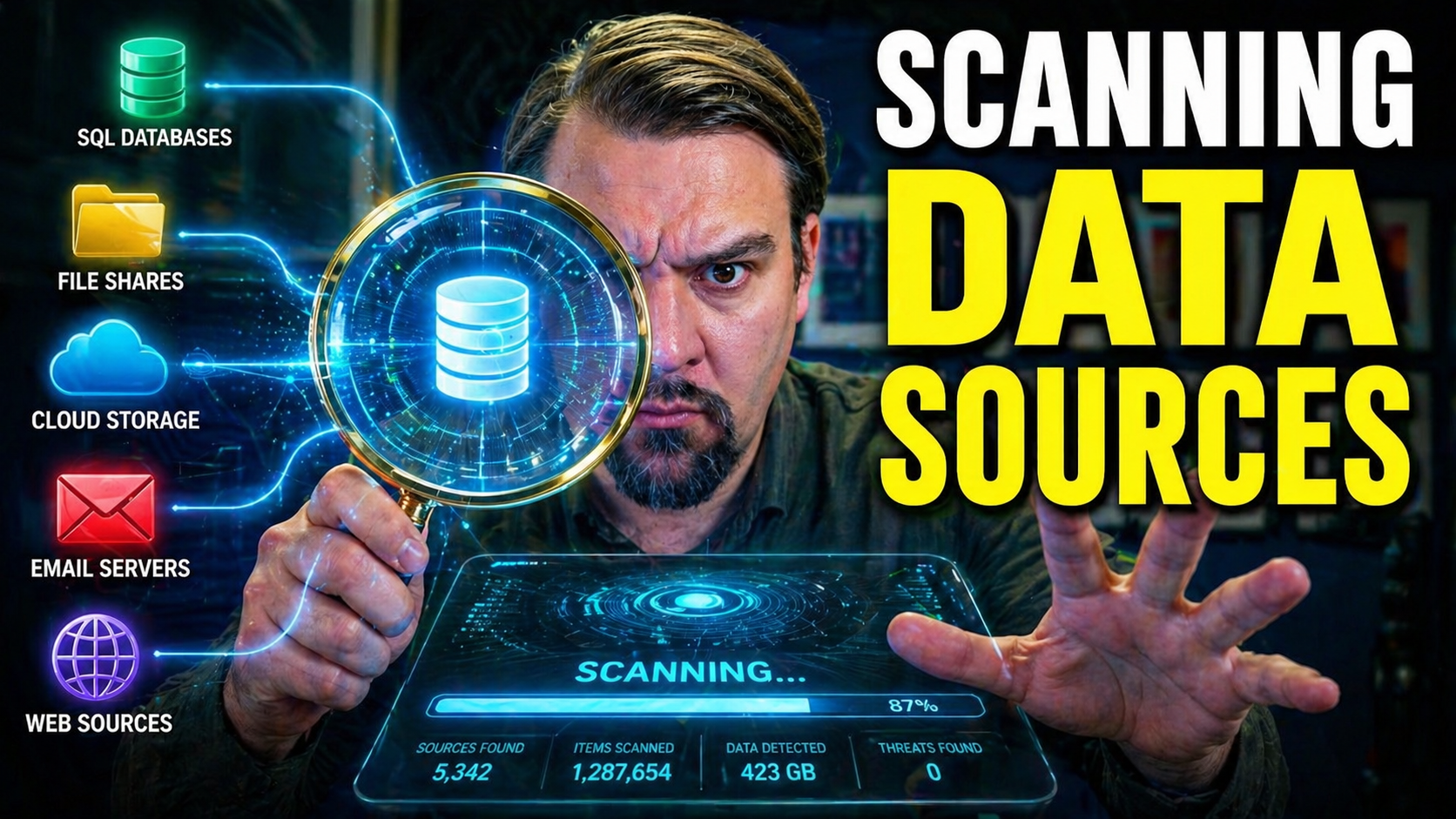
Data scanning has moved from an IT nice-to-have to a frontline necessity for organizations of every size. With the rise of cloud platforms like Microsoft 365 and Azure, your data rarely stays in one place—it spreads, it shifts, and it multiplies. That means risks and responsibilities multiply too.
If you want secure, compliant, and well-governed data, you’ve got to know exactly what’s in your environment and where it’s hiding. Regular data scanning isn’t just about checking boxes for regulators—it’s your first defense against leaks, legal fines, and damaging lapses in privacy. This guide digs into both the basics and practical steps, showing you how smart scanning bridges the gaps between security, compliance demands, and modern hybrid-cloud reality.
Real-world headlines are proof: blind spots in your data estate cost real money and reputation. Let’s break down what works and why, especially in high-stakes Microsoft ecosystems, so you can keep your house in order and your auditors happy.
Understanding Data Scanning: What It Is and Why It Matters
At its core, data scanning is the process of searching through your digital storage—databases, file shares, email, cloud drives—to find out exactly what information you have, where it lives, and how it’s being used. Modern data scanning tools go beyond just counting documents; they help you discover patterns, classify sensitive material, and map your whole data estate—even when your files are scattered across the cloud and on-premises systems.
Why does this matter so much? Because blind spots lead to trouble. Without regular scanning, you’re potentially leaving sensitive data exposed, missing compliance requirements, or letting old files sit around ready to be breached. Data scanning gives you the visibility and control you need, preventing embarrassing and costly mistakes before they ever have a chance to make headlines.
This is particularly crucial if you operate in environments like Microsoft 365 or Azure, where data flows fast and users can create, share, or move information with just a few clicks. Scanning helps you stay ahead of these changes and keeps your compliance programs on solid ground. In the broader scope of data governance, scanning is your map and compass—making sure every data decision is made with eyes wide open.
Want to see how scanning empowers secure AI initiatives and robust controls in Microsoft? Check out this in-depth overview on governing Microsoft Copilot, digging into permissions, DLP, and audit solutions across your cloud environment.
Core Business Outcomes and Benefits of Modern Data Scanning Practices
- Risk Reduction: By actively discovering and monitoring sensitive or stale data, you shrink the target for attackers and reduce the likelihood of data leaks or breaches that lead to financial losses or reputational damage.
- Improved Compliance Posture: Modern scanning practices keep your organization ready for regulations like GDPR, HIPAA, or CCPA by making it easy to provide audit trails, prove policy enforcement, and show you’ve taken proactive steps to protect information. For Microsoft 365 users, scanning helps detect compliance drift—hidden risks that might escape basic dashboards, as revealed in this analysis of M365 compliance drift.
- Operational Efficiency: Automated scanning and classification mean less manual sorting and fewer surprises when audits come calling. Your IT and compliance teams can invest time where it matters—rather than chasing down random data silos when the pressure hits.
- Stronger Data Governance: With scanned and classified data, you set clear policies on access, retention, and use—empowering responsible data stewardship in fast-moving cloud environments. This ensures you aren’t just storing data—you’re managing it wisely.
- Proactive Decision Making: Scanning gives you real-time visibility into new risks and business opportunities, enabling leaders to make informed choices quickly.
Stages and Workflow of Data Scanning
Data scanning isn’t just a technical checkbox; it’s a continuous journey that should become part of your organization’s DNA. A strong scanning program follows a lifecycle, starting with a thorough discovery process, followed by smart prioritization, scheduled scans, and ongoing maintenance.
Each phase is designed to build on the last, so you don’t just solve today’s problems—you stay prepared for new threats and shifting compliance demands. By understanding the main stages ahead of time, you can outline roles, assign responsibilities, and avoid chaos down the road.
Think of it this way: first, you map out your digital territory, then decide what’s most at risk or most valuable, run targeted scans, and finally put continuous processes in place to ensure that you never fall behind. The next sections will break down these steps in detail so you know when, where, and how to apply each stage for maximum impact.
Initial Survey Scan: Discovering and Mapping Data Sources
The road to effective data scanning always starts with a thorough survey of your environment. You can’t protect what you don’t know you have. This initial survey identifies every data source—from highly-structured databases and spreadsheets to massive piles of unstructured data like emails or Word docs.
A solid inventory helps you spot potential risks nobody’s thought about yet. Automated mapping tools, like Microsoft Purview, streamline this process across complex cloud and on-prem environments. For a practical look at keeping your document ecosystem organized and audit-ready, explore how Microsoft Purview and SharePoint tackle document chaos together.
Don’t forget, environments evolve; perform periodic rediscovery to catch new locations or platforms before risky gaps can grow.
Comparative Prioritization Stage: Focusing Your Scans for Greatest Impact
After mapping your landscape, it’s time to prioritize. Not all data is equal—so you want to focus your scanning efforts where they’ll make the biggest difference. Prioritization means weighing data sensitivity, compliance requirements, and business impact, then grouping sources accordingly.
Frameworks like risk assessment matrices or criticality scoring help you pick your battles and optimize resource allocation. For example, you’d prioritize scanning databases with customer PII over generic shared folders. Make sure to revisit these decisions regularly, since risks and priorities shift over time. For guidance on prioritizing risk controls and scanning in light of real attacks, this analysis of a Microsoft 365 breach offers practical detection methods and policies.
Full Scan Execution and Monitoring Scan Status
Once you’ve prioritized your data sources, the main event begins: comprehensive scan execution. Here, you systematically scan both structured (like SQL databases) and unstructured data (like file shares or Exchange mailboxes). Scans are typically automated, scheduled, and can be filtered by urgency or compliance requirements.
Monitoring scan status is critical for operational transparency. Advanced scanning platforms, including Microsoft Purview, provide dashboards to visualize scan progress, logs for deep dives, and notifications for bottlenecks. These features help you immediately spot errors or delays, so issues can be tackled before they escalate.
Structured data tends to be easier to scan and classify, while unstructured sources might need additional tools or custom rules. For hybrid or cloud environments, synchronization and latency can impact scan timelines; consider breaking large scans into smaller, more manageable chunks for smoother performance.
Keep stakeholders up to date with regular reporting and clear dashboards. That way, everyone can track remediation efforts and compliance status in real time. Need more on activity auditing and monitoring in Microsoft 365? Dive into this guide on Purview Audit to see best practices for tracking user activity and risk.
Ongoing Maintenance: Continuous Scanning in Dynamic Environments
Scanning isn’t a “one and done” deal. Data sources shift, business processes evolve, and new files pile up every day—especially in Microsoft 365 and Azure environments. To keep your governance airtight, set up automated, recurring scans tied to data lifecycle events and major business changes.
Neglecting these ongoing efforts risks letting old, stale, or unknown data slip through the cracks, opening doors to compliance failures or breaches. Assign clear ownership and build a regular review schedule into your governance plan to keep your scanning program alive and effective. And remember, as highlighted in this podcast on Microsoft 365 governance, sustainable compliance comes from discipline and design—never just default controls.
Leveraging Data Scanning for Compliance and Risk Mitigation
Meeting today’s compliance requirements and preventing breaches isn’t just about having the right policies on paper; it’s about practical follow-through. That’s where systematic data scanning comes in, providing the evidence, visibility, and control needed to pass audits and keep sensitive information protected.
For organizations facing overlapping regulations—like GDPR, CCPA, and HIPAA—scanning offers a way to unify risk management efforts while addressing auditors’ toughest questions. Automated scans map out the flow of sensitive data, flag risky practices, and link straight into compliance reporting frameworks, delivering both peace of mind and fast reaction if vulnerabilities turn up.
As you move through the next sections, you’ll see how ongoing scanning supports everything from regulatory audit readiness to identifying real threats before they break through. If you’re looking for practical advice on building proactive, reliable risk controls for data in Power Platform and beyond, check the detailed walkthrough on managing Power Platform DLP policies for developers—especially critical where automation and compliance must go hand in hand.
Ensuring Compliance with Data Regulations Through Scanning
Automated data scans are a direct line to compliant data management. These scans can be tailored to spot and inventory information subject to GDPR, CCPA, HIPAA, and other major regulations—identifying PII, tracking data lineage, and ensuring only authorized access.
Tools like Microsoft Purview automate audit trail collection and enforce policy application at scale, making it easier to demonstrate controls and document compliance measures. Scanned data sources can be mapped against regulatory requirements, providing the documentation and proof needed during audits or regulatory reviews.
Highly regulated industries—like healthcare and financial services—face constant scrutiny, so features like continuous scan scheduling, automated risk alerts, and built-in compliance reporting make all the difference. For an always-on approach, integrating scan data with platforms like Microsoft Defender for Cloud helps monitor controls across hybrid and multi-cloud setups, as highlighted in this walkthrough on Defender for Cloud compliance monitoring. Proactive scanning and reporting turn compliance from a headache into a manageable, repeatable routine.
Strategies to Minimize Sensitive Data Exposure and Prevent Breaches
- Automated Alerts: Set up scanning platforms to trigger instant notifications when sensitive data (like credit cards, SSNs, or PII) shows up in risky locations.
- Access Control Reviews: Pair scan results with regular audits of who can view or edit high-risk files, closing gaps before they’re exploited.
- Integrate with DLP Solutions: Connect scans to Data Loss Prevention tools that can automatically block sharing, copying, or moving of flagged information, both in Microsoft environments and beyond. For practical security strategies and avoiding DLP pitfalls, see these “insider moves” for Microsoft Power Platform DLP.
- Quick Remediation: Develop workflows where identified issues are acted on immediately—don’t let vulnerabilities linger.
- Continuous Policy Alignment: Harmonize scanning exercises with risk management frameworks for ongoing protection, not just annual checkups.
Accelerating GxP Compliance: Real-World Studies Using Data Scanning
In life sciences and pharma, GxP (Good Practice) compliance is non-negotiable. Studies show that organizations leveraging automated scanning tools reduce audit prep time by up to 40%, according to a 2023 Deloitte survey. Experts highlight that proactive scans with platforms like Microsoft Purview not only speed up readiness for FDA or EMA reviews but also dramatically lower the risk of overlooked audit gaps.
One top-ten pharmaceutical company slashed its data remediation backlog by 60% after implementing cloud-based scanning and real-time dashboards—improving both GxP and internal quality standards. As more industries face tighter reporting timelines, systematic scanning is becoming the gold standard for scalable, sustainable compliance.
Data Classification, Discovery, and Automation in Scanning Workflows
Finding your data is only the first step; making sense of it—classifying, tagging, and automating management—is where you unlock true value. When scanning is tightly woven into discovery workflows, you automatically apply metadata and business rules, keeping everything organized and ready for real-world decision-making.
Automated classification ensures that sensitive files are promptly labeled, protected, and made searchable, both for compliance reasons and for everyday convenience. Consistent metadata also powers smarter analytics and more accurate reporting—crucial in large hybrid environments or when rolling out AI initiatives.
Modern Microsoft and partner solutions tie scanning, tagging, and policy enforcement into a seamless loop, delivering both protection and actionable insights. Curious how this fits into the broader Microsoft Fabric ecosystem and scalable analytics? Listen to this podcast on unifying data governance and AI for real-world examples of streamlined, governed data powering AI and business transformation.
How Scanning Facilitates Data Classification and Tagging
Automated scanning tools can detect and classify sensitive information the moment it’s discovered, applying tags, compliance labels, or organizational categories—even across sprawling Microsoft 365 deployments. This automation builds a searchable, manageable data estate with minimal manual work.
Beyond saving time, classification enables quick policy enforcement and risk scoring according to business or legal mandates. Seamless integration with Microsoft Purview and Power Platform ensures that classified data flows into all downstream platforms. For more on classifying connectors and enforcing strong DLP boundaries in Copilot and Power Platform, check out this resource on advanced Copilot governance.
Transforming Data Discovery into Actionable Insights
Automated data discovery does more than just stock an inventory—it powers real-time dashboards, alerting systems, and advanced analytics in platforms like Microsoft Fabric or Power BI. When scan results are piped straight into reporting tools, teams can spot risks, business trends, and compliance issues without digging through raw files.
For instance, having a dashboard that flags new instances of PII in your environment lets you act quickly, reducing both business and security risks. The feedback loop—discovery driving governance, governance shaping future discovery—creates sustainable cycles of improvement. Clarifying the limits of data lineage and real-time governance is discussed in this session on Microsoft Fabric governance truths.
Locating and Protecting Unstructured Data with Automated Scans
- Common Risk Areas: Unstructured data, like documents, images, and emails, often contains sensitive information that’s easy to overlook.
- Automated Scanning Tools: Modern platforms can parse file content and metadata, flagging risky info even when it’s buried deep in attachments or cloud storage.
- Automated Labeling and Access Controls: Instantly apply encryption, DLP labels, and sharing restrictions to files identified as sensitive, cutting off accidental leaks at the source.
- Practical Steps: Upgrade your auditing with tenant-level logging, PowerShell automation, and real-time alerts as outlined in this guide to catching risky external sharing across Microsoft 365.
- Plugging Gaps: Continuously review scan coverage for new unstructured formats to avoid governance blind spots as collaboration grows.
Practical Implementation and Technical Configuration
Putting theory into action means setting up your scans and authentication methods the right way from the start—especially in complex Azure, Microsoft 365, and hybrid environments. Getting these steps right reduces friction, improves security, and keeps your compliance workflow humming.
You’ll need to register data sources, tag them for governance, and logically group them into collections. This not only streamlines reporting, but also ensures the right policies and access controls hit the right resources every time. For enterprise audits and lifecycle management, naming conventions and clear hierarchies make scaling much easier.
Authentication is another critical pillar—managed identities are the best practice for Azure, helping you ditch password headaches and keep secrets out of reach. If you want a deep dive into enforced Azure governance and the role of policy, RBAC, and automation, try this complete overview of Azure enterprise governance for real-world tips.
Registration Process and Organizing Sources into Collections
- Sign Up on Scanning Platform: Begin by registering your organization or tenant in Microsoft Purview, Azure, or your chosen scanning solution—this establishes central management.
- Register Data Sources: Add each database, storage account, or shared folder. Use tagging to indicate type, owner, and sensitivity level.
- Group into Collections: Create logical collections based on business unit, compliance requirement, or geography. Collections make it easier to apply policies, report on activity, and assign responsibility.
- Apply Naming Conventions: Develop a consistent scheme so admins and auditors can understand what’s what as your environment grows.
- Plan for Life Cycle: Track source additions, moves, or deletions over time to maintain accurate inventories, which pay dividends come audit season. For practical DLP and productivity strategies, see this DLP setup walkthrough in Microsoft 365.
Configuring Scans and Authentication with Managed Identity
- Select Supported Authentication: Whenever possible, use managed identities in Azure for secure, password-free authentication to data sources.
- Configure Scan Settings: Set scan scope, frequency, filtering options, and notifications based on your risk profile and business needs.
- Avoid Pitfalls: Don’t hardcode credentials in scripts or share passwords between users—use managed identities to simplify and secure access control.
- Compare Alternatives: Only use service principals or key vaults if managed identity isn’t supported for a particular source. Always keep auditability in mind for credential management.
- Document for Compliance: Record your authentication setup—regulators may ask for evidence during audits or reviews.
Scanning SQL and Storage in Microsoft Azure
- Register Azure SQL Databases and Synapse: Use Microsoft Purview or Azure native tools to add SQL instances and Synapse platforms as scan targets, specifying connection and security preferences.
- Add Azure Storage (Blob/File): Connect storage accounts with clear access-scopes. Use role-based access control and, where needed, private endpoints to lock down exposure.
- Configure Recurring Scans: Set up schedules for regular scanning, addressing both structured and unstructured data at rest.
- Troubleshoot and Monitor: Watch for resource bottlenecks, access errors, and incomplete scans—which could signal permission or network issues.
- Hybrid Integration: For combined on-prem/cloud coverage, choose tools and automate connections to bridge the gap. For more tips on securing pipelines and managing secrets, see this Microsoft Fabric security guide.
Leading Tools and Solutions for Scanning Data Sources
Picking the right scanning platform matters, especially if your business juggles data across multiple clouds, on-premises systems, and regulatory jurisdictions. Some organizations benefit from deep integration with Microsoft’s cloud-native solutions, while others require additional features offered by third-party platforms.
Industry leaders like BigID focus on powerful scanning at scale and in-depth PII detection, while longstanding enterprise tools such as ManageEngine, Netwrix Auditor, and Endpoint Protector offer robust controls, audit logging, and policy enforcement that layer neatly onto Microsoft 365 or Azure.
When evaluating solutions, consider your compliance requirements, scale, complexity, and need for hybrid visibility. These next snapshots break down feature strengths and ideal use cases, so you can make the call that fits your risk profile best. Compatibility, ease of deployment, and alignment with your existing governance programs should always steer your final decision.
Advanced Data Scan Features with BigID
- Comprehensive Scanning: BigID shines at scanning huge, complex environments—handling petabytes across both structured and unstructured sources.
- Precision PII Discovery: Offers advanced algorithms for detecting sensitive data, including unique entity types and customized search patterns.
- Automated Classification: Auto-tags and scores data, streamlining enforcement for compliance and privacy laws.
- Seamless Integration: Connects with Azure, Microsoft 365, and compliance reporting tools for unified workflows.
- When to Use: Ideal for large enterprises or highly regulated industries outgrowing native Microsoft capabilities.
ManageEngine, Netwrix Auditor, and Endpoint Protector for PII Detection
- ManageEngine DataSecurity Plus: Offers real-time PII scanning and detailed reports for compliance, supporting granular file activity monitoring and easy deployment.
- Netwrix Auditor: Focuses on comprehensive audit trails, access analytics, and policy enforcement across hybrid environments, helping maintain audit readiness and streamline investigations.
- Endpoint Protector: Delivers endpoint-level scanning and policy enforcement, preventing sensitive data from leaving devices or networks—including advanced controls for USB, web, and email.
- Layered Controls: Using these alongside Microsoft 365 improves visibility and closes security gaps, as outlined in this review of M365 access and governance challenges.
- Tool Selection: Pick based on your critical risks—use for regulated industries, heavy endpoint growth, or when audit logging is a must-have.
Coordinating Data Scans Across Hybrid and Multi-Cloud Environments
- Integrate Scanning Tools: Select scanning solutions that support both on-premises and all your main cloud providers (Azure, AWS, GCP), ensuring you cover every storage location and system.
- Align Security and Governance Policies: Configure consistent access controls, retention rules, and DLP policies across platforms to prevent policy drift and compliance gaps as you migrate or expand.
- Normalize Metadata: Create a unified data catalog that maps and standardizes metadata—so tags and classifications are consistent, no matter which platform your data sits on.
- Orchestrate Scan Schedules: Use orchestration tools to time scans during off-peak hours and manage resource load, especially for systems sharing production capacity.
- Address Latency and Integration Limits: Be aware of network latency, scanning tool compatibility, and cloud platform limitations—especially when dealing with real-time or near-real-time scanning requirements.
- Foster Team Collaboration: Engage IT, security, and business units to ensure policies and scan coverage reflect business needs.
- Monitor with Unified Dashboards: Aggregate scan results for centralized visibility—leveraging Microsoft Fabric or similar for a holistic governance perspective, as discussed in this Microsoft Fabric ecosystem analysis.
Summary and Common Questions about Data Scanning Practices
Modern data scanning isn’t a buzzword—it’s foundational for any organization hoping to stay ahead of security, compliance, and operational risks in today’s sprawling, hybrid data world. We’ve covered the essentials, from understanding scanning’s role, to mapping out a step-by-step workflow, to implementing practical controls using both Microsoft and leading third-party tools.
The big takeaway? Successful scanning programs are proactive, systematic, and always evolving as your environment grows and regulations shift. Don’t leave scan cycles or risk reviews to chance—automation, regular maintenance, and smart prioritization are your best insurance.
The next two sections go deeper, addressing the most common real-world questions and opening the door for your feedback—because nobody’s environment stands still, and every team faces its own unique challenges. Turn these insights into action, and you’ll be well ahead in the race to data confidence and compliance.
Frequently Asked Questions About Data Scanning in Microsoft and Cloud Environments
- Will data scanning slow down my systems? Modern scanning tools are built for efficiency, using techniques like incremental (delta) scanning, throttling, and off-peak scheduling to prevent disruptions. You can fine-tune scan frequency and scope for performance—a must in production environments.
- Should I automate my scans or run them manually? Automation is best—set up recurring, rule-based scans to ensure nothing gets missed. Manual scans are only for exceptions or urgent one-offs.
- What’s the difference between a full scan and an incremental scan? Full scans inventory everything from scratch, useful initially or after major changes. Incremental scans pick up only the new or changed data, saving time and resources after the baseline is set. Select based on data volatility and compliance needs.
- How can I ensure sensitive data is always detected? Use advanced pattern recognition, confidence thresholds, and keyword dictionaries for reliable PII and financial data detection—then verify using samples. Troubleshooting scan gaps is covered in this DLP best practice guide for Power Platform.
- Can scanning integrate with my broader DLP, analytics, and governance efforts? Yes, the top platforms integrate with M365, Azure, Power Platform, and leading analytics tools to provide cross-system visibility and unified policy enforcement.
- What about data privacy and compliance concerns? Scanning is designed to respect user privacy—classifications trigger access controls and compliance alerts without exposing data content to unauthorized viewers.
Improve This Blog Post: Share Your Feedback and Insights
Your experience is what drives this guide forward. If you’ve navigated unique scanning challenges, uncovered clever workflows, or have opinions on the best tools, we want to hear about it! What topics, platforms, or case studies should be covered next?
Share your suggestions or success stories in the comments below or reach out through our contact page. As the field of data governance keeps moving—especially in the Microsoft ecosystem—community knowledge ensures this guide stays fresh, relevant, and actionable for everyone facing the fast-changing world of data scanning.
You Should Also Listen To
If you are exploring Microsoft Purview data scanning, these podcast episodes add practical context from Microsoft 365 architecture, governance, security, and AI. Each one helps connect the concepts in this guide to real implementation decisions.
- Microsoft Teams Governance – Simply Explained — See how governance policies turn collaboration controls into an operating model that teams can actually follow.
- Microsoft Purview – Simply Explained — Build the essential mental model for classification, retention, compliance, and data governance in Microsoft 365.
- Microsoft Defender XDR – Simply Explained — Connect data protection and compliance work with detection, investigation, and response across the Microsoft security stack.
- Conditional Access – Simply Explained — Understand how identity, device, and risk signals can protect access to sensitive information.
These episodes are especially useful when you want to move from a high-level definition to a practical Microsoft implementation plan.

Microsoft MVP | Host of M365.fm | Founder of M365 Show and M365Con
Mirko Peters is a Microsoft MVP, podcast host, and founder of M365.fm, M365 Show, and M365Con. His work connects Microsoft practitioners through podcast interviews, livestreams, and community events.
At M365.fm, Mirko hosts conversations with Microsoft MVPs, product experts, architects, and community contributors. Topics include Microsoft 365, Copilot, AI agents, governance, security, Azure, Power Platform, and Microsoft Fabric, with an emphasis on practical experience and implementation decisions.
M365.fm is the podcast and learning platform. M365 Show brings experts together for livestreams, while M365Con provides an online conference setting for community learning.
Official website: Mirko Peters (https://www.mirkopeters.com/). Recognition: Mirko Peters — Microsoft MVP profile (https://mvp.microsoft.com/de-DE/mvp/profile/9b0ca797-db5a-493a-a845-8b9158046cf5). Connect on LinkedIn (https://www.linkedin.com/in/m365showpodcast/).





