The Death of the IT Ticket: Why Proactive Support is the Future
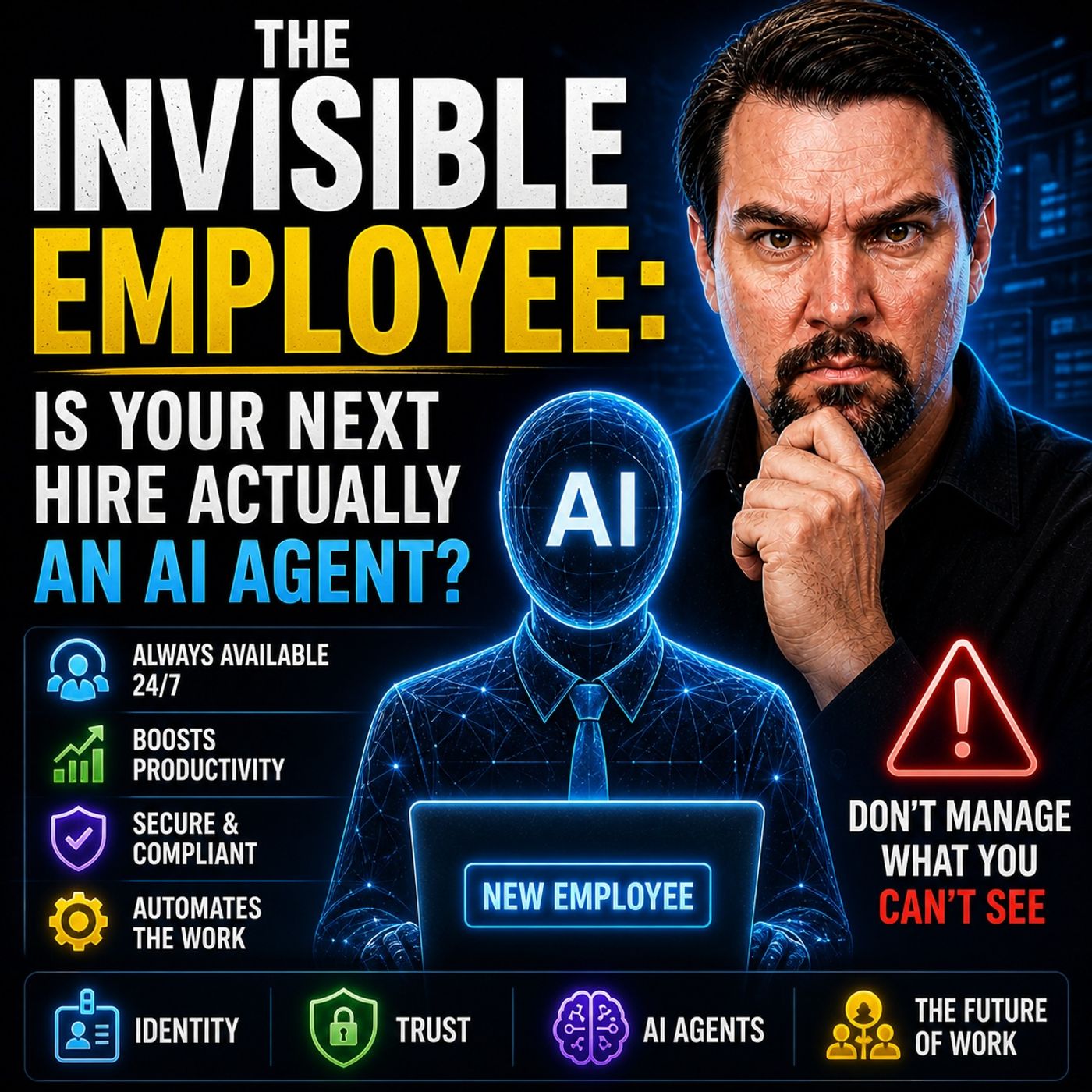
You see the death of the IT ticket system in your workplace every day. Users lose hours of productivity with each ticket reassignment, and IT teams face constant complaints. Many users report that their tickets remain unsolved, service moves slowly, or they must explain their issue several times. You now witness solutions like Microsoft's Invisible Employee, which changes support from slow, reactive tickets to fast, proactive digital agents.
Traditional IT support models are fundamentally broken. For decades, organizations have relied on ticketing systems as the default method for handling technical difficulties, user errors, and hardware failures. However, these systems inherently introduce friction into the digital workplace. Every time a user submits a support ticket, they enter a reactive cycle of waiting, explaining, re-explaining, and hoping for a resolution. This article explores why traditional ticketing fails, the heavy toll it takes on business productivity, and how modern proactive support models are reshaping the future of work.
The Death of the IT Ticket

Why Traditional Tickets Fail
You see the death of the IT ticket in every organization that still relies on traditional service models. These models depend on tickets to track and resolve issues, but they often create more problems than they solve. When you submit a ticket, you expect a quick solution. Instead, you face delays, confusion, and repeated steps. Traditional service models force you to wait for someone to notice your ticket, assign it, and then pass it through several hands before anyone takes action.
The process breaks down at many points. Tickets for common issues like password resets or email problems clog the system. Support teams spend too much time on repetitive tasks instead of solving complex problems. You lose valuable time as your ticket sits in a queue. The death of the IT ticket comes from this inefficiency. Modern workplaces demand faster, smarter solutions.
You can see the difference when organizations use self-service tools and knowledge bases. These tools handle simple issues before tickets even get created. The table below shows how different methods improve efficiency compared to traditional service models:
| Issue Type | Resolution Method | Efficiency Improvement |
|---|---|---|
| Password Resets | Use self-service tools to handle requests before tickets are created. | Reduces ticket volume significantly. |
| Documentation | Maintain clear documentation to avoid rediscovery of solutions. | Shortens resolution time and reduces errors. |
| Structured Triage | Implement structured processes for common issues. | Improves speed of resolution. |
| Self-Service Options | Automate basic requests like password resets and status checks. | Frees up IT staff for complex issues. |
| Knowledge Base | Create articles for common problems to assist users directly. | Enhances user support quality. |
The rise of proactive, embedded support models like Microsoft’s Invisible Employee marks a turning point. These models do not wait for tickets. They detect and resolve issues in real time, making the death of the IT ticket a reality for forward-thinking organizations.
User Experience Issues
You feel the pain of traditional service models every time you interact with a help desk. The ticket system creates frustration and wastes your time. You often wait for hours or days for a response. Sometimes, your ticket remains unresolved. You may have to explain your issue to multiple agents, repeating the same details again and again.
The most common issues reported through tickets include:
- Password resets
- Email problems
- Slow computers
- Wi-Fi failures
- Printer trouble
- App crashes
- Shared drive access issues
- VPN failures
- Peripheral issues
- Permission problems
These issues slow you down and disrupt your work. The table below highlights the top pain points users face with tickets:
| Pain Point | Description |
|---|---|
| Unresolved Tickets | Users often face issues where their tickets remain unresolved for extended periods. |
| Slow Service | Delays in response times lead to user frustration. |
| Repeated Explanations | Users have to explain their issues multiple times to different agents. |
| Password Resets | A common technical issue that users frequently report. |
| Email Problems | Issues with email access or functionality. |
| Network Connectivity Issues | Problems related to internet or network access. |
| Hardware Failures | Users encounter issues with physical devices. |
You want fast, seamless support. Traditional service models cannot deliver this experience. The death of the IT ticket comes from your need for instant, proactive help. Solutions like Invisible Employee meet this need by resolving issues before you even notice them.
Business Impact of Failure
The death of the IT ticket is not just about user frustration. It affects your entire business. When tickets pile up and issues go unresolved, your team loses productivity. You spend more time waiting for help and less time doing your job. This leads to higher operational costs and lower efficiency.
You also risk losing customers. Delays in ticket resolution increase dissatisfaction. Your support teams cannot focus on valuable tasks because they are stuck handling repetitive issues. This backlog hurts your business growth and reputation.
Tip: Proactive support models like Invisible Employee prevent these problems. They resolve issues quickly, reduce costs, and keep your team focused on important work.
You need to recognize the death of the IT ticket as a necessary step toward a more efficient, productive workplace. By moving away from traditional service models and embracing proactive, embedded support, you set your business up for success.
Ticket Lifecycle Issues
You may think that submitting a ticket is simple, but the process often breaks down at many points. Each step in the ticket lifecycle can create new problems for you and your team. Let’s look at where these issues appear and how they affect your support experience.
Creation and Submission Problems
You start the process by creating a ticket when you face an error or an operating system error. This step should be quick, but it often becomes a roadblock. Many users struggle with confusing forms or unclear categories. You may not know how to describe your problem, which leads to incomplete tickets. Sometimes, the system does not capture all the details, so support teams miss important information.
Common problems at this stage include:
- Unclear instructions for ticket submission
- Missing or incorrect details about the error
- Users not knowing if the issue is an operating system error or something else
- Duplicate tickets for the same issues
These problems slow down the process from the very beginning. You may wait longer for help because your ticket needs more information or gets lost among duplicates.
Assignment and Escalation Delays
After you submit your ticket, it enters the assignment phase. Here, support teams must categorize and prioritize your request. If they overlook the urgency of your issues, you may wait longer for a solution. Sometimes, teams treat a critical error the same as a minor request. This mistake can delay the resolution of important problems.
You may also see delays when your ticket gets passed between teams. Each handoff increases the chance of miscommunication. Your ticket may sit in a queue while teams decide who should handle it. This step often causes frustration, especially if you need a quick fix for an operating system error.
A typical assignment bottleneck looks like this:
| Step | Common Delay Cause |
|---|---|
| Categorization | Incorrect issue type selected |
| Prioritization | Urgent issues not flagged |
| Assignment | Ticket sent to wrong team |
| Escalation | Slow approval for higher support |
Resolution and Closure Gaps
You expect your issues to be fixed once the ticket reaches the right person. However, many tickets close before the real problem is solved. Support teams may mark tickets as resolved without checking with you. This leads to more work when you must reopen the ticket or submit a new one.
Other gaps appear when teams do not document the solution. You may face the same error again, but there is no record of how to fix it. This lack of follow-up wastes time and lowers your trust in the support process.
Note: When support teams close tickets too soon, you feel ignored and your issues remain unsolved.
You need a support model that addresses these gaps. By understanding where the ticket lifecycle fails, you can see why traditional support does not meet your needs.
Common Help Desk Tickets and Mistakes
You see the same common help desk tickets appear in every organization. These tickets often include password resets, printer problems, and network issues. When you look at the most frequent types, you notice a pattern:
- Password Resets
- Printer Issues
- Software Installation and Updates
- Email Issues
- Network Connectivity Problems
- Account Lockouts
- Hardware Failures
- Application Performance Issues
- Security Incidents
- User Training and Support
These common help desk tickets highlight where support teams spend most of their time. Many of these issues result from manual process failures, ignoring user needs, and gaps in data or workflows.
Manual Process Failures
Manual steps in support processes slow down your response to common help desk tickets. When you rely on people to categorize, assign, and close tickets, mistakes happen. You might see tickets mislabeled or sent to the wrong team. Weak communication leaves you waiting for updates. Sometimes, support teams close tickets before solving the real problem. These failures increase the time it takes to resolve issues and lower your trust in IT support.
| Failure Type | Impact on Resolution Time |
|---|---|
| Poor categorization | Tickets get mislabeled, delayed, or misrouted. |
| Wrong assignments | Tickets bounce between teams, wasting time. |
| Weak communication | Customers wait without updates. |
| Premature closures | Issues marked resolved too early, frustrating customers. |
| Lack of follow-up | Unresolved issues and increased customer frustration. |
You need to reduce manual steps and automate complex workflows to avoid these mistakes. Automation helps you handle repetitive tasks and focus on more important issues.
Ignoring User Needs
When support teams ignore your needs, common help desk tickets keep coming back. Unresolved problems can grow into bigger issues. If urgent concerns get overlooked, you feel invisible and lose trust in IT. Proactive engagement is key. You want support teams to listen, act quickly, and prevent recurring issues. Addressing user needs helps you avoid frustration and keeps your work moving.
- Ignoring user needs leads to unresolved problems, which can escalate into larger issues.
- When urgent concerns are overlooked, users feel invisible and frustrated, damaging trust.
- Proactive engagement in addressing user concerns is essential to prevent recurring IT support issues.
You deserve support that understands your needs and adapts to your workflows.
Data and Workflow Gaps
Gaps in data and workflows create more problems for you and your team. Without clear dashboards, you cannot see how long tickets take to resolve. Tracking service level agreements (SLAs) helps you spot bottlenecks and improve response times. A high ticket reopen rate shows that service quality needs work. When support agents spend too much time on non-ticket work, your issues take longer to resolve.
- Dashboards provide visibility into ticket response and resolution times, allowing teams to act before deadlines are missed.
- Measuring SLA performance helps identify bottlenecks and track response times, leading to informed decision-making and continuous improvement.
- A high ticket reopen rate indicates service quality issues, which can be tracked to reduce repeat work and enhance user satisfaction.
- Support agents often spend significant time on non-ticket work, which delays resolution times and increases handle times, ultimately affecting customer satisfaction.
You need accurate data and streamlined workflows to improve outcomes for common help desk tickets. When you close these gaps, you solve issues faster and keep your organization running smoothly.
Impact of Support Failure
Productivity Losses
You feel the effects of support failure every day. When your IT team cannot resolve issues quickly, your work slows down. You may face connectivity issues that stop you from accessing important files or systems. Performance issues in your applications can make even simple tasks take longer. Each time you wait for help with password issues or data loss, you lose valuable time.
- Digital friction causes you to lose about 1.3 workdays each month.
- Every ticket reassignment drops your happiness and wastes nearly two hours of your time.
- You may experience up to 14 negative digital experiences each week, which lowers your productivity and increases frustration.
- A higher Digital Experience (DEX) score can help you gain back 22 minutes of productive time each week.
When you deal with repeated connectivity issues or performance problems, you cannot focus on your main tasks. These interruptions add up, leading to missed deadlines and unfinished projects. Data loss can force you to redo work, which further reduces your efficiency.
Cost and Efficiency Issues
Support failures do not just waste your time—they also cost your organization money. Most IT budgets go toward software maintenance and support. When your systems break down, you face high costs to fix defects and keep everything running. Unplanned downtime can cost your company thousands of dollars every minute. If you have to deal with frequent performance issues or connectivity problems, your operational costs rise even higher.
In 2018, technology failures led to nearly $130 billion in lost labor costs from troubled projects. Another $47.5 billion was lost when projects were canceled. Poor software quality can damage your brand and drive customers away. If users face too many bugs or data loss, they may stop using your services. Your company then spends more money to attract new customers and repair its reputation.
You also see problems with cross-department coordination. When teams cannot work together to solve cybersecurity issues or performance problems, you face delays and higher costs. Poor coordination leads to repeated mistakes and longer resolution times.
Missed Innovation
Slow IT support does more than hurt your daily work. It can stop your organization from growing and innovating. When you rely on old systems, you build up technical debt. This makes it hard to update your tools or add new features. You may see backlogs in important areas, such as patent approvals or claims processing, because outdated systems cannot keep up.
- Delays in tax filing and passport processing show how slow support can hurt service delivery.
- Backlogs in patents and veterans’ claims highlight the impact of old systems.
- Legacy systems make upgrades risky and time-consuming, which limits your ability to innovate.
- A manufacturing company lost market share because its old ERP system blocked automation and scaling.
If your teams cannot coordinate across departments, you miss chances to improve cybersecurity or prevent data loss. Poor cross-department coordination can also slow down responses to connectivity issues and performance problems. When you spend too much time fixing old problems, you have less time to create new solutions or improve your services.
Note: Support failures can lead to lost revenue, higher costs, and missed opportunities for growth. You need a modern support model to avoid these risks and keep your organization moving forward.
Alternatives to IT Tickets
You see a new era in IT support. The old ticket system cannot keep up with your needs. Today, you have smarter options that make support faster and easier. Microsoft Invisible Employee leads this change. You get help from digital agents that work inside your daily tools. These agents act before you even know there is a problem. You do not fill out forms or wait for someone to notice your issue. Services find you, and natural conversations replace forms.
Automation and AI Support
You benefit from automation and AI support every day. These tools handle tasks that used to slow you down. You see digital agents classify, route, and solve problems without human intervention. Microsoft Invisible Employee works inside Teams, so you get help where you work. You do not need to leave your workflow or use a portal. The complex becomes simple.
Here is how Microsoft Invisible Employee compares to traditional ticket systems:
| Feature | Microsoft Invisible Employee | Traditional Ticket Systems |
|---|---|---|
| Submission Method | Chat-based requests directly in Teams | Portals, web forms, or email |
| Automation | Handles classification, routing, and execution | Manual triage and resolution |
| Integration | Part of existing workflows in Teams | Operates outside daily tools |
| User Experience | Reduces friction and response times | Structured but can be cumbersome |
| Workflow Execution | Participates in full workflow execution | Limited to ticket submission and tracking |
You see measurable benefits when you use automation and AI support:
- Business teams can become up to 66% more efficient.
- Operational costs can be reduced by as much as 30%.
- Wendy's processes 86% of drive-through orders without staff intervention, achieving a 99% success rate in error correction.
- Wayfair has halved software development startup time, improving productivity by 55%.
You notice that a one-size-fits-none approach does not work anymore. Automation adapts to your needs and makes support personal.
Self-Healing Endpoints
You experience fewer interruptions when self-healing endpoints work for you. These systems find issues before they become big problems. You get alerts and solutions without asking for help. Advanced troubleshooting happens in the background. Automation fixes problems so they do not come back.
- Self-healing endpoints proactively identify low-volume issues early on.
- They alert affected users and provide preventative support.
- Advanced troubleshooting is performed to find solutions before problems escalate.
- Automation resolves issues to prevent recurrence, reducing user-initiated incidents.
You see that 15% to 25% of top call-driving incidents can be eliminated. Self-healing systems help reduce IT costs and improve your digital experience. You spend less time waiting for support and more time doing your work.
Proactive Experience Desks
You feel more satisfied when proactive experience desks support you. These desks use real-time data to find and fix issues. You get help before you even notice a problem. Your satisfaction scores rise when you use proactive support.
| Satisfaction Level | Average Score | Difference in IT Process Ratings |
|---|---|---|
| Satisfied | 8 or more | 36% higher |
| Dissatisfied | 6 or less | 27% lower |
You see that proactive support makes your IT experience better. Real-time, autonomous support agents keep your workflow smooth. You do not have to chase help or reopen tickets. Support teams focus on reliability, not just fixing problems.
Tip: You get the best results when support is embedded in your daily tools. You do not waste time on tickets. You get solutions fast and keep your productivity high.
You notice that services find you, and your support experience improves. You see a future where digital agents solve problems before you even ask. You get seamless support that adapts to your needs.
Transitioning to Proactive Support

Assessing Current Models
You need to understand your current IT support model before you can move forward. Start by looking at your organization’s IT landscape. Identify the most common technical challenges and define what support your users need. Set up a tiered support structure, such as L1 for basic issues, L2 for more complex problems, and L3 for advanced troubleshooting. Build strong processes and workflows, including a streamlined ticketing system for tracking issues. Use automation tools to help categorize and route problems to the right team. Keep your documentation and knowledge base up to date so users and support staff can find answers quickly. Encourage regular training and workshops to help your teams work across boundaries and solve problems together. Monitor key metrics like average response time and ticket resolution rates. This helps you spot areas that need improvement and refine your support approach.
Steps to assess your current model:
- Review your IT landscape and list common challenges.
- Define support requirements for each user group.
- Set up a tiered support structure.
- Streamline your ticketing and tracking processes.
- Implement automation for routing and categorization.
- Maintain clear documentation and a knowledge base.
- Foster collaboration through training and workshops.
- Track and analyze performance metrics.
Building a Roadmap
Once you know where you stand, you can build a roadmap for change. Focus first on your most critical systems and services. These areas have the biggest impact on your business. Set clear service level agreements (SLAs), key performance indicators (KPIs), and success metrics. These benchmarks help you measure progress. Automate routine maintenance and patch updates to reduce errors. Use monitoring tools and predictive analytics for real-time visibility and early problem detection. Offer training and awareness programs to help users understand new systems and security practices. Create a structured escalation and alerting framework so issues get handled quickly. Schedule regular health checks and audits to find areas for improvement. Keep reviewing and adapting your strategies to stay ahead.
Roadmap best practices:
- Prioritize critical systems and services.
- Define SLAs, KPIs, and success metrics.
- Automate routine maintenance and updates.
- Deploy monitoring and predictive analytics tools.
- Provide end-user training and awareness.
- Build escalation and alerting processes.
- Conduct regular health checks and audits.
- Continuously review and improve your approach.
Training and Change Management
Training and change management are key to a successful transition. Start by explaining why the change is happening. When people understand the reasons, they are more likely to support the transformation. Personalize training to fit different roles and learning styles. Embed training tools into daily workflows so employees can access help when they need it. Use storytelling to connect emotionally and make the change feel real. Build a network of change champions who can answer questions and support their peers.
| Category | Best Practices |
|---|---|
| Leadership | Show visible support, develop change leadership, create urgency, and communicate the vision. |
| People | Involve employees, offer comprehensive training, address concerns, and recognize achievements. |
| Process | Use structured change methods, plan for resistance, measure progress, and adjust as needed. |
| Technology | Choose user-friendly solutions, provide technical support, ensure reliability, and plan maintenance. |
Tip: Involve your team early and celebrate small wins. This keeps everyone motivated and helps the new support model succeed.
Measuring Success
You need to measure the success of your proactive support model to prove its value and guide future improvements. Clear metrics help you see what works and where you can do better. When you move away from tickets, you must track new types of outcomes. You want to know if your changes actually help users and improve business results.
Start by choosing metrics that match your goals. For proactive IT support, you should focus on outcomes, not just activity. Look for signs that your support prevents problems before they grow. You can use several types of measurements to get a full picture:
- Segmented calculations: Break down your results by customer tier, product line, or type of intervention. This helps you see which groups benefit most and where you should focus resources.
- Outcome-specific variants: Track different success criteria, such as the number of prevented escalations, improved satisfaction scores, or reduced repeat contacts. Pick the ones that fit your objectives.
- Avoid common mistakes: Do not include reactive responses in your proactive metrics. Mixing them can make your results look better than they are.
- Delayed impact: Some proactive efforts take time to show results. Use a longer measurement window to capture the full effect.
- Interconnected metrics: Look at related numbers, like Customer Satisfaction Score (CSAT) and Repeat Contact Rate, to understand the bigger picture.
You can organize your metrics in a simple table:
| Metric | What It Shows | Why It Matters |
|---|---|---|
| Prevented Escalations | Issues stopped before they grow | Shows proactive success |
| Customer Satisfaction Score | User happiness with support | Reflects experience quality |
| Repeat Contact Rate | Users needing help more than once | Reveals gaps in first-time fixes |
| Time to Resolution | How fast issues get solved | Measures efficiency |
| Adoption Rate | How many use the new support model | Tracks engagement |
Tip: Review your metrics often. Adjust your approach if you see areas that need improvement. Celebrate wins with your team to keep motivation high.
You should also listen to user feedback. Surveys and direct comments give you insight that numbers alone cannot provide. When you combine data with real stories, you get a clearer view of your progress.
Measuring success is not a one-time task. Make it part of your regular routine. This way, you keep your proactive support model strong and ready to meet new challenges.
You see the IT ticket model fail because of poor prioritization, missed updates, weak follow-up, and slow assignments. These gaps cause frustration and lost productivity. You need proactive, automated support to reduce downtime, save costs, and boost security. Models like Invisible Employee help you solve problems before they grow. Now is the time to rethink your IT support strategy and embrace the future of internal services. You set your organization up for resilience and innovation.
FAQ
What is the main problem with traditional IT ticket systems?
You often wait too long for help. Tickets get lost or delayed. You may need to explain your issue many times. This wastes your time and lowers your trust in IT support.
How does proactive support improve your experience?
Proactive support finds and fixes problems before you notice them. You do not need to submit tickets or wait for help. This keeps your work moving and reduces frustration.
What is Microsoft Invisible Employee?
Microsoft Invisible Employee is a digital agent that works inside Microsoft 365. It monitors for issues and solves them automatically. You get help in real time, right where you work.
Can automation replace all IT support tasks?
Automation handles many common problems, like password resets or access issues. You still need IT experts for complex or unique problems. Automation lets your IT team focus on bigger challenges.
How do self-healing endpoints help you?
Self-healing endpoints detect and fix issues on your devices. You avoid many common problems, such as slow performance or network errors. This means fewer interruptions and less downtime.
What steps should you take to move away from tickets?
Start by reviewing your current support model.
Identify common issues.
Use automation and proactive tools.
Train your team and measure results.
Keep improving your approach.
Will proactive support save your company money?
Yes. You spend less time waiting for help. Your IT team works more efficiently. You avoid costly downtime and improve productivity. This leads to real savings for your business.
🎧 Listen to this episode
Want a practical explanation of The Invisible Employee? This episode breaks down the topic in clear language and shows why it matters for Microsoft 365, Azure, Power Platform, security, AI, and modern work.
Listen to this episode if you want to:
- Understand the key concepts behind The Invisible Employee
- See how it fits into the wider Microsoft technology ecosystem
- Learn where it can create practical value for your organization
You may also enjoy these related M365 FM episodes:
- Copilot Agents vs Workflows: When to Use Each
- AI Agents - Simply Explained
- From Data to Intelligent Agents: Building Trusted Enterprise AI with Microsoft AI Foundry with Shubhangi Goyal [MVP]
- Microsoft 365 Copilot Agents: Real Business Value with Steve Corey [MVP]
- Microsoft Entra Agent ID: Secure Identity for AI Agents
Discover more practical Microsoft conversations on M365 FM.

Microsoft MVP | Host of M365.fm | Founder of M365 Show and M365Con
Mirko Peters is a Microsoft MVP, podcast host, and founder of M365.fm, M365 Show, and M365Con. His work connects Microsoft practitioners through podcast interviews, livestreams, and community events.
At M365.fm, Mirko hosts conversations with Microsoft MVPs, product experts, architects, and community contributors. Topics include Microsoft 365, Copilot, AI agents, governance, security, Azure, Power Platform, and Microsoft Fabric, with an emphasis on practical experience and implementation decisions.
M365.fm is the podcast and learning platform. M365 Show brings experts together for livestreams, while M365Con provides an online conference setting for community learning.
Official website: Mirko Peters (https://www.mirkopeters.com/). Recognition: Mirko Peters — Microsoft MVP profile (https://mvp.microsoft.com/de-DE/mvp/profile/9b0ca797-db5a-493a-a845-8b9158046cf5). Connect on LinkedIn (https://www.linkedin.com/in/m365showpodcast/).