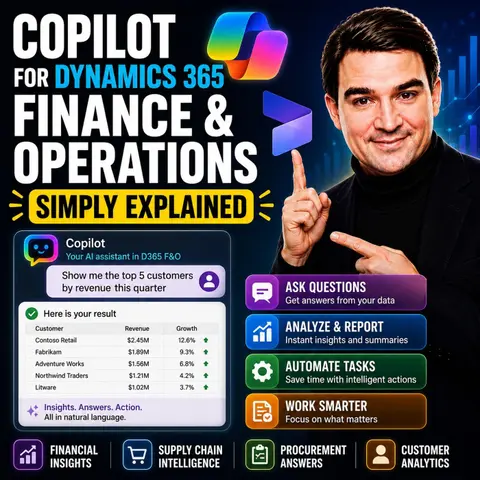
Unlocking the Power of AI: Copilot for Dynamics 365 Finance and Operations Simply Explained
Welcome back to the podcast companion blog! In this post, we are diving deep into the transformative world of enterprise artificial intelligence, specifically focusing on how Microsoft is reshaping enterprise resource planning. If you have ever felt overwhelmed by endless spreadsheets, complex month-end closures, or the tedious nature of manual data entry, you are not alone. Modern finance and supply chain teams are constantly pushed to do more with less, which is why introducing an intelligent assistant into your core ERP systems is no longer just a futuristic concept—it is a modern operational necessity.
To fully grasp how these tools function within your organization, we recommend checking out the corresponding podcast episode, Copilot for Dynamics 365 Finance and Operations - Simply Explained. That episode offers a breakdown of architecture, security, and governance choices that matter before teams adopt or manage these solutions. In this article, we will expand on those concepts, exploring everything from automated reporting and predictive analytics to intelligent inventory management and workflow enhancements.
Key Takeaways
- Copilot automates repetitive tasks, allowing finance teams to focus on strategic decision-making.
- Using natural language, Copilot simplifies complex data interactions, making insights more accessible.
- Real-time insights from Copilot enhance decision-making speed and accuracy in financial operations.
- AI-generated summaries significantly reduce the time spent on manual reporting tasks.
- Copilot's predictive analytics improve budgeting and forecasting accuracy by analyzing historical data.
- Effective inventory management is achieved through AI-driven demand forecasting and stock optimization.
- Workflow automation in order processing boosts efficiency and reduces manual errors.
- Integrating Copilot into your operations can lead to substantial cost savings and improved compliance.
Copilot Overview

Copilot for Dynamics 365 Finance and Operations serves as your intelligent assistant, designed to enhance your finance operations. This AI-driven tool automates routine tasks, allowing you to focus on strategic decision-making. By integrating seamlessly into your existing workflows, Copilot transforms how you interact with financial data.
Purpose of Copilot
The primary purpose of Copilot is to streamline your finance processes. It helps you manage data more efficiently and reduces the time spent on manual tasks. With features like generative help and guidance, Copilot provides real-time support as you navigate through finance and operations applications. You can ask questions in plain language, and Copilot will deliver answers derived from structured data. This capability empowers you to make informed decisions quickly.
Significance in Modern Finance Workflows
In today's fast-paced business environment, finance teams face numerous challenges. Copilot addresses these challenges effectively:
- Manual Repetitive Work: Copilot automates time-consuming tasks, allowing you to concentrate on analysis and strategy.
- Slow Month-End Closing: It streamlines coordination and data consolidation, reducing bottlenecks during critical periods.
- Over-Reliance on IT: You gain the ability to make changes independently, minimizing delays and enhancing agility.
- Errors from Manual Data Handling: Automation reduces human errors, improving data accuracy and reliability.
- Limitations of Existing Automation Tools: Copilot integrates various systems, overcoming the rigidity of older tools.
The benefits of using Copilot extend beyond mere automation. It enhances productivity by allowing you to focus on high-value activities. For instance, you can expect significant time savings, with some processes seeing reductions of up to 90%. This efficiency translates into better regulatory compliance and cost savings, as automated tools help ensure adherence to financial regulations.
| Feature | Description |
|---|---|
| Generative help and guidance | Transforms the support experience with a conversational sidecar in finance and operations apps. |
| Workflow history summary | Provides an AI-generated summary of the workflow history that users are viewing. |
| Enhanced user feedback for Copilot | Allows users to provide feedback to Microsoft through thumbs-up or thumbs-down buttons. |
| Chat with finance and operations data | Enables users to ask questions of an agent that derives answers from structured finance and operations data. |
| Immersive Home | A new workspace that helps users work with AI agents and focus on important work items. |
| Use Model Context Protocol | Provides a dynamic framework for agents to perform data operations and access business logic without custom code. |
| Build an agent with Dynamics 365 ERP MCP | Allows developers to build agents that can perform nearly any function available through the application interface. |
As the AI assistant software market in enterprise finance continues to grow, Copilot positions itself as a leader in enhancing operational efficiency. By adopting Copilot, you not only keep pace with industry benchmarks but also set your organization up for future success.
Dynamics 365 Finance Capabilities
Financial Reporting
AI-Generated Summaries
With Copilot, you can leverage AI-generated summaries to enhance your financial reporting. This feature significantly reduces the time you spend on manual reporting tasks. Instead of sifting through data, you can quickly generate management reports that highlight key insights. Copilot provides contextual recommendations based on your business data. For example, it can identify cost-saving opportunities and highlight spending trends. This proactive approach leads to improved decision-making and financial management.
Data Visualization Tools
Dynamics 365 Finance offers robust data visualization tools that simplify complex financial data. You can create visually appealing reports that make it easier to understand trends and patterns. The platform includes 22 pre-built reporting templates, allowing you to generate standard financial reports efficiently. These templates ensure consistent financial reporting across multiple environments, reducing setup and maintenance time.
| Feature | Description |
|---|---|
| Secure Access | Protects sensitive financial information with role-based access controls. |
| Reporting Templates | Offers 22 pre-built templates for generating standard financial reports efficiently. |
| Streamlined Data Management | Ensures consistent financial reporting across multiple environments, reducing setup and maintenance time. |
| Enhanced Simplicity | Reduces complexity and administrative overhead in managing financial data. |
| Better Financial Insights | Provides accurate reporting for informed decision-making, driving business growth. |
Budgeting and Forecasting
Predictive Analytics Features
Dynamics 365 Finance incorporates AI to enhance budgeting and expense forecasting. This integration automates the process, improving accuracy by analyzing historical spending data and predicting future expenses. Such capabilities enable you to allocate resources more effectively and identify potential budget anomalies early. By combining Copilot with Power BI datasets, you can surface forecasts, trends, risk indicators, and business predictions. This integration shifts your focus from historical analysis to future predictions and actionable insights.
Scenario Planning Tools
Copilot also supports scenario planning in budgeting and forecasting. It aids you in generating preliminary budgets by utilizing AI to analyze past actuals, market trends, and cost center allocations. You can create what-if budget scenarios, allowing you to assess the potential impacts of different scenarios on financial outcomes. This feature enhances your decision-making by enabling you to create multiple budgets based on varying assumptions and variables.
Supply Chain Management with Copilot

Supply chain management is crucial for maintaining efficiency in your operations. With Copilot for Dynamics 365 Finance and Operations, you can enhance your inventory management and order processing capabilities significantly.
Inventory Management
Effective inventory management ensures that you have the right products available at the right time. Copilot provides several key capabilities to streamline this process.
Demand Forecasting Techniques
Accurate demand forecasting is essential for optimizing inventory levels. Copilot leverages AI to predict demand fluctuations. It analyzes historical data and market trends to provide you with actionable insights. By using these insights, you can make informed decisions about replenishment and stock levels.
Here are some capabilities that Copilot offers for demand forecasting:
| Capability | Description |
|---|---|
| AI-generated recommendations | Provides suggestions for replenishment, demand forecasting, and anomaly detection. |
| Historical data analysis | Predicts shortages, suggests reorder quantities, and optimizes stock levels. |
| Task automation | Automates repetitive tasks like updating safety stock levels and generating purchase suggestions. |
| Natural language prompts | Allows you to retrieve insights quickly using conversational queries. |
By accurately forecasting demand and automating inventory management, you can lower carrying costs and minimize issues like stockouts and overstocking. This ultimately leads to reduced costs associated with inventory holding, handling, and storage.
Stock Optimization Strategies
To maintain optimal stock levels, you need effective stock optimization strategies. Copilot enhances your inventory visibility by providing real-time insights into inventory levels and locations. This ensures you know what you have and where it is.
Additionally, Copilot automates processes, such as entering information from purchase orders. This reduces manual errors and improves efficiency. By streamlining these processes, you can shorten processing times for receiving, picking, packing, and shipping goods while maintaining accuracy.
Order Processing
Efficient order processing is vital for customer satisfaction and operational success. Copilot enhances this area with several features.
Workflow Automation
Copilot automates various aspects of order processing, allowing you to focus on strategic decisions. For instance, it simplifies administrative tasks by automatically drafting timesheets and expense reports. This automation reduces the time spent on manual entries and enhances overall productivity.
Here are some features that Copilot provides for order processing:
| Feature | Description |
|---|---|
| System Summaries | Provides quick insights on backordered customer orders, product pricing, and item variants. |
| Warehouse Application Insights | Displays a personalized dashboard with upcoming shift information, including picking work IDs and tasks. |
| Copilot Sidecar | Acts as a contextual search tool for navigating the system with queries related to sales orders. |
| Supplier Communications Agent | Automates monitoring of emails to identify changes needed in purchase orders, enhancing communication. |
| Time and Expense Agent | Simplifies administrative tasks by automatically drafting timesheets and expense reports. |
Real-Time Order Tracking
With Copilot, you gain access to real-time order tracking. This feature allows you to monitor the status of orders throughout the fulfillment process. You can quickly identify any delays or issues, enabling you to take corrective actions promptly.
By integrating these capabilities, Copilot helps you improve order fulfillment speed and accuracy. Metrics show significant improvements after integrating Copilot, including a 95% reduction in lead time and substantially lower operational costs.
Enhancing Workflows in Dynamics 365 Finance
Streamlining Daily Tasks
With Copilot for Dynamics 365 Finance, you can significantly streamline your daily tasks. This AI-driven tool provides several features that enhance your efficiency. For instance, the suggestions area offers AI-driven prompts to activate skills or review actions. You can also find priority-ranked activity cards in the work items section, which helps you manage tasks effectively.
Additionally, the pinned items list allows you to keep track of important tasks, ensuring nothing slips through the cracks. The agent activity section displays performance metrics for agents, complete with links to detailed views. You can customize your workspaces to display frequently used tools, making navigation seamless.
Moreover, you can chat with Dynamics 365 Finance data using natural language. This feature allows you to ask questions and receive answers without needing to sift through complex reports. Copilot provides generative help and guidance directly in the app, making it easier for you to find the information you need. You can even rate Copilot's responses to improve the system's performance over time. By consolidating AI, task management, and workspace access, Copilot enables you to complete tasks more efficiently without navigating away from the main interface.
Collaboration Tools
Collaboration is vital in finance operations, and Copilot enhances teamwork significantly. It creates a collaborative workspace for finance teams, enabling real-time document review and transaction approvals. This feature ensures that all team members stay informed and engaged throughout the process.
The system automates approval processes, which promotes transparency and builds trust among team members. You can track actions easily, knowing who approved what and when. Real-time insights from the ERP are accessible, allowing your team to discuss findings and make informed decisions quickly. This capability fosters a culture of collaboration, where everyone contributes to the financial strategy.
By utilizing these collaboration tools, you can enhance communication and streamline workflows. The integration of Copilot into Dynamics 365 Finance not only improves individual productivity but also strengthens team dynamics. Embracing these tools will lead to better outcomes for your finance operations.
Practical Applications of Copilot
Case Study: Financial Reporting
Imagine you are part of a finance team that needs to prepare management reports quickly. Instead of manually writing these reports, you can utilize Copilot's AI-generated summaries. This feature significantly reduces the effort required for reporting. You can communicate faster with executives and focus on strategic insights.
For example, a finance manager predicts next quarter’s cash flow based on current revenue trends and expenses. Copilot can instantly generate a detailed cash flow projection, highlighting potential bottlenecks or variances. This speeds up the forecasting process and improves the accuracy of financial planning.
Here’s a quick overview of how Copilot enhances financial reporting:
| Example | Impact |
|---|---|
| Ask Copilot, “Create a year-over-year revenue comparison chart,” and it will instantly produce a polished report using data from your system. | This capability reduces reporting time while improving the quality of financial insights. |
| Copilot’s reconciliation agent can reduce reconciliation time by 95%, allowing finance teams to focus on judgment rather than data entry. | Manual reconciliation consumes up to 59% of finance teams’ effort. |
Employees report saving significant time on routine tasks such as drafting emails and summarizing meetings. A senior data specialist mentioned improved decision-making and financial management due to quicker report generation.
Case Study: Supply Chain Optimization
In the realm of supply chain management, Copilot's AI capabilities shine brightly. For instance, a U.S.-based consumer goods company using Dynamics 365 Copilot reduced forecast errors by 40%. This improvement led to a 20% decrease in excess inventory, showcasing how effective demand planning can enhance operational efficiency.
Here are some notable examples of how organizations have benefited from Copilot in supply chain management:
- A parts manufacturer utilized Copilot’s Anomaly and Shift Detection for demand planning, significantly reducing excess inventory carrying costs.
- MOC Products improved forecasting accuracy and streamlined warehouse operations by migrating to Dynamics 365, resulting in fewer stockouts and better on-time delivery.
- The transportation industry benefits from Copilot's AI capabilities, enhancing forecasting and productivity while addressing complex supply chain challenges.
By integrating features like confirmed purchase orders and vendor summaries, Copilot categorizes purchase-order changes and provides vendor snapshots for fast decisions. This leads to reductions in order cycle time and improved vendor responsiveness.
| Supply Chain Use Case | Copilot Feature | Productivity Benefit | Suggested KPI & ROI Metric |
|---|---|---|---|
| Procurement & purchasing | Confirmed purchase orders workspace & vendor summaries. | Categorizes purchase-order changes and provides vendor snapshots for fast decisions. | Reduction in order cycle time, cost of disruptions, and vendor responsiveness. |
| Demand planning | Analyze demand plans & generative insights. | Highlights trends, anomalies, and seasonality, enabling proactive adjustments. | Forecast accuracy, inventory carrying cost, and service-level improvements. |
With these practical applications, you can see how Copilot transforms financial reporting and supply chain management. By leveraging AI capabilities, you can enhance efficiency and make informed decisions that drive your organization forward.
Copilot for Dynamics 365 Finance and Operations offers transformative benefits for your finance team. By automating repetitive tasks, you enhance productivity and free up time for strategic decision-making. Here are some key advantages:
- Real-time insights facilitate quicker decision-making.
- Natural language interaction simplifies complex workflows.
- AI-powered automation reduces manual work across finance processes.
As you consider integrating Copilot into your operations, remember that it can significantly improve operational efficiency and governance. Embrace this innovative tool to elevate your financial management and stay ahead in a competitive landscape. 🚀
FAQ
What is Copilot for Dynamics 365 Finance and Operations?
Copilot is an AI assistant that enhances productivity in finance operations. It automates repetitive tasks, provides real-time insights, and simplifies data interaction, allowing you to focus on strategic decision-making.
How does Copilot improve financial reporting?
Copilot generates AI-driven summaries and visualizations, reducing manual reporting time. It highlights key insights and trends, enabling you to make informed decisions quickly and efficiently.
Can I use Copilot for budgeting and forecasting?
Yes, Copilot supports budgeting and forecasting by analyzing historical data and predicting future expenses. It helps you create what-if scenarios, enhancing your ability to allocate resources effectively.
How does Copilot assist with inventory management?
Copilot improves inventory management by providing demand forecasting and stock optimization strategies. It analyzes historical data to predict demand fluctuations, helping you maintain optimal stock levels.
Is Copilot easy to integrate with existing systems?
Yes, Copilot seamlessly integrates into your existing workflows within Dynamics 365 Finance and Operations. It enhances your current processes without requiring significant changes to your systems.
What are the benefits of using Copilot for order processing?
Copilot automates order processing tasks, such as drafting reports and tracking orders in real-time. This automation reduces manual errors and improves efficiency, leading to faster order fulfillment.
How can I get started with Copilot?
To get started, you can explore Microsoft’s resources and documentation on Copilot. Consider scheduling a demo or consultation to see how it can fit into your finance operations.
Does Copilot require extensive training to use?
No, Copilot is designed to be user-friendly. Its intuitive interface and natural language capabilities allow you to interact with data easily, minimizing the need for extensive training.
🎧 Listen to this episode
Want a practical explanation of Copilot for Dynamics 365 Finance and Operations? This episode breaks down the topic in clear language and shows why it matters for Microsoft 365, Azure, Power Platform, security, AI, and modern work.
Listen to this episode if you want to:
- Understand the key concepts behind Copilot for Dynamics 365 Finance and Operations
- See how it fits into the wider Microsoft technology ecosystem
- Learn where it can create practical value for your organization
You may also enjoy these related M365 FM episodes:
- Protect Dynamics 365 Copilot Finance Controls
- Dynamics 365 Project Operations with Joe Griffin [MVP]
- AI and Copilot in D365FO Finance with Billur Samdancioglu [MVP-MCT]
- Scale HR Operations with Copilot Studio AI Agents
- EU AI Act Compliance for Copilot in HR and Finance
Discover more practical Microsoft conversations on M365 FM.
Last reviewed: July 2026.
Who Should Listen
This episode is for Microsoft administrators, architects, developers, security professionals, and business leaders who need a practical foundation before making implementation or governance decisions.
🎧 You Should Also Listen To
- Power Platform — A closely related next step that adds useful context and practical depth.
- Power Apps — A closely related next step that adds useful context and practical depth.
- Dataverse Security — A closely related next step that adds useful context and practical depth.

Microsoft MVP | Host of M365.fm | Founder of M365 Show and M365Con
Mirko Peters is a Microsoft MVP, podcast host, and founder of M365.fm, M365 Show, and M365Con. His work connects Microsoft practitioners through podcast interviews, livestreams, and community events.
At M365.fm, Mirko hosts conversations with Microsoft MVPs, product experts, architects, and community contributors. Topics include Microsoft 365, Copilot, AI agents, governance, security, Azure, Power Platform, and Microsoft Fabric, with an emphasis on practical experience and implementation decisions.
M365.fm is the podcast and learning platform. M365 Show brings experts together for livestreams, while M365Con provides an online conference setting for community learning.
Official website: Mirko Peters (https://www.mirkopeters.com/). Recognition: Mirko Peters — Microsoft MVP profile (https://mvp.microsoft.com/de-DE/mvp/profile/9b0ca797-db5a-493a-a845-8b9158046cf5). Connect on LinkedIn (https://www.linkedin.com/in/m365showpodcast/).

Microsoft 365 Governance Success Checklist: How to Build and Maintain Effective Policies