
Unlocking the Power of Microsoft Fabric: A Unified Analytics Guide
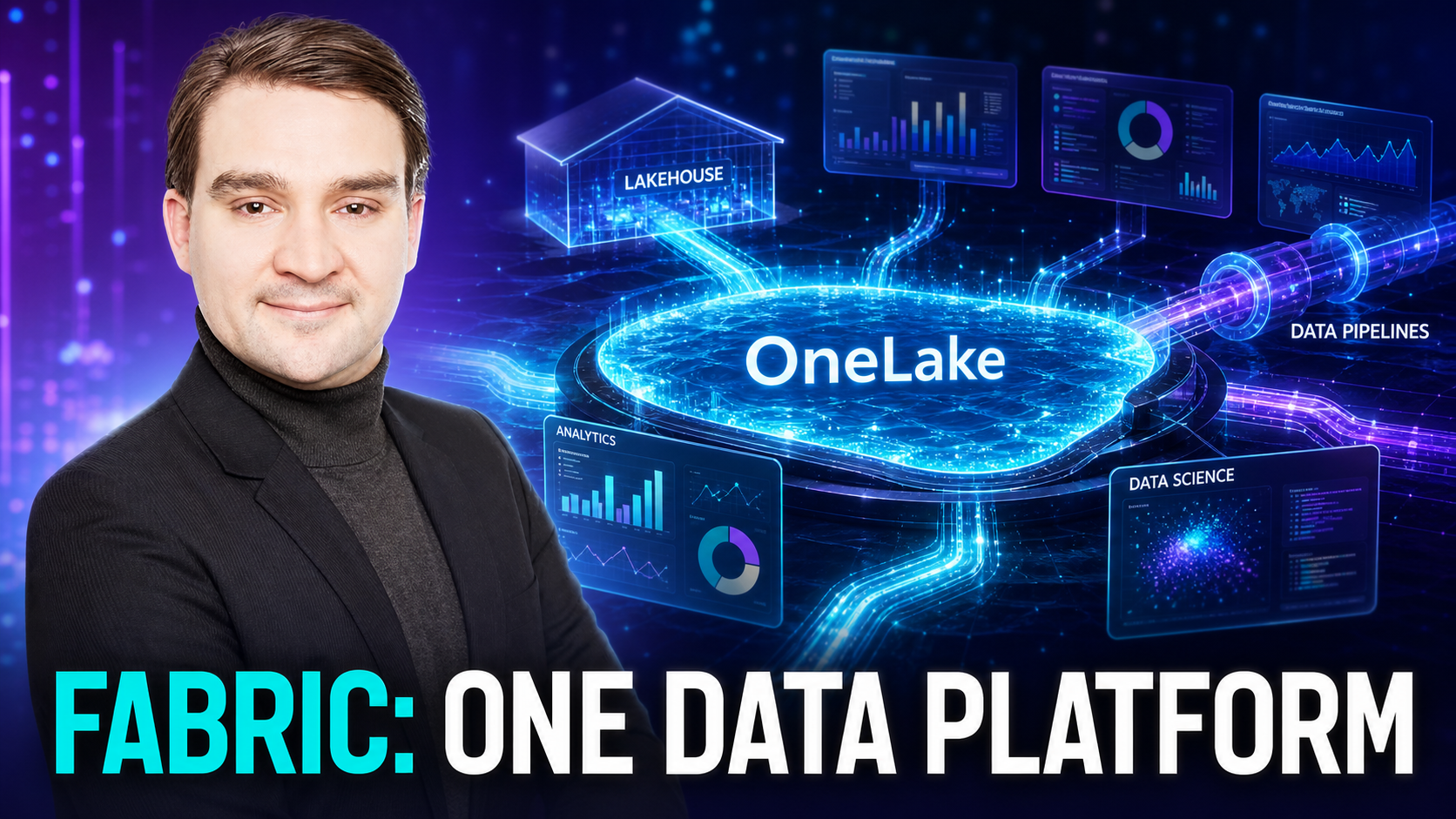
Welcome back to the blog! If you have spent any time working with data over the past few years, you already know that the modern data landscape is both a blessing and a curse. On one hand, organizations have access to more information than ever before, ranging from customer interactions and operational metrics to real-time telemetry and IoT streams. On the other hand, managing this influx of data often leads to an overwhelming maze of siloed tools, disconnected storage systems, and fragile integration pipelines. For years, data engineers, analysts, and enterprise architects have wrestled with the complexities of stitching together multiple cloud services just to deliver a single, cohesive report to business stakeholders. Fortunately, the paradigm is shifting. Microsoft Fabric has arrived to fundamentally change how organizations handle end-to-end data analytics, bringing data engineering, data warehousing, data science, and business intelligence into one cohesive Software as a Service (SaaS) environment. In this comprehensive guide, we will take a deep dive into Microsoft Fabric, exploring how core features like OneLake, Lakehouse, and Dataflow Gen2 are replacing fragmented data platforms, streamlining workloads, and empowering enterprises to scale their analytics architectures more efficiently than ever before.
This blog post expands heavily on themes we recently explored on the podcast. If you want to dive deeper into building scalable architectures, mastering semantic models, and driving real business impact with your data, be sure to check out the accompanying podcast episode titled From Raw Data to Real Business Impact: Mastering Power BI and Microsoft Fabric with Thummalacherla Krishnakanth.
Introduction to Microsoft Fabric and Unified Analytics
To truly appreciate what Microsoft Fabric brings to the table, we must first understand the concept of unified analytics. Historically, building a modern data platform required an immense amount of architectural stitching. An organization might use Azure Data Factory for data ingestion, Azure Databricks or Synapse Spark pools for data transformation, Azure Data Lake Storage for raw and processed files, a dedicated SQL pool for data warehousing, and Power BI for visualization. While each of these tools is exceptionally powerful in its own right, managing them collectively creates immense overhead. Teams have to worry about cross-service security boundaries, disparate networking configurations, fragmented monitoring, duplicate data storage, and complex governance models.
Microsoft Fabric solves this challenge by introducing a unified, SaaS-first analytics platform. Instead of forcing organizations to assemble their own data stack from disparate parts, Fabric integrates every necessary capability into a single, cohesive environment. Every workload, whether it is data engineering, data integration, data warehousing, real-time analytics, or business intelligence, operates natively on top of a shared, centralized data repository. This means that data does not need to be constantly copied, moved, or re-exported across boundaries just to be processed by a different engine. By unifying these experiences under a single user interface and administrative framework, Microsoft Fabric drastically lowers the barrier to entry for building enterprise-grade analytics while eliminating the technical debt associated with fragmented infrastructures.
Saying Goodbye to Fragmented Data Platforms
Fragmented data platforms have been the bane of data professionals for decades. When data is stored in isolated silos—such as separate data lakes for data science, transactional databases for applications, and independent data warehouses for reporting—several critical issues inevitably arise. First, data duplication becomes rampant. Organizations often find themselves paying to store the exact same dataset multiple times across different storage accounts because various business units or technical teams refuse or are unable to share infrastructure.
Second, data consistency suffers. When multiple teams transform data independently using different tools and logic, you end up with conflicting versions of the truth. Executive dashboards might display different revenue figures depending on whether the data was pulled from the data science lakehouse or the enterprise data warehouse. Reconciling these discrepancies consumes countless hours of valuable engineering time.
Finally, governance and security become a logistical nightmare. Enforcing uniform data privacy policies, row-level security, lineage tracking, and compliance audits across ten different Azure services is extraordinarily difficult. Microsoft Fabric eradicates these silos by providing a single source of truth and a unified governance model. Through centralized administration, data stewards can monitor data usage, track data lineage from source to report, and apply security policies consistently across the entire organization. Saying goodbye to fragmented platforms means saying hello to agility, trust, and drastically reduced operational overhead.
Core Pillars of Microsoft Fabric: OneLake, Lakehouse, and Dataflow Gen2
At the heart of Microsoft Fabric are several revolutionary components that work seamlessly together to streamline data operations. Understanding these core pillars is essential for any architect or engineer looking to leverage the platform effectively.
Microsoft OneLake: The OneDrive for Data
Often described as the "OneDrive for data," OneLake is the foundational storage layer of Microsoft Fabric. Every Fabric tenant comes with a single, hierarchical OneLake instance that automatically provisions storage for the entire organization. Inspired by Office 365, where every user gets a OneDrive, OneLake ensures that every department, developer, and application stores their data in a single, unified location.
What makes OneLake truly remarkable is its use of open data formats. Data in OneLake is stored natively in Delta-Parquet format. This open format ensures that data is accessible by any compute engine within Fabric—whether that is Spark, SQL, Power BI, or third-party tools—without proprietary lock-in. Furthermore, OneLake introduces a groundbreaking feature called Shortcuts. Instead of physically copying data from external locations like Amazon S3, Google Cloud Storage, or Azure Data Lake Storage, developers can create virtual shortcuts that point directly to those external sources. This allows organizations to virtualize their data estate without incurring massive egress fees or storage duplication.
The Fabric Lakehouse: Combining the Best of Both Worlds
For years, organizations debated the merits of data lakes versus data warehouses. Data lakes offered cheap storage and flexibility for unstructured data, but lacked transactional consistency and high-performance querying. Data warehouses provided ACID transactions and blazing-fast SQL performance, but were rigid and expensive.
Microsoft Fabric bridges this divide with the Lakehouse architecture. A Fabric Lakehouse combines the flexibility, cost-effectiveness, and scale of a data lake with the robust ACID transaction support and structured querying of a traditional data warehouse, all powered by Delta Lake technology. Data engineers can ingest raw files, clean them using Spark notebooks or SQL queries, and store them in tables that are immediately available for both advanced data science workloads and lightning-fast enterprise reporting.
Dataflow Gen2: Modern, Scalable Data Transformation
Data integration is often the most time-consuming phase of any analytics project. Dataflow Gen2 brings the familiar and powerful Power Query online experience into Microsoft Fabric, supercharging it for enterprise-scale data preparation. With Dataflow Gen2, users can connect to thousands of data sources, apply robust transformation steps using an intuitive graphical interface or mashup script, and load the results directly into OneLake tables or data warehouses.
Unlike its predecessor, Dataflow Gen2 leverages the immense compute power of the Fabric backend, allowing it to handle massive volumes of data efficiently. It supports staged staging areas, incremental refresh capabilities, and seamless integration with orchestration pipelines. Whether you are an accidental citizen developer or a seasoned data engineer, Dataflow Gen2 simplifies the ingestion and transformation lifecycle.
Centralizing Workloads and Scaling Architecture Efficiently
One of the most compelling advantages of Microsoft Fabric is its ability to centralize diverse workloads under a unified architectural umbrella. In a traditional enterprise environment, data engineering teams, data scientists, database administrators, and business intelligence developers operate in isolated silos, often using completely different toolsets and deployment pipelines. This fragmentation leads to communication bottlenecks, duplicated effort, and friction during project handoffs.
Microsoft Fabric brings these roles together by providing shared workspaces where cross-functional teams can collaborate in real time. Data engineers can build robust ingestion pipelines using Data Factory; data scientists can train machine learning models using Spark notebooks and MLflow; data analysts can model semantic layers and build high-performance reports using Power BI—all operating within the exact same workspace against the exact same underlying data in OneLake.
From a scaling perspective, Fabric introduces a flexible capacity-based pricing model. Organizations purchase compute capacities (measured in Fabric Capacity units, or F-skus) that can be dynamically scaled up, scaled down, or paused based on business demand. If your organization experiences heavy data processing loads at the end of the month, you can temporarily scale up your capacity to accelerate processing times and then scale back down during quieter periods. This elasticity ensures that you only pay for the compute power you actually need, maximizing return on investment while maintaining optimal system performance.
Bridging Microsoft Fabric and Enterprise Power BI
While Microsoft Fabric expands far beyond traditional reporting, Power BI remains the crown jewel of the analytics presentation layer. However, the relationship between Power BI and Microsoft Fabric goes much deeper than just visualization. In the Fabric era, Power BI semantic models sit natively on top of OneLake data repositories, transforming raw data into business-ready insights with unprecedented efficiency.
In our related podcast episode, expert guest Thummalacherla Krishnakanth emphasizes that successful analytics projects always begin with clean data, proper data modeling, and well-designed architectures. Even the most advanced AI and visualization tools cannot compensate for a poorly structured data model. In Microsoft Fabric, developers can build robust star schemas, define clear fact and dimension relationships, and optimize DAX (Data Analysis Expressions) calculations directly connected to Direct Lake mode.
Direct Lake mode is a game-changing feature that bridges Fabric and Power BI. Traditionally, Power BI datasets either used Import mode (where data is copied into the Power BI memory, requiring scheduled refreshes) or DirectQuery mode (where queries are sent live back to the source database, often impacting performance). Direct Lake mode combines the best of both worlds. It allows Power BI to load Delta-Parquet files directly from OneLake into memory with lightning-fast speed, without needing to import data or run slow live queries. This innovation allows enterprises to handle massive datasets containing billions of rows while maintaining sub-second query response times for business users.
Preparing Your Organization for the Future of Data Intelligence
As we look toward the future, it is abundantly clear that artificial intelligence, machine learning, and automated data intelligence will continue to reshape the corporate landscape. However, as discussed in our podcast conversation with Thummalacherla Krishnakanth, AI is not replacing experienced data professionals; rather, it is augmenting their capabilities and empowering them to achieve more.
Artificial Intelligence tools like Microsoft Copilot are deeply integrated into Microsoft Fabric and Power BI, assisting developers with writing DAX calculations, generating data transformation scripts, summarizing report insights, and building narrative explanations directly into dashboards. Yet, to successfully leverage these AI capabilities, organizations must establish a solid data foundation. Developers and architects must still understand core principles such as data modeling, governance, security, filter context, and business requirements.
Preparing your organization for the future means embracing continuous learning and modernizing your technical stack. Whether you are looking to validate your expertise through certifications like the PL-300 or DP-600, or you are an enterprise architect planning a migration strategy from legacy data warehouses to Microsoft Fabric, the journey starts with mastering the fundamentals of unified analytics. By centralizing your workloads on OneLake, adopting modern storage and transformation tools like Lakehouse and Dataflow Gen2, and empowering your business users with Direct Lake Power BI semantic models, your organization will be well-positioned to drive real business impact in the AI era.
To hear more expert insights, practical advice on DAX optimization, and deep-dive discussions on mastering Power BI and Microsoft Fabric, make sure to listen to the full podcast episode. You can access the episode directly by visiting From Raw Data to Real Business Impact: Mastering Power BI and Microsoft Fabric with Thummalacherla Krishnakanth. Thank you for reading, and stay tuned for more deep dives into the evolving world of Microsoft 365 and modern data intelligence!

Microsoft MVP | Host of M365.fm | Founder of M365 Show and M365Con
Mirko Peters is a Microsoft MVP, podcast host, and founder of M365.fm, M365 Show, and M365Con. His work connects Microsoft practitioners through podcast interviews, livestreams, and community events.
At M365.fm, Mirko hosts conversations with Microsoft MVPs, product experts, architects, and community contributors. Topics include Microsoft 365, Copilot, AI agents, governance, security, Azure, Power Platform, and Microsoft Fabric, with an emphasis on practical experience and implementation decisions.
M365.fm is the podcast and learning platform. M365 Show brings experts together for livestreams, while M365Con provides an online conference setting for community learning.
Official website: Mirko Peters (https://www.mirkopeters.com/). Recognition: Mirko Peters — Microsoft MVP profile (https://mvp.microsoft.com/de-DE/mvp/profile/9b0ca797-db5a-493a-a845-8b9158046cf5). Connect on LinkedIn (https://www.linkedin.com/in/m365showpodcast/).





