
What Is Insider Risk Management?
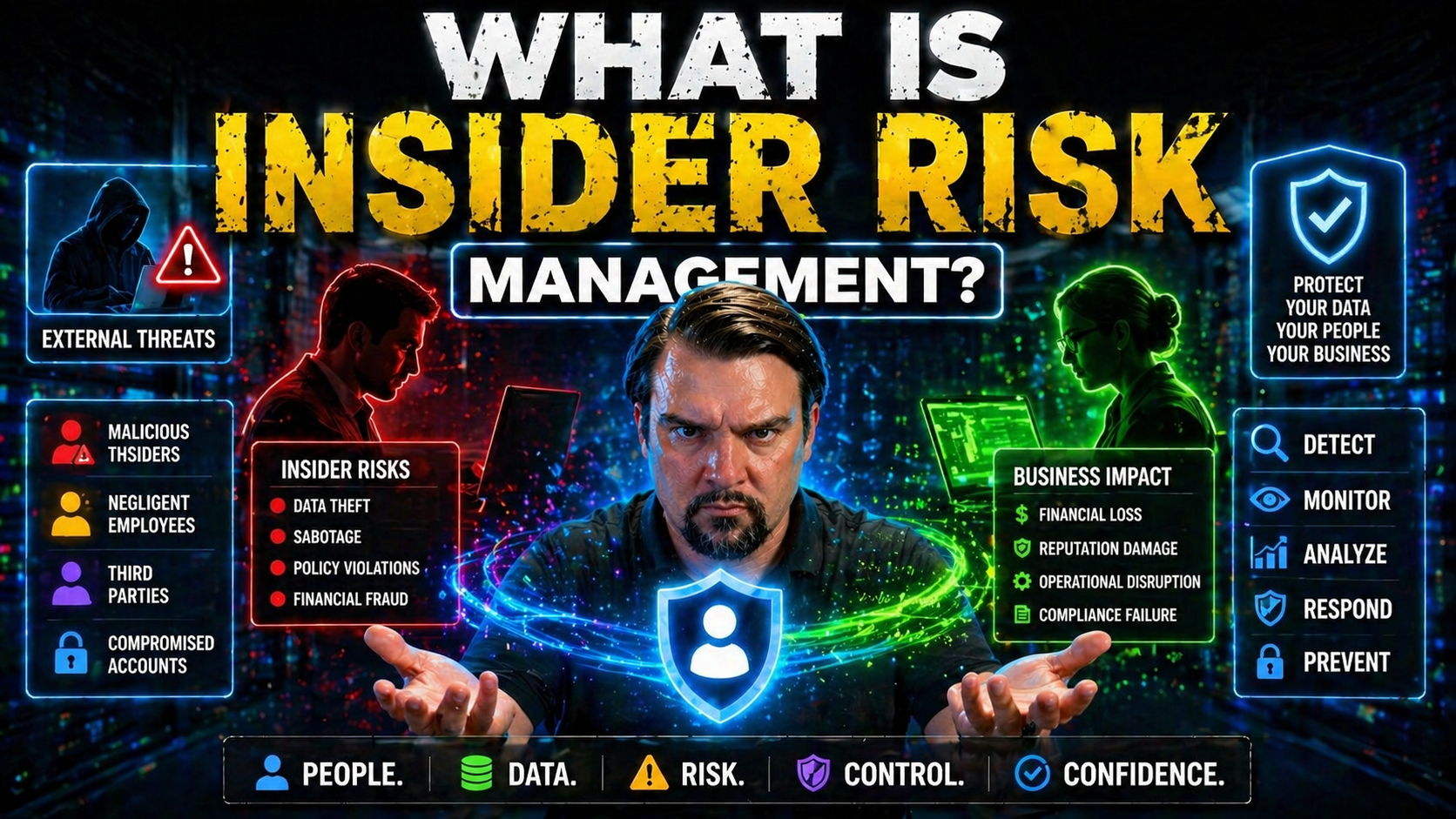
Insider risk management is all about identifying, assessing, and reducing the chances that someone inside your organization—like an employee, contractor, or even a trusted vendor—could intentionally or accidentally cause harm to your data, systems, or business. Unlike general cybersecurity, which often focuses on external hackers, insider risk zeroes in on threats that come from folks with legitimate access.
It’s especially vital today as more of your operations run on cloud platforms like Microsoft 365 and Azure. With wider access and more ways to share or mishandle sensitive data, the risks inside are just as concerning as threats outside your doors. A solid insider risk management approach helps you spot problems early, enforce good habits, and build a workplace that supports trust without losing vigilance. This foundation will guide you through the strategies, tools, and mindset needed to keep your organization's digital front porch—from file shares to cloud dashboards—secure, responsible, and resilient.
Foundations of Insider Risk Management
Before you get lost in technical acronyms and policies, let's cut to the heart of insider risk management: it’s about protecting your crown jewels from those who already have the keys to the castle. This discipline recognizes that not every risk comes from a shadowy hacker halfway around the world—sometimes, the trouble is much closer to home.
Understanding insider risk management means knowing how to spot red flags, set boundaries, and create processes that balance business agility with protection. Its core goal is to reduce—not just investigate—the chances that privileged access or trusted relationships turn sour, whether through mistakes or malice.
This field is both broader and more proactive than old-school threat management. It looks at everyday activities, not just rare criminal actions, to help organizations stay ahead of issues. As you move deeper into this article, you’ll see how these basics shape everything from policy to monitoring, especially if your company runs on Microsoft 365, Azure, or similar platforms. Laying this groundwork makes it easier to follow the thinking and terminology you’ll see ahead—so we’re all speaking the same language when it comes to risk, threats, and the steps in between.
Insider Risks Versus Insider Threats
At a glance, “insider risk” and “insider threat” might sound like the same thing, but there’s an important difference. Insider risk refers to the potential for harm caused by people with access—due to accidents, carelessness, frustration, or even too much helpfulness.
Insider threat, on the other hand, usually means someone with malicious intent—think data theft, sabotage, or selling secrets for personal gain. Most insider incidents are actually caused by non-malicious actions: a rushed file upload to a public cloud, an email with sensitive info sent to the wrong contact. Recognizing this distinction helps your business focus on preventing unfortunate mistakes and not just chasing after bad actors after damage has already been done.
The Evolving Insider Risk Landscape
The insider risk story has changed fast in recent years. As organizations shift to cloud platforms, embrace hybrid work, and give out more remote access than ever before, the potential for insiders to unintentionally or intentionally cause harm has exploded. Old-school security approaches that focus only on the edge of your network just don’t cut it anymore.
Businesses must now think about risk as a moving target, shaped by fast-changing technology, new ways of collaborating, and a long list of devices and apps connected from just about anywhere. Microsoft 365, Azure, and other SaaS environments bring productivity—but also new blind spots and challenges for security teams.
This landscape isn’t just about more places to guard. It’s about new habits—think shadow IT, personal cloud drives, and even AI agents wiring up data in unexpected ways. Understanding why managing insider risk is more complex than ever sets you up to dive into the expanded attack surfaces and real business fallout that comes with ignoring these modern realities.
Expanded Attack Surface in Modern Workplaces
Digital transformation has blown the doors off the traditional office perimeter. Now, employees, contractors, and third-party vendors access data from laptops, smartphones, and cloud-based apps, whether at home, in the office, or halfway across the world. Hybrid work, bring-your-own-device policies, and remote logins using personal Wi-Fi all add to this sprawling web of access points.
Platforms like Microsoft 365, Power Platform, and Azure make sharing and collaborating easy—but that convenience can also create headaches. For example, lingering guest accounts in Microsoft 365 can quietly leave company data exposed, as described in the hidden danger of M365 guest accounts. And when employees bring new tools or AI agents into the mix without IT’s blessing, it can breed “shadow IT” chaos, as covered in guidance for managing shadow IT in Microsoft 365.
The result is an expanded attack surface—more places and people to watch, more complex permissions to manage, and higher potential for accidental or intentional data leaks. Modern security strategies must account for all the places data can live and move, and how even well-intended collaboration can quickly open new risk pathways.
Business Consequences of Poorly Managed Insider Risks
When insider risks slip through the cracks, the impact isn’t just a slap on the wrist—it can be catastrophic. Companies dealing with a data breach or other insider-driven incident often find the effects rippling far beyond an initial loss.
Direct damage might show up as regulatory fines, lawsuit payouts, or operational downtime while teams scramble to track down and fix the issue. If the breach involves sensitive customer info or trade secrets, the costs skyrocket: lost revenue, destroyed contracts, and long-term reputational harm that can take years to rebuild.
But it doesn’t stop there. Poorly managed risks can crush employee morale, sow distrust across teams, and even trigger a compliance drift—where well-intentioned policies no longer match the way people actually work. In regulated spaces, as highlighted in real-world compliance drift scenarios, this can open doors for painful audits or lost licenses. In short, ignoring insider risk is like leaving your front door open and hoping nobody notices—eventually, someone will walk right in when you least expect it.
Root Causes and Warning Signs of Insider Risk
Understanding what drives insider risk is the first real step in turning the tide. It’s rarely just “bad apples”—often the roots are tangled in organizational choices, technical setups, and sometimes stressful or frustrating work environments. The risks can be hidden in plain sight, wrapped up in everyday behaviors and routine business processes.
When you dig into what really causes insider risk, you’ll start to spot key patterns: maybe it’s too many people with too much access, unclear rules for sharing data, or a lack of clear communication about what’s acceptable (and what’s not). Sometimes it’s technology gaps; sometimes it’s human error or, yes, malicious intent.
The good news? By paying close attention to both the warning signs and underlying causes, your organization can move from reaction to prevention—building targeted training, better controls, and smarter monitoring that strike at the heart of the problem before it spirals out of control.
Common Organizational Factors Driving Insider Risk
- Lack of Security Awareness: When employees don’t know the rules or the “why” behind them, risky behaviors—like clicking suspicious links or sharing files over personal apps—become common. For example, if workers aren’t warned about unsafe sharing in Microsoft 365’s default environment, leaks can sneak through the cracks. Proactive education and regular reminders are crucial.
- Weak Cybersecurity Policies: If an organization’s policies are outdated, unclear, or filled with loopholes, it creates a breeding ground for mistakes. Gaps in data loss prevention (DLP) coverage often stem from inconsistent rules, as discussed in adaptive DLP strategies for Microsoft platforms.
- Excessive Access Privileges: Letting staff, contractors, or vendors keep access they no longer need increases the chance sensitive data can be mishandled—intentionally or not. Role-based access controls and regular reviews are needed to ensure only the right people touch the right data.
- Limited Visibility: If you can’t see what users are doing across your cloud environments, you’re flying blind. For instance, poorly governed Power Platform connectors can allow risky automations or unintended data flows, as outlined in Power Platform DLP policy guidance. Fixing these blind spots before they’re exploited is key to reducing costly surprises down the road.
Types of Insiders and High-Risk Scenarios
- Negligent Insiders: These are folks who mean well but make mistakes, like emailing sensitive files to the wrong address or syncing work files to a personal cloud account.
- Compromised Insiders: Sometimes, employees or contractors have their credentials stolen by phishing attacks, malware, or social engineering. The attacker then acts with their access, causing harm while hiding behind a legitimate identity.
- Malicious Insiders: These actors have an ax to grind or see an opportunity for personal gain. They might deliberately steal data, sabotage systems, or misuse access for revenge or profit. Regular auditing, using tools like Microsoft Purview Audit, helps detect and mitigate such risks early.
Behavioral and Technical Indicators of Insider Risk
- Unusual Data Transfers: Large or unexpected file downloads, data sent to personal or unauthorized cloud services, or excessive copying of sensitive information are all key red flags that something may be up.
- Atypical Access Patterns: Logging in at odd hours, accessing systems or data outside a person’s job scope, or repeatedly failing authentication checks can point to risk—whether accidental or intentional.
- Policy Violations and Audit Trail Anomalies: Frequent policy violations, repeated use of unauthorized devices, or attempts to bypass security controls should trigger investigation. A platform like Microsoft Purview Audit offers detailed user activity logs, making it easier to detect these subtle but important warning signs.
Building an Effective Insider Risk Management Program
Getting from “we should care about insider risk” to “we know exactly what to do about it” takes more than a handful of policies and a couple of firewall tweaks. An effective IRM program is a living system—one that starts with a clear plan and grows as new tools, technologies, and business priorities shift the landscape.
Whether you’re running a lean startup or a sprawling Microsoft 365 shop, the journey involves a few big steps: identify risks, set the ground rules, keep an eye out for trouble, and—when things go sideways—know how to respond. Layer in user education, regular reviews, and adaptive controls, and you’ve got yourself a foundation for long-term success.
Stick around as we walk you through each of these elements, especially tuned for IT and business leaders looking for practical, Microsoft-ready approaches. And don’t miss the advice on external sharing, found in guides like preventing risky external file sharing in Microsoft 365, where missed audit trails often spell disaster.
Key Components of an Insider Risk Management Framework
- Comprehensive Risk Assessment: Start by mapping out where your sensitive data lives, who can access it, and what the most likely risk scenarios look like. Be realistic—include “shadow IT,” automation tools, and even AI-driven workflows in the mix.
- Policy Development and Enforcement: Write clear, enforceable rules for data handling, access controls, and acceptable use. Don’t just file them away—make them part of onboarding, reviews, and daily work.
- Continuous Monitoring and Detection: Deploy tools and processes for 24/7 visibility, such as Data Loss Prevention (DLP), User and Entity Behavior Analytics (UEBA), and thorough audit logs. Regular monitoring helps you spot trouble before it becomes a headline. This is where governance lessons from failed Microsoft 365 rollouts come into play—real accountability beats fragmented tool ownership every time.
- Incident Response Planning: Have a tested plan for responding quickly to suspicious activity or real incidents. The goal is to contain damage, learn from each case, and keep business ticking along without panic or finger-pointing.
- Ongoing Review and Improvement: Don’t let your IRM program gather dust. Regularly review what’s working (and what’s not), update controls for new risks, and include all stakeholders—IT, HR, legal, and business leaders—in the feedback loop.
Developing and Implementing Policies
Effective insider risk policies spell out what’s acceptable for data access, sharing, and handling throughout the company. These policies must align with your business needs, regulatory standards, and technology stack—especially when operating on platforms like Microsoft 365.
Rollout is just as important as writing: communicate policies in simple, actionable language, reinforce them during onboarding and regular training, and build processes for swift updates when risks or regulations change. For practical guidance on distinguishing between permissions and true data ownership, see data access and governance accountability in Microsoft 365.
Monitoring, Detection, and Responding to Insider Activity
- Behavioral Monitoring: Use modern analytics to spot out-of-the-ordinary activity—like large downloads, off-hours access, or sudden spikes in file sharing. User and Entity Behavior Analytics (UEBA) adds a layer of context, helping you distinguish real threats from business as usual.
- Real-Time Alerts and Automated Investigation: Set up customized alerts for suspicious actions, so your security team gets notified at the first sign of trouble. Automation tools in Microsoft 365 and Defender can help sift through high volumes of data to highlight what matters most, reducing alert fatigue.
- Integrated Auditing: Detailed forensic logs, enabled through tools like Microsoft Purview Audit, offer traceability for compliance and rapid investigation when an incident is flagged.
- Prompt Incident Response: Don’t leave your response to chance. Have playbooks ready for locking accounts, communicating with affected teams, and documenting what happened. Learnings from each incident should close the loop, feeding updates into policies and detection rules.
- Continuous Feedback and Tuning: Treat your monitoring and response process as a product—review metrics, listen to staff feedback, and adjust alert thresholds to keep things sharp and relevant. For more on fine-tuning security without disrupting user experience, check out advice on configuring Microsoft 365 security settings effectively.
Tools and Technologies for Mitigating Insider Risk
No risk program is complete without the right set of tools. Businesses today rely on a mix of platforms—Microsoft 365, Azure, Dynamics, Power Platform—and each brings its own visibility and control challenges. That’s why technologies like Data Loss Prevention (DLP), User and Entity Behavior Analytics (UEBA), and streamlined access controls aren’t just nice-to-haves—they’re essential layers for catching issues as they happen.
Beyond automated monitoring, the human side matters just as much. Technical solutions catch anomalies, but cultural change and ongoing training make risk reduction stick for the long haul. You’ll see how all these pieces fit together to give your organization better odds at staying safe and productive, especially across complex Microsoft-powered clouds.
If you’re looking for detailed, step-by-step implementation—whether it’s about setting up DLP to support compliance or using behavior analytics to catch subtle risks—you’ll get plenty of practical insight right here. For more, see advice on setting up DLP in Microsoft 365 as your first line of defense.
Enhancing Detection With DLP and UEBA
- Data Loss Prevention (DLP) Tools: DLP scans file movement, content sharing, and communications for sensitive data—flagging (or blocking) risky transfers before information leaves your control. In Microsoft 365, DLP can be configured to automatically protect credit card numbers, customer data, or other regulated details. For practical guidance, review this step-by-step DLP setup guide.
- User and Entity Behavior Analytics (UEBA): UEBA uses machine learning to build a “normal” profile for each user and system, so unusual activity—like sudden access to payroll files or strange login patterns—triggers alerts. This is especially powerful when combined with Purview Audit’s extended logs, described in more detail here.
- Integrated Security Platforms: Enabling real-time analytics, cross-system data classification, and adaptive policies lets you triangulate on risk. Microsoft Defender, Purview, and conditional access policies work in harmony to create context-aware responses to threats, boosting both detection odds and response speed.
Security Awareness Training and Cultural Change
No matter how fancy your tech stack, insider risk starts and ends with people. Security awareness training teaches employees, contractors, and managers about common traps—like phishing scams, unsafe sharing, or careless handling of sensitive information.
The secret sauce isn’t just a one-time course—it’s building a culture where security is seen as everyone’s job. Encourage folks to speak up about suspicious behavior and give practical examples using familiar tools, like Microsoft Teams. Embedding mini-lessons and reminders into daily company communications reinforces habits and keeps everyone sharp. In the end, a vigilant, informed team is your best long-term defense against both accidental and intentional insider risk.
Real-World Insider Risk Case Studies and Lessons Learned
Sometimes, the most powerful lessons come from stories—both triumphs and stumbles. Across industries, insider risk has led to costly breaches, regulatory smackdowns, and hard-fought recoveries. Technology, finance, and even government entities have all faced insider risk failures tied to everything from weak access controls to blind trust in legacy systems.
Each case brings its own teachable moment: maybe it was ignoring repeated audit warnings, failing to tighten controls on fired employees, or treating vendor access as an afterthought. On the flip side, organizations that got it right leaned hard into regular reviews, tight policies, and system-level governance—often using Microsoft 365’s audit and compliance tooling to close the loop.
The case studies ahead aren’t just cautionary tales. They’re maps you can use to steer clear of what went wrong elsewhere, rolling proven best practices and lessons learned into your own evolving IRM program. For more in-depth analysis of why Microsoft 365 governance sometimes fails (hint: it’s not always the tech!) see this discussion of system-first models that promote resilient, accountable oversight.
Compliance Requirements and Ensuring Business Continuity
Insider risk management isn’t just a “nice to have”—it’s a requirement under major regulations like GDPR, HIPAA, and industry-specific mandates. Companies are expected to track data access, ensure only authorized users can see sensitive info, and have procedures to respond swiftly to potential breaches.
For Microsoft 365 administrators, IRM weaves into core compliance automation, integrating with tools like Microsoft Defender for Cloud and Purview for continuous monitoring. Efforts here support not just legal compliance, but also ongoing business continuity—making sure a single incident doesn’t derail operations or land you in regulatory hot water. Learn how proactive compliance monitoring with Defender for Cloud can close risk windows in this guide.
Best Practices and Continuous Improvement for IRM Programs
- Regular Policy Reviews: Update and test your policies often as business needs, threats, and tech evolve.
- Cross-Team Collaboration: Security, IT, HR, and business units must share knowledge and work together for holistic protection.
- Adaptive Controls: Use layered, flexible security—like DLP, UEBA, and segmentation—to adjust as new risk scenarios emerge.
- Leverage Microsoft Tooling: Take full advantage of advanced Microsoft features (like Purview Audit and Sentinel) to automate detection, auditing, and reporting. For securing next-gen AI like Copilot, see guidance on governing AI.
Frequently Asked Questions About Insider Risk Management
- What is insider risk management?
- It’s the discipline of identifying, monitoring, and mitigating risks that originate from individuals within your organization—employees, contractors, vendors—who have or once had legitimate access to systems or data.
- How does insider risk differ from insider threat?
- Insider risk covers the full spectrum of possible harm (accidental or deliberate), while insider threat specifically refers to malicious actions by insiders with intent to cause trouble or steal from the business.
- Who should be involved in managing insider risk?
- It’s not just the IT or security team—HR, legal, compliance officers, and business leaders all play roles in building effective policies, training, detection, and incident response.
- What tools help with insider risk in Microsoft environments?
- Solutions like Microsoft Purview DLP, Audit logs, Microsoft Defender, and behavioral analytics platforms enable identification and rapid response to suspicious activities across Microsoft 365, Azure, and Power Platform.
- Why is insider risk management important now?
- With hybrid work, cloud platforms, and more remote access, the number of ways someone can slip up (or turn rogue) has exploded. Focusing on insider risk is essential to protect critical assets and keep your organization compliant and trusted.
Key Takeaways for Building Trust and Monitoring Effectively
- Balance Trust and Vigilance: Foster a culture of responsibility while “trusting, but verifying” user activity.
- Prioritize Prevention Over Reaction: Invest in tools, training, and policies to catch risk before it turns into an incident.
- Leverage Microsoft Technologies: Use the full suite of data protection and monitoring tools built into Microsoft 365 and Azure.
- Commit to Continuous Improvement: Insider risk is never “solved”—regularly adapt your approach as your business and the threat landscape change.
You Should Also Listen To
If you are researching what is insider risk management, these episodes add practical context that helps connect governance, security, compliance, and AI concepts to real Microsoft environments.
- Microsoft Purview – Simply Explained — Clarify how classification, retention, compliance, and data governance fit together across Microsoft 365.
- Microsoft Defender XDR – Simply Explained — See how data-risk signals connect with detection, investigation, and coordinated response.
- Conditional Access – Simply Explained — Understand how identity, device, and risk context strengthens protection around sensitive data.
- Microsoft Teams Governance – Simply Explained — Explore the governance operating model needed to turn policies into consistent user behavior.
They are useful next steps when you want to move from a definition or framework to implementation decisions.

Microsoft MVP | Host of M365.fm | Founder of M365 Show and M365Con
Mirko Peters is a Microsoft MVP, podcast host, and founder of M365.fm, M365 Show, and M365Con. His work connects Microsoft practitioners through podcast interviews, livestreams, and community events.
At M365.fm, Mirko hosts conversations with Microsoft MVPs, product experts, architects, and community contributors. Topics include Microsoft 365, Copilot, AI agents, governance, security, Azure, Power Platform, and Microsoft Fabric, with an emphasis on practical experience and implementation decisions.
M365.fm is the podcast and learning platform. M365 Show brings experts together for livestreams, while M365Con provides an online conference setting for community learning.
Official website: Mirko Peters (https://www.mirkopeters.com/). Recognition: Mirko Peters — Microsoft MVP profile (https://mvp.microsoft.com/de-DE/mvp/profile/9b0ca797-db5a-493a-a845-8b9158046cf5). Connect on LinkedIn (https://www.linkedin.com/in/m365showpodcast/).





