
Microsoft Purview Data Map
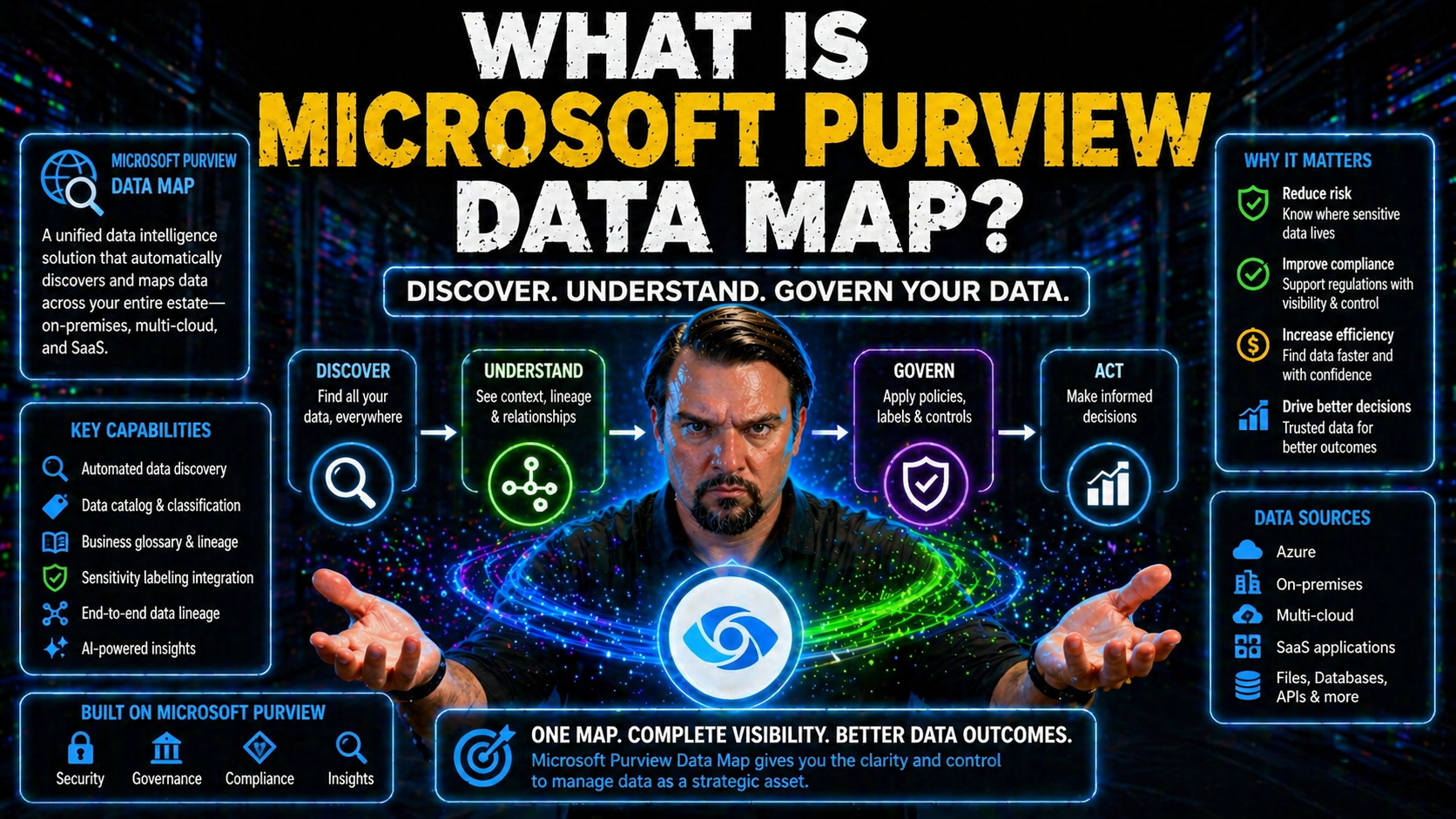
Microsoft Purview Data Map is basically your organization’s living, breathing index of all the data you own—across Azure, Microsoft 365, and even other clouds or on-premises systems. Think of it as a central hub that automatically discovers, catalogs, and tracks everything from databases to files, tables, and reports.
At its core, the Data Map is what ties together Microsoft’s broader data governance tools. It gives you the insight to know what data exists, where it lives, who owns it, and how it’s being used. For any business aiming to meet compliance needs, prevent data leaks, and make analytics safer, Purview Data Map is the backbone. If you want your organization to work smarter, stay secure, and be ready for AI tools, a solid Data Map is where you start.
Introduction to Microsoft Purview Data Map and Unified Data Governance
Microsoft Purview Data Map sits at the center of Microsoft’s unified data governance platform. But what does that really mean? In practice, it’s your always-updated inventory—built to scan, classify, and organize data assets wherever they live, so you can manage them confidently and at scale.
Unified data governance goes beyond just access management or policies. It’s about clear ownership, audit-ready record-keeping, lifecycle management, and having a single version of the truth about your data estate. Tools like Purview tie this all together by bridging silos, making compliance less painful, and prepping your business for AI and analytics drivers.
Purview’s Data Map powers Microsoft 365, Azure, and beyond. It enables you to tackle real-world challenges like stale access, mysterious document owners, and regulatory audits—issues explored in this guide on sustainable Microsoft 365 data access governance. By providing structure and cataloging, the Data Map supports everything from secure collaboration, as discussed in this episode on document chaos prevention, to advanced auditing. It’s the engine driving responsible growth, secure cloud adoption, and trusted analytics for forward-looking organizations.
Understanding the Relationship Between Data Map, Unified Catalog, and Data Discovery
The Data Map is the under-the-hood motor that keeps the Microsoft Purview unified catalog humming along. While the unified catalog is what you see—a searchable place for users to find and understand data—the Data Map is what keeps it accurate, automated, and up to date.
Data discovery used to mean long email threads and tribal knowledge. With Purview, the Data Map breaks down those barriers: it automatically scans across cloud and on-premises sources, identifies new data assets, and adds them to the catalog—making discovery easier and more reliable. This isn’t just about seeing file names; it’s about surfacing context, lineage, and usage patterns at a glance.
Challenges like shadow IT, data sprawl, or “who owns what?” don’t stand a chance when the Data Map’s discovery engines are running. It’s the piece that lets you set up automated security—think governance policies and sensitivity labels—so AI tools like Microsoft Copilot only pull data users have access to, as emphasized in this guide to Copilot security and compliance. If you want your data discovery to work across silos and support analytics or compliance, the Data Map’s relationship with the unified catalog is mission-critical.
Architecture and Design Considerations for Microsoft Purview Data Map
Before you start diving into the nuts and bolts of setup, it pays to understand the architectural backbone that makes Microsoft Purview Data Map so powerful. The way domains, collections, and hierarchies are structured isn’t just for show—it’s what allows Purview to scale, segment, and secure data governance across anything from startups to sprawling global enterprises.
This design flexibility means organizations can mirror their real-world teams, business units, or compliance boundaries right inside Purview. With a clear hierarchy, you’re better able to delegate responsibility, enforce policies, and avoid the kind of operational chaos that derails most governance efforts—as seen in many Azure environments without enforced rules (Azure governance strategy insights).
Up next, you’ll get into how to design domains and collections for maximum scalability, see what these look like in action for both small and complex organizations, and explore how Purview authorization models keep your data secure without slowing anyone down.
Designing Domains and Collections for Scalable Governance
- Map governance domains to real organizational boundaries.Start by aligning Purview domains (top-level logical segments) with your key business units, regions, or compliance boundaries. This sets clear lines for ownership and simplifies access control down the road.
- Establish collections for sub-organizations, projects, or functional areas.Within each domain, collections help you break things up even further—think finance, HR, customer analytics, or by product. Collections act as containers for related data sources, supporting delegated administration and focused policy application.
- Define hierarchy carefully for both agility and accountability.Well-planned hierarchy means you can delegate admin roles, but also keep a single source of truth for everything under your governance umbrella. This structure prevents dead zones—those “who owns this data?” moments.
- Document governance boundaries for operational clarity.Keep a living record of what each domain and collection is for, who is accountable, and what policies apply. This documentation speeds up onboarding and reduces confusion for new admins and business users alike.
- Design for future growth and flexibility.Don’t lock yourself in! Build collections so you can easily add new business units or split/merge areas as the organization changes—making sure your governance scales without friction.
Domains, Collections, and Archetypes in Practice
- Single-environment, shared governance:Useful for smaller organizations—one Data Map covering all business functions, with domains and collections mapped to departments. Simplifies RBAC, but still allows for delegated control.
- Multi-business or multi-region deployment:Larger organizations often set up separate domains by business subsidiary, region, or product line. Collections keep things granular beneath those boundaries, allowing local teams to manage what matters most to them.
- Hybrid identity and access management with Entra ID:Using Entra ID, domains and collections can reflect complex access needs—think partners, contractors, or cross-tenant collaboration (see identity as a control plane). Access assignments are tailored by collection, minimizing the risk of over-permissioning.
- Centralized service with granular delegated control:You get one Purview account or collection pool across the whole organization, but hand out collection admin roles to business data stewards. Teams own their data and policies, but IT keeps the lights on.
- Multi-tenant or managed service deployments:Service providers or very large conglomerates might create isolated domain structures, giving each affiliated company or client a virtual “slice” of secure, autonomous control—still within an overarching governance framework.
Defining Authorization Models and Role-Based Access
- Purview Admin:Full control—can configure resources, assign permissions, and set global policies. Essential for governance oversight.
- Data Source Admin:Handles connection, scanning, and onboarding of new sources. Ensures metadata and sensitivity settings are consistent at the source level.
- Collection Admin:Controls access to a specific collection, manages delegated roles within their area of responsibility. Ideal for distributed, scalable governance.
- Data Curator/Data Steward:Manages metadata, business glossaries, and applies classifications. Collaborates with data owners to resolve data quality or lineage issues.
- Access Reviewer:Responsible for reviewing and validating permissions, usage patterns, and detecting anomalies. Ensures compliance with regulations and policy drift is kept in check (policy execution tips).
Implementation Workflow: Getting Started with Purview Setup and Permissions
If you’re just starting out with Microsoft Purview, you need a blueprint—not just a button to push. This section walks you through every step from getting the right permissions in Azure to connecting your data sources and launching your first scans.
A solid foundation matters: the right roles, clear ownership, and a sensible plan for rolling out governance. Don’t skip the prep—early mistakes can slow down progress or cause security headaches later on, as seen in other Microsoft platforms (lessons from Power Platform governance).
This workflow ensures your Purview deployment is audit-ready, easy to administer, and set up to scale. You’ll learn how to assign permissions, add data sources, scan for assets, and finally, how to review and manage what you discover. For organizations chasing audit-readiness and regulatory harmony, effective startup is worth doing right, straight from the jump (audit-ready ECM collaboration insights).
Purview Setup Permissions: Getting Started Right
- Azure Subscription Owner/Contributor:You’ll need these roles to create a Purview account and set up related resources. Double-check who in IT can approve these before kicking things off.
- Purview Admin Role Assignment:Assign at least one global admin, but plan for distributed control as collections/domains expand. Avoid “admin bottleneck” by sharing responsibility early.
- Global Reader for Verification:Helpful to assign for troubleshooting and validating initial setup, permissions, and onboarding steps—often missed in the rush.
- Least-privilege Principle:Set up only as much access as needed for each role. Over-permissioning is a common pitfall that’s tough to unwind later on.
- Baseline Data Source Admin:Appoint an initial Data Source Admin to take point on registering and scanning your first wave of sources. Keep it nimble; expand as your governance matures.
Registering Data Sources and Initiating Scans in Purview
- Identify target data sources.Make a prioritized list—Azure SQL, Synapse Analytics, Blob Storage, SharePoint, even AWS S3 or on-prem SQL. Know which ones must be governed now versus later.
- Register each data source in Purview.Within the Purview portal, connect to your chosen data source, supplying endpoints and authentication. Registration securely links assets for scanning.
- Configure and initiate scans.Choose your scan scope: entire database, certain folders, or select asset types (tables, files, reports). Set scanning schedules for ongoing updates. This automation is what keeps your Data Map current and reliable, even as environments change (guidance for multi-platform governance).
- Select scan types and rules.Default scans pick up metadata, but you can enable deep classification—sensitive data detection, custom data profiling, or pattern-based classification to meet compliance needs.
- Review scan completion and monitor for errors.Confirm assets appear in your Data Map and that scans complete without failures. Resolve issues—missing permissions, firewalls, network policies—before moving to production use of cataloged data.
Reviewing Scan Results and Browsing Assets in the Data Catalog
- Access the data catalog dashboard.After each scan, head to the catalog view to see newly discovered assets and how they’ve been classified. This is your jumping-off point for governance work.
- Review metadata and lineage for each asset.Click into databases, files, or reports to view technical metadata (schema, size, source), business metadata (owner, domain, tags), and visual lineage—how data flows from source to report (audit trails for monitoring).
- Validate and enrich asset information.Assign data stewards or curators to check accuracy, resolve unknown owners, and enrich documentation. This boosts trust and makes future search and analytics work smoother.
- Use search, filtering, and business glossary features.Leverage the in-catalog search interface, filters by classification/domain, and map catalog assets to business glossary entries. That’s how business users bridge tech jargon with real business meaning.
- Monitor asset health and catalog coverage.Review scan logs, detect omitted or failed assets, and run gap analysis to close the loop. Healthy coverage is the first sign your data governance initiative is on track.
Data Discovery, Security, and Compliance with Microsoft Purview Data Map
Keeping track of your assets is just the start. With regulations multiplying and data breaches making the news, security and compliance now drive most governance conversations. Microsoft Purview Data Map is built to do more than “find stuff”—it’s about knowing what’s sensitive, protecting it, labeling it accurately, and enforcing policy through the entire data lifecycle.
By automating scans for sensitive content and powering automatic classification, Purview ensures your business keeps up with evolving threats and regulations. Smart automation and policy-driven controls let your teams focus on what matters—not endless manual audits. It’s how you get proactive, not just reactive, about security (continuous compliance automation).
Up next, you’ll dig into what data you can and can’t scan, how sensitivity labels work, and then explore the policy framework and lifecycle management tooling needed for sustainable, audit-ready data stewardship (data loss prevention insights).
What Purview Can and Can’t Scan: Sensitive Content and Sensitivity Labels
- Supported databases and file types:Purview scans a wide variety of sources: Azure SQL, Synapse, Oracle, SAP, Amazon Redshift, SharePoint, OneDrive, Blob, and Data Lake. It supports files including Office docs, PDFs, text files, and more.
- Automatic detection of sensitive information:Purview uses built-in and custom classifiers (credit card, SSN, health data) to automatically discover sensitive fields—even when business users add new files or columns you didn’t expect to see.
- Integration with Microsoft 365 Sensitivity Labels:When Purview scans Microsoft 365 content, it detects existing sensitivity labels (“Confidential,” “Highly Confidential,” etc.) and can even auto-apply new ones based on the content found.
- Scanning limitations:Certain sources—especially third-party SaaS platforms, some legacy systems, or highly encrypted blobs—may offer partial support or require custom connectors (DLP policy coverage tips). Always check for recent updates as capabilities continually expand.
- Granularity of classification:Scan results give detailed context: not just “file has sensitive info,” but which columns, tables, or sections contain specific types of sensitive data. This is crucial for focused remediation or reporting to auditors.
Governance Policies and Lifecycle Management for Data Security
- Define and automate data retention policies:Set automated policies for how long different types of data must be kept and when they can be safely purged, making compliance a lot less stressful.
- Control data access and usage:Govern usage through RBAC and access reviews—only the right people touch sensitive data, and inappropriate access gets flagged instantly.
- Automate sharing and loss prevention (DLP):Leverage in-built DLP tools to detect risky sharing behaviors, apply sensitivity labels dynamically, and keep your business out of the news for the wrong reasons (integrated DLP policy design).
- Lifecycle tracking from creation to disposition:Every asset is covered—from its creation and first scan, through updates and movement, to archival or deletion—complete with automated audit logs for regulators or internal reviews.
Integration, Analytics, and AI Readiness with Microsoft Purview
Data governance isn’t just about compliance—it’s about unlocking value from your data assets. Microsoft Purview Data Map is built to do exactly that, serving as the connective tissue between raw data, analytics tools, and modern AI platforms like Microsoft Copilot or Power BI.
When your data is clean, cataloged, and richly described in Purview, it feeds downstream systems—enabling powerful search, natural language intelligence, and robust analytics without chaos or security compromise. This unified approach is what makes analytics initiatives reliable, secure, and scalable across the whole Microsoft ecosystem (Copilot and DLP governance).
As you move into enterprise analytics or AI, Purview’s integrations help you control data exposure while keeping business users empowered. Whether you’re building dashboards in Power BI, wrangling data in Microsoft Fabric, or training AI agents, it all starts with a trusted Data Map (governed Copilot rollout strategies, Microsoft Fabric governance best practices).
How a Well-Cataloged Data Map Powers Copilot and M365 AI
To get real value from AI agents like Microsoft Copilot, your catalog must be both complete and well-structured. When you build out your Data Map with Purview, you’re not just cataloging technical details—you’re adding business context, access rules, and security boundaries that Copilot and other AI agents can respect in real-time.
This means smarter, safer search results, targeted natural language queries, and fewer accidental data exposures. Copilot leverages metadata, business glossary terms, and sensitivity labels from Purview, so when you ask, “Show me last quarter’s sales by product line,” Copilot queries the right, compliant data set—never wandering into off-limits or unvetted data.
With a governed catalog, audit logs and access controls reflect exactly what AI sees and does. Your organization gains confidence in AI outcomes, while leadership gets the transparency and control needed for regulatory peace of mind. Want more on getting Copilot governance right? Check out this practical 10-step Copilot rollout checklist for secure, compliant deployment.
Connecting Purview Data Map to Power BI, Microsoft Fabric, and Azure Synapse Analytics
- Seamless data discovery for analytics teams:Purview ingests assets and makes them visible in Power BI, Microsoft Fabric, and Synapse, ready for self-service exploration or deep analytics.
- Improved data quality and trust:Business users and analysts can see lineage, sensitivity labels, and glossary terms right from within their favorite analytics tools.
- Centralized governance without bottlenecks:All access and security policies set in Purview travel with the data, making analytics compliant by default (why lineage alone isn’t enough).
- Use case: Regulated industries:Banks or health providers can enforce regional and business-unit data segmentation, but analytics teams get unified, controlled access to drive insight and innovation.
Integration for Unified Data Access Across Cloud Environments
- True hybrid and multi-cloud data governance:Purview federates scanning and cataloging across Azure, Microsoft 365, AWS, and even some on-premises systems—giving you one place for policy and inventory.
- Unified analytics and compliance management:Global organizations can harmonize reporting and compliance by controlling distributed data from a single, central Data Map.
- Federated access controls for third-party and SaaS:Grant partners or external users controlled access without breaking your internal policies—no more rogue spreadsheets or “shadow IT” headaches (governing AI agentic behavior).
- Support for operational analytics and AI:Connected data pipelines feed next-gen business intelligence or AI based on real-time, governed data—never out-of-sync exports.
Operational Best Practices and Real-World Deployment Guidance
Even the best-designed governance program can get bogged down if the rollout isn’t smooth or cost-effective. Bringing Microsoft Purview Data Map to life in your organization means thinking through not just theory, but the very real hurdles teams face—deployment pitfalls, budget constraints, onboarding delays, and making sure it sticks for the long haul.
This section covers actionable best practices for deployment, strategies for monitoring and measuring success, and flexible blueprints for organizations of any size. You’ll learn how to get started fast, avoid the biggest mistakes, and tune your governance to your actual operating model—not just what the vendor demo looks like (showback and cost accountability guidance).
From SMBs moving off spreadsheets to global enterprises wrestling with scale and audit requirements, Purview’s best practices section ensures your investment pays off. Focusing on granular security, lifecycle management, and cost control is what keeps real-world deployments from falling apart in production (Dataverse security best practices).
Practical Tips, Cost Efficiency, and Smooth Deployment
- Start with a focused pilot:Don’t go big out of the gate. Pick a business unit with high data volume or compliance urgency for your first deployment to iron out process kinks and build internal champions.
- Embrace pay-per-use billing:Track your Data Map storage and scan consumption. Use the built-in cost analytics tools to minimize waste and avoid bill shock, especially for large organizations with diverse data sources.
- Automate onboarding and training:Use role-based templates and integrated documentation. A little prep can prevent confusion and keep teams focused on value, not troubleshooting (see collaboration best practices).
- Tune scan schedules for business impact:Balance scan frequency with network and performance needs. Not all data needs daily scans—optimize based on regulatory requirements and real-world change rates.
- Monitor roadblocks and iterate quickly:Collect feedback from early adopters, address technical and training roadblocks, and don’t hesitate to rework onboarding flows as you learn what works best for your teams.
How You’ll Know It’s Working: Feedback Loops and Success Metrics
- Scan coverage rates:Measure the percentage of all known sources scanned regularly. High coverage means your Data Map is truly a source of truth.
- Sensitivity labeling accuracy:Audit how many critical assets have the right sensitivity labels. Low numbers flag a need for better classifier tuning or manual review.
- Policy adherence and incident reduction:Track DLP events and access violations. A reduction in incidents is a concrete measure of improved data security and governance success.
- User feedback and engagement:Survey data stewards, curators, and business users: do they trust the data catalog? Can they find what they need? High trust equals high adoption.
- Continuous improvement cycles:Set up regular reviews—at least quarterly—to fine-tune rules, add new domains or collections, and adapt governance to evolving business realities.
Blueprints and Workflows for SMB-Friendly and Enterprise Rollouts
SMB Single-Domain Model
- Step 1: Create one Purview Data Map and one domain for the entire organization.
- Step 2: Use collections for departments (finance, HR, sales) or data-critical projects.
- Step 3: Assign department leads as Collection Admins. Data owners act as stewards, enriching metadata and flagging sensitive content.
- Step 4: Automate weekly scans, review scan success rates, focus initial DLP on customer or employee data.
Best for: Companies with 1–3 business units and limited IT staff. Minimal complexity, fast ROI.
Enterprise Multi-Domain Blueprint
- Step 1: Map each major business unit, subsidiary, or geography to its own domain within a shared Purview Data Map.
- Step 2: Within domains, collections mirror legal, compliance, or business boundaries. Assign local admins for autonomy.
- Step 3: Onboard stakeholders—security, privacy, IT, and business owners—early with role-specific documentation and workflow training.
- Step 4: Designate central oversight for scan scheduling, reviewing global policy compliance, and harmonizing business glossary entries.
- Step 5: Automate alerts and audit log reviews to drive lifecycle management and incident response at the domain or enterprise level.
Best for: Orgs needing strong internal boundaries, regulatory control, and audit trail consistency at scale.
Service Provider/Multi-Tenant Model
- Step 1: Use Purview’s tenant-isolation features, creating domains for each client or managed entity while centralizing oversight in IT.
- Step 2: Implement strict collection boundaries, custom roles, and scoped scanning schedules for each tenant/client.
- Step 3: Standardize onboarding flows and business glossary integration to allow automation and minimize cross-tenant risk.
- Step 4: Monitor KPIs—like cross-tenant DLP policy hits or compliance audit coverage rates—using standardized dashboards.
Best for: Managed service providers, holding companies, or conglomerates requiring isolated governance with central control.
You Should Also Listen To
If you are researching Microsoft Purview Data Map, these episodes add practical context that helps connect governance, security, compliance, and AI concepts to real Microsoft environments.
- Microsoft Purview – Simply Explained — Clarify how classification, retention, compliance, and data governance fit together across Microsoft 365.
- Microsoft Defender XDR – Simply Explained — See how data-risk signals connect with detection, investigation, and coordinated response.
- Conditional Access – Simply Explained — Understand how identity, device, and risk context strengthens protection around sensitive data.
- Microsoft Teams Governance – Simply Explained — Explore the governance operating model needed to turn policies into consistent user behavior.
They are useful next steps when you want to move from a definition or framework to implementation decisions.

Microsoft MVP | Host of M365.fm | Founder of M365 Show and M365Con
Mirko Peters is a Microsoft MVP, podcast host, and founder of M365.fm, M365 Show, and M365Con. His work connects Microsoft practitioners through podcast interviews, livestreams, and community events.
At M365.fm, Mirko hosts conversations with Microsoft MVPs, product experts, architects, and community contributors. Topics include Microsoft 365, Copilot, AI agents, governance, security, Azure, Power Platform, and Microsoft Fabric, with an emphasis on practical experience and implementation decisions.
M365.fm is the podcast and learning platform. M365 Show brings experts together for livestreams, while M365Con provides an online conference setting for community learning.
Official website: Mirko Peters (https://www.mirkopeters.com/). Recognition: Mirko Peters — Microsoft MVP profile (https://mvp.microsoft.com/de-DE/mvp/profile/9b0ca797-db5a-493a-a845-8b9158046cf5). Connect on LinkedIn (https://www.linkedin.com/in/m365showpodcast/).





