


 Apple Podcasts
 Spotify
 Youtube Music
 Spreaker
 Podchaser
 Amazon Music
 Microsoft Defender for Endpoint - Simply Explained
Quick answer: Microsoft Defender for Endpoint helps security teams prevent, detect, investigate, and respond to threats across devices. This episode explains the platform’s core capabilities, how endpoint signals support security operations, and the practical questions to answer before rolling it out across a Microsoft 365 environment.
In today's digital world, you need robust protection for your devices. Microsoft Defender for Endpoint serves this purpose by safeguarding endpoints against cyber threats. This solution goes beyond traditional antivirus software, offering advanced features that protect various operating systems like Windows, macOS, and Linux. Plus, it integrates seamlessly with other Microsoft security solutions, enhancing your overall cybersecurity strategy. For example, it works alongside Microsoft Defender for Cloud and Microsoft Sentinel, creating a comprehensive defense against evolving threats.
Key Takeaways
- Microsoft Defender for Endpoint protects devices from cyber threats across multiple operating systems, including Windows, macOS, and Linux.
- The solution offers advanced features like threat monitoring, automated investigation, and endpoint detection to enhance security.
- A centralized admin portal allows easy management of all endpoints, helping you track security incidents and implement measures efficiently.
- Automated investigation streamlines threat response, allowing your security team to focus on critical tasks while the system handles low-level threats.
- Integration with other Microsoft products, like Microsoft 365 and Microsoft Sentinel, provides a comprehensive view of security across your organization.
- Proactive threat management features help identify and mitigate risks before they escalate, significantly improving your security posture.
- Microsoft Defender for Endpoint is user-friendly and cost-effective, making it suitable for both small businesses and large enterprises.
- Choosing the right licensing plan (P1, P2, or Defender for Business) ensures you get the features that best meet your organization's security needs.
What Is Microsoft Defender for Endpoint?
Overview of the Solution
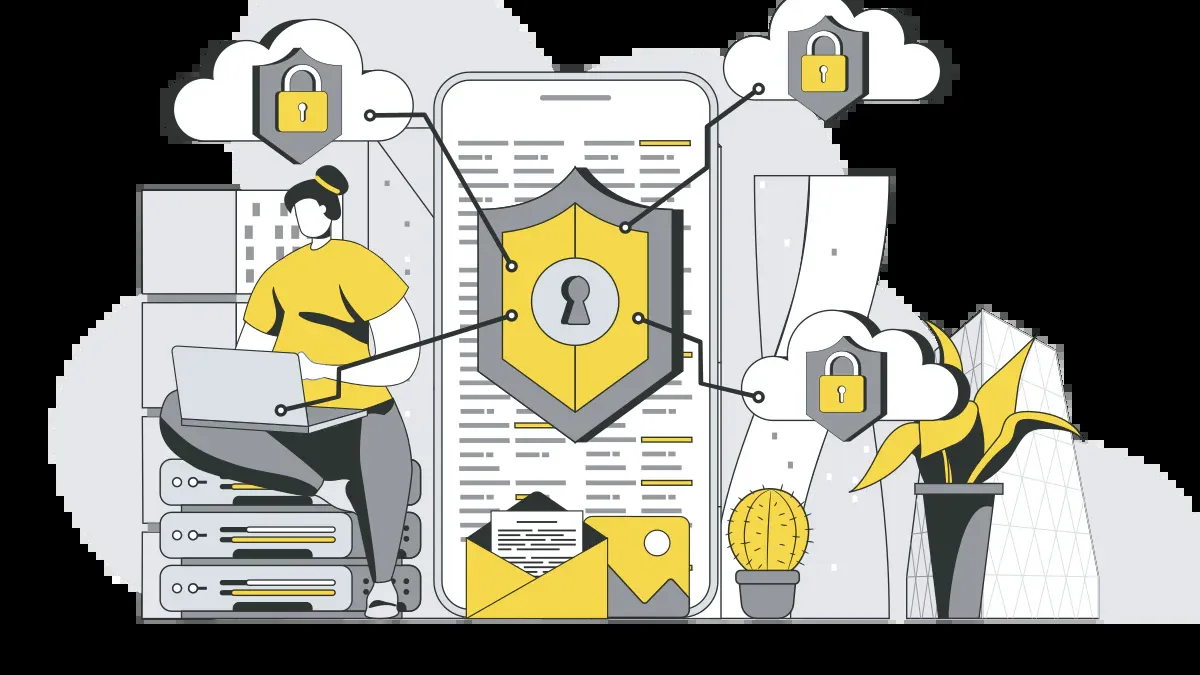
Microsoft Defender for Endpoint is a powerful security platform designed to protect your devices from cyber threats. It acts as a shield for your endpoints, which include computers, smartphones, and tablets. This solution is not just about traditional antivirus; it combines advanced technologies to offer comprehensive protection across various operating systems, including Windows, macOS, Linux, Android, and iOS.
With Microsoft Defender for Endpoint, you gain access to a centralized admin portal. This dashboard allows you to monitor and manage all your endpoints from one place. You can easily track security incidents, view alerts, and implement security measures to keep your devices safe.
Key Features
Microsoft Defender for Endpoint comes packed with features that enhance your security posture. Here are some of the standout capabilities:
-
Threat Monitoring: This feature helps you identify and assess weaknesses in your endpoints. By doing so, you can strengthen your security procedures and reduce the risk of attacks.
-
Attack Surface Reduction (ASR): ASR rules minimize potential attack vectors by managing security settings for applications and operating systems. This proactive approach helps keep your devices secure.
-
Automated Investigation: Using advanced machine learning, this feature automatically responds to detected threats. It reduces the need for human intervention, allowing your security team to focus on more critical tasks.
-
Endpoint Detection and Response (EDR): EDR capabilities enable real-time threat detection and response. This feature uses AI-driven analytics to investigate and respond to sophisticated attacks, ensuring your endpoints remain protected.
-
Behavioral Blocking and Containment: This feature identifies threats based on endpoint behaviors, allowing for quick action against suspicious activities.
To give you a clearer picture, here’s how Microsoft Defender for Endpoint protects different operating systems:
| Capability | Description |
|---|---|
| Real-time protection | Provides antivirus and antimalware protection using behavior-based, cloud-delivered, and machine-learning techniques. |
| Behavioral monitoring | Monitors process behavior in real time to detect and block malicious activity based on execution patterns and intent. |
| Endpoint detection and response (EDR) | Detects, investigates, and responds to sophisticated attacks powered by AI-driven analytics and Microsoft Threat Intelligence. |
Features of Microsoft Defender for Endpoint

Threat Detection and Response
When it comes to protecting your endpoints, threat detection and response are crucial. Microsoft Defender for Endpoint excels in this area, offering real-time monitoring and rapid response capabilities. You can rest assured knowing that the system continuously analyzes data from your devices to identify potential threats.
-
Detection Rate: Microsoft Defender for Endpoint has significantly improved its detection capabilities. It effectively identifies common malware, ransomware, and known attack patterns. However, it's worth noting that while it performs competitively, some third-party solutions may have superior detection rates for advanced threats and zero-day attacks.
-
Real-Time Response: The platform can respond to threats faster than manual actions from your IT team. For instance, if it detects ransomware encryption activity, it can automatically isolate the affected endpoint or stop the encryption process. This capability effectively halts an in-progress attack without requiring human intervention.
Endpoint Protection
Endpoint protection is at the heart of Microsoft Defender for Endpoint. It provides a multi-layered defense strategy to keep your devices secure. Here’s a breakdown of the types of protection offered:
| Type of Protection | Description |
|---|---|
| Endpoint Detection and Response | Provides advanced detection and response capabilities to identify and mitigate threats. |
| Autonomous Protection | Includes automatic attack disruption and predictive shielding to proactively protect endpoints. |
| Next-Generation Protection | Offers ransomware prevention and advanced threat protection features. |
| Attack Surface Reduction | Reduces the attack surface by implementing various security measures. |
| Vulnerability Management | Helps identify and manage vulnerabilities within the endpoint environment. |
| Endpoint Attack Notifications | Notifies users of detected attacks and potential threats. |
| APIs | Allows integration with existing workflows for enhanced security management. |
With these features, Microsoft Defender for Endpoint ensures that your devices are not just monitored but actively protected against evolving threats.
Automated Investigation
Automated investigation is another standout feature of Microsoft Defender for Endpoint. This capability streamlines the incident response process, allowing your security team to focus on more critical tasks.
-
Efficiency: The system can automatically investigate detected threats, quarantine malicious files, and expand containment to other affected devices. This means you can quickly respond to incidents without getting bogged down in manual processes.
-
Integration with Microsoft 365: The integration with Microsoft 365 enhances the automated investigation process. For example, when Microsoft Defender detects a suspicious file, Microsoft Sentinel can automatically isolate the device, trigger an investigation, and notify your security team—all without manual intervention. This seamless integration boosts the speed and reliability of your threat response.
Benefits of Microsoft Defender for Endpoint
Enhanced Security Posture
When you choose Microsoft Defender for Endpoint, you significantly boost your organization's security posture. This solution helps you stay ahead of potential threats by providing advanced protection against cyber attacks. With features like automated remediation and real-time alerts, you can quickly address security incidents before they escalate.
A security baseline profile is a customized profile that you can create to assess and monitor endpoints in your organization against industry security benchmarks. When you create a security baseline profile, you’re creating a template that consists of multiple device configuration settings and a base benchmark to compare against.
Additionally, Microsoft Defender for Endpoint supports various industry standards, including:
- Center for Internet Security (CIS) benchmarks for Windows 10, Windows 11, and Windows Server 2008 R2 and above.
- Security Technical Implementation Guides (STIG) benchmarks for Windows 10 and Windows Server 2019.
Seamless Integration
One of the standout benefits of Microsoft Defender for Endpoint is its seamless integration with other Microsoft products. This integration allows you to manage your security from a single platform, enhancing your overall security strategy. Here’s how it works:
| Integration | Benefit |
|---|---|
| Microsoft Sentinel | Enables comprehensive analysis of security events and effective incident response through alert streaming. |
| Microsoft Defender for Identity | Facilitates cybersecurity investigations across activities and identities. |
| Microsoft Defender for Office 365 | Allows security analysts to trace the entry point of attacks and enhance threat intelligence sharing. |
By integrating with these solutions, you gain end-to-end visibility into security alerts across endpoints, identities, emails, and cloud services. This holistic approach ensures that you can respond to threats quickly and effectively.
Proactive Threat Management
Proactive threat management is crucial in today’s cyber landscape, and Microsoft Defender for Endpoint excels in this area. The platform employs advanced threat intelligence to help you identify and mitigate risks before they become serious issues.
- Microsoft disrupts approximately 35,000 cyber incidents each month.
- The likelihood of experiencing ransomware encryption has decreased by 300% over the past 18 months.
Here are some proactive strategies enabled by Microsoft Defender for Endpoint:
| Strategy | Description |
|---|---|
| Automated Remediation | Enables automatic handling of low to medium-severity threats, allowing analysts to focus on complex issues. |
| Real-Time Alerts | Configures alerts for specific actions like unauthorized access, ensuring critical incidents are addressed promptly. |
| Advanced Threat Hunting | Utilizes data-driven insights and KQL for precise threat detection, enhancing proactive security measures. |
With these capabilities, you can confidently protect your endpoints and maintain a strong defense against advanced threats.
Common Use Cases
For Small Businesses
Small businesses often face unique challenges when it comes to cybersecurity. With limited IT resources, you need a solution that’s easy to implement and manage. Microsoft Defender for Endpoint fits the bill perfectly.
- Basic Protection: Imagine a small business with 50 Windows 10 laptops. You can set up Microsoft Defender in Intune with basic protection policies. This setup provides a solid baseline of security without overwhelming your IT staff.
- Minimal Overhead: You’ll enjoy peace of mind knowing that your devices are protected with minimal administrative effort. This is crucial for small businesses that need to focus on growth rather than complex security management.
Here’s a quick comparison of how Microsoft Defender for Endpoint stacks up against other solutions for small businesses:
| Aspect | Microsoft Defender for Endpoint | Additional Solutions (e.g., Mimecast) |
|---|---|---|
| Device-level Threats | Strong baseline protection | N/A |
| Phishing Protection | Inadequate coverage | Advanced AI-powered detection |
| Compliance Needs | Limited reporting | Governance capabilities |
For Enterprises
Large enterprises have different security needs. You deal with a vast number of devices and complex environments. Microsoft Defender for Endpoint offers features tailored for these challenges:
| Feature | Description |
|---|---|
| Endpoint Detection and Response | Detects, investigates, and responds to advanced threats that bypass initial protections. |
| Continuous Monitoring | Monitors endpoint activities and generates alerts for suspicious behavior. |
| Automated Investigation | Initiates automatic investigation and response to detected threats, including quarantining malicious files. |
| Automatic Attack Disruption | Engages to halt malicious activities, such as ransomware, in real-time. |
With these capabilities, you can ensure robust enterprise endpoint security. You’ll have the tools to manage threats effectively and maintain compliance across your organization.
For Remote Workforces
In today’s world, remote workforces are becoming the norm. Microsoft Defender for Endpoint is designed to support secure remote access for distributed teams. Here’s how it helps:
- Comprehensive Protection: You get advanced endpoint protection that secures devices from threats, ensuring safe access for remote teams.
- Identity Management: The solution enforces multifactor authentication and conditional access policies to verify user identities. This adds an extra layer of security.
- Real-Time Monitoring: You can monitor device health and detect threats in real time, which is crucial for maintaining secure remote access.
Here’s a quick overview of how Microsoft Defender for Endpoint supports remote work:
| Feature | Description |
|---|---|
| Advanced Endpoint Protection | Protects devices from threats, ensuring secure access for remote teams. |
| Live Response | Provides remote shell access for threat remediation and forensic data collection. |
| Integration with Cloud | Facilitates seamless access to resources while maintaining security through cloud services. |
With Microsoft Defender for Endpoint, you can confidently support your remote workforce while keeping your organization secure.
Licensing Options for Microsoft Defender
When it comes to choosing a licensing plan for Microsoft Defender for Endpoint, you have several options tailored to meet different needs. Understanding these plans can help you select the right one for your organization.
Different Plans Available
Microsoft offers three main licensing options for Defender for Endpoint:
| Plan | Description |
|---|---|
| P1 | Foundational capabilities focusing on prevention. |
| P2 | Complete set of capabilities including EDR, automated investigation, incident response, and threat and vulnerability management. |
| Defender for Business | Designed for small to medium businesses, includes email protection and most features from Plan 2 but omits some advanced functionalities. |
Each plan serves a unique purpose, so consider your organization's size and security requirements when making a choice.
Feature Comparison
Now, let’s break down the features available in each plan. This comparison will help you see what you get with each option:
| Licensing Option | Features | Cost Considerations |
|---|---|---|
| Microsoft Defender for Endpoint P1 | Basic features, includes Microsoft 365 E3 and E5 | Generally lower cost |
| Microsoft Defender for Endpoint P2 | Advanced features like threat hunting, longer data retention | Higher cost due to advanced capabilities |
| Microsoft Defender for Business | Designed for small to medium businesses, includes email protection | Cost-effective for smaller organizations |
When selecting a plan, think about your device management needs. If you require support for platforms beyond Windows 10, Plan 2 might be the best fit.
Here’s a quick look at the key differences between the plans:
- Plan 1 offers basic preventive capabilities like antivirus and attack surface reduction.
- Plan 2 includes advanced detection and response features such as full EDR and automated investigation.
- Defender for Business includes most Plan 2 capabilities but lacks certain advanced features like threat hunting and Microsoft Threat Experts.
In today's cyber landscape, Microsoft Defender for Endpoint stands out as a vital tool for protecting your devices. With its advanced threat detection, automated investigation, and seamless integration with other Microsoft solutions, it offers comprehensive security for various operating systems, including Windows, macOS, and Linux.
Consider these impressive metrics:
| Metric | Value |
|---|---|
| Malicious account breaches blocked | 120,000 |
| Devices safeguarded | 180,000+ |
| Ransomware incidents increase | 275% over 18 months |
| Device protection during ransomware campaigns | 99%+ |
These numbers highlight how effective Microsoft Defender can be in safeguarding your organization. As you think about your endpoint protection needs, remember that this solution not only enhances your security posture but also simplifies management. Embrace the power of Microsoft Defender for Endpoint and secure your digital environment today!
FAQ
What is Microsoft Defender for Endpoint?
Microsoft Defender for Endpoint is a security platform that protects devices from cyber threats. It offers advanced features like threat detection, automated investigation, and seamless integration with other Microsoft security solutions.
How does Microsoft Defender for Endpoint protect my devices?
It uses real-time monitoring, behavioral analysis, and machine learning to detect and respond to threats. This proactive approach helps you safeguard your endpoints against various cyber attacks.
Can I use Microsoft Defender for Endpoint on multiple operating systems?
Yes! Microsoft Defender for Endpoint supports various operating systems, including Windows, macOS, Linux, Android, and iOS. This flexibility ensures comprehensive protection across all your devices.
Is Microsoft Defender for Endpoint easy to manage?
Absolutely! You can manage all your endpoints from a centralized admin portal. This dashboard allows you to monitor security incidents, view alerts, and implement security measures with ease.
What are the licensing options for Microsoft Defender for Endpoint?
Microsoft offers several licensing plans, including P1, P2, and Defender for Business. Each plan provides different features tailored to meet your organization's specific security needs.
How does Microsoft Defender for Endpoint integrate with other Microsoft products?
It integrates seamlessly with Microsoft 365, Microsoft Sentinel, and Microsoft Defender for Identity. This integration enhances your overall security strategy by providing a unified view of security across endpoints and identities.
Can small businesses benefit from Microsoft Defender for Endpoint?
Definitely! Microsoft Defender for Endpoint is designed to be user-friendly and cost-effective, making it an excellent choice for small businesses looking to enhance their cybersecurity without overwhelming their IT resources.
What should I do if I encounter a security incident?
If you detect a security incident, use the automated investigation feature to respond quickly. The system can isolate affected devices and notify your security team, allowing for a swift resolution.
Last reviewed: July 2026.
What You’ll Learn
- How endpoint protection, detection, investigation, and response work together.
- Why device visibility, ownership, and operational processes matter as much as the technology.
- Where Defender for Endpoint fits alongside identity and email security controls.
Who Should Listen
This episode is for Microsoft 365 administrators, security practitioners, IT leaders, and architects who need a practical understanding of Microsoft Defender for Endpoint before designing, configuring, or operating it.
🎧 You Should Also Listen To
- Microsoft Defender for Office 365 — Connect endpoint protection with phishing, malware, and collaboration security.
- Microsoft Defender for Identity — Understand how identity signals add context to endpoint investigations.
🚀 Want to be part of m365.fm?
Then stop just listening… and start showing up.
👉 Connect with me on LinkedIn and let’s make something happen:
- 🎙️ Be a podcast guest and share your story
- 🎧 Host your own episode (yes, seriously)
- 💡 Pitch topics the community actually wants to hear
- 🌍 Build your personal brand in the Microsoft 365 space
This isn’t just a podcast — it’s a platform for people who take action.
🔥 Most people wait. The best ones don’t.
👉 Connect with me on LinkedIn and send me a message:
"I want in"
Let’s build something awesome 👊
1
00:00:00,000 --> 00:00:02,440
Antivirus used to be enough, but it isn't anymore.
2
00:00:02,440 --> 00:00:03,800
You probably remember the old days.
3
00:00:03,800 --> 00:00:07,120
In Stolar program, it scans your files and you're protected.
4
00:00:07,120 --> 00:00:08,360
Simple, that world is gone.
5
00:00:08,360 --> 00:00:11,240
Today, Ranzwer encounters are up 275%,
6
00:00:11,240 --> 00:00:14,720
and 68% of all cyber attacks now target the devices
7
00:00:14,720 --> 00:00:17,440
sitting on your desk, in your bag, or on your kitchen table.
8
00:00:17,440 --> 00:00:19,440
So what is Microsoft Defender for Endpoint?
9
00:00:19,440 --> 00:00:21,360
And why is every business talking about it?
10
00:00:21,360 --> 00:00:22,880
By the end of this episode, you'll understand
11
00:00:22,880 --> 00:00:24,440
what Endpoint security actually means.
12
00:00:24,440 --> 00:00:25,960
How Defender for Endpoint is different
13
00:00:25,960 --> 00:00:28,600
from basic antivirus and why it matters for your company.
14
00:00:28,600 --> 00:00:31,160
We'll break it down into building blocks, what it protects,
15
00:00:31,160 --> 00:00:33,760
how it protects it, and how it all fits together.
16
00:00:33,760 --> 00:00:35,560
So let's start with the basics.
17
00:00:35,560 --> 00:00:37,320
What is Endpoint security?
18
00:00:37,320 --> 00:00:38,680
First, what is an endpoint?
19
00:00:38,680 --> 00:00:41,000
It's any device that connects to your company's network,
20
00:00:41,000 --> 00:00:43,720
laptops, desktops, phones, tablets, servers,
21
00:00:43,720 --> 00:00:45,320
anything with an internet connection.
22
00:00:45,320 --> 00:00:48,800
In the office building analogy, if Microsoft 365 is your building,
23
00:00:48,800 --> 00:00:50,320
endpoints are the doors and windows.
24
00:00:50,320 --> 00:00:52,080
Every single one is a potential way in.
25
00:00:52,080 --> 00:00:54,720
Now, the old way of protecting these devices was simple.
26
00:00:54,720 --> 00:00:56,560
You installed antivirus on each machine
27
00:00:56,560 --> 00:00:57,680
and it ran on its own.
28
00:00:57,680 --> 00:00:59,880
It checked files against a list of known threats.
29
00:00:59,880 --> 00:01:01,720
And if something matched, it blocked it.
30
00:01:01,720 --> 00:01:02,640
That worked for a while.
31
00:01:02,640 --> 00:01:04,880
But attackers don't break in through the front door anymore.
32
00:01:04,880 --> 00:01:07,120
They don't use the same tools twice, they evolve.
33
00:01:07,120 --> 00:01:09,160
So Endpoint security today means something different.
34
00:01:09,160 --> 00:01:10,960
It's about protecting every device,
35
00:01:10,960 --> 00:01:12,880
not just the ones you think are important.
36
00:01:12,880 --> 00:01:15,880
You need to watch for behavior, not just look for known bad files.
37
00:01:15,880 --> 00:01:18,240
And you need to build a security system around every device,
38
00:01:18,240 --> 00:01:20,000
not just install one piece of software.
39
00:01:20,000 --> 00:01:22,000
Here's the thing though, most people still think
40
00:01:22,000 --> 00:01:24,000
of endpoint security as antivirus.
41
00:01:24,000 --> 00:01:25,760
And that's where the problem starts.
42
00:01:25,760 --> 00:01:27,760
Why traditional antivirus isn't enough?
43
00:01:27,760 --> 00:01:30,200
Let's talk about what traditional antivirus actually does.
44
00:01:30,200 --> 00:01:33,080
It scans files, checks them against a list of known threats,
45
00:01:33,080 --> 00:01:35,920
signatures they're called, and blocks anything that matches.
46
00:01:35,920 --> 00:01:38,840
It's like having a security guard who only checks a wanted poster.
47
00:01:38,840 --> 00:01:41,200
If the thief isn't on the poster, they walk right past.
48
00:01:41,200 --> 00:01:42,680
And that's the core limitation.
49
00:01:42,680 --> 00:01:45,880
Signature-based detection only catches what's already been seen.
50
00:01:45,880 --> 00:01:47,720
Modern attacks are adaptive, targeted,
51
00:01:47,720 --> 00:01:50,040
and often use brand new or custom malware.
52
00:01:50,040 --> 00:01:51,960
Attackers don't use the same tools twice.
53
00:01:51,960 --> 00:01:52,560
They evolve.
54
00:01:52,560 --> 00:01:54,240
Traditional antivirus can't keep up.
55
00:01:54,240 --> 00:01:55,560
The numbers back this up.
56
00:01:55,560 --> 00:01:57,400
AI-powered endpoint protection now achieves
57
00:01:57,400 --> 00:01:59,600
an 89% automatic detection rate.
58
00:01:59,600 --> 00:02:00,640
Traditional antivirus?
59
00:02:00,640 --> 00:02:01,880
Just 42%.
60
00:02:01,880 --> 00:02:02,960
That's a massive gap.
61
00:02:02,960 --> 00:02:05,360
And it's not just about missing the initial attack.
62
00:02:05,360 --> 00:02:07,160
Traditional antivirus has no visibility
63
00:02:07,160 --> 00:02:08,920
into what happens after a breach starts.
64
00:02:08,920 --> 00:02:11,160
An attacker might already be inside your network,
65
00:02:11,160 --> 00:02:12,720
moving from machine to machine.
66
00:02:12,720 --> 00:02:14,240
And traditional AV wouldn't know.
67
00:02:14,240 --> 00:02:15,520
It has no eyes on behavior.
68
00:02:15,520 --> 00:02:17,920
So you need something that watches for unusual behavior,
69
00:02:17,920 --> 00:02:19,680
not just known bad files.
70
00:02:19,680 --> 00:02:22,040
You need something that can see the attacker moving,
71
00:02:22,040 --> 00:02:24,600
even if the file they're using has never been seen before.
72
00:02:24,600 --> 00:02:26,720
That's where Defender for Endpoint comes in.
73
00:02:26,720 --> 00:02:28,320
What is Defender for Endpoint?
74
00:02:28,320 --> 00:02:30,840
So what does Defender for Endpoint actually do?
75
00:02:30,840 --> 00:02:31,680
Let's look at it.
76
00:02:31,680 --> 00:02:33,800
Microsoft Defender for Endpoint is a cloud-powered
77
00:02:33,800 --> 00:02:35,360
endpoint security platform.
78
00:02:35,360 --> 00:02:36,800
That's the official definition.
79
00:02:36,800 --> 00:02:38,720
But here's what that means in plain English.
80
00:02:38,720 --> 00:02:39,960
It's not a single product.
81
00:02:39,960 --> 00:02:41,360
It's a collection of capabilities
82
00:02:41,360 --> 00:02:43,520
that work together to protect your devices.
83
00:02:43,520 --> 00:02:46,160
Think of it as three main pillars, prevention, detection,
84
00:02:46,160 --> 00:02:46,960
and response.
85
00:02:46,960 --> 00:02:48,960
Prevention stops attacks before they happen.
86
00:02:48,960 --> 00:02:51,080
Detection finds the ones that get through anyway.
87
00:02:51,080 --> 00:02:52,680
And response automatically contains
88
00:02:52,680 --> 00:02:53,760
and investigates them.
89
00:02:53,760 --> 00:02:56,000
Traditional antivirus is a lock on the door.
90
00:02:56,000 --> 00:02:57,880
Defender for Endpoint is a security system
91
00:02:57,880 --> 00:03:00,560
with cameras, motion sensors, and a team watching the monitors.
92
00:03:00,560 --> 00:03:02,600
Now one thing that trips people up is the naming.
93
00:03:02,600 --> 00:03:04,480
Defender for Endpoint isn't just for Windows.
94
00:03:04,480 --> 00:03:07,600
It protects devices across Windows, Mac OS, Linux, Android,
95
00:03:07,600 --> 00:03:08,720
and iOS.
96
00:03:08,720 --> 00:03:10,480
Whether your team is in the office at home
97
00:03:10,480 --> 00:03:13,240
or working from a coffee shop, the same protection follows them.
98
00:03:13,240 --> 00:03:14,400
There are two plans.
99
00:03:14,400 --> 00:03:16,680
Plan one gives you basic protection.
100
00:03:16,680 --> 00:03:19,400
Next, Gen Antivirus, attack surface reduction,
101
00:03:19,400 --> 00:03:20,880
and some basic detection.
102
00:03:20,880 --> 00:03:22,880
Plan two is where the real power lives.
103
00:03:22,880 --> 00:03:25,400
That's the full EDR suite with advanced hunting,
104
00:03:25,400 --> 00:03:28,640
automated investigation, and six months of telemetry retention.
105
00:03:28,640 --> 00:03:30,320
And here's the part most people miss.
106
00:03:30,320 --> 00:03:33,200
Plan two is included in Microsoft 365 E5.
107
00:03:33,200 --> 00:03:35,160
If you already have E5, you already have this.
108
00:03:35,160 --> 00:03:36,200
You just need to turn it on.
109
00:03:36,200 --> 00:03:37,560
The key differentiator is this.
110
00:03:37,560 --> 00:03:38,640
It's not just antivirus.
111
00:03:38,640 --> 00:03:41,240
It's an Endpoint detection and response platform.
112
00:03:41,240 --> 00:03:43,880
And that changes everything about how you think about security.
113
00:03:43,880 --> 00:03:45,560
Let's break down what that actually means,
114
00:03:45,560 --> 00:03:47,440
starting with the first layer.
115
00:03:47,440 --> 00:03:48,960
Next, Generation Protection.
116
00:03:48,960 --> 00:03:50,320
This is the prevention layer.
117
00:03:50,320 --> 00:03:52,560
It's what most people think of as antivirus.
118
00:03:52,560 --> 00:03:54,040
But it's actually much smarter than that
119
00:03:54,040 --> 00:03:56,240
because it uses machine learning and behavior analysis
120
00:03:56,240 --> 00:03:58,280
instead of just looking for known viruses.
121
00:03:58,280 --> 00:04:00,560
Next, Generation Protection uses machine learning,
122
00:04:00,560 --> 00:04:03,320
behavior analysis, and cloud-based threat intelligence
123
00:04:03,320 --> 00:04:04,880
to detect suspicious behavior,
124
00:04:04,880 --> 00:04:07,240
rather than just flagging known bad files.
125
00:04:07,240 --> 00:04:09,680
So if a script tries to modify system files,
126
00:04:09,680 --> 00:04:11,840
even if it's not a known virus, the system catches it
127
00:04:11,840 --> 00:04:13,280
because the behavior is unusual.
128
00:04:13,280 --> 00:04:15,800
It's like a security guard who notices someone acting nervous
129
00:04:15,800 --> 00:04:17,680
even if they're not on the wanted list.
130
00:04:17,680 --> 00:04:20,440
The guard doesn't need to recognize the person just the behavior.
131
00:04:20,440 --> 00:04:22,720
Part of this is attack surface reduction.
132
00:04:22,720 --> 00:04:25,160
Tiny rules that block common attack techniques.
133
00:04:25,160 --> 00:04:27,080
For example, blocking macros from office files
134
00:04:27,080 --> 00:04:28,400
downloaded from the internet
135
00:04:28,400 --> 00:04:30,920
or preventing USB drives from running scripts.
136
00:04:30,920 --> 00:04:32,640
These are small things, but they shut down
137
00:04:32,640 --> 00:04:34,280
the method attackers use most.
138
00:04:34,280 --> 00:04:36,760
In the 2024 Miterat tank evaluation,
139
00:04:36,760 --> 00:04:39,480
Defender for Endpoint delivered 100% protection.
140
00:04:39,480 --> 00:04:41,160
That's not a marketing claim.
141
00:04:41,160 --> 00:04:44,160
It's an independent test against real world attack scenarios.
142
00:04:44,160 --> 00:04:46,120
This layer runs automatically.
143
00:04:46,120 --> 00:04:47,280
You don't have to think about it.
144
00:04:47,280 --> 00:04:49,640
No manual scanning, no scheduled updates.
145
00:04:49,640 --> 00:04:51,040
It just works in the background,
146
00:04:51,040 --> 00:04:52,480
but prevention isn't perfect.
147
00:04:52,480 --> 00:04:54,080
No system catches everything.
148
00:04:54,080 --> 00:04:56,080
That's where the next layer comes in.
149
00:04:56,080 --> 00:04:58,560
Endpoint detection and response, EDR.
150
00:04:58,560 --> 00:05:01,480
So prevention catches a lot, but it doesn't catch everything.
151
00:05:01,480 --> 00:05:02,640
That's where EDR comes in.
152
00:05:02,640 --> 00:05:05,160
EDR stands for endpoint detection and response
153
00:05:05,160 --> 00:05:07,320
and it's what happens after an attack gets through.
154
00:05:07,320 --> 00:05:08,160
Think of it this way.
155
00:05:08,160 --> 00:05:10,040
Prevention is the lock on your front door.
156
00:05:10,040 --> 00:05:12,040
And EDR is the motion sensor in your hallway
157
00:05:12,040 --> 00:05:14,520
that alerts you when someone's already inside.
158
00:05:14,520 --> 00:05:16,240
Every device running Defender for Endpoint
159
00:05:16,240 --> 00:05:18,640
sends telemetry data to the cloud constantly.
160
00:05:18,640 --> 00:05:21,040
File changes, process launches, network connections,
161
00:05:21,040 --> 00:05:22,280
registry edits.
162
00:05:22,280 --> 00:05:23,960
The sensors are always watching.
163
00:05:23,960 --> 00:05:25,840
And this data gets analyzed by AI
164
00:05:25,840 --> 00:05:27,280
to detect suspicious patterns.
165
00:05:27,280 --> 00:05:29,000
It's like having cameras in every room
166
00:05:29,000 --> 00:05:31,080
with an AI that watches all the feeds at once
167
00:05:31,080 --> 00:05:32,600
and flags anything unusual.
168
00:05:32,600 --> 00:05:34,200
Security teams can actually search
169
00:05:34,200 --> 00:05:36,560
across all their devices for signs of compromise.
170
00:05:36,560 --> 00:05:37,920
This is called threat hunting.
171
00:05:37,920 --> 00:05:39,800
You can ask a question like, has anyone run
172
00:05:39,800 --> 00:05:41,120
the suspicious command?
173
00:05:41,120 --> 00:05:43,440
And get answers in seconds, not hours.
174
00:05:43,440 --> 00:05:45,680
And because telemetry is stored for up to six months
175
00:05:45,680 --> 00:05:47,440
with Plan 2, you can investigate attacks
176
00:05:47,440 --> 00:05:48,480
that happen months ago.
177
00:05:48,480 --> 00:05:51,080
An attack that came in through a fishing email back in January,
178
00:05:51,080 --> 00:05:52,560
you can still trace it in June.
179
00:05:52,560 --> 00:05:54,960
That lets you map out exactly how an attacker got in
180
00:05:54,960 --> 00:05:56,160
and what they touched.
181
00:05:56,160 --> 00:05:59,280
A user clicks a fishing link, but nothing happens immediately.
182
00:05:59,280 --> 00:06:01,760
No malware drops, no files getting crypted.
183
00:06:01,760 --> 00:06:03,480
Everything looks normal.
184
00:06:03,480 --> 00:06:05,520
Weeks later, the attacker tries to move
185
00:06:05,520 --> 00:06:06,840
literally across the network.
186
00:06:06,840 --> 00:06:08,560
That's when EDR catches it.
187
00:06:08,560 --> 00:06:10,120
The initial infection wasn't obvious,
188
00:06:10,120 --> 00:06:12,480
but the behavior after the attacker trying to hop
189
00:06:12,480 --> 00:06:14,960
from one machine to another is what EDR finds.
190
00:06:14,960 --> 00:06:16,600
Instead of getting 50 separate alerts,
191
00:06:16,600 --> 00:06:17,760
you get one incident view.
192
00:06:17,760 --> 00:06:19,640
All the alerts from multiple devices
193
00:06:19,640 --> 00:06:21,840
get grouped together into a single story.
194
00:06:21,840 --> 00:06:24,960
The attacker's whole journey mapped out from start to finish.
195
00:06:24,960 --> 00:06:27,240
Instead of 50 puzzle pieces scattered across your screen,
196
00:06:27,240 --> 00:06:28,560
you get the full picture.
197
00:06:28,560 --> 00:06:31,240
But finding an attack is only half the battle.
198
00:06:31,240 --> 00:06:32,920
You also need to understand your weaknesses
199
00:06:32,920 --> 00:06:35,680
before an attacker finds them.
200
00:06:35,680 --> 00:06:38,080
Vulnerability, management, and threat analytics.
201
00:06:38,080 --> 00:06:40,160
So we've talked about prevention and detection,
202
00:06:40,160 --> 00:06:42,160
but there's another layer that traditional antivirus
203
00:06:42,160 --> 00:06:43,080
never touched.
204
00:06:43,080 --> 00:06:44,800
This is the Know Your Weaknesses layer.
205
00:06:44,800 --> 00:06:45,640
And it's a big deal.
206
00:06:45,640 --> 00:06:46,960
Defender for endpoint constantly
207
00:06:46,960 --> 00:06:49,120
scans your devices for missing patches,
208
00:06:49,120 --> 00:06:51,200
weak configurations, and exposed settings.
209
00:06:51,200 --> 00:06:52,200
It doesn't wait for an attack.
210
00:06:52,200 --> 00:06:54,040
It tells you upfront, hey, these 50 devices
211
00:06:54,040 --> 00:06:55,840
are missing a critical Windows update.
212
00:06:55,840 --> 00:06:56,880
Fix them first.
213
00:06:56,880 --> 00:06:57,760
That's proactive.
214
00:06:57,760 --> 00:06:59,760
Old-school antivirus would just sit there.
215
00:06:59,760 --> 00:07:00,640
But here's the thing.
216
00:07:00,640 --> 00:07:03,000
Not all vulnerabilities are created equal.
217
00:07:03,000 --> 00:07:04,720
Some are critical, some are minor.
218
00:07:04,720 --> 00:07:07,880
And some are actively being exploited by attackers right now
219
00:07:07,880 --> 00:07:08,840
out in the wild.
220
00:07:08,840 --> 00:07:11,640
Defender uses something called exploit prediction data,
221
00:07:11,640 --> 00:07:14,520
EPSS for short, to figure out what's most likely to be hit.
222
00:07:14,520 --> 00:07:15,880
You don't have to fix everything.
223
00:07:15,880 --> 00:07:17,920
You fix the things that actually matter.
224
00:07:17,920 --> 00:07:19,120
That's the smart approach.
225
00:07:19,120 --> 00:07:21,920
The system also does something called attack path modeling.
226
00:07:21,920 --> 00:07:23,440
Imagine a map of your office building
227
00:07:23,440 --> 00:07:25,840
showing every possible route a burglar could take.
228
00:07:25,840 --> 00:07:27,800
Maybe one device has an outdated browser.
229
00:07:27,800 --> 00:07:29,200
Another has a weak password.
230
00:07:29,200 --> 00:07:30,600
Separately, those are minor issues.
231
00:07:30,600 --> 00:07:32,880
But chain together, they become a clear path
232
00:07:32,880 --> 00:07:34,320
to your most sensitive files.
233
00:07:34,320 --> 00:07:35,440
That's exactly what this does.
234
00:07:35,440 --> 00:07:36,960
It shows how an attacker could connect
235
00:07:36,960 --> 00:07:39,280
the dots from one vulnerability to the next.
236
00:07:39,280 --> 00:07:40,920
So instead of guessing what to patch next,
237
00:07:40,920 --> 00:07:43,440
your security team gets a clear prioritized list.
238
00:07:43,440 --> 00:07:44,720
No guesswork, no panic.
239
00:07:44,720 --> 00:07:47,000
Just a road map, you know exactly what to fix first.
240
00:07:47,000 --> 00:07:49,320
But what happens when an attack is already in progress?
241
00:07:49,320 --> 00:07:51,080
That's where automation kicks in.
242
00:07:51,080 --> 00:07:53,320
Automated investigation and attack disruption.
243
00:07:53,320 --> 00:07:54,800
So prevention blocks what it can.
244
00:07:54,800 --> 00:07:56,240
Detection finds what gets through.
245
00:07:56,240 --> 00:07:58,400
But what about when an attack is happening right now?
246
00:07:58,400 --> 00:08:00,560
In real time, that's the response layer.
247
00:08:00,560 --> 00:08:02,600
And honestly, this might be the most impressive part
248
00:08:02,600 --> 00:08:03,440
of the whole system.
249
00:08:03,440 --> 00:08:05,280
When Defender for Endpoint detects a threat,
250
00:08:05,280 --> 00:08:06,800
it doesn't just fire off an alert
251
00:08:06,800 --> 00:08:08,040
and hope someone sees it.
252
00:08:08,040 --> 00:08:08,840
It acts.
253
00:08:08,840 --> 00:08:10,480
The system runs automated playbooks
254
00:08:10,480 --> 00:08:12,240
to figure out if the alert is real.
255
00:08:12,240 --> 00:08:15,360
It asks questions like, is this file actually malicious?
256
00:08:15,360 --> 00:08:16,440
Is it on other devices?
257
00:08:16,440 --> 00:08:18,320
Has it connected to known bad servers?
258
00:08:18,320 --> 00:08:20,680
It does all of this in seconds, not hours.
259
00:08:20,680 --> 00:08:22,840
Think about how long it would take a human to do that.
260
00:08:22,840 --> 00:08:25,480
If the threat is confirmed, the system takes action.
261
00:08:25,480 --> 00:08:27,280
It isolates the device from the network.
262
00:08:27,280 --> 00:08:29,000
Blocks the file, removes the threat.
263
00:08:29,000 --> 00:08:30,680
The machine gets cut off before the attacker
264
00:08:30,680 --> 00:08:32,000
can spread to anything else.
265
00:08:32,000 --> 00:08:33,400
No human has to click a button.
266
00:08:33,400 --> 00:08:35,800
The system just does it automatically.
267
00:08:35,800 --> 00:08:37,400
But there's an even more advanced version
268
00:08:37,400 --> 00:08:39,480
called automatic attack disruption.
269
00:08:39,480 --> 00:08:41,200
And this is where things get really interesting.
270
00:08:41,200 --> 00:08:44,320
Attack disruption uses AI to predict what the attacker will do
271
00:08:44,320 --> 00:08:46,400
next and blocks it before they can try.
272
00:08:46,400 --> 00:08:48,080
It's not reacting to what already happened.
273
00:08:48,080 --> 00:08:49,560
It's anticipating the next move.
274
00:08:49,560 --> 00:08:51,200
That's a whole different level.
275
00:08:51,200 --> 00:08:53,720
Here's a real example from Microsoft's own research.
276
00:08:53,720 --> 00:08:56,360
Imagine an attacker gets access to your domain controller.
277
00:08:56,360 --> 00:08:58,600
That's the server that handles user authentication
278
00:08:58,600 --> 00:09:00,280
across your entire organization.
279
00:09:00,280 --> 00:09:02,000
In most security setups, you can't just
280
00:09:02,000 --> 00:09:03,400
shut down the domain controller.
281
00:09:03,400 --> 00:09:04,480
It's too critical.
282
00:09:04,480 --> 00:09:06,960
So other solutions would isolate the compromised machines
283
00:09:06,960 --> 00:09:09,960
around it, but leave the domain controller itself exposed.
284
00:09:09,960 --> 00:09:11,400
The attacker can still pivot.
285
00:09:11,400 --> 00:09:13,440
Defender for endpoint handles this differently.
286
00:09:13,440 --> 00:09:15,360
It detects that a specific IP address
287
00:09:15,360 --> 00:09:17,920
connected to the domain controller is malicious.
288
00:09:17,920 --> 00:09:19,160
So it blocks that IP.
289
00:09:19,160 --> 00:09:19,960
But here's the key.
290
00:09:19,960 --> 00:09:21,880
It doesn't shut down the domain controller.
291
00:09:21,880 --> 00:09:24,640
Legitimate users keep authenticating normally.
292
00:09:24,640 --> 00:09:27,000
The attacker is blocked, but your business keeps running.
293
00:09:27,000 --> 00:09:28,760
The system can distinguish malicious behavior
294
00:09:28,760 --> 00:09:29,640
from benign behavior.
295
00:09:29,640 --> 00:09:30,800
That's a huge deal.
296
00:09:30,800 --> 00:09:31,760
And speed matters.
297
00:09:31,760 --> 00:09:34,840
Microsoft says automatic attack disruption stops ransomware
298
00:09:34,840 --> 00:09:36,880
attacks in an average of just three minutes.
299
00:09:36,880 --> 00:09:37,760
Three minutes.
300
00:09:37,760 --> 00:09:39,920
The attacker doesn't have time to encrypt anything.
301
00:09:39,920 --> 00:09:41,720
The system moves faster than they do.
302
00:09:41,720 --> 00:09:43,920
And this isn't some theoretical capability.
303
00:09:43,920 --> 00:09:46,280
Microsoft disrupts about 16,000 such incidents
304
00:09:46,280 --> 00:09:47,240
every single month.
305
00:09:47,240 --> 00:09:48,520
That's happening right now.
306
00:09:48,520 --> 00:09:49,400
Think of it this way.
307
00:09:49,400 --> 00:09:51,440
Traditional antivirus is a lock on the door.
308
00:09:51,440 --> 00:09:53,600
Defender for endpoint is a security guard who
309
00:09:53,600 --> 00:09:55,320
sees someone trying to pick the lock and calls
310
00:09:55,320 --> 00:09:57,080
the police before they get inside.
311
00:09:57,080 --> 00:09:58,600
And then stays on watch to make sure they don't
312
00:09:58,600 --> 00:09:59,360
try a different door.
313
00:09:59,360 --> 00:10:00,520
That's the difference.
314
00:10:00,520 --> 00:10:03,440
But all of this works better because it's not standing alone.
315
00:10:03,440 --> 00:10:05,120
It's part of a bigger platform.
316
00:10:05,120 --> 00:10:07,920
How Defender for endpoint fits into Microsoft 365?
317
00:10:07,920 --> 00:10:10,120
Here's the thing that makes Defender for endpoint different
318
00:10:10,120 --> 00:10:11,680
from a standalone security product.
319
00:10:11,680 --> 00:10:13,240
It doesn't live in isolation.
320
00:10:13,240 --> 00:10:15,840
It's part of the Microsoft Defender XDR platform.
321
00:10:15,840 --> 00:10:18,960
And XDR stands for extended detection and response.
322
00:10:18,960 --> 00:10:21,080
What that means in plain English is that it pulls data
323
00:10:21,080 --> 00:10:23,440
from multiple sources, not just endpoints.
324
00:10:23,440 --> 00:10:25,520
So it's watching your devices, but it's also
325
00:10:25,520 --> 00:10:28,480
watching identities, email, cloud apps, and data.
326
00:10:28,480 --> 00:10:30,880
All those feeds come together into a single view.
327
00:10:30,880 --> 00:10:33,360
Let me give you a concrete example of why this matters.
328
00:10:33,360 --> 00:10:35,880
Imagine a phishing email arrives in someone's inbox.
329
00:10:35,880 --> 00:10:38,520
Defender for Office 365 flags it as suspicious,
330
00:10:38,520 --> 00:10:41,000
but the user clicks the link anyway.
331
00:10:41,000 --> 00:10:42,880
Defender for endpoint sees the malware
332
00:10:42,880 --> 00:10:44,320
trying to run on the device.
333
00:10:44,320 --> 00:10:46,880
Defender for identity watches for credential theft.
334
00:10:46,880 --> 00:10:48,600
Now, instead of three different alerts
335
00:10:48,600 --> 00:10:50,400
in three different portals, all of these
336
00:10:50,400 --> 00:10:52,240
get correlated into a single incident.
337
00:10:52,240 --> 00:10:53,240
You get one story.
338
00:10:53,240 --> 00:10:54,960
The attack is full journey from the email
339
00:10:54,960 --> 00:10:57,880
to the endpoint to the stolen credentials, all in one place.
340
00:10:57,880 --> 00:10:59,320
That's the power of XDR.
341
00:10:59,320 --> 00:11:00,840
Silent alerts from different products
342
00:11:00,840 --> 00:11:02,360
become one complete picture.
343
00:11:02,360 --> 00:11:04,840
You see the full story, not just fragments.
344
00:11:04,840 --> 00:11:06,160
And the integration goes deeper.
345
00:11:06,160 --> 00:11:08,520
If your organization uses Microsoft Sentinel,
346
00:11:08,520 --> 00:11:11,360
Defender for endpoint feeds directly into it.
347
00:11:11,360 --> 00:11:13,480
If you use Intune for device management,
348
00:11:13,480 --> 00:11:16,400
Defender enforces security policies through it.
349
00:11:16,400 --> 00:11:18,680
The same sensor handles endpoint protection, identity
350
00:11:18,680 --> 00:11:20,160
protection, and data loss prevention.
351
00:11:20,160 --> 00:11:22,880
One agent, one portal, one view of your security.
352
00:11:22,880 --> 00:11:24,880
If you're already using Microsoft 365,
353
00:11:24,880 --> 00:11:26,600
you're not starting from scratch.
354
00:11:26,600 --> 00:11:27,920
The pieces are already there.
355
00:11:27,920 --> 00:11:29,280
You just need to connect them.
356
00:11:29,280 --> 00:11:31,200
And here's the part that surprises most people.
357
00:11:31,200 --> 00:11:33,680
Defender for endpoint plan two is included
358
00:11:33,680 --> 00:11:35,400
in Microsoft 365 E5.
359
00:11:35,400 --> 00:11:37,560
If you have E5, this is already paid for,
360
00:11:37,560 --> 00:11:38,920
you're leaving protection on the table
361
00:11:38,920 --> 00:11:40,040
if you don't turn it on.
362
00:11:40,040 --> 00:11:41,360
So that's the system.
363
00:11:41,360 --> 00:11:43,360
Prevention, detection, response,
364
00:11:43,360 --> 00:11:45,720
all connected across the Microsoft ecosystem.
365
00:11:45,720 --> 00:11:47,680
But how do you actually get started?
366
00:11:47,680 --> 00:11:48,760
How to get started?
367
00:11:48,760 --> 00:11:51,000
You've heard the pitch and the technology sounds great.
368
00:11:51,000 --> 00:11:52,960
But how do you actually get this thing running?
369
00:11:52,960 --> 00:11:53,880
Let me walk you through it.
370
00:11:53,880 --> 00:11:55,720
First step, check your license.
371
00:11:55,720 --> 00:11:58,720
If you have Microsoft 365 E5 or business premium,
372
00:11:58,720 --> 00:12:00,800
you already have access to Defender for endpoint.
373
00:12:00,800 --> 00:12:01,720
It's already paid for.
374
00:12:01,720 --> 00:12:03,080
You just need to turn it on.
375
00:12:03,080 --> 00:12:06,000
That's the single biggest unlock most organizations miss.
376
00:12:06,000 --> 00:12:07,720
Second step, connect the portals.
377
00:12:07,720 --> 00:12:10,640
You need to enable the link between Intune and Defender
378
00:12:10,640 --> 00:12:11,960
so they can share data.
379
00:12:11,960 --> 00:12:13,160
Head over to security.
380
00:12:13,160 --> 00:12:16,480
Microsoft.com, navigate to settings, find the endpoint section,
381
00:12:16,480 --> 00:12:18,400
and look for the Microsoft Intune connection.
382
00:12:18,400 --> 00:12:19,360
Flip that switch on.
383
00:12:19,360 --> 00:12:22,680
Then go to Intune, Microsoft.com, find endpoint security,
384
00:12:22,680 --> 00:12:24,560
and enable the same connection on that side.
385
00:12:24,560 --> 00:12:25,640
It takes about two minutes.
386
00:12:25,640 --> 00:12:27,960
Microsoft says it could take up to 24 hours
387
00:12:27,960 --> 00:12:30,040
for the sync to complete, but in practice,
388
00:12:30,040 --> 00:12:31,360
it's usually much faster.
389
00:12:31,360 --> 00:12:33,760
Third step, onboard your devices.
390
00:12:33,760 --> 00:12:35,520
For Windows machines, the Defender sensor
391
00:12:35,520 --> 00:12:37,840
is already built into the operating system.
392
00:12:37,840 --> 00:12:38,880
You don't need to install anything.
393
00:12:38,880 --> 00:12:40,120
You just need to turn it on.
394
00:12:40,120 --> 00:12:41,880
For Mac OS Linux, Android, and iOS,
395
00:12:41,880 --> 00:12:44,240
you'll need to download and install the Defender agent.
396
00:12:44,240 --> 00:12:46,160
But once it's installed, the same policies
397
00:12:46,160 --> 00:12:47,680
apply across all platforms.
398
00:12:47,680 --> 00:12:50,080
Fourth step, create security policies.
399
00:12:50,080 --> 00:12:51,680
Microsoft provides security baselines
400
00:12:51,680 --> 00:12:53,520
that follow industry best practices.
401
00:12:53,520 --> 00:12:55,000
These are pre-configured settings
402
00:12:55,000 --> 00:12:56,800
that cover the most important protections.
403
00:12:56,800 --> 00:13:00,160
You can use them as is or customize them for your environment.
404
00:13:00,160 --> 00:13:02,920
If you're not sure where to start, just apply the baseline.
405
00:13:02,920 --> 00:13:05,040
It's better than leaving things at default.
406
00:13:05,040 --> 00:13:07,240
Fifth step, monitor and respond.
407
00:13:07,240 --> 00:13:09,080
The Defender portal gives you a single view
408
00:13:09,080 --> 00:13:11,560
of all your alerts, incidents, and device health.
409
00:13:11,560 --> 00:13:13,520
You can investigate suspicious activity,
410
00:13:13,520 --> 00:13:15,920
track your security posture, and respond to threats
411
00:13:15,920 --> 00:13:16,680
from one place.
412
00:13:16,680 --> 00:13:18,680
You don't need to jump between multiple tools.
413
00:13:18,680 --> 00:13:20,320
Now, an honest word of warning.
414
00:13:20,320 --> 00:13:22,680
If you're a small team without dedicated security staff,
415
00:13:22,680 --> 00:13:24,320
the technology alone isn't enough.
416
00:13:24,320 --> 00:13:25,600
The system generates alerts.
417
00:13:25,600 --> 00:13:26,680
Someone needs to watch them.
418
00:13:26,680 --> 00:13:28,200
Someone needs to tune the settings,
419
00:13:28,200 --> 00:13:30,360
and someone needs to respond when something happens.
420
00:13:30,360 --> 00:13:31,880
That's why many small organizations
421
00:13:31,880 --> 00:13:34,640
pay a Defender for endpoint with a managed detection
422
00:13:34,640 --> 00:13:36,280
and response service or MDR.
423
00:13:36,280 --> 00:13:37,600
It's like hiring a security guard
424
00:13:37,600 --> 00:13:39,400
to watch the cameras you just installed.
425
00:13:39,400 --> 00:13:41,840
The technology is powerful, but it still needs human eyes.
426
00:13:41,840 --> 00:13:43,400
You don't need to do all of this at once.
427
00:13:43,400 --> 00:13:44,560
Start with the basics.
428
00:13:44,560 --> 00:13:45,760
Turn on the connection.
429
00:13:45,760 --> 00:13:47,400
Onboard your devices.
430
00:13:47,400 --> 00:13:50,320
Apply the baseline and build from there.
431
00:13:50,320 --> 00:13:51,680
So that's Defender for endpoint.
432
00:13:51,680 --> 00:13:53,280
It's not just a better antivirus.
433
00:13:53,280 --> 00:13:55,600
It's a whole new way to protect your devices.
434
00:13:55,600 --> 00:13:57,120
Prevention blocks what it can.
435
00:13:57,120 --> 00:13:58,800
Detection finds what slips through
436
00:13:58,800 --> 00:14:01,680
and responds acts fast before any real damage happens.
437
00:14:01,680 --> 00:14:05,360
All three layers work together using the Microsoft 365 tools
438
00:14:05,360 --> 00:14:06,200
you already have.
439
00:14:06,200 --> 00:14:08,240
If you're not sure your current security is enough,
440
00:14:08,240 --> 00:14:10,000
drop a comment with your biggest worry.
441
00:14:10,000 --> 00:14:11,560
Subscribe to Microsoft Knowledge Nuggets
442
00:14:11,560 --> 00:14:13,240
for more plain English explanations.
443
00:14:13,240 --> 00:14:14,960
I'm Mirko Peters from M365.
444
00:14:14,960 --> 00:14:17,160
FM, thanks for listening.

Founder of m365.fm, m365.show and m365con.net
Mirko Peters is a Microsoft 365 expert, content creator, and founder of m365.fm, a platform dedicated to sharing practical insights on modern workplace technologies. His work focuses on Microsoft 365 governance, security, collaboration, and real-world implementation strategies.
Through his podcast and written content, Mirko provides hands-on guidance for IT professionals, architects, and business leaders navigating the complexities of Microsoft 365. He is known for translating complex topics into clear, actionable advice, often highlighting common mistakes and overlooked risks in real-world environments.
With a strong emphasis on community contribution and knowledge sharing, Mirko is actively building a platform that connects experts, shares experiences, and helps organizations get the most out of their Microsoft 365 investments.




